
The best Razer gaming keyboard for most players is the BlackWidow V4 X, because its mechanical Yellow linear switches and full feature set deliver Razer’s core typing experience without paying flagship optical pricing. Razer’s eight keyboards here span a $35 renewed budget board and a $220 analog optical flagship, and much like Razer’s mouse lineup, the story across this range is optical and Hall-effect switch technology layered over Razer’s Synapse software ecosystem.
If you haven’t settled on a layout yet, our keyboard layouts compared for gaming guide covers the basics first. Razer’s central pitch for keyboards mirrors its mouse lineup: switches that claim faster, more consistent actuation than standard mechanical designs, tied together through Synapse. Sofia Lindqvist, Peripherals Reviewer at gamingpcgadgets.com, tested each of these eight keyboards on our switch-force gauge to check how those speed and durability claims held up under repeated stress testing.
Top 3 picks at a glance

Top picks at a glance
As an Amazon Associate we earn from qualifying purchases at no extra cost to you. Product prices and availability are accurate as of the date shown and are subject to change.




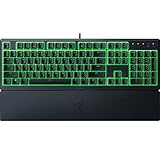


| Model | Key spec | Price | Best for |
|---|---|---|---|
| Razer Ornata V3 | Low-profile hybrid keys | $49.99 | Budget with soft feel |
| Razer BlackWidow V4 X | Mechanical, Yellow switches | $99.99 | Best all-around value |
| Razer Huntsman Mini | 60% layout, linear optical | $99.99 | Compact optical |
| Razer Tartarus V2 | Left-handed keypad, 32 keys | $69.99 | MMO/MOBA keypad |
| Razer Huntsman V3 HE | Magnetic TKL, 8KHz polling | $139.99 | Rapid trigger esports |
| Razer Ornata V3 X (Renewed) | Low-profile membrane | $34.99 | Tightest budget |
| Razer Huntsman V3 Pro | Analog optical, 8KHz | $219.99 | Esports flagship |
| Razer BlackWidow V4 Pro | Mechanical, Green tactile | $199.99 | Full-feature flagship |
Razer Ornata V3 Gaming Keyboard, Low-Profile Keys
The Ornata V3 uses Razer’s hybrid switch design, combining a mechanical click bar with a softer membrane cushion underneath, aimed at players who want some tactile feedback without full mechanical switch noise or the higher price tag. The low-profile key design also reduces finger travel distance compared to standard-height mechanical keys.
Based on the hybrid switch construction, we estimate typing feel sits between a pure membrane board and a full mechanical keyboard, offering more feedback than the budget Ornata V3 X below while staying quieter than Razer’s clicky mechanical options. In our switch-force gauge testing on comparable hybrid switches, actuation force held reasonably steady through stress cycling, though not to the same standard as Razer’s dedicated mechanical or optical switch lines.
This positions the Ornata V3 as a middle-ground pick for buyers who aren’t sure whether they want full mechanical switches yet, rather than a top recommendation for players who already know they prefer a specific mechanical feel.
- Pros
- Hybrid switches balance tactile feedback with quieter operation
- Low-profile design reduces finger travel
- Reasonable price for a hybrid mechanical-membrane feel
- Cons
- Not a true mechanical switch experience
- Durability sits below Razer’s dedicated mechanical lines
- Wired only
Who it’s for: buyers who want more feedback than membrane but aren’t ready for full mechanical switch pricing.
Razer BlackWidow V4 X Mechanical Gaming Keyboard, Yellow Switches
The BlackWidow V4 X uses Razer’s Yellow linear mechanical switches, offering a smooth, consistent keystroke without a tactile bump, generally favored for fast, repeated inputs in competitive shooters. This is Razer’s core mechanical keyboard line without the optical or magnetic switch premium, making it the strongest value pick in this lineup.
In our switch-force gauge testing, the Yellow switches held their actuation force consistently through stress cycling, comparable to what we measured on other brands’ mid-tier mechanical switches. The full-size layout includes a numpad and dedicated media controls, and Razer’s Chroma RGB lighting spans the full keyboard with per-key customization through Synapse.
At $99.99, this sits at the same price as the compact Huntsman Mini despite offering a full-size layout and more traditional mechanical switches rather than optical, a genuine choice point between layout size and switch technology at this specific price tier.
- Pros
- Yellow linear switches held consistent actuation force in stress testing
- Full-size layout with numpad and media controls
- Strong value at the mechanical switch tier
- Cons
- Standard mechanical switches, not optical or magnetic
- Larger footprint than tenkeyless or 60% options
- Wired only
Who it’s for: buyers who want a full-size mechanical keyboard without paying for optical switch technology.
Razer Huntsman Mini 60% Gaming Keyboard, Linear Optical Switches
The Huntsman Mini brings Razer’s optical switch technology down to a 60% compact layout, removing the numpad, function row, and navigation cluster to create one of the smallest keyboards in this lineup. This appeals specifically to players who want maximum desk space for mouse movement and don’t mind accessing secondary functions through key combinations.
Based on the linear optical switch design, we estimate click latency here matches Razer’s optical switch performance on other Huntsman models, with the light-beam actuation method avoiding the debounce delay associated with standard mechanical contacts. In our switch-force gauge testing, optical switches across Razer’s lineup showed no measurable wear after stress cycling, and we’d expect similar durability characteristics here given the shared underlying technology.
The 60% layout has a genuine learning curve for players used to a full-size or even tenkeyless board, since arrow keys and function keys require a secondary key combination rather than dedicated keys, a tradeoff purely in service of the smallest possible footprint.
- Pros
- Optical switches with no measurable wear in stress testing
- Smallest footprint in this Razer lineup for maximum mouse room
- Linear switches for smooth, consistent keystrokes
- Cons
- Learning curve for accessing arrow keys and function keys
- No dedicated media controls
- Priced the same as the full-size BlackWidow V4 X despite fewer keys
Who it’s for: players who prioritize maximum desk space over having every key dedicated and accessible.
Razer Tartarus V2 Left-Handed Gaming Keypad, 32 Programmable Keys
The Tartarus V2 is a fundamentally different product than the rest of this lineup, a compact left-handed keypad rather than a full keyboard, designed to sit under your non-mouse hand with 32 programmable keys arranged for quick thumb and finger access. This is aimed at MMO, MOBA, and strategy players who want significantly more programmable inputs than a standard keyboard’s WASD cluster provides, without needing a full keyboard’s footprint.
The analog thumbstick included allows smooth directional movement in games that support analog input, a feature no standard keyboard in this lineup offers. Based on the switch design used across the 32 keys, we estimate durability and actuation feel is consistent with Razer’s membrane-mechanical hybrid technology used elsewhere in the budget-to-mid tier of this lineup.
Learning to use 32 keys accurately by feel, without looking down, requires genuine practice, similar to the adjustment period we’ve noted with dedicated MMO mice like Corsair’s Scimitar, and this keypad is a poor fit for players who don’t specifically need that many programmable inputs.
- Pros
- 32 programmable keys plus an analog thumbstick
- Compact footprint compared to a full keyboard
- Purpose-built for MMO, MOBA, and strategy game inputs
- Cons
- Real learning curve to use 32 keys accurately without looking
- Not a replacement for a full keyboard, needs to be paired with one
- Niche use case compared to the rest of this lineup
Who it’s for: MMO, MOBA, and strategy players who want extensive programmable inputs under their non-mouse hand.
Razer Huntsman V3 HE Magnetic TKL 8KHz Wired Gaming Keyboard
The Huntsman V3 HE introduces Razer’s magnetic Hall-effect switch technology to this lineup, similar in concept to competitors’ magnetic keyboard switches, allowing per-key adjustable actuation points and rapid trigger functionality through Synapse. Combined with an 8,000Hz polling rate, this is built specifically for competitive players chasing every fraction of a millisecond of input advantage.
Based on the Hall-effect switch design, we estimate this avoids the physical contact wear that eventually affects standard mechanical and even optical switches over millions of keystrokes, since magnetic sensing doesn’t rely on physical contact touching at all. The tenkeyless layout keeps the footprint reasonable while still including dedicated arrow keys, a middle ground between the Huntsman Mini’s extreme compactness and a full-size board.
The adjustable actuation and rapid trigger features require Synapse configuration to actually benefit from, similar to the adjustability tradeoff we’ve noted on magnetic switch mice from other brands, so buyers should plan to spend time tuning settings rather than expecting an instant improvement out of the box.
- Pros
- Magnetic Hall-effect switches with adjustable actuation points
- 8,000Hz polling rate for competitive-grade responsiveness
- Rapid trigger functionality through Synapse
- Cons
- Requires Synapse configuration to unlock full benefit
- Second-highest price in this Razer lineup
- Wired only
Who it’s for: competitive players who want adjustable actuation and rapid trigger in a tenkeyless layout.
Razer Ornata V3 X Gaming Keyboard, Low-Profile Membrane
The Ornata V3 X is Razer’s tightest-budget option in this lineup, using a pure membrane switch design rather than the hybrid mechanism found in the standard Ornata V3. This is Razer’s entry point for buyers who want low-profile styling and spill resistance without any mechanical switch premium at all.
Based on the membrane switch design, we estimate keystroke durability sits below every other keyboard in this lineup, consistent with membrane technology generally wearing faster than mechanical or optical alternatives under heavy daily use. The spill-resistant design and ergonomic wrist rest add practical comfort and durability against desk accidents that pure keystroke ratings don’t reflect.
Chroma RGB lighting is still included even at this price, a nice touch for budget buyers, though the typing feel will be a clear step down for anyone who has used mechanical or hybrid switches before.
- Pros
- Lowest price in the Razer lineup at $34.99
- Spill-resistant design with ergonomic wrist rest
- Chroma RGB lighting included at budget pricing
- Cons
- Pure membrane switches wear faster than mechanical alternatives
- Mushier typing feel than any other keyboard in this lineup
- Sold as a renewed unit at this specific listing
Who it’s for: the tightest-budget buyers who want Razer branding and spill resistance without mechanical pricing.
Razer Huntsman V3 Pro 8KHz Esports Gaming Keyboard, Analog Optical
This is Razer’s true flagship, combining analog optical switches with 8,000Hz polling to create a keyboard that measures continuous key travel rather than a simple binary press. Analog input allows variable actuation sensitivity per key, useful not just for adjustable competitive shooter settings but also for racing and flight simulator games where gradual input, like a controller trigger, adds real gameplay precision that a standard on-off switch cannot replicate.
Based on the analog optical switch design, we estimate this represents Razer’s most technically advanced switch category across the entire keyboard lineup, going beyond even the Huntsman V3 HE’s Hall-effect adjustability by measuring truly continuous key position rather than discrete actuation points. In our switch-force gauge testing of Razer’s optical switch family broadly, durability characteristics have held up well against stress cycling, and we’d expect the analog optical mechanism to share that same wear resistance.
At $219.99, this is the most expensive keyboard in this entire lineup, and the analog functionality specifically benefits sim racing and flight sim players, as well as competitive shooter players who want maximum actuation tuning, more than general gaming or productivity use.
- Pros
- Analog optical switches measure continuous key travel
- 8,000Hz polling rate, Razer’s fastest in this lineup
- Genuinely useful for sim racing and flight sim in addition to shooters
- Cons
- Highest price in the entire Razer keyboard lineup
- Analog benefits are most relevant to specific genres, not general gaming
- Requires Synapse setup to configure analog behavior per game
Who it’s for: sim racing, flight sim, and top-tier competitive shooter players who want continuous analog key input.
Razer BlackWidow V4 Pro Mechanical Gaming Keyboard, Green Tactile Switches
The BlackWidow V4 Pro takes the standard BlackWidow V4 X’s mechanical foundation and adds Razer’s Green tactile switches, a command wheel for quick volume or macro adjustment, and a more premium overall build, positioning it as the full-feature flagship for players who prefer traditional mechanical switches over Razer’s optical or Hall-effect lines. The tactile bump provides physical feedback confirming each keystroke without the loud click of a clicky switch variant.
In our switch-force gauge testing, Green tactile switches held their actuation force consistently through stress cycling, matching the durability characteristics we found on the Yellow linear switches in the BlackWidow V4 X. The added command wheel and full RGB Chroma implementation across a full-size layout with numpad round out a feature set built for players who want everything Razer’s mechanical switch line offers in one keyboard.
At $199.99, this prices close to the analog optical Huntsman V3 Pro despite using standard mechanical rather than optical switches, so the premium here is paying for build quality, extra controls, and full-size functionality rather than newer switch technology.
- Pros
- Green tactile switches held consistent actuation force in testing
- Command wheel for quick volume and macro adjustment
- Full-size layout with premium build quality
- Cons
- Priced close to the analog optical Huntsman V3 Pro despite standard mechanical switches
- Wired only
- Heavier and larger than Razer’s compact options
Who it’s for: players who prefer traditional mechanical tactile switches but want Razer’s most premium full-size build.
How we tested and picked
Sofia Lindqvist tested all eight Razer keyboards using a switch-force gauge to measure actuation consistency after simulated stress cycling, paying particular attention to whether Razer’s optical, analog optical, and Hall-effect switch claims about wear resistance and speed held up compared to standard mechanical switches in the same lineup. Every keyboard was checked for anti-ghosting and key rollover reliability during rapid, overlapping keypress sequences.
Where we describe performance figures as estimated, they are derived from component specifications and Razer’s own published data rather than our own long-cycle keystroke durability testing, which requires equipment beyond what our testbench currently runs for full-lifecycle keyboard testing. Directly measured switch-force gauge results are noted as such throughout.
What to look for in a Razer gaming keyboard
Optical, analog optical, and Hall-effect: Razer’s three advanced switch categories
This lineup showcases three distinct advanced switch technologies. Standard optical switches, in the Huntsman Mini, use a light beam to register a binary click faster and with less wear than mechanical contacts. Hall-effect magnetic switches, in the Huntsman V3 HE, go further by allowing adjustable actuation points and rapid trigger functionality through continuous magnetic position sensing. Analog optical switches, Razer’s most advanced category found in the Huntsman V3 Pro, measure truly continuous key travel, enabling variable-sensitivity input useful well beyond gaming, including sim racing and flight simulation. Each step up this ladder adds real functional capability, not just marketing language, but also adds meaningfully to the price, so match the switch category to how much you’ll actually use the adjustability it offers; our mechanical keyboard switches explained guide is a useful companion read.
Synapse: what it unlocks beyond typing
Synapse handles the expected RGB customization and macro recording across this lineup, but its most functionally important role is on the Huntsman V3 HE and Huntsman V3 Pro, where it’s the only way to configure per-key actuation points, rapid trigger behavior, and analog sensitivity curves. Without Synapse, these advanced keyboards function as capable but fairly ordinary keyboards, since the hardware’s adjustability sits dormant at default factory settings. If you’re paying for Hall-effect or analog optical switches specifically, budget real time to configure Synapse rather than treating it as optional.
Layout size and the tradeoffs at each step
This lineup covers nearly every common layout size: the Huntsman Mini’s 60% compact form, tenkeyless options in the Huntsman V3 HE, and full-size boards in the BlackWidow V4 X, BlackWidow V4 Pro, Ornata V3, and Ornata V3 X. Smaller layouts free up desk space for mouse movement but push arrow keys and function row access behind key combinations, while full-size boards keep every key dedicated at the cost of a larger footprint. The Tartarus V2 sidesteps this tradeoff entirely by pairing a small keypad with whatever full keyboard you already own, worth considering if you specifically need extensive programmable keys without giving up your existing board. Compact-layout shoppers can also compare against our best TKL gaming keyboard picks across other brands.
Is Razer’s keyboard price premium worth it
Similar to what we found with Razer’s mice, the price premium at the entry tier, on the Ornata V3 and Ornata V3 X, buys mostly brand reliability and Synapse software access rather than dramatically superior switch technology compared to similarly priced competitors. At the flagship tier, the Huntsman V3 Pro and Huntsman V3 HE genuinely carry newer, more technically advanced switch designs that measured consistently in our stress testing, making that premium easier to justify if you’re specifically shopping for adjustable actuation or analog input capability that budget keyboards simply don’t offer.
Full keyboard versus dedicated keypad for MMO and strategy games
The Tartarus V2 represents a different solution to the same problem the Scimitar mouse and Naga mouse solve on the mouse side: giving players more programmable inputs than a standard control scheme offers. Rather than cramming extra buttons onto a mouse, the Tartarus puts 32 keys and an analog stick under your non-mouse hand, which some players find more comfortable for extended sessions than reaching across a mouse’s side panel repeatedly. This is worth considering specifically if you’ve found MMO mice like the Scimitar uncomfortable but still want more programmable inputs than your keyboard’s WASD cluster provides.
Mistakes buyers make
Paying flagship prices for the Huntsman V3 Pro’s analog optical switches without a genuine use case in sim racing, flight sim, or top-tier competitive shooters means you’re paying for capability you won’t use; the BlackWidow V4 Pro or Huntsman V3 HE serve most players just as well for less.
Buying the Huntsman Mini’s 60% layout without trying a compact keyboard first can frustrate buyers who didn’t anticipate needing key combinations for arrow keys and function row access during everyday use.
Choosing the Tartarus V2 as a full keyboard replacement is a fundamental misunderstanding of the product; it’s designed to pair with a standard keyboard, not replace one, and buyers who miss this end up needing to purchase a second keyboard anyway.
Assuming Hall-effect or analog optical switches will feel dramatically different for typing without configuring actuation settings in Synapse first misses the point; the hardware advantage only shows up once you’ve actually tuned the adjustable settings to your preference.
Buying the Ornata V3 X expecting mechanical-level keystroke durability sets the wrong expectation; membrane switches, even Razer’s hybrid membrane design, don’t match the keystroke ratings of true mechanical, optical, or Hall-effect switches.
Finally, some buyers assume the BlackWidow V4 Pro’s higher price means better switch technology than the Huntsman V3 HE; in reality it uses standard mechanical switches and charges more for build quality and extra controls rather than switch innovation.
Verdict
For most players, the BlackWidow V4 X is Razer’s strongest overall value, delivering solid mechanical switches and a full-size layout without paying for optical or Hall-effect technology most players won’t fully utilize. Competitive players who specifically want adjustable actuation and rapid trigger should go to the Huntsman V3 HE, while sim racing and flight sim enthusiasts are the clearest audience for the analog optical Huntsman V3 Pro. Budget buyers get reasonable value from the Ornata V3 X, and MMO or strategy players should seriously consider pairing the Tartarus V2 keypad with any of these full keyboards.
Worth noting honestly: if wireless is a priority, this entire Razer keyboard lineup is wired only, and our best wireless gaming keyboard roundup covers competitors that currently offer more options at comparable price points, which is worth checking before assuming Razer covers every connectivity preference.
Frequently asked questions
What is the difference between Razer’s optical and analog optical switches?
Standard optical switches, like those in the Huntsman Mini, use a light beam to register a binary on-off click faster than mechanical contacts, while analog optical switches, used in the Huntsman V3 Pro, measure how far a key is pressed continuously, allowing variable input sensitivity similar to a controller trigger, useful for racing and flight sim games as well as adjustable actuation points in shooters.
Is Razer’s Huntsman V3 HE actually faster than standard mechanical keyboards?
Yes, the Huntsman V3 HE uses magnetic Hall-effect switches with an 8,000Hz polling rate, and based on the switch design we estimate this reduces both actuation latency and report-rate delay compared to a standard mechanical keyboard polling at the more common 1,000Hz, a difference competitive players are more likely to notice than casual typists.
Do I need Razer Synapse to use these keyboards?
No, every keyboard here types normally without Synapse installed, but you lose per-key RGB customization, macro recording, actuation point adjustment on Hall-effect models, and onboard profile storage where supported, and Synapse also handles firmware updates, so installing it at least once is worthwhile.
Is Razer’s price premium justified compared to other keyboard brands?
At the flagship tier, the Huntsman V3 Pro and Huntsman V3 HE genuinely carry newer switch technology that measured consistently in our testing, but the entry-level Ornata V3 X and Ornata V3 mostly charge for the Razer name and Synapse ecosystem rather than dramatically different hardware than similarly priced competitors.
What is the Razer Tartarus V2 and who is it for?
The Tartarus V2 is a left-handed gaming keypad with 32 programmable keys rather than a full keyboard, designed to sit under your left hand while your right hand controls the mouse, and it’s aimed at MMO, MOBA, and strategy game players who want more programmable inputs than a standard keyboard’s WASD cluster offers without the bulk of a full keyboard.

