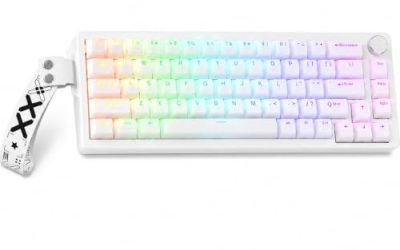
Under 80 dollars is the point where gaming keyboards stop being a choice between “cheap and rattly” and “good and expensive.” In this range you can find hot-swappable mechanical boards, 75% layouts with gasket-style mounting, and even Hall Effect magnetic switches that were exotic a few years ago. You can also find membrane boards dressed up with the word “mechanical” in the title. The decision behind “best gaming keyboards under 80 dollars” is therefore about what you want to pay for: switch feel, layout size, wireless freedom, or sheer feature count.
This guide is for players who want a real upgrade from a bundled keyboard without chasing enthusiast-grade builds. It covers compact 60% and 65% boards for tight desks, 75% and TKL layouts for a balance of space and function keys, and a full-size option for number-pad users. Every product is judged on what its title states: layout, switch type, connection, and extras. Where a listing says “mechanical feeling,” it is flagged, because that is not the same as true mechanical switches.
Our Top Picks


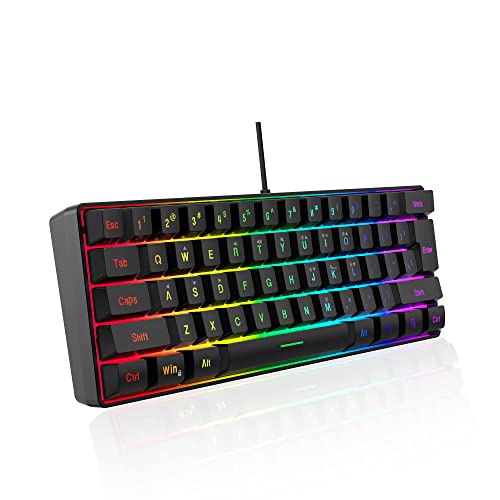
Top 3 picks at a glance
Quick Picks
As an Amazon Associate we earn from qualifying purchases at no extra cost to you.


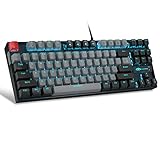



| Product | Best for | Key spec from the title |
|---|---|---|
| GEODMAER 65% | Tight desks on a tight budget | 65%, 68 keys, membrane, anti-ghosting |
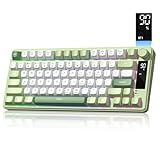
| Womier SK80 75% | Typing feel and customization | 75%, hot-swappable, gasket, multimedia display |
| MageGee 75% TKL | First mechanical board | Blue switch, 87 keys, LED backlit |
| Redragon Hot-Swappable | Tinkerers who want durable keycaps | Red switch, hot-swappable, PBT keycaps |
| AULA WIN68 HE | Competitive FPS play | Hall Effect, adjustable actuation, 8000Hz polling |
| DGG K60 60% | Minimal desks and consoles | 61 keys, 60%, wired, waterproof |
| Womier DK75 Wireless | Cable-free setups | 75%, tri-mode 2.4GHz, USB-C, Bluetooth 5.0 |
| Redragon K521 | Full-size with number pad | 104 keys, multimedia keys, rainbow LED |
How to Choose
Layout: 60%, 65%, 75%, TKL, or full-size
A 60% board drops arrows, function row, and number pad to save desk space. A 65% adds arrow keys, a 75% restores the function row in a tight block, and a TKL removes only the number pad. Full-size keeps everything. If you spend most of your time with a mouse in an FPS, smaller boards free up mouse room; if you work in spreadsheets as well, keep arrows and a function row; if you use the keyboard purely for play, the smaller the better.
Switch type and what “mechanical feeling” means
True mechanical boards use individual switches. Blue switches are clicky, red are linear, and Hall Effect magnetic switches, like those on the AULA, allow adjustable actuation points. A “mechanical feeling” keyboard, as on the DGG and the Redragon K521, usually uses rubber-dome membrane switches tuned to feel crisp. These can be perfectly pleasant, but they are not hot-swappable and will not match a mechanical board for lifespan or customization. If sound matters, remember that a silent membrane board is the quietest choice and blue switches are the loudest.
Connection, polling rate, and latency
Wired is the safest for competitive play. Wireless, like the Womier DK75, offers 2.4GHz, USB-C, and Bluetooth in one tri-mode board, handy for switching between PC and a laptop. A high polling rate such as 8000Hz, listed on the AULA, reduces input delay on paper, but few players can feel the difference above 1000Hz. Pay attention to anti-ghosting claims only if you press several keys at once, as in fighting games or rhythm titles. For most genres, a stable connection and a comfortable layout matter far more than headline numbers.
Build details and what to ignore
Small details separate a keyboard that lasts from one that frustrates within months. Look for PBT keycaps, which resist shine, hot-swappable sockets so you can change switches without soldering, and a detachable USB-C cable. Ignore RGB mode counts; 11 modes or 16 million colors say little about quality. Budget boards cut corners on stabilizers, keycap thickness, and software, so favor listings that name specifics instead of vague words like “premium.” If a board lists its keycap material, switch type, and connection modes plainly, that is usually a better sign than a long list of lighting effects.
The 8 Best Options
GEODMAER 65% Wired Keyboard
GEODMAER is a 65% wired, backlit keyboard with 68 keys and a membrane design. It is an entry-level pick for tight desks, with anti-ghosting so multiple keys register at once. For a student or a casual player who mostly wants a snappier, backlit typing surface than a bundled keyboard, this keeps the cost of entry low and the footprint small.
- Strength: 65% keeps arrow keys while saving desk space.
- Strength: anti-ghosting and a wired connection suit basic gaming.
- Trade-off: membrane switches lack the feel and lifespan of true mechanical boards.
Skip it if you want hot-swappable switches or an enthusiast sound profile.
Womier SK80 75% Keyboard
The SK80 is a 75% wired mechanical board with a color multimedia display, hot-swappable switches, gasket-style mounting, and RGB lighting. Its “creamy” sound claim speaks to buyers who care about typing feel. This is the board for someone who spends as much time typing as gaming and wants a modest bit of enthusiast flavor in a compact body without a big step up in budget.
- Strength: hot-swappable sockets allow future switch changes without soldering.
- Strength: the gasket design and multimedia display add features rare at this budget.
- Trade-off: the 75% layout is still compact if you rely on a number pad.
Skip it if you want wireless or a very plain, quiet office look.
MageGee 75% Mechanical Keyboard
MageGee offers a compact TKL-style board with 87 keys, blue switches, and LED backlighting in grey and black. It is a straightforward way to try a mechanical keyboard with a clicky feel. The layout is compact enough for a small desk but still includes arrows and the function row, which suits players who also use the keyboard for work during the day.
- Strength: true mechanical blue switches give tactile, audible feedback.
- Strength: 87 keys retain the function row and arrows.
- Trade-off: blue switches are loud, which matters in shared rooms or late-night sessions.
Skip it if you play with a microphone open or share a room.
Redragon Hot-Swappable Mechanical Keyboard
This Redragon is a wired mechanical board with red linear switches that are hot-swappable, double-shot PBT keycaps, and 11 programmable backlight modes. It is aimed at gamers who want to customize over time. Swapping to a different switch later costs little compared with replacing the board, and the thick keycaps are the sort of detail that tends to separate better budget boards from throwaway ones.
- Strength: double-shot PBT keycaps resist wear and shine.
- Strength: hot-swappable red switches suit quick, smooth keypresses.
- Trade-off: the title does not state the layout size, so confirm it on the product page.
Skip it if you prefer a clicky or tactile feel out of the box.
AULA WIN68 HE Hall Effect Keyboard
The AULA is a compact mechanical board built around Hall Effect magnetic switches, with a fast trigger mode, adjustable actuation, and an 8000Hz polling rate plus RGB backlighting. It targets competitive players. Magnetic switches are the newest idea in this lineup, so it makes sense for a buyer who enjoys tuning and wants to experiment with how deep a key must travel before it registers.
- Strength: adjustable actuation lets you set shorter or deeper keypress points.
- Strength: the fast trigger mode and polling rate appeal to FPS and rhythm players.
- Trade-off: it carries a compact layout with fewer keys than a TKL.
Skip it if you want a traditional switch feel or do not care about tuning.
DGG K60 60% Keyboard
The DGG K60 is a 61-key, 60% wired keyboard with RGB backlighting, advertised as waterproof and ergonomic. It also supports PC, Mac, PS4, and Xbox, giving it flexibility for consoles. A player who splits time between a PC and a console on the couch gets one keyboard that follows them, and the small footprint fits on a lap tray or a narrow shelf.
- Strength: 60% frees up desk space for a wide mouse area.
- Strength: console and Mac compatibility broaden where it can be used.
- Trade-off: “mechanical feeling” suggests membrane switches, not true mechanical ones.
Skip it if you need arrow keys or a function row without layers.
Womier DK75 Wireless Keyboard
The DK75 is a 75% wireless keyboard with tri-mode connectivity: 2.4GHz, USB-C, and Bluetooth 5.0. It uses a silent membrane design with RGB backlighting. The combination suits a bedroom or dorm where late-night typing should not wake anyone, and where one keyboard has to serve a laptop, a tablet, and a gaming PC in turn.
- Strength: tri-mode connection lets you switch between devices.
- Strength: a silent membrane design suits shared spaces.
- Trade-off: a membrane switch cannot match mechanical boards for customization.
Skip it if you want hot-swappable mechanical switches.
Redragon K521 Full-Size Keyboard
The K521 is a 104-key wired keyboard with a mechanical feeling, multimedia keys, anti-ghosting, and rainbow LED lighting with one-touch backlight control. It is the traditional pick for someone who types numbers, uses a full-size layout out of habit, and wants gaming looks without changing how they work.
- Strength: full-size layout keeps the number pad and media keys.
- Strength: dedicated multimedia keys speed up volume and playback control.
- Trade-off: “mechanical feeling” signals membrane switches.
Skip it if desk space is tight or you want true mechanical switches.
Which One Fits Your Situation
You want your first mechanical board
The MageGee 75% gives clicky blue switches and a function row. If you share space, pick a quieter option such as the Womier DK75. Keep the stock keycaps for now, and consider a simple desk mat under the board to dull some of the clatter.
You play competitive shooters
The AULA WIN68 HE is the match. Adjustable actuation and fast trigger options suit rapid movement, and a wired mode keeps latency low.
You want to swap switches and keycaps later
The Redragon Hot-Swappable and the Womier SK80 both support switch changes without soldering. The SK80 adds gasket mounting; the Redragon adds PBT keycaps.
You hate cables
The Womier DK75 offers 2.4GHz, USB-C, and Bluetooth in one body. It makes sense for a laptop and a desktop sharing a desk in 2026.
Common Mistakes
- Assuming “mechanical feeling” means mechanical switches.
- Buying a 60% board without learning the layer shortcuts first.
- Choosing blue switches for a shared room.
- Chasing polling rate or RGB counts and ignoring keycap and stabilizer quality.
- Forgetting that wireless boards need charging and may add latency in Bluetooth mode.
Related guides
- What Is The Best Budget Most Responsive Gaming Mouse Wired
- Low Latency Gaming Headphones Usb-C 2.4 Ghz Wireless
- Low Latency Gaming Headphones Usb-C Dongle 2.4 Ghz
Frequently Asked Questions
Are 60% keyboards good for gaming?
Yes, for many games. They free up mouse space, which helps low-sensitivity mouse players, though you lose dedicated arrows and function keys unless the board offers layers. Give yourself a week to adapt before judging the layout.
What is a hot-swappable keyboard?
It has sockets that let you pull out a switch and insert another without soldering. That allows tuning feel later, so you can start with the stock switches and move to a lighter or heavier option once you know your preference.
Do I need Hall Effect switches?
Only if you want adjustable actuation and fast trigger modes. Most players do well with conventional mechanical switches.
Is wireless fast enough for gaming?
2.4GHz wireless is generally responsive, while Bluetooth adds latency. Keep wired mode for competitive matches and use wireless for everyday work, browsing, and single-player games where a few milliseconds do not matter.