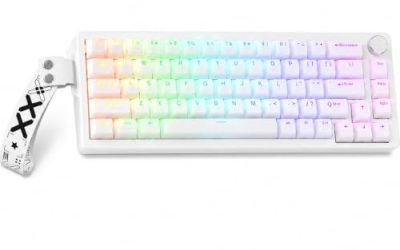
For most gamers, linear switches are the easier default because they press smoothly with no bump, which suits rapid taps and quick direction changes. Tactile switches add a small bump you can feel, which gives feedback on each press and can help typists and players who like to sense the actuation point. Neither is faster in itself; actuation distance, spring weight and your own habits decide how quick a board feels.
This comparison is built from general switch design principles, published manufacturer documentation and buyer feedback. It makes no claims about specific products.
What each switch type actually is
All mechanical switches contain a stem, a spring and contact leaves inside a housing. When you press the stem down far enough, the contacts meet and the keyboard registers a key.
A linear switch has a smooth stem path. The resistance builds steadily as the spring compresses, and nothing interrupts it until you bottom out or let go. A tactile switch has a small bump on the stem or housing that you push through partway down. The bump produces a change in resistance and, in many designs, registers right around the point where the key actuates.
Clicky switches are a third family with an added audible click. This guide leaves them aside, because the noise is usually a poor fit for voice chat and shared rooms.
Why the difference matters for gaming
Games ask your fingers to do different jobs. In fast shooters you tap, strafe and counter-strafe, often with tiny movements. In strategy games or MOBAs you press many ability keys deliberately. In mixed use, the same keyboard types emails and chat. A linear switch’s smoothness suits repeated taps, since the finger can ride the spring without a bump interrupting the rhythm. A tactile switch’s bump makes each press feel deliberate, which can lower accidental activations and improve confidence for single-press commands.
Both claims are about feel and preference rather than a guaranteed performance edge. Be skeptical of marketing that promises a win-rate improvement from a switch type alone.
Quick comparison
| Factor | Linear | Tactile |
|---|---|---|
| Feel during press | Smooth, uniform | Small bump partway down |
| Rapid repeated taps | Often easier, no bump to push through | Workable, bump adds slight resistance |
| Feedback for single presses | Less obvious | More obvious |
| Typing comfort | Good once you get used to bottoming out lightly | Often preferred by typists |
| Typical noise | Quieter, depends on case and dampening | Moderate, depends on case and dampening |
| Accidental presses | Higher on very light switches | Lower, the bump acts as a gate |
| Best-known fit | Fast shooters, rhythm games | MOBAs, MMOs, mixed typing and gaming |
How the numbers on a listing relate to feel
Switch type is only half the story. Three figures on a product page change the feel more than the label does.
- Actuation force: The weight needed to register a press. Lighter springs make taps easier but raise accidental presses. As a rough orientation, lighter springs suit quick taps and lighter fingers, while heavier springs suit people who rest their fingers on the keys.
- Actuation distance: How far down the stem travels before the key registers. Shorter distances feel quicker, though a very short one can trigger by accident.
- Total travel: The full stroke to the bottom. Shorter travel can feel snappy, but too short feels harsh on the finger.
Tactile bumps differ too. Some are subtle and rounded, others are sharp and noticeable. Read buyer comments to judge how strong a given bump feels.
What to look for when buying
- Hot-swap sockets. Lets you change switch type later without soldering, which removes most of the risk of guessing wrong.
- Listed actuation force and travel. Compare numbers within the same type, since a light linear and a heavy linear feel nothing alike.
- Case and plate. Foam and a plastic plate change sound and feel, sometimes more than the switch itself.
- Keycap material. Thicker caps tend to make the sound deeper.
- Return policy. Feel is subjective; a trial window is worth more than a spec sheet.
If your budget is tight, compare budget boards by switch type, case material and typing feel rather than by looks alone. For a smooth linear starting point, the piece on choosing linear switches for smooth gaming goes deeper.
Decision table by player type
| If you mostly… | Start with | Why |
|---|---|---|
| Play fast shooters and tap-strafe | Light to medium linear | Smooth taps with minimal interruption |
| Play MOBAs or MMOs with many abilities | Light tactile | Feedback on deliberate key presses |
| Write or code between games | Tactile or a medium linear | Feedback helps typing accuracy |
| Share a room or use voice chat constantly | Quiet linear or silent tactile | Less noise reaching the microphone |
| Have lightweight, quick fingers | Medium to heavy spring | Reduces accidental presses |
| Are unsure | Hot-swap board plus a tester | Cheap to change your mind |
A worked example: choosing for one player
Take a player with these stated assumptions: about 60 percent of weekly keyboard time goes to a fast shooter, 25 percent to a slower strategy or MOBA title, and 15 percent to typing chat and email. A simple weighting gives 60 points to linear (taps and strafing), 25 points split evenly (abilities benefit slightly from tactile feedback) and 15 points to tactile (typing). That adds up to roughly 72 points for linear and 28 for tactile, so linear is the sensible first purchase.
Now change the assumptions: 20 percent shooter, 40 percent MMO or MOBA, 40 percent typing and spreadsheets. The same method gives about 30 points to linear and 70 to tactile, so a light tactile switch is the better starting point. The point of this exercise is not the exact numbers, which are subjective, but to force you to write down what you actually do at the keyboard before choosing.
| Hours per week | Fast shooter | MOBA or MMO | Typing | Suggested start |
|---|---|---|---|---|
| Player A | 12 | 5 | 3 | Linear |
| Player B | 4 | 8 | 8 | Light tactile |
| Player C | 6 | 6 | 6 | Hot-swap board with both types |
Common mistakes to avoid
- Choosing on marketing words alone. Terms such as speed, pro or rapid describe branding, not a guaranteed advantage.
- Going too light. Very light springs can trigger by resting your fingers on the keys.
- Ignoring sound. A loud board on a call can annoy teammates faster than any switch benefit helps you.
- Assuming switches are interchangeable. Pin count and socket style limit what swaps in.
- Buying a full set before trying one. A tester pack costs little and prevents an expensive miss.
Compatibility and upgrade limits
Hot-swap boards accept most standard MX-style switches, though some designs add extras such as extra pins or odd stem shapes that can limit keycap choice. Soldered boards lock you in unless you desolder, and desoldering carries a risk of pad damage. If you think you may switch type later, treat hot-swap as a requirement rather than a bonus. You can also mix: use tactile on a few ability keys and linear on movement keys, which is a good fit for a hybrid layout.
Some people also use a KVM switch to share one keyboard between a gaming PC and a work PC; our guide on KVM switches for gaming and work covers that setup. If your keyboard doubles as an office board, the comparison in linear vs tactile switches for an office desk setup adds the typing angle.
How to apply this when buying
Write down your top two games and your typing habits. If your answers lean toward fast, repeated taps, begin with linear. If they lean toward deliberate presses or heavy typing, begin with tactile. Then pick a hot-swap board so the first answer is not permanent. Give the board a week, note any sore fingers or accidental presses, and adjust spring weight or switch type accordingly. Follow the maker’s care and cleaning instructions.
Frequently asked questions
Are linear switches better for gaming than tactile?
Linear switches are the more common gaming choice because they press smoothly with no bump, which suits fast repeated taps and double-presses. Tactile switches are not worse; the bump gives a physical cue that some players like for abilities and for typing between rounds. The better option depends on your games, your hands and whether the keyboard also serves as your work keyboard.
Do tactile switches slow you down in games?
Not by themselves. A tactile bump adds a small amount of resistance partway through the press, which some players find helps them avoid accidental presses, while others feel it interrupts quick taps. Actuation point and spring weight usually matter more for speed than the bump alone, so compare those figures as well as the switch type.
Which switch type is quieter?
Linear switches tend to be quieter than clicky switches, and tactile switches without a click fall somewhere between. Actual noise depends heavily on keycaps, case, plate and sound-dampening foam, so two keyboards with the same switch type can sound very different. If noise matters, check the listing for dampening and read buyer comments.
Can I use linear and tactile switches on the same board?
On a hot-swap keyboard you can mix them, for example tactile on a few ability keys and linear for movement. On a soldered board you cannot swap without desoldering. Check the switch pin type, because three-pin and five-pin switches both fit some sockets, but not every combination does.
What if I cannot decide between them?
Buy a switch tester or a board with a return policy and spend a few days with each type. If you mostly play fast action games, start with linear. If you type a lot or like feedback, start with a light tactile. You can change your mind later, especially if your keyboard is hot-swap.