
The single most common complaint from gamers about linear switches is not about actuation weight or bottom-out feel — it is about scratch. A linear switch that feels grainy on the way down breaks immersion instantly in fast-paced titles where you are strafing or tapping abilities every few hundred milliseconds. The best linear keyboard switches for smooth gaming eliminate that friction from the factory, using tighter housing tolerances, better stem materials, and consistent pre-lube application so that the first keystroke feels identical to the thousandth.
What separates a genuinely smooth linear from a mediocre one in 2026 comes down to three things: stem material quality, housing mold precision, and how evenly the factory lube is applied. A switch with a POM or POK stem and a well-fitted PA66 housing will outperform a basic ABS stem every time, even at the same actuation force. The lineup below is based on published specs and owner feedback across FPS, MOBA, and rhythm-game use.
As an Amazon Associate we earn from qualifying purchases at no extra cost to you.




Our Top Picks


Top 3 picks at a glance
Quick Picks
| Product | Best For | Price |
|---|---|---|
| EPOMAKER Creamy Jade | Budget bulk builds | Check on Amazon |
| Akko Starlit | Light linear with bright RGB | Check on Amazon |
| CHERRY MX2A Silent RED | Quiet smoothness | Check on Amazon |
| Gateron Milky Yellow Pro V2 | Best overall value | Check on Amazon |
| AULA F99 | Complete keyboard package | Check on Amazon |
| Zhouwang Burgundy Crystal | Lowest cost entry | Check on Amazon |
| Akko V3 Creamy Yellow Pro | Budget linear creaminess | Check on Amazon |
| Akko V3 Fairy Silent | Budget silent linear | Check on Amazon |
How We Compared
We evaluated every kit on stem material (POK and POM outperform ABS), housing tolerance (how much stem wobble owners report), consistency across a full batch (no outlier switches that feel different from the rest), and factory lube coverage quality. For gaming specifically, we prioritized switches that stay smooth during rapid repeated presses rather than only feeling good on slow, deliberate keystrokes. Price per switch also factored in, but never at the expense of clear quality gaps.
The 8 Best Linear Keyboard Switches For Smooth Gaming in 2026
EPOMAKER Creamy Jade 45gf Linear Switches
For builders who need a full set of smooth linears without a per-switch premium, the Creamy Jade delivers a 45gf actuation that feels light and responsive for fast game inputs. The POK stem is the standout spec here — POK is designed to reduce friction against the housing compared with standard POM, and the PC/PA66 case combination keeps the bottom-out sound deep rather than pinging.
- Pro: POK stem paired with PA66 housing produces genuinely low scratch out of the box.
- Pro: 100-pack price makes per-switch cost competitive with premium brands sold in smaller kits.
- Con: The light 45gf weight can lead to accidental presses for heavy-handed players.
Skip it if you need silent operation or if you are building a board where every single keystroke must sound identical without any hand-lubing.
Akko Starlit Linear Switches
The Starlit is a pure linear from Akko built around smoothness and lighting. It actuates at 45gf with about 50gf at bottom-out, so the force stays light and flat through the whole stroke, and its 3.4mm total travel is a little shorter than a standard 4.0mm switch, which makes rapid taps feel quick. A POM stem runs in a glitter-flecked polycarbonate top and a nylon (PA66) bottom housing, the switches are factory lubed, and a built-in diffuser over the LED slot spreads RGB evenly.
- Pro: Light, flat 45gf to 50gf force curve suits fast repeated inputs and long sessions.
- Pro: Nylon bottom housing gives a fuller bottom-out sound, while the PC top and diffuser keep lighting bright.
- Con: Akko sells it in 45-switch packs, so a full-size board needs several kits.
Skip it if you rest your fingers heavily on WASD and want more resistance against accidental presses.
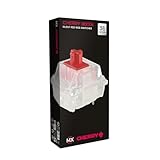
CHERRY MX2A RGB Silent RED
CHERRY remains the reference standard for consistency, and the MX2A Silent RED refines what gamers have loved about the classic Red for decades. The no-click, smooth-quiet profile makes it ideal for shared spaces or late-night sessions where sound discipline matters. The 36-switch count suits a single-board swap rather than bulk builds.
- Pro: Cherry’s tight manufacturing tolerances keep the feel consistent across the kit.
- Pro: Silent dampening integrated without the mushy feel that cheaper silencers produce.
- Con: 36 pieces at this price point makes it one of the most expensive per-switch options in this roundup.
Skip it if you are building a 75% or full-size board and need more than 36 switches from a single purchase.
Gateron Milky Yellow Pro V2
The V2 revision is Gateron’s refinement of the popular Milky Yellow, and the result is a switch that competes well with options that cost more per unit. At 72 pieces, it covers a full 65% build or a partial hot-swap upgrade without leftover frustration.
- Pro: The smoothest factory-linear feel per dollar in this list — barely any break-in required.
- Pro: Milky housing diffuses RGB evenly, which matters if your board has per-key lighting.
- Con: The roughly 50gf actuation feels heavier than 45gf options for lighter-handed typists.
Skip it if you prefer sub-50gf actuation for extremely light keystroke requirements.
AULA F99 Wireless Mechanical Keyboard
This is not a switch pack but a complete keyboard with pre-lubed linear switches already installed, making it the logical pick for gamers who want to skip the modding process entirely. Tri-mode connectivity (BT 5.0, 2.4GHz, USB-C) and hot-swap compatibility mean you can swap to other switches from this list later without buying a new board.
- Pro: Hot-swap sockets let you experiment with any MX-compatible linear without soldering.
- Pro: Ships pre-lubed and works well for gaming straight out of the box.
- Con: The stock switches are adequate but not standout — you will likely want to upgrade them.
Skip it if you already own a keyboard and only need replacement switches.
Zhouwang Burgundy Crystal Linear Switches
At a rock-bottom budget price for 36 pieces, this is one of the cheapest entries into a crystal-housing linear switch. The burgundy tint looks striking under RGB, and the linear feel is acceptable for casual gaming. However, owner feedback suggests factory consistency is lower than the other options on this list.
- Pro: Unbeatable price for trying the linear crystal aesthetic before committing to a full bulk order.
- Pro: Light actuation feel suits quick-tap inputs in rhythm games.
- Con: Housing flash and gate roughness are common out of the box; expect meaningful rework time.
Skip it if you do not want to spend an hour lubing and clipping before the switches feel smooth.
Akko V3 Creamy Yellow Pro
Part of Akko’s V3 Pro line, this 50gf linear keeps the dustproof stem and even factory lube that made Akko a budget favorite. The slightly heavier actuation compared to 45gf options gives a more deliberate feel that some players prefer for ability-based games where accidental presses are costly.
- Pro: Dustproof stem design extends the smooth-feeling lifespan noticeably compared to open-stem alternatives.
- Pro: 50gf weight is a sweet spot for gamers who find 45gf too twitchy.
- Con: The creaminess is more about sound than feel — travel is smooth but not glassy.
Skip it if you want the absolute smoothest keystroke regardless of sound profile.
Akko V3 Fairy Silent Linear Switches
This is the core list’s budget silent linear for players who need quiet operation without a tactile bump. Built-in silicone dampeners soften the bottom-out and the return stroke, and the 50gf operating force, with roughly 55gf to 60gf at bottom-out, gives a medium, controlled press. The stem is POM inside a nylon housing, the switches are factory lubed, and the 5-pin design fits PCB-mount hot-swap boards. Each pack holds 45 switches.
- Pro: Dampened travel with no bump stays quiet on voice chat and streams.
- Pro: 50gf weight resists accidental presses better than lighter silent switches.
- Con: About 3.3mm of total travel and a soft, cushioned bottom-out feel less crisp than a standard linear.
Skip it if you want a crisp bottom-out or a very light press; the TTC Frozen Silent V2 below is lighter.
Gateron Oil King Linear Switches

The Oil King is the step up for builders who like the idea of the Milky Yellow Pro but want a deeper sound and a more premium, weightier press. It regularly appears in top linear switch lists alongside Gateron’s Yellow and Ink lines, and it makes sense for gamers who rest their fingers heavily on WASD and want to avoid accidental inputs.
The spec sheet explains why it feels so composed. It uses a POM stem inside a nylon (PA66) top housing and Gateron’s proprietary Ink-blend bottom housing, a combination designed to keep stem wobble very low. Actuation is rated at 55gf with about 2.0mm of pre-travel and 4.0mm total travel, and the long spring builds force smoothly toward bottom-out. Retailers list bottom-out at around 65gf for current batches, though some older listings quote higher. The switches are factory lubed to reduce spring ping and stem friction, and the current version uses Gateron’s sturdier pins to reduce bent-pin problems during installation.
Sound is one of its main selling points: the nylon top and Ink bottom produce a lower, deeper bottom-out than the milky housings, which is why many people describe it as “thocky.” If you play with an open mic, that softer pitch is also less distracting for teammates than a sharp clack.
Who it is for: players who want a smooth, slightly heavier linear with a premium sound and minimal wobble, and who are happy to pay more per switch for it.
Strengths: very stable stem; consistent factory lube; deep sound profile; 55gf weight that resists accidental presses.
Drawbacks: costs noticeably more per switch than the Milky Yellow Pro or Creamy Jade; the heavier spring can feel tiring for players used to 45gf; the solid housing does not show off RGB as well as clear or milky tops.
Compared with the Gateron Milky Yellow Pro V2 above, the Oil King is heavier, quieter in pitch, and more stable, while the Milky Yellow remains the better value for a full budget build. If you liked the Milky Yellow but want something more refined, this is the natural upgrade.
Glorious Lynx Lubed Linear Switches
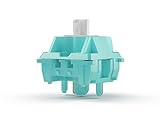
The Lynx is Glorious’ light, fast linear, and it is aimed at players who want a smooth switch that feels lighter than a standard Red without being twitchy. It is a regular pick in enthusiast-leaning gaming switch roundups because it is smooth straight from the factory and well suited to fast inputs.
Glorious lists the original Lynx at 43g actuation with a 2.0mm actuation point, 3.9mm total travel, and roughly 60g at bottom-out. It uses a POM stem, a polycarbonate top housing, and a nylon bottom housing, which is a classic combination for balanced sound: the PC top helps RGB shine through while the nylon bottom keeps bottom-out from sounding too high-pitched. This listing is the lubed version, so the stem and rails are factory lubricated for reduced scratch out of the box. The switches are 5-pin and fit any MX-compatible hot-swap board.
The slightly shorter total travel and light actuation make the Lynx feel quick under the fingers, which suits rhythm games, fast ability rotations in MOBAs, and anyone who types or games for long stretches and wants less finger fatigue.
Who it is for: players who want a lightweight, quick linear and a balanced sound, and who prefer a known gaming brand over enthusiast-only labels.
Strengths: light 43g actuation; factory lubed; RGB-friendly PC top; smooth POM stem.
Drawbacks: sold in 36-packs, so a full-size board needs several; more expensive per switch than budget options; the light weight may lead to accidental presses if you rest your hands on the keys.
Compared with the EPOMAKER Creamy Jade 45gf, the Lynx is similar in weight but comes from a better-known gaming brand and uses a PC top for brighter lighting. Against the Akko V3 Creamy Yellow Pro at 50gf, it is lighter and faster but less forgiving for heavy-handed players.
CHERRY MX2A Speed Silver

The MX Speed Silver is the switch to consider if your goal is the fastest possible input on a traditional mechanical switch. Competitor guides consistently single it out as the speed pick, and the reason is its short actuation point rather than its weight.
Cherry lists the Speed Silver at 45cN of actuation force, which matches the classic MX Red, but it actuates after only about 1.2mm of travel instead of the usual 2.0mm, with a total travel of about 3.4mm. That shorter pre-travel means each press registers earlier, which helps with rapid taps and quick strafing. This is the MX2A version, which is Cherry’s updated line featuring factory lubrication and a refined spring design intended to improve smoothness and consistency compared with older MX switches.
This kit includes 36 switches with RGB-friendly housings, so it is suited to a compact board or replacing your main gaming cluster. Cherry’s long reputation for consistency means the switches feel very similar across a batch, which matters for competitive players who want identical behavior across WASD and ability keys.
Who it is for: competitive FPS, rhythm-game, and fast-paced players who want quick actuation on a traditional switch and do not need a magnetic keyboard.
Strengths: short 1.2mm actuation for quick inputs; trusted Cherry consistency; factory lubed MX2A design; light 45cN force.
Drawbacks: short actuation increases accidental presses, especially for typing; only 36 per kit; sound is thinner than nylon-housing switches like the Oil King.
Compared with the CHERRY MX2A Silent Red above, the Speed Silver is louder but quicker, so pick the Silent Red for shared rooms and the Speed Silver for competitive play. Against magnetic options, it lacks adjustable actuation but works in any MX-compatible hot-swap board.
TTC Frozen Silent V2

The Frozen Silent V2 is the lightest silent linear in this guide. The silent options above are the pricier Cherry kit and the medium-weight Akko V3 Fairy Silent, while the Frozen Silent V2 is a well-regarded silent linear from TTC that pairs a very light press with a smooth travel path and no bump at all.
Spec sheets list it at about 39g actuation with roughly 43g at bottom-out, 2.0mm pre-travel, and 3.5mm total travel. The housing is transparent polycarbonate top and bottom, which lets RGB shine brightly, and the stem is POM. TTC uses a dual-silencing structure with dampening at both the bottom and top of the stroke, and quotes noise suppression below 35dB. The switches come factory lubed. Note that retailers differ on pin count, so check whether your board needs 3-pin or 5-pin switches; 3-pin switches work in 5-pin sockets, but not always the other way around.
The very light weight and short travel make it fast and easy to press, but silent dampeners change feel slightly: the bottom-out is soft rather than crisp. For many players in shared rooms, dorms, or on calls, that trade-off is worth it.
Who it is for: players who stream, use an open mic, or game late at night next to others and want a smooth linear without the sound.
Strengths: very quiet; smooth linear travel; light force; bright RGB through clear housings.
Drawbacks: soft, slightly muted bottom-out compared with standard linears; the very light 39g force can cause accidental presses; 30-pack size means multiple kits for a full board.
Compared with the CHERRY MX2A Silent Red, the Frozen Silent V2 is lighter, brighter under RGB, and comes in larger pack sizes at a better per-switch price tier. Against the Akko V3 Fairy Silent, it is lighter and brighter under RGB, while the Fairy’s 50gf press is better at preventing accidental inputs.
Kailh Box V2 Red

The Kailh Box Red is the pick for gamers who care about durability and long-term consistency as much as day-one smoothness. Its defining feature is the box structure: a square wall surrounds the stem, which helps keep it centered during travel and protects the contact area from dust and liquid. That makes it a practical choice for a desk where spills, crumbs, and pet hair are a reality.
This listing describes a 5-pin linear switch at around 40gf, light enough for fast inputs and a little lighter than the classic 45g Red, and it ships as a large pack suitable for a full-size board. The box design also tends to reduce stem wobble, so keycaps feel more stable, which helps on larger keys such as Shift and Space. The switches are MX-compatible, so they fit standard hot-swap boards and keycaps.
Sound is a little higher-pitched than nylon-housing linears such as the Oil King, and smoothness out of the box is good but not as polished as premium factory-lubed switches, so enthusiasts may still choose to lube the springs.
Who it is for: players who want a light, stable, durable linear for a full build, especially in environments with dust or drink spills.
Strengths: box design protects contacts and reduces wobble; light 40gf force; 5-pin for PCB-mount boards; large pack sizes.
Drawbacks: not as smooth out of the box as premium pre-lubed options; sharper sound; the box stem can make some lube jobs and keycap fits slightly tighter.
Compared with the Zhouwang Burgundy Crystal above, the Box Red costs more but is far more consistent and much better protected against dust. Against the Akko V3 Creamy Yellow Pro, it is lighter and more spill-resistant, while the Akko is creamier in sound.
Keychron Magnetic Switches Aurora Linear
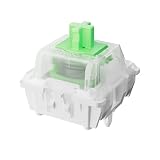
The Aurora is a magnetic (Hall effect) linear switch, and it represents the biggest change in gaming switches in recent years. Instead of a metal contact closing, a magnet in the stem moves past a sensor on the keyboard PCB, which lets the keyboard read exactly how far the key is pressed. That enables adjustable actuation and rapid trigger, features that many competitive FPS guides now consider the main upgrade for serious players.
Keychron lists the Aurora as a Gateron-made, double-rail Hall effect linear with 50gf force, factory pre-lube, and actuation adjustable in 0.1mm steps on compatible keyboards. The double-rail stem design helps keep travel straight and stable. The pack includes 110 switches, enough for a full-size board plus spares. Because Hall effect switches have no physical contact to wear out, they are also well suited to long-term heavy use.
The important caveat is compatibility: magnetic switches only work in Hall effect keyboards with the matching sensor layout. They will not work in a standard mechanical hot-swap board, and a standard switch will not work in a Hall effect board. Check that your keyboard lists support for Gateron magnetic switches before buying.
Who it is for: owners of Hall effect keyboards who want a smooth, medium-weight linear and full use of rapid trigger and adjustable actuation.
Strengths: adjustable actuation and rapid trigger support on compatible boards; stable double-rail design; factory lube; large 110-pack.
Drawbacks: only works in Hall effect keyboards; benefits depend on the keyboard’s software; 50gf may feel heavy for players who like 40g switches.
Compared with every traditional switch in this guide, the Aurora is the only one that can change its actuation point. If you own or plan to buy a magnetic keyboard, it is a stronger competitive choice than a fixed-actuation switch like the Speed Silver.
Buying Guide
Spec Sheet Terms That Actually Matter
Switch listings are full of numbers, and only a few of them predict how a switch will feel in games. These are the specs worth reading before you buy.
- Actuation force: the force needed to register a press, usually 35g to 65g for linears. Lighter is faster and less tiring; heavier resists accidental presses.
- Bottom-out force: the force at the end of the stroke. A big gap between actuation and bottom-out (for example 55g to 65g or more on a long spring) gives a progressive, cushioned feel; a small gap feels flatter and lighter overall.
- Pre-travel (actuation point): how far the key moves before it registers. Most switches use about 2.0mm; speed switches like the MX Speed Silver use about 1.2mm; magnetic switches let you set it yourself.
- Total travel: the full key stroke, usually 3.4mm to 4.0mm. Shorter travel feels snappier; silent switches often lose a little travel to dampeners.
- 3-pin vs. 5-pin: 5-pin switches have two extra plastic legs for stability on PCB-mount boards. 3-pin switches fit 5-pin sockets, but 5-pin switches need the legs clipped to fit 3-pin-only boards.
- Housing material: polycarbonate tops show RGB brightly and sound sharper; nylon tops sound deeper and softer; milky blends sit in between and diffuse light evenly.
Matching Switch Weight to Your Games
Light (35g to 45g): rhythm games, fast MOBA ability spam, and long sessions where fatigue matters. Examples here include the TTC Frozen Silent V2, Glorious Lynx, Kailh Box V2 Red, Akko Starlit, and EPOMAKER Creamy Jade.
Medium (45g to 55g): the all-round range most FPS players settle on, light enough for quick taps but firm enough to rest fingers on WASD. The Akko V3 Creamy Yellow Pro, Akko V3 Fairy Silent, Gateron Milky Yellow Pro V2, and Keychron Aurora sit here.
Heavy (55g and above): players with a heavy hand, MMO players with large hotbars, or anyone who keeps triggering keys by accident. The Gateron Oil King is the main option in this guide.
Linear vs. Tactile vs. Clicky for Gaming
Linear switches travel straight down and back up with no bump and no click, which is why most gaming-focused guides recommend them for fast, repeated inputs. With nothing interrupting the stroke, double-taps, strafing, and quick ability presses feel consistent from the first press to the last.
Tactile switches add a small bump near the actuation point. That bump tells your finger the key has registered, which many typists like, but in rapid gaming inputs it adds a little resistance on every press. Every switch recommended in this guide is linear; if you want a bump for mixed typing and gaming, look at a light tactile instead.
Clicky switches add an audible click on top of a tactile bump. They are satisfying for typing but loud on voice chat and streams, and the click mechanism can make fast repeated presses feel less fluid. For most gaming setups, they are the least suitable of the three.
If you split time between work and play, a medium-weight linear around 45g to 55g is the safest all-rounder. If you mostly type, consider a light tactile; if you mostly play competitive shooters, a light linear, a speed switch, or a magnetic linear is the better fit.
Stem Material Determines Scratch
The stem is the single most important component for smoothness. POK and POM stems have lower friction coefficients against nylon or polycarbonate housings compared to ABS. If two switches share the same spring and housing but differ in stem material, the POM/POK variant will feel smoother within the first hundred keystrokes. Look for POK first, POM second, and avoid ABS stems in any switch marketed as premium.
Housing Tolerance Controls Consistency
Even a great stem fails if the housing upper and lower halves have excess play or rough internal gates. A switch with tight tolerance travels straight without lateral rubbing, which is what produces the “buttery” feel gamers describe. PA66 housings hold their shape better than standard ABS under heat and repeated cycling, meaning the smoothness you experience on day one persists after months of heavy use.
Factory Lube Quality Saves You Hours
Not all pre-lube is equal. A thick, globs-heavy application feels mushy on the downstroke, while a thin brush coat may not survive three weeks of rapid gaming. The best factory-lubed switches use a light, even distribution that fills housing seams and stem rails without pooling on the spring legs. If a product description says “pre-lubed” but shows inconsistent coating in user photos, budget time for a manual re-lube pass.
Additional Linear Picks Compared
| Switch | Type | Listed actuation | Stand-out trait | Price tier per switch | Board requirement |
|---|---|---|---|---|---|
| Gateron Oil King | Linear | 55gf | Deep sound, very stable stem | Premium | MX hot-swap, 5-pin |
| Glorious Lynx (lubed) | Linear | 43g | Light and quick, RGB-friendly PC top | Mid to premium | MX hot-swap, 5-pin |
| CHERRY MX2A Speed Silver | Linear, short actuation | 45cN, about 1.2mm pre-travel | Fastest fixed actuation | Mid to premium | MX hot-swap |
| TTC Frozen Silent V2 | Silent linear | About 39g | Very quiet, clear housing | Mid | MX hot-swap, check pin count |
| Kailh Box V2 Red | Linear, box stem | About 40gf | Dust and spill resistance | Budget | MX hot-swap, 5-pin |
| Keychron Aurora (magnetic) | Hall effect linear | 50gf, adjustable actuation | Rapid trigger support | Budget to mid | Hall effect keyboard only |
How to Install New Switches Without Damage
- Confirm compatibility first. Check that your keyboard is hot-swappable, whether it accepts 3-pin or 5-pin switches, and whether it is a traditional mechanical or a Hall effect board.
- Remove keycaps with a wire puller and pull straight up to avoid stressing stabilizer keys.
- Use a proper switch puller. Squeeze the top and bottom clips, then pull straight up with gentle, even pressure. Rocking side to side can damage hot-swap sockets.
- Check every pin before inserting. Straighten bent pins with tweezers. A bent pin is the most common reason a new switch does not register.
- Align and press firmly. Match the switch orientation to the board (most modern boards use south-facing LEDs) and press until it clicks into the plate.
- Test every key with an online key tester or your keyboard software before putting all the keycaps back on.
Simple Ways to Make Any Linear Feel Smoother
- Break-in time: many factory-lubed switches smooth out a little over the first days of use.
- Switch films: thin films between the housing halves reduce wobble on looser switches.
- Light lubing: a thin coat of lubricant on stem rails and springs reduces scratch and spring ping on budget switches. Avoid heavy coats, which can make linears feel sluggish.
- Stabilizer tuning: rattly stabilizers on Space, Enter, and Shift often bother players more than switch scratch, and they are easy to fix with a little lubricant.
Our Verdict
The EPOMAKER Creamy Jade 45gf is our top pick for the best linear keyboard switches for smooth gaming. Its POK stem and PA66 housing deliver low scratch out of the box, the light 45gf weight suits fast inputs, and the 100-pack covers a full build without forcing you into hours of hand-work. The Gateron Milky Yellow Pro V2 is the best value alternative, with out-of-box smoothness and an RGB-friendly milky housing in a 72-piece pack. For a budget pick with dependable quality, the Akko V3 Creamy Yellow Pro is hard to argue against, especially with its dustproof stem longevity. If quiet operation is non-negotiable and you need a single board completed, the CHERRY MX2A Silent RED wins on consistency even at a higher per-switch cost.
FAQ
Do linear switches need to be lubed before use?
Higher-quality factory-pre-lubed switches from brands like Gateron Pro and Akko V3 are often smooth enough for immediate use. However, budget linears almost always benefit from a manual lube pass, which can take 30 to 60 minutes per board but dramatically reduces scratch.
Is 45gf or 50gf better for gaming?
Neither is universally superior. Lighter 45gf switches suit rapid-fire inputs and players who want minimal fatigue, while 50gf provides slightly more resistance that can prevent accidental ability triggers in MOBA or MMO games. Choose based on your finger pressure habit.
Can I mix linear and tactile switches in the same board?
Yes, as long as both are MX-compatible with matching pin counts (3-pin or 5-pin). Some builders place linears on WASD keys and tactiles on modifiers to get the best of both behaviors without sacrificing smoothness where it matters most.
Does switch color indicate actuation weight?
Not reliably across brands. A “yellow” switch from one manufacturer may weigh 50gf while another’s yellow is 62gf. Always check the listed actuation and bottom-out force in grams rather than assuming consistency from color alone.
Are magnetic Hall effect switches better than mechanical linears for gaming?
For competitive FPS, often yes, because adjustable actuation and rapid trigger let keys reset the instant you lift your finger. For casual gaming, MOBAs, and typing, a quality 45g to 55g mechanical linear is still excellent. Remember that magnetic switches only work in Hall effect keyboards.
How many switches do I need for my keyboard?
Count the keys on your board and buy a few spares. A 60% board uses about 61 switches, a 65% about 68, a 75% about 80 to 84, a tenkeyless about 87, and a full-size board about 104 to 108. Small 30- to 36-packs suit WASD or a partial swap; 70- to 110-packs cover full builds.
Do I need a hot-swappable keyboard to change switches?
Without hot-swap sockets, switches are soldered to the board and changing them requires desoldering. If you want to try different switches, a hot-swap board is by far the easiest path.
Are speed switches bad for typing?
Short-actuation switches like the MX Speed Silver register very early, so resting fingers or brushing a key can trigger a press. Some people adapt quickly; others prefer a standard 2.0mm actuation for mixed typing and gaming.







