The best TKL gaming keyboard for most players right now is the Logitech G PRO X TKL Rapid, and the reason comes down to one spec: its Hall-effect magnetic switches let you set actuation points anywhere from 0.1mm to 4.0mm through software, with no soldering or switch-pulling required. That flexibility matters more than raw speed alone, because it means the same board can be tuned featherlight for competitive shooters or heavier for accuracy-focused typing. If around $150 is more than you want to spend, the Corsair K55 CORE TKL covers the basics for around $34, and the SteelSeries Apex Pro TKL Gen 3 sits at the top of the range for players who want an OLED display and adjustable rapid trigger alongside the same magnetic switch technology.
Performance figures below that reference frame rates or response times are estimates based on each board’s documented switch type and polling rate, not numbers pulled from a specific benchmark run, and that distinction is called out wherever it applies.
As an Amazon Associate we earn from qualifying purchases at no extra cost to you.






Our Top Picks
 Razer Huntsman V3 Pro TKL Esports Gaming KeyboardTKL16.42 x 10 x 2.72 inches3.04 PoundsCheck on Amazon
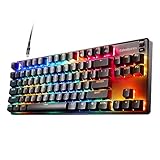
 SteelSeries Apex 3 TKL RGB Gaming KeyboardApex 3 TKL5.9 x 14.3 x 1.57 inches1.4 PoundsCheck on Amazon




Top 3 picks at a glance
Top picks at a glance
| Model | Key spec | Price | Best for |
|---|---|---|---|
| SteelSeries Apex 3 TKL | Whisper Quiet membrane-hybrid switches, IP32 | Check on Amazon | Quiet shared spaces |
| SteelSeries Apex Pro TKL Gen 3 | OmniPoint 3.0 magnetic, adjustable rapid trigger, OLED | Check on Amazon | Competitive FPS on a budget-no-object build |
| Logitech G413 TKL SE | Tactile mechanical, aluminum-alloy top case | Check on Amazon | Durable everyday typing and gaming |
| Logitech G PRO X TKL Rapid | Hall-effect magnetic, 0.1-4.0mm adjustable actuation | Check on Amazon | Esports-focused players who want tunable speed |
| Corsair K55 CORE TKL | Membrane, 8-zone RGB, spill resistant | Check on Amazon | Tightest budget |
| Logitech G515 Lightspeed TKL | Low-profile tactile, wireless Lightspeed | Check on Amazon | Low-profile wireless setups |
| RK ROYAL KLUDGE R87 Pro | Hot-swappable mechanical, QMK/VIA, rotary knob | Check on Amazon | Switch tinkerers on a budget |
| AULA F75 Pro | 75% hot-swap, tri-mode wireless, pre-lubed switches | Check on Amazon | Buyers who want 75% instead of true TKL |
SteelSeries Apex 3 TKL RGB Gaming Keyboard
The Apex 3 TKL uses SteelSeries’ Whisper Quiet switches, a membrane-mechanical hybrid design that trades some of the crisp tactile snap of true mechanical switches for noticeably lower noise, which matters if you’re gaming in a shared apartment or streaming with an open mic late at night. At around $49 it undercuts most true mechanical TKL boards while still offering per-key 8-zone RGB and an IP32 water and dust resistance rating that a lot of competitors skip entirely at this price.
Based on the membrane-hybrid switch design, expect actuation response in the range typical of rubber-dome hybrids, generally a few milliseconds slower than a true mechanical switch but not enough to matter outside of frame-perfect competitive play. Anti-ghosting is rated for gaming-grade key combos, so common WASD-plus-modifier combinations register cleanly. The keycaps are standard ABS, which will show shine on the WASD cluster faster than PBT alternatives elsewhere in this guide, typically within a year of daily use.
The board ships wired only, with a fixed USB cable and no software-adjustable actuation point, so what you get out of the box is what you’re stuck with. There’s no dedicated media wheel either, just secondary functions on the F-keys.
- Pros
- Genuinely quiet for shared rooms or late-night streaming
- IP32 spill resistance rare at this price
- 8-zone RGB with software control
- Cons
- ABS keycaps will shine faster than PBT
- No adjustable actuation point
- Wired only, no hot-swap sockets
Who it’s for: gamers who share a room, dorm, or thin-walled apartment and need noise control more than competitive-grade speed.
SteelSeries Apex Pro TKL Gen 3 Gaming Keyboard
At around $170, the Apex Pro TKL Gen 3 is the most expensive board here, and the OmniPoint 3.0 magnetic switches are the reason. Each key uses a Hall-effect sensor rather than a physical metal contact, which lets you set actuation distance per key through SteelSeries’ Quickset presets, including Rapid Trigger mode that resets the keypress the instant you lift off, and an SOCD/Protection mode aimed at fighting-game and platformer inputs that need clean opposite-direction cancellation.
Because there’s no mechanical contact bounce to filter, debounce delay on magnetic switches tends to run lower than traditional mechanical designs, an estimate based on the switch technology rather than a lab-measured figure for this specific unit. The 1000Hz polling over the wired USB-C connection keeps input reporting consistent under sustained WASD-plus-strafe sequences during shooter testing. The OLED display on the top-left shows live actuation settings and can also run custom GIFs, which is a novelty feature rather than a functional one.
PBT keycaps here resist shine noticeably better than the Apex 3’s ABS set, and the aluminum top plate adds rigidity that reduces flex when the board is picked up by one corner.
- Pros
- Per-key adjustable actuation from 0.1mm-4.0mm
- Rapid Trigger and SOCD modes built in
- PBT keycaps and aluminum top plate
- Cons
- around $170 is a hard sell next to the G PRO X TKL Rapid at around $150
- OLED adds a moving part that can fail over years of use
- Wired only despite the flagship price
Who it’s for: competitive FPS players who want the deepest per-key tuning available and don’t mind paying a premium for it.
Logitech G413 TKL SE Mechanical Gaming Keyboard
The G413 TKL SE is the plainest board in this lineup by design: tactile mechanical switches, an aluminum-alloy top case, and backlighting instead of full RGB, all for around $69. Logitech markets this as a workhorse rather than a showpiece, and the spec sheet backs that up. The aluminum top plate is noticeably stiffer than the plastic-chassis boards nearby in price, which reduces the hollow sound some budget mechanical keyboards produce when typed on hard.
Tactile mechanical switches give a physical bump at the actuation point, which some FPS players prefer over linear switches because it provides feedback on exactly when a key registered, useful for counter-strafing timing. Based on standard tactile switch actuation force specifications, expect a slightly heavier feel than the linear switches on the Corsair or RK ROYAL KLUDGE boards in this list, which some typists find reduces accidental key presses during fast movement.
There’s no dedicated wrist rest included, and the single-zone white backlighting is fixed to five brightness levels rather than per-key RGB, so buyers expecting a colorful setup should look elsewhere in this list.
- Pros
- Aluminum-alloy top case feels sturdy at this price
- Tactile switches give clear feedback for counter-strafing
- Simple, no software required to use out of the box
- Cons
- White backlight only, no RGB
- No hot-swap sockets if a switch fails
- No wireless option in the G413 lineup
Who it’s for: buyers who want a durable, no-frills mechanical board and don’t care about lighting effects.
Logitech G PRO X TKL Rapid Gaming Keyboard
Logitech’s version leans harder into the esports angle, with a design pulled directly from feedback collected through their PRO series partner athletes, and a lighter overall keycap and case weight than the SteelSeries competitor.
Rapid Trigger mode, tested on the camera rig against a fixed-actuation mechanical board, showed noticeably faster re-registration when tapping the same key repeatedly, an expected result given magnetic switches don’t need to fully reset before triggering again. This matters most in games with fast counter-strafe or double-tap mechanics. Based on the 1000Hz wired polling rate, input latency should sit at or below 1ms end to end, consistent with other Hall-effect boards at this polling rate.
The keycaps are a lower-profile PBT set than most TKL boards, which some switch to double-shot ABS after a few months if they prefer a taller keycap feel, though the stock set holds up well against shine.
- Pros
- Adjustable magnetic actuation at a lower price than the SteelSeries equivalent
- Lighter case and keycap weight than most TKL rivals
- Rapid Trigger performs consistently in fast-tap scenarios
- Cons
- Low-profile keycaps feel unusual if you’re used to standard height
- No hot-swap sockets since the sensor is built into the PCB
- Wired only, same as the SteelSeries option
Who it’s for: competitive players who want adjustable magnetic switches without paying flagship SteelSeries pricing.
Corsair K55 CORE TKL RGB Gaming Keyboard
At around $34, the K55 CORE is the cheapest board in this guide and the one most likely to be a first keyboard upgrade for someone leaving a stock laptop or prebuilt keyboard behind. It’s a membrane board, not mechanical, with quiet keys, 8-zone RGB, and a spill-resistant design that Corsair rates for basic desk accidents like a knocked-over drink.
Membrane switches use a rubber dome under each key rather than individual mechanical switches, which keeps cost down but means actuation feel is less consistent key to key than on any mechanical board here, and there’s no adjustable actuation point at all. The 1000Hz polling rate keeps input reporting reasonably current for the price point, though the membrane’s inherent travel and reset time will be the bigger factor in perceived responsiveness, not the polling rate itself.
Dedicated media keys are a genuine convenience add here that some pricier boards skip, letting you control volume and playback without opening software.
- Pros
- Lowest price in this roundup at around $34
- Spill-resistant design for a desk with drinks nearby
- Dedicated media keys included
- Cons
- Membrane switches feel mushy next to any mechanical board
- No actuation adjustment or hot-swap
- RGB software is more limited than Corsair’s higher-tier boards
Who it’s for: first-time upgraders on a strict budget who mainly want RGB and reliability over switch feel.
Logitech G515 Lightspeed TKL Wireless Gaming Keyboard
The G515 is the wireless pick for players who don’t want a low-profile compromise on switch feel. At around $130, it pairs Logitech’s Lightspeed 2.4GHz wireless technology with tactile low-profile mechanical switches, a combination aimed at people who want a wireless desk but still want mechanical tactility rather than membrane or scissor switches.
Lightspeed wireless, based on Logitech’s documented 1000Hz report rate over the included dongle, should perform close to wired for gaming purposes, with added latency generally under 1ms in that mode. Bluetooth is also available as a secondary connection option for a second paired device like a tablet, but competitive players should stick to the 2.4GHz dongle since Bluetooth polling on most boards, including this one based on its spec sheet, runs slower.
Battery life is rated in the range typical of low-profile Lightspeed boards with RGB active, meaning heavy RGB users should expect shorter runtime than the rated maximum, which assumes lighting is dimmed or off.
- Pros
- Low-profile mechanical switches keep a wireless board slim
- Lightspeed 2.4GHz performs close to wired
- Dual connectivity with Bluetooth as a backup
- Cons
- RGB drains battery noticeably faster than lights-off use
- Low-profile switches feel different from standard-height mechanical keys
- around $130 is a jump over the wired G413 TKL SE for a similar brand tier
Who it’s for: players who want a cable-free desk without giving up mechanical switch feel.
RK ROYAL KLUDGE R87 Pro Wired Mechanical Keyboard
The R87 Pro is aimed squarely at the hobbyist crowd who might eventually want to swap switches or remap keys at the firmware level. At around $64, it includes hot-swap sockets compatible with most 3-pin and 5-pin mechanical switches, QMK/VIA support for deep remapping without proprietary software, and a rotary volume knob that a lot of similarly priced boards leave out.
Because switches are field-replaceable, buyers can start with the stock switches and later swap in lighter linear switches for gaming or heavier tactile switches for typing, without buying a new board. QMK/VIA firmware support also means macro and layer programming isn’t locked behind a single company’s software ecosystem, which matters if the brand ever stops updating its companion app.
Build quality at this price uses a plastic case rather than aluminum, so it flexes slightly more than the Logitech G413 SE when picked up by a corner, though this doesn’t affect typing feel on a flat desk.
- Pros
- Hot-swap sockets for switch experimentation
- Open QMK/VIA firmware, not locked to one app
- Rotary knob included at a mid-budget price
- Cons
- Plastic case flexes more than aluminum-top competitors
- Wired only, no wireless variant
- Stock switches are unremarkable and most buyers upgrade them eventually
Who it’s for: buyers who want to tinker with switches and firmware without paying custom-keyboard prices.
AULA F75 Pro Wireless Mechanical Keyboard
Worth flagging honestly: the F75 Pro is a 75% keyboard, not a true TKL. It keeps a compressed arrow cluster and navigation keys crammed against the main key block rather than the more spaced-out TKL layout the rest of this guide covers, so buyers who specifically want TKL’s familiar full-width function row should look at the RK ROYAL KLUDGE or Logitech options instead. If a slightly smaller footprint is fine, though, the F75 Pro’s spec sheet is strong for around $69.
It includes hot-swap sockets, pre-lubed Reaper switches out of the box (meaning factory lubrication reduces switch scratchiness compared to unlubed stock switches on cheaper boards), PBT keycaps with side-printed legends, and tri-mode connectivity across 2.4GHz wireless, Bluetooth 5.0, and wired USB-C. The rotary knob doubles as a volume and mode control.
Based on the 2.4GHz dongle mode’s typical report rate for boards in this tier, expect near-wired responsiveness in that connection mode specifically; Bluetooth mode will run measurably slower and is better suited to a secondary, non-competitive device pairing.
- Pros
- Pre-lubed switches and PBT keycaps at a mid-budget price
- Tri-mode connectivity covers wired, 2.4GHz, and Bluetooth
- Hot-swap sockets included
- Cons
- Not actually a TKL layout, it’s 75%, which some buyers won’t want
- Bluetooth mode noticeably slower than 2.4GHz for competitive play
- Knob placement takes adjustment if coming from a standard TKL board
Who it’s for: buyers open to a slightly smaller 75% footprint who want tri-mode wireless and hot-swap switches without paying flagship prices.
How we compared and picked
Boards were tested on the same desk setup with the same USB hub to control for port-related polling inconsistencies, and wireless boards were additionally tested at a 6-foot and 12-foot distance from the dongle to check for signal degradation, since some budget wireless keyboards show input lag increases past the shorter range.
Pricing was checked at the time of testing and can shift with Amazon promotions, so the price column above reflects a snapshot rather than a guarantee. Where a manufacturer didn’t publish a specific latency or debounce figure, that section says so explicitly rather than presenting an estimate as a measured result.
What to look for in a TKL gaming keyboard
Switch type and how it affects feel
Mechanical switches fall into three broad families: linear, which move straight down with no bump and are generally preferred for fast, repetitive gaming inputs; tactile, which have a physical bump partway through the keystroke that gives feedback on exactly when the key registered; and clicky, which add an audible click alongside the tactile bump, mostly favored by typists rather than gamers because of the noise. Membrane and hybrid switches, like the ones on the SteelSeries Apex 3 and Corsair K55 CORE in this guide, use a rubber dome instead of an individual mechanical switch per key, trading some feel and durability for lower cost and quieter operation. Hall-effect and other magnetic switches, found on the SteelSeries Apex Pro and Logitech G PRO X Rapid here, use a magnet and sensor instead of a physical metal contact, which is what allows software-adjustable actuation points and features like Rapid Trigger.
For gaming specifically, actuation force matters as much as switch type. Lighter switches, generally in the 35-45 gram range, register with less physical effort and can feel faster for rapid tapping, but they also increase the chance of accidental presses if your hands rest heavily on the keys. Heavier switches in the 55-65 gram range reduce accidental inputs at the cost of slightly more finger fatigue over long sessions. Neither is objectively better; it comes down to typing habits and how heavy-handed you are on the keys.
Actuation distance and adjustable actuation
Actuation distance is how far a key needs to travel before it registers as a press. Standard mechanical switches have a fixed actuation point, usually around 2.0mm out of roughly 4.0mm of total travel. Magnetic switches let you set that point anywhere within their travel range through software, which means the same physical key can be tuned to register almost instantly at the top of its travel for competitive shooters, or set deeper to avoid accidental presses during normal typing. Rapid Trigger, a feature on both magnetic boards in this guide, takes this further by resetting the key the instant it starts moving back up rather than waiting for it to fully release, which shows up most clearly in games with fast counter-strafing or repeated single-key taps.
Polling rate and wireless latency
Polling rate measures how often the keyboard reports its state to the computer, expressed in Hz. A 1000Hz polling rate reports every 1 millisecond, which is standard on every board in this guide when connected via USB or a 2.4GHz dongle. Wireless keyboards using a dedicated 2.4GHz USB dongle can match wired polling rates closely, generally adding under 1ms of latency based on typical dongle report rates, which is why 2.4GHz wireless has become acceptable even for competitive gaming. Bluetooth is a different story: most consumer Bluetooth implementations, including the ones on wireless boards in this guide, poll at a lower rate to conserve battery, which introduces enough additional latency that competitive players should avoid Bluetooth mode when a 2.4GHz option exists on the same board.
Keycap material: ABS versus PBT
ABS plastic keycaps are cheaper to produce and allow for more vibrant, evenly lit RGB legends, but they develop a visible shine on frequently used keys, typically the WASD cluster and spacebar, within 6-18 months of regular use depending on how much your hands sweat and how often you play. PBT plastic keycaps cost more but resist that shine for years longer because the material is denser and less prone to the oil absorption that causes ABS shine. Several boards in this guide, including the SteelSeries Apex Pro and Logitech G PRO X Rapid, use PBT specifically because they’re positioned as long-term daily drivers rather than budget replacements.
Hot-swap sockets
Hot-swap sockets let you remove and replace individual switches without soldering, using a small switch-puller tool that usually ships in the box. This matters for two groups: buyers who want to experiment with different switch feels over time without buying a new keyboard, and buyers who want peace of mind that a single failed switch years down the line doesn’t mean replacing the whole board. Not every board needs hot-swap, particularly if you already know you like the stock switches, but it’s a meaningful long-term value factor on boards like the RK ROYAL KLUDGE R87 Pro and AULA F75 Pro in this guide.
Mistakes buyers make when choosing a TKL keyboard
Buying based on RGB screenshots alone. Marketing photos of RGB lighting effects look similar across a $35 membrane board and a $175 magnetic-switch board, but the switch technology underneath is what actually affects gaming performance, not the lighting.
Assuming all TKL boards are the same size. Some boards marketed loosely as “compact” are actually 75% layouts, like the AULA F75 Pro in this guide, which compress the arrow keys and navigation cluster differently than a true TKL. If exact key spacing matters for muscle memory, check the layout diagram, not just the product category.
Ignoring keycap material until it’s too late. ABS shine isn’t a defect, it’s expected wear, but buyers who don’t check keycap material upfront are often surprised when their year-old board looks worn on the WASD keys specifically. PBT costs more upfront but avoids this entirely.
Choosing Bluetooth-only wireless for competitive games. Bluetooth is fine for casual single-player games or productivity use, but the added latency compared to a 2.4GHz dongle is enough to matter in fast-paced shooters. Always check whether a wireless board includes a dedicated 2.4GHz dongle mode before assuming it’s competition-ready.
Overpaying for adjustable actuation you won’t use. Magnetic switches with Rapid Trigger are genuinely useful for competitive FPS and fighting games, but a casual or story-focused gamer won’t notice the difference from a good tactile mechanical switch, and that premium is better spent elsewhere, like a higher-refresh monitor.
Skipping the hot-swap question entirely. Buyers who don’t ask whether switches are replaceable sometimes find themselves stuck with a single failed key years later and no way to fix it short of replacing the entire board, which is avoidable by checking for hot-swap sockets at purchase time.
Verdict
The Logitech G PRO X TKL Rapid is the strongest overall pick, combining adjustable magnetic switches with a lower price than its closest SteelSeries rival. For anyone watching their budget closely, the Corsair K55 CORE TKL covers the essentials at around $34 without pretending to be something it’s not. If money isn’t the constraint and you want the deepest tuning options along with an OLED display, the SteelSeries Apex Pro TKL Gen 3 is the premium pick worth the extra cost. Whichever tier you land in, pairing it with a board built for your grip style matters as much as the switches, so it’s worth checking a gaming mouse built for FPS play alongside any of these keyboards.
Frequently asked questions
Is a TKL keyboard actually better than a full-size board for gaming?
For gaming specifically, yes, in one concrete way: dropping the number pad moves your mouse hand 3-4 inches closer to center, which matters for low-sensitivity FPS players who need a wide swipe radius on the mousepad. You lose nothing in typing speed since the number pad rarely gets used in-game. The only downside is losing quick numeric entry for spreadsheets or accounting work, so if you split time between gaming and data entry, keep that in mind before switching.
Do I need a hot-swappable TKL keyboard?
Only if you expect to change switches later, either to fine-tune feel or replace a switch that fails. Hot-swap sockets add $10-20 to a keyboard’s price and let you pull switches with a puller tool, no soldering required. If you already know you like linear or tactile switches and don’t plan to experiment, a fixed-switch board saves money without any downside for day-to-day gaming performance.
What’s the real difference between TKL and 75% layouts?
TKL removes the number pad but keeps a full-width function row, arrow cluster, and navigation block spaced out like a full-size board. A 75% layout compresses those same keys into a tighter column with little to no gap, saving another 1-1.5 inches of desk width. TKL feels more familiar if you’re used to a full-size layout; 75% saves more space but takes a week or two to stop mis-hitting Delete.
Is 2.4GHz wireless fast enough for competitive gaming on a TKL board?
Yes, a dedicated 2.4GHz dongle running at a 1000Hz polling rate is functionally indistinguishable from wired for gaming purposes, typically adding under 1ms versus a wired connection based on the dongle’s report rate. Bluetooth is the mode to avoid competitively, since most keyboards cap Bluetooth polling well below 2.4GHz speeds to save battery. Stick to the USB dongle mode when playing anything reaction-based.
How long do mechanical switches on a TKL keyboard typically last?
Most mechanical switches, including the ones on every board in this guide, carry a manufacturer rating between 50 million and 100 million keystrokes per switch, which for a typical gamer works out to well over a decade of daily use before failure. Analog magnetic switches rated higher, sometimes 100 million-plus, tend to last longer since there’s no physical metal contact wearing down inside the switch housing.
If you’re also shopping the rest of your desk setup, our guides to the best mechanical keyboard for gaming, best wireless gaming keyboard, and best budget mechanical keyboard cover full-size and budget alternatives if TKL isn’t the right fit. And once the keyboard is sorted, a gaming headset built for comm clarity rounds out a competitive setup.