What Is Mouse Acceleration? How It Works and When to Turn It Off
What is mouse acceleration? Learn how speed-based cursor scaling works, why aimers switch it off, and a 4-step swipe check to confirm it is gone.
We research everything we recommend. When you buy through our links, we may earn a commission. As an Amazon Associate we earn from qualifying purchases.
Gaming Mice covers mouse selection alongside the broader desk setup, from DPI and polling rate fundamentals to picking between wired and wireless, plus the desk, chair, and controller pieces that round out a gaming station. The core mouse decision usually comes down to weight class and sensor type for the genre played, since a lightweight mouse with a high-polling-rate sensor benefits fast-flick FPS aiming far more than it helps a strategy or MMO player who values extra programmable buttons instead. Wireless technology has closed most of the latency gap with wired mice at the competitive level, but buyers still need to check a specific model’s polling rate and connection type rather than assume all wireless mice perform equally, since budget wireless units can introduce real, measurable lag. DPI is one of the most misunderstood specs in the category, since a higher number doesn’t mean better tracking, it just changes cursor speed relative to physical movement, and most competitive players actually run lower DPI with higher in-game sensitivity for finer control. Input lag troubleshooting and stuttering fixes come up often for existing setups, usually traced to USB polling conflicts or outdated drivers rather than the mouse hardware itself. Start by identifying the genre played most, then match sensor and weight class before choosing wired or wireless. How To Choose A Gaming Mouse covers the decision framework, while Best Gaming Mouse For FPS and Best Wireless Gaming Mouse narrow the picks by use case.
What is mouse acceleration? Learn how speed-based cursor scaling works, why aimers switch it off, and a 4-step swipe check to confirm it is gone.
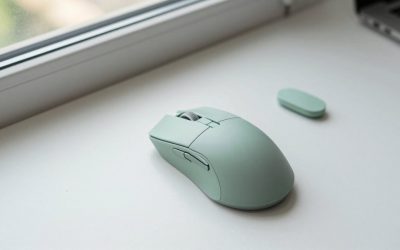
Best gaming mouse with optical switches: 9 listings sorted by what each title really says about switches, weight and wireless, plus a battery worked example.
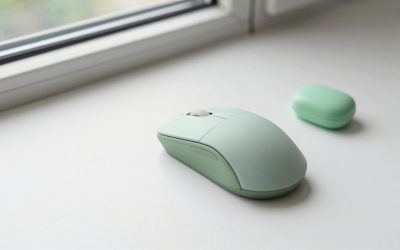
Best ambidextrous mouse picks compared: 10 listings sorted by shell symmetry, side buttons, battery claims and budget tier, plus a worked sizing example.

Searching for a SteelSeries gaming mouse means you have already settled the brand question and want to pick the right shape inside the lineup.

Putting "trackball" and "gaming" in the same search sounds like a contradiction, and in a twitch shooter it often is.

Most gaming mice are sculpted for a right hand. The hump sits on the wrong side, the thumb buttons land under the wrong finger.

Wireless mice have closed most of the gap on latency, yet a cable still wins on two counts: it never needs charging.

A gaming laptop and a gaming mouse have a different relationship than a tower PC and its peripherals.

Playing shooters on an Xbox with a keyboard and mouse sounds simple until the shopping starts: one combo says it works with Xbox in the title.

MOBA players live and die by repeatable inputs. Between last-hitting, kiting, item activations, and ability combos.