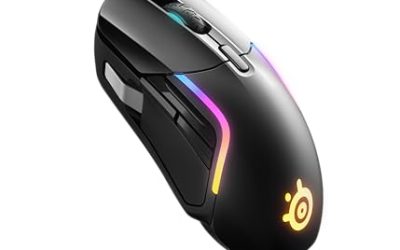
The lightest gaming mice you can buy right now are carbon-fiber and honeycomb-shell models in the 39 to 55 gram range. The Attack Shark R5 Ultra lists 39 g, the Redragon M617 lists 41 g, and the Razer Viper V4 Pro and Attack Shark X3 both list 49 g. Pick by weight class, then check grip fit.
This guide ranks the lightest mice found in the store by their listed weight, explains what each weight class means for aim, and adds a section on the quietest mouse options for people who share a room. Every weight below comes from the maker or the store listing. Where a figure is missing, the text says so instead of guessing, because a few grams of error changes which weight class a mouse belongs in.
Our Top Picks
 Razer Viper V4 Pro Wireless Esports Gaming Mouse12.71 x 6.39 x 3.99 inches5 x 2.51 x 0.1 inches0.1 poundsCheck on Amazon
 ATTACK SHARK X3 49g Ultra-Lightweight Wireless Gaming MouseMouse10 x 5 x 1 inches0.1 poundsCheck on Amazon
 Redragon M725 Honeycomb Shell Gaming Mouse Wireless Lightweight4.76 x 2.5 x 0.1 inches0.2 poundsCheck on Amazon
 Logitech G Pro X Superlight 2 Lightspeed WirelessClassic1.57 x 2.5 x 4.92 inches0.1 poundsCheck on Amazon


Top 3 picks at a glance
Lightest Gaming Mice at a Glance
- Lightest overall: Attack Shark R5 Ultra (39 g listed, carbon fiber, wireless)
- Lightest mainstream brand: Razer Viper V4 Pro (49 g listed)
- Lightest on a tight budget: Redragon M617 (41 g listed, wired)
- Best light wireless value: Attack Shark X3 and Redragon M725 (both 49 g listed)
- Lightest wired classic: Glorious Model O Eternal (55 g listed)
- Esports staple: Logitech G Pro X Superlight 2 (weight not in the listing, check the maker)
- Quietest clicks: Logitech M330 Silent Plus (an office mouse, but near-silent)
Comparison Table: Listed Weight and Connection
| Mouse | Listed weight | Connection | Sensor or DPI (listed) | Shell |
|---|---|---|---|---|
| Attack Shark R5 Ultra | 39 g | Wired, Bluetooth, 2.4 GHz | PAW3950 MAX, 42K DPI | Carbon fiber |
| Redragon M617 | 41 g | Wired (Type-C) | 10,000 DPI | Honeycomb |
| Razer Viper V4 Pro | 49 g | Wireless | 50K DPI optical, 8K polling | Solid |
| Attack Shark X3 | 49 g | Wired, Bluetooth, 2.4 GHz | PAW3395, 26K DPI | Solid |
| Redragon M725 | 49 g | Wired, Bluetooth, 2.4 GHz | 8,000 DPI | Honeycomb |
| Glorious Model O Eternal | 55 g | Wired | 12K DPI optical | Ultralight |
| Logitech G Pro X Superlight 2 | Not listed | Lightspeed wireless | HERO 2, 32,000 DPI | Solid |
| Logitech M330 Silent Plus | Not listed | 2.4 GHz wireless | 1000 dpi | Standard |
Why Weight Matters in a Gaming Mouse
Every time you flick to a target, your hand has to accelerate the mouse, stop it, and often change direction a split second later. A lighter mouse asks less of your wrist and fingers for each of those moves, so fast tracking feels easier and long sessions tire the hand less. That is the whole reason brands race to shave grams.
The trade-off is stability. A very light mouse can overshoot if you are used to a heavier one, and it can slide when you press the buttons hard. Most players need a few days to a week to adjust, so judge a new ultralight mouse after that period rather than in the first hour.
Weight is also not the only factor. Shape, sensor quality, cable or wireless performance, and the feel of the feet on your mousepad all decide whether a light mouse feels good. Use weight to narrow the field, then pick by hand fit.
The Lightest Gaming Mice Compared
1. Attack Shark R5 Ultra: Lightest Listed Weight
As an Amazon Associate we earn from qualifying purchases at no extra cost to you.

The R5 Ultra is the lowest-weight mouse in this roundup at a listed 39 g, thanks to a carbon-fiber build. The listing names a PAW3950 MAX sensor, 42K DPI, a Nordic 52840 chip, 8K polling support, and wired, Bluetooth and 2.4 GHz modes. That is a lot of connectivity for a mouse this light.
- Weight: 39 g (maker listing; not confirmed by an independent scale)
- Connection: Wired, Bluetooth, 2.4 GHz
- Sensor: PAW3950 MAX, 42K DPI
Best for: Fast flick aim, small to medium hands using a fingertip or claw grip, and players who want the lowest weight possible.
Skip if: You like a heavier, planted feel or need many side buttons.
Pros: Lowest listed weight here; carbon-fiber shell; tri-mode connection; modern sensor; high polling option. Cons: Very light mice can feel twitchy if you are used to 80 g or more; the brand is less established than Logitech or Razer for long-term support; the 39 g figure comes from the maker.
2. Razer Viper V4 Pro: Lightest Mainstream Brand

The Viper V4 Pro lists 49 g, 180 hours of battery life, a 50K DPI optical sensor, 8K polling and Gen-4 optical switches, with USB-C charging. Editorial reviewers have reported that the weight matches the claim, which is not always true of light mice. It keeps the familiar, symmetrical Viper shape that many esports players already know.
- Weight: 49 g listed
- Battery: 180 hours listed
- Sensor: 50K DPI optical, 8K polling
Best for: Competitive FPS players who want a major-brand mouse at the very bottom of the weight chart.
Skip if: You are shopping on a budget; this sits in the premium tier.
Pros: Reviewer-confirmed low weight; long battery life; fast polling; proven shape; USB-C. Cons: Premium tier; low profile can be small for palm grips; 8K polling needs a capable PC to be worth it.
3. Attack Shark X3: Light Wireless Without the Premium

The X3 lists 49 g, a PAW3395 sensor at 26K DPI, 200 hours of battery life, and Bluetooth 5.2, 2.4 GHz and wired modes. It matches the Viper V4 Pro on weight on paper while sitting in a much lower tier, which makes it the value pick for wireless ultralight.
- Weight: 49 g listed
- Battery: 200 hours listed
- Sensor: PAW3395, 26K DPI
Best for: Players who want a wireless ultralight on a mid-range budget.
Skip if: You need strong software support or a long warranty from a large brand.
Pros: Tri-mode; long battery life; the PAW3395 is a well-known sensor; low tier. Cons: Fewer long-term reviews than major brands; accessories and replacement parts are harder to find.
4. Redragon M725: Honeycomb Wireless at the Entry Level

The Redragon M725 is a honeycomb-shell wireless mouse listed at 49 g, with 8,000 DPI, tri-mode Bluetooth 5.1, 2.4 GHz and Type-C wired connection, plus two side buttons with macro programming.
- Weight: 49 g listed
- Connection: Bluetooth 5.1, 2.4 GHz, wired Type-C
- DPI: 8,000
Best for: A first ultralight mouse, casual and mid-level FPS play, and tight budgets.
Skip if: You want a top-tier sensor or plan to use high polling rates.
Pros: Entry-level tier; wireless and wired; honeycomb keeps the weight down; macro software. Cons: DPI ceiling is far below premium mice; holes in the shell let dust in; the sensor model is not named in the listing.
5. Redragon M617: Lightest Wired Budget Pick

The M617 lists 41 g, lighter than any mainstream wireless mouse here, because it drops the battery and radio. It adds a paracord cable, 10,000 DPI, six programmable buttons and a Type-C connection.
- Weight: 41 g listed
- Cable: Drag-free paracord, Type-C
- DPI: 10,000
Best for: Budget players who do not mind a cable and want a very light mouse for the money.
Skip if: You swipe across a wide desk and the cable gets in the way.
Pros: Very low weight; no battery to charge; entry-level tier. Cons: Wired only; the sensor model is not listed; the cable still adds some drag without a mouse bungee.
6. Glorious Model O Eternal: Lightest Wired Classic

The Model O Eternal lists 55 g with a symmetrical shape, a 12K DPI optical sensor, six programmable buttons and RGB lighting. It follows the earlier honeycomb Model O, which remains on sale at a listed 67 g.
- Weight: 55 g listed
- Sensor: 12K DPI optical
- Design: Symmetrical, wired
Best for: Small and medium hands that like a symmetrical shape and do not want to charge a mouse.
Skip if: You are sensitive to cable drag or want wireless.
Pros: Symmetrical shape works for right and left hands; light for a wired mouse; recognizable brand. Cons: Wired only; RGB is not for everyone; 12K DPI is mid-range.
7. Logitech G Pro X Superlight 2: Esports Standard (Check the Weight)

The Superlight 2 is the mouse most people mean when they search for a Logitech superlight. The listing names LIGHTFORCE hybrid switches, a HERO 2 sensor at 32,000 DPI, five programmable buttons and USB-C charging, but does not state a weight. Check the maker page for the current figure rather than relying on third-party numbers.
- Weight: not listed in the store listing
- Sensor: HERO 2, 32,000 DPI
- Switches: LIGHTFORCE hybrid
Best for: Players who value consistency, a proven shape and strong software support.
Skip if: The lowest possible weight matters more than brand reliability; two mice above are lighter on paper.
Pros: Respected esports shape; hybrid switches; strong software; USB-C. Cons: Premium tier; only five buttons; not the lightest on paper.
8. Logitech M330 Silent Plus: Quietest Option on This List

The M330 is not a gaming mouse, but it earns a place for the quiet query. The listing describes silent clicks, a 2.4 GHz USB-A nano receiver, 1000 dpi optical tracking and a two-year battery life.
- Clicks: Silent
- Connection: 2.4 GHz, USB-A receiver
- Battery: 2 years listed
Best for: Late-night browsing and office work next to a sleeping partner.
Skip if: You want to play shooters; the sensor is built for desktop work.
Pros: Near-silent clicks; very long battery life; entry-level tier. Cons: Not a gaming sensor; full-size body; no weight in the listing.
Also Consider
- Razer Viper V3 HyperSpeed: Listed at 82 g with a 30K DPI optical sensor and up to 280 hours of battery life. Choose it if 80 g is light enough and you prefer a trusted brand at a middle tier.
- Glorious Model O (honeycomb): Listed at 67 g wired, with a Pixart 3360 sensor and Omron switches. A step heavier than the Eternal, often lower in cost.
- LTC GM023: Listed at 79 g with a honeycomb design, tri-mode connection and 8000 DPI. A budget way into the honeycomb style with wireless.
How We Chose
This is a research-based roundup. We did not use these mice ourselves. We searched the store for ultralight, honeycomb and quiet mice, kept only items with a stated weight or a clear quiet-click feature, and checked weights against the maker pages and editorial reviews where possible. We favored mice with at least one connection mode that suits a desk setup, and we limited each brand to two entries so the list stays varied. Specs that were not listed stay marked as not listed.
Buying Guide: What Weight Do You Actually Need?
Weight classes
- Under 45 g (extreme ultralight): Maximum speed, but the mouse can feel unstable if you are used to a heavy mouse. Best for fingertip and claw grips.
- 45 to 60 g (ultralight): The sweet spot for most competitive players. Most flagship wireless mice live here.
- 60 to 80 g (light): Still lighter than classic gaming mice, with a bit more mass for control. Good for palm grips.
- Over 80 g: Traditional weight. Good for stability, but fatigue can show up during long sessions.
Honeycomb or solid shell?
Honeycomb shells cut weight by removing plastic. They look distinctive and keep cost down, but they let dust and sweat reach the internals and can feel less rigid. Solid shells made of carbon fiber or thin plastic keep weight low without the holes, but the cost moves up. If you eat at your desk or play in a dusty room, a solid shell is the lower-maintenance choice.
Wired or wireless?
A wired mouse skips the battery and the radio, so it can be lighter at a given tier, and it never needs charging. A wireless mouse removes cable drag. Modern 2.4 GHz wireless is fast enough that most players cannot tell the difference in latency, so the choice comes down to desk setup. Bluetooth modes are handy for a laptop but are usually slower than the 2.4 GHz dongle, so use the dongle for games.
Grip and hand size
Weight is only part of the fit. Measure your hand length and compare it with the mouse length from the maker. A mouse that is too small can cramp even if it is the lightest on the shelf. Claw and fingertip grips suit the smallest, lowest-profile mice; palm grips usually need a longer body even if it adds a few grams.
Sensor and polling
Any sensor listed above is accurate enough for competitive play. High DPI numbers like 42K or 50K are mostly marketing; most players use 400 to 1600 DPI. Polling rate matters more: 1000 Hz is plenty for most setups, and 8K polling needs a strong CPU and a mouse that is supported by your games.
Battery life
Wireless mice here list 180 to 200 hours, which is weeks of normal use between charges. If a listing does not state battery life, treat that as a reason to read the maker page before buying.
Mouse feet and pad
Ultralight mice benefit from smooth feet and a consistent pad. Worn feet raise friction and make a light mouse feel heavy again, so replace them when they get scratchy. A cloth pad with a steady glide pairs well with the mice here.
What About the Quietest Mouse?
For a quiet setup, look for silent-click switches. The Logitech M330 Silent Plus, M240 Compact Silent, M350s Pebble 2 and Signature M650 all list quiet or silent clicks. They are office mice, so expect lower DPI and no focus on gaming. If you want a quiet gaming mouse, none of the ultralight mice above is marketed as silent, so read reviews for switch noise first.
Wireless Bluetooth models like the M240 also avoid a USB receiver, which helps on a laptop. For desk gaming, the lack of a gaming sensor is the limit, not the noise.
About the “G502 Superlight” Search
People often search for a “G502 Superlight”. The G502 line and the Superlight line are separate Logitech families: the G502 has adjustable weights and many buttons, while the G Pro X Superlight is a lightweight esports mouse. We did not find any mouse sold under the exact name “G502 Superlight”, so treat it as a mix-up of the two and check the model name before you buy.
Which Light Mouse Fits Which Game?
Tactical and arena shooters
Games that reward fast flicks and quick target switching, such as Valorant, Counter-Strike and Apex Legends, are where the 39 to 55 g class shines. The R5 Ultra, Viper V4 Pro and X3 are the natural fits here. A lighter mouse reduces the effort of micro-adjustments, which helps when you hold a crosshair on a head-level angle for a whole round.
Battle royale and tracking-heavy games
Tracking a moving target for several seconds rewards smooth glide and a steady hand more than raw lightness. A mouse in the 55 to 80 g range, such as the Glorious Model O or Viper V3 HyperSpeed, can feel steadier here while still being light. If you already use a heavy mouse, stepping down in stages is easier than jumping to 40 g.
MOBA, MMO and strategy games
These genres rely more on buttons than on flicks. A very light mouse offers little benefit, and the missing side buttons on minimal esports mice can hurt. Consider a mouse with more buttons and treat weight as a secondary factor.
Everyday work and mixed use
If the same mouse serves as your work mouse, a Bluetooth-capable model like the Attack Shark X3 or Redragon M725 can pair with a laptop and then switch to the 2.4 GHz mode for games. For shared rooms and late nights, a silent-click office mouse is the quiet answer.
How Light Is Too Light?
There is no universal limit, but there are signs you have gone too far. If the mouse jumps when you click, if you overshoot targets by a small margin, or if your hand feels it has nothing to hold, you are likely above your comfort for lightness. Common fixes are a slightly higher sensitivity cut, a grippier pad, grip tape, or a mouse in the next weight class up. Many players settle between 50 and 70 g and never need to go lower.
On the other side, if your wrist aches after long sessions and you currently use a mouse over 90 g, a drop into the 55 to 70 g range often helps more than a drop to 40 g. Make the change in steps and keep your old mouse around until you are sure.
Tips for Getting Used to an Ultralight Mouse
- Lower your sensitivity a little at first; a light mouse moves farther for the same hand motion.
- Give yourself at least a week before deciding whether the weight suits you.
- Use a lighter grip; squeezing hard makes a light mouse jump.
- Keep the cable or dongle clear of the mouse path.
- Clean the feet and the pad if the glide feels uneven.
FAQ
What is the lightest gaming mouse?
Among the mice in this guide, the Attack Shark R5 Ultra lists the lowest weight at 39 g. Other brands sell mice in the 40 g range too, so check the maker page for new releases.
Are the lightest mice good for gaming?
Yes for fast shooters, where quick flicks matter. They can feel unstable to players used to heavy mice, so give yourself a week to adjust before judging.
What is the quietest mouse?
Mice with silent-click switches are the quietest. Logitech’s M330 Silent Plus and M240 are two listed examples, though they are office mice rather than gaming mice.
Is there a Logitech G502 Superlight?
We did not find one. The G502 and the G Pro X Superlight are separate lines, so the search is likely a mix-up of the two names.
What is the best mouse ever for gaming?
There is no single best. For ultralight aim, the Viper V4 Pro and Superlight 2 are common picks; for a budget, the Redragon and Attack Shark mice above give the biggest weight savings for the lowest tier.
Does a lighter mouse mean less battery life?
Not always. Several light wireless mice here list 180 to 200 hours, because a small battery can last a long time with an efficient sensor.
Is a honeycomb mouse durable?
Generally yes for normal use, but the holes can collect dust and you should avoid spills. A solid shell is easier to clean.
Should I buy a wired or wireless ultralight mouse?
Wireless removes cable drag and is now fast enough for competitive play. Wired skips charging and usually costs less for the same weight. Pick wireless if you use a wide desk, wired if you want zero maintenance.
Can I make my current mouse lighter?
Some mice allow removing weights, and shell mods exist for a few models, but they can void the warranty. Buying a mouse designed to be light is usually safer than modifying one.
Which One Should You Buy?
- Lowest weight: Attack Shark R5 Ultra
- Trusted brand, very light: Razer Viper V4 Pro
- Wireless on a budget: Attack Shark X3 or Redragon M725
- Cheapest light mouse (wired): Redragon M617
- Symmetrical wired: Glorious Model O Eternal
- Esports standard: Logitech G Pro X Superlight 2
- Quiet desk: Logitech M330 Silent Plus
If you are unsure, start with a mouse in the 45 to 60 g class that matches your grip. It gives most of the benefit of a light mouse without the twitchiness of the extreme end.
Sources
- TechRadar, Razer Viper V4 Pro review
- Trusted Reviews, Razer Viper V4 Pro review
- Attack Shark, R5 Ultra product page
- Logitech G, product pages
- Store listings for each named mouse
Last updated: November 2026
Related guides
More from Amazon
Programs that pair well with the guide above. Offers and eligibility are set by Amazon and may change.
Free shipping on eligible items, Prime Video and more. Eligible new members can start with a free trial.
Start a Prime free trialAd-free music streaming. Eligible new subscribers can start with a free trial.
Try Music Unlimited freeA Prime membership for ages 18-24 with a trial period. Eligibility is set by Amazon.
See Prime for Young AdultsAudiobooks and podcasts to listen to on the go. Eligible new members can start with a free trial.
Try Audible freeAs an Amazon Associate we earn from qualifying purchases.