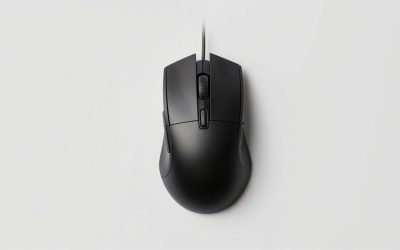
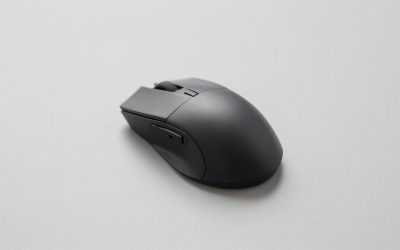
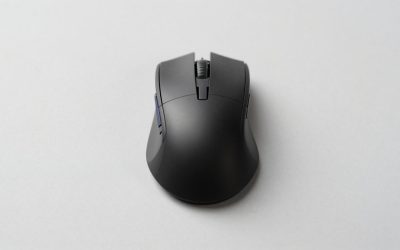
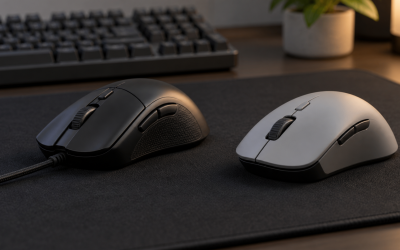
Side-button mice are deceptively hard to buy well. The extra thumb keys that make them valuable are also the single biggest source of frustration: mushy actuation, inconsistent spacing, or a thumb cluster that forces your hand into an awkward contortion. The best gaming mice with side buttons get the geometry right first, then layer on switch quality and software depth. A cheap mouse with a well-spaced twelve-button grid will outperform a premium mouse with a cramped layout every single time.
What separates a genuinely useful side-button mouse from a gimmick is whether the buttons sit under natural thumb positions without shifting your grip. Secondary concerns like DPI ceilings and RGB are noise compared to that one ergonomic truth. Battery life matters for wireless picks, macro software quality determines whether remapping is a ten-minute setup or a daily battle, and build stiffness around the thumb panel prevents the dreaded accidental double-press. This roundup covers more than a dozen mice that pass the comfort threshold, from budget workhorses to the premium Naga V3 Pro flagship with its swappable side plates.
As an Amazon Associate we earn from qualifying purchases at no extra cost to you.







Our Top Picks
 Razer Naga V2 HyperSpeed Wireless MMO Gaming MouseNaga V2 HyperSpeed (Mouse)4.71 x 2.96 x 1.71 inches0.2 poundsCheck on Amazon




Top 3 picks at a glance
Quick Picks
| Product | Best for | Price |
|---|---|---|
| Redragon M908 | First MMO mouse on a budget | Check on Amazon |
| Razer Naga V2 HyperSpeed | Long-battery wireless MMO play | Check on Amazon |
| UtechSmart Venus Pro | High DPI and button count without premium pricing | Check on Amazon |
| Redragon M901K | Weight-tuning enthusiasts who also want macros | Check on Amazon |
| Redragon M913 | Budget wireless with solid DPI | Check on Amazon |
| Redragon M901P-KS | Wireless MMO without the Razer price tag | Check on Amazon |
| SOLAKAKA SM809 Pro | Maximum DPI in a dedicated MMO shell | Check on Amazon |
| Razer Naga V3 Pro | Pro-level build and three side-plate options | Check on Amazon |
How We Compared
We evaluated every mouse on four criteria. First, thumb-panel comfort: button spacing, actuation force consistency, and whether the cluster encourages a natural resting position. Second, software quality: how intuitive the macro editor is, whether onboard memory retains profiles without the application running, and driver stability across Windows versions. Third, build integrity: shell flex under grip pressure, scroll-wheel click firmness, and whether the side panel rattles after extended sessions. Fourth, value proportionality: whether a mouse earns its price gap over a cheaper alternative through tangible features rather than brand markup alone.
The Best Gaming Mice With Side Buttons in 2026
Redragon M908
The M908 is the entry point that makes side buttons feel normal. Twelve thumb keys plus six programmable top buttons give MMO players enough slots for abilities, cooldowns, and utility binds without touching the keyboard. The 12400 DPI sensor handles most monitors at common sensitivities, and the remapping software is basic but functional. What it gets right is button spacing; none of the twelve thumb keys overlap awkwardly. The shell flexes under aggressive grip, and the cable is thin enough to feel like an afterthought within weeks.
- Twelve thumb buttons are well-spaced and consistent in actuation
- Remappable keys let you store profiles onboard without software running
- Shell flexes noticeably under lateral grip pressure
Skip it if you need wireless freedom or plan to use it at high refresh rates where cable drag becomes distracting.
Razer Naga V2 HyperSpeed
HyperSpeed wireless with long claimed battery life, rated up to four hundred hours over Bluetooth and fewer on HyperSpeed, makes this the practical endurance pick of the Naga line. Its fixed twelve-button side panel is the real selling point for MMO players: every key sits in the same place every session, which helps muscle memory build quickly. Razer Synapse offers the most polished macro interface in the category, with per-profile lighting and DPI steps that persist across reboots. It sits in a lower tier than the V3 Pro, but it does not have the V3 Pro’s swappable side plates.
- Fixed twelve-button panel gives consistent key positions for MMO hotbars
- Long rated battery life reduces charging anxiety for wireless use
- Synapse software occasionally conflicts with other Razer peripherals on the same machine
Skip it if you switch between MMOs and shooters and want swappable side plates; the Naga V2 Pro or V3 Pro covers that.
UtechSmart Venus Pro
The Venus Pro pushes the DPI ceiling to 16400 and packs a generous button count into a wired package at a budget price. The software includes a dedicated macro recorder with a scripting mode that lets you chain key presses, a feature not every budget rival offers. RGB is per-button rather than per-zone, which looks busier but offers finer control. The mouse is heavier than the M908, and the side buttons have a slightly longer travel that requires deliberate pressing rather than a glance.
- 16400 DPI and per-button RGB at a price that undercuts most wireless competitors
- Scripting macro mode is unusually deep for this price point
- Heavier shell and longer button travel make it tiring during marathon sessions
Skip it if you prefer a light mouse or have a small hand; the bulk around the thumb panel is not for everyone.
Redragon M901K
The M901K is the oddball in this lineup. Nineteen total programmable buttons spread across twelve on the side and seven elsewhere on the shell, giving it the highest raw input count among budget picks. Eight removable weights let you tune the center of gravity, which matters more than most people realize when you are micro-adjusting aim between skill shots. DPI reaches 12400, matching the M908. The software is utilitarian, and the button layout on top of the shell can cause mis-presses until you build muscle memory.
- 19 macro buttons plus adjustable weight gives more customization per dollar than any rival here
- Twelve side buttons with consistent spacing and firm clicks
- Top-mounted extra buttons increase mis-press rate during fast combat
Skip it if you want a clean, simple layout; the extra buttons are useful only if you actively program them.
Redragon M913
Budget wireless can sound suspicious, but the M913 delivers a functional experience. The 16000 DPI sensor is competitive on paper, and remapping keys work through a lightweight software utility. Side buttons follow the familiar Redragon twelve-key grid, so the thumb panel is consistent with their wired siblings. Battery life is moderate rather than exceptional, and the mouse lacks the onboard-memory depth of pricier options, meaning profiles reset if you unplug the receiver.
- Wireless freedom at a price that undercuts most wired competitors
- 16000 DPI is adequate for any gaming monitor at typical sensitivities
- Profiles do not persist fully without software running after disconnect
Skip it if you switch between multiple PCs or need guaranteed onboard storage without the driver loaded.
Redragon M901P-KS
This wireless model refines the M913 formula with a claimed seventy-hour battery, sixteen programmable buttons, and a rechargeable cell that skips disposable batteries entirely. The twelve side buttons sit at the same angles as other Redragon MMO mice, so the thumb panel is familiar territory. Build quality is a step above the M913 with less shell creak, though the mouse is heavier, which affects flick speed in FPS. It occupies the sweet spot between budget wireless and mid-tier quality.
- Rechargeable battery with claimed seventy hours and no dongle-battery swap hassle
- Sixteen programmable buttons with reliable onboard memory for stored profiles
- Noticeable weight penalty compared to lighter wireless mice; not ideal for flick-heavy FPS
Skip it if you play competitive shooters where sub-eighty-gram mice dominate; the mass is a real disadvantage.
SOLAKAKA SM809 Pro
The SM809 Pro is a relative newcomer pushing 24000 DPI and sixteen programmable macros from a dedicated MMO shell. Nine side buttons instead of the usual twelve is a deliberate choice that reduces thumb travel distance and improves spacing, though some players will want every last key. Build feels more rigid than any Redragon option at this price. Software is functional but sparse; documentation is thin, and the button layout is fixed with no swappable panels. It earns a spot here for raw sensor specs and a tighter, more deliberate button grid.
- 24000 DPI and a fixed nine-button panel that prioritizes spacing over quantity
- Stiffer shell construction reduces accidental lateral actuation
- Software ecosystem is immature compared to Razer or Logitech; fewer community profiles
Skip it if you need twelve dedicated thumb keys or rely on third-party community macro libraries.
Razer Naga V3 Pro
The Naga V3 Pro is the most refined MMO mouse money can buy. Three included side plates (twelve, six, and two buttons) let you physically reshape the thumb cluster for each genre. Optical switches deliver crisp actuation with less debounce delay than mechanical ones, which translates to cleaner registration during ability spam. Razer rates the battery at up to 155 hours over HyperSpeed wireless and 280 hours over Bluetooth, so most players charge it every week or two. The premium tier is real, but the build, software depth, and plate system justify it for anyone who plays multiple genres on one mouse.
- Swappable plates plus optical switches give the best actuation and layout flexibility in the category
- Solid battery life and onboard memory for five profiles without software
- Costs far more than the V2 HyperSpeed for gains many users will not need
Skip it if you exclusively play one genre; the plate-swapping advantage evaporates when you always need twelve buttons.
Corsair Scimitar RGB Elite

The Corsair Scimitar RGB Elite solves the single biggest complaint about twelve-button side grids: thumbs come in different lengths, and a fixed grid never sits in the right place for everyone. Corsair’s Key Slider lets you move the entire twelve-button side panel forward or back across roughly 8mm of travel, then lock it in place, so the grid lands under your thumb rather than forcing your grip to adapt. Competing MMO guides consistently name it the pick for players who have struggled to reach the front or back row on other mice.
It is a wired mouse with 17 programmable buttons, a PixArt PMW3391-based sensor rated up to 18,000 DPI, Omron switches on the main buttons rated for 50 million clicks, a braided cable and four-zone RGB lighting. Three onboard profiles can be stored on the mouse, so your bindings travel with it, and Corsair’s iCUE software handles macros, lighting and DPI stages. The contoured, palm-grip shape is large and suits medium to large hands best.
Strengths: adjustable side-grid position, a proven sensor, onboard profile storage and solid build quality. Drawbacks: wired only, and the large, relatively heavy shell is not suited to fast flick-aiming in shooters. iCUE is powerful but heavier than lightweight utilities like Redragon’s.
Compared with the Redragon M908, the Scimitar costs a tier more but offers the sliding grid and better switches. Compared with the Razer Naga line, it gives up swappable plates and wireless but costs less and adds grid positioning that no Naga offers.
Skip it if you need wireless or have small hands; the shell is long and wide.
Corsair Scimitar Elite Wireless SE

The Scimitar Elite Wireless SE takes the sliding twelve-button grid wireless and adds features aimed at players who also stream or run creative apps. It has 16 programmable buttons, Corsair’s Marksman S sensor rated up to 33,000 DPI, optical switches on the main buttons rated for 100 million clicks, and three connection modes: 2.4GHz wireless, Bluetooth and wired USB-C. Corsair rates the battery at up to 150 hours on 2.4GHz and up to 500 hours on Bluetooth with lighting off.
Its distinctive extra is integration with Elgato’s Virtual Stream Deck, which lets side buttons trigger stream scenes, media controls and app actions alongside game bindings. For an MMO player who streams raids or runs multiple applications, that turns the twelve-button grid into a productivity tool outside games, too. The mouse weighs about 114g, typical for a wireless MMO mouse with a full grid.
Strengths: sliding side grid in a wireless body, long battery life, triple connectivity and Stream Deck integration. Drawbacks: mid-range to premium tier, and the weight and size are better for MMO and MOBA play than for fast shooters. Getting the most from it requires iCUE and Elgato software running.
Compared with the Razer Naga V2 HyperSpeed, the Wireless SE costs a tier more but adds the adjustable grid, Bluetooth and Stream Deck features. Compared with the Naga V3 Pro, it lacks swappable side plates but its sliding grid suits players who always use twelve buttons.
Skip it if you never stream and want the lowest-cost wireless twelve-button mouse.
Razer Naga V2 Pro

The Naga V2 Pro sits between the V2 HyperSpeed and the V3 Pro in Razer’s lineup, and it remains a strong alternative to the V3 Pro for players who want swappable side plates at a slightly lower tier. It ships with three magnetic side plates, a twelve-button grid with numbered RGB keys, a six-button ring and a two-button layout, giving 20, 14 or 10 programmable buttons depending on the plate attached. The plates swap in seconds without tools.
It uses Razer’s Focus Pro 30K optical sensor and optical mouse switches, plus the HyperScroll Pro wheel, which offers adjustable tactile and free-spin modes. Battery life is rated at up to 150 hours over HyperSpeed Wireless and 300 hours over Bluetooth, and it can charge wirelessly with Razer’s charging puck or Mouse Dock Pro, both sold separately. The trade-off is weight: about 134g before a side plate, noticeably heavier than lighter MMO options.
Strengths: three swappable side plates, a flagship-class sensor and switches, and flexible charging options. Drawbacks: heavy, and premium pricing for a previous-generation model. Synapse is required for full customization.
Compared with the Naga V3 Pro, the V2 Pro uses an older sensor and is heavier, but delivers the same core idea of reshaping the thumb cluster by genre. Compared with the V2 HyperSpeed, it adds the HyperScroll Pro wheel, wireless charging support and multi-genre plates.
Skip it if weight matters for your aim or you only ever use a twelve-button grid.
SteelSeries Aerox 9 Wireless

The SteelSeries Aerox 9 Wireless is the pick for players who want a full twelve-button side grid without the bulk that usually comes with it. At about 89g, it is dramatically lighter than most MMO mice, thanks to a perforated honeycomb shell and a small battery, which makes it the most realistic choice in this guide for someone who plays MMOs one night and shooters the next. Competing roundups list it as the lightweight option with twelve side buttons.
It has 18 programmable buttons in total, a TrueMove Air optical sensor rated to 18,000 CPI, and 2.4GHz wireless, Bluetooth and wired USB-C connections. SteelSeries quotes up to 180 hours of battery on Bluetooth, while reviews put 2.4GHz use closer to 80 hours. Despite the holes in the shell, it carries an IP54 rating for dust and water resistance, and quick charging gives hours of use from a short top-up.
Strengths: light weight for a twelve-button mouse, multiple connection modes and IP54 protection. Drawbacks: reviewers disagree on the side buttons: some find them sturdy and resistant to accidental presses, while others find the flat grid hard to tell apart by touch. The honeycomb shell is not for everyone, and the 2.4GHz battery life is shorter than Razer’s or Corsair’s.
Compared with the Redragon M913 and M901P-KS, the Aerox 9 is a tier up in sensor quality and much lighter. Compared with the Naga V2 HyperSpeed, it trades battery life for a far lower weight.
Skip it if you dislike perforated shells or rely on strongly sculpted thumb keys to find binds by feel.
Logitech G502 HERO

The Logitech G502 HERO is the pick for players who want useful side buttons without committing to an MMO grid. It has 11 programmable buttons, including two thumb buttons, a forward-mounted sniper button under the thumb and two buttons beside the left click, plus a tilting scroll wheel that can switch between ratcheted and free-spin modes. That hybrid layout covers push-to-talk, weapon swaps, abilities and a DPI clutch for precise aiming, which is why it remains a default recommendation for mixed MMO and shooter players.
It uses Logitech’s HERO 25K sensor, a braided cable and five removable 3.6g weights to adjust balance. Onboard memory stores profiles so bindings work without software, and Logitech G HUB handles macros, lighting and DPI steps. Its long, sculpted shape suits palm and claw grips in medium to large hands.
Strengths: a proven sensor, hybrid button layout, tunable weight and a low budget tier price for its quality. Drawbacks: wired, relatively heavy for competitive shooters, and only a few thumb buttons, so it cannot replace a twelve-button grid for ability-heavy MMO classes.
Compared with the SOLAKAKA SM809 Pro, the G502 HERO has far fewer side buttons but a more established sensor and software platform. Compared with the Redragon M901K, it offers fewer buttons but better build and switch consistency.
Skip it if your MMO hotbar needs more than about four or five thumb binds.
UtechSmart Venus Pro Wireless

The wireless Venus Pro takes the formula of the wired Venus Pro in our list and cuts the cord at a budget tier. It has 16 programmable buttons, including twelve thumb buttons set at different inclination angles so each row is easier to find by feel, a fire button and dedicated DPI buttons below the wheel. The PixArt-based optical sensor is adjustable up to 16,000 DPI with five switchable stages and a 1000Hz polling rate.
A 1000mAh battery is rated for up to 70 hours of wireless use, with auto-sleep and low-power modes to stretch it further, and you can switch to wired play over USB-C when it runs low. RGB lighting offers four programmable modes. The trade-off is weight: listings put it around 170g, so it is heavy even by MMO standards.
Strengths: twelve angled thumb buttons, wireless and wired modes and a deep macro editor at a budget tier. Drawbacks: heavy, 70-hour battery life means regular charging, and macro support on Mac is limited.
Compared with the wired Venus Pro, it adds wireless freedom with a similar layout. Compared with the Redragon M901P-KS, it is closely matched on battery life and button count; choose based on which shape suits your hand.
Skip it if you want a light mouse or play on a Mac.
Buying Guide
Button Layout and Actuation Consistency
Twelve side buttons sound like a lot until you realize your thumb covers roughly four positions comfortably. Look for mice where the top three and bottom three thumb keys are slightly recessed or angled so you can identify them by touch alone. A uniform flat grid forces visual confirmation during fights, which is unacceptable. Test for consistency by pressing adjacent keys rapidly; if one bottoms out faster than its neighbor, the mold quality is poor.
Software and Onboard Memory
Macro software determines whether your setup survives a reboot or a LAN trip. Razer Synapse and UtechSmart both offer per-profile memory that loads without the application open, which is critical if you plug into a tournament machine or borrow a friend’s PC. Redragon utilities are functional but sometimes require the driver active for DPI changes to persist. Before buying, confirm that your key bindings survive a disconnect and reconnect.
Wireless Latency and Battery Trade-offs
Modern 2.4GHz dongles are indistinguishable from wired latency for any human-perceptible purpose. The real question is charging cadence. If a mouse claims seventy hours or less, plan on weekly top-ups and a backup mouse during travel. Models rated for hundreds of hours, like the Naga V2 HyperSpeed, ease that friction. Bluetooth as a secondary mode is convenient for office work but adds latency that matters in competitive play; treat it as a fallback, not a primary connection.
Match the Side-Button Layout to Your Games
Side-button mice fall into three layout families, and choosing the right one matters more than any sensor spec.
- Twelve-button grids (Redragon M908, UtechSmart Venus Pro, Corsair Scimitar, SteelSeries Aerox 9) map neatly to a number-row hotbar of 1 to 12. They suit tab-target MMOs like World of Warcraft, Final Fantasy XIV and Guild Wars 2, where a class may use a dozen or more active abilities.
- Six- to nine-button rings (the six-button Naga plates, SOLAKAKA SM809 Pro) suit MOBAs, action RPGs and battle royales, where you need item and ability keys within one thumb movement but not a full hotbar.
- Two- to five-button hybrids (Logitech G502 HERO, the two-button Naga plates) suit shooters and general use, covering push-to-talk, melee, grenades or browser back and forward.
If you play several genres, swappable plates like Razer’s are the cleanest answer; if you play one MMO seriously, a fixed twelve-button grid you can position precisely, like Corsair’s sliding panel, is often better.
Grip Style, Hand Size and Weight
Most MMO mice are long, wide and designed for a relaxed palm grip, because players spend hours resting a hand on them between ability presses. That shape works for medium to large hands but can leave small hands stretching for the front row of a twelve-button grid. Measure your hand from wrist crease to fingertip: under roughly 17cm, favor smaller shells or a sliding grid; above roughly 19cm, the larger Corsair and Razer shells fit naturally. Weight matters too. Heavy MMO mice of 120g or more feel stable during long raids but slow down quick camera flicks, while the Aerox 9 at about 89g is the exception for players who also aim competitively.
Wired, 2.4GHz or Bluetooth?
A wired mouse never needs charging and is usually the cheapest way to get a quality sensor. A 2.4GHz wireless dongle delivers latency that is effectively indistinguishable from wired for gaming. Bluetooth stretches battery life dramatically, but its higher latency makes it best for laptops, travel and office work. Many mice in this guide, including the Scimitar Elite Wireless SE, Naga V2 Pro and Aerox 9, offer all three modes, so you can game on the dongle and switch to Bluetooth on a laptop.
Comparison of the Added Picks
| Mouse | Side layout | Programmable buttons | Connection | Tier |
|---|---|---|---|---|
| Corsair Scimitar RGB Elite | 12-button sliding grid | 17 | Wired | Mid-range |
| Corsair Scimitar Elite Wireless SE | 12-button sliding grid | 16 | 2.4GHz, Bluetooth, wired | Mid-range to premium |
| Razer Naga V2 Pro | Swappable 12, 6 and 2-button plates | Up to 20 | 2.4GHz, Bluetooth, wired | Premium |
| SteelSeries Aerox 9 Wireless | Fixed 12-button grid | 18 | 2.4GHz, Bluetooth, wired | Mid-range |
| Logitech G502 HERO | Hybrid thumb buttons plus sniper | 11 | Wired | Budget |
| UtechSmart Venus Pro Wireless | 12 angled thumb buttons | 16 | 2.4GHz, wired | Budget |
Setting Up Side Buttons for the First Time
- Bind in-game first. Where possible, assign side buttons as their own inputs in the game’s keybinding menu instead of remapping them to keyboard keys. This keeps the keyboard’s number row free and avoids conflicts.
- Use the number pad trick for older games. If a game will not recognize extra mouse buttons, map the grid to keyboard keys you never use, such as the number pad or F13 to F24 where supported, then bind those in-game.
- Start with your most-used abilities. Put rotation abilities on the buttons nearest your thumb’s resting point and save the corners for cooldowns and utility.
- Save to onboard memory. Store your profile on the mouse so it works on other PCs and survives software crashes.
- Create one profile per game. Most software can switch profiles automatically when a game launches.
- Give it a week. Expect mis-presses for the first few sessions; muscle memory on a twelve-button grid builds quickly with consistent bindings.
Software Ecosystems at a Glance
Because side buttons are only as useful as the bindings behind them, the companion app deserves as much attention as the hardware.
- Razer Synapse offers a polished macro editor, per-game profiles and Hypershift, which turns one button into a modifier that doubles every other binding. It is the most feature-rich option here but runs several background services.
- Corsair iCUE handles macros, DPI stages and lighting sync across Corsair gear, and the Scimitar Elite Wireless SE adds Elgato Virtual Stream Deck actions. It is powerful but one of the heavier apps to install.
- Logitech G HUB supports per-application profiles, onboard memory and G-Shift, Logitech’s own modifier for a second layer of bindings.
- SteelSeries GG covers macros, lighting and sensor settings for the Aerox 9, and bundles optional extras such as game clip capture.
- Redragon, UtechSmart and SOLAKAKA utilities are lightweight, Windows-focused tools that cover key remapping, DPI and macros without the polish or cloud sync of the bigger brands.
If you already own a keyboard or headset from one of these brands, staying in the same ecosystem keeps lighting and profiles under one app.
Our Verdict
The Redragon M908 is the top pick for most buyers: twelve well-spaced thumb keys, consistent thumb-panel geometry and useful onboard memory at a budget price, without any premium-brand markup. If you want wireless, the Razer Naga V2 HyperSpeed pairs a fixed twelve-button panel with long rated battery life, so charging rarely gets in the way. And if you play several genres and want the best build quality, the premium Naga V3 Pro earns its price through swappable side plates, optical switches and a stiffer shell that no cheaper option matches.
FAQ
How many side buttons do I actually need?
Most MMO and MOBA players use between eight and twelve side buttons during active combat. A grid of twelve is the standard because it covers two full rotations of abilities plus utility binds, but many players find that they actively remap only eight to ten and rarely touch the rest. Start with a panel that suits your game’s hotbar count and only pay extra for more.
Do side buttons work for non-MMO games?
Yes. Side buttons function as standard input keys in any game that allows custom binding. Battle royales, survival crafters, and flight simulators all benefit from extra thumb keys for quick-select actions. The limitation is software, not hardware: if a game refuses to recognize button inputs beyond the standard three, it is a game-engine constraint, not a mouse problem.
Is RGB lighting useful on an MMO mouse?
Not for performance. The practical value is zone identification: lighting each button cluster a different color helps you confirm which profile is active at a glance. Per-button RGB is better for this than a single underglow strip because it maps directly to the physical keys. If you turn it off and still enjoy the mouse, you know the lighting was decorative.
What DPI should I use with a side-button mouse?
DPI does not interact with side-button count. Set your DPI based on your monitor size and in-game sensitivity preference, then fine-tune in the software. The sensor ceiling (12400, 16000, or 24000) matters less than whether the sensor tracks cleanly at your actual play DPI. All the mice in this list track reliably at any reasonable gaming sensitivity between 800 and 3200 DPI.
Are MMO mice allowed in competitive games?
Extra buttons themselves are allowed in virtually every game. What some games and tournaments restrict is macros that automate multiple actions from one press or repeat inputs automatically. Binding one ability to one side button is fine; chaining a full rotation into a single macro may break a game’s terms of service. Check the rules of any game or league you play competitively.
Can I use a side-button mouse for work and productivity?
Yes. Side buttons are excellent for shortcuts such as copy, paste, undo, switching virtual desktops, or tool changes in photo and video editors. Software from Razer, Corsair, Logitech and others can switch profiles automatically per application, so the same grid triggers spells in a game and shortcuts in your editing app.
Is a sliding side panel better than swappable plates?
They solve different problems. Corsair’s sliding panel moves a fixed twelve-button grid to fit your thumb length, which is ideal if you always use twelve buttons. Razer’s swappable plates change the number of buttons, which is ideal if you switch between MMOs, MOBAs and shooters. If fit has been your problem with past MMO mice, the slider helps more; if versatility matters most, plates win.
Do side-button mice work on Mac?
The buttons usually register as standard inputs on macOS, but configuration software support varies. Some brands offer full Mac apps, while budget brands may provide Windows-only utilities or limited Mac macro support. If you play on a Mac, store profiles on the mouse from a Windows PC or choose a brand with official Mac software.
How do I stop accidentally pressing side buttons?
Adjust your grip so your thumb rests below or behind the grid rather than on it, and choose a mouse with textured or angled keys you can feel. A sliding panel like Corsair’s lets you move the grid away from your resting thumb. As a last resort, leave the buttons nearest your resting position unbound or assign them to harmless actions.