Putting “trackball” and “gaming” in the same search sounds like a contradiction, and in a twitch shooter it often is. A ball under the thumb cannot flick across a 27-inch monitor the way a lightweight mouse can. Where a trackball earns its place is in strategy games, simulators, flight and driving sims, MOBAs played on a cramped desk, and any setup where wrist and shoulder pain has started to cut into your hours. The real question behind this keyword is how much precision you are willing to trade for a stationary hand and a calmer forearm.
This guide is written for players who split time between gaming and work, for people with limited desk space, and for anyone who wants to shift effort from the arm to the thumb or fingers. In 2026 the market is crowded with thumb-operated models in several connection styles, so the sections below focus on angle, connectivity, battery, and ball size. None of these are esports tools, but several are comfortable enough to make long sessions easier to sit through.
Our Top Picks
 Logitech Ergo M575S Wireless Bluetooth Trackball MouseOne Size4.13 x 3.94 x 5.28 InchesCheck on Amazon
 ELECOM DEFT PRO Trackball Mouse M-DPT1MRXBKTrackball Mouse5.25 x 3.6 x 2.26 inches0.36 PoundsCheck on Amazon


Top 3 picks at a glance
Quick Picks
As an Amazon Associate we earn from qualifying purchases at no extra cost to you.


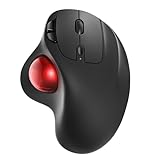
| Product | Best for | Key spec from the listing |
|---|---|---|
| Logitech Ergo M575S | Simple wireless thumb control | Bluetooth wireless, thumb-controlled ball |
| SABLUTE MAM1 Pro | Adjustable angle on a budget | 0 to 18 degree angle, 3-device Bluetooth, rechargeable |
| Logitech MX Ergo S | Premium daily driver | USB-C rechargeable, Bluetooth and encrypted dongle |
| PORLEI Wired Trackball | Latency-conscious wired play | 34mm ball, USB-C and USB-A, RGB lighting |
| Nulea M506 | Steep vertical wrist posture | 54 degree vertical shape, 4 DPI levels, 21-day battery |
| ELECOM DEFT PRO | Many buttons, three connection types | Wired, wireless, and Bluetooth, 8 buttons |
| ProtoArc EM02 | Two posture modes | 0 or 15 degree angle, Bluetooth and 2.4 GHz, 3 devices |
How to Choose
Ball size and where it sits
Most thumb-driven models place the ball on the side, under the thumb, with a diameter somewhere around 34 millimeters. Larger balls give smoother, longer glides but need more thumb travel; smaller balls feel quicker and tighter. If you have small hands, check the overall footprint, because a bulky body can leave the ball just out of reach. A finger-operated, centered layout is a separate category that favors a different grip and a different learning curve. Whichever style you pick, remember that the ball is the part your hand touches most, so a smooth, easy-to-remove ball makes cleaning and long-term comfort simpler.
Tilt and posture
An adjustable angle matters more than any sensor number. A flat shape at 0 degrees keeps things familiar, while angles of 15 to 20 degrees reduce forearm rotation, and a steep vertical shape near 54 degrees pushes the hand toward a handshake posture. If wrist pain is the reason you are shopping, favor a model that lets you step the tilt up gradually instead of committing to the steepest option on day one.
Connection and battery
For gaming, a wired connection or a 2.4 GHz dongle gives the most predictable response, while Bluetooth suits office use and switching between laptop and tablet. Look for multi-device pairing if you share one trackball across a desktop and a laptop. For rechargeable models, a stated runtime in days and USB-C charging are practical details; a wired design removes battery questions entirely.
DPI, buttons, and what to ignore
Trackballs usually offer a handful of DPI steps, and four steps are plenty. Count the buttons you can reach without moving your hand, since back, forward, and middle-click shortcuts are the real productivity gain. Ignore RGB lighting claims and inflated polling statements; where budget models cut corners is in switch durability, ball bearing smoothness, and cleaning access, so a ball you can pop out and wipe is worth having. Also confirm the operating system support in the listing, since some models mention Windows only while others cover several platforms.
The 7 Best Options
Logitech Ergo M575S
The M575S is the straightforward choice for anyone trying a thumb trackball for the first time. The listing highlights easy thumb control, precise and smooth tracking, and Bluetooth wireless connectivity, with a graphite body and a blue ball. It makes sense for a buyer moving over from a standard mouse who wants to test the idea without committing to a steep posture change or a complicated setup, and it pairs well with a laptop for couch gaming.
- Strength: a familiar thumb layout with a gentle learning curve.
- Strength: Bluetooth lets one device switch between a laptop and a desktop.
- Trade-off: it is built for comfort and general use, so fast shooter aim is limited.
Skip it if you want a rechargeable battery and a tilting stand, which sit with other models in this lineup.
SABLUTE MAM1 Pro
This is a value-minded wireless model with a rechargeable battery and an adjustable angle from 0 to 18 degrees. The listing adds quiet clicks and Bluetooth pairing for three devices, which suits shared setups and shared spaces. A student sharing a desk with a laptop, or a player who games after others have gone to bed, gets the most from the quiet switches and the flexible tilt.
- Strength: the adjustable tilt helps you ease into a more neutral wrist position.
- Strength: quiet clicks suit late-night gaming and shared rooms.
- Trade-off: a lesser-known brand usually means less polished software and long-term support.
Skip it if you want a name-brand ecosystem with extensive button customization.
Logitech MX Ergo S
The MX Ergo S is the premium thumb trackball in the group, described as an advanced wireless model with USB-C charging, Bluetooth, and an encrypted dongle. It suits a buyer who wants one tool for a full workday and evening strategy games, and who values a polished feel in return for a higher spend. Remote workers who edit video, spreadsheets, or code all day tend to fit this profile.
- Strength: rechargeable USB-C battery with both Bluetooth and a dedicated dongle.
- Strength: an advanced ergonomic design aimed at long hours of use.
- Trade-off: it sits in the premium tier, which is hard to justify for occasional use.
Skip it if you only need a casual trackball for a small desk and a tight budget.
PORLEI Wired Trackball
PORLEI offers a wired thumb trackball with a 34mm ball, RGB lighting, and both USB-C and USB-A connections. Plug-and-play setup means no pairing or charging, a point in its favor for gaming where a cable beats a battery warning. It is aimed at players who leave a trackball permanently plugged into a desktop and want the lowest chance of dropouts during a long campaign or a flight sim.
- Strength: wired connection eliminates battery and pairing concerns.
- Strength: both USB-C and USB-A cabling fits newer and older machines.
- Trade-off: the cable tethers you, and the build quality of a budget brand is harder to judge.
Skip it if you want wireless freedom or multi-device switching.
Nulea M506
The M506 is the pick for anyone who wants a steeply vertical posture. The listing describes a 54 degree vertical ergonomic shape with thumb control, rechargeable operation, Bluetooth and USB connections for three devices, four DPI settings, and a 21-day battery. Buyers dealing with forearm twist from years of flat mice are the target audience, as are sim racers who rest a hand on the desk for hours at a time.
- Strength: a steep vertical angle takes strain off a twisted forearm.
- Strength: three-device pairing and a long stated battery life.
- Trade-off: a vertical grip is a big change, and quick gaming motions feel unfamiliar at first.
Skip it if you want a shape that mimics a regular mouse.
ELECOM DEFT PRO
The DEFT PRO is the connectivity champion here, offering wired, wireless, and Bluetooth connections in one body, plus an eight-button layout and a red ball. It targets Windows 11 users who need many programmable shortcuts. Players of complex strategy or management games, where a handful of macros replaces constant keyboard reaching, are the clearest match.
- Strength: three connection types cover wired gaming and wireless office use.
- Strength: eight buttons give room for bindings without keyboard hops.
- Trade-off: the unusual layout takes time to learn.
Skip it if you want a compact, simple thumb ball or a tilt-adjustable body.
ProtoArc EM02
The EM02 offers two ergonomic modes, with an angle adjustable between 0 and 15 degrees, thumb control to reduce fatigue, and support for three devices over Bluetooth and 2.4 GHz. It is a sensible middle ground between familiar and ergonomic. It fits buyers who want to ease into thumb control now and decide later whether a steeper angle is worth the change.
- Strength: a switchable tilt lets you ease into a healthier wrist angle.
- Strength: Bluetooth plus 2.4 GHz covers both casual and low-latency use.
- Trade-off: a modest 15 degree maximum will not satisfy buyers who want a steep vertical shape.
Skip it if you need a high-end premium finish or a vertical design.
Which One Fits Your Situation
You are new to trackballs
Start with the Logitech Ergo M575S for its simple thumb layout and familiar Bluetooth behavior, or the ProtoArc EM02 if you want the option to tilt later.
You game on a desk that is already full
The PORLEI wired trackball keeps latency predictable and removes charging from the routine, while the stationary body needs almost no arm space.
Your forearm or wrist hurts
The Nulea M506 gives the steepest posture change, and the SABLUTE MAM1 Pro offers a gentler adjustable tilt for a gradual transition.
You split time between work and play
The Logitech MX Ergo S and the ELECOM DEFT PRO both handle multiple devices and many shortcuts, making them good fits for a hybrid desk.
Common Mistakes
- Expecting a trackball to match a lightweight mouse in fast, flick-based shooters.
- Choosing the steepest vertical angle immediately instead of adapting in stages.
- Ignoring hand size and buying a body that leaves the ball just out of reach.
- Counting on Bluetooth for competitive play when a wired or dongle option exists.
- Skipping regular cleaning, which lets dust gum up the ball and degrade tracking.
Related guides
- What Is The Best Budget Most Responsive Gaming Mouse Wired
- Low Latency Gaming Headphones Usb-C 2.4 Ghz Wireless
- Mechanical Gaming Keyboards Competitive Pc Gaming
Frequently Asked Questions
Can you really play games with a trackball?
Yes, especially strategy, simulation, and slower games where steady cursor control matters more than flick speed. Fast shooters are harder, and many players keep a traditional mouse for those titles.
How long does it take to adapt?
Most buyers need a couple of weeks of regular use before the movement feels natural. Start with desktop work and slower games, then move on to harder titles.
Thumb ball or finger ball?
A thumb-operated ball keeps the hand stationary and suits many people, while finger-operated balls shift the effort to the fingers. Try the thumb style first if you want a gentle introduction.
Is wireless good enough for gaming?
A 2.4 GHz dongle is responsive enough for most games, while Bluetooth is better for office use and casual play. A wired model is the safest option for anyone sensitive to input delay.