A gaming laptop and a gaming mouse have a different relationship than a tower PC and its peripherals. Laptop ports are scarce, a thin ultrabook may have only one or two USB-A slots or none at all, and the mouse often gets tossed in a backpack and used on a coffee table, a dorm desk or a hotel bedspread. That changes what matters. A mouse for laptop gaming has to be easy to plug in, easy to carry, and good enough that you never reach for the trackpad. So the decision is really about how the mouse connects, how it travels and how it feels in a travel-friendly size.
This guide is for students, remote workers and mobile gamers who play on a notebook and want a proper mouse to go with it. Seven options are compared from the listed specs: three wired choices that never need charging, and four wireless models that avoid cable clutter. Several offer more than one connection mode, which suits laptops with limited ports. Looking ahead through 2026, battery type, receiver size and Bluetooth support are the details that separate a handy travel mouse from an annoying one, so those get more attention here than raw DPI numbers.
Our Top Picks
 Razer Basilisk V3 Customizable RGB Wired Ergonomic GamingMouse2.96 x 5.12 x 1.67 inches0.2 poundsCheck on Amazon
 Razer DeathAdder Essential Ergonomic Wired Gaming Mouse5.01 x 2.86 x 1.69 inches0.3 PoundsCheck on Amazon



Top 3 picks at a glance
Quick Picks
As an Amazon Associate we earn from qualifying purchases at no extra cost to you.



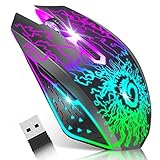

![Redragon M602 Gaming Mouse, Ergonomic RGB Gaming Mouse Wired with 7200 Adjustable DPI, 9 Programmable Buttons, Professional Software for Gamer Office [Black]](https://m.media-amazon.com/images/I/4189L2UBl9L._SL160_.jpg)
| Product | Best for | Key spec from the title |
|---|---|---|
| Razer Basilisk V3 | Plugged-in desk sessions | Wired, 26K DPI optical sensor, ergonomic |
| INPHIC A9 V2 Explorer | Laptops with limited ports | Tri-mode 2.4G, Type-C wired, Bluetooth; 12800 DPI |
| Redragon M810 PRO | Wireless play with many remappable keys | 10000 DPI, remapping keys, rapid-fire macro keybinds |
| VersionTECH Wireless | Quiet, simple travel mouse | Rechargeable, silent click, 2.4G USB nano receiver |
| Razer DeathAdder Essential | Reliable corded comfort | 6400 DPI optical sensor, 5 programmable buttons |
| Redragon M602 | Budget wired with many buttons | 7200 adjustable DPI, 9 programmable buttons |
| SOLAKAKA SM600 | Light, portable multi-mode use | BT5.0, Type-C wired and 2.4G wireless, honeycomb shell |
How to Choose
Connection type and your laptop’s ports
Count your free ports before anything else. A 2.4 GHz wireless receiver takes a USB-A slot, a wired mouse takes one more, and a thin laptop may have only USB-C. Bluetooth skips the port entirely, which is why tri-mode mice that include 2.4G, Bluetooth and a wired mode are handy. If your laptop only has USB-C, a small adapter is cheap, but it is one more item to lose in a bag. For competitive play, a wired or 2.4G connection generally responds faster than Bluetooth.
Weight, size and portability
Travel mice should be light enough to carry without noticing and small enough to fit a laptop sleeve pocket. Lightweight shells, including a honeycomb design, cut weight but can feel flimsy to some hands. Big ergonomic mice are comfortable on a desk but awkward in a bag. If you plan to use the mouse mostly at a fixed desk, comfort beats portability. A good test is to ask whether the mouse will really come along: if the answer is no, buy the comfortable one and leave it plugged in at home. Also remember that a laptop’s slim palm rest and low keyboard height can make a very tall mouse uncomfortable on a low table.
Battery and charging
Rechargeable mice charge over Type-C, so you can top them up from the same cable as your phone. Check that the mouse works while plugged in, as tri-mode models with a wired option let you keep playing during a low-battery moment. Battery life is not stated in most of these titles, so treat any assumption cautiously and look at the full specification page if it matters to you.
Specs worth checking and what budget models skip
DPI beyond 1600 is mostly headroom on a laptop screen. Look instead for adjustable DPI steps, a named sensor type, remappable buttons and, for wireless models, a receiver that stores neatly in the mouse. Budget mice may skimp on wireless stability, feet quality and software. Ignore RGB claims when ranking, and favor a layout you can bind comfortably.
The 7 Best Options
Razer Basilisk V3
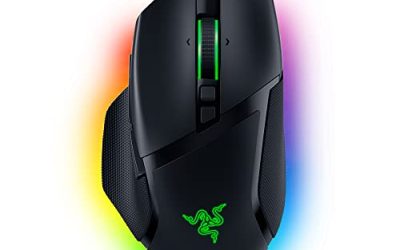
A wired ergonomic mouse with a 26K DPI optical sensor, Chroma RGB lighting and a fast switch. It is for laptop gamers who dock at a desk and want comfort and speed without a battery. If your laptop lives on a stand with an external keyboard and a mouse pad, this is the setup that most resembles a desktop rig, and the wired link ensures that no battery warning ever interrupts a match.
- Strength: wired connection eliminates charging and wireless dropouts.
- Strength: ergonomic shape is good for long sessions.
- Trade-off: bulky for a bag and takes a USB port.
Skip it if you travel light, since the full-size shape takes up room in a laptop bag and the cable adds one more thing to coil.
INPHIC A9 V2 Explorer
A wireless gaming mouse with a 12800 DPI setting, silent clicking and three connection modes: 2.4G, Type-C wired and Bluetooth. It is rechargeable and has RGB lighting. For a laptop, the mode flexibility is the main attraction, since you can switch between receiver, cable and Bluetooth depending on which ports are free. Picture a student who games in the dorm in the evening and takes notes at a library table the next morning: one mouse handles both, and the quiet clicks keep it from annoying neighbors.
- Strength: tri-mode connection suits laptops with limited or changing ports.
- Strength: silent clicks are friendly for shared spaces and libraries.
- Trade-off: the title does not mention battery life, so confirm before relying on it for a long trip.
Skip it if you only want a plug-in wired mouse.
Redragon M810 PRO
A wireless RGB gaming mouse with 10000 DPI, remapping keys, rapid-fire macro keybinds and an ergonomic grip. It is billed as cable-free with no delay, which suits players who want to cut the cord and still bind many actions. It makes sense for a gamer with a bigger laptop and a roomy desk who wants the freedom of a cable-free setup, perhaps while playing an action RPG that rewards quick access to abilities on the side keys.
- Strength: remappable keys and macros bring flexibility to a wireless mouse.
- Strength: an ergonomic grip is more comfortable than a travel-sized shell for long sessions.
- Trade-off: the title does not mention Bluetooth, so it likely depends on a receiver port.
Skip it if your laptop has no spare USB port.
VersionTECH Wireless Gaming Mouse
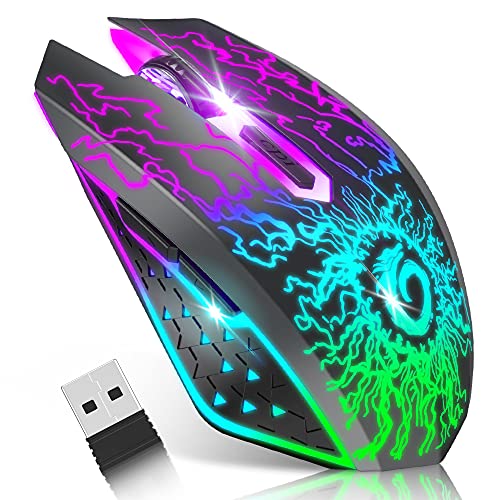
A rechargeable wireless mouse with colorful LED lights, silent click, a 2.4G USB nano receiver and three DPI levels. A nano receiver is small enough to leave in the port while the laptop travels, and the silent click is courteous in a classroom. For someone who wants a mouse that simply works whenever the laptop opens, without pairing menus, leaving the receiver in the port is the lowest-effort setup on this list.
- Strength: tiny receiver is easy to leave plugged in.
- Strength: rechargeable with three DPI levels for quick switching.
- Trade-off: limited DPI steps and no Bluetooth listed in the title.
Skip it if you want deep customization or Bluetooth, since the title lists a receiver and three DPI levels rather than a long feature list.
Razer DeathAdder Essential
A wired ergonomic mouse with a 6400 DPI optical sensor, five programmable buttons and rubber side grips. It offers dependable comfort for a laptop at a fixed desk. It is the kind of mouse you plug in once and forget, which suits someone who wants an upgrade from the trackpad without learning software, pairing menus or charging routines.
- Strength: rubber side grips and ergonomic shape.
- Strength: simple, corded and reliable.
- Trade-off: fewer buttons, right-handed only.
Skip it if you are left-handed, because the ergonomic shell is built for the right hand. Also skip it if you want wireless freedom or need more than five programmable buttons for strategy or role-playing games, where a longer button list saves keystrokes.
Redragon M602
A wired RGB mouse with 7200 adjustable DPI, nine programmable buttons and professional software. It is an inexpensive way to gain extra buttons for a laptop gaming station. The software mentioned in the title lets you assign macros and shortcuts, which helps in strategy games, spreadsheets and photo editing alike. It is more of a desk mouse than a travel companion.
- Strength: nine programmable buttons at a modest tier.
- Strength: wired reliability.
- Trade-off: cable and a larger body are less portable.
Skip it if you want wireless. A cable can snag on a crowded laptop desk or a small table, and anyone who moves between rooms with the notebook will find a cordless model less fiddly. Left-handed users should also confirm the shape suits them.
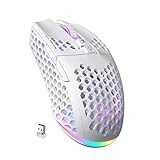
SOLAKAKA SM600
A wireless gaming mouse in white with a honeycomb shell, Bluetooth 5.0, Type-C wired and 2.4G wireless modes, two side buttons and programmable macros. The honeycomb design points toward a lightweight build, and the multi-mode connection suits mobile use. A remote worker who plays after hours on the same notebook could keep it in a laptop sleeve all day, then switch to the cable when a session turns serious. The white finish also stands apart from the usual black gaming gear.
- Strength: three connection modes cover many laptop setups.
- Strength: the honeycomb shell aims at a lighter feel.
- Trade-off: a perforated shell can be less comfortable for those who want a solid, large palm rest.
Skip it if you want a big ergonomic shape.
Which One Fits Your Situation
You carry the laptop between classes
Take the INPHIC A9 V2 Explorer or the SOLAKAKA SM600. Both offer Bluetooth and a wired option, so port limits will not leave you stuck. If one connection misbehaves in a crowded wireless environment such as a lecture hall, you can switch to another without replacing anything.
You game at a fixed desk
The Razer Basilisk V3 gives the best comfort for long sessions with no battery to manage.
You want many buttons without spending much
The Redragon M602 offers nine programmable buttons, while the Redragon M810 PRO adds wireless freedom. Choose between them by deciding whether a cable on your desk bothers you more than a spare USB port being used by a receiver.
You share space and want quiet clicks
Pick the VersionTECH or the INPHIC for silent clicking.
Common Mistakes
- Buying a receiver-based mouse for a laptop that has no spare USB-A port.
- Choosing a big ergonomic mouse and then leaving it at home.
- Assuming Bluetooth is as responsive as a 2.4G or wired connection for fast games.
- Forgetting to charge a rechargeable mouse before a trip.
- Judging a mouse by DPI numbers instead of grip and button layout.
Frequently Asked Questions
Is a gaming mouse worth it on a laptop?
Yes. A real mouse is more accurate than a trackpad and gives you buttons to bind. Even a modest model improves aim, reduces hand strain and lets you play on a surface where a trackpad would be miserable.
Wired or wireless for a laptop?
Wired is simplest at a desk because it needs no charging and responds consistently. Wireless suits travel, especially tri-mode models that fall back to a cable when the battery runs low.
Do I need a receiver?
Only for 2.4G models, which use a small dongle in a USB port. Bluetooth works without one, though it may feel slightly less responsive in fast games, and a wired mode needs no dongle at all.
What DPI should I use?
Most players stay between 800 and 1600 DPI on a laptop display. Higher figures on the box are headroom, so choose a mouse that lets you step between presets easily rather than one that boasts the biggest number.