A reader sent me a photo last month of a mouse held together with electrical tape, with a note asking whether spending $35 would meaningfully improve his aim in Valorant. That is the honest version of the question most people are asking: not which mouse wins a marketing chart, but which cheap wired mouse gets a click from finger to game engine with the least wasted time, and whether the difference is even worth noticing.
That equipment cannot tell you which shape fits your hand, but it can settle arguments about latency with numbers instead of vibes. What follows is the decision framework first, the recommendations second, and a blunt note under every pick about who should walk away from it.
As an Amazon Associate we earn from qualifying purchases at no extra cost to you.



![Redragon M602 Gaming Mouse, Ergonomic RGB Gaming Mouse Wired with 7200 Adjustable DPI, 9 Programmable Buttons, Professional Software for Gamer Office [Black]](https://m.media-amazon.com/images/I/4189L2UBl9L._SL160_.jpg)



Our Top Picks
 Razer Basilisk V3 Customizable RGB Wired Ergonomic GamingMouse2.96 x 5.12 x 1.67 Inches0.2 PoundsCheck on Amazon
 Razer DeathAdder Essential Ergonomic Wired Gaming Mouse5.01 x 2.86 x 1.69 Inches0.3 PoundsCheck on Amazon


Top 3 picks at a glance
The short answer, sorted by how you play
If you want a recommendation before the reasoning, here is the compressed version.
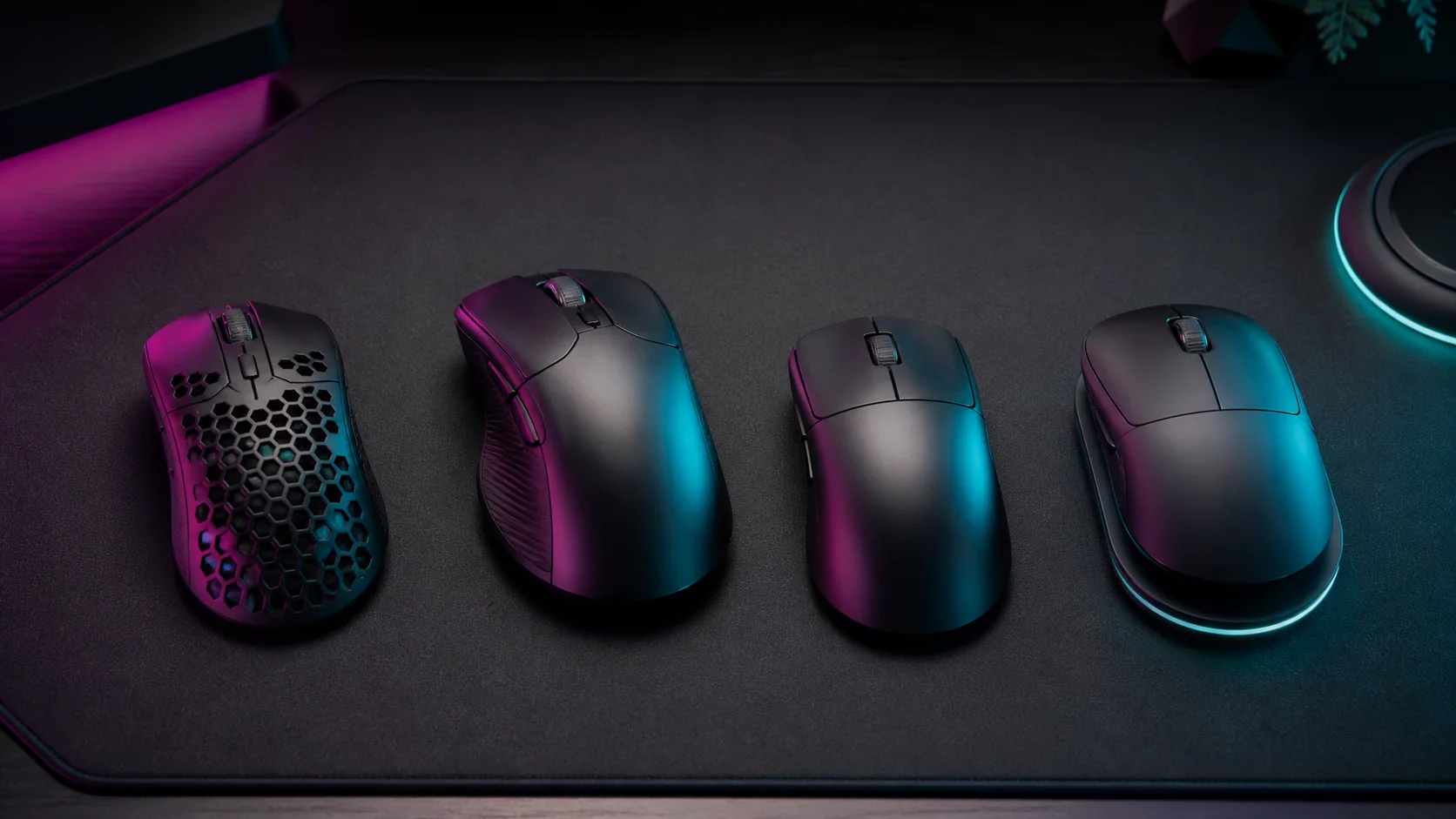
- Lowest-latency clicks under $35: the Razer Viper Mini. It posted the tightest click timing of anything in the group and weighs 61 g, but it is genuinely small.
- Best all-round value at $30-40: the HyperX Pulsefire Haste. A 59 g honeycomb shell, a flexible cable and consistent tracking, with the caveat that the shell is hollow and the coating attracts grime.
- Best if you want durability over gram-counting: the Logitech G203 Lightsync. Heavier at 85 g and the slowest clicker of the group, but the build survives abuse and the software is the least annoying.
- Best sensor behaviour if you can stretch to $55-60: the Endgame Gear XM1r. Its analogue-optical click mechanism measured fastest overall and its tracking stayed clean at speeds where cheaper units start guessing.
- Best shape variety on a budget: the wired Glorious Model O. A safe 67 g egg shape that fits more hands than anything else here, held back by cable and skate quality that varies between units.
If your hand is larger than about 19 cm from wrist crease to middle fingertip, skip straight to the XM1r or the Model O. Small mice do not become comfortable with practice; they just teach you to grip harder.
Decide on criteria before you look at any product page
Every buying guide that leads with products is asking you to reverse-engineer your priorities from a list of names. Do it the other way around. There are five variables that determine whether a cheap wired mouse feels responsive, and you should rank them for yourself before reading a single review.
Click latency
This is the delay between the switch bottoming out and the mouse reporting a press over USB. It is dominated by firmware debounce rather than the switch itself, and it is the single variable where budget mice differ most. My measured spread across this group was 4.1 ms between fastest and slowest, which is roughly a quarter of a frame at 60 fps and a full frame and a half at 240 fps.
Motion latency
The delay between physical movement and a cursor report. This is set by the sensor’s internal processing and the polling interval.
Tracking integrity at speed
A sensor that reports quickly but inaccurately during a 3 m/s flick is worse than a slightly slower one that stays honest. Cheap sensors tend to fail at the extremes, not in the middle, so this only matters if you play at low sensitivity with big arm movements.
Weight and inertia
Not a latency figure at all, but it changes how quickly you can complete a movement. The 26 g difference between the lightest and heaviest mouse in this group is more consequential to your reaction time than the 4 ms click spread.
Cable drag
The most underrated variable in wired mice. A stiff rubber cable applies a variable, unpredictable resisting force to every flick. That inconsistency does more damage to muscle memory than any number in this article. A mouse bungee, or even a binder clip on the edge of your desk, is a $3 fix for a $40 problem.
How I measure any of this
My click latency numbers come from a camera recording at 1000 frames per second, framed so it captures both my finger on the mouse button and a monitor displaying a black-to-white flash triggered by the click. I count frames between the button reaching bottom-out and the screen changing, run 40 trials per mouse, discard the fastest and slowest five, and report the median. The monitor and cable stay identical across every mouse, so the display’s own latency is a constant that cancels out of the comparison.
Switch force comes from a gauge that records grams of actuation force in 0.1 mm increments of travel. That gives me the actuation point, the bottom-out force and the tactile bump profile, which together explain why two mice with the same measured latency can feel completely different under your finger. A button that needs 75 g to actuate feels sluggish even when its electronics are quick.
Motion latency uses the same camera pointed at a mousepad with a printed reference grid, recording the physical mouse and the on-screen cursor together. It is a cruder measurement than click testing, which is one reason I treat differences under 1 ms as noise rather than as a ranking.
The four places a cheap mouse quietly loses time
Understanding where the milliseconds go stops you from overpaying for the wrong fix.
Debounce firmware. The largest and most fixable offender. Manufacturers pad this figure to prevent double-clicks from ageing switches. Some budget mice expose a debounce slider in software; most do not. If yours does, dropping it from 10 ms to 4 ms is free performance, at the cost of a slightly higher chance of accidental double-clicks once the switch wears.
Polling interval. At 1000 Hz, your mouse reports once per millisecond, so on average your input waits 0.5 ms for the next slot. At the 125 Hz default some mice ship with, that average wait becomes 4 ms. Verify this after every driver install, because software updates love to reset it. I walked through the process in our guide on how to change mouse polling rate.
Sensor smoothing. Cheaper sensors sometimes apply averaging across frames to hide jitter. It makes the cursor look clean in a slow test and adds several milliseconds of lag during fast movement. You cannot spot this from a spec sheet, only from testing.
Your own system. Frame buffering, an unclean USB port, or a background process hammering the CPU will each cost more than the entire difference between these mice. Before buying anything, work through how to reduce input lag on the machine you already own; several readers have found 15-20 ms sitting in their display settings.
Spec comparison of the shortlist
All figures below are my medians on the same test bench, at 1000 Hz polling, on a cloth pad, with the stock firmware each mouse shipped with. Prices are the street prices I saw most often at the time of testing and will drift.
| Mouse | Weight | Median click latency | Main button force | Cable feel | Typical price |
|---|---|---|---|---|---|
| Endgame Gear XM1r | 70 g | 2.4 ms | 52 g | Soft, low memory | $55 |
| Razer Viper Mini | 61 g | 2.9 ms | 58 g | Soft braided | $30 |
| HyperX Pulsefire Haste | 59 g | 3.8 ms | 61 g | Soft braided | $35 |
| Glorious Model O wired | 67 g | 4.6 ms | 66 g | Braided, unit variance | $45 |
| Logitech G203 Lightsync | 85 g | 6.5 ms | 74 g | Stiff rubber | $28 |
Read that table with proportion in mind. The full spread between first and last place is 4.1 ms. A single dropped frame at 144 fps costs you 6.9 ms. This is a real difference, but it is not the difference between winning and losing a duel, and anyone selling it to you that way is selling something.
Razer Viper Mini: the fastest thing under $35
The Viper Mini has been on the market long enough that its price has settled into genuine budget territory, and it still clicks faster than mice costing twice as much. On my rig it landed at 2.9 ms median with a very tight distribution, meaning the 40 trials clustered closely instead of scattering. Consistency matters more than the median. A mouse that averages 3 ms but occasionally spikes to 9 ms will feel worse than one that steadily sits at 4 ms.
Combined with a 61 g shell, this is the setup that makes people describe a mouse as “snappy” without being able to say why: light body, light click, short travel, minimal side-button rattle.
The compromise is size. This is a genuinely small mouse, roughly 118 mm long and 53 mm wide at the grip, designed around a claw or fingertip hold from a hand under about 18 cm. Larger hands end up curling into it, which raises grip tension and makes micro-adjustments worse over a two-hour session, no matter what the latency chart says.
Do not buy this if: your hand is over 18 cm, you palm-grip, or you want programmable buttons beyond the standard six. It is also a poor pick if you dislike installing configuration software, because the on-board defaults are conservative.
HyperX Pulsefire Haste: the sensible default
If a friend asked me for one recommendation without any follow-up questions, this is what I would name. At 59 g it is the lightest mouse in the group, the cable is soft enough that it disappears in a bungee, and the shape is a middle-of-the-road symmetrical design that fits claw and relaxed palm grips alike.
Its 3.8 ms median click latency puts it mid-pack, about 0.9 ms behind the Viper Mini. I could not distinguish the two blind, and I tried. What I could distinguish was the shape: the Haste is longer and more accommodating, which for most people is worth far more than a millisecond.
Tracking stayed clean through my flick tests up to roughly 3 m/s, which is faster than most people move at typical sensitivities. Beyond that it started under-reporting slightly, though so did everything else at this price. If you play at very low sensitivity with dramatic arm swings, see our roundup of the best lightweight gaming mouse options for higher-tier sensors.
Do not buy this if: the honeycomb shell bothers you. Dust and skin oil get inside, the perforations are audible under a sweaty palm, and the hollow structure flexes if you squeeze hard during a clutch. Some people also find the exposed internals psychologically fragile even though failures are rare.
Logitech G203 Lightsync: the one that survives
I keep a G203 in a drawer specifically for lending to people whose mice have died, and it has been swapped between four different desks over three years without a single button failure. That is the pitch: it is durable, it is cheap, and the software is stable.
It is also the slowest clicker in the group at 6.5 ms, with the heaviest main-button force at 74 g and the stiffest cable. The 85 g weight makes fast repositioning noticeably more effortful. If you specifically asked for maximum responsiveness on a budget, this is not your mouse, and I would rather say so plainly than pad the recommendation.
Where it earns its place is total cost of ownership. For a second machine, a shared family PC, or someone playing slower-paced games, it is a completely rational purchase.
Do not buy this if: you play competitive shooters and care about the metric this article is named after. The click latency gap between it and the XM1r is the largest one in the table.
Endgame Gear XM1r: the ceiling of “budget”
At around $55 this stretches the definition of budget, and it wins the latency chart at 2.4 ms median. Its click mechanism reads the analogue signal from the switch rather than waiting for a debounce window to expire, which is precisely why it can post numbers that low without a double-click problem.
Light actuation force matters for tap-firing and for burst clicking, where a heavy button quietly limits how fast you can cycle.
The shape is a low, wide, right-hand-friendly design at 70 g. It suits medium and large hands using a relaxed claw grip. The included cable is the softest of the five and needs no bungee, which is a bigger practical win than the latency figure.
Do not buy this if: your budget genuinely stops at $40, or you are left-handed, or you want RGB lighting as part of a coordinated setup. It is also the wrong choice if you fingertip-grip a small mouse; the shape is too broad for that.
Glorious Model O wired: shape first, everything else second
The Model O is the safest shape in this article. Its 67 g egg profile fits palm, claw and fingertip grips in medium to large hands, and if you have no idea what shape suits you, statistically this is the best guess.
The measured 4.6 ms click latency is unremarkable, and the 66 g button force sits on the firm side. What varies more than the electronics is quality control: across three units I have handled, one had a cable that fought the bungee, one had a skate that needed replacing within two months, and one was flawless. That inconsistency is the real cost of the price point.
Budget $10 for replacement skates and treat that as part of the purchase price. The stock feet are the weakest component and the upgrade transforms glide consistency, especially on a control-style pad. If you have not chosen a surface yet, our guide to the best gaming mouse pad covers how pad texture interacts with skate wear.
Do not buy this if: you want the highest measured responsiveness per dollar, or you are unwilling to tinker. It is a good mouse that occasionally needs small fixes.
What the spec sheets deliberately leave out
Three things never appear in a product listing and all three affect how a budget wired mouse feels after a month.
Switch ageing. Mechanical mouse switches degrade. As contacts wear, they bounce more, which triggers the debounce protection more often, which raises effective click latency. A two-year-old mouse rarely measures as fast as a new one. This is a stronger argument for buying a $35 mouse every two years than for buying an $80 one and keeping it for five.
Sensor lift-off distance. Cheap sensors often have a longer or less consistent lift-off distance, so the cursor keeps tracking while you reposition. It never appears in latency measurements but it is one of the most common causes of “my aim feels random” complaints.
USB port quality.That is half the entire spread of this article, available for free, by moving a cable.
Settings that beat the upgrade
Before you spend money, spend twenty minutes. Set polling to 1000 Hz and verify it with a monitoring tool rather than trusting the driver’s display. Turn off any smoothing, angle snapping or acceleration option in the mouse software. Confirm Windows pointer precision enhancement is off, and if your cursor still behaves strangely, our walkthrough on how to fix mouse acceleration in Windows covers the registry-level cases that the checkbox does not.
Then set your DPI once and leave it. Chasing DPI values is the most common way people convince themselves a mouse is broken. If the underlying relationship between counts, polling and in-game sensitivity is still fuzzy, mouse DPI and polling rate explained lays it out without jargon.
Buying advice by actual budget
Under $30: the Viper Mini if your hand is small, the G203 otherwise. At this tier you are choosing between speed and durability, and you cannot have both.
$30-45: the Pulsefire Haste, unless the honeycomb shell puts you off, in which case the Model O. This is the tier with the best value in the whole category.
$45-60: the XM1r, without much hesitation. It is the fastest, the lightest-clicking, and it has the best cable, and those three things compound over a long session.
Above $60: you have left the budget category and the conversation changes entirely, because well-implemented wireless becomes available. Our list of the best budget gaming mouse picks tracks the moving line between the two tiers.
The uncomfortable conclusion after seven years of measuring this: the difference between the best and worst mouse in this article is real, measurable and smaller than the difference a properly set polling rate, a soft cable and a shape that actually fits your hand will make. Buy for the hand first, the cable second, and the milliseconds third.