If you are picking a mechanical keyboard for a shared office or a home desk near other people, the switch type shapes both your typing feel and how much you annoy everyone around you. The two most common non-clicky options are linear switches, which press smoothly straight down, and tactile switches, which give a small bump partway through the press. This guide compares them for an office desk so you choose a switch that feels good and keeps the peace.
As an Amazon Associate we earn from qualifying purchases at no extra cost to you.
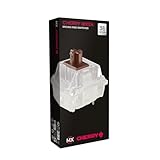

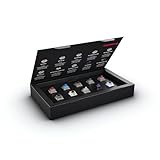

Our Top Picks


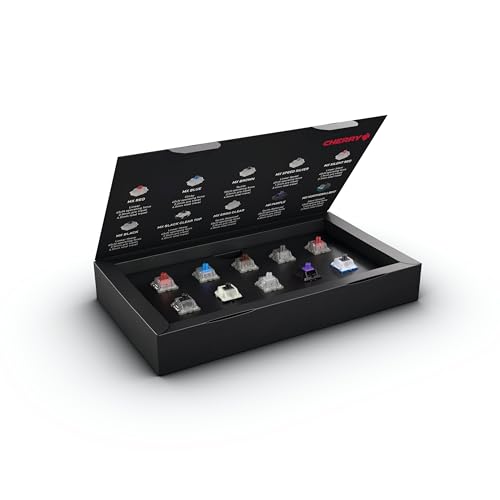

Top 3 picks at a glance
How each switch feels
A linear switch moves smoothly from top to bottom with no bump and no click, giving a clean, consistent press that many gamers and fast typists like. A tactile switch has a noticeable bump at the actuation point, a small resistance you feel when the keypress registers, which gives feedback that can improve typing accuracy without needing to bottom out. Neither has the loud click of a clicky switch, so both are reasonable office choices.
Feedback and accuracy
The tactile bump tells your finger the key has registered, which helps some typists type more accurately and lightly because they can stop pressing at the bump. Linear switches offer no such signal, so you rely on sound and travel, which fast gamers often prefer for rapid repeated presses. For lots of typing, many people find tactile more comfortable and confident.
| Factor | Linear | Tactile |
|---|---|---|
| Feel | Smooth, no bump | Bump at actuation |
| Typing feedback | None | Clear bump |
| Office noise | Quiet, soft thock | Quiet, slightly more feel noise |
| Best for | Gaming, fast presses | Typing accuracy |
Which for an office desk
For an office where a lot of typing happens, tactile switches are often the better pick because the bump aids accuracy and encourages lighter typing, and they are still office-quiet. If your desk work is a mix of gaming and typing, or you prefer a smooth uninterrupted press, linear switches are excellent and arguably the quietest option when paired with dampening. Avoid clicky switches entirely in a shared space, since the sharp click carries.
Keeping it quiet regardless
Both linear and tactile can be made quieter with the same mods: case foam to kill hollow echo and O-rings to soften the bottom-out. Typing lightly rather than slamming the keys makes the biggest difference of all. If noise is your main concern, pick a switch marketed as silent, which has built-in dampening, in either linear or tactile form.
Frequently asked questions
Are linear or tactile switches quieter?
Both are far quieter than clicky switches, and the difference between them is small. Linear switches can be marginally quieter since there is no tactile mechanism, but bottom-out noise dominates for both. For the quietest office board, choose a silent variant of either type and add O-rings and foam.
Which is better for typing all day?
Many all-day typists prefer tactile because the bump provides feedback that improves accuracy and lets them type more lightly without bottoming out. That said, plenty of people type happily on smooth linear switches. It comes down to whether you like feeling the key register; try both if you can before committing.
Bottom line
For an office desk, tactile switches suit heavy typing thanks to the feedback bump that aids accuracy, while linear switches favor smooth, fast presses for mixed gaming and typing. Both are office-appropriate and far quieter than clicky switches. Whichever you pick, choose a silent variant and add foam and O-rings if noise matters, and type lightly to keep the peace.