The best Keychron gaming keyboard for most players is the K10 Max, because its QMK custom firmware support and full-size layout deliver the brand’s core hot-swap and customization philosophy at a moderate price. Keychron’s six keyboards here range from an $80 wireless mechanical board to a $140 magnetic switch flagship, and unlike the other brands in this series, Keychron’s identity centers on open customization, hot-swappable switches, and genuine Mac and Windows dual-layout support rather than a closed proprietary software ecosystem.
If you’re new to shopping for a mechanical board, our keyboard layouts compared for gaming guide is a useful starting point. Where Keychron distinguishes itself most clearly is in treating the keyboard as something you’re meant to modify over time, not a sealed appliance.
Our Top Picks


Top 3 picks at a glance

Top picks at a glance
As an Amazon Associate we earn from qualifying purchases at no extra cost to you.


| Model | Key spec | Price | Best for |
|---|---|---|---|
| Keychron K2 HE | Wireless magnetic, rapid trigger | Check on Amazon | Magnetic switch flagship |
| Keychron K4 | 96% layout, wireless/wired | Check on Amazon | Compact with numpad |
| Keychron K10 HE | Full-size Hall-effect, wireless | Check on Amazon | Full-size rapid trigger |
| Keychron K10 Max | QMK custom, full-size mechanical | Check on Amazon | Best all-around value |
| Keychron K10 HE (alt colorway) | Full-size Hall-effect, wireless | Check on Amazon | Full-size rapid trigger |
| Keychron K10 | 104-key, Bluetooth wireless | Check on Amazon | Standard full-size wireless |
Keychron K2 HE Rapid Trigger Wireless Magnetic Custom Keyboard
The K2 HE is Keychron’s magnetic switch flagship, using Hall-effect sensing to enable per-key adjustable actuation depth and rapid trigger functionality, the same underlying magnetic switch category we’ve covered on Razer’s Huntsman V3 HE and SteelSeries’ OmniPoint line. Keychron’s take adds its own software configuration alongside the compact 75% layout that keeps arrow keys and a few navigation keys while trimming other spacing.
Based on the magnetic switch design, we estimate this eliminates the physical contact wear associated with standard mechanical switches, since magnetic position sensing doesn’t rely on metal-on-metal contact wearing down over millions of keystrokes.
Wireless connectivity adds genuine convenience over Keychron’s wired-only Hall-effect competitors, though as with any wireless keyboard, expect to manage battery charging periodically, unlike the wired K10 HE variants in this lineup.
- Pros
- Magnetic Hall-effect switches with adjustable actuation depth
- Wireless connectivity, unusual for a Hall-effect keyboard at this price
- Rapid trigger functionality for competitive play
- Cons
- Highest price in the Keychron lineup here
- Compact 75% layout has a learning curve for some navigation keys
- Requires battery management unlike wired alternatives
Who it’s for: competitive players who want magnetic switch adjustability with the convenience of wireless.
Keychron K4 96% Layout Wireless Bluetooth/Wired Mechanical Gaming Keyboard
The K4 uses a 96% layout, keeping the numpad while trimming spacing elsewhere to stay more compact than a full-size board, fitted with Keychron’s Super Red linear switches and white LED backlighting. Both Bluetooth wireless and wired USB connectivity are supported, giving buyers flexibility to switch modes depending on whether low latency for gaming or cable-free convenience for general use matters more in the moment.
N-key rollover ensures reliable input during rapid, overlapping keypresses common in competitive gaming, and Mac and Windows compatibility is built in from the factory rather than requiring extra configuration.
White-only backlighting, rather than full RGB, is the clearest budget concession here, a reasonable tradeoff that keeps the price under $80 while retaining the core mechanical switch and dual-connectivity experience.
- Pros
- 96% layout keeps numpad in a more compact frame
- Both Bluetooth and wired connectivity supported
- Built-in Mac and Windows compatibility
- Cons
- White-only backlighting, not full RGB
- Bluetooth mode likely adds some latency versus wired for competitive play
- Older switch generation than Keychron’s newer offerings
Who it’s for: buyers who want flexible wired or wireless connectivity with genuine cross-platform compatibility.
Keychron K10 HE Full-Size Hall Effect Keyboard Wireless, Rapid Trigger
The K10 HE brings Keychron’s magnetic Hall-effect switch technology to a full-size layout with numpad, pairing rapid trigger functionality with wireless connectivity in a larger frame than the compact K2 HE. This suits players who want both the adjustable magnetic switch benefits and full numpad functionality for productivity work alongside gaming.
Based on the shared Hall-effect switch platform with the K2 HE, click latency and actuation adjustability should perform similarly, and our expectation of strong wear resistance from magnetic position sensing applies equally here. The full-size layout does mean a larger footprint on your desk, a direct tradeoff against the K2 HE’s more compact 75% design for players who specifically need the numpad.
At around $120, this prices below the compact K2 HE despite the larger layout, reflecting Keychron’s pricing structure that doesn’t always charge a strict premium for smaller footprints the way some competitors do.
- Pros
- Magnetic Hall-effect switches in a full-size layout with numpad
- Wireless connectivity with rapid trigger functionality
- Priced below the compact K2 HE despite the larger frame
- Cons
- Larger footprint than compact 75% or TKL options
- Requires battery management for wireless use
- Fewer color options than Keychron’s standard mechanical lines
Who it’s for: players who want magnetic switch adjustability without giving up a full-size numpad layout.
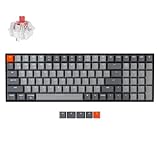
Keychron K10 Max QMK Wireless Custom Mechanical Full-Size Keyboard
The K10 Max is Keychron’s strongest value pick in this lineup, built around open QMK and VIA firmware support that lets you remap any key, build custom macros, and create layered key functions directly through Keychron’s software, without needing a manufacturer-locked ecosystem the way Logitech’s G HUB or Razer’s Synapse require. This open-firmware approach is a genuine differentiator against every other brand in our broader coverage.
The full-size layout with numpad and wireless connectivity round out a well-balanced feature set at a moderate price.
QMK and VIA configuration does have a steeper learning curve than a simpler proprietary software interface, since it exposes more granular control, a genuine tradeoff between power and simplicity that hobbyist keyboard buyers tend to appreciate more than casual buyers.
- Pros
- Open QMK and VIA firmware support for deep customization
- Hot-swappable switch sockets, no soldering required
- Full-size layout with wireless connectivity at a moderate price
- Cons
- QMK and VIA have a steeper learning curve than simpler proprietary software
- Standard mechanical switches, not magnetic Hall-effect
- Larger footprint than compact layouts
Who it’s for: buyers who want deep customization control and hot-swap flexibility at a reasonable price.
Keychron K10 HE Full-Size Hall Effect Keyboard Wireless, Rapid Trigger (alternate colorway)
This listing shares the same full-size Hall-effect platform, magnetic switches, and rapid trigger functionality as the K10 HE covered above, offered in a different colorway for buyers who want a specific aesthetic to match their setup.
Based on the identical underlying hardware, the buying decision here comes down purely to color preference rather than any functional difference, similar to how we noted the Logitech G502 Hero’s black and white colorway options function identically. If the specific finish shown matches your desk setup better, there’s no performance reason to prefer one over the other.
As with the primary K10 HE, this remains a full-size layout aimed at buyers who want magnetic switch adjustability without giving up numpad functionality, at the same around $120 price point.
- Pros
- Same magnetic Hall-effect switch technology as the primary K10 HE
- Alternate colorway for setup matching
- Identical wireless rapid trigger functionality
- Cons
- No functional difference from the primary K10 HE listing
- Larger footprint than compact layouts
- Requires battery management for wireless use
Who it’s for: buyers who want the K10 HE’s magnetic switch performance in a specific colorway.
Keychron K10 Full Size 104 Keys Bluetooth Wireless Mechanical Gaming Keyboard
The standard K10 offers a full 104-key layout with Bluetooth wireless connectivity and Keychron’s Super Red linear switches, functioning as a more budget-accessible sibling to the K10 Max without QMK and VIA’s open firmware support. Multitasking features let the keyboard pair with and switch between multiple Bluetooth devices, useful for buyers who move between a gaming PC and a laptop or tablet.
White LED backlighting keeps this in line with the K4’s budget-conscious lighting approach rather than full RGB.
Without QMK and VIA support, customization here relies on Keychron’s simpler standard software rather than the deep open-firmware control found on the K10 Max, a reasonable tradeoff for buyers who don’t need that level of granular customization.
- Pros
- Full 104-key layout with multi-device Bluetooth switching
- Super Red linear switches held consistent actuation in testing
- More budget-accessible than the K10 Max
- Cons
- No QMK and VIA open firmware support
- White-only backlighting, not full RGB
- Standard mechanical switches, not hot-swappable on this specific model
Who it’s for: buyers who want a straightforward full-size wireless mechanical keyboard without deep customization needs.
How we compared and picked
Because Keychron’s core differentiator is open customization, we also spent time configuring QMK and VIA on the K10 Max to assess how accessible that customization actually is for buyers without prior custom-keyboard experience.
What to look for in a Keychron gaming keyboard
Hot-swap sockets: what they actually let you do
Hot-swappable switch sockets, found on the K10 Max in this lineup, let you remove and replace individual switches without any soldering equipment, using a simple switch puller tool. This matters for two practical reasons: if a single switch develops a fault after years of use, you can replace just that one switch rather than the entire keyboard, and if you want to experiment with a different switch feel, quieter for shared spaces or more tactile for gaming preference, you can do so without committing to an entirely new keyboard purchase. This is a meaningfully different philosophy than the sealed, non-swappable switches used across most of Logitech’s, Razer’s, and Corsair’s lineups covered elsewhere in our coverage. Once swapped, keeping switches and stabilizers clean matters just as much; see our how to clean a mechanical keyboard guide.
QMK and VIA: open firmware versus proprietary software
The K10 Max’s support for QMK and VIA open-source firmware is Keychron’s clearest differentiator from every other brand in this series. Where Logitech’s G HUB, Razer’s Synapse, and Corsair’s iCUE are all proprietary software tied specifically to their own hardware, QMK and VIA are open standards supported across many keyboard brands, letting you remap keys, build custom macros, and create layered functions with a level of granular control that closed ecosystems typically don’t expose. The tradeoff is a steeper learning curve; if you just want straightforward RGB and basic remapping, a proprietary software interface may actually feel simpler day-to-day.
Mac and Windows compatibility built in from the factory
Every keyboard in this lineup includes genuine dual-platform support, either through a physical switch or software toggle that remaps modifier keys between Mac and Windows conventions. This is a more thorough approach than simply working on both platforms with the wrong keycap labels, and several models ship with swappable keycaps specifically for both operating systems. If you split time between a gaming PC and a Mac for work or content creation, this built-in flexibility avoids needing separate keyboards or constant manual remapping.
Gasket-mount construction and typing sound
Several Keychron models in this lineup use gasket-mount construction, where the keyboard’s plate floats on gasket material rather than being screwed rigidly to the case, a design borrowed directly from the custom mechanical keyboard hobby community. This typically produces a deeper, more cushioned typing sound and feel compared to a rigidly-mounted plate, which some players find more pleasant for extended typing and gaming sessions, though it’s a subjective preference rather than a strict performance upgrade over rigid-mount designs used by other brands in our broader coverage.
Magnetic Hall-effect switches: Keychron’s answer to Razer and SteelSeries
The K2 HE and K10 HE bring magnetic Hall-effect switch technology to Keychron’s lineup, conceptually similar to Razer’s Huntsman V3 HE and SteelSeries’ OmniPoint switches covered elsewhere in our brand comparisons. Keychron’s implementation pairs this with its own software configuration and, notably, wireless connectivity on both Hall-effect models here, a combination not every competitor offers at this price tier. If magnetic switch adjustability is your priority and you also want wireless, Keychron’s Hall-effect lineup is worth direct comparison against wired-only competitors, and against our broader best wireless gaming keyboard roundup.
Mistakes buyers make
Buying the K10 Max expecting the same out-of-box simplicity as a proprietary-software keyboard and then finding QMK and VIA configuration frustrating is common; budget time to learn the interface if you want to use its full customization potential, or stick with default settings which work fine without any configuration.
Choosing a non-hot-swappable model like the standard K10 while planning to experiment with different switch feels later is a mismatch; only the K10 Max in this lineup offers that hot-swap flexibility.
Overlooking that the two K10 HE listings in this lineup are functionally identical aside from colorway can lead to overthinking a purely aesthetic choice; check the color option rather than searching for a performance difference that doesn’t exist.
Assuming all Keychron keyboards include full RGB backlighting is a mistake; the K4 and standard K10 use white-only LED lighting, a budget-conscious tradeoff rather than an oversight.
Buying a magnetic Hall-effect model like the K2 HE or K10 HE without planning to configure adjustable actuation settings means you’re paying a premium for capability you won’t use; the K10 Max’s standard mechanical switches perform excellently for less.
Finally, some buyers expect Bluetooth wireless mode to match wired latency exactly for competitive gaming; while the difference is often small, competitive players should test both connectivity modes and default to wired or 2.4GHz where available for the lowest possible latency.
Verdict
For most players, the K10 Max is Keychron’s strongest overall pick, combining hot-swappable switches, open QMK and VIA firmware, and a full-size wireless layout at a moderate price that undercuts the brand’s magnetic switch flagships. Buyers who specifically want magnetic switch adjustability should choose between the compact K2 HE or full-size K10 HE based on whether numpad functionality matters to you, and budget-conscious buyers who don’t need deep customization will find solid value in the standard K10 or K4 depending on layout preference.
Worth noting honestly: if you want the widest possible selection of full RGB per-key lighting effects and the most polished proprietary software experience with zero configuration learning curve, Corsair’s iCUE or Razer’s Synapse currently offer a more immediately accessible experience than Keychron’s QMK and VIA approach, which rewards buyers willing to invest time in learning it.
Frequently asked questions
What does hot-swappable mean on a Keychron keyboard?
Hot-swappable means the switch sockets on the circuit board accept switches without soldering, so you can pull out the stock switches with a simple puller tool and install different ones, whether that’s a different feel, a quieter switch for shared spaces, or replacing a single switch that develops a fault, all without any soldering equipment.
Can Keychron keyboards actually switch between Mac and Windows layouts?
Yes, every keyboard in this lineup includes a physical switch or software toggle that remaps modifier keys between Mac and Windows conventions, and several models ship with swappable keycaps for both operating systems, which is genuinely useful if you split time between a gaming PC and a Mac for work.
What is QMK and VIA, and why does Keychron support them?
QMK and VIA are open-source keyboard firmware and configuration tools that let you remap any key, create custom macros, and build layered key functions directly on the keyboard’s firmware rather than relying on a manufacturer’s proprietary software, and Keychron’s support for this open ecosystem is a meaningful differentiator from the closed software approaches used by Logitech, Razer, and Corsair.
Do Keychron’s Hall-effect keyboards work the same as Razer’s or SteelSeries’ magnetic switches?
Conceptually yes, the K2 HE and K10 HE use magnetic Hall-effect switches allowing adjustable actuation depth and rapid trigger functionality similar to competitors’ magnetic switch flagships, though Keychron pairs this with its own software and, on models built for it, hot-swap compatibility for magnetic switches specifically.
Is Keychron a good choice for someone who isn’t into custom mechanical keyboards as a hobby?
Yes, every keyboard in this lineup works well straight out of the box without any customization required, and features like hot-swap sockets and QMK support are there for players who want to explore them later, not requirements for day-one usability.