
The gap between a genuinely useful rapid trigger keyboard and one that merely markets the phrase “rapid trigger” on the box has never been wider. The problem these boards solve is mechanical and specific: traditional switches with a fixed actuation point require full key release before registering another press. In competitive FPS titles where you are spam-strafing or rapidly toggling abilities, that fixed reset point costs milliseconds that compound over a match. Hall Effect sensors eliminate the physical reset requirement, letting the firmware treat each key like an analog stick with a configurable actuation threshold.
What separates a good entry from a bad one in this category comes down to three things most buyers ignore until they are already typing away at a desk: polling rate consistency, firmware reliability under sustained load, and whether the included software actually exposes the precision controls the hardware promises. A board that advertises 0.01 mm adjustment but ships with jittery firmware or software that hides those settings is not delivering rapid trigger in any meaningful sense. Below are the boards that clear the practical threshold for competitive use, led by the Logitech G PRO X TKL Rapid and running from budget 65% boards to premium tenkeyless flagships.
As an Amazon Associate we earn from qualifying purchases at no extra cost to you.




Our Top Picks
 Logitech G PRO X TKL Rapid Tenkeyless GamingTKL - Wired14.06 x 5.91 x 1.5 Inches0.3 poundsCheck on Amazon



Top 3 picks at a glance
Quick Picks
| Product | Best For | Price |
|---|---|---|
| Logitech G PRO X TKL Rapid | Best overall, pro-tier reliability | Check on Amazon |
| Ranked Master M65 HE (Black) | Ultra-budget entry | Check on Amazon |
| Corsair K70 PRO TKL | 8000 Hz big-brand TKL | Check on Amazon |
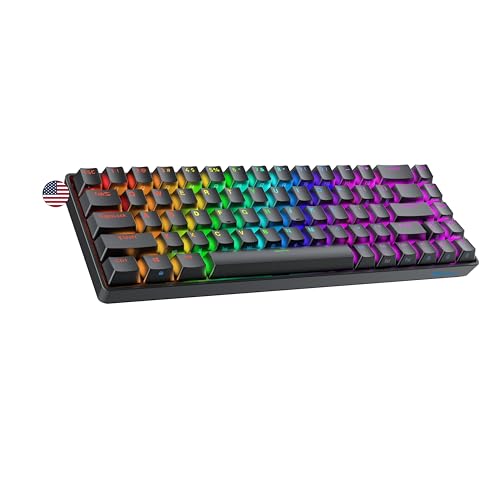
| NSYCA WIN68 HE (Black) | 8000 Hz value | Check on Amazon |
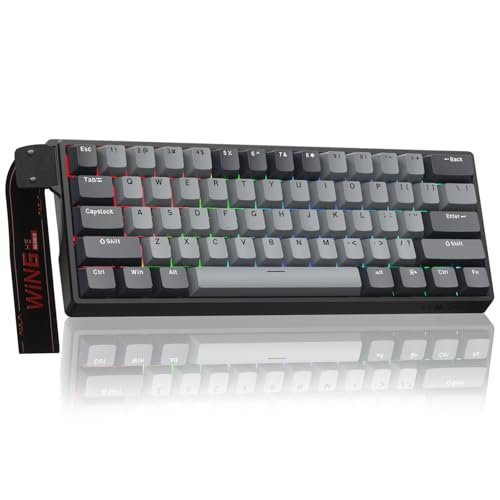
| AULA WIN60 HE PRO | Hot-swap enthusiasts | Check on Amazon |
| Redragon K707 HE | Budget 8000 Hz TKL | Check on Amazon |
| Redragon K617 HE | Budget mainstream pick | Check on Amazon |
| TMKB T68-C HE | Minimalist high-speed | Check on Amazon |
How We Compared
Every board here needed to satisfy four non-negotiable criteria. First, genuine Hall Effect magnetic switches with firmware-level adjustable actuation, not a marketing reinterpretation of a standard mechanical switch. Second, polling rate: 8000 Hz boards earned credit, but we did not exclude 1000 Hz boards with strong firmware, since the Logitech, SteelSeries, and Keychron picks all report at 1000 Hz. Third, software that exposes per-key actuation adjustment without requiring a cloud account or forcing telemetry. Fourth, a compact layout, from 60% and 65% up to 75% and tenkeyless, since rapid trigger’s value concentrates in keys you press dozens of times per second, and nobody benefits from rapid trigger on a numpad. We excluded boards that met three of four criteria but failed on software access, because firmware locked behind an online-only portal is not a feature, it is a liability.
The Best Gaming Keyboards With Rapid Trigger Technology in 2026
Ranked Master M65 HE 65% (Black, Clear Switch)
This is one of the cheapest paths to a functional Hall Effect board, and “functional” is doing real work in that sentence. You get 68 keys, RGB, and magnetic switches with rapid trigger behavior, which means the core mechanic actually operates. Ranked Master also sells a POM dye-sub limited edition; the standard black version carded here is usually the easier one to find in stock. The listing describes it as compatible with both PC and Mac. The con: software is basic, polling is not advertised at 8000 Hz, and the case has little damping, so typing sounds hollow under load. Skip it if you need competitive-grade latency consistency or plan to keep this as your daily driver for more than a few months.
Corsair K70 PRO TKL (MGX Hyperdrive)
The K70 PRO TKL is Corsair’s magnetic tenkeyless board, built around pre-lubricated MGX Hyperdrive Hall Effect switches with a double-rail stem that Corsair rates for 150 million keystrokes. Per-key actuation adjusts in 0.1 mm steps (Corsair’s listing quotes 0.4 to 3.6 mm as the recommended range), Rapid Trigger dynamically moves the actuation and reset points, and dual actuation lets one key send two actions. Corsair specifies 8000 Hz polling, and FlashTap, its SOCD feature, handles opposing strafe keys. Note that the function row and secondary keys use Corsair MLX mechanical switches rather than magnetic ones. Pros: big-brand build quality and support, 8000 Hz polling, and a full tenkeyless layout with arrows and a function row. Con: it sits in the premium tier, and iCUE is the heaviest software in this group. Skip if you want a compact 60% or 65% board or a lightweight configuration app.
Logitech G PRO X TKL Rapid (Hall-Effect)
This premium board costs several times more than the budget boards here, and the price difference buys one thing above all others: software stability. Logitech G HUB handles actuation curves, rapid trigger sensitivity, and per-key customization without crashes, firmware updates that brick devices, or account-wall gating. The Hall Effect switches feel premium with a consistent break and no wobble. Pros: best-in-class firmware reliability and a tenkeyless layout that retains arrow keys and function row without the cramped feeling of 60% boards. Con: it reports at 1000 Hz rather than 8000 Hz, and the price is hard to justify when budget boards deliver most of the same rapid trigger behavior. Skip if you are shopping in the budget tier or do not value ecosystem integration.
NSYCA WIN68 HE (Black)
This board hits the value sweet spot in the budget tier. It features 8000 Hz polling, DKS (Dynamic Key Stroke) and SOCD (Simultaneous Opposing Cardinal Directions) cleaning for controller-style input logic, and 0.01 mm adjustable actuation. The PBT keycaps are a genuine upgrade over ABS on this tier, and the 68-key layout keeps arrows without a full number pad. Pros: the feature list reads like a premium board, and SOCD cleaning actually helps in games where strafing inputs conflict. Con: software UI is utilitarian and occasionally reports actuation values inconsistently during rapid reconfiguration. Skip if you want plug-and-play simplicity without touching settings.
AULA WIN60 HE PRO
This budget-to-mid-range board has hot-swappable magnetic switches, meaning you can swap between different Hall Effect switch types without soldering. The 60% layout is tight and clean, 8000 Hz polling is standard, and the adjustable actuation for rapid trigger mode is well-implemented in firmware. Pros: hot-swap capability at this price is uncommon and lets you tune feel without buying a new board, and the RGB is well-diffused. Con: the 60% cut means arrow keys are on a layer, which is a real problem for anyone who uses them outside games. Skip if you rely on arrow keys for editing or productivity work.
Redragon K707 HE
Redragon’s K707 HE is a full tenkeyless step up from the compact K617 HE below. It uses Redragon’s own Hall Effect magnetic switches (not compatible with other brands’ HE switches), with actuation adjustable in 0.1 mm steps between 0.1 and 3.9 mm, rapid trigger enabled in software, and dual-action keys that send two commands at different press depths. Redragon specifies native 8000 Hz polling over a detachable USB-C cable, and three layers of foam plus a silicone bottom pad target the hollow sound common on budget boards. A web-based driver now joins the Windows app, so settings can be changed from other operating systems. Pros: 8000 Hz, a full TKL layout with arrows and a function row, and better dampening than most budget boards. Con: the switches are proprietary, so they cannot be swapped for third-party magnetic switches. Skip if you want a compact 60% or 65% board for maximum mouse room.
Redragon K617 HE
Redragon is known for budget mechanical boards, and the K617 HE is its compact, budget-tier Hall Effect entry. The K617 HE delivers rapid trigger with wired connectivity, a compact layout, and the brand’s now-familiar build approach: heavy, sturdy, no-nonsense. Pros: Redragon’s existing driver infrastructure is stable on Windows, and the board’s physical build feels more premium than its price suggests. Con: it does not advertise 8000 Hz polling, so while rapid trigger functions correctly, the overall latency floor is higher than the NSYCA or AULA options. Skip if sub-1 ms consistency across the full keypress cycle is your priority.
TMKB T68-C HE
TMKB enters with an 8000 Hz board that advertises 0.02 mm rapid trigger resolution, slightly coarser than the 0.01 mm on the NSYCA but still well within competitive tolerance. It sits in the same budget tier as the Redragon K617 HE while offering higher polling specs. The 60% layout keeps it compact. Pros: excellent out-of-box rapid trigger response with minimal tuning required, and the firmware is lightweight enough that it does not hog background resources. Con: TMKB’s software ecosystem is young, with limited community documentation and occasional update gaps between operating system patches. Skip if you want an established support channel and forum community behind your hardware.
SteelSeries Apex Pro TKL Gen 3

The Apex Pro line is the keyboard that brought adjustable magnetic switches to the mainstream, and the Gen 3 TKL is the most refined wired version so far. It uses SteelSeries’ OmniPoint 3.0 HyperMagnetic switches with 40 actuation steps between 0.1 mm and 4.0 mm, Rapid Trigger, and Rapid Tap, which is SteelSeries’ name for last-input-priority SOCD handling. Two features are unusual: Protection Mode, which adds a buffer against accidental presses on keys you rest your fingers on, and 2-in-1 Action Keys, which let a single key send one command at a shallow press and a second command at full depth.
The tenkeyless layout keeps the arrow cluster and function row, an aluminum top plate gives the chassis a solid, low-flex feel, and doubleshot PBT keycaps resist shine. A small OLED display shows profiles and actuation settings and can be used to change them without opening software. Configuration lives in SteelSeries GG, which runs on Windows and macOS, and settings can be stored on the board.
Who it’s for: players who want a premium, well-supported TKL from a major brand, with more firmware tricks than the Logitech pick above and a display for on-board adjustments.
Strengths: wide 0.1 to 4.0 mm actuation range, Protection Mode and dual-action keys that budget boards lack, OLED-based on-the-fly tuning, and a sturdy aluminum top plate. It sits in the premium tier alongside the Logitech G PRO X TKL Rapid.
Drawbacks: polling is specified at 1000 Hz, not 8000 Hz, so on paper it trails the cheaper NSYCA, AULA, and TMKB boards in reporting speed. The switches are not hot-swappable, and the price is high for a wired keyboard.
How it compares: versus the Logitech G PRO X TKL Rapid, which also reports at 1000 Hz, the Apex Pro TKL Gen 3 adds an OLED screen, Protection Mode, and 2-in-1 Action Keys. Versus the budget 8000 Hz boards in this list, you pay for build quality, software polish, and features rather than raw polling numbers.
Razer Huntsman V3 Pro TKL 8KHz

The Huntsman V3 Pro TKL 8KHz is the one board in this guide that delivers rapid trigger without Hall Effect sensors. Razer’s Analog Optical Switches (Gen-2) measure key depth with a light beam instead of a magnet, but the result for the player is the same: adjustable actuation from 0.1 mm to 4.0 mm and a Rapid Trigger mode that resets as soon as the key starts traveling back up. This 8KHz revision adds true 8000 Hz HyperPolling, lubricated switches, and thicker dampening foam over the original V3 Pro TKL.
Snap Tap, Razer’s last-input-priority feature for opposing keys such as A and D, is built in and can be toggled in Razer Synapse or with a keyboard shortcut. The rest of the package is what you expect from a flagship: an aluminum top plate, doubleshot PBT keycaps, a multi-function dial with media controls, and a magnetic wrist rest. Out of the box the onboard profile uses a conventional 2.0 mm actuation with Rapid Trigger off, so expect to spend a few minutes in Synapse before the first match.
Who it’s for: competitive FPS players who want both 8000 Hz polling and a premium build, and who play primarily on Windows where Synapse runs.
Strengths: the only premium TKL in this list that combines 8000 Hz polling with rapid trigger, a full 0.1 to 4.0 mm range, Snap Tap, a dial, media keys, and a wrist rest. It is in the premium tier.
Drawbacks: Synapse is Windows-only, so Mac users lose access to most tuning. Optical switches are not interchangeable with Hall Effect switches, and the board is not hot-swappable. It is among the most expensive keyboards in this guide.
How it compares: it directly answers the main weakness of the Logitech G PRO X TKL Rapid and SteelSeries Apex Pro TKL Gen 3: both report at 1000 Hz. If you want flagship build quality and 8000 Hz in one board, this is the pick; if software on macOS matters, look at SteelSeries instead.
ASUS ROG Falchion Ace HFX

The ROG Falchion Ace HFX is a 65% Hall Effect board for players who want premium-brand features in a compact footprint. It uses ROG HFX magnetic switches with an actuation range of 0.1 to 4.0 mm, rated for 100 million keystrokes, and reports at 8000 Hz. Rapid Trigger has a dedicated physical toggle, and Speed Tap, ASUS’s version of last-input-priority SOCD, handles opposing strafe keys. A multifunction button and touch panel let you change actuation without opening Armoury Crate, and the board stores up to six onboard profiles.
The 65% layout keeps dedicated arrow keys, which many 60% boards in this list do not. ASUS also fitted two USB-C ports, one on each side, so you can route the cable left or right depending on where your PC sits or where your mouse needs room. Inside, a gasket mount and doubleshot PBT keycaps give it a softer, more refined typing feel than most budget 65% boards.
Who it’s for: players who want a compact board with arrow keys, 8000 Hz polling, and a physical rapid trigger switch, and who value on-board controls over constant software use.
Strengths: 8000 Hz polling in a 65% chassis, a physical Rapid Trigger toggle, on-board actuation adjustments, dual USB-C ports, and a gasket mount. It typically lands in the mid-range-to-premium tier.
Drawbacks: the case is plastic, which some buyers find hard to accept at this price, and the switches are not hot-swappable. Armoury Crate is a Windows application, so deep tuning on a Mac is limited.
How it compares: it offers the same 8000 Hz headline as the NSYCA WIN68 HE and AULA WIN60 HE PRO, with a big-brand warranty, on-board controls, and a more refined typing feel. Against the Ranked Master M65 HE, it is a different class of board, but the layout is almost identical.
Keychron K2 HE

Every other keyboard in this guide is wired. The Keychron K2 HE is the pick for people who want rapid trigger on a board that also works as a wireless daily driver. It is a 75% layout with Gateron double-rail magnetic switches, adjustable actuation from 0.2 to 3.8 mm, and rapid trigger sensitivity down to 0.1 mm. Connectivity is tri-mode: wired, 2.4 GHz, and Bluetooth. Polling is 1000 Hz on wired and 2.4 GHz, dropping to 125 Hz over Bluetooth, so for competitive play you will want the cable or the 2.4 GHz dongle.
The design leans toward a desk-setup statement piece rather than an esports tool: a wood side frame, a compact 75% layout with a function row and arrow keys, and Mac and Windows keycaps in the box. The magnetic switches are hot-swappable within compatible Hall Effect switch types. Configuration runs through Keychron’s web-based Launcher, which works in a browser on Windows, macOS, and Linux, a real advantage for Mac users given how many gaming brands ship Windows-only software.
Who it’s for: Mac users, people who switch between a work laptop and a gaming PC, and anyone who wants one board for typing and gaming without a cable.
Strengths: tri-mode wireless, true Mac support with browser-based configuration, a 75% layout that keeps the function row, hot-swappable magnetic switches, and an attractive build. It sits in the mid-range tier.
Drawbacks: 1000 Hz polling at best and 125 Hz over Bluetooth make it a step behind the 8000 Hz wired boards for pure competition. The tall wooden frame usually calls for a wrist rest.
How it compares: it is the clear alternative to the Ranked Master and NSYCA boards for Mac-first buyers, whose software support is thinner on macOS. Against the Logitech, you trade some esports polish for wireless freedom and a more versatile layout.
EPOMAKER HE68 Lite
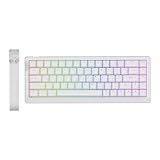
The EPOMAKER HE68 Lite is a budget 65% Hall Effect board that puts effort into how it sounds and feels, not just into the spec sheet. It uses EPOMAKER’s Clear Mag linear magnetic switches with 0.01 mm rapid trigger resolution, an adjustable actuation point across roughly 0.1 to 3.4 mm, 8000 Hz polling, and a 128K scan rate. SOCD handling, DKS, and Mod-Tap are all included, and the board connects over a detachable USB-C cable.
What separates it from other budget picks is the internal build: EPOMAKER describes five layers of foam and pads inside the ABS case, which addresses the hollow, rattly sound that the Ranked Master M65 HE and other entry-level boards are known for. PBT keycaps and south-facing RGB round out the package, and configuration software is offered for both Windows and macOS.
Who it’s for: buyers who want 8000 Hz rapid trigger at a budget price but are put off by the thin, echoey sound common at that tier.
Strengths: 8000 Hz polling with 0.01 mm rapid trigger, SOCD and DKS, a 65% layout with arrow keys, PBT keycaps, and the most sound dampening among the budget boards in this list. It is firmly in the budget tier.
Drawbacks: the case is plastic, the switches are not marketed as hot-swappable, and EPOMAKER’s software is functional rather than polished. Like most budget boards, factory settings vary from unit to unit, so plan to calibrate.
How it compares: it matches the NSYCA WIN68 HE on core specs and layout, with more attention to acoustics. Against the AULA WIN60 HE PRO, it gives up hot-swap but keeps dedicated arrow keys.
ATTACK SHARK X68 HE

The ATTACK SHARK X68 HE is a compact wired board aimed squarely at FPS players on a budget. Despite the 68 in the name, most listings describe it as a 66-key layout, so check the arrow arrangement against your habits before buying. The core specs are competitive: 8000 Hz polling, a 128K scan rate, 0.01 mm rapid trigger accuracy, an adjustable actuation range of about 0.1 to 3.4 mm, and hot-swappable magnetic switches compatible with other north-pole-down Hall Effect switches.
The feature list covers the essentials: Rapid Trigger, Snap Tap-style last-input priority, Dynamic Keystrokes, Mod-Tap, and Toggle Keys, all configured through a web driver rather than a downloadable app, which helps on macOS. An aluminum alloy plate stiffens the board, doubleshot PBT keycaps are standard, and settings are saved to onboard memory so they follow the keyboard between PCs.
Who it’s for: budget-focused competitive players who want hot-swap and 8000 Hz without paying for a brand name, and who are comfortable configuring settings in a browser.
Strengths: 8000 Hz, 0.01 mm rapid trigger, hot-swappable magnetic switches, a metal plate, web-based configuration that works across operating systems, and onboard memory, all in the budget tier.
Drawbacks: the compact 66-key layout puts some keys on a function layer, the stock sound is louder and less refined than the EPOMAKER, and documentation is thinner than larger brands offer.
How it compares: it is the closest rival to the AULA WIN60 HE PRO, the original list’s only hot-swap pick, and adds an aluminum plate and web configuration. If you want arrow keys and a quieter board, the EPOMAKER HE68 Lite is the better buy.
Buying Guide
Polling Rate Is the Real Bottleneck
Rapid trigger only matters if the system sees the input change fast enough to act on it. A board that reports at 1000 Hz updates every millisecond; at 8000 Hz that interval drops to 0.125 ms. In theory that trims up to about 0.875 ms from input reporting, a small edge that matters most in titles like Valorant or Counter-Strike. If a board does not specify 8000 Hz and the manufacturer cannot confirm it in firmware documentation, assume 1000 Hz and treat it as a baseline rapid trigger rather than a competitive one.
Software Access Determines Usability
The entire value of adjustable actuation is that you control the threshold. A board that locks this behind a mandatory cloud account, forces an online-only connection, or provides no Mac support for configuration is incomplete regardless of hardware specs. Before buying any budget Hall Effect board, verify that the software runs offline after initial setup and that per-key actuation curves are exposed, not just a global slider. This is where the premium Logitech separates itself from most budget competitors.
SOCD Cleaning and DKS Are Not Buzzwords
Simultaneous Opposing Cardinal Directions refers to the behavior when you press left and right arrow (or A and D) at the same time. Traditional keyboards default to “neutral,” which means you stop moving. Some Hall Effect boards allow you to set SOCD to “last input wins,” which keeps your strafe active during input overlap. Dynamic Key Stroke is a related feature that lets a single physical key send multiple layered commands based on press depth. If you play rhythm games or use complex bindings, confirm these features are present and configurable before purchasing.
Hall Effect, Analog Optical, and Why Mechanical Switches Cannot Do Rapid Trigger
A conventional mechanical switch registers a press when two metal contacts touch at a fixed point in the key’s travel, and it resets only after the key rises past a second fixed point. Because those points are physical, they cannot be moved or tightened in software. Rapid trigger needs a switch that knows exactly where the key is at every moment, and two technologies do that today:
- Hall Effect (magnetic) switches put a small magnet in the stem and a sensor on the circuit board that reads its distance. Most boards in this guide, from the Ranked Master M65 HE to the SteelSeries Apex Pro TKL Gen 3, work this way.
- Analog optical switches, used by Razer’s Huntsman V3 Pro line, measure how much of a light beam the stem blocks. The player-facing result, adjustable actuation and rapid trigger, is the same.
Some boards advertise “fast trigger” or “speed mode” on ordinary mechanical switches; those features usually just shorten debounce time and are not rapid trigger. If a listing does not mention magnetic, Hall Effect, or analog optical switches, assume it does not have true rapid trigger.
Choose the Layout Before the Spec Sheet
Rapid trigger matters most on movement and ability keys, so a smaller board loses nothing for gaming and frees room for wide mouse swipes at low sensitivity. The trade-off is everyday use:
- 60% (AULA WIN60 HE PRO, TMKB T68-C HE, ATTACK SHARK X68 HE): the most mouse room, but arrows, function keys, and navigation keys live on a layer.
- 65% (Ranked Master M65 HE, NSYCA WIN68 HE, EPOMAKER HE68 Lite, ROG Falchion Ace HFX): keeps dedicated arrows in nearly the same footprint, the best compromise for most players.
- 75% (Keychron K2 HE): adds a function row, useful for work and for games that bind F-keys.
- Tenkeyless (Logitech G PRO X TKL Rapid, SteelSeries Apex Pro TKL Gen 3, Razer Huntsman V3 Pro TKL 8KHz): a full navigation cluster and function row, at the cost of more desk width.
Starting Settings That Work for Most Players
Adjustable actuation is only useful if it is set well. Overly sensitive settings cause accidental inputs, especially when fingers rest on WASD. A sensible starting point, then adjust in small steps:
- Movement keys (WASD): enable rapid trigger with a sensitivity around 0.1 to 0.3 mm and an initial actuation around 1.0 to 1.5 mm. Go lower only if you never get accidental presses.
- Ability and utility keys: keep a deeper actuation, around 1.5 to 2.0 mm, with rapid trigger off or relaxed, so a resting finger does not trigger an ability.
- Typing profile: save a separate profile with rapid trigger off and actuation around 2.0 mm for chat and work. Boards with onboard profiles, such as the Falchion Ace HFX and Apex Pro TKL Gen 3, make switching quick.
- SOCD/last-input priority: enable it only for games where it is allowed (see the FAQ below) and only on the opposing key pairs you use.
- Calibrate first: most Hall Effect software includes a calibration routine; run it before tuning, because small sensor differences between keys can make one key feel more sensitive than the others.
Comparison of the Additional Picks
| Keyboard | Layout | Switch type | Polling | Actuation range | Last-input priority | Connection | Price tier |
|---|---|---|---|---|---|---|---|
| SteelSeries Apex Pro TKL Gen 3 | TKL | OmniPoint 3.0 magnetic | 1000 Hz | 0.1 to 4.0 mm | Rapid Tap | Wired | Premium |
| Razer Huntsman V3 Pro TKL 8KHz | TKL | Analog optical Gen-2 | 8000 Hz | 0.1 to 4.0 mm | Snap Tap | Wired | Premium |
| ASUS ROG Falchion Ace HFX | 65% | ROG HFX magnetic | 8000 Hz | 0.1 to 4.0 mm | Speed Tap | Wired, dual USB-C | Mid-range to premium |
| Keychron K2 HE | 75% | Gateron double-rail magnetic | 1000 Hz (125 Hz Bluetooth) | 0.2 to 3.8 mm | Not a headline feature | Wired, 2.4 GHz, Bluetooth | Mid-range |
| EPOMAKER HE68 Lite | 65% | Clear Mag magnetic | 8000 Hz | About 0.1 to 3.4 mm | SOCD | Wired | Budget |
| ATTACK SHARK X68 HE | 60% (66 keys) | Hot-swap magnetic | 8000 Hz | About 0.1 to 3.4 mm | Snap Tap-style | Wired | Budget |
Getting 8000 Hz to Actually Work
An 8000 Hz keyboard only reports at that rate when the rest of the system cooperates. Plug it directly into a USB port on the motherboard rather than a front-panel port, hub, or monitor passthrough, and use the cable that came with the board. Confirm the polling rate is set to 8000 Hz in the software, since some boards ship at 1000 Hz. Very high polling uses more CPU time, so on an older processor, if you notice stutter, step down to 4000 or 2000 Hz; the difference is far smaller than the jump from a fixed-point mechanical switch to rapid trigger.
Our Verdict
Top pick: Logitech G PRO X TKL Rapid. If budget is not the constraint, nothing in this category matches its firmware reliability, driver stability, and long-term support outlook. It is the board you buy once and forget about.
Budget pick: NSYCA WIN68 HE (Black). In the budget tier you get 8000 Hz polling, SOCD cleaning, DKS, and 0.01 mm adjustable actuation in a 68-key package that works on both PC and Mac. Few boards at this price match it on paper.
The AULA WIN60 HE PRO wins instead of the NSYCA if hot-swappable magnetic switches matter to you specifically, because the ability to change switch types without soldering adds long-term value that only a few boards in this list offer.
FAQ
Does rapid trigger work without software?
Basic rapid trigger behavior (the analog actuation reset) functions out of the box on most Hall Effect boards. However, customizing the actuation threshold, enabling SOCD cleaning, or adjusting per-key curves requires the manufacturer’s software running. Without it, you are stuck on whatever default sensitivity the firmware ships with.
Is 8000 Hz polling actually noticeable over 1000 Hz?
The difference is subtle. The difference is roughly 0.875 ms of additional latency at 1000 Hz versus 8000 Hz. In fast-paced strafing that repeats dozens of times per match, it accumulates. Many players cannot tell the two apart in a blind test, so treat 8000 Hz as a small competitive edge rather than a transformation.
Do rapid trigger keyboards require a special game to work?
No. The board operates at the hardware and driver level, adjusting how the operating system interprets key press events. It works in any game that reads standard keyboard input, including titles that have no awareness of Hall Effect technology at all.
Are Hall Effect switches louder than traditional mechanical switches?
The switch mechanism itself produces a similar sound profile to a standard linear mechanical switch. The difference is that many Hall Effect boards use lighter housings and less damping to cut costs, which makes the overall board sound more hollow. Premium examples like the Logitech and some AULA builds include sufficient foam and case weighting to eliminate this.
Is SOCD, Snap Tap, or Rapid Tap allowed in competitive games?
It depends on the game and the event. In 2024, Valve announced that Counter-Strike 2 would kick players from official matchmaking servers when it detects hardware-automated counter-strafing such as Snap Tap-style last-input priority. Rapid trigger itself was not banned, because it only changes when a single key actuates and resets. Other games and tournament organizers set their own rules, so check before enabling SOCD features, and keep a profile with them disabled.
What is the difference between rapid trigger and adjustable actuation?
Adjustable actuation moves the fixed point where a key first registers, for example from 2.0 mm to 0.5 mm. Rapid trigger goes further: once the key is pressed, it releases the moment the key starts moving up by a set distance, and re-presses as soon as it moves down again, regardless of where in the travel it is. Every board in this guide offers both.
Can I use a rapid trigger keyboard on a Mac?
The keyboards work as normal keyboards on macOS, but configuration software varies. The Keychron K2 HE and ATTACK SHARK X68 HE use browser-based tools that run on a Mac, and SteelSeries GG supports macOS. Razer Synapse and ASUS Armoury Crate are Windows applications, so settings must be configured on a Windows PC and saved to the board’s onboard memory if you want them on a Mac.
Do magnetic switches last longer than mechanical switches?
They have no metal contacts to wear or corrode, so they avoid the chatter (double typing) that eventually affects some mechanical switches. Manufacturers commonly rate them for around 100 million keystrokes. The springs, stabilizers, and keycaps still wear like any keyboard’s.
Is a wireless keyboard good enough for rapid trigger?
Over a 2.4 GHz dongle, yes for most players; boards like the Keychron K2 HE report at 1000 Hz on 2.4 GHz, the same as wired 1000 Hz boards. Avoid Bluetooth for competitive play, because polling drops sharply, to 125 Hz on the K2 HE. If you want 8000 Hz, every pick in this guide that offers it does so over a cable.







