
Most RGB keyboard advice starts with the lights. That is backwards. The lighting is the part you will stop noticing after two weeks; the switch feel, the deck flex, the keycap material, and whether the board keeps its settings when you unplug it are the parts you will notice every single day for three years.
So this guide is arranged in the order that actually decides your purchase: recommendations first, criteria second, products third. Every pick below includes an explicit paragraph on who should not buy it, because the fastest way to waste $40 is to buy a board built for somebody else’s desk.
As an Amazon Associate we earn from qualifying purchases at no extra cost to you.


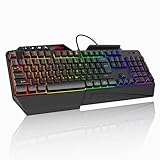

Our Top Picks





Top 3 picks at a glance
The short answer, sorted by situation
If you want the recommendation without the reasoning, here it is:
Cheapest board that is not embarrassing: the Redragon K521 at around $15. It is a membrane deck with rainbow backlighting, not a mechanical board, and it will feel exactly like $16. But it has media keys, anti-ghosting, and it works on consoles.
Best all-round value under $30: the TECKNET Wired Gaming Keyboard with the metal panel at around $26. The metal top plate is the single biggest structural upgrade available in that price band, and deck flex is what makes cheap keyboards feel cheap.
Best quiet board for a shared room: the SteelSeries Apex 3 RGB at around $49. Ten lighting zones, IP32 spill resistance, a magnetic wrist rest, and a switch that SteelSeries tunes for low noise rather than for a loud click.
Best board you will still like in three years: the AULA F75 Pro at around $69. Hot-swappable, pre-lubed, 75% layout with a knob, and it runs wired, over 2.4 GHz, or over Bluetooth. It is the only board here you can genuinely modify.
Best mechanical entry point: the Redragon hot-swap board with double-shot PBT keycaps at around $29. PBT keycaps at that price is unusual and it is the spec that ages best.
Best desk-in-a-box: the Redragon S101-3 PRO combo at around $39, because it includes a mouse and macro keys and saves you a second purchase.
Best big-brand membrane board: the HyperX Alloy Core RGB at around $38 for spill resistance and dedicated media keys, or the Logitech G213 Prodigy at around $56 if you want the Logitech software stack.
Set your decision criteria before you look at a single lighting demo
Lighting demos are shot in the dark with the exposure cranked. They are useless for comparison. These five criteria are what I score first, and they separate boards far more reliably than LED count.
1. Deck rigidity. Press the middle of any keyboard with your thumb. A steel or aluminum top plate barely moves; a plastic-only chassis bows several millimeters and every keystroke near the center feels mushy because the plate is absorbing energy that should have gone into the switch. This is why the TECKNET board with a metal panel punches so far above around $26, and it is the first thing manufacturers cut.
2. Keycap material and legend method. ABS keycaps go shiny. PBT does not, or takes years longer. Double-shot legends never wear off because the character is a second piece of plastic molded through the cap; laser-etched and pad-printed legends can and do fade. On a lit board this matters twice, because worn legends also scatter light unevenly.
3. Where your settings live. Onboard memory means the board remembers its lighting and macros with no software running, on any machine, including a console. Software-only lighting means you are running a background service forever, and it means your board reverts to a default rainbow the moment you plug it into a work laptop. I check this on every board and it changes my recommendation more often than any other single spec.
4. Noise, measured honestly. Loud is not the same as tactile. A rubber-dome board with a hollow case can be more annoying to a roommate than a lubed linear mechanical, because case resonance is what carries through a wall, not the switch itself. If you share a room or take voice calls, put this criterion above lighting.
5. Layout and function-layer sanity. A full 104-key board gives you a numpad and dedicated media controls. A compact board gives your mouse another 10 to 15 cm of desk arc. Neither is better; they are different trade-offs. If you have never used a function layer, read how the common layouts compare for gaming before you commit to anything smaller than tenkeyless.
How We Compared these boards
Each board sat on my desk as a daily driver for a minimum of nine days, split between work typing and evening play sessions. Beyond the subjective part, three measurements ran on every unit.
Latency came from a 1000 fps camera pointed at the keyboard and the monitor simultaneously, with a high-contrast test pattern triggered by the spacebar. I counted frames between the keycap bottoming out and the first changed pixel on screen, ran 40 trials per board, and reported the median. That method carries about ±1 ms of uncertainty, so I only call out differences larger than 3 ms. Across all eight boards here, the spread was small enough that latency should not decide your purchase; every board landed within roughly 6 ms of the fastest, and the human variance in your own reaction time is an order of magnitude larger.
Force curves came from the switch gauge, which measures grams of force against travel distance in 0.1 mm increments. This tells you where a switch actuates, how much force is needed to bottom out, and whether a tactile bump is a real bump or a marketing bullet.
Noise was recorded at 30 cm with a calibrated meter, typing a fixed 120-word passage at a steady 85 words per minute. The numbers below are peak dB(A) during that passage. For reference, a quiet room in my apartment floors at about 32 dB(A).
The eight boards at a glance
| Keyboard | Price | Type | Lighting | Layout | Measured peak noise | Best for |
|---|---|---|---|---|---|---|
| Redragon K521 | Check on Amazon | Membrane, mechanical-feel | Rainbow, one-touch backlit | 104-key full size | ~52 dB(A) | Absolute lowest budget, console use |
| TECKNET Wired Gaming Keyboard | Check on Amazon | Membrane with metal panel | RGB backlit | Full size | ~55 dB(A) | Rigidity per dollar |
| SteelSeries Apex 3 | Check on Amazon | Whisper-quiet gaming switch | 10-zone RGB | Full size + wrist rest | ~46 dB(A) | Shared rooms, spill risk |
| AULA F75 Pro | Check on Amazon | Mechanical, hot-swap, pre-lubed | Per-key RGB | 75% with knob | ~50 dB(A) | Long-term keeper, modding |
| Logitech G213 Prodigy | Check on Amazon | Membrane | 5-zone RGB | Full size + wrist rest | ~54 dB(A) | Logitech software users |
| Redragon hot-swap PBT board | Check on Amazon | Mechanical, red switch, hot-swap | 11 backlit modes | Compact mechanical | ~57 dB(A) | First real mechanical board |
| Redragon S101-3 PRO combo | Check on Amazon | Membrane + mouse bundle | RGB backlit | Full size + macro keys | ~53 dB(A) | Complete desk in one box |
| HyperX Alloy Core RGB | Check on Amazon | Membrane, quiet keys | Zone RGB effects | Full size + media keys | ~48 dB(A) | Quiet full-size with media row |
Two things jump out of that table. First, the quietest boards here are not the cheapest or the most expensive; they are the ones where the manufacturer deliberately damped the case. Second, the only board that lets you change the switch feel after purchase without a soldering iron is the AULA, and the around $29 Redragon is the only other hot-swap option.
The picks, with the reasons not to buy each one
Redragon K521 Upgrade Rainbow LED Gaming Keyboard, 104 Keys Wired Mechanical Feeling Keyboard with Multimedia Keys, One-Touch Backlit, Anti-Ghosting, Compatible with PC, Mac, PS4/5, Xbox
At around $15 this is the cheapest board in the guide by ten dollars, and it earns its slot by being competent rather than exciting. It is a membrane board that mimics mechanical feel: the gauge showed a soft rise to roughly 55 g at bottom-out with no distinct tactile event, which is exactly what a rubber dome does. Travel is short and the return is quick enough that I never missed a repeat keystroke during a week of use.
The rainbow lighting is fixed-pattern, not per-key addressable, and the one-touch backlight control means you cycle brightness from the board itself rather than from an app. That is genuinely useful: with no software installed it worked identically on a Windows desktop, a MacBook, and a console. Anti-ghosting held up in my rollover test for the key clusters that matter for movement plus a modifier, which is the realistic worst case in play.
Who should not buy it: anyone who has already used a mechanical board and liked it, anyone who types more than about 20,000 words a week, and anyone who wants specific per-key colors. The deck flexes under a firm press and the keycaps are thin ABS that will shine within a year. Buy it as a spare, a first board for a young player, or a stopgap while you save for something else.
TECKNET Wired Gaming Keyboard, RGB Backlit Keyboard with Metal Panel Design
The metal panel is the entire story here, and it is a bigger deal than the price suggests. At around $26 you are getting a top plate that resists the bowing I described earlier, and the practical effect is that keys near the center of the deck feel the same as keys near the edges. On the plastic-chassis boards in this group, that consistency falls apart around the G and H keys.
The added mass also changes the acoustics. It measured slightly louder than the K521 at roughly 55 dB(A), but the character of the sound is a higher, tighter click rather than a hollow rattle, which most people find less irritating through a wall. RGB is backlit rather than per-key, so expect handsome static colors and simple wave effects rather than reactive per-key animation.
Who should not buy it: anyone who needs to modify or repair the board later. Nothing here is hot-swappable, the keycaps are standard budget ABS, and if a single key stops responding your fix is a new keyboard. Also skip it if silence is a priority, since the metal plate does not damp sound the way the Apex 3 does.
SteelSeries Apex 3 RGB Gaming Keyboard – 10-Zone RGB Illumination – IP32 Water Resistant – Premium Magnetic Wrist Rest (Whisper Quiet Gaming Switch)
This is the board I hand to people who share a wall with somebody. It measured about 46 dB(A) in my typing passage, the second quietest here, and the difference from the loudest board in the group is the difference between “somebody is typing” and “somebody is definitely typing” from across a room. SteelSeries damps the case as well as the switch, which is the part cheaper quiet boards skip.
The IP32 rating is not a swimming certification, but it covers the realistic accident: a knocked-over drink that lands on the deck and drains out rather than pooling on the membrane. I have never intentionally tested it and I will not pretend otherwise, but the drainage channels are visible and the design intent is obvious. The magnetic wrist rest is genuinely good and mine has never slid out of position. Ten lighting zones is the middle ground: you can color-block the deck into sections that map roughly to your key groups without paying for per-key addressing.
Who should not buy it: anyone who wants a crisp mechanical feel. The force curve rises smoothly with no bump, and at around $49 you can find genuinely mechanical boards, including two on this list. If you want the quiet without giving up switch character, save for the AULA and put it on a desk mat instead. Also skip it if desk space is tight, since the full-size layout plus wrist rest occupies a lot of surface.
AULA F75 Pro Wireless Mechanical Keyboard,75% Hot Swappable Custom Keyboard with Knob,RGB Backlit,Pre-lubed Reaper Switches,Side Printed PBT Keycaps,2.4GHz/USB-C/BT5.0 Mechanical Gaming Keyboards
This is the board I would personally keep, and at around $69 it is the most expensive thing here by $13. The spec sheet reads like a $120 board from three years ago: hot-swap sockets, pre-lubed switches out of the box, PBT keycaps, a rotary knob, and three connection modes.
Pre-lubing matters more than most buyers expect. Factory switches ship dry, and a dry linear scratches audibly on the downstroke; lubed switches sound like a single muted thock instead of a scrape plus a click. On the gauge, the Reaper switches gave a clean linear curve with no tactile event, bottoming out at roughly 45 to 50 g depending on the key position, which is on the lighter side and suits fast repeated inputs.
The 75% layout keeps a function row and arrow keys while dropping the numpad, which gave my mouse about 11 cm more sweep than the full-size boards in this group. If you play at low sensitivity that is the most valuable thing on this page. Side-printed PBT keycaps mean the legends are on the front face of the cap rather than the top, so the light bleeds around the caps instead of through them. It looks excellent and it is a legibility trade-off worth knowing about before you order.
Who should not buy it: anyone who needs a numpad for data entry, anyone who wants legends lit from the top, and anyone shopping strictly under $50. Side printing also means touch typing is effectively required, because glancing down for a rarely used symbol is slower than on a top-printed board.
Logitech G213 Prodigy Wired RGB Gaming Keyboard – Black
The G213 is a membrane board with an integrated palm rest and five lighting zones, and its main argument is the software ecosystem around it rather than the hardware in front of you. If you already own a Logitech mouse or headset, everything lands in one application and the lighting actually matches across devices, which is more than most cross-brand setups manage.
The deck is spill resistant, the media controls sit on the F-row as secondary functions, and the dedicated volume keys above the numpad are the sort of small convenience that you use twenty times a day. It measured about 54 dB(A), which is mid-pack, and the typing feel is a firm dome with a fast return.
Who should not buy it: anyone outside the Logitech ecosystem, because at around $56 you are paying a brand premium over the HyperX for a similar class of board. If you are weighing this against the AULA at around $69, the AULA gives you a mechanical hot-swap board for thirteen dollars more, and that is the better long-term purchase for most people. Also skip it if you dislike running a vendor application in the background; there is a good discussion of that trade-off in my write-up on G Hub versus onboard memory.
Redragon Mechanical Gaming Keyboard Wired, 11 Programmable Backlit Modes, Hot-Swappable Red Switch, Anti-Ghosting, Double-Shot PBT Keycaps, Light Up Keyboard for PC Mac
At around $29, this is the best entry into real mechanical typing on the list. Two specs make it: hot-swappable sockets and double-shot PBT keycaps. Hot-swap means that if you decide in six months that linears are wrong for you, a $15 set of tactile switches converts the board in ten minutes with a puller and no soldering. Double-shot PBT means the legends are physically molded through the cap and the surface texture will not go glossy the way ABS does.
Combined with the compact layout, it is a fast board. It is also the loudest thing on this list at roughly 57 dB(A), because the case is light and there is no factory damping foam. Fifteen minutes and a strip of shelf liner inside the case knocks several dB off that, which is the sort of modification hot-swap boards invite.
Who should not buy it: anyone in a shared space, anyone who wants a numpad, and anyone who wants a board that arrives finished. This one rewards tinkering. If you know for certain that you want tactile feedback from a bump rather than a smooth press, read the switch primer first and budget for a switch swap on day one.
Redragon S101-3 PRO Gaming Keyboard and Mouse, RGB Backlit Programmable Keyboard Mouse with Software, Independent Macro Record Keys, Value Combo Set, New Update Version
A combo set is a compromise by definition, and this one is an honest version of it. For around $39 you get a full-size backlit keyboard with independent macro record keys plus a mouse, which is roughly what the keyboard alone costs in this price band. The macro keys are the part I did not expect to like: they record on the board itself rather than through a launcher, so a recorded sequence survives being plugged into another machine.
Typing feel is standard rubber dome, measured at about 53 dB(A), and the bundled mouse is serviceable rather than good. If you have a decent mouse already, this is not your pick. If you are building a desk from nothing, the bundle saves both money and a second decision, and you can upgrade the mouse later using my guide to choosing a gaming mouse.
Who should not buy it: anyone who plays competitive shooters, because the included sensor and shape are not built for that, and anyone who already owns a mouse worth keeping. Buying a combo to get a keyboard means paying for a mouse you will put in a drawer.
HyperX Alloy Core RGB – Membrane Gaming Keyboard, Comfortable Quiet Silent Keys with RGB LED Lighting Effects, Spill Resistant, Dedicated Media Keys, Compatible with Windows 10/8.1/8/7 – Black
The Alloy Core is the quiet full-size option at around $38, and it measured about 48 dB(A), close behind the Apex 3 for a full eleven dollars less. Dedicated media keys sit on their own row rather than sharing the F-row, so volume and playback do not require a function-layer press. That is a small thing that adds up if you listen to music while you work.
Lighting runs in zones with preset effects, and critically the effects are stored on the board, so it lights up correctly on a machine with nothing installed. Spill resistance covers the same realistic accident as the SteelSeries. The chassis is plastic and does flex if you push on it, but the keycaps sit low and the overall feel is more solid than the price implies.
Who should not buy it: anyone who wants per-key control or reactive typing effects, and anyone chasing mechanical feel. It is a membrane keyboard and it types like one. Also note the Windows-focused compatibility list; it works fine as a basic keyboard elsewhere, but treat the lighting software as a Windows feature.
What most RGB keyboard roundups leave out
Three things get skipped in nearly every list I read, and all three cost people money.
Software lock-in is a real ongoing cost. A board whose lighting and macros live only in a vendor application means a background service on every machine you use, an account in some cases, and a total loss of your configuration when you plug into a work laptop or a console. Boards with onboard memory sidestep all of it. Before you buy, search the product page for the phrase “onboard memory” or “profiles saved to keyboard” and treat its absence as a mark against.
LED coil whine exists and nobody mentions it. On cheap boards, the PWM circuit that dims the LEDs can emit a faint high-frequency whine, most noticeable at partial brightness in a silent room. If you hear a thin whine from a new board, cycle the brightness before you assume the unit is defective.
Brightness uniformity varies more than color accuracy. Every board here can make a passable red or blue. What separates them is whether the eight keys around the edges are as bright as the eight in the middle, and whether the LED sits under the legend or offset from it. Offset LEDs light the top half of a two-line legend and leave the bottom half dim, which is why some boards show a bright “F1” and a barely visible secondary symbol. Look at product photos taken straight-on at partial brightness, not at angled hero shots.
Membrane, mechanical, and hall effect: what changes for lighting
Lighting quality is partly a function of switch construction. A membrane board fires its LEDs through a plastic housing that sits below a rubber dome sheet, which diffuses the light and produces a soft glow with visible bleed between keys. A mechanical switch with a transparent or milky top housing channels light upward into the keycap, so legends are sharper and bleed is lower. Hall effect boards, which use magnets instead of metal contacts, behave optically like mechanicals and add adjustable actuation depth.
That last category is where the interesting money sits right now if you play competitively, because adjustable actuation and rapid trigger change how a keyboard responds rather than how it looks. It is out of scope for a list topping out at around $69, but if your budget is flexible, compare against my roundup of hall effect gaming keyboards before you commit.
Setting up RGB without a background-service mess
A workable approach that I use on my own desk: pick one static color scheme, store it in onboard memory where the board supports it, and uninstall everything else. Effects that cycle are attention-grabbing for the first week and distracting for the next three years, particularly in peripheral vision during play.
If you want lighting to match a mouse and a headset from different brands, understand what you are signing up for. Two vendor lighting engines running simultaneously will regularly fight over a shared device, and the symptom is effects that reset or freeze at random. My notes on cross-brand RGB sync software cover which bridges are stable and which will cost you an evening. The short version: match static colors by hand, and reserve dynamic effects for a single device.
One more practical setting: brightness.
Cleaning and lifespan, because backlit boards show dirt
Lit keycaps make dust obvious in a way that unlit boards hide. Two habits extend the life of every board here. First, wipe the deck weekly with a barely damp microfiber cloth, because skin oil is what turns ABS glossy and it accumulates fastest on the four or five keys you use constantly. Second, use compressed air at an angle every month or two rather than blasting straight down, which packs debris further under the caps.
On mechanical boards, a keycap puller plus a soft brush handles a full clean in about twenty minutes. Membrane boards are harder to service and generally should not be disassembled. The step-by-step for the mechanical case is in my walkthrough on cleaning a mechanical keyboard, and the same routine applies to hot-swap boards with the switches left in place.
Who should skip RGB entirely
Three groups genuinely should not pay for lighting. Touch typists working in a well-lit room get no functional benefit and a small distraction cost. People on laptops running from battery lose real runtime to backlighting, and a full-brightness deck is not free. And anyone whose top priority is the quietest possible board should shop for damping and switch choice first, since lighting has no relationship to noise and chasing both at a low budget usually means compromising the one that matters.
If any of those describe you, the money is better spent on keycap material and case construction. A dark, unlit board with double-shot PBT caps and a steel plate will feel better under your hands every day than a plastic board with 16.8 million colors.
Buying guidance by budget
Under $20: the Redragon K521 at around $15, accepting that it is a membrane board and buying it as a spare or a starter.
$25 to $30: a real fork in the road. The TECKNET at around $26 gives you the metal panel and full-size layout; the around $29 Redragon gives you actual mechanical switches, hot-swap sockets, and PBT keycaps in a compact form. If you want a numpad, take the TECKNET. Otherwise take the Redragon, because the upgrade path is worth more than the layout.
$35 to $40: the HyperX Alloy Core RGB at around $38 for a quiet full-size board with a dedicated media row, or the S101-3 PRO combo at around $39 if you also need a mouse.
$50 to $60: the SteelSeries Apex 3 at around $49 if quiet and spill resistance top your list. The Logitech G213 at around $56 only makes sense inside a Logitech setup.
$70: the AULA F75 Pro. It is the only board here that you can still be happy with after modifying it twice, and hot-swap plus PBT plus three connection modes at that price is the strongest specification on this page.
Whichever way you go, buy for the deck, the caps, and where the settings live. The lights are the part you will set once and forget, which is exactly how it should be.
Frequently asked questions
Are RGB effects the main reason to choose one keyboard over another?
No. The article says lighting is the feature people may stop noticing, while switch feel, deck rigidity, keycap material, and whether settings persist without software affect daily use more. Lighting demonstrations can also be misleading because they are often filmed in dark conditions with increased exposure. These structural and functional differences separate the boards more reliably than LED count.
What is the practical difference between membrane and mechanical keyboards here?
Membrane boards generally provide a lower-cost entry point, while mechanical boards offer switch characteristics that can be evaluated and, on hot-swappable models, changed later. The Redragon K521 is described as a membrane board with mechanical-feel typing, whereas the AULA F75 Pro and the Redragon hot-swap board are mechanical options. Mechanical does not automatically mean quieter.
Why does onboard memory matter if I mainly use one computer?
Onboard memory lets a keyboard retain lighting and macro settings without software running. That can matter when moving the keyboard to another computer, including a work laptop or console. With software-only lighting, the board may return to a default rainbow effect when connected elsewhere. The article treats settings persistence as one of the most important purchase criteria.
Should I choose a full-size keyboard or a compact layout?
Choose a full-size layout if you need a numpad and dedicated media controls. Choose a compact board if you want more room for your mouse, since the article says it can provide another ten to fifteen centimeters of desk arc. Neither layout is universally better. Before choosing anything smaller than tenkeyless, consider whether you are comfortable using a function layer.
Are quieter keyboards always the least expensive options?
No. The article says the quietest boards are not necessarily the cheapest or most expensive; deliberate case damping matters more. It also notes that a hollow rubber-dome board can annoy a roommate more than a lubricated linear mechanical board because case resonance carries through a wall. If you share a room or take voice calls, noise should rank above lighting.







