Our Top Picks

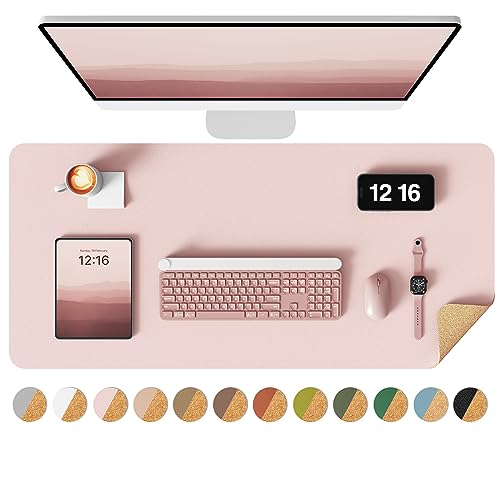
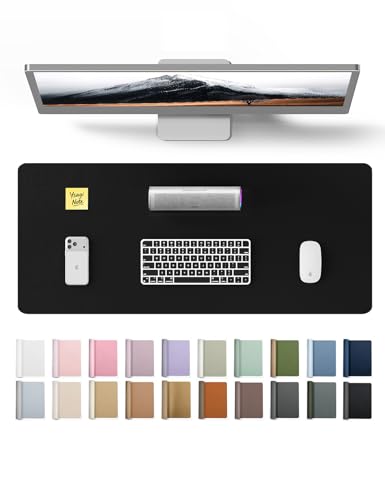

Top 3 picks at a glance

The Short Answer
If you are using a small keyboard—such as a 60%, 65%, 75%, or tenkeyless (TKL) model—the ideal desk mat dimensions are 24″ x 12″ (60 x 30 cm) to 31″ x 12″ (80 x 30 cm) for compact setups, or 35″ x 16″ (90 x 40 cm) if you prefer an extended layout.
A compact 24″ x 14″ (60 x 35 cm) mat provides a perfectly proportioned visual frame for a small keyboard while leaving roughly 10 to 12 inches of horizontal space for your mouse. For those who want their monitor stand or additional desktop accessories to rest on the same surface, upgrading to an extended 35″ x 16″ mat ensures everything fits without crowding. Premium desk mats in these size categories generally range in price from around $8 to around $20, depending on whether they are made of standard felt, woven fabric, or waterproof PU leather.
As an Amazon Associate we earn from qualifying purchases at no extra cost to you.
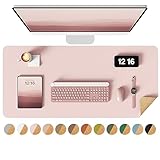


Standard Sizes
Desk mats come in several standardized dimensions designed to accommodate different desk sizes and peripheral layouts. When pairing a mat with a small keyboard, understanding these standard categories helps you balance functional mouse space with the overall aesthetics of your desk.
Below is a breakdown of standard desk mat sizes, their metric equivalents, their compatibility with small keyboard layouts, and their typical price ranges:
| Size Category | Dimensions (Inches) | Dimensions (Centimeters) | Best Keyboard Match | Average Price Range |
|---|---|---|---|---|
| Small / Compact | 23.6″ x 13.8″ | 60 x 35 cm | 60% & 65% Keyboards | around $8 – around $12 |
| Medium / Slim | 31.5″ x 11.8″ | 80 x 30 cm | 75% & TKL Keyboards | around $10 – around $15 |
| Large / Extended | 35.4″ x 15.7″ | 90 x 40 cm | TKL & Multi-Device Setups | around $12 – around $18 |
| Extra Large (XL) | 47.2″ x 23.6″ | 120 x 60 cm | Small Keyboard + Laptop + Tablet | around $18 – around $30 |
How to Measure Your Space
Choosing the correct desk mat dimensions requires looking at your workspace as an ecosystem. Follow these step-by-step instructions to determine the exact desk mat size that fits both your small keyboard and your physical desk surface:
-
Measure Your Desk’s Usable Depth and Width:
Use a standard metal tape measure to find the total width and depth of your desktop. Subtract any space taken up by permanent desk fixtures, such as clamp-on monitor arms, desk lamps, or cable management boxes. For example, if your writing desk is 48 inches wide and 24 inches deep, a 35″ x 15.7″ mat will leave a comfortable 6.5-inch border of exposed wood on the sides and a 4-inch border at the top and bottom. -
Determine Your Keyboard’s Exact Footprint:
Measure your keyboard. A typical 60% keyboard measures roughly 11.5″ x 4.0″ (29 x 10 cm), while a 75% or TKL keyboard measures around 12.5″ to 14.0″ in width. Knowing this width tells you how much space is left over on the sides of your desk mat for mouse movement. -
Calculate Your Mouse Sweep Area:
Observe your mouse habits. If you play first-person shooters or do high-precision graphic design at low DPI (dots per inch) settings, you will need a minimum of 10 to 12 inches of horizontal clearance for your mouse. If you work at a high DPI, 8 inches may suffice. Add your keyboard width to your required mouse sweep width to find your minimum desk mat width. -
Visualize with Painter’s Tape:
Before placing an order, use blue painter’s tape to outline the dimensions of your desired desk mat directly on your desktop. Place your small keyboard and mouse inside this taped boundary. This hands-on test reveals whether your hands will feel cramped or if the mat will awkwardly overlap with other desktop items.
By Room or Use Case
Your ideal desk mat size is heavily influenced by where you work and how you use your desk. As we look ahead to workspace trends in 2026, minimalist setups utilizing compact keyboards and tailored desk mats continue to dominate interior design portfolios. Below are the most common scenarios and the recommended dimensions for each.
The Compact Home Office
For small home offices, bedrooms, or built-in kitchen nooks, desks are often restricted to widths of 36 to 42 inches. In these spaces, a 23.6″ x 13.8″ (60 x 35 cm) desk mat is the ultimate choice. It anchors a 60% or 65% keyboard beautifully without overwhelming the limited desk surface. Choosing a sleek, double-sided PU leather or cork mat in this size adds a layer of water resistance and protection against coffee spills, while keeping the overall aesthetic clean, professional, and uncluttered.
The Minimalist Gaming Station
Gamers who prefer small keyboards do so to maximize the desk space available for rapid, sweeping mouse movements. For this setup, a 35.4″ x 15.7″ (90 x 40 cm) woven fabric or microfiber desk mat is ideal. Even though the keyboard is small, the extended width ensures that you will never run your mouse off the edge of the mat during intense gameplay. The extra depth also cushions your wrists and dampens the acoustic vibrations of mechanical switches, resulting in a deeper, more satisfying keyboard sound profile.
The Multi-Device Executive Desk
If your daily workflow involves switching between a small wireless keyboard, a tablet with a stylus, and an external monitor, you need a larger canvas. An extra-large 47.2″ x 23.6″ (120 x 60 cm) desk pad acts as a protective blotter for your entire desk. It provides a soft, non-slip surface where your small keyboard can sit in the center, flanked by a tablet on the left and a mouse on the right, without any of your devices scratching the wood or glass veneer underneath.
Common Sizing Mistakes
Even with measurements in hand, it is easy to overlook subtle details that can ruin the ergonomics or look of your workspace. Avoid these common pitfalls when shopping for a desk mat:
-
Ignoring the Depth of Monitor Stands:
Many modern monitors feature wide, V-shaped metal feet that extend forward by 8 to 10 inches. If you buy a deep desk mat (15.7 inches or more) for a shallow desk (24 inches deep), the front feet of your monitor stand will likely have to sit on top of the back edge of the mat. This can cause the monitor to tilt forward or make the desk mat bunch up. -
Underestimating the Keyboard-to-Mouse Ratio:
Buying a desk mat that is too narrow—such as an ultra-slim 20″ x 10″ pad—leaves almost no room for your mouse once a 12-inch keyboard is placed on it. Always ensure you have at least 8 inches of clear, unobstructed mat space to the right (or left, for left-handed users) of your keyboard. -
Disregarding Desk Edges and Rounded Corners:
If your desk has a bevel, lip, or heavily rounded corners, a large rectangular mat may hang over the edge. This causes the mat to lift, warp, and slip over time. Choose a mat size that sits entirely on the flat, level portion of your desktop. -
Choosing the Wrong Thickness:
Desk mats generally range from 2mm to 5mm in thickness. A thin 2mm PU leather mat provides a firm, stable writing surface but offers little acoustic dampening. A thick 4mm or 5mm felt or stitched fabric mat offers excellent cushioning for typing but can make writing on a single sheet of paper difficult, as your pen may pierce the paper.
FAQ
Is a 24″ x 14″ desk mat big enough for a small keyboard and mouse?
Yes, a 24″ x 14″ (approx. 60 x 35 cm) desk mat is an excellent size for a compact setup. When paired with a 60% or 65% keyboard (which averages 11.5 to 12.5 inches in width), you are left with approximately 11.5 to 12 inches of horizontal space for your mouse. This is more than enough room for daily office work, web browsing, and casual gaming.
What are the actual dimensions of 60%, 65%, and 75% keyboards?
Keyboard sizes are measured relative to a full-sized 104-key board. A 60% keyboard removes the function row, arrow keys, and number pad, measuring roughly 11.5″ x 4.0″. A 65% keyboard adds the arrow keys back, measuring about 12.5″ x 4.0″. A 75% keyboard includes the arrow keys and the top function row, measuring approximately 12.8″ x 5.5″. All of these form factors fit comfortably on small and medium desk mats.
Should my monitor stand sit on top of my desk mat?
Ideally, your monitor stand should sit directly on your desk surface, not on your desk mat. Placing a heavy monitor stand on a felt, fabric, or leather desk mat can cause permanent indentations, warping, or tearing of the material. However, if your desk is shallow and overlap is unavoidable, choose a low-profile, double-sided PU leather or cork mat, as these materials resist heavy weight crushing better than soft felt or foam-backed fabric.
What materials are best for small keyboard desk mats?
For office work and writing, double-sided PU leather and natural cork are excellent because they provide a flat, water-resistant surface that is easy to wipe clean. For gaming, mechanical keyboard enthusiasts, and those looking for acoustic dampening, stitched-edge woven fabric or wool felt mats are preferred. Fabric offers a smoother glide for your mouse, while wool felt adds a cozy, high-end texture to the desk.