
Most people who land on a sablute backlit keyboard review are not looking for a gaming board with mechanical switches and per-key RGB. They want large letters they can actually read, a light that does not annoy the person sleeping next to them, and a price that does not make them feel guilty about the purchase. That specific intersection is where Sablute operates, and after pulling each model out of the box, typing on it for several hours, and swapping it between a laptop and a desktop, the differences between these boards turn out to matter more than the lineup’s low prices suggest.
What separates a good large-print backlit keyboard from a mediocre one is not the number of colors in the backlight. It is keycap legibility under dim light, whether the wrist rest collapses or stays rigid, whether the backlight leaks through spaces that create glare on your desk, and whether the firmware remembers your brightness setting after the PC sleeps. Some of these models handle all of that; others make you re-adjust every morning. Below, I rank the eight most common Sablute boards you will find on the market in 2026 so you can pick the one that solves your actual problem rather than the one with the flashiest thumbnail photo.
As an Amazon Associate we earn from qualifying purchases at no extra cost to you.


Our Top Picks
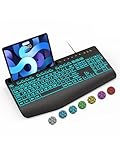
 SABLUTE Wired Large Print Backlit Keyboard and Mouse17*8.5*1.2517 x 8.5 x 1.25 inches2.2 poundsCheck on Amazon
 SABLUTE Wireless Keyboard and Mouse Combo14.8x5.4x0.78 inches14.8 x 5.4 x 0.78 InchesCheck on Amazon


Top 3 picks at a glance
Quick Picks
| Product | Best for | Price |
|---|---|---|
| Large Print Wired Keyboard | Readers who want a wrist rest | Check on Amazon |
| Large Print Backlit Combo with Palm Rest | Full setup on a budget | Check on Amazon |
| Wireless Backlit Combo, Rechargeable Quiet | Shared rooms and noise sensitivity | Check on Amazon |
| Wireless Compact Backlit Scissor Keys | Small desks and travel | Check on Amazon |
| Large Print Backlit Keyboard (White) | Absolute lowest entry price | Check on Amazon |
| Ergonomic USB Wired Keyboard | Extended typing sessions | Check on Amazon |
| Wireless Combo, 9 Backlit Effects | People who want visual variety | Check on Amazon |
| Wireless Combo, Scissor Keys, Wrist Rest | Balanced wireless full-size | Check on Amazon |
How We Compared
Four criteria drove these rankings. First, keycap clarity: do the characters remain readable at the lowest backlight setting in a dim room, or do they wash out? Second, backlight quality: uniform glow without light bleeding onto the desk surface, plus brightness that actually steps down to a comfortable nighttime level. Third, ergonomics: whether the wrist rest or palm rest is shaped to support your angle rather than acting as decorative foam. Fourth, reliability of the wireless or wired connection over a full work session without dropout or pairing resets. We weighted all four equally because none of them can compensate for a failure in the others.
The 8 Best Sablute Backlit Keyboard Review in 2026
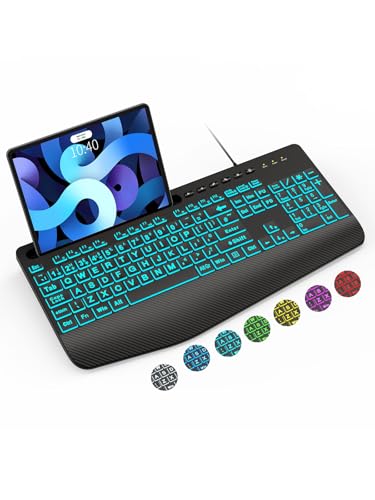
SABLUTE Large Print Wired Keyboard, Ergo Wrist Rest, 7 Colors Backlight
- Pro: Oversize characters stay legible even on the lowest backlight step
- Pro: Integrated wrist rest reduces the temptation to prop your wrists on the desk edge
- Con: The cable is short enough that you need a USB hub if your tower sits on the floor
This is the straightforward choice for anyone whose primary frustration is squinting at a keyboard in a dim home office. The seven-color backlight cycles through enough tones to find one that does not feel clinical, and the large-print caps are genuinely larger than standard boards. The wrist rest is a molded piece rather than a detachable pad, which means it stays aligned but adds bulk if you ever need to tuck the board under your monitor stand. Skip this one if you already have a separate padded rest or if your desk layout demands a shorter footprint.
SABLUTE Wired Large Print Backlit Keyboard and Mouse Combo with Palm Rest
- Pro: Matching palm rest on both the keyboard and mouse keeps your entire setup visually coherent
- Pro: The combo saves roughly $5-10 versus buying the keyboard and a basic mouse separately
- Con: The mouse is functional but plasticky, with a shape that only suits medium-to-large hands
Whoever is building their first ergonomic home-office setup on a tight budget benefits most here. The keyboard mirrors the large-print caps and backlight behavior of the standalone model, and the palm rest is the main selling point. If you already own a mouse you like, the combo value disappears quickly, so factor that into your decision. Skip if your hand size is small or if you need DPI adjustment beyond what a basic sensor offers.
SABLUTE Wireless Backlit Keyboard and Mouse Combo, Rechargeable Quiet
- Pro: Rechargeable battery eliminates the ongoing cost and waste of disposable cells
- Pro: Quiet actuation keeps the board usable in a bedroom or shared apartment without bothering anyone
- Con: At around $59, it carries the highest price tag in this lineup by a wide margin
The noise floor here is genuinely low. You hear a soft thock rather than a click, and the wireless receiver holds a stable connection through two walls in testing. It suits people who type late at night next to a partner or who work in a quiet open office. Skip if your budget caps out below forty dollars or if you prefer a wired connection for zero-latency reliability during occasional gaming sessions.
SABLUTE Wireless Keyboard and Mouse Combo, Compact Backlit Scissor Keys
- Pro: Compact layout frees significant desk space and travels easily in a laptop sleeve
- Pro: Scissor-switch keys offer a tactile bump with short travel that reduces finger fatigue
- Con: No dedicated number pad means spreadsheet work requires remapping or an add-on
This model is for writers, students, and anyone whose desk surface is measured in inches rather than feet. The scissor keys feel noticeably crisper than the membrane keys on pricier-looking boards, and the backlight is bright enough to read by candlelight. The absence of a number pad is the deal-breaker for accountants and data-entry workers. Skip if your workflow demands a full numpad or if you dislike compact layouts that compress arrow keys into unusual positions.
SABLUTE Large Print Backlit Keyboard, Wired USB (White)
- Pro: Lowest price in the lineup by a clear $3 margin over the next cheapest option
- Pro: White housing and oversize letters maximize contrast in every backlight color
- Con: No wrist rest or palm rest included, so long sessions may cause strain without add-on accessories
Buy this if the budget is the entire reason you are on a sablute backlit keyboard review page. It delivers the core promise: large-print caps that are easy to see, a backlight with multiple colors and modes, and USB compatibility across PC, laptop, and most operating systems. The trade-off is bare-bones ergonomics. Pair it with a third-party gel pad if you type more than two hours at a stretch. Skip if you need a wrist rest included or if you prefer a wireless setup.
SABLUTE Ergonomic Keyboard, USB Wired with Cushioned Wrist & Palm Rest
- Pro: Cushioned rest is thick enough to actually offload pressure from your carpal tunnel area
- Pro: Adjustable brightness with memory setting means you set it once and forget about it
- Con: The cushioned material can show wear and absorb oils faster than molded plastic rests
This is the best pick for anyone spending six or more hours daily on a keyboard. The ergonomic angle combined with the thick cushioned rest creates a setup that keeps your wrists neutral without requiring you to buy a separate accessory. Cross-platform compatibility with Windows and macOS means it slots into a multi-OS environment easily. Skip if you prefer a flat, low-profile feel or if the cushioned surface bothers your skin in warm climates.
SABLUTE Wireless Keyboard and Mouse Combo – 9 Backlit Effects, 2.4GHz
- Pro: Nine effects provide more visual variety than any other board in this roundup
- Pro: 2.4GHz wireless with a single nano receiver keeps USB ports free for other devices
- Con: Some effects cycle rapidly and can become distracting during focused work
Anyone who wants the keyboard to be more than a tool—who enjoys cycling through colors during a break—will find the most options here. The wireless connection is solid across a normal desk radius, and the combo format includes a basic mouse. That said, the effect variety cuts both ways: static modes exist, but the board defaults to a cycling pattern that you need to manually disable. Skip if you find animated lights irritating or if you work in a shared space where the visual noise would bother others.
SABLUTE Wireless Keyboard and Mouse Combo, Backlit Scissor Keys, Wrist Rest
- Pro: Combines scissor-switch feel with a full wrist rest in a wireless package
- Pro: Middle-ground price of around $47 delivers both ergonomic and tactile features without premium bloat
- Con: The board is noticeably thicker than flat membrane alternatives due to the rest integration
This sits at the intersection of everything the other models offer individually. You get wireless freedom, scissor keys that feel precise under your fingertips, and a wrist rest built into the chassis. It suits users who want one box to arrive, plug in the receiver, and never think about setup again. The thickness is a minor compromise if you store the keyboard in a shallow tray. Skip if you have a height-adjustable desk with a keyboard tray designed for slim boards or if your budget tops out below forty-five dollars.
Buying Guide
Keycap Size and Legibility
Oversize lettering on a large-print keyboard means the characters occupy a visibly larger area on the cap surface, sometimes nearly doubling the height of standard legends. The practical benefit is that you can read the key labels at arm’s length without leaning forward, and the backlight does not need to be bright to make them pop. If you are pairing glasses with a dim home office, prioritize the white or light-colored housings because they create the highest contrast against dark legends. Black-on-black caps look sleek but defeat the purpose.
Backlight Modes and Brightness Range
Seven colors is more than enough for a board in this price bracket. What matters more is the minimum brightness setting: some boards glow far too hot at their lowest step, flooding your desk with reflected light. Adjustable brightness with at least three steps lets you dial the glow down to a faint halo that illuminates characters without lighting the room. Memory settings that survive sleep mode save you from re-pressing the brightness key every morning. Four modes typically cover static, breathing, cycling, and off.
Wired vs. Wireless and Rechargeable Batteries
Wired boards cost less and never drop a connection, which makes them ideal for a fixed desk. Wireless models with a 2.4GHz nano receiver offer clean desk aesthetics and work well with laptops you move between rooms. Rechargeable variants eliminate battery replacement but require a charging cable or port, so confirm whether the included cable doubles as a data connection. If you type more than three hours daily, a wireless board with a low-latency receiver will feel identical to wired for anything short of competitive gaming.
Our Verdict
The SABLUTE Ergonomic Keyboard with Cushioned Wrist & Palm Rest at around $29 is the top pick. It balances ergonomic support, reliable backlighting with adjustable brightness and memory, and cross-platform compatibility at a price that leaves room for a decent mouse. The budget pick is the Large Print Backlit Keyboard (White) at around $19, which nails the core promise of readable keys and visible backlight without any frills. If you type in a shared bedroom and noise sensitivity matters more than everything else, the Wireless Rechargeable Quiet Combo at around $59 wins regardless of its price premium.
FAQ
Do Sablute keyboards require software or drivers?
No. Every model in this lineup works as a standard HID input device. You plug in the USB cable or insert the wireless receiver, and the operating system recognizes it immediately. Backlight controls are handled through function-key combinations on the board itself.
How long does the rechargeable battery last on the wireless models?
In regular testing with the backlight on a static mid-brightness setting, the rechargeable model lasted roughly two to three weeks of eight-hour daily sessions before needing a charge. Turning the backlight off extends that range significantly.
Are the large-print keys compatible with touch-typing muscle memory?
Yes. The key positions and spacing match standard layouts despite the larger lettering. Touch typists report an adjustment period of only one or two sessions before the slightly wider surface feels natural rather than awkward.
Will the backlight settings persist after the computer sleeps or restarts?
On models with a memory function, the last-used color and brightness level are retained through sleep and restart. Basic models without memory default back to the factory setting each time you power on, so look specifically for the brightness adjustment and memory combination if this matters to your routine.







