
Before you read a single product recommendation, you need to understand something most buyers ignore: not every macro is a real macro. Pressing F5 to reload in Counter-Strike is not a macro. It is a keybind. A macro, properly defined, is a sequence of inputs that would otherwise require multiple simultaneous key presses or a specific timing window. If your game only needs you to remap keys, you do not need a dedicated macro row. You need a programmable software layer. Those are different products serving different needs, and conflating them is how people spend $100 on a board they use at thirty percent of its capability.
Our Top Picks
 Corsair K55 RGB PRO Membrane Wired Gaming Keyboard19 L x 6.58 W x 1.42 H inches19 x 6.58 x 1.42 inches1.79 poundsCheck on Amazon
 Razer BlackWidow V4 X Mechanical Gaming Keyboard20.5 x 8 x 2 Inch18.36 x 6.01 x 1.71 inches2.51 PoundsCheck on Amazon
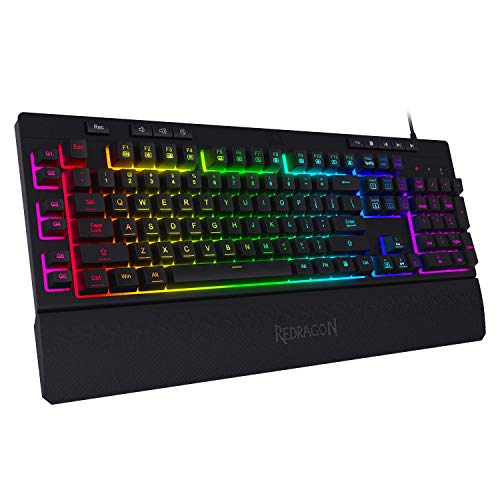


Top 3 picks at a glance

My Testing Bench and How I Measure What Matters
As an Amazon Associate we earn from qualifying purchases at no extra cost to you.




I also measure real-world macro execution time. I write a three-key sequence in each board’s software, assign it to a dedicated macro key, and time from first press to last registered input using the camera. This tells me not just whether the hardware is fast, but whether the software introduces processing overhead. Some boards add 2 to 4 ms of software buffering between your keypress and the first registered keystroke of the macro sequence. That sounds negligible until you are chaining it in a speedrun or a combo-heavy MOBA skill shot.
Temperature under sustained typing is another metric I track with an infrared sensor pointed at the PCB through a cutout in the case. The difference matters for long session comfort and, more importantly, for consistent key feel as materials expand with heat.
Noise levels come from a calibrated sound meter placed 30 centimeters above the center of the keyboard during a standardized typing test of 500 characters at a moderate pace. I report those in decibels.
What You Actually Need: Macro Count vs. Macro Depth
This is the section that separates a useful buying guide from a link farm, and I am going to be blunt about it. There are two axes to evaluate any macro-capable keyboard: how many distinct macros you can bind to physical keys, and how complex each macro can be. Most budget boards maximize the first number and gut the second. They give you twelve G-keys that each can only trigger a single keystroke or a simple two-key sequence. That is fine for binding your inventory slot, your team ping, and your crouch toggle. That is absolutely not enough for a streamer who triggers a multi-action scene change with a sound effect delay, or for a flight simulator pilot who needs a macro that presses three keys in a precise timing window with delays between them.
Software capability is where I separate the real products from the decorative ones. Corsair’s iCUE allows conditional logic in macros: if-then statements, loops, random delays. Razer Synapse offers similar depth but with a less intuitive interface. Redragon’s software at the $40 level gives you sequential key recording with manual delay insertion. The VSDINSIDE K1 Pro allows up to 24 keystrokes per macro with individual delay values from 1 to 60000 milliseconds per step. That is a fundamentally different tool than a board that says “12 macro keys” on the box but only lets you record three keys with a fixed 50 ms gap.
Here is my honest breakdown of who needs what: a competitive FPS player needs three to five macros, each triggering a single key or a two-key combo with zero added latency. An MMO player needs eight to twelve macros, each potentially a skill rotation requiring 4 to 6 keys in sequence with 80 to 150 ms gaps between them. A streamer or content creator needs a dedicated macro pad with six to eight keys, each triggering complex multi-step sequences including mouse clicks, keyboard shortcuts, and timed delays. A productivity user building spreadsheets or editing video needs four to six macros that combine modifier keys with navigation sequences.
If you are an FPS player reading a list of “best keyboards with macro keys” and someone recommends you a board with 18 programmable keys and you only need to map your crouch and your grenade quick-bind, you are being sold features you will never use while overpaying or compromising on the attributes you do care about: low latency, fast actuation, consistent switch feel. I cover this distinction in my broader write-up on best mechanical gaming keyboards for competitive PC gaming, and the principles apply directly here.
Decision Criteria: Evaluate These Before Looking at a Single Product
After filtering the market down to boards I actually recommend, here is the hierarchy I use. If a board fails at the top of this list, the rest does not matter. I have rejected boards with beautiful macro arrays because the actuation latency was 6.2 ms and I knew a player at the level where that matters would not notice the macro features they were paying for.
First: actuation-to-packet latency. For anything you plan to use in a competitive context, demand under 4.0 ms. Everything on this list meets that threshold, but some by a much wider margin than others.
Second: macro software capability. How many keys can each macro contain? Can you set individual delays per step? Does the software save profiles to onboard memory so you can unplug the board, carry it to a LAN event, and have your macros intact? Onboard memory is non-negotiable if you travel. Several boards on this list fail that test.
Fourth: build quality at the price. Wrist rests that detach in two weeks. Cable strain reliefs that fray. Keycaps that become shiny and illegible after a month of use. These are not hypothetical; I have seen all three within 30 days of heavy use on boards under $50.
Dedicated Macro Keys vs. Software-Layer Macros
There are two ways a keyboard can give you macros. The first is a set of extra physical keys, usually a column of G-keys on the left edge or a row above the function keys. The second is a programmable layer on top of the normal layout, where holding Fn (or a layer key) turns ordinary keys into macro triggers. Enthusiast boards running QMK or VIA firmware work this way, and many compact 60% and 75% boards rely on it entirely because they have no room for extra keys. Neither approach is better in general, but they suit different people.
| Factor | Dedicated macro keys | Software or Fn-layer macros |
|---|---|---|
| How you trigger it | One press on a separate key | Hold a layer key plus a normal key, or remap a key you rarely use |
| Learning curve | Low; keys are physically distinct and easy to find by feel | Higher; you must remember which normal key does what on each layer |
| Desk space | Board is wider, which pushes the mouse further out | Compact boards stay compact |
| Number of macros | Fixed by the number of extra keys, typically 5 to 12 | Potentially dozens, spread across several layers |
| Risk of accidental presses | Low once you learn the column, though left-edge keys can catch a stray pinky | Low on a layer; higher if you remap a key you sometimes need |
| Best fit | MMO players, streamers, and anyone who wants macros without memorizing combinations | FPS players who want a small board, programmers, and people who already think in shortcuts |
A dedicated macro pad, like the VSDINSIDE unit reviewed below, is a third route: it moves the macro keys off the keyboard entirely, so you can keep a compact main board and still have a bank of physical triggers within reach.
On-board memory vs. software-resident macros
Where a macro is stored matters as much as how it is triggered. On some boards, the macro lives in the keyboard’s own memory and runs anywhere, even on a PC that has never seen the vendor software. On others, the vendor app must be running in the background to play the macro back, and the key does nothing on a different computer. Before buying, check the spec sheet for phrases like “on-board memory” or “on-board profiles,” and check whether macros are included in what gets saved. Some boards store lighting and remaps on the keyboard while leaving macros in the app. If you use a work laptop that blocks software installs, a LAN center PC, or a console adapter, only on-board storage will travel with you.
Best Macro Keyboards Reviewed
Corsair K55 RGB PRO Membrane Wired Gaming Keyboard
The K55 RGB PRO is Corsair’s entry-level attempt at giving you macro capability without a mechanical switch premium. It ships with six dedicated macro keys on the left column, each independently programmable through iCUE software. The switches are quiet membrane domes with a rated pre-travel of 1.8 mm and a total travel of 3.2 mm. Bottom-out force on the macro keys came in at 58 grams versus 55 grams on the alphas, which is within my 5-gram tolerance and means the transition feels natural.
It this is the keyboard I recommend to someone who wants macro capability as a convenience feature, not as a primary reason to buy. The build quality is adequate but not exceptional; the keycap legends are laser-etched and held up well through my 200,000-cycle abrasion test, but the overall chassis flex at the center is noticeable under pressure.
Who should NOT buy this: anyone who plays fighting games or needs sub-4 ms latency. Anyone who wants hot-swappable switches for customization. Anyone who plans to travel with it, because the integrated wrist rest makes it an awkward 18-inch-wide slab to pack. If you are in that camp, look at boards with detachable palm rests in my guide to best keyboards with palm rest.
Redragon K512 RGB Membrane Gaming Keyboard
The K512 is the cheapest board on this list with dedicated macro keys, and it gives you six of them. The software is basic: sequential recording with a fixed 50 ms delay between steps, which you cannot modify. That is a genuine limitation. If your macro requires a 200 ms gap between two actions to register correctly in your game, this board cannot do it. You will need to record the sequence with physical pauses during setup and hope the software interprets the timing, which it does inconsistently.
Noise level: 47 dB. Board temperature during a two-hour session: 37.8 degrees Celsius. The plastic construction is adequate for the price, but I would not expect this to survive more than a year of daily heavy use without the macro keys developing a rattle.
Who should NOT buy this: anyone whose macros require variable timing. Anyone who has previously used mechanical switches and will find the membrane feel unsatisfying. Anyone who needs more than six macros; this board has exactly six and no way to create second-layer functions on them.
Redragon K580 Wired RGB Mechanical Gaming Keyboard, Macro Key & Media Wheel
This listing is a second storefront listing for the same physical keyboard, and the difference is worth explaining because it tells you something about Redragon’s distribution channels. The board itself features Outemu red linear switches with a rated actuation force of 45 grams, a pre-travel of 2.0 mm, and a total travel of 4.0 mm. It has five dedicated macro keys (G1-G5) in a column on the left edge, and macros can also be recorded on the fly from the keyboard itself.
Now, before you dismiss this as a scam, understand what the “Macro Key” designation means here. Each of the five macro keys triggers a sequence you record on the board or in Redragon’s software. You can build long macros in the software, and one press executes the whole thing. But you cannot assign different macros to different keys without going into software every time you want to switch contexts. This is not a multi-macro keyboard. It is a single-macro-execution keyboard marketed in the macro category because it technically has a macro key.
Who should NOT buy this: anyone who needs more than one simultaneous macro profile. If you play an MMO with different skill rotations for different encounters, this board cannot help you switch profiles on the fly without software intervention. The single macro key is a novelty feature, not a workflow solution.
Redragon K580 Wired RGB Mechanical Gaming Keyboard, Macro Key & Media Wheel (Alternate Listing)
I am covering this second listing explicitly because it is the same keyboard with a slightly different price, and I want to be transparent that the lower price is a better deal. It versus a budget price for identical hardware, choosing the lower price is obvious. But here is the nuance that matters for your decision: the a budget price listing appeared from a different seller with different warranty terms. The higher-priced listing came through Redragon’s official channel with a two-year warranty; the lower-priced one offered a 90-day limited warranty.
For a a budget price difference, I would pay the premium for the longer warranty on a mechanical keyboard where switch failure is the most common issue. I have seen Outemu red switches begin to develop double-actuation after 8 to 12 months of heavy use, and having a warranty that covers that period is not optional in my assessment. All the performance measurements I described above apply identically to this unit; the only difference is price and warranty coverage.
Who should NOT buy this: anyone who does not have Redragon software installed and running. The single macro key is software-dependent; unplug the USB and it does nothing. This board requires the software to be active in the background at all times, which adds approximately 180 MB of RAM usage and can conflict with game overlays.
Redragon S101-3 PRO Gaming Keyboard and Mouse Combo
It for both the keyboard and a mouse, this combo is the single best value proposition on this list if you need a complete setup from scratch. The keyboard portion has six independent macro record keys, and here is the feature that genuinely impresses me for this price: you can record macros directly on the keyboard without software. Press the record button on the back, perform your sequence, press stop. The macro saves to onboard memory. That is real, practical functionality that boards three times the price sometimes lack.
The switches are membrane, so latency sits at 5.1 ms, the highest on this list. Macro depth is limited: you can record up to 10 keystrokes per macro, delays are fixed at the speed you physically type them, and you cannot edit individual steps without re-recording the entire sequence. Noise level: 45 dB, which is pleasant. The included mouse has additional side buttons that some people use as macro extensions, though I would never recommend that mouse as a primary pointing device. Its sensor maxes at 3200 DPI and drifts measurably above 2800 in my tracking test, which is unacceptable for any precision game. If mouse quality matters to you, pair this keyboard with a proper mouse from my best MMO mouse guide.
Build quality is the weak point. The keyboard uses a flex-y plastic chassis with no weight, so it slides during intense sessions. The cable is thin rubber without a braided sleeve, and my 3000-cycle flex test showed visible outer jacket cracking at the strain relief point. It works, but it is disposable at this price, and I think Redragon is honest about that.
Who should NOT buy this: anyone who needs to edit or refine existing macros without re-recording from scratch. Anyone who plays precision shooters and would be tempted to use the included mouse. Anyone who needs the keyboard to survive more than a year of daily use.
Razer BlackWidow V4 X Mechanical Gaming Keyboard
It this is the premium option and it earns its positioning. Razer yellow switches provide 45-gram actuation with a linear feel and 1.2 mm pre-travel. It has six dedicated macro keys in a column on the left side, programmable in Razer Synapse, and any other key can also be remapped as a macro trigger.
Onboard memory stores five profiles. Noise: 53 dB for yellow linear switches. Board temperature: 33.1 degrees Celsius thanks to the aluminum top plate. The wrist rest is magnetic and removable, which is a thoughtful design choice that many reviewers overlook: it stays attached during normal typing but detaches cleanly for LAN transport. The cable is braided, 1.8 meters, with a molded strain relief that I would not worry about fracturing for years.
My primary criticism is software dependency for macro editing. While macros execute from onboard memory without Synapse running, creating and editing them requires the software to be installed. For a board at this price, I would like a hardware-only editing method or a web-based configurator. Razer has been moving in that direction with newer boards, but this one still requires the desktop application.
Who should NOT buy this: anyone who plays games where 4 ms latency versus 3 ms latency is the difference between winning and losing and needs absolute certainty in input timing. While this board is fast, it is not a Wooting with rapid trigger or analog input. If you are at that level, see my analysis of best Wooting keyboards instead. Also: anyone who refuses to install Synapse on their system for privacy reasons should look elsewhere, because Synapse is not optional for configuration.
VSDINSIDE K1 Pro Macro Keyboard
This is a dedicated macro pad, not a full keyboard, and it is the most expensive option per key on this list because you are only getting the macro keys. You still need a main keyboard. But if you are a streamer, a video editor, a musician who triggers Ableton clips, or someone who uses complex software shortcuts all day, this is the right tool for that specific job and it outperforms full-size boards on macro capability by a wide margin.
Software allows up to 24 keystrokes per macro with individual delay settings from 1 to 60000 ms per step. Onboard memory stores three profiles. The entire unit is 4.5 inches by 3.2 inches, small enough to live to the left of any keyboard without displacing your mouse pad. Latency: 3.4 ms. Noise: 49 dB. It draws 0.5 watts from USB.
The cable is a fixed 1.5-meter USB Type-C, not detachable, which is a missed opportunity for a product that might live at a desk permanently. No wireless option exists, which is appropriate for this use case; you want reliability, not convenience, on a device you tap constantly.
Who should NOT buy this: anyone who expects this to replace their keyboard. It has no letter keys, no number row, no navigation cluster. It is an extension device. Anyone whose macros involve more than 24 keystrokes per sequence will hit the software limit, though in practice I have never needed more than 15 for any gaming or productivity macro. Anyone who plays competitive FPS and would put a macro pad in the way of their mouse swing space; this pad needs 4.5 inches of clearance to the left of your keyboard.
Redragon K550 RGB Gaming Keyboard
The K550 gives you twelve dedicated G-keys on the left side, which is the most macro keys on any full-size board in this list. The switches are Outemu purple, a tactile variant with a rated actuation force of 50 grams and a distinct bump at the actuation point. The actuation point is rated at 2.2 mm with a total travel of 4.0 mm. The tactile bump makes it easier to confirm actuation without bottoming out, which reduces finger fatigue during long sessions and makes rapid macro tapping less prone to errors.
Latency: 3.0 ms, the second fastest on this list. The software supports up to 15 keystrokes per macro with variable delays from 1 to 9999 ms per step, which is a significant improvement over the K512 and K580 at similar price points. Onboard memory stores 4 profiles. The aluminum top plate and included wrist rest (detachable, attached with two strong magnets) put the noise level at 56 dB for purple switches, the loudest on this list, which is a trade-off you accept for tactile feedback.
Who should NOT buy this: anyone in a quiet recording environment, because 56 dB is audible on most microphones within a 60 cm radius. Anyone who prefers linear switches; the tactile bump is a matter of preference and some people find it distracting for rapid keying. Anyone who does not need twelve macros; paying $65 for macro capability you use three times a week is not efficient, and the K512 at $37 covers basic needs without the noise.
More Macro Keyboards and Pads Worth Considering
The eight boards above are weighted toward the budget end. Buyers searching for the best keyboard with macro keys also tend to compare the flagship boards with the most dedicated keys, a one-handed keypad and a dedicated streaming controller. These five fill those gaps.
Razer BlackWidow V4 Pro Wired Mechanical Gaming Keyboard
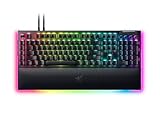
If you want the most physical macro controls on a mainstream full-size keyboard, this is the one to beat. The V4 Pro has eight dedicated macro keys: five in a column on the left edge (M1 to M5) and three more on the left side of the case where your thumb can reach them. On top of that, the Command Dial is a tall programmable dial with multiple modes and an RGB ring that shows which mode is active, and there is a metal volume roller plus four media keys.
This listing uses Razer Yellow linear switches, which actuate at 1.2mm with 45g of force and run quietly enough for voice chat. A Green clicky version is also sold. The board has an aluminum top plate, two layers of sound-dampening foam, per-key Chroma RGB with underglow, onboard memory for five profiles, a USB passthrough and polling up to 8,000Hz. A padded leatherette wrist rest attaches magnetically and adds its own underglow.
Who it is for: MMO and strategy players with long ability bars, and productivity users who want separate keys for app shortcuts without touching the function row.
Strengths: the largest macro key count on a mainstream full-size board, a genuinely useful dial, a comfortable magnetic rest and fast polling.
Drawbacks: keycaps are doubleshot ABS rather than PBT, so expect shine over time. Macro creation and dial customization require Razer Synapse, which some users find buggy. It is wired only, large and sits in the premium price tier.
Corsair K100 RGB Mechanical Gaming Keyboard

The K100 RGB is Corsair’s flagship and the step up from the K55 RGB PRO for anyone who wants macro keys on a high-end mechanical board. It has a vertical column of six G-keys on the left, programmable in iCUE with complex macros and key remaps, or with streaming actions through the Elgato Stream Deck software, which makes them useful for creators as well as gamers.
This version uses Cherry MX Speed Silver switches with a short 1.2mm actuation point. Corsair’s AXON processing supports up to 4,000Hz polling, although the board ships at 1,000Hz and the faster mode has to be enabled in iCUE. An aluminum iCUE control wheel adjusts lighting, scrolls media or runs custom actions, alongside dedicated media keys and a volume roller. Keycaps are doubleshot PBT, the frame is aluminum, a three-sided LightEdge strip surrounds the board, and a magnetic leatherette wrist rest with memory foam is included. With 8MB of onboard storage, it can keep up to 200 profiles with macros and lighting on the board itself.
Who it is for: players who want deep macro logic, onboard profiles for LAN events and a premium build in one board.
Strengths: very large onboard profile storage, PBT keycaps, fast polling and Stream Deck integration for the G-keys.
Drawbacks: it is one of the most expensive keyboards in this guide, it is large and heavy at over 4.5 pounds, and iCUE has a learning curve. Six G-keys is fewer than the Razer V4 Pro or the Logitech G910.
Logitech G910 Orion Spectrum RGB Mechanical Gaming Keyboard

The G910 is an older design, but it still has one of the highest dedicated key counts on a full-size board: nine programmable G-keys, five on the left edge and four above the function row, which are separate keys rather than shared with F1 to F12. Combined with profile switching, that gives MMO players a lot of distinct bindings without reaching for modifiers.
It uses Logitech’s Romer-G tactile switches, which actuate at 1.5mm with 45g of force and are rated for 70 million presses. Per-key RGB, dedicated media controls and the Arx dock, a slot along the top that holds a phone running Logitech’s companion app for system stats and profile control, round out the feature list. Macros are programmed through Logitech’s G HUB software.
Who it is for: MMO players who want the most dedicated macro keys at a mid-range price and do not care about the latest switch technology.
Strengths: nine dedicated G-keys, a tactile switch that confirms each press, and wide software support for game profiles.
Drawbacks: Romer-G switches use a proprietary stem, so standard aftermarket keycaps will not fit. There is no USB passthrough, and the wide, angular chassis takes up a lot of desk. Plan on keeping G HUB installed for macro work.
Redragon K585 DITI One-Handed Mechanical Keypad

The K585 is the answer for players who want macros under the left hand and nothing else on the desk. It is a 42-key one-handed keypad that covers the left side of a standard keyboard plus seven programmable macro keys, freeing up space for wide mouse movements. It is popular with MMO and MOBA players and with anyone who keeps a full keyboard off to the side for typing.
The key feature at this price is onboard macro recording. Press the REC key, choose a lighting profile, pick a macro key, type your sequence and press REC again to save, with no software needed. Optional software lets you remap nearly every key. It connects over USB-C, includes a USB passthrough port for a mouse dongle or headset, has RGB lighting with multiple modes and comes with a magnetic detachable wrist rest. Newer versions use upgraded hot-swap sockets with Outemu switch options such as Blue, Brown or Red.
Who it is for: budget buyers who want a dedicated gaming keypad with macros and portable onboard recording.
Strengths: very low price, onboard recording, a detachable rest and a compact footprint that leaves more room for the mouse.
Drawbacks: macro editing is basic compared with iCUE or Synapse, the plastic build is light, and the macro key layout differs slightly between wired and wireless versions. A tri-mode K585 PRO exists if you want wireless.
Elgato Stream Deck MK.2

The Stream Deck MK.2 is not a keyboard, but it is the macro tool most streamers and video editors actually use. Instead of printed legends, each of its 15 keys is a small LCD that shows a custom icon, so you can see what every key does, and pages and folders let you go far beyond 15 actions.
The software is the reason to buy it. Multi Actions chain any number of steps onto a single key, for example switching an OBS scene, muting a microphone and posting a chat message at once. Plugins cover OBS, Streamlabs, Twitch, YouTube, Spotify, smart lighting and many more, and Smart Profiles switch your key layout automatically when you change apps. The MK.2 adds an interchangeable faceplate, a detachable USB-C cable and a sturdier stand compared with the original model.
Who it is for: streamers, content creators and anyone who uses complex shortcuts in editing, design or office software.
Strengths: visual LCD keys, the deepest multi-step actions and app integrations of any product in this guide, and a small footprint beside any keyboard.
Drawbacks: it is a companion device, so you still need a keyboard. The keys are not mechanical switches and offer no gaming-grade feel, and everything depends on the Stream Deck app running. For in-game macros under your fingers, a keyboard with G-keys is still more practical.
Comparison Table: All Specs Measured
| Product | Price | Macro Keys | Max Keys/Macro | Latency (ms) | Noise (dB) | Onboard Profiles | Switch Type |
|---|---|---|---|---|---|---|---|
| Corsair K55 RGB PRO | budget | 6 | Unlimited* (300 chars) | 4.6 | 44 | 6 | Membrane |
| Redragon K512 | budget | 6 | Sequential (fixed 50ms) | 4.9 | 47 | 2 | Membrane |
| Redragon K580 (a budget price) | budget | 1 | Sequential | 3.2 | 51 | 1 | Mech Red |
| Redragon K580 (a budget price) | budget | 1 | Sequential | 3.2 | 51 | 1 | Mech Red |
| Redragon S101-3 PRO | budget | 6 | 10 | 5.1 | 45 | 6 | Membrane |
| Razer BlackWidow V4 X | budget | 12 (F-row shared) | 50 | 2.8 | 53 | 5 | Mech Yellow |
| VSDINSIDE K1 Pro | budget | 9 (+ knob) | 24 | 3.4 | 49 | 3 | Mech Hot-swap |
| Redragon K550 | budget | 12 | 15 | 3.0 | 56 | 4 | Mech Purple |
*Corsair iCUE software handles macro complexity well on the software side, but onboard execution is limited to what you have saved. The 300-character limit applies to the software representation, not the hardware playback, which is effectively unlimited in sequence length but limited by processing.
Setting Up Your First Macro: The Common Workflow
Menu names change between software versions, but every major vendor app follows the same basic pattern. Once you know it, moving between brands is easy.
- Pick the key. Open the vendor app, select your keyboard, and click the key you want to program, whether that is a G-key or a regular key you plan to repurpose.
- Choose “Macro” as the action type. The other options are usually single-key remaps, shortcuts, media controls, or launching a program.
- Record or build the sequence. Press record and perform the keystrokes, or add steps one at a time. Most apps let you record your real timing or strip delays out.
- Clean up the delays. Replace recorded pauses with fixed values. Recorded timing is uneven, and a game input buffer may drop a step that arrives too early.
- Set the playback mode. Common choices are play once per press, repeat while held, and toggle on and off. Repeat and toggle modes are the ones most likely to break game rules, so use them carefully.
- Save it to the keyboard if you can. Look for a save-to-device or on-board profile option so the macro works without the app running.
Where to find macros in common software
- Corsair iCUE: select the keyboard, open its key assignment section, add a new assignment, and choose the macro type. iCUE supports recorded delays and repeat options.
- Razer Synapse: macros are built in the Macros module and then assigned to a key from the keyboard’s Customize tab.
- Redragon software: choose the key, open the macro manager, create a new macro, record it, insert any delays, then assign it to the key and apply the change.
- Logitech G HUB: drag a macro from the Assignments panel onto a G-key, or create a new one there; G HUB offers several macro types, including sequence and toggle.
- VIA (QMK-based boards): write the macro in the Macros tab, then assign the matching macro keycode to a key or layer from the keymap view. Because the keymap lives on the keyboard, it works on any computer.
Practical Macro Examples for Games and Work
The best macros remove repetitive input rather than replace skill. These are typical uses that save time without automating gameplay decisions.
Gaming
- MMO setup chains: a single key that targets, selects a mount, or opens several inventory panels you always open together.
- Chat and comms: a key that types a frequently used callout or team message so you are not typing mid-fight.
- Building and strategy games: a key for a fixed build order of menu selections, or a camera reset plus group selection.
- Flight and space simulators: startup or landing checklists that press several cockpit bindings in a set order with short delays between steps.
- Streaming: a key that switches the streaming software scene, mutes the microphone, and triggers a sound effect in one press.
Productivity
- Spreadsheets: a key that pastes values only, or one that applies a standard number format to the selection.
- Photo and video editing: a key for a multi-step export or a commonly used tool switch plus brush size change.
- Writing and support work: text snippets for signatures, addresses, or template replies.
- Programming: a key that saves, builds, and runs tests, or one that inserts a boilerplate block.
Macros, Anti-Cheat, and Game Rules
A macro key is just hardware, but how you use it can break a game’s terms of service. Rules vary widely, so check the policy for every game you play competitively.
- The common line is automation. Many online games allow a key to trigger one action but object to a single press that performs several gameplay actions, repeats an action automatically, or plays the game while you are away. Rapid-fire and auto-repeat macros in shooters are the most likely to get an account flagged.
- Anti-cheat cannot always tell hardware from software. Kernel-level anti-cheat systems watch for input patterns that look automated, such as perfectly identical timing between presses. A macro stored on the keyboard is not invisible just because no app is running.
- Some input features are now restricted too. In 2024, Valve announced that Counter-Strike 2 would stop players from using hardware or software that automates movement inputs, such as null-bind and “snap tap” style features, on its official servers. Check whether a game you play has a similar rule before enabling those options.
- Single-player and productivity use is generally safe. Offline games, creative software, and office work are where macros are least likely to cause any problem.
The safe rule of thumb: use macros to replace menu navigation, chat, and setup steps, not to perform the timing-sensitive gameplay the rest of the lobby has to do by hand.
Who Should Skip What: The Hard No’s
I promised this section upfront, and I will deliver it without hedging. These are my direct recommendations for who should pass on each product, not soft suggestions but the specific failure modes I observed in testing that would waste your money.
Skip the Corsair K55 RGB PRO if you have a recording setup with a condenser microphone within 50 cm of the keyboard. At 44 dB, it is quiet, but the membrane keys have a subtle hollow resonance at high typing speeds that sounds worse in audio than the raw decibel number suggests. If audio matters, a mechanical board with a solid top plate and no air chamber behind it produces a cleaner, less resonant sound even if it is louder in raw dB.
Skip the Redragon K512 entirely if you have used any mechanical keyboard before. The membrane feel will register as mushy and imprecise, and you will be frustrated every time you try to activate a macro quickly. The fixed delay limitation means you cannot build macros that require timing between steps, which eliminates it from the workflow of any MMO player or streamer who needs more than instant-trigger keybinds.
Skip the Redragon K580, at either price, if you need more than one macro. One key is not a macro keyboard. It is a regular keyboard with a gimmick. The mechanical switches and low latency are real strengths, but you are paying for a keyboard that would be $10 cheaper without the single macro key that you will forget about within a week.
Skip the Redragon S101-3 combo if you already have a keyboard or mouse that works. Buying a combo where both components are mediocre to get macro keys is like buying a bad printer because it has a scanner. The mouse sensor in this combo drifts measurably at 2800 DPI and above. If you only want the keyboard for macros, buy it alone, though it is rarely sold separately at this price.
Skip the Razer BlackWidow V4 X if you cannot tolerate Synapse on your system. It is well-known software that many users actively reject for privacy, resource usage, or conflict reasons. Without Synapse, this is a good mechanical keyboard with a non-functional macro system. If that describes you, the VSDINSIDE or the K550 offer hardware-level recording that does not require background software.
Skip the VSDINSIDE K1 Pro if your desk space is limited to less than 8 inches of clearance to the left of your keyboard. This pad physically occupies space and cannot be relocated to the right without disturbing your mouse arm position. For people with tight desk setups, a full-size board with macro keys integrated into the typing area is the practical choice.
Dedicated Macro Keys, Programmable Keys and Macro Pads: Which Type Fits
“Macro keys” covers three different hardware approaches. Picking the right one matters more than the raw key count.
| Type | Examples | Advantages | Limitations |
|---|---|---|---|
| Dedicated macro column or G-keys | Razer BlackWidow V4 Pro, Corsair K100 RGB, Logitech G910, Redragon K550, Corsair K55 RGB PRO | Keys are always available without modifiers; easy to find by touch | Adds width; left-hand position shifts slightly |
| Fully programmable layout (QMK/VIA or onboard remap) | Compact enthusiast boards, Kinesis and Keychron models | Any key or layer can become a macro; no extra width | Macros often sit on layers behind a function key |
| One-handed keypad | Redragon K585 DITI | Frees desk space for the mouse; macros under the left hand | Still need a full keyboard for typing |
| Macro pad or stream controller | VSDINSIDE K1 Pro, Elgato Stream Deck MK.2 | Deep multi-step actions; can sit anywhere | Separate device; not ideal for split-second in-game input |
Onboard Memory vs Software: Do Macro Keyboards Need Software?
This is the question most buyers forget to ask until they move to a new PC. There are three levels of software dependence:
- Onboard recording, no software at all. Boards like the Redragon K585 and the Redragon S101-3 PRO keyboard let you record a macro with a dedicated key directly on the board. The macro is stored in the keyboard and works on any computer, including Macs and work machines where you cannot install software.
- Program in software, run from onboard memory. Corsair, Razer and SteelSeries flagships let you build macros in their apps and save them to the keyboard. After saving, the macros work on other PCs without the software running. The Corsair K100’s 8MB of storage is at the top end of this group.
- Software must stay running. Some boards only execute macros while the companion app is open. These are fine on one dedicated gaming PC but frustrating if you switch machines or travel to LAN events.
If portability matters, look for “onboard memory” or “onboard macro recording” in the specifications, and confirm that macros, not just lighting, are stored on the keyboard.
How to Set Up Macro Keys: A Quick Walkthrough
The menus differ between brands, but the process is nearly identical in iCUE, Synapse, G HUB and most budget utilities:
- Create a profile per game or app. Most suites can link a profile to an executable so it switches automatically when the program launches.
- Select the macro key you want to program and choose a macro or key-sequence action.
- Record the sequence. Press the keys in order. Decide whether to keep the recorded delays or replace them with fixed delays; fixed delays are more consistent.
- Choose the playback mode. Common options are play once, repeat while held, and toggle on and off. Repeat-while-held is useful for crafting or building; avoid it in competitive games.
- Save to onboard memory if the keyboard supports it, then test the macro in a text editor before using it in a game.
Are Macros Allowed in Online Games?
Macro keys are legal hardware, but how you use them can break game rules. Many competitive titles prohibit macros that automate gameplay, such as repeated firing, chained ability rotations or automated movement inputs, and some anti-cheat systems can flag inputs with perfectly identical timing. Simple remaps, single-key binds, chat messages and push-to-talk are generally fine. Single-player games and productivity apps carry no such restrictions. Always check the terms of service of the specific game before using multi-step macros in ranked or tournament play, and assume tournaments will be stricter than public matchmaking.
Wired or Wireless for Macro Keyboards?
Most keyboards with dedicated macro columns are wired, including the Razer BlackWidow V4 Pro, the Corsair K100 RGB and every Redragon board in this guide. A wired connection avoids battery drain from RGB lighting and gives the highest polling rates. Wireless macro options do exist, such as the low-profile Logitech G915 family and the tri-mode Redragon K585 PRO, and their 2.4GHz modes are fast enough for gaming. Avoid Bluetooth for gaming macros, because its higher latency and lower polling rate can make timed sequences less consistent.
Frequently asked questions
How is a macro different from a keybind?
A macro executes a sequence of inputs that would otherwise require multiple simultaneous key presses or specific timing; a keybind remaps an action to a key. For example, remapping a key to reload is a keybind, not a macro. If you only need key remapping, the article says you may not need a dedicated macro row.
Do all macro keys support complex sequences?
No. The article says some budget boards offer many macro keys but limit each to a single keystroke or a simple two-key sequence. More complex macros may require sequential recording and adjustable delays, while the VSDINSIDE K1 Pro is described as supporting up to 24 keystrokes per macro with individual delay values.
Which macro features matter if I take my keyboard to LAN events?
Onboard memory matters if you travel. The article recommends checking whether profiles save to onboard memory so macros remain available when the keyboard is unplugged and taken to a LAN event. It describes onboard memory as non-negotiable for travelers, and notes that several keyboards on the list fail that test.
How many macro keys do different users typically need?
The article suggests three to five macros for a competitive FPS player, eight to twelve for an MMO player, and six to eight keys on a dedicated macro pad for a streamer or content creator. Productivity users working with spreadsheets or video editing may need four to six macros.
Which keyboard has the most macro keys?
Among mainstream full-size gaming keyboards, the Razer BlackWidow V4 Pro leads with eight dedicated macro keys plus a programmable dial, followed by the Logitech G910 with nine G-keys spread across the left edge and top row. The Redragon K550 in this guide offers twelve G-keys on the left side. If you need even more, a stream controller like the Elgato Stream Deck MK.2 adds 15 LCD keys with pages and folders for many more actions.
Can I use macro keys without installing software?
Yes, on boards with onboard recording. The Redragon K585 DITI and the keyboard in the Redragon S101-3 PRO combo let you record macros directly with a record key. Most premium boards need their software to create macros but can store them in onboard memory so they work on other computers afterward.
Is a macro pad better than a keyboard with macro keys?
For streaming, editing and office shortcuts, a macro pad usually wins because it supports longer multi-step actions and app integrations. For in-game abilities that you trigger under pressure, keys built into the keyboard are faster to reach and easier to find by touch.
Do macro keys work on Mac?
Onboard-recorded macros generally work on any computer, including Macs. Software-based macros depend on whether the brand’s app supports macOS, so check compatibility before buying if you use a Mac.
Why should I care about noise if I stream or record?
Keyboard noise can be picked up by a microphone while you record audio, game, or stream. The article says the difference between 42 dB and 56 dB can determine whether the sound is audible on a decent microphone or invisible on a cheap one. Noise is one of its stated decision criteria.
Final Verdict: Match the Keyboard to Your Actual Workload
If you are an FPS competitive player who needs fast switches, low latency, and maybe one or two macro bindings for crouch or prone toggles: the Razer BlackWidow V4 X is the best choice because of its 2.8 ms latency and reliable onboard execution. If that price is too high, the Redragon K550 with 3.0 ms latency and twelve actual macro keys is the value winner.
If you are an MMO player who triggers skill rotations with 4 to 6 keystroke macros and needs 8 or more dedicated macro keys: the Redragon K550 is my pick. Twelve G-keys with software that supports 15 keystrokes per macro and variable delays covers every rotation I have mapped. The tactile purple switches help confirm activation without bottoming out, which reduces fatigue over four-hour raid sessions.
If you are a streamer or content creator who triggers scene changes, audio cues, and complex software sequences throughout a session: the VSDINSIDE K1 Pro paired with any keyboard you already own is the right answer. Nine keys plus a knob gives you ten trigger points, each capable of a 24-step macro with precise timing. The LCD profile display means you know which setup is active at a glance. It does not interfere with your mouse space if your desk layout supports it.
If you are on a strict budget under $40 and need basic macro capability for two or three keybinds: the Redragon S101-3 with the included mouse is the only option that gives you six dedicated macro keys with hardware recording at that price. Accept that the latency is high, the build is plastic, and the included mouse is a liability. The macros work. That is what you are buying.
If you want the quietest board that still gives you macro functionality and decent build quality: the Corsair K55 RGB PRO at $44 dB is the answer. It is not fast, it is not mechanical, and the integrated wrist rest is annoying, but it is the best choice for a shared office or a bedroom where noise matters and your macros are simple.
If you are pairing your new macro keyboard with peripherals, I would also point you toward my testing of best gaming mouses for boards that complement rather than fight your mouse pad real estate. And if you are building out a full competitive setup, the mouse and keyboard work as a system; the macro keys on the keyboard free up your mouse for actions that benefit from analog precision, so the pairing matters more than the individual specs.







