The best 240Hz gaming monitor in this group depends on your graphics card: the AOC Q27G41ZE is the only 1440p listing and the sharpest, while the Gigabyte G25F2A and ASUS TUF VG259QM5A are the 1080p IPS options for competitive play at a lower cost. All eight claim 240Hz, so the real differences are screen size against pixel density, panel type, which ports are named and what warranty or extras come with each. Each entry flags what the title leaves unsaid, such as ports and panel type. A refresh rate only helps when your system delivers frames to match, so a short worked example below turns refresh rates into frame times and cable data rates.
Our Top Picks
 GIGABYTE G25F2A 24.5" SuperSpeed IPS FHD Gaming MonitorFhd 240Hz7.38 x 19.62 x 21.93 inches13.2 poundsCheck on Amazon
 AOC 27" Gaming Monitor QHD 260Hz Overclocked IPS27" 240Hz IPS7.46 x 24.17 x 17.7 inchesCheck on Amazon
 SANSUI 27 Inch Curved 240Hz Gaming Monitor FHD27.017.66 x 24.13 x 17.84 inches7.26 PoundsCheck on Amazon
 SANSUI 32 Inch Curved 240Hz Gaming Monitor High32 inch24.19 x 8.06 x 17.75 inches9.7 PoundsCheck on Amazon
Eight 240Hz screens at a glance

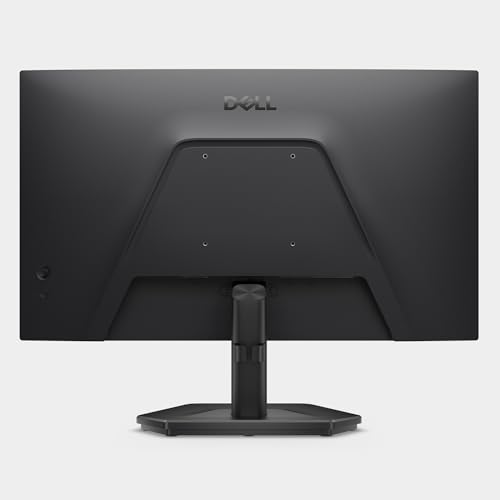
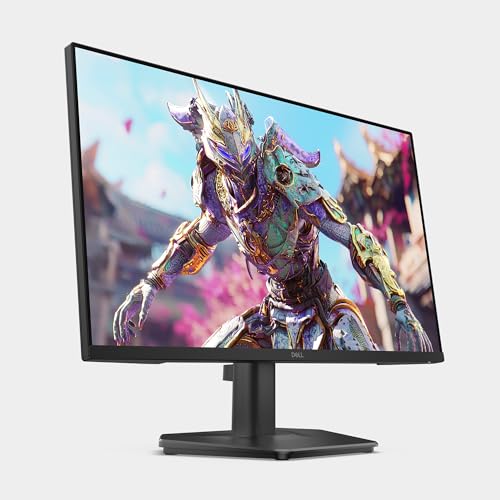
Dell 27 240Hz Gaming Monitor - SE2726HG - 27-inch FHD (1920x1080) Display, in-Plane Switching (IPS) Technology, AMD FreeSync Premium, TÜV 3-Star, 2X HDMI, DisplayPort 1.4, Tilt


As an Amazon Associate we earn from qualifying purchases. Product prices and availability are accurate as of the date/time indicated.
Dell 24 240Hz Gaming Monitor - SE2426HG - 23.8-inch FHD (1920x1080) 240Hz Display, in-Plane Switching (IPS) Technology, AMD FreeSync™ Premium, TÜV 3-Star, 2X HDMI, DisplayPort 1.4, Tilt
As an Amazon Associate we earn from qualifying purchases. Product prices and availability are accurate as of the date/time indicated.
GIGABYTE G25F2A 24.5" SuperSpeed IPS FHD Gaming Monitor | Black, FHD 1920x1080, 240Hz, 1ms GTG, HDMI, DP, AMD Freesync Premium, Height and Tilt Adjustable


As an Amazon Associate we earn from qualifying purchases. Product prices and availability are accurate as of the date/time indicated.
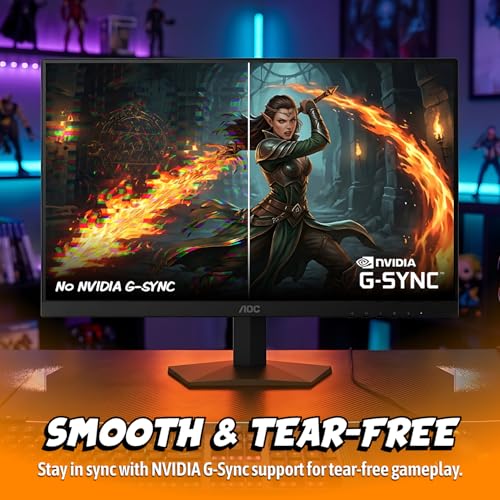
AOC 27" Gaming Monitor QHD 260Hz Overclocked IPS NVIDIA G-SYNC Q27G41ZE | 2560×1440 Computer Monitor, 240Hz Native / 260Hz OC, NVIDA G-SYNC Compatible, 0.3ms, HDR, VESA, Audio Out, 3-Yr Warranty




As an Amazon Associate we earn from qualifying purchases. Product prices and availability are accurate as of the date/time indicated.
SANSUI 27 Inch Curved 240Hz Gaming Monitor FHD 1080P, 1500R Curve Computer Monitor, 130% sRGB, 4000:1 Contrast, HDR, FreeSync, MPRT 1Ms, Low Blue Light, HDMI DP Ports, Metal Stand, Cable Incl.




As an Amazon Associate we earn from qualifying purchases. Product prices and availability are accurate as of the date/time indicated.
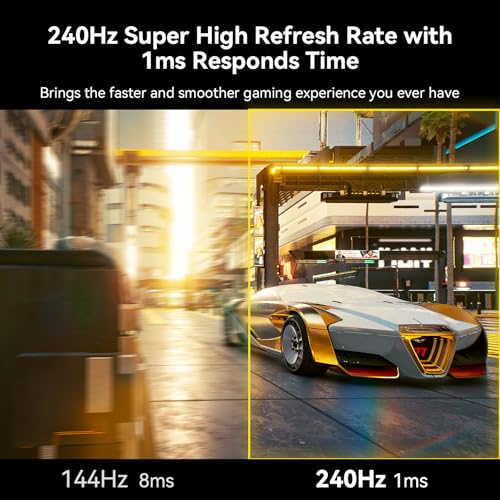
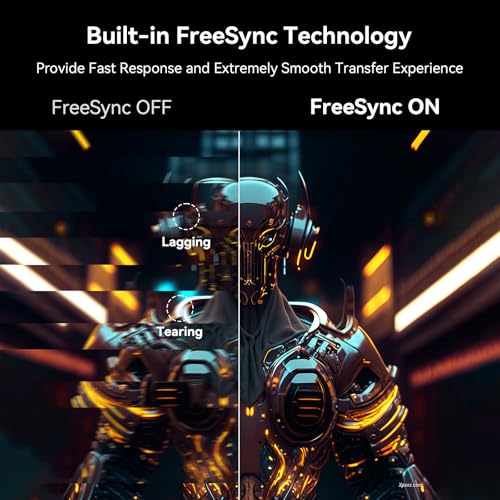
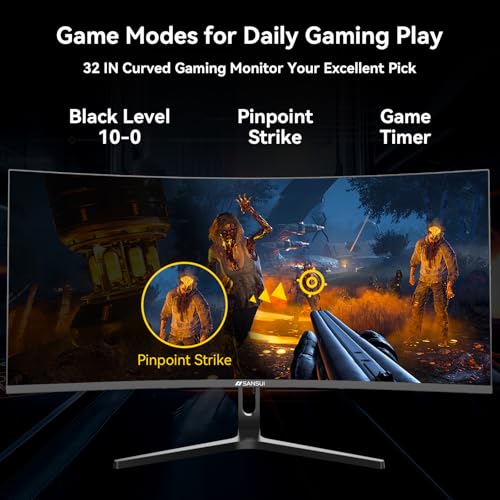
SANSUI 32 Inch Curved 240Hz Gaming Monitor High Refresh Rate, FHD 1080P | Gaming PC Monitor HDMI DP1.4, 1500R Curvature, 1Ms MPRT, HDR,Metal Stand,VESA Compatible(DP Cable Incl.)




As an Amazon Associate we earn from qualifying purchases. Product prices and availability are accurate as of the date/time indicated.

New! Sceptre 24.5-inch Gaming Monitor 240Hz 1ms DisplayPort x2 HDMI x2 100% sRGB AMD FreeSync Premium Build-in Speakers, Machine Black 2026 (E255B-FWD240 Series)


As an Amazon Associate we earn from qualifying purchases. Product prices and availability are accurate as of the date/time indicated.

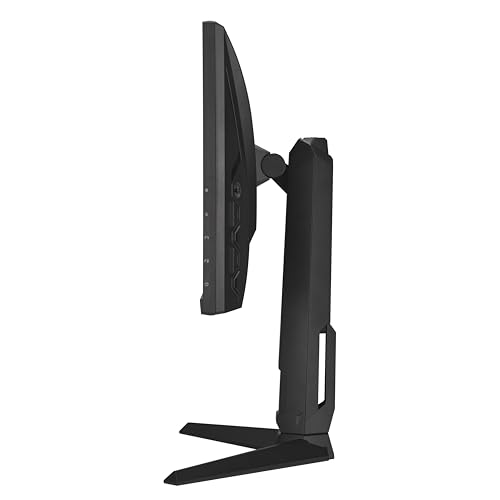
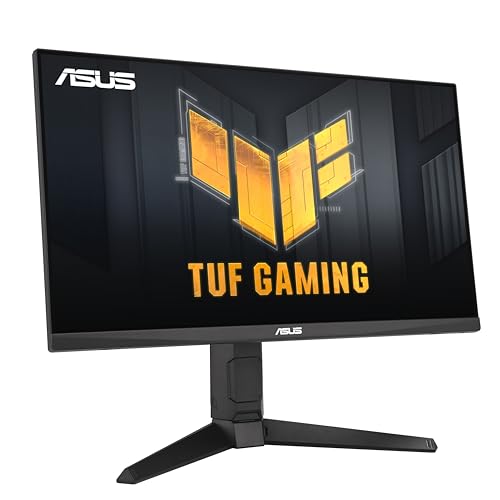
ASUS TUF Gaming VG259QM5A 25 Inch 1080p 240Hz G-SYNC Gaming Monitor | FreeSync Premium, ELMB Sync, Gaming AI, G-SYNC Compatible, DisplayWidget Center, Fast-IPS, 0.3ms, 99% sRGB, 3yr warranty



As an Amazon Associate we earn from qualifying purchases. Product prices and availability are accurate as of the date/time indicated.
| Model | Key point from title | Price tier | Best for |
|---|---|---|---|
| Gigabyte G25F2A | 24.5-inch IPS, 1080p, 1ms GTG, height adjustable | Budget | Lowest-cost competitive 1080p |
| Sceptre E255B-FWD240 | 24.5-inch, DisplayPort x2, HDMI x2, speakers | Budget | Several devices on one screen |
| Dell SE2426HG | 23.8-inch IPS, 2 HDMI plus DisplayPort 1.4 | Budget | Compact desks |
| SANSUI 27-inch curved | 1080p, 1500R, MPRT 1ms, DP cable included | Mid-range | Curved screen on a budget |
| ASUS TUF VG259QM5A | 25-inch Fast-IPS, 0.3ms, 99% sRGB, 3-year warranty | Mid-range | Brand warranty and tuning options |
| Dell SE2726HG | 27-inch IPS, 1080p, 2 HDMI plus DisplayPort 1.4 | Mid-range | Larger 1080p IPS |
| AOC Q27G41ZE | 27-inch 1440p, 240Hz native, 260Hz overclock | Mid-range | Sharper image with a strong GPU |
| SANSUI 32-inch curved | 32-inch 1080p, 1500R, HDMI and DP 1.4 | Premium | Size above sharpness (weak fit) |
The eight listings, in depth
Gigabyte G25F2A
The title lists a 24.5-inch SuperSpeed IPS panel (the maker’s marketing name) at 1920 x 1080 and 240Hz, with a 1ms GTG claim, HDMI, DisplayPort, AMD FreeSync Premium and a stand that adjusts for height and tilt. That stand detail is rare at the lowest tier. Density is about 90 pixels per inch by our arithmetic. HDMI version, sRGB coverage and warranty length are absent from the title, so confirm them, and plan to use DisplayPort for the full 240Hz unless the listing proves the HDMI port can do it. Treat the 1ms GTG figure as a seller claim. A sensible esports-first pick where price matters most.
Pros
- Height and tilt adjustment named
- Lowest price tier in the set
Cons
- HDMI version not stated
- Colour coverage not given in the title
Who it’s for: budget-focused players of fast shooters who sit close.
Sceptre E255B-FWD240
Sceptre’s listing names a 24.5-inch screen at 240Hz with a 1ms claim, two DisplayPort and two HDMI inputs, 100% sRGB, FreeSync Premium and built-in speakers. Four inputs let a PC, a laptop and a console share the display, though the title does not say which input supports 240Hz, so check before wiring everything. The panel type and stand adjustments are not described, and the speakers are a convenience rather than a reason to buy. The 100% sRGB figure is a seller claim about coverage, not accuracy. Warranty length is not in the title. At the lowest tier it competes mainly on inputs.
Pros
- Four video inputs listed
- Low price tier with 100% sRGB claim
Cons
- Panel type not named
- Unclear which port supports 240Hz
Who it’s for: players juggling a PC and a second device who want spare ports.
Dell SE2426HG
Dell lists a 23.8-inch Full HD IPS panel at 240Hz with AMD FreeSync Premium, a TÜV 3-Star label, two HDMI ports, DisplayPort 1.4 and a tilt-only stand. At about 93 pixels per inch it has the highest density of the 1080p models here, which helps text. The title gives no response time, so look for it on the listing rather than assuming a figure. TÜV 3-Star is a certification label; open the listing for what it covers. Explicit DisplayPort 1.4 is the connection to use for 240Hz. Two HDMI ports suit a console or second PC, though the HDMI version is not stated. A riser may be needed for height.
Pros
- DisplayPort 1.4 named
- Densest 1080p panel in the set
Cons
- Tilt-only stand
- No response time in the title
Who it’s for: players with small desks who value a clear 1080p image.
SANSUI 27-inch curved
The listing describes a 27-inch curved 1080p screen at 240Hz with a 1500R curve, 130% sRGB, 4000:1 contrast, HDR, FreeSync, a 1ms MPRT claim, low blue light mode, HDMI, DisplayPort, a metal stand and a cable in the box. MPRT is a motion-blur figure that is not comparable with GTG response claims, so do not line it up against other titles. The panel type is not named; a 4000:1 contrast figure is often associated with VA panels, so check. Stretching 1080p over 27 inches gives about 82 pixels per inch. HDR here is a label only.
Pros
- Cable included in the box
- Curve and metal stand named
Cons
- MPRT claim is not comparable to GTG
- Panel type unnamed, density about 82 PPI
Who it’s for: buyers who want a curved 27-inch screen for the lowest outlay in the mid tier.
ASUS TUF VG259QM5A
ASUS lists a 25-inch 1080p Fast-IPS panel at 240Hz with a 0.3ms claim, 99% sRGB, FreeSync Premium, ELMB Sync, Gaming AI, DisplayWidget Center software and a three-year warranty. The title says G-SYNC and also G-SYNC Compatible, which means adaptive sync validated for compatible graphics cards, not a hardware module, so read the listing. ELMB Sync pairs motion-blur reduction with adaptive sync; check any limits on refresh range. Ports are not named in the title, which matters for 240Hz. Gaming AI and DisplayWidget Center are software features, so read what they do on your setup. The 0.3ms figure is a seller claim. Density is about 88 pixels per inch.
Pros
- Three-year warranty named
- 99% sRGB claim on a fast-IPS panel
Cons
- Port list absent from the title
- G-SYNC wording is ambiguous
Who it’s for: players who want a major-brand warranty and software controls.
Dell SE2726HG
This is the larger sibling of the SE2426HG: 27 inches, 1080p, 240Hz, IPS, FreeSync Premium, TÜV 3-Star, two HDMI ports, DisplayPort 1.4 and a tilt-only stand. The extra size costs sharpness, with roughly 82 pixels per inch, so text and menus look coarser unless you sit about 30 inches back. TÜV 3-Star is a label to verify. For fast shooters the bigger image can be easier to track at distance. Response time is not in the title, and the stand offers only tilt, so budget for a riser such as those in our monitor riser comparison.
Pros
- IPS with DisplayPort 1.4 named
- Two HDMI inputs for spare devices
Cons
- Lower pixel density at 27 inches
- Tilt-only stand, no response time listed
Who it’s for: players who want a bigger 1080p IPS screen and sit further back.
AOC Q27G41ZE
AOC’s listing is the only 1440p entry: 27 inches, 2560 x 1440, 240Hz native and 260Hz overclocked, a 0.3ms claim, HDR, G-SYNC Compatible, VESA mounting, audio out and a three-year warranty. Density is about 109 pixels per inch, noticeably crisper than the 1080p models. Overclocked modes can come with limits, so treat 260Hz as optional. The title names no video inputs, so check the listing for DisplayPort or HDMI 2.1, because 1440p at 240Hz needs one of them. Both the 0.3ms figure and the HDR label are seller claims. VESA mounting and audio out suit a desk with an arm and headphones.
Pros
- Only 1440p panel in the set
- Three-year warranty named
Cons
- Video inputs not named in the title
- 1440p needs a stronger graphics card
Who it’s for: players with a capable GPU who want sharper images at 27 inches.
SANSUI 32-inch curved
Plainly, this is the weakest fit for a 240Hz shortlist. It lists a 32-inch curved panel at 1080p with 240Hz, a 1500R curve, a 1ms MPRT claim, HDR, HDMI, DisplayPort 1.4, a metal stand and VESA support. Spread over 32 inches, 1080p gives about 69 pixels per inch, the lowest density here, and it sits at a higher price tier than the 1440p AOC. The panel type is not named, warranty terms are missing from the title, and the 1ms MPRT claim is not comparable to GTG figures. Only a buyer who sits several feet back and puts size above image sharpness would choose it.
Pros
- Largest screen in the set
- VESA support and DP cable included
Cons
- Lowest pixel density here
- Costs more than the 1440p AOC in this set
Who it’s for: someone who values sheer size and will sit well back.
How we picked these
This is a desk-research roundup assembled from published specifications, manufacturer documentation and buyer reviews. Nobody on the team used or measured these units. Each listing title was read for what it states and what it omits, and response times, HDR labels and sync names were treated as seller claims. When a detail is missing, the entry says to check the listing. Price tiers are relative to this set of eight; pixel density, frame times and data rates are our own arithmetic with the assumptions shown.
What actually matters in a 240Hz monitor
Can your graphics card feed 240 frames?
A refresh rate is a ceiling, not a promise. Frame time is simply 1000 divided by the rate:
| Refresh rate | Time per frame |
|---|---|
| 60Hz | 16.67 ms |
| 144Hz | 6.94 ms |
| 165Hz | 6.06 ms |
| 240Hz | 4.17 ms |
Assume a card that averages 150 frames per second in your favourite game at 1080p. A 240Hz screen then shows 150, about 63% of its ceiling, which still looks smooth with adaptive sync. A 1440p image has 1.78 times as many pixels as 1080p. If frame rate scaled inversely with pixel count (a pessimistic assumption; real scaling varies), the same card would land near 84 frames at 1440p. Check your own game’s frame rate before paying for 1440p at 240Hz.
Size and pixel density
Our arithmetic from stated sizes: 23.8-inch 1080p is about 93 pixels per inch, 24.5-inch about 90, 25-inch about 88, 27-inch 1080p about 82, 27-inch 1440p about 109 and 32-inch 1080p about 69. Higher means finer text. Desk setup matters as much; see our workspace ergonomics guide for height and distance.
Cables and ports
Active-pixel data rates at 24-bit colour: 1080p at 240Hz needs about 11.9 Gbps and 1440p at 240Hz about 21.2 Gbps, before blanking adds several percent. HDMI 1.4 carries roughly 8 Gbps, HDMI 2.0 roughly 14.4 and DisplayPort 1.4 roughly 25.9. So 1080p at 240Hz needs at least HDMI 2.0-class bandwidth, and 1440p at 240Hz calls for DisplayPort 1.4 or HDMI 2.1.
Panel type and colour claims
IPS and Fast-IPS panels generally hold colour better off-angle, while VA-type panels favour contrast; check which one each listing uses. A 99% or 100% sRGB figure describes coverage, not accuracy, and HDR with no named certification tier is only a label.
Stand and mounting
Only the Gigabyte title names height adjustment, and several others list tilt only or nothing. VESA support is named for the AOC and the 32-inch SANSUI. Compare any monitor’s weight with an arm’s rated range, or add a riser.
Sync labels and response claims
FreeSync Premium and G-SYNC Compatible both describe adaptive sync, not different panels. Response times quoted as GTG, MPRT or a bare 0.3ms are seller figures that rest on different methods, so they should not be compared across listings.
Mistakes buyers make
- Leaving it at 60Hz. Many systems default to a lower rate; set 240Hz in the operating system display settings and check the driver.
- Using any old cable. HDMI 1.4 or an unrated cable can cap the rate. Use the cable in the box or a DisplayPort cable.
- Buying for the number. A card averaging 80 frames gains little from 240Hz over 144Hz.
- Counting the overclock. 260Hz on the AOC is optional, not native.
- Going huge at 1080p. A 32-inch Full HD panel looks soft close up.
- Trusting 0.3ms. Response claims use different methods; compare the model’s buyer feedback rather than the headline number.
- Ignoring the stand. Several titles list only tilt, so the screen can sit too low; add a riser or arm.
Verdict
If your graphics card can hold well above 150 frames at 1440p in the games you play, the AOC Q27G41ZE is the sharpest pick. For most 1080p players, the Gigabyte G25F2A is the value choice and the ASUS TUF VG259QM5A suits those who want a three-year warranty. Pick the Dell SE2426HG for density on a small desk. The SANSUI 32-inch listing is the one to skip, because 1080p stretched that far costs sharpness. Connect with DisplayPort where the listing allows, and set the refresh rate manually after plugging in.
Related guides
- What Is The Best Budget Most Responsive Gaming Mouse Wired
- Low Latency Gaming Headphones Usb-C 2.4 Ghz Wireless
- Mechanical Gaming Keyboards Competitive Pc Gaming
Frequently asked questions
Is 240Hz noticeably better than 144Hz or 165Hz?
The gap in frame time between 144Hz (6.94 ms) and 240Hz (4.17 ms) is about 2.8 ms. Some competitive players notice it, many casual players do not, and you only benefit if your system delivers frames well above 144. If you play single-player games at 80 to 100 frames, a cheaper 144Hz or 165Hz screen is likely enough.
What graphics card do I need to use 240Hz?
It depends on the game, resolution and settings, so there is no single answer. Lightweight esports titles at 1080p are the likeliest to approach 240 frames. At 1440p the card must push about 1.8 times as many pixels. Check your own average frame rate in the games you play before paying more for refresh.
Which cable should I use for a 240Hz monitor?
DisplayPort 1.4 is the safest choice for 1080p and 1440p at 240Hz. 1080p at 240Hz needs about 12 Gbps of pixel data before blanking, within HDMI 2.0 in theory, but HDMI 1.4 cannot manage it. 1440p at 240Hz needs about 21 Gbps, so use DisplayPort 1.4 or HDMI 2.1. Use the cable from the box when one is included.
Is 1080p or 1440p better at 240Hz?
1080p is easier to drive and is the norm for competitive play, but at 27 inches it drops to about 82 pixels per inch. 1440p at 27 inches reaches about 109, so text and detail look clearly finer. It does cost frame rate, so match the choice to your graphics card.
Does G-SYNC Compatible work only with NVIDIA cards?
G-SYNC Compatible means a monitor’s adaptive sync has been validated for NVIDIA graphics cards, and FreeSync Premium is the AMD-oriented label. Many monitors list both, and both work on supported cards. The ASUS and AOC titles say G-SYNC Compatible, so check the listing and your card’s driver settings before assuming it works.