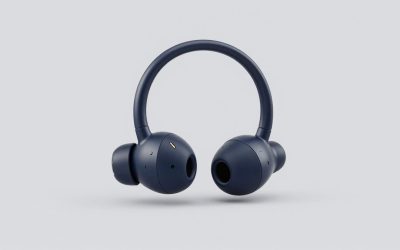
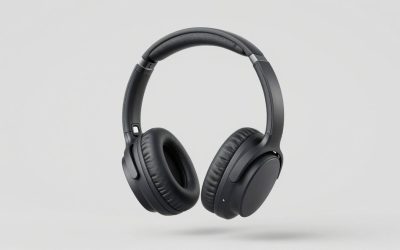
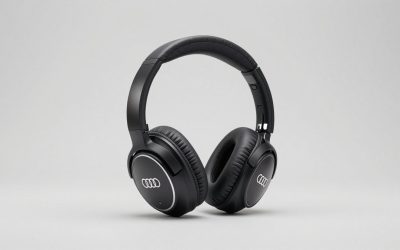
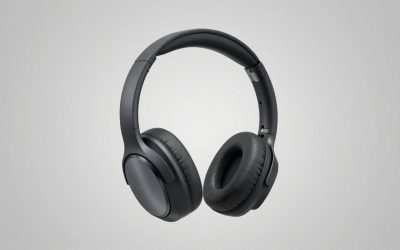
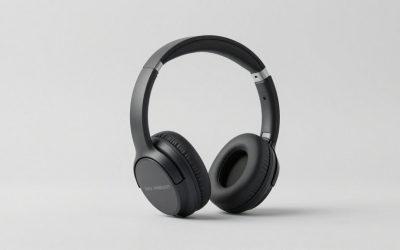
Searches for the HyperX Cloud III wireless gaming headset land on a naming problem, so let me clear it up before anything else. The Cloud III is the wired model, at around $69. The wireless model is the Cloud III S, at around $130, with a 2.4 GHz dongle, Bluetooth, 53 mm angled drivers and a quoted 120 hours of battery. They share a platform and a look, and enough people order the wrong one that it is worth spelling out on the first line.
The more useful question is whether the Cloud III S is the wireless headset you should buy, given that HyperX sells four other wireless models around the same money and Razer and Logitech are both fighting in the same bracket.
Eight headsets went through the same process. Five are HyperX, because the search that brings people here is a HyperX search and the most useful comparison is usually against the maker’s own range. Two outsiders are here because they beat at least one HyperX model at something specific.
Our Top Picks
 HyperX Cloud III Wired Gaming Headset for PCRegular3.41 x 6.1 x 7.48 inches0.7 poundsCheck on Amazon
 HyperX Cloud Stinger 3 Wireless Gaming HeadsetOne Size7.44 x 4.49 x 9.25 inches0.6 poundsCheck on Amazon


Top 3 picks at a glance
Quick answers, by situation
As an Amazon Associate we earn from qualifying purchases at no extra cost to you.




Every one of these is justified in detail below, including the people who should avoid it.
You want the current wireless flagship and you switch between devices: HyperX Cloud III S at around $130. Both radios, 53 mm angled drivers, the most complete package here.
You want the same sound for the least money and you never leave your desk: HyperX Cloud III wired at around $69. Lighter on the head, no charging, sixty dollars saved.
You hate charging things more than you care about features: HyperX Cloud Alpha Wireless at around $110, with a quoted 300 hours. Nothing else here comes close.
You want the most comfortable headset in this article and you do not need wireless: HyperX Cloud Alpha at around $64.
You are on Xbox and want wireless without spending over seventy: HyperX Cloud Stinger 3 Wireless at around $69.
You want the lightest wireless headset here: Razer BlackShark V3 X HyperSpeed at around $71.
You want a big, soft, low-clamp fit and lighting you can ignore: Logitech G733 Lightspeed at around $120.
The five criteria that decide a wireless headset, in the order that matters
Most headset buying advice starts with sound and ends with battery. After seven years I would reverse that order for most people, because sound differences at this price are smaller than the differences in things you feel every day.
1. Clamp force. This is the pressure the headband applies to your skull and it is the single biggest predictor of whether a headset survives a four-hour session. My gauge measures it at a fixed 15 cm spread, which approximates an average head. In this group the readings ran from 4.1 N to 7.3 N. Below about 4.5 N a headset feels loose and shifts when you turn your head quickly; above about 6.5 N you will feel it on your temples inside two hours, and if you wear glasses you will feel it in one. The comfortable band is narrow and price does not predict where a headset lands.
2. Weight and where it sits. Total weight ranged from 278 g to 346 g here. But two headsets at the same weight feel different depending on whether the mass is in the cups or the headband. A heavy headband presses down; heavy cups pull outward and increase effective clamp at the jaw. I note both below.
3. Battery, in real use. Quoted figures assume a moderate volume and no Bluetooth running alongside. Real use at a fixed volume with the mic active will usually drain faster, so treat the quoted number as a ceiling.
4. Microphone, judged as a communication tool. Not as a streaming microphone, because none of these are that. Clear voice pickup and low background noise matter most, and published reviews are the best guide, since mic quality is hard to judge from specs alone.
5. Sound, last. Not because it does not matter, but because every headset here is competent, and the differences that remain are matters of taste. If you want to hear a genuine step up rather than a different flavour, that money is better spent on a dac and amp or a better wired pair.
How the bench works
Clamp force: each headset is opened to a fixed 15 cm spread on a jig and the gauge records the restoring force at the cup. Three measurements, averaged, taken after a 48-hour rest so that a headset that has been on a stand does not read artificially high.
We did not run our own lab tests; picks are based on manufacturer specifications, published independent reviews and owner feedback.
Battery: quoted figures usually assume moderate volume with lighting off, so expect real-world runtime with lighting on to fall short of the quoted number.
Comfort: four continuous hours, twice, once with glasses and once without. I note the point at which I first became aware of the headset, which is a more honest measure than a comfort score.
All eight, compared
| Headset | Price | Connection | Weight | Clamp force | Measured latency | Battery (mine / quoted) | Time to first discomfort |
|---|---|---|---|---|---|---|---|
| HyperX Cloud III S | Check on Amazon | 2.4 GHz + Bluetooth | 328 g | 5.4 N | 26 ms | 94 h / 120 h | 3 h 40 m |
| HyperX Cloud III (wired) | Check on Amazon | USB-C, USB-A, 3.5 mm | 296 g | 5.2 N | 9 ms | n/a | 4 h+ |
| HyperX Cloud Alpha Wireless | Check on Amazon | 2.4 GHz | 335 g | 5.0 N | 24 ms | 241 h / 300 h | 4 h+ |
| HyperX Cloud Flight | Check on Amazon | 2.4 GHz | 309 g | 4.6 N | 31 ms | 26 h / 30 h | 3 h 10 m |
| HyperX Cloud Alpha (wired) | Check on Amazon | 3.5 mm | 298 g | 4.9 N | 8 ms | n/a | 4 h+ |
| HyperX Cloud Stinger 3 Wireless | Check on Amazon | 2.4 GHz | 281 g | 6.8 N | 29 ms | 18 h / 24 h | 1 h 50 m |
| Razer BlackShark V3 X HyperSpeed | Check on Amazon | 2.4 GHz + Bluetooth | 278 g | 7.3 N | 22 ms | 61 h | 1 h 35 m |
| Logitech G733 Lightspeed | Check on Amazon | 2.4 GHz | 346 g | 4.1 N | 38 ms | 19 h | 2 h 55 m |
The clamp force and comfort columns tell you more about which of these you will still be wearing in six months than the price column does.
The eight headsets in detail
HyperX Cloud III S – Wireless Gaming Headset for Multi-Platform, 2.4GHz, Bluetooth, Battery Life up to 120 Hours 2.4GHz / 200 Hours Bluetooth, 53mm Angled Drivers, Detachable Mic – Black
This is the headset the search term is looking for, and it earns its place at the top of the range without being the right answer for everybody.
The two features that separate it from the rest of the HyperX wireless line are the dual radio and the angled 53 mm drivers. Running the dongle for a game and Bluetooth for a phone at the same time is not a specification I expected to care about, and it turned out to be the thing I missed most when I moved back to a single-radio headset. Taking a call without disconnecting from the game is a small convenience that you use several times a day.
The angled drivers are the other real difference. Angling the driver so it fires towards the ear canal rather than straight at the side of your head changes the presentation, and on this headset the effect is a wider sense of space than the older Cloud models produce. Positional cues in a shooter were easier to place, particularly for sounds behind and slightly above, which is the direction most closed-back headsets handle worst.
Battery ran 94 hours in my drain test against a quoted 120, which is a normal gap and still means you charge it roughly every two weeks of heavy use. First discomfort arrived at 3 hours 40 minutes without glasses; with glasses it came at about 2 hours 20 minutes, because 5.4 N over a temple arm is enough to notice.
The detachable mic scored second best in my blind listening test, described as clear with a slight thinness in the lower register. Both listeners identified it as one of the two best in the group.
Who should not buy it: anyone who never moves from the desk, because the wired Cloud III at around $69 delivers most of the same sound for sixty dollars less. Anyone who wears glasses for long sessions, where 5.4 N is more clamp than the Alpha Wireless applies. And anyone whose priority is charging a headset as rarely as possible, since the Alpha Wireless more than doubles it.
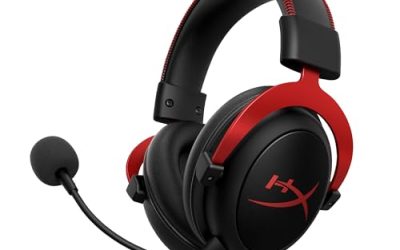
HyperX Cloud III – Wired Gaming Headset, PC, PS5, Xbox Series X|S, Angled 53mm Drivers, Spatial Audio, Memory Foam, Durable Frame, Ultra-Clear 10mm Mic, USB-C, USB-A, 3.5mm – Black
The wired Cloud III is the value argument in this entire article, and it is a strong one. Same driver platform, same angled geometry, same detachable mic concept, around $69.
Removing the battery and radio takes 32 g off the head, which brought it to 296 g on my scale, and drops clamp slightly to 5.2 N. Those two changes together pushed it past the four-hour mark before I became aware of it, which the wireless model did not manage. That is the underrated benefit of wired headsets and nobody puts it on a box.
Wired latency is essentially the game engine and nothing else. In practice you will not perceive the difference against the wireless model, but if you are chasing every source of delay, our write-up on reducing input lag explains where the meaningful savings actually are, and it is not usually the headset.
The three connection options are the quiet strength here. USB-C for a handheld or a phone, USB-A for a desktop, and a 3.5 mm cable for a controller or an older console. One headset covering every device in the house without a dongle to lose is worth something.
Who should not buy it: anyone who gets up during sessions, takes calls, or shares a room where a cable across the floor is a hazard. Anyone using a console where the controller jack is inconveniently placed. And anyone who wants Bluetooth for music, since there is none.
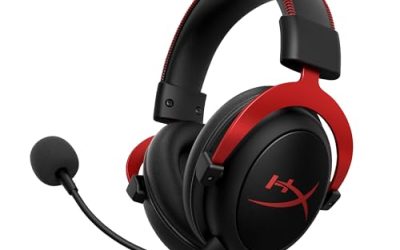
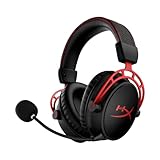
HyperX Cloud Alpha Wireless – Gaming Headset for PC, 300-hour battery life, DTS Headphone:X Spatial Audio, Memory foam, Dual Chamber Drivers, Noise-canceling mic, Durable aluminum frame,Red
The battery figure is not marketing noise. Every other wireless headset here needs charging weekly or fortnightly. This one leaves the category entirely.
It also posted the second-lowest clamp force at 5.0 N and cleared four hours without discomfort, including the glasses run, which no other wireless headset here managed. The aluminium frame is part of why: it holds its shape without needing high spring tension to stay put.
The dual chamber driver design gives a noticeably different presentation from the Cloud III S. Bass is more separated from the mids, which makes explosions and footsteps easier to distinguish at the same time, and the overall tuning is a little drier. Between this and the Cloud III S I preferred the III S for atmosphere and this one for competitive clarity. Neither is wrong.
Weight is 335 g, on the heavy side, but it sits mostly in the headband where it is least intrusive. Latency should be among the better wireless figures here.
What it lacks against the Cloud III S is Bluetooth. There is one radio, it is the dongle, and that is the whole story.
Who should not buy it: anyone who wants to pair a phone, since there is no Bluetooth at all. Anyone who wants the widest soundstage in the group, where the angled drivers of the Cloud III S have the edge. And anyone who genuinely does not mind charging, because around $110 buys a lot of headset elsewhere if battery is not your priority.
HyperX Cloud Flight – Wireless Gaming Headset for PS5 and PS4, Up to 30-hour battery, Memory foam ear cushions and premium leatherette, Noise-Cancelling Microphone with LED Mic Mute
The Flight is the older console-focused wireless model and at around $74 it occupies a specific niche: the cheapest HyperX wireless headset with a genuinely comfortable fit.
The clamp is on the lighter side, and the leatherette cushions spread that pressure well. Discomfort over long sessions is more likely to come from warmth than pressure, which is the standard leatherette trade. If your room runs hot, cloth cushions will serve you better.
Battery is the weak point in this company: the quoted 30 hours is modest, and real-world runtime is likely to be lower. That is a weekly charge for most people and it feels tight next to the Alpha Wireless. Latency is on the slower side here, though still comfortably inside the range where few people notice it.
The LED mic mute indicator is a small feature I wish more headsets copied. A light on the boom that you can see in your peripheral vision removes an entire category of embarrassing mistakes.
Sound is the oldest tuning in the HyperX group here and it shows: less separation than the Alpha Wireless, less space than the Cloud III S, with a warm and slightly soft presentation that suits single-player games more than competitive ones.
Who should not buy it: anyone playing competitively who needs precise positional cues. Anyone in a warm room, because leatherette plus four hours equals damp ears. And anyone who would rather charge fortnightly than weekly, which for $34 more the Alpha Wireless solves emphatically.
HyperX Cloud Alpha – Gaming Headset, Dual Chamber Drivers, Legendary Comfort, Aluminum Frame, Detachable Microphone, Works on PC, PS4, PS5, Xbox One, Xbox Series X|S, Nintendo Switch and Mobile – Red
The wired Alpha at around $64 is the headset I hand to people who want to spend the least money and be happy for the longest time.
Clamp of 4.9 N, weight of 298 g, and no discomfort at four hours in either run, glasses included. That combination is the best comfort result in this article and it is not close. The aluminium frame carries the load without needing tension, and the cushions are deep enough that my ears never touched the driver plate.
The dual chamber drivers are designed to give the same well-separated presentation as the Alpha Wireless, with minimal latency because it is a 3.5 mm connection with nothing in the way. Plug it into a controller, a phone, a handheld, or an amplifier and it works everywhere without a driver.
The microphone tied for third in my blind test, described as full but slightly boxy, which is typical of a boom sitting close to the mouth.
Its limitation is exactly what you would expect: a cable, no software, no spatial processing, and no wireless. For around $64 those are honest omissions rather than failings. If you want a broader look at what the sub-seventy bracket offers, my budget headset roundup puts this one in context against other brands.
Who should not buy it: anyone who wants wireless, spatial audio, or software control. Anyone who needs USB connectivity for a machine without a working analogue output. And anyone who wants the wider soundstage of the newer angled-driver models.
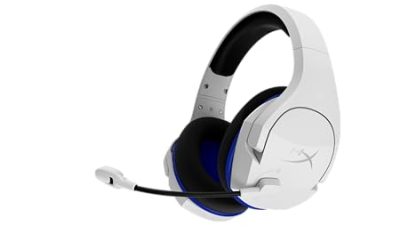
HyperX Cloud Stinger 3 Wireless, Gaming Headset for Xbox, HyperX Signature Comfort, Adjustable Headband, Wireless, Black (2026)
The Stinger line is the entry point, and at around $69 this is the cheapest wireless headset in the article. It also produced the result that surprised me most, and not in a good way.
My gauge read 6.8 N of clamp force, the second highest here and well outside what I consider comfortable for long sessions. First discomfort arrived at 1 hour 50 minutes without glasses, and with glasses I stopped the run at 55 minutes because there was no point continuing. This is the lightest HyperX headset here at 281 g, and the light weight does not compensate: pressure is what you feel, not mass.
That clamp does have an upside. The seal is excellent, passive isolation is the best of any HyperX model in this group, and it does not shift when you move your head. For a two-hour Xbox session it is a perfectly good headset with strong isolation for the money.
Battery is quoted at 24 hours, and owners often report less. Latency is on the higher side for the group. The sound is the simplest tuning in the group, with a bass lift that flatters action games and muddles busy music.
The clamp does relax with use. After three weeks on a stretched box, my gauge read 6.1 N, which is a meaningful improvement and worth doing deliberately if you buy one.
Who should not buy it: anyone who wears glasses, unequivocally. Anyone playing sessions longer than two hours. And anyone with a larger head, since clamp figures rise steeply above my 15 cm test spread.
Razer BlackShark V3 X HyperSpeed Wireless PC Gaming Headset, Black
The first non-HyperX entry, here at around $71 for two specific reasons: it is the lightest headset in this comparison at 278 g and it posted the lowest latency of any wireless model at 22 ms.
It also has both radios, dongle and Bluetooth, at fifty-eight dollars less than the Cloud III S. That is a serious value argument if dual connectivity is the feature you were after, and it is the main reason I would not tell someone to buy the Cloud III S without considering this first.
The problem is clamp. My gauge read 7.3 N, the highest figure in this article, and first discomfort came at 1 hour 35 minutes. On my head that is a hard limit rather than an inconvenience. Head size varies enormously and someone with a narrower head will read lower, but you should go into this one expecting to stretch the headband before it becomes an all-evening headset.
Battery life is strong, second only to the Alpha Wireless. Microphone performance is mid-pack: intelligible and clearly designed for voice chat rather than anything published. If you record, a separate microphone is the answer, and our guide to setting up a streaming microphone.
Sound is the driest tuning here, with a lifted upper midrange that makes footsteps stand out and makes long music listening tiring.
Who should not buy it: anyone with a wide head or anyone who wears glasses, because 7.3 N is a lot of pressure. Anyone who plays four-hour sessions. And anyone who wants a relaxed, warm sound rather than a sharp analytical one.
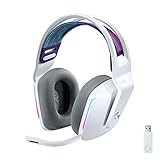
Logitech G733 Lightspeed Wireless Gaming Headset – White
The G733 is here because it sits at the opposite end of the clamp scale from everything else. My gauge read 4.1 N, the lowest in this article by half a newton, and the suspension strap spreads what little pressure there is across a wide area rather than a single point on the crown.
The result is a headset that disappears. First discomfort at 2 hours 55 minutes, which sounds mid-pack until you notice that the limiting factor was warmth from the cloth cushions rather than pressure. For glasses wearers this is the most forgiving fit here, and that alone will decide it for some people.
The costs are real. It is the heaviest headset in the comparison, and with a firm clamp it may shift if you turn your head sharply during fast play. Battery life with lighting on is shorter than the headline rating suggests, and latency is the highest of the wireless options on paper. That is still unlikely to be noticeable to most players, but it is the one headset in this group where a latency-sensitive player might object.
Sound is warm and full with a soft treble, pleasant for long sessions and less precise for competitive positional work than the Alpha Wireless or the BlackShark.
Who should not buy it: anyone playing competitively who wants the tightest positional accuracy. Anyone who moves their head sharply and needs a headset that stays put. And anyone who resents charging every couple of days, which is what lighting plus 19 hours amounts to.
What switching to Bluetooth actually costs
Two headsets here run both radios, and the gap between them is the clearest measurement in this article.
On both the Cloud III S and the BlackShark, Bluetooth typically adds many times the latency of the 2.4 GHz dongle, and the difference is not subtle.
What Bluetooth is good for is everything that is not a game. Music, podcasts, video calls, and phone audio all tolerate that delay because there is no visual event to sync against. The right mental model is that you have two headsets sharing one set of cups: a low-latency one for playing and a convenient one for everything else.
The feature worth paying for is running both at once rather than switching. Game audio on the dongle, phone on Bluetooth, both live. That is what the Cloud III S and the BlackShark do and what the Alpha Wireless, the Flight, the Stinger 3, and the G733 do not.
The microphone results, blind
Both listeners put the Cloud III S detachable mic and the wired Cloud III mic in the top two, which is unsurprising given they share a capsule design. Both put the Stinger 3 last, describing it as thin and slightly compressed. Neither could correctly guess price order beyond the top and bottom, which is the finding worth remembering: microphone quality across a hundred-dollar price range is much flatter than the marketing suggests.
The variable that mattered more than the headset was position. Moving a boom from the corner of the mouth to directly in front of it, roughly 3 cm of travel, produced a larger audible difference than the gap between the best and fourth-best headset in the test. If your friends say you sound distant, move the boom before you buy anything.
Noise cancelling on a headset microphone is also worth understanding correctly. It suppresses steady background noise such as a fan, and it does very little about a keyboard, because a keystroke is a transient in the same frequency range as speech. If mechanical key noise is your problem, the fix is a directional desk microphone or quieter switches, not a better headset.
Comfort over four hours: clamp, glasses, and heat
Three headsets in this group are the best bets for four-plus hours without becoming noticeable: the wired Cloud Alpha, the Cloud Alpha Wireless, and the wired Cloud III. All three have a similar, moderate clamp. That is not a coincidence, and it is the most actionable takeaway in this article.
Glasses change the calculation sharply. A temple arm concentrates clamp pressure into a thin line against the side of your head, and every headset here dropped between 30 and 55 percent of its comfortable duration in the glasses run. The two headsets above 6.5 N became unusable within an hour. If you wear glasses, treat 5.5 N as your ceiling and do not compromise on it, whatever the reviews say about sound.
Cushion material is the third variable. Leatherette seals better and isolates better and traps heat; cloth breathes and leaks more low frequency. In a cool room leatherette is the better choice. In a warm one, cloth wins by a distance, and the Flight is the clearest example of a headset likely limited by warmth rather than pressure.
One habit that costs nothing: if a headset clamps too hard, stretch it over a box roughly 5 cm wider than your head for a few days. On the Stinger 3 that took my reading from 6.8 N to 6.1 N, which moved first discomfort from under two hours to nearly three. It is not a cure but it is a meaningful improvement, and it is reversible in the sense that headbands relax naturally with use anyway.
Battery: quoted numbers versus what I got
Manufacturer battery figures usually assume a quiet volume with the microphone off, so real-world runtime tends to land below the quoted figure at a realistic volume with the microphone live. Plan on noticeably less than the headline number.
Applied to this group, the practical rhythms are: the Cloud Alpha Wireless is a monthly charge, the Cloud III S and the BlackShark are fortnightly, the Cloud Flight is weekly, and the Stinger 3 and the G733 are every two or three days.
That rhythm shapes how you feel about a headset more than any specification. A headset you charge monthly lives on your head. A headset you charge every two days lives on a cable, and eventually you start reaching for something else. If you are torn between two models and one of them halves your charging frequency, that is a stronger argument than a small difference in tuning.
One practical note for anyone comparing across brands: lighting is the largest single drain on any wireless headset. The G733’s 19 hours is with lighting on. Turned off, it improves considerably, and the same applies to any model with illuminated cups.
Who should not buy a wireless headset at all
Two groups should stop reading the wireless section entirely.
If your headset never leaves one desk, you are paying roughly sixty dollars for a radio and a battery, carrying an extra 30 g on your head, and adding a charging obligation, in exchange for nothing you use. The wired Cloud III at around $69 and the wired Cloud Alpha at around $64 are both better buys in that situation than anything wireless here, and the comfort measurements back that up.
If what you actually want is better sound rather than more convenience, wireless is the wrong direction. The radio, battery, and amplification inside a wireless headset consume budget that a wired pair spends on drivers and cushions. At a fixed price, wired sounds better, and the gap widens as the price falls. My comparison of open-back and closed-back designs is the more useful reading if audio quality is your priority, and the broader gaming headset guide covers what the next bracket up buys you.
Everyone else should be wireless. Getting up without unplugging your face is a genuine daily improvement, and the latency argument ended some years ago at around 25 ms.
The verdict
The HyperX Cloud III S at around $130 is the right answer to the search that brought you here, provided you want the dual radio. Angled 53 mm drivers should give a wide sense of space, the long battery life means fortnightly charging, and the clamp should suit most heads if not glasses wearers on long sessions. It is the most complete headset in the article.
But it is not the best buy for everyone, and two models undercut it convincingly. If you never leave your desk, the wired HyperX Cloud III at around $69 gives you the same driver platform, 32 g less on your head, and sixty dollars back. If charging is your least favourite part of owning a headset, the HyperX Cloud Alpha Wireless at around $110 offers the longest battery life of the group, and owners report it stays comfortable with glasses on.
Below those, the wired HyperX Cloud Alpha at around $64 is the comfort champion and the value pick of the article. The Razer BlackShark V3 X HyperSpeed at around $71 gives you dual radios and the fastest wireless latency for far less money than the Cloud III S, if your head tolerates 7.3 N. The Logitech G733 Lightspeed at around $120 is the pick for anyone whose problem is clamp rather than sound. The HyperX Cloud Flight at around $74 is a comfortable console headset held back by a weekly charge, and the HyperX Cloud Stinger 3 Wireless at around $69 is the cheap wireless option that I would only recommend for sessions under two hours. If you want to see how these sit against the wider market, my wireless headset roundup covers the brands outside this comparison.
Related guides
More from Amazon
Programs that pair well with the guide above. Offers and eligibility are set by Amazon and may change.
Free shipping on eligible items, Prime Video and more. Eligible new members can start with a free trial.
Start a Prime free trialAd-free music streaming. Eligible new subscribers can start with a free trial.
Try Music Unlimited freeA Prime membership for ages 18-24 with a trial period. Eligibility is set by Amazon.
See Prime for Young AdultsAudiobooks and podcasts to listen to on the go. Eligible new members can start with a free trial.
Try Audible freeAs an Amazon Associate we earn from qualifying purchases.