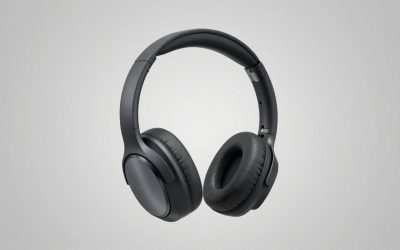
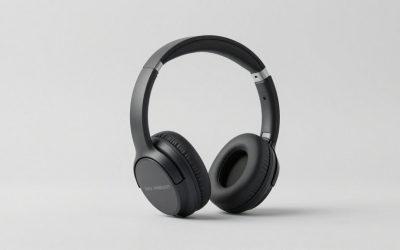
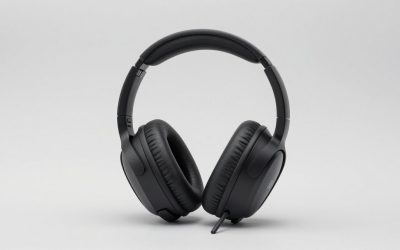
In the HyperX Cloud Stinger vs Cloud II headset matchup, the Cloud II is the better pick if you want bigger drivers, a USB sound card with virtual 7.1 and a sturdier metal build. The Cloud Stinger is the better pick if you want a lighter, simpler headset for long sessions. Both use a 3.5mm connection and a boom microphone.
Our Top Picks
 Razer BlackShark V2 X Gaming Headset: 7.1 Surround3.5 mm7.6 x 6.76 x 3.86 inches0.5 poundsCheck on Amazon


Top 3 picks at a glance
Quick Verdict: Cloud Stinger vs Cloud II
This comparison is based on maker and comparison-site specifications and on the product listings in our store. We did not use the headsets ourselves, so there are no personal sound impressions here, and some figures differ between sources. Where they disagree, we say so.
- Choose the Cloud II if: you want 53mm drivers, a wider listed frequency range, a USB sound card with virtual 7.1 and a metal frame.
- Choose the Cloud Stinger if: you want the lighter headset, a longer cable and a plain stereo setup.
- Also check the newer Stinger 2 line: HyperX has revised the Stinger family several times, so confirm which generation a listing refers to.
Specs Side by Side
| Spec | Cloud Stinger | Cloud II |
|---|---|---|
| Driver size | 50mm, neodymium magnets | 53mm |
| Weight | About 275g | About 350g (one source lists 320g) |
| Impedance | About 32 ohm (one source lists 30 ohm) | About 60 ohm |
| Frequency response | 18Hz to 23kHz | 15Hz to 25kHz (sources vary) |
| Surround | Stereo | Virtual 7.1 via USB sound card |
| Connection | 3.5mm | 3.5mm and USB |
| Cable length | About 1.3m | About 1m (detachable mic cable details vary) |
| Microphone | 50Hz to 18kHz (swivel-to-mute) | 50Hz to 18kHz (detachable) |
Comparison sites do not agree on every number, particularly weight, impedance and the exact low and high ends of the frequency range. Treat the table as a guide to the relative differences, and check HyperX’s own spec page for the exact unit you plan to buy.
Cloud Stinger or Cloud II: Which Is More Comfortable?
The Stinger is the lighter of the two, about 75g less on the commonly quoted figures, and weight is a big factor in how a headset feels after several hours. The Cloud II is heavier but is known for its memory foam ear pads and a padded headband, which spread pressure. If you are sensitive to clamping force or have a smaller head, try to confirm return terms before you buy, since comfort is personal.
Build and Durability
The Cloud II is built around an aluminum frame, which is why it weighs more and why it has long been a reliable choice. The Stinger uses a lighter design; check the maker page for the frame details of your model. Both have ear cushions that wear over time; replacements are available from HyperX.
Microphone
Both headsets are listed with a 50Hz to 18kHz microphone range. The Stinger has a swivel-to-mute microphone, while the Cloud II has a detachable one. Neither replaces a dedicated USB microphone for streaming, but both are fine for voice chat.
Is Virtual 7.1 Surround Worth It?
Virtual 7.1 on the Cloud II is software surround, delivered by a USB sound card, and it simulates directional audio through two drivers. It is not a set of seven real speakers. Some players like the wider soundstage in single-player games, while others turn it off for competitive shooters and prefer plain stereo. Reports from users suggest the Cloud II controls are basic: you toggle the surround on or off. The Stinger offers stereo only, which keeps things simple.
HyperX Cloud 7.1 V2 Gaming Headset: Is That the Cloud II?
Searches for the Cloud 7.1 V2 gaming headset usually point to the Cloud II with the USB virtual 7.1 sound card. Check the exact listing title and the box contents to be sure the USB audio adapter is included.
Which Cloud II and Stinger Versions Exist?
HyperX uses these names across many revisions. Here is a map of the variants that come up in searches.
| Name | What it is | Notes |
|---|---|---|
| Cloud Stinger | Original wired headset | Stereo, 3.5mm, lightweight |
| Cloud Stinger S | Stinger variant | Check HyperX; we did not confirm its specs |
| Cloud Stinger Core Wireless | Wireless Stinger for PC and PlayStation | Listed in the store; Xbox variants carry the CloudX name |
| Cloud Stinger 2 and Stinger 2 Core | Newer wired generation | DTS Headphone:X, swivel-to-mute microphone |
| Cloud II | Wired headset with USB sound card | Virtual 7.1, aluminum frame |
| Cloud II Wireless | Wireless version of the Cloud II | Not in our store feed; check HyperX |
| Cloud Mix | Wired headset with Bluetooth | Different positioning from either model here |
HyperX Cloud Stinger Core Wireless 7.1: Is It Real 7.1?
The Stinger Core Wireless is a wireless Stinger variant, and any 7.1 in the name refers to virtual surround, not seven physical drivers. HyperX offers versions for PC and PlayStation and separate CloudX versions licensed for Xbox, so make sure you pick the one for your console.
HyperX Cloud II Wireless 7.1 and Cloud 2 Wireless: Do They Exist?
Searches show a wireless Cloud II with 7.1 surround, but it is not in the listings we reviewed, so we are not stating its battery life or specs here. If you want the Cloud II sound with no cable, check the current catalog on HyperX’s site.
Real Listings From the Store
These are real items in the store feed. Check the current listing for the latest specs and price.
HyperX Cloud II Gaming Headset
As an Amazon Associate we earn from qualifying purchases at no extra cost to you.

The listing for the HyperX Cloud II describes 7.1 surround sound, memory foam ear pads, a durable aluminum frame and multi-platform use with PC, PS4, PS4 Pro, Xbox One and Xbox One S. It is the headset to look at if virtual surround and a metal frame are on your must-have list. The listing shows the red version, and other colors exist.
HyperX Cloud Stinger 2

The Stinger 2 listing mentions DTS Headphone:X spatial audio, a lightweight over-ear design and a swivel-to-mute microphone. It is the current-generation successor to the original Stinger idea: light, simple and focused on comfort for long sessions. For the cheapest HyperX route, the Stinger 2 Core and Stinger 3 also appear in the store, so compare their listings if budget is tight.
Other Headsets Worth a Look
Razer BlackShark V2 X

The Razer BlackShark V2 X listing mentions 7.1 surround sound, 50mm drivers and a memory foam cushion, for PC, PS4, PS5 and Switch. It is a natural cross-shop for a wired budget gaming headset from another brand.
Turtle Beach Recon 50

The Turtle Beach Recon 50 is listed as a wired multiplatform headset for PC, PS5 and Xbox with a split-cable option. It sits at the entry tier for buyers who care more about low cost than build quality.
Cloud Stinger vs Cloud II by Use
| Use | Better fit | Why |
|---|---|---|
| Long sessions | Cloud Stinger | Lighter on the head |
| Single-player games with surround | Cloud II | USB virtual 7.1 |
| Competitive shooters | Either | Many players use plain stereo anyway |
| Console play | Either via 3.5mm | Check the exact Xbox-licensed variant |
| Durability | Cloud II | Aluminum frame |
| Travel | Cloud Stinger | Lighter, simpler |
Wireless, Bluetooth and Xbox Variants
HyperX Cloud Stinger Core Wireless for Xbox
Xbox consoles need Xbox-licensed wireless, which is why HyperX sells separate CloudX versions of its Stinger Core Wireless. The store feed lists a CloudX Stinger Core wireless headset for Xbox Series X|S and Xbox One, so use that name for Xbox rather than the PC and PlayStation version.
HyperX Cloud Mix Rose Gold and Bluetooth
The Cloud Mix is a wired headset with Bluetooth for gaming and mobile use. A rose gold finish is mentioned in searches, but we could not confirm colors from a maker page, so check HyperX for current finishes.
HyperX Cloud Core Bluetooth Wireless for PC
We found no Bluetooth Cloud Core in our store feed. The Cloud Core we found is a wired DTS Headphone:X headset for PC and Xbox, so confirm any Bluetooth claim on HyperX’s site.
How to Choose Between Them
- Decide how much surround matters. If virtual 7.1 is a must, choose the Cloud II.
- Weigh weight against build. Lighter Stinger or sturdier Cloud II.
- Confirm your platform. Xbox needs an Xbox-licensed version for wireless.
- Check the generation. Stinger, Stinger 2 and Stinger 3 are different headsets.
- Buy new from a seller with clear returns. Comfort is personal.
Performance by Use
Competitive Shooters
Players in fast shooters care about hearing footsteps and staying comfortable through long ranked sessions. Both headsets can do the job in plain stereo. Virtual surround can help some players judge direction and confuse others, so try both modes if you buy the Cloud II. The lighter Stinger reduces neck fatigue over a long evening, which can matter more than any sound feature.
Single-Player and Story Games
For cinematic games, a wider soundstage can add atmosphere, and the Cloud II virtual 7.1 is aimed at exactly that. The larger 53mm drivers also give the Cloud II more room on paper for bass and volume, though driver size alone does not determine sound quality.
Music and Video
Both are gaming headsets first. Neither is tuned to be a studio reference, and the listed frequency ranges say little about tuning. If you listen to a lot of music, treat either as a convenient all-rounder rather than an audiophile choice.
Voice Chat and Calls
Both microphones list the same 50Hz to 18kHz range. The Stinger mutes by swiveling the boom up, which is a quick physical cue that you are muted. The Cloud II microphone detaches, which is useful when you want headphones only.
What the Spec Differences Mean in Practice
Driver Size: 50mm vs 53mm
A larger driver can move more air, which helps with bass and volume headroom, but tuning and enclosure matter just as much. The three-millimeter gap is small. Treat it as a minor point in the Cloud II favor, not a deciding one.
Impedance: Low vs Moderate
Lower impedance, like the roughly 32 ohm figure for the Stinger, is easier for a phone, console controller or laptop jack to drive to a good volume. The Cloud II at roughly 60 ohm is still easy for a controller or PC to drive, and the included USB adapter handles power on PC. In both cases, you are unlikely to need an amplifier.
Cable Length and Connectors
The Stinger has a longer cable on the commonly quoted figures, around 1.3m, which is easier if your console sits some distance away. The Cloud II provides about 1m plus a USB sound card with its own cable, so check how the in-line controls and cable lengths work out at your desk or couch.
Weight: Why 75 Grams Matters
Most of us wear a headset for hours. A difference of about 75g can be noticeable after the second or third hour, especially on a thin headband. If you tend to get headaches or neck strain from heavier headsets, the Stinger side of this comparison deserves extra weight.
Setup Guide for Either Headset
- PC: Plug the 3.5mm connector into the combined headset port, or use the USB sound card for the Cloud II. Choose the headset as the default playback and recording device.
- PlayStation: Plug the 3.5mm cable into the controller jack, then set audio output to headphones in the console sound settings.
- Xbox: Plug into the controller jack. Wired headsets generally work this way, but check HyperX for the version recommended for your console.
- Switch and mobile: Use the 3.5mm cable directly; the microphone works on devices with a combined jack.
- Adjust: Set the microphone level in the system settings and keep the boom near the corner of your mouth.
Do I Need the USB Sound Card With the Cloud II?
You need it for virtual 7.1 on PC. Without it, the headset still works as a stereo 3.5mm headset on any device with a headphone jack, but you lose the surround toggle.
Ownership Costs and Upkeep
- Ear pads: Expect to replace them eventually. Replacement pads are sold by HyperX for these lines.
- Cables: Fixed cables can fray at the strain point. Handle with care; detachable cables are easier to replace.
- Software: Neither headset requires software for basic use, which keeps things low maintenance.
- Warranty: Check the warranty on the specific unit and seller before buying.
When to Look at Newer HyperX Models Instead
If you are shopping new in 2026, the original Stinger and Cloud II are no longer the only options. The store feed lists the Cloud Stinger 2, Stinger 2 Core and Stinger 3 families, along with the Cloud III wired headset with USB-C, USB-A and 3.5mm connections. Newer models may add features such as DTS Headphone:X, different microphone designs or additional connection types. If your main goal is a good, current wired HyperX headset, compare these newer listings alongside the classics, since the older names remain popular mainly because of familiarity and legacy search interest.
Common Mistakes When Buying These Headsets
- Mixing up generations. A Stinger, Stinger 2 and Stinger 3 are different products with different specs.
- Assuming 7.1 means seven speakers. It is software surround through two drivers.
- Buying a PC or PlayStation wireless version for Xbox. Xbox needs its own licensed model.
- Ignoring weight. A heavier headset can feel worse after long sessions.
- Buying used or Renewed without checking the return terms. Fit and wear matter on headsets.
Cloud II vs Stinger: A Simple Decision Tree
- Do you want virtual 7.1 on PC? Yes: Cloud II. No: keep reading.
- Do you wear the headset for four hours or more at a time? Yes: lean toward the lighter Stinger. No: either works.
- Do you value a metal frame over low weight? Yes: Cloud II. No: Stinger.
- Do you play on Xbox wirelessly? Look for an Xbox-licensed CloudX version rather than either classic wired headset.
- Do you want the newest HyperX generation? Compare the Stinger 2, Stinger 3 and Cloud III listings before settling on the classics.
Why These Two Names Keep Coming Up
The Cloud II and Cloud Stinger became benchmark budget gaming headsets over the years, so shoppers still search for them by name even though HyperX has released newer families. That popularity creates a lot of confusion: retailers reuse the names across revisions, colors and bundles. Whenever you see a listing, read the full title, look at the connection type, and confirm the platform it names. That small habit prevents the most common mismatch, which is buying a headset that works but lacks a feature you assumed it had.
Finally, remember that spec sheets describe hardware, not taste. Sound preference, clamp force and fit vary from person to person, so the safest approach is to buy from a seller with a clear return window and judge comfort for yourself in the first few days of use.
FAQ
Is the HyperX Cloud II better than the Cloud Stinger?
The Cloud II has larger drivers, a USB sound card with virtual 7.1 and a metal frame. The Stinger is lighter and simpler. Better depends on your priorities.
Does the HyperX Cloud Stinger have surround sound?
The original Stinger is stereo. Stinger S and Stinger Core Wireless variants are marketed with 7.1 wording, so check the exact variant on HyperX’s page.
Does the Cloud II work on Xbox Series X?
The store listing for the Cloud II names PC, PS4 and Xbox One, and a 3.5mm connection generally works through the Xbox controller jack. Confirm with HyperX for your exact version.
Is virtual 7.1 real surround sound?
No. It is software that simulates directional audio through two drivers, not seven separate speakers. Many players try it and decide for themselves.
Which is lighter, the Stinger or the Cloud II?
The Stinger, at about 275g versus about 350g for the Cloud II on the commonly quoted figures. Sources vary slightly.
Are the Cloud II and Cloud 7.1 V2 the same headset?
Searches for the Cloud 7.1 V2 typically refer to the Cloud II with its USB virtual 7.1 sound card. Check the listing title and box contents.
Can I replace the ear pads?
Yes, HyperX sells replacement ear cushions for these lines. Confirm the correct size for your model before ordering.
Which One Should You Buy?
Pick the Cloud II if you want the sturdier frame and virtual 7.1. Pick a Stinger if you want the lighter, simpler headset, and check whether the original, the Stinger 2 or the Stinger 3 is the one on offer. If you are on Xbox, confirm the Xbox-licensed variant before you order.
Sources
- versus.com: HyperX Cloud II vs HyperX Cloud Stinger comparison
- GamerGear.net: Cloud Stinger vs Cloud II comparison
- e-catalog: HyperX Cloud Stinger vs Cloud II
- HyperX product pages (maker specifications)
- Store listing data for the HyperX, Razer and Turtle Beach headsets
Last updated: November 2026
Related guides
More from Amazon
Programs that pair well with the guide above. Offers and eligibility are set by Amazon and may change.
Free shipping on eligible items, Prime Video and more. Eligible new members can start with a free trial.
Start a Prime free trialAd-free music streaming. Eligible new subscribers can start with a free trial.
Try Music Unlimited freeA Prime membership for ages 18-24 with a trial period. Eligibility is set by Amazon.
See Prime for Young AdultsAudiobooks and podcasts to listen to on the go. Eligible new members can start with a free trial.
Try Audible freeAs an Amazon Associate we earn from qualifying purchases.