Eye tracking changes what a PC VR headset can do. When the headset knows where you are looking, it can render that spot in full detail and lighten the rest of the frame, it can move your avatar gaze in social worlds, and it can line the lenses up with your pupils automatically. The best PC VR headsets with eye tracking make all of that feel natural, and they do it without asking you to learn a new way to play.
True built-in eye tracking is still rare, so this guide is honest about what qualifies. The two headsets below both include eye tracking hardware in the headset itself, and both work with PC VR: one over a direct DisplayPort connection, and one through a separate PC Adapter. Headsets without eye tracking are discussed only to help you avoid a mistaken purchase.
What to Look For in an Eye Tracking Headset
Eye tracking is a hardware feature, not a software setting, so confirm it is built into the headset before you buy. These are the details that decide whether it is useful or merely listed on a box.
-
Built-in eye tracking: look for eye-tracking cameras inside the headset, listed in the manufacturer specifications. A headset that tracks your head is not tracking your eyes.
-
DisplayPort connection: a wired DisplayPort link gives foveated rendering the clean, uncompressed image it needs to work well, especially in simulation and high-resolution titles.
-
Foveated rendering support: eye tracking is most useful when the software you use supports it. Check that your games, sims, and social apps use foveated rendering or gaze interaction.
-
Automatic IPD adjustment: some eye-tracking headsets use the same cameras to measure your pupil distance and adjust the lenses for you, which gives a clearer image with less setup.
-
Field of view: eye tracking feels best in a wide view, because your gaze has room to move. Look for 110 degrees and above.
-
Face and body tracker support: in social VR, eye tracking pairs with face and body trackers for fuller avatar expression, so check what the headset supports.
The Picks
Pimax Crystal Super VR Headset

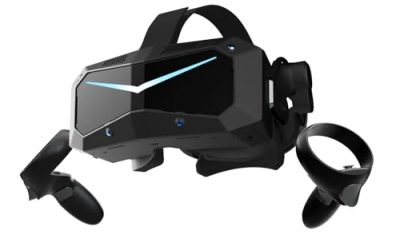
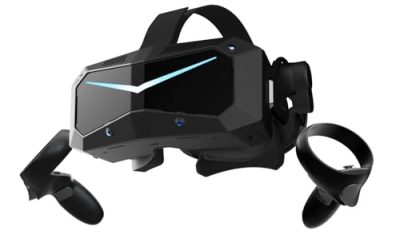
The Crystal Super is the PC-first eye-tracking pick, with built-in eye tracking, automatic IPD, and a direct DisplayPort connection.
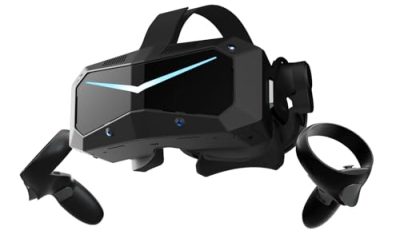
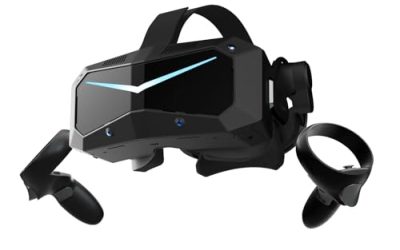
The Pimax Crystal Super is a PC VR headset built for visual breadth. The full payment version in the listing pairs 3840 x 3840 pixels per eye with an ultrawide 140-degree field of view, QLED panels with Mini-LED local dimming, and built-in eye tracking with automatic IPD adjustment from 58 to 72 mm. A DisplayPort cable is included in the box, and the headset connects to a Windows PC over DisplayPort 1.4a with USB.
Eye tracking here does more than move a cursor. It supports foveated rendering in compatible software, so the area you are looking at can be rendered in full detail while the periphery is rendered more lightly. Lighthouse tracking is available as an option for users who already own base stations, and the headset works with SteamVR and OpenXR content.
Best for: simulation and high-end PC VR users who want the widest field of view in this group and built-in eye tracking.
Keep in mind: this is a demanding headset that asks for a strong GPU, and the ultrawide view and high resolution need a PC that can drive them.
PlayStation VR2 (PSVR2)
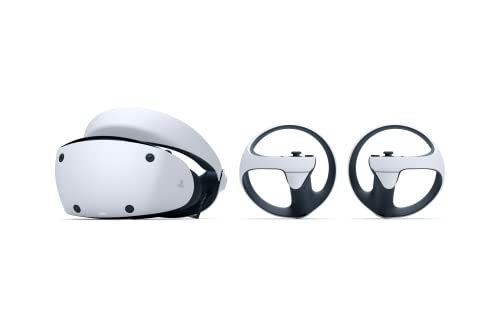
The PSVR2 is the console-origin eye-tracking pick, with eye tracking built in and PC access through the separate PC Adapter.
The PlayStation VR2 pairs 2000 x 2040 pixels per eye with a 110-degree field of view and 4K HDR visuals. Its PlayStation VR2 Sense technology includes eye tracking, headset feedback, and 3D Audio, and the Sense controllers add haptic feedback, adaptive triggers, and finger touch detection. The headset connects to a PlayStation 5 console with a single cable.
For PC use, Sony provides a separate PlayStation VR2 PC Adapter, which connects the headset to a Windows PC for SteamVR, and that adapter uses a DisplayPort connection. Confirm the adapter is included in the listing you choose, because the standard headset box on its own is built around the console connection.
Best for: PlayStation 5 owners who want eye tracking and strong haptics, and PC users willing to add the separate PC Adapter.
Keep in mind: PC use needs the separate adapter, and eye-tracking features depend on software support in each title.
Comparison Table
| Product | Key features | Best for |
|---|---|---|
| Pimax Crystal Super VR Headset | DisplayPort, 140-degree FOV, 3840 x 3840 per eye, eye tracking | Wide-view simulation and eye tracking |
| PlayStation VR2 (PSVR2) | Eye tracking, 110-degree FOV, 2000 x 2040 per eye, PS5 and PC with adapter | PS5 play and PC VR with the separate adapter |
Frequently Asked Questions
What is eye tracking in a VR headset?
Eye tracking uses small cameras inside the headset to follow the movement of your pupils. Software can then use your gaze for foveated rendering, for avatar eye movement, for menu interaction, and for automatic lens adjustment, depending on the title.
Does eye tracking improve performance?
In compatible software, yes. Foveated rendering concentrates full detail where you are looking and reduces detail in the periphery, which eases the load on the GPU. The gain depends on the title, so check whether the games and sims you use support it.
Can I use eye tracking in social VR?
Yes. Social apps that support eye tracking use it to move your avatar gaze, which makes conversation feel more natural. Face and body trackers add further expression, and the Crystal Super supports those trackers in compatible apps.
Do all PC VR headsets have eye tracking?
No. Most PC VR headsets do not include it, including the Vive Pro 2 and the Meta Quest 3 in this guide. Eye tracking is a specific hardware feature, so confirm it in the manufacturer specifications before you buy, and do not assume a high-end headset includes it.
Is eye tracking hard to set up?
Usually not. Most eye-tracking headsets include a short calibration step the first time you wear them, where you follow a dot with your eyes. After that, the tracking runs in the background, and automatic IPD adjustment, where available, keeps the lenses aligned without manual adjustment.
Conclusion
Headsets Without Eye Tracking in This Guide
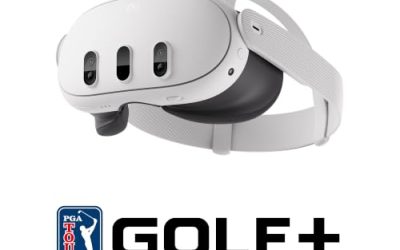
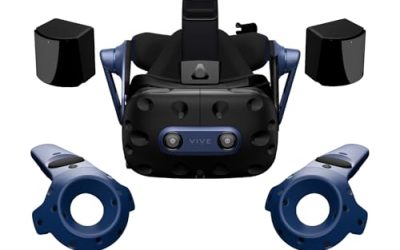
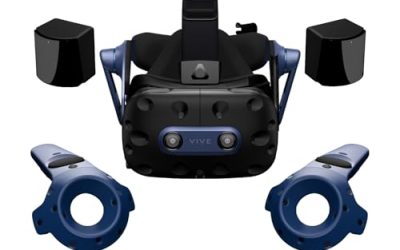
The HTC VIVE Pro 2 and the Meta Quest 3 are both strong PC VR headsets, and both appear in other guides in this series, but neither includes built-in eye tracking. If eye tracking is the feature you want, do not buy either of them for that reason. The two picks above are the eye-tracking options in this group: the Pimax Crystal Super for PC-first users who want the widest view and the sharpest panels, and the PlayStation VR2 for console owners who want eye tracking and PC access through the separate adapter. Confirm eye tracking in the listing before you buy, run the calibration step once, and let your gaze do the work.
For PC VR with eye tracking, the Pimax Crystal Super is the stronger choice, because it pairs built-in eye tracking with a direct DisplayPort connection, automatic IPD adjustment, and a 140-degree field of view. The PlayStation VR2 is the alternative for PlayStation 5 owners, with eye tracking built in and PC access through the separate PC Adapter. Choose the Crystal Super for simulation and high-end PC play, and the PSVR2 for console play that also reaches PC VR.
Disclosure: As an Amazon Associate, we may earn from qualifying purchases.
Related guides
More from Amazon
Programs that pair well with the guide above. Offers and eligibility are set by Amazon and may change.
Free shipping on eligible items, Prime Video and more. Eligible new members can start with a free trial.
Start a Prime free trialAd-free music streaming. Eligible new subscribers can start with a free trial.
Try Music Unlimited freeA Prime membership for ages 18-24 with a trial period. Eligibility is set by Amazon.
See Prime for Young AdultsAudiobooks and podcasts to listen to on the go. Eligible new members can start with a free trial.
Try Audible freeAs an Amazon Associate we earn from qualifying purchases.