Seated VR is the most comfortable way to spend a long time in a headset, and it is also the use case where a wired connection makes the most sense. You sit in one place, the cable drops behind the chair, and you never trip over it. The best DisplayPort VR headsets for seated VR combine that wired clarity with a comfortable fit, stable tracking, and a field of view wide enough to look around a cockpit, a cinema, or a virtual desktop without strain.
This guide focuses on headsets that work well from a chair: balanced weight, a good fit for long sessions, and tracking that stays steady when you barely move. All three connect to a PC over DisplayPort, directly or through the separate PC Adapter for the PlayStation VR2.
Our Top Picks

Top 3 picks at a glance

What to Look For in a Seated VR Headset
Seated play changes the priorities. Freedom of movement matters less, while comfort, clarity, and tracking stability matter more.
-
Comfort for long sessions: a balanced headset with a good strap and a soft facial interface matters more when you sit for an hour or more. Front-heavy designs cause neck strain.
-
DisplayPort connection: a wired link keeps the image sharp for reading text, watching media, and working in a virtual desktop, where compression artefacts are most visible.
-
Field of view: a wide view lets you glance around a cockpit or a virtual room with eye movement alone, which is more comfortable than turning your head constantly.
-
Tracking stability: seated tracking should never drift. Base-station tracking is excellent here, and inside-out tracking works well as long as the room is lit and the cameras are unobstructed.
-
Lens sweet spot: a large clear area in the lenses keeps text readable even when your eyes move, which matters for desktop use and for reading instruments.
-
Audio: built-in headphones or good spatial audio keep the setup simple from a chair, where reaching for separate headphones is a nuisance.
The Picks
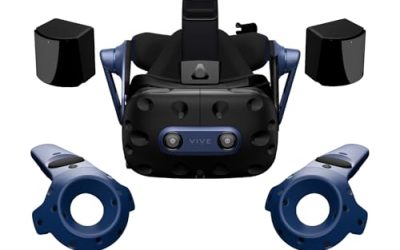
HTC VIVE Pro 2 Virtual Reality System
The Vive Pro 2 is the seated comfort pick, with balanced construction, an IPD dial, and built-in headphones.
The HTC VIVE Pro 2 is a full PC VR system built around two LCD panels with a combined 4896 x 2448 resolution, a 120-degree field of view, and a 120 Hz refresh rate. It connects to a Windows PC over DisplayPort and USB, and it works with SteamVR. The full system in the listing includes the headset, two Base Station 2.0 units, and two wireless controllers, so the tracking setup is the familiar outside-in SteamVR arrangement with sub-millimetre tracking accuracy.
Comfort and fit get real attention here. The headset uses a balanced construction with an IPD adjustment dial, and it fits a wide range of head sizes and vision types, including glasses wearers. Built-in Hi-Res headphones provide 3D spatial sound without a separate headset, which keeps the cable run simpler on a desk.
Best for: PC VR users who want a wired DisplayPort connection, high resolution, and SteamVR tracking.
Keep in mind: this is a wired, base-station system, so it needs a clear play area, mounted or placed base stations, and a PC with a DisplayPort output.
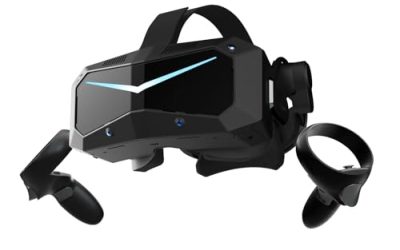
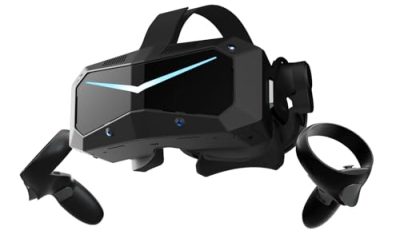
Pimax Crystal Super VR Headset
The Crystal Super is the seated clarity pick, with the sharpest panels and the widest view here.
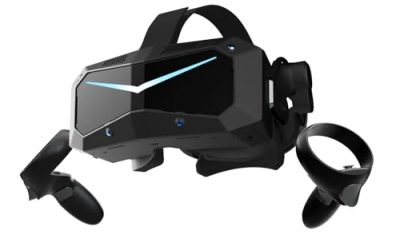
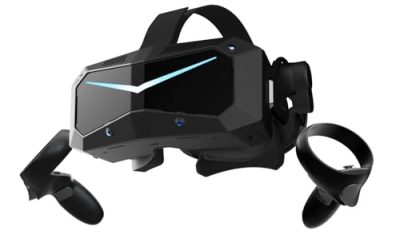
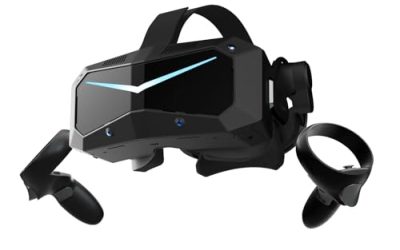
The Pimax Crystal Super is a PC VR headset built for visual breadth. The full payment version in the listing pairs 3840 x 3840 pixels per eye with an ultrawide 140-degree field of view, QLED panels with Mini-LED local dimming, and built-in eye tracking with automatic IPD adjustment from 58 to 72 mm. A DisplayPort cable is included in the box, and the headset connects to a Windows PC over DisplayPort 1.4a with USB.
Eye tracking here does more than move a cursor. It supports foveated rendering in compatible software, so the area you are looking at can be rendered in full detail while the periphery is rendered more lightly. Lighthouse tracking is available as an option for users who already own base stations, and the headset works with SteamVR and OpenXR content.
Best for: simulation and high-end PC VR users who want the widest field of view in this group and built-in eye tracking.
Keep in mind: this is a demanding headset that asks for a strong GPU, and the ultrawide view and high resolution need a PC that can drive them.
PlayStation VR2 (PSVR2)
The PSVR2 is the seated console pick, with haptics and eye tracking that suit cockpit and narrative games.
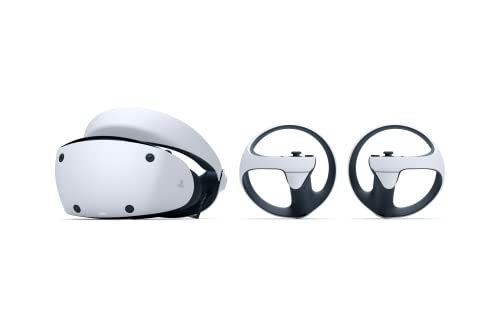
The PlayStation VR2 pairs 2000 x 2040 pixels per eye with a 110-degree field of view and 4K HDR visuals. Its PlayStation VR2 Sense technology includes eye tracking, headset feedback, and 3D Audio, and the Sense controllers add haptic feedback, adaptive triggers, and finger touch detection. The headset connects to a PlayStation 5 console with a single cable.
For PC use, Sony provides a separate PlayStation VR2 PC Adapter, which connects the headset to a Windows PC for SteamVR, and that adapter uses a DisplayPort connection. Confirm the adapter is included in the listing you choose, because the standard headset box on its own is built around the console connection.
Best for: PlayStation 5 owners who want eye tracking and strong haptics, and PC users willing to add the separate PC Adapter.
Keep in mind: PC use needs the separate adapter, and eye-tracking features depend on software support in each title.
Comparison Table
| Product | Key features | Best for |
|---|---|---|
| HTC VIVE Pro 2 Virtual Reality System | DisplayPort, 120-degree FOV, 4896 x 2448, 120 Hz, SteamVR | Wired PC VR with SteamVR tracking |
| Pimax Crystal Super VR Headset | DisplayPort, 140-degree FOV, 3840 x 3840 per eye, eye tracking | Wide-view simulation and eye tracking |
| PlayStation VR2 (PSVR2) | Eye tracking, 110-degree FOV, 2000 x 2040 per eye, PS5 and PC with adapter | PS5 play and PC VR with the separate adapter |
Frequently Asked Questions
Why is DisplayPort a good fit for seated VR?
Because you sit still, the cable is not in the way, and you gain the full benefit of an uncompressed image. Text, instruments, and media look sharper over DisplayPort than over a compressed wireless link, and the connection stays stable for the whole session.
How do I set up a seated VR space?
Place the chair in the centre of a clear area, set the guardian boundary to include the chair and your arm reach, and run the cable behind the chair so it never crosses your lap. Set the seated position in the headset software before you begin, so the virtual floor and eye height match your chair.
Is a wide field of view important when seated?
Yes. When you cannot turn your body easily, a wide view lets you check side mirrors, cockpit panels, and virtual desktops with a glance. A 120-degree or 140-degree view is noticeably more comfortable than a narrow one for seated play.
Can I wear glasses with these headsets?
The Vive Pro 2 is designed to fit a wide range of vision types, including glasses wearers, and the Crystal Super uses automatic IPD adjustment to line the lenses up with your pupils. Check the facial interface depth on the listing if your frames are large, and consider prescription lens inserts for regular use.
Does seated VR still need a play boundary?
Yes. Even seated, your arms move, and the guardian boundary keeps you from reaching into furniture or walls. Set it once for your chair position, and the headset will remember it for the next session.
Conclusion
For seated VR, the Vive Pro 2 is the most complete choice, because it balances comfort, a 120-degree view, and stable base-station tracking with a direct DisplayPort connection. The Pimax Crystal Super is the pick when reading instruments and seeing the widest possible view matter most, as long as your PC can drive its panels. The PlayStation VR2 suits seated console and PC play through the separate adapter, with eye tracking and haptics that add to cockpit games. Sit comfortably, set your position once, and let the wired image do the rest.
Disclosure: As an Amazon Associate, we may earn from qualifying purchases.
Related guides
More from Amazon
Programs that pair well with the guide above. Offers and eligibility are set by Amazon and may change.
Free shipping on eligible items, Prime Video and more. Eligible new members can start with a free trial.
Start a Prime free trialAd-free music streaming. Eligible new subscribers can start with a free trial.
Try Music Unlimited freeA Prime membership for ages 18-24 with a trial period. Eligibility is set by Amazon.
See Prime for Young AdultsAudiobooks and podcasts to listen to on the go. Eligible new members can start with a free trial.
Try Audible freeAs an Amazon Associate we earn from qualifying purchases.