As an Amazon Associate we earn from qualifying purchases at no extra cost to you.


Buying an RGB light bar sounds simple until you discover the range: $10 strips that dump glare straight into your eyes, and $60+ monitor bars engineered to light your desk without touching your screen. The biggest mistake buyers make is shopping by color count alone — “16 million colors!” means nothing if the bar can’t dim low enough for night work or bright enough for a sunlit room. The second mistake is ignoring color temperature entirely, then wondering why their “RGB” light makes documents look yellow at 2700K when they need 5000K for focus work.
This guide breaks down what actually matters: brightness, color temperature range, mounting, glare control, and where your money should go at each price tier.
Our Top Picks
 Quntis Curved Monitor Light Bar 15 RGB BacklightIM 26 inch17.3 x 5.5 x 4 inches2.7 poundsCheck on Amazon


Top 3 picks at a glance
Decide These 3 Things First
Before comparing any products, answer these:
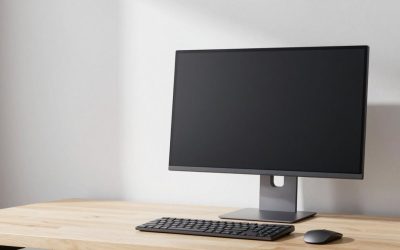
1. What is it lighting? A monitor light bar (25–35 inches wide, clamps to the top of your screen, lights the desk in front of you) solves a completely different problem than an ambient bar (12–18 inches, sits on a shelf, lights the room). Monitor bars prioritize glare-free task lighting and usually offer tunable white from 2700K to 6500K. Ambient bars prioritize color effects, music sync, and scene modes. The Quntis-style curved monitor bars and the Govee RGBICWW bars sit at opposite ends of this split.
2. Do you need white light tuning, or just color? True RGBWW (RGB + warm white + cool white) fixtures let you set an exact color temperature for work. Basic RGB bars offer 8 or 16 preset colors with no Kelvin control — fine for mood lighting, frustrating for reading spreadsheets.
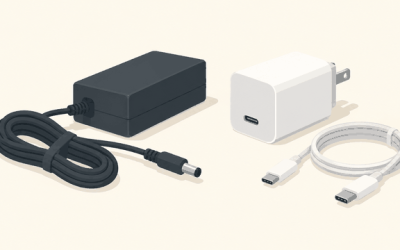
3. What’s your power situation? Most light bars are USB-powered, drawing 5–10W. Monitor bars need a USB port on your monitor, PC, or a wall adapter. Check the cable length — under 4 feet is a real limitation for desk setups.
Brightness: Lumens Beat Marketing Claims
Manufacturers rarely publish lumens; they publish “brightness levels.” Here’s how to translate:
– Task lighting (monitor bars): You want at least 300–500 lux on the desk surface — roughly what a bar pumping out 300–500 lumens delivers across a 24–30 inch depth of desk. More importantly, look for stepless dimming (infinitely adjustable) rather than fixed steps. Bars with 5–10 fixed brightness levels often can’t dim below about 20%, which is blinding at 11 PM.
– Ambient lighting: 100–250 lumens is plenty for a shelf or behind a TV. Anything brighter in a dark room becomes distracting during movies.
– Glare control matters as much as output. A good monitor bar uses an asymmetric optical design — the LED faces forward and the light reflects off the desk, never directly into your eyes or onto the screen. Asymmetric bars should have no forward-facing visible LEDs when you sit at eye level.
Concrete test anyone can do: sit in your normal position. If you can see any LED point source directly, the bar will cause eye strain in long sessions, no matter how good the specs look.
Color Temperature Range: Why 2700K–6500K Is the Target
Color temperature is measured in Kelvin (K):
– 2700K–3000K (warm white): Evening use, relaxation. Mimics incandescent light; helps wind-down.
– 4000K–4500K (neutral): General mixed-use work. The most comfortable all-day setting for most people.
– 5000K–6500K (cool white/daylight): Detail work, daytime focus, color-sensitive tasks like photo editing.
A quality monitor light bar covers 2700K–6500K with stepless adjustment. Cheaper RGB bars skip this entirely — you get colored light or nothing. If a listing doesn’t state a Kelvin range, assume there isn’t one.
Also look for high CRI (color rendering index) — CRI 90+ means colors on paper and objects look accurate under the light. CRI 80 is acceptable; below that, whites look grayish and reds look muddy. Only a handful of budget bars publish CRI, which itself is informative.
Color memory is the underrated feature: the bar should power back on with your last brightness and temperature setting. Without it, you re-adjust every single day. Several sub-$15 bars now advertise memory — treat it as a must-have, not a bonus.
Size and Fit: Measure Before You Buy
– Monitor bars: The clip needs to fit your monitor. Typical clamps accommodate panels from about 1 to 6 cm thick, but curved ultrawides (1000R–1800R curvature) need a curved counterweight or a bar specifically designed for 34-inch-plus screens. A straight bar on a deep curve either won’t clamp or will have visible end gaps. Check the listed weight too — 1.5 to 2.5 pounds is typical; heavier bars stress thin monitor bezels.
– Ambient bars: 12–18 inches long suits shelves and desks; 18–24 inches works behind a 55–65 inch TV. Two-bar sets placed at the screen’s rear corners give the most even bias-lighting effect.
– Under-cabinet use: Look for 12–16 inch bars with magnetic backing if your mounting surface is metal, or included 3M pads/adhesive clips otherwise.
Build and Mounting: Plastic, Magnets, and Stability
– Body material: Nearly all light bars are aluminum alloy housings with plastic end caps — that’s fine and helps heat dissipation. Be wary of fully plastic bodies over $30; they run warmer and discolor.
– Mounting mechanism: Monitor bars use a spring counterweight clip; test that the counterweight sits behind the panel and the front clip is padded (rubber, not bare plastic) to avoid scratching the bezel. Ambient bars should have either a magnetic strip, a weighted base, or both.
– Cable and connector: USB-A to USB-C or USB-C to USB-C power, 4–6 feet preferred. A 5V/1A port is sufficient for bars under 10W; a 5V/2A port for anything above.
Performance Features Worth Paying For
– RGBIC vs. basic RGB: RGBIC bars control LED segments independently, enabling multi-color gradients and flowing effects. Basic RGB lights the whole bar one color at a time. RGBIC adds roughly $20–30 to the price.
– Music sync: A built-in mic drives reactive effects. Fun for gaming rooms; useless in a home office. Works best with bars placed 2–6 feet from your speakers.
– App and voice control: Wi-Fi/Bluetooth app control lets you set schedules (a 6500K wake-up scene, a 2700K evening scene) — genuinely useful. Matter or major voice assistant compatibility appears mostly in the $40–70 tier.
– Flicker: A bar driven with poor PWM (pulse-width modulation) at low frequencies causes flicker you can’t see but your eyes feel. Look for “flicker-free” or “no visible flicker” claims and, ideally, a stated PWM frequency above 1000 Hz.
Price Tiers: What You Actually Get
Budget: $10–$20. Basic RGB with 8–16 colors, a handful of dynamic modes, fixed or few-step brightness, memory function, magnetic or adhesive mounting. No Kelvin control, no glare control. Best for shelves, cabinets, and mood lighting. The around $9 under-cabinet bars with 8 colors and memory are representative of this tier.
Mid-range: $30–$50. Tunable white (2700K–6500K), stepless dimming, app control on some models, better diffusion, RGBIC effects on entry models. The sweet spot for most ambient setups.
Premium: $55–$80. Monitor bars with asymmetric glare-free optics, curved-screen compatibility, full RGB backlight plus tunable white, music sync, and quality counterweight clips — the around $59–around $61 curved Quntis-style bars fall here, as does the around $54 Govee RGBICWW ambient set. You’re paying for optics, dimming range, and fit — not just colors.
Spec Checklist
| Spec | Budget ($10–20) | Mid ($30–50) | Premium ($55–80) |
|---|---|---|---|
| Color temperature control | None (preset colors only) | 2700K–6500K, stepped or stepless | 2700K–6500K, stepless |
| Dimming | 3–10 fixed levels | Stepless | Stepless, dims below 10% |
| Glare control | None | Partial diffusion | Asymmetric forward projection |
| Color tech | Basic RGB, 8–16 colors | RGB or entry RGBIC | RGBICWW (color + dual white) |
| Control | Inline button/remote | Button + app | Touch/app/voice, scene modes |
| Mounting | Magnet/adhesive | Magnet, base, or clamp | Counterweight monitor clip or weighted base |
| Memory function | Sometimes | Yes | Yes, per-scene presets |
| Power draw | 3–5W | 5–8W | 8–12W |
| CRI | Unlisted | 80+ | 90+ where listed |
Red Flags
– No lumen or wattage figure anywhere in the listing. If the seller can’t tell you power draw, they’re hiding dim performance.
– “RGB light bar” with no Kelvin spec priced above $40. That money is going to marketing, not white-light quality.
– Fewer than 5 brightness levels on a task light. You cannot fine-tune glare in different room lighting.
– No color memory. A daily annoyance that costs the seller pennies to fix — a signal about overall design care.
– Unpadded monitor clamps. Bare plastic against a monitor bezel risks scratches on a $400 screen.
– Curved-screen claims without a curvature spec. Ask what radius (e.g., 1500R) or screen size the clip actually supports.
– Cable under 3 feet with no extension option.
FAQ
Do RGB light bars use a lot of electricity?
No. Most draw 3–12W. Running a 10W bar for 8 hours daily uses roughly 0.08 kWh — under $4 a year at average U.S. rates.
Can one light bar work as both a monitor light and an ambient light?
Some premium RGB backlit monitor bars approximate it — the main bar handles task lighting while an RGB strip washes the wall behind. But a shelf-mounted ambient bar won’t work as a monitor light (no glare-free optics or clamp), and a monitor bar poorly serves room lighting.
What brightness and color temperature should I use for work versus gaming?
For daytime work, set roughly 4000–5000K at 60–80% brightness so the desk matches ambient room light. For evening, drop to 2700–3000K at 20–40% brightness. For gaming, many people run pure RGB effects with the white channel off and let bias lighting reduce perceived screen contrast strain.
Is the cheapest RGB light bar worth buying?
For under-cabinet or shelf mood lighting, yes — $10 bars with 8 colors, memory, and magnetic mounting are perfectly serviceable. Just don’t expect dimming finesse, white light tuning, or glare control. Match the tool to the job rather than stretching a budget bar into task-lighting duty.
As you shop through 2026, the dividing line is clearer than ever: sub-$20 bars are decoration, and $55+ bars are proper lighting instruments. Decide which one your desk actually needs, then buy on the specs above.