A triple-monitor desk can look impressive in a dedicated office, a compact gaming room, or a shared work-from-home corner—but it can also become a cramped tangle of screens, stands, cables, keyboards, and mouse space. The right large desk mat helps define the work surface, while the right monitor mount can free up the area directly beneath three displays.
For this 2026 roundup, we ranked the listed options by how well they suit a three-screen workspace, paying particular attention to monitor compatibility, mounting style, adjustability, and value. The top picks are large desk mats sized for three-screen desks, followed by triple-monitor mounts that make a large mat more useful by clearing the desktop around it.
As an Amazon Associate we earn from qualifying purchases at no extra cost to you.




Our Top Picks
 Gorilla Stimpack 4XL Huge Mouse Pads Oversized Giant60L x 30W inches60 x 30 x 0.2 inches4.9 poundsCheck on Amazon
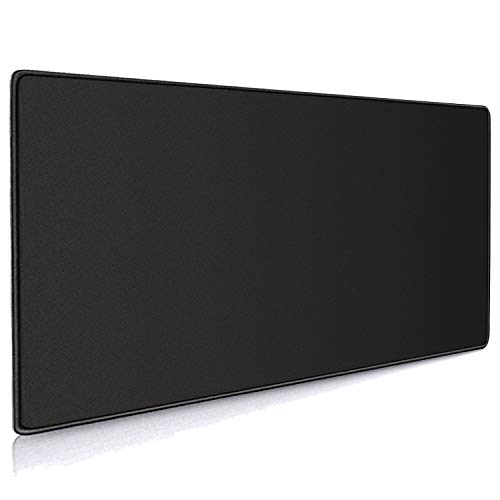 Cmhoo XXL Professional Large Mouse Pad & Computer15.7L x 35.4W inches35.4 x 15.7 x 0.12 Inches1.29 PoundsCheck on Amazon


Top 3 picks at a glance
Gorilla Stimpack 4XL Huge Mouse Pads Oversized Giant Mouse Pad (60''x30''x0.12'') -...Check priceMydours Extra Large 59" x 24" PU Leather Desk Pad,Gaming Mouse Pad,...Check priceQuick Picks
| Product | Best for | Price |
|---|---|---|
| Gorilla Stimpack 4XL (60 x 30 in) | Full-desk cloth coverage on 60-inch desks | Check on Amazon |
| VIVO 60 x 24 Inch Desk Pad with RGB (DESK-PAD60-24) | RGB gaming triple-monitor desks | Check on Amazon |
| Mydours 59 x 24 Inch PU Leather Desk Pad | Work-focused triple setups | Check on Amazon |
| Cmhoo XXL Professional Large Mouse Pad & Computer Game Mouse Mat | Budget keyboard-and-mouse zone | Check on Amazon |
| Glorious GMP 2 3XL (48 x 24 in) | Spill-resistant gaming surface | Check on Amazon |
| AFIING 55 x 24 Inch PU Leather Desk Pad | Budget leather look with color choice | Check on Amazon |
| Gamer Boss 48 x 24 Inch, 4mm Thick | Cushioned cloth for long sessions | Check on Amazon |
| Triple-monitor mounts (see below) | Clearing desk space for a full-width mat | Check on Amazon |
How We Compared
A useful triple-monitor setup starts with fit. We prioritized the stated screen-size compatibility, since a mount made for smaller displays is not automatically appropriate for a desk with three larger panels. We also considered the mounting approach: clamp and grommet options can preserve more usable desk area for a large desk mat, keyboard, and accessories, while a freestanding stand may suit desks where clamping is not practical.
We also looked for meaningful adjustment features, including swivel, tilt, rotation, and full-motion arms where stated. Finally, we considered price alongside the intended setup. A budget XXL mat and a premium heavy-duty mount solve very different problems, so the best choice depends on whether the immediate need is a protected work surface, basic three-screen support, or an unusually large ultrawide configuration.
Triple-Monitor Mounts and a Budget XXL Mat to Pair With Your Desk Mat
1. HUANUO Triple Monitor Mount for 17 to 32 inch Screens — Best Overall for Larger Triple Displays
This HUANUO mount is the strongest all-around pick for a conventional three-monitor desk using screens from 17 to 32 inches. Its clamp and grommet kit gives buyers two desk-mounting paths, which can be especially helpful when trying to preserve a broad, uninterrupted surface for a desk mat. Swivel, tilt, and rotation support make it suited to workstations that shift between focused work, gaming, and collaboration.
- Pro: Fits a wide stated monitor-size range of 17 to 32 inches.
- Pro: Includes both clamp and grommet mounting options.
- Con: It costs more than several standard triple-monitor alternatives here.
Skip it if all three of your displays are 27 inches or smaller and a lower-priced mount better matches your needs.
2. VIVO Triple LCD LED Computer Monitor Desk Stand STAND-V003E — Best Budget Freestanding Stand
The VIVO STAND-V003E is a sensible choice for shoppers who want triple-monitor support without committing to a clamp or grommet installation. This is a freestanding, heavy-duty desk stand for three screens up to 30 inches, with fully adjustable positioning. As a budget-tier stand, it is one of the lower-cost ways to organize a three-screen desk while leaving a large mat in place beneath the keyboard and mouse.
- Pro: Freestanding design avoids relying on a desk clamp or grommet.
- Pro: Supports three screens up to 30 inches at a budget-tier price.
- Con: Its base occupies desktop space that a clamped mount could leave open.
Skip it if maximizing clear desk surface for an XXL desk mat is your highest priority.
3. HUANUO Triple Monitor Mount for 13-27 inch Computer Screens — Best for Compact Triple-Screen Gaming Desks
For a desk built around three smaller displays, this HUANUO model offers a targeted fit for 13- to 27-inch computer screens. It includes tilt, swivel, and rotation, plus VESA 75×75 and 100x100mm compatibility. The stated 19.8-pound holding capacity makes it important to check each monitor’s specifications before buying. In price, it is positioned between the most basic budget stand and more expansive mounts for larger screens.
- Pro: Designed specifically for monitors from 13 to 27 inches.
- Pro: Includes tilt, swivel, rotation, and stated VESA compatibility.
- Con: It is not the right match for monitors larger than 27 inches.
Skip it if even one display in your trio exceeds the stated 27-inch maximum.
4. Cmhoo XXL Professional Large Mouse Pad & Computer Game Mouse Mat — Best Budget Keyboard-Zone Mat
The Cmhoo XXL mat is the direct answer for buyers searching for a large desk mat rather than another monitor arm. Measuring 35.4 by 15.7 by 0.12 inches, it creates a defined black surface for a keyboard, mouse, and everyday accessories in front of a triple-monitor arrangement. Its budget price makes it an easy starting point for improving the feel and visual consistency of a desk, particularly after monitors have been lifted with a mount.
- Pro: The 35.4-by-15.7-inch format provides broad keyboard-and-mouse coverage.
- Pro: It is the least expensive pick in this roundup.
- Con: It does not mount, raise, or reposition monitors.
Skip it if your main issue is screen alignment or lack of room beneath monitor stands.
5. MOUNTUP Triple Monitor Mount for 17-32 inch Screens — Best for Full-Motion Flexibility
This MOUNTUP model is for shoppers with three 17- to 32-inch monitors who want full-motion positioning and a cleaner desk perimeter. It supports monitors weighing 4.4 to 19.8 pounds each and includes both clamp and grommet mounting. Those details make it a practical candidate for a desk where the monitor arrangement may change often, such as a shared office or a workstation used for work and entertainment.
- Pro: Full-motion design supports more flexible monitor placement.
- Pro: Clamp and grommet mounting can help reclaim desk surface.
- Con: Each monitor must fall within the stated 4.4- to 19.8-pound range.
Skip it if your screens are smaller than 17 inches or weigh outside the listed range.
6. MOUNTUP Triple Monitor Mount for Max 27 inch Computer Screens — Best Value for 27-Inch Screens
If your three monitors are no larger than 27 inches, this MOUNTUP mount offers a focused, comparatively affordable route to a more open desktop. Each arm holds 4.4 to 19.8 pounds and includes swivel, tilt, and rotation. As a budget-to-mid-range mount, it is a compelling alternative to a freestanding stand for buyers who want their desk mat to remain visually and physically unobstructed beneath the displays.
- Pro: Approachable pricing for a three-monitor desk mount.
- Pro: Each arm offers swivel, tilt, and rotation.
- Con: The stated maximum screen size is 27 inches.
Skip it if you plan to replace your monitors with 32-inch screens in the near future.
7. ErGear Triple Monitor Stand Fits Three 17–32 inch Monitors — Best for a Straightforward Larger-Screen Match
The ErGear Triple Monitor Stand is a clean option for buyers whose setup consists of three monitors within the stated 17- to 32-inch range. Its appeal is simple: it targets the larger-screen triple-monitor category directly, without asking shoppers to choose a model designed around 27-inch limits. It belongs near the premium end of standard triple-monitor stands in this list.
- Pro: Fits three monitors from 17 to 32 inches.
- Pro: A direct match for desks using three similarly sized larger displays.
- Con: Its price is higher than several alternatives listed here.
Skip it if your primary goal is the lowest-cost mount for three smaller monitors.
8. Mount-It! Heavy-Duty 2+1 Triple Monitor Mount — Best for an Ultrawide Command Center
The Mount-It! Heavy-Duty 2+1 is the specialty choice for a far less typical triple-monitor desk: one 49-inch screen plus two 35-inch monitors. Its 44-pound gas spring arms, clamp mount, and grommet mount are intended for a substantial multi-display arrangement. As a premium-tier mount, this is not a casual upgrade; it is for buyers building a large-format workstation where an ordinary triple mount may not match the screen configuration.
- Pro: Accommodates one 49-inch screen and two 35-inch monitors.
- Pro: Offers clamp and grommet mounting for the heavy-duty setup.
- Con: It is the most expensive option in this roundup.
Skip it if you use three conventional monitors and do not need an ultrawide-centered layout.
Large Desk Mats for Triple-Monitor Desks: Full Reviews
At 35.4 by 15.7 inches, the Cmhoo above covers the keyboard and mouse zone rather than the whole desk. Most triple-monitor desks are 60 to 72 inches wide, so buyers who want one continuous surface running under all three screens need something considerably bigger. The six mats below are sized for that job, from 48-inch cloth pads to 60-inch full-desk covers.
Gorilla Stimpack 4XL Huge Mouse Pad (60 x 30 Inches) — Best Full-Desk Cloth Coverage
If the goal is to cover nearly an entire 60-inch triple-monitor desk with one surface, the Gorilla Stimpack 4XL is one of the few cloth pads that actually reaches that size. At 60 by 30 inches, it is deep enough to sit under monitor stand feet or freestanding bases at the back of the desk while still giving the keyboard, mouse and a game controller plenty of room at the front. That depth matters: many “XXL” pads are only 15 to 16 inches deep, which leaves a hard strip of bare desk between your peripherals and the screens.
The listing describes a smooth cloth surface tuned for mouse tracking, a non-slip rubber base and stitched edges designed to resist peeling and fraying. The pad weighs roughly 2.2 kilograms, which helps it lie flat and resist shifting when you rest your forearms on it. The brand also notes an updated production process meant to cut down on the rubber smell that big new pads often have when first unrolled.
Strengths:
- Genuine full-desk 60 by 30 inch coverage for a three-screen battlestation.
- Stitched edges help a large pad survive years of arm contact.
- Heavy rubber base keeps it planted even with a desk that moves, such as a sit-stand frame.
Drawbacks:
- Too large for desks narrower than about 60 inches; it will overhang.
- Cloth absorbs spills unless cleaned quickly.
- Sits in the mid-range tier, well above smaller XXL pads.
How it compares: Compared with the Cmhoo XXL, this is a different class of product, covering roughly three times the surface. Pair it with any of the clamp-mounted triple arms above and the mat can run uninterrupted from edge to edge, with only the clamp or grommet base touching the desk behind it.
VIVO 60 x 24 Inch Full Size Desk Pad with RGB (DESK-PAD60-24) — Best RGB Desk Mat for Gaming Setups
VIVO already appears in this roundup with its freestanding triple stand, and the brand’s 60-inch desk pad is a natural partner for a three-screen gaming desk. It is aimed at buyers who want full-width coverage and edge lighting that ties in with RGB keyboards, mice and case fans.
VIVO lists the actual dimensions at about 59 by 23.6 inches and 0.16 inches thick. The surface is a micro-textured spandex-blend fabric over vulcanized rubber, and lighting runs along the edges with a set of solid colors plus several multi-color breathing and flashing effects, controlled by an inline unit. Power comes from a USB connection, so you can plug it into the PC or a USB hub. VIVO also sells larger 60 by 30, 71 by 30 and 71 by 36 inch versions, which is useful if your triple-monitor desk is deeper or wider than standard.
Strengths:
- Full 60-inch width spans a typical triple-monitor desk.
- Edge lighting adds ambient light behind peripherals without extra strips.
- Larger sizes are available from the same line for 71-inch desks.
Drawbacks:
- Needs a USB port and adds one more cable to manage.
- At 23.6 inches deep it may not reach monitor bases on a deep desk.
- Lit pads are not a fit for a minimalist, no-RGB office.
How it compares: This is the mat to choose if your triple-monitor desk is a gaming setup first. The Gorilla Stimpack covers more depth; the VIVO adds lighting and a matching brand option if you also use the VIVO STAND-V003E.
Glorious GMP 2 3XL Gaming Mouse Pad (48 x 24 Inches) — Best Premium Cloth Surface
For players who care about glide consistency as much as coverage, the Glorious GMP 2 in 3XL is a strong pick for a 48- to 55-inch section of desk in front of three screens. Glorious lists it at 1220 by 610 millimeters, or 48 by 24 inches, with a 3 mm thickness.
The key feature is a spill-resistant coating that makes liquids bead on the surface instead of soaking in, so a knocked-over drink can usually be wiped away before it stains. Glorious describes a dense weave designed for a balanced feel between speed and control, with consistent glide in both directions, and it is tuned for optical and laser sensors. Low-profile stitched edges reduce fraying and are less likely to irritate your wrist, and the rubber base grips wood, glass and laminate.
Strengths:
- Spill-resistant top is easier to keep clean than standard cloth.
- Balanced, consistent glide suited to competitive gaming.
- Low-profile stitching that does not dig into forearms.
Drawbacks:
- At 48 inches wide it will not span a full 60-inch-plus triple desk.
- Spill-resistant is not fully waterproof, so prompt cleanup still matters.
- Mid-range tier, above generic 48-inch pads.
How it compares: The Glorious is the performance-first alternative to the Gamer Boss below. If you want a gaming-tuned surface that resists spills, it is the better choice; if you want maximum cushion and lower cost, the Gamer Boss makes more sense.
Mydours Extra Large 59 x 24 Inch PU Leather Desk Pad — Best Leather-Look Mat for a Work Triple Setup
A triple-monitor desk used mostly for work, trading, editing or programming often looks better with a clean, office-style surface than a gaming cloth pad. The Mydours 59 by 23.6 inch PU leather mat fills that role, and the listing specifically positions it for 150 by 60 centimeter desks with triple monitors.
The faux leather surface is waterproof, so coffee and ink bead up and can be wiped off with a damp cloth or mild soap. A stitched border gives a finished edge, and the mat weighs under a kilogram, which makes it easy to roll out and reposition. PU leather also works as a writing surface for notes and paperwork, something cloth pads handle poorly.
Strengths:
- Full 59-inch width for a standard triple-monitor office desk.
- Wipe-clean waterproof surface.
- Smooth enough to write on, unlike textured cloth.
Drawbacks:
- PU leather offers less mouse control than a dedicated gaming cloth.
- Thin compared with 4 mm cloth pads, so there is little cushioning for wrists.
- Faux leather can show scratches from rough monitor stand feet.
How it compares: For a work-focused triple display, the Mydours gives full-width coverage in a more professional finish than the Cmhoo or Gorilla Stimpack cloth pads. It pairs especially well with clamp-mounted arms such as the HUANUO or MOUNTUP, since nothing heavy has to sit on the leather.
AFIING Large Desk Mat 55 x 24 Inch PU Leather Desk Pad — Best Budget Leather Option
The AFIING 55 by 24 inch mat is a budget-to-mid-range alternative to the Mydours for desks in the 55- to 60-inch range. It is wide enough to run under a keyboard, mouse, laptop and the front feet of a center monitor, and the 24-inch depth reaches further back than typical XXL pads.
The listing describes a PU leather top that protects the desk from scratches, spills and heat, with a suede-style backing intended to increase grip so the mat stays in place while typing. Some colors add stitched edges, and the waterproof surface wipes clean with a damp cloth. AFIING sells this mat in black, brown, coffee, white and beige, which gives more room to match a wood or white desk than most gaming pads, and in several other sizes if 55 inches is too wide.
Strengths:
- Good width-to-cost ratio for a large leather-style mat.
- Multiple color options for light or wood-tone desks.
- Grippy backing helps prevent sliding.
Drawbacks:
- 55 inches leaves a few inches of bare desk on a 60-inch top.
- Listings vary on backing material details between colors.
- Not a gaming surface for fast flick aiming.
How it compares: Choose the AFIING over the Mydours if you want color choice or a slightly smaller footprint; choose the Mydours if you need the full 59-inch span.
Gamer Boss Gaming Mouse Pad 48 x 24 Inches, 4mm Thick — Best Cushioned Cloth Pad
The Gamer Boss Mega pad is a straightforward 48 by 24 inch cloth mat with one standout spec: a 4 mm thickness, noticeably thicker than the 3 mm of most large pads. That extra cushion is comfortable for long sessions and helps the mat stay flat on slightly uneven desks or over a seam between two joined desk tops, which is common in wide triple-monitor builds.
According to the maker, the surface is a micro-weave polyester cloth with dye-printed designs you cannot feel, tuned for laser and optical sensors. The base is natural rubber pressed into an anti-skid pattern, the edges are stitched, and the pad can be washed by hand or in a washing machine. It comes in several designs besides plain black, including topographic and abstract patterns.
Strengths:
- 4 mm cushioning for wrist and forearm comfort.
- Washable, with stitched edges.
- Several design options beyond plain black.
Drawbacks:
- 48 inches wide, so it covers the central zone rather than the whole triple desk.
- Thicker pads feel slightly softer under heavy mouse pressure, which some competitive players dislike.
How it compares: It is the comfort-first counterpart to the Glorious GMP 2 3XL, at a lower tier, and a meaningful upgrade in size over the Cmhoo XXL for anyone who wants their keyboard, mouse and a second device on one surface.
Buying Guide
Match the Mount to Your Screen Sizes
Start with the largest monitor, not the smallest. A mount rated for a maximum of 27 inches is best reserved for a trio that stays within that limit. For larger setups, look to options rated for 17 to 32 inches. If your desk centers on a 49-inch ultrawide with two additional displays, the Mount-It! 2+1 is the clearly relevant specialty option.
Choose Between Freestanding, Clamp, and Grommet Mounting
A freestanding stand can be useful when clamping is not an option, but its base remains on the desktop. Clamp and grommet mounts can create a more open surface beneath the monitors, which is especially valuable when using a 35.4-by-15.7-inch mat or another large desk mat. Confirm that your desk can accommodate the mounting method before selecting a monitor arm.
Separate Desk-Surface Needs From Monitor-Support Needs
A desk mat and a monitor mount are complementary purchases, not substitutes. The Cmhoo mat supplies a 0.12-inch-thick work surface for mouse and keyboard use. A triple-monitor mount addresses screen placement, adjustment, and desk clearance. For the most organized result, choose a mat for the area your hands use and a mount that matches your displays’ stated size and weight requirements.
Size the Desk Mat to the Desk, Not Just the Keyboard
Triple-monitor desks are wide, and an undersized mat looks like an island in the middle of them. Start by measuring the usable desktop width and depth. As a rule of thumb:
- 48-inch desk: a 47 to 48 inch by 24 inch mat covers almost the whole surface.
- 55 to 60-inch desk: a 55 to 60 inch mat runs nearly edge to edge; this is the most common triple-monitor desk size.
- 63 to 72-inch desk: choose a 59 to 60 inch mat centered under the middle screen, or a 71-inch mat if one is offered in your preferred line.
Depth is just as important. A 15 to 16 inch deep mat only covers the keyboard zone. A 24 inch deep mat reaches under the front edge of most monitor stand feet, and a 30 inch mat can run under freestanding bases entirely. If you use a freestanding stand like the VIVO STAND-V003E, decide whether its base will sit on the mat or behind it, and buy depth accordingly.
Cloth, PU Leather, or Felt
Cloth pads are the default for gaming triple-monitor setups because they give consistent mouse tracking and cushioning. PU leather mats are thinner, wipe clean, double as a writing surface, and look more at home in an office. Wool felt mats, offered by premium desk brands, dampen keyboard noise and look refined but are harder to clean. For a triple setup used for both work and gaming, a spill-resistant cloth pad is a sensible middle ground.
Comparison Table: Large Desk Mats for Triple-Monitor Desks
| Mat | Listed Size | Surface | Edges | Price Tier | Best Desk Width |
|---|---|---|---|---|---|
| Gorilla Stimpack 4XL | 60 x 30 in | Cloth | Stitched | Mid-range | 60 in and up |
| VIVO DESK-PAD60-24 | About 59 x 23.6 in | Fabric with RGB edges | Lit edge | Mid-range | 60 in |
| Glorious GMP 2 3XL | 48 x 24 in | Spill-resistant cloth | Low-profile stitched | Mid-range | 48 to 55 in |
| Mydours 59 x 24 PU Leather | 59 x 23.6 in | PU leather | Stitched border | Budget to mid-range | 60 in |
| AFIING 55 x 24 PU Leather | 55 x 24 in | PU leather | Stitched on some colors | Budget | 55 to 60 in |
| Gamer Boss Mega | 48 x 24 in, 4 mm | Cloth | Stitched | Budget to mid-range | 48 to 55 in |
| Cmhoo XXL (existing pick) | 35.4 x 15.7 in | Cloth | Not specified | Budget | Keyboard zone only |
Setup Tips: Combining a Large Mat With a Triple-Monitor Mount
- Install the mount first. Clamp and grommet bases need direct contact with the desk. Fit the mount, set screen heights and angles, then roll out the mat in front of or around the clamp. Clamping through a mat compresses it unevenly and lets the clamp creep over time.
- Unroll and flatten. Large pads arrive rolled and curl at the edges. Lay the mat face up for a day or two, or place books on the corners. Avoid hair dryers or hot surfaces on rubber bases.
- Center on the middle monitor. In a triple layout your keyboard usually sits under the center screen. Align the mat to that screen rather than to the desk edges if the two do not match.
- Leave a cable path. Plan where USB, power and display cables drop behind the desk. A mat that runs to the back edge can trap cables underneath and create bumps, so stop the mat an inch short or route cables through a grommet.
- Protect the mat from stand feet. If a freestanding base must sit on the mat, choose a mat with a firm rubber base or a leather top. Thin cloth can dent permanently under concentrated weight.
- Clean on a schedule. A full-desk mat collects dust and skin oils fast. Vacuum or lint-roll weekly, spot clean spills immediately, and wash washable cloth pads in cold water with mild detergent, then air dry flat.
Recommended Mat and Mount Pairings
Because this roundup mixes mounts and mats, it helps to think in complete setups. These pairings match one of the mounts with one of the large mats based on desk size and use.
- Three 27 to 32 inch monitors on a 60-inch gaming desk: the HUANUO 17 to 32 inch mount or the MOUNTUP 17 to 32 inch full-motion mount, paired with the Gorilla Stimpack 4XL or the VIVO 60-inch RGB pad. Clamp mounting leaves the whole surface free, so a full-width mat can run edge to edge.
- Three 24 to 27 inch monitors on a compact 48 to 55 inch desk: the HUANUO 13 to 27 inch mount or the MOUNTUP 27-inch mount with the Glorious GMP 2 3XL or Gamer Boss 48 by 24 inch pad. The smaller footprint keeps the mat from overhanging.
- Work-focused triple setup with no clamp option: the VIVO STAND-V003E freestanding stand with the Mydours 59-inch or AFIING 55-inch PU leather mat. Leather resists denting from the stand base better than thin cloth, and its wipe-clean top suits an office desk.
- Ultrawide command center: the Mount-It! 2+1 with the Gorilla Stimpack 4XL. A 49-inch ultrawide plus two upper screens usually lives on a deep desk, and the 30-inch depth of the 4XL pad fills that space.
- Tight budget: the Cmhoo XXL under the keyboard and mouse, plus whichever mount matches your screen sizes. Upgrade the mat later once the screens are sorted.
Whatever you choose, measure the desk, confirm the mount’s screen-size and weight limits, and buy the mat last so it fits around the mounting hardware rather than under it.
Our Verdict
For most three-monitor desks, the Gorilla Stimpack 4XL is the best large desk mat: its 60 by 30 inch surface runs under all three screens and is deep enough to reach monitor bases. To clear space for it, the HUANUO Triple Monitor Mount for 17 to 32 inch Screens is the best overall mount, combining a broad stated size range with swivel, tilt, rotation, and clamp or grommet mounting. On a tight budget, the Cmhoo XXL is the value pick for the keyboard-and-mouse zone. Buyers with a 49-inch ultrawide and two 35-inch monitors should look directly to the Mount-It! Heavy-Duty 2+1.
FAQ
What is the best large desk mat for a triple-monitor setup?
The Gorilla Stimpack 4XL is the top pick here, because its 60 by 30 inch size covers nearly a full triple-monitor desk. The Cmhoo XXL, at 35.4 by 15.7 by 0.12 inches, is a budget option that covers only the keyboard-and-mouse zone in front of three monitors.
Why are monitor mounts included in a desk mat roundup?
Triple-monitor mounts can make a large desk mat more practical by moving monitor support off the central work surface. Clamp and grommet designs are particularly helpful for maintaining open space beneath the displays.
Can a triple-monitor mount hold three 32-inch monitors?
Only choose a mount whose stated compatibility includes 32-inch monitors. In this roundup, the first HUANUO model, the 17- to 32-inch MOUNTUP model, and the ErGear stand list compatibility up to 32 inches. Screen weight and other fit requirements should also be checked.
Is a freestanding triple-monitor stand better than a clamp mount?
Neither is universally better. A freestanding stand can suit desks where clamping is not possible. A clamp or grommet mount may be preferable when you want more visible and usable desktop area for a large mat, keyboard, and accessories.
What size desk mat do I need for three monitors?
Most triple-monitor desks are 60 to 72 inches wide, so a mat in the 55 to 60 inch width range with 24 inches or more of depth gives the most complete coverage. A 48-inch mat works if you only want to cover the central keyboard, mouse and laptop zone. Mats around 35 inches wide, like the Cmhoo XXL, cover only the keyboard and mouse area.
Can I put a monitor clamp on top of a desk mat?
It is better not to. A clamp needs a solid, flat contact surface to stay tight, and a cushioned mat compresses over time, which can let the mount loosen. Install the clamp or grommet base on the bare desk and position the mat in front of it, or cut a small notch at the back edge of the mat if you want it to wrap around the clamp.
Is a leather desk mat or a cloth mat better for gaming?
Cloth is usually better for gaming because it offers more consistent mouse control and cushioning. PU leather is easier to clean, works as a writing surface and suits office setups, but it has a slicker, less controlled glide. Some spill-resistant cloth pads, such as the Glorious GMP 2, sit between the two.
Do RGB desk mats need to stay plugged in?
Yes. RGB desk pads draw power through a USB cable while lit, typically from the PC or a powered USB hub. Most can still be used as an ordinary mat with the lighting off or unplugged, so the cable mainly matters if you want the glow.
How do I stop a large desk mat from curling at the edges?
Let it relax face up on a flat surface for a day or two after unrolling, and weigh down the corners with books. Stitched edges resist curling better than bare-cut edges. If a corner keeps lifting, rolling the mat gently in the opposite direction for a few hours usually flattens it.