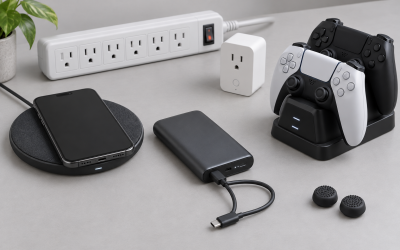
A modern desk collects chargers the way a junk drawer collects cables. A phone, wireless earbuds, a smartwatch, a controller, and maybe a tablet each want their own cord, and before long your surface looks like a nest. Building a dedicated charging zone fixes this by giving every device one predictable home, cutting cable clutter, and making sure nothing ends up dead the morning you actually need it. This guide walks through how to plan power, pick the right pads and stands, and keep the whole corner tidy.
Start by counting watts, not devices
The first mistake people make is buying a charging accessory before checking how much power it actually delivers. Phones and tablets negotiate speed with the charger, so a weak brick will trickle-charge a device that could top up in an hour. Add up what your gear needs and give yourself headroom.
Typical power needs by device
| Device | Comfortable charge rate | Connector |
|---|---|---|
| Wireless earbuds | 5W qi pad | Qi / USB-C |
| Smartwatch | 5W proprietary puck | Magnetic |
| Phone | 15-30W | USB-C / Qi2 |
| Tablet | 20-45W | USB-C PD |
| Game controller | 5-10W | USB-C / dock |
A single 100W+ GaN multi-port charger can usually run a phone, tablet, and controller at once while staying cool. GaN (gallium nitride) bricks run roughly 30-40% smaller than older silicon chargers at the same wattage, which matters when the whole point is to reclaim desk space.
Choose a layout: pad, dock, or stand
There are three practical ways to build the zone, and most desks end up mixing them.
Wireless pads and multi-device stands
A 3-in-1 wireless stand that holds a phone upright, charges a watch on a puck, and tops up earbuds on a base is the cleanest single-purchase option. Look for Qi2 support (up to 15W magnetic alignment) if your phone supports it, because misaligned coils on cheaper flat pads can cut speed in half and generate heat.
Wired charging trays
If you carry devices with different connectors, a small tray with a hidden multi-port brick and short 6-10 inch cables keeps everything docked without long cords draping across the desk. Short cables are the secret weapon here: they hold devices in place and stop the tangle.
Tame the cables underneath
A charging zone is only as clean as the wiring feeding it. Mount the multi-port brick under the desk with an adhesive holder or a small cable tray, then run one cord up through a grommet or clip. Aim to have exactly one visible cable reaching the charging station instead of five. Adhesive cable clips spaced every 4-6 inches keep the run straight, and a short length of cable sleeve hides the drop behind a desk leg.
Placement and safety
Put the zone within arm’s reach of where you sit, usually the back corner on your non-dominant side so it stays out of your working area. Keep charging gear off soft surfaces like a thick desk mat stacked on paper; wireless chargers shed heat through their base and need airflow. Avoid daisy-chaining power strips to feed it, and give lithium devices a little breathing room rather than burying them under a stack of books.
One habit makes the whole zone work long term: return each device to the same spot every time. A charging station only saves you stress if the phone always lands on the same pad and the controller always goes in the same slot, so your hand finds it without thinking. If two people share the desk, label or color-code the cables so nobody unplugs the wrong device mid-charge.
Frequently asked questions
Do I need a separate charger for each device?
No. One quality multi-port GaN charger in the 65-100W range can run three or four devices at once, as long as the total draw stays under its rating. The charger splits power dynamically, so a fast-charging phone simply borrows less when a tablet is plugged in beside it.
Is wireless charging worth it for a desk setup?
For a phone and earbuds you reach for constantly, yes: dropping a device onto a pad is faster than fishing for a cable, and it removes two cords from the surface. For a tablet or laptop that needs real speed, stick with wired USB-C Power Delivery, since wireless tops out far lower and runs warmer.
Bottom line
Build the zone around power first, then layout, then cable control. Size a single multi-port charger with headroom, pick a pad or stand that matches your devices’ connectors and speeds, and route one clean cable to the corner. Done right, a charging zone turns a scattered pile of cords into a single spot where everything lands, stays powered, and disappears from view.