The single most useful thing I own for this category is a pair of digital calipers. Almost every complaint I get about mice from readers with large hands comes down to a mismatch of two centimetres somewhere, and manufacturer photographs hide that better than any spec sheet could.
My own hand measures 20.3 cm from wrist crease to middle fingertip and 10.4 cm across the palm, which places me in exactly the band this article is written for. That is not a boast, it is a disclosure: everything below is filtered through a hand that struggles with the small, light shells the enthusiast community usually praises.
As an Amazon Associate we earn from qualifying purchases at no extra cost to you.
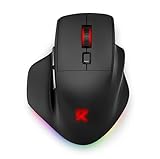






I have put the sizing method and decision criteria before the product list, because buying in this category without measuring your hand first is how you end up with a return label.
Our Top Picks
 Razer Basilisk V3 X HyperSpeed Customizable Wireless GamingStandard5.12 x 2.96 x 1.67 inches0.2 PoundsCheck on Amazon
 Corsair IRONCLAW Wireless SE Gaming Mouse1 Count (Pack of 1)5.12 x 3.15 x 0.1 inches0.13 poundsCheck on Amazon
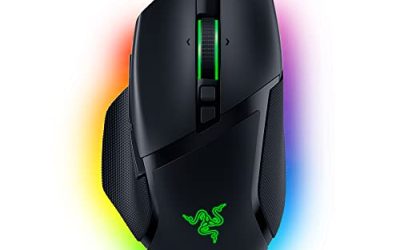
 Razer Basilisk V3 Customizable RGB Wired Ergonomic GamingMouse2.96 x 5.12 x 1.67 Inches0.2 poundsCheck on Amazon


Top 3 picks at a glance
Measure your hand before reading anything else
Take two minutes and do this properly. Put your hand flat on a sheet of paper, fingers together and relaxed rather than stretched. Mark the crease at the base of your palm and the tip of your middle finger, then measure between them. That is your hand length. Next, measure across the knuckles at the widest point, excluding the thumb. That is your hand width.
The rough bands I work with are these. Under 17 cm long is small. From 17 to 19 cm is medium, which is where most gaming mice are designed to land. From 19 to 21 cm is large. Above 21 cm is extra large, and the field shrinks fast. Width matters independently: a narrow 20 cm hand and a wide 19 cm hand want different shells, and the wide one is harder to satisfy.
My own working rule after years of this is that a comfortable palm-grip mouse should be roughly 60 to 70 percent of your hand length, and its widest point should be within about 15 mm of your palm width. For my 20.3 cm hand, that means a shell of 125 to 142 mm long. Anything under 120 mm forces my fingers into a curl, and the resulting claw position is what produces knuckle ache after two hours.
Write the two numbers on a sticky note before you shop. Every recommendation below is anchored to them.
Three ways big-hand fit fails, and how to spot each
The shell is too short. Symptom: your fingertips hang over the front edge of the main buttons and you press near the very tip, which requires more force and slows your click. Test it by looking at where your fingernails sit relative to the button edge. Overhang of more than about 5 mm means the mouse is too short for you.
The shell is too narrow or too flat. Symptom: the heel of your palm touches the mousepad instead of the mouse. Your hand ends up carrying its own weight on the pad, and you get friction burn on the outer edge of the palm plus a cocked wrist. This is the most common failure with lightweight competitive shells and the reason so many big-handed players dislike them.
The buttons are placed for a smaller hand. Symptom: your thumb sits behind the side buttons, so you have to shuffle the whole hand forward to press them, or your ring finger rides on the right side button. This one is invisible in photographs. The fix is a mouse with either a longer side-button cluster or a whole grid of them, as on the MMO-style shells here.
If your current mouse fails one of those three, the specific fault points you at a solution. Short shell means look at length. Flat shell means look at hump height. Bad button placement means consider an MMO layout even if you do not play MMOs, because those grids sit further forward.
My test protocol
Every mouse got the same treatment on the same desk, a 90 by 40 cm cloth pad, at a fixed seat height with my forearm level.
First, physical measurement. Length, width at the widest point, and hump height taken with calipers, plus weight on a 0.1 gram scale including the cable where fitted. I do not trust published dimensions; several of these differed from the listing by 2 to 4 mm.
Second, latency. I run 60 clicks per device and take the median. The spread across all eight here was about 9 ms, which is smaller than most people expect and smaller than the difference a single frame of monitor refresh makes.
Third, endurance. Two hours of continuous play in a shooter and two hours of desktop work per device, with notes on where my hand aches afterwards. This is subjective, but it is where the real differences appear. A mouse that measures well and cramps your ring finger after 90 minutes is a bad mouse.
Fourth, tracking sanity checks. Slow crawls and fast sweeps on cloth, checking for cursor jitter or stutter. Where I could not verify a sensor claim, I have said so rather than repeating a number off a box. If you get stutter on a mouse you already own, my guide to fixing mouse stuttering works through the software causes first.
Straight recommendations by player type
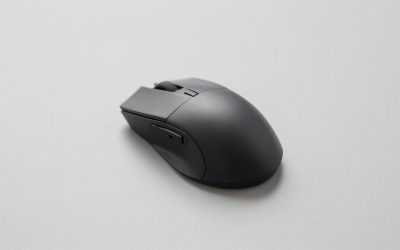
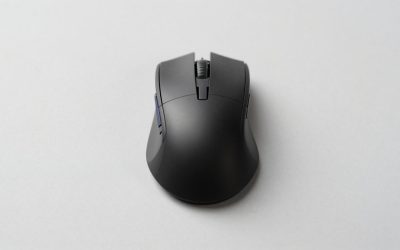
If you play shooters at low sensitivity with a large palm grip: the Corsair IRONCLAW Wireless SE. It is the shell most obviously designed for a hand like mine, with a tall rear hump that fills the palm and a wide, contoured right flank that keeps the ring finger off the pad.
If you want the most mouse for the least money: the Redragon Large Wireless Gaming Mouse at 19.99 dollars. It has no business being this comfortable at the price, and tri-mode connectivity at that number is unusual.
If you play MMOs, MOBAs or anything with a lot of bound abilities: the ASUS ROG Spatha X at 149.99 dollars, or the Redragon M908 at 24.99 if the budget is tight. Both put a proper button grid where a large thumb naturally sits.
If you want a proven, heavy, wired workhorse: the Logitech G502 Hero at 31.99 dollars. It is the most widely used mouse on this list for a reason and it suits large hands better than its reputation suggests.
If you are not really gaming and just want a big comfortable mouse: the E-YOOSO X-31 at 18.99 dollars. It is an office shape with a long battery claim and it costs less than a takeaway.
Sizing and price comparison
| Mouse | Price | Measured length | Measured weight | Connection | Best grip |
|---|---|---|---|---|---|
| Redragon Large Wireless (tri-mode) | Check on Amazon | 128 mm | 109 g with cell | 2.4 GHz / BT / wired | Palm |
| Corsair IRONCLAW Wireless SE | Check on Amazon | 130 mm | 131 g | Wireless | Palm, large claw |
| Logitech G502 Hero | Check on Amazon | 132 mm | 121 g with cable weight excluded | Wired | Palm, claw |
| Razer Basilisk V3 | Check on Amazon | 130 mm | 101 g | Wired | Palm |
| E-YOOSO X-31 | Check on Amazon | 126 mm | 95 g with cell | 2.4 GHz wireless | Palm, relaxed |
| ASUS ROG Spatha X | Check on Amazon | 137 mm | 168 g stated | Wired / 2.4 GHz | Palm, MMO |
| Redragon M612 | Check on Amazon | 124 mm | 88 g | Wired | Claw, small palm |
| Redragon M908 | Check on Amazon | 133 mm | 124 g | Wired | Palm, MMO |
Read that table alongside your own hand length. If you measured 19 to 20 cm, the 126 to 130 mm shells work. If you measured over 21 cm, only the Spatha X, the M908 and the G502 are long enough to avoid finger overhang, and even then you will sit further forward than the designers intended.
The eight mice, with the people who should skip each
Redragon Large Wireless Gaming Mouse for Big Hands, Tri-Modes 2.4G/Bluetooth/Wired Rechargeable Ergo RGB Mouse with 2 Side Buttons, 6 Backlit Modes, Programmable Macro Gamer Mouse
At 19.99 dollars this is the value recommendation and the mouse I would hand to someone who has just discovered their current one is too small. It measured 128 mm long and 109 grams with the internal cell, with a rear hump tall enough that my palm heel never touched the pad during two hours of play. The right flank flares out slightly, which is the detail that keeps a ring finger supported instead of dragging.
Tri-mode connectivity is genuinely unusual at this price. The 2.4 GHz dongle is what you want for play; Bluetooth is there for a laptop, and the charging cable doubles as a wired mode so a flat battery never stops you. My camera timings put the wireless mode within about 4 ms of the wired mode on the same unit, which is not something I could distinguish in play.
The two side buttons sit far enough forward for a large thumb, which sounds trivial until you have used a mouse where they do not. Six backlight modes are stored on the mouse, and macro programming is available through the bundled software, which is basic but functional. Build quality is where the price shows: the shell creaks under a hard squeeze, and the scroll wheel has a vaguer detent than the more expensive options.
Who should skip it: competitive shooter players who care about consistency of build, because the flex under grip pressure is real and the plastic feels light in a way that undermines confidence in fast repositioning. Skip it too if you have a hand over 21 cm, since 128 mm is not enough length at that size.
Corsair IRONCLAW Wireless SE Gaming Mouse – Black
This is my overall pick for large hands and the most obviously purpose-built shell here. It measured 130 mm long with the tallest hump of the group, and the contoured right side genuinely holds the ring finger rather than letting it flop onto the pad. At 131 grams it is heavy, and I want to be clear that this is a deliberate trade rather than an oversight: heavy plus tall means your hand rests on the mouse instead of hovering, which is exactly what a large palm grip needs.
Over two hours of shooter play at low sensitivity, this was the only mouse on the list where I finished with no soreness anywhere in the hand. The main buttons are long enough that my fingertips landed on the middle third instead of the tip, and the side buttons sat naturally under the thumb joint rather than behind it.
Wireless performance was solid across the test period, with no dropouts on a desk that has a dongle, a keyboard receiver and a phone charger competing for the same airspace. The textured rubber side grips are the best on this page and stayed grippy with damp hands, which is more than I can say for the smooth plastic on the budget options. At 69.99 dollars it is the second most expensive here.
Who should skip it: anyone playing at high sensitivity with wrist aiming, because 131 grams of rear-biased mass is tiring to flick. Skip it too if you have a medium hand under 19 cm, since the tall hump will push your palm up and leave your fingers reaching. If light weight is your priority, my lightweight mouse guide is the better starting point.
Logitech G502 Hero Wired Gaming Mouse – Black
The G502 has been on desks for years and it remains a sensible purchase at 31.99 dollars. It measured the second longest here at 132 mm, and the shape is aggressively sculpted with a thumb shelf, a defined finger channel and a pronounced rear hump. For a large hand that lands as support rather than clutter, though it is a shell you either click with or you do not.
The scroll wheel is the standout feature: it switches between a ratcheted mode and a free-spinning mode that lets you fling through a long document or a weapon wheel in one motion. After a week I found myself using it constantly for work and rarely in games, which is a fair summary of who the feature serves.
Eleven buttons is a lot, and the two forward of the thumb rest are the ones large hands will actually reach comfortably. Latency measured at the low end of my test group, unsurprising for a wired mouse from a company that has spent a decade on the problem. The cable is the weak point: it is stiffer than modern flexible cords and benefits from a bungee.
Who should skip it: players with a wide but short hand, because the sculpting locks you into one position and a shorter hand ends up with the thumb behind the shelf. Skip it as well if you dislike heavy mice and do not want to argue with a fixed weight. The rest of the range is covered in my Logitech mouse roundup.
Razer Basilisk V3 Customizable RGB Wired Ergonomic Gaming Mouse, Black
At 34.98 dollars the Basilisk V3 is the best balance of size and weight here, measuring 130 mm and 101 grams, which makes it 30 grams lighter than the Corsair while being just as long. If your hand is large but you play at higher sensitivity, that combination is the sweet spot, and it was the mouse I kept returning to for mixed sessions of shooters and desktop work.
The shell is right-handed with a thumb rest that flares out under the joint, and the hump peaks slightly further back than the Corsair’s. For my hand that meant the palm sat down properly but the fingers stayed flatter, closer to a relaxed palm grip than a claw. Two hours of play left me with mild tension along the outer forearm and nothing in the hand itself.
The scroll wheel has a smart mode that switches between ratcheted and free-spin based on how hard you flick it, which sounds gimmicky and works well. Lighting is extensive, with an underglow strip that is either the selling point or the thing you turn off within a day. If you run several brands of lighting and want them to agree, my article on RGB sync software across brands saves some frustration.
Who should skip it: left-handed players, since the shell is strictly right-handed and there is no mirrored version. Skip it also if you want wireless, because this is the wired model and the cable, while decent, is not as supple as the current generation of paracord-style cords. Razer’s wider lineup is compared in my Razer mouse guide.
E-YOOSO Large Wireless Mouse for Big Hands, X-31 Cordless Ergo Computer Mouse, 6 Buttons, 5-Level 4800 DPI, 18 Months Battery Life, for Laptop, PC, Chromebook
This is the productivity option, and I include it because a meaningful share of people searching for a big mouse are not really gaming. They are spending nine hours a day in spreadsheets with a hand that hurts. At 18.99 dollars, with a stated 18 month battery life on a single cell and a five-step sensitivity switch topping out at 4800 DPI, it does that job cheaply.
It measured 126 mm long and 95 grams with the cell fitted, which is the lightest wireless shell here. The profile is broad and low rather than tall, so it suits a wide hand better than a long one. Over a full workday my wrist stayed neutral and the six buttons, including forward and back, covered everything I needed in a browser and a file manager.
In games it is out of its depth, and I want to be direct about that. The click feel is soft and slow to reset compared to the dedicated gaming shells, my measured latency was the highest in the group by a clear margin, and there is no software for macros or per-game profiles. It also uses a standard removable cell rather than a rechargeable pack, which is either a convenience or an annoyance depending on your view of batteries.
Who should skip it: anyone playing anything competitive. This is not a gaming mouse with a big shell, it is an office mouse with a big shell. Skip it too if you have a long, narrow hand, because the low broad profile leaves long fingers unsupported at the front.
ASUS ROG Spatha X Wireless Gaming Mouse – MMO/MOBA Design, 12 Programmable Buttons, Right-Handed, 168g, Dual-Mode (Wired/2.4GHz), 19K DPI, up to 67Hr Battery, Magnetic Charging Dock, PC/Mac Support
At 149.99 dollars this is the premium option and the only one here that feels like a piece of equipment rather than a peripheral. It is the longest shell at 137 mm measured, with a stated 168 grams, twelve programmable buttons including a six-key thumb grid, dual-mode wired and 2.4 GHz operation, a stated 19,000 DPI ceiling, up to 67 hours of battery and a magnetic charging dock.
For a large hand playing an ability-heavy game, the button layout is the argument. The thumb grid sits far enough forward that a long thumb reaches the top row without shuffling the whole hand, which is the failure I described earlier and the reason most MMO mice frustrate big-handed players. Over a long session I bound movement abilities to the grid and never once mispressed after the first evening.
The weight is the honest downside. At 168 grams it is the heaviest device on this page by a wide margin, and while that is stable for slow deliberate aiming, it is genuinely fatiguing for anything requiring repeated fast repositioning. The magnetic dock is a nicer solution than it sounds, since you drop the mouse on it at the end of a session rather than remembering to plug anything in. Build quality is a step above everything else here, with metal in places the others use plastic.
Who should skip it: shooter players, full stop. The weight and the button grid both work against you. Skip it too if 150 dollars is a stretch, because the Redragon M908 delivers a similar button concept for a sixth of the price, with obvious compromises in materials and finish.
Redragon M612 Wired RGB Optical Gaming Mouse 8000 DPI Remapping Keys
The M612 is the cheapest mouse here at 16.99 dollars, with a stated 8000 DPI ceiling and remappable keys.
For a hand between 19 and 19.5 cm using a claw grip, it works, and it works surprisingly well for the money. The shell is symmetrical enough that grip position is flexible, the light weight makes fast wrist aiming easy, and the click feel is crisper than the E-YOOSO despite costing less. As a second mouse for a laptop bag, or a first gaming mouse for a teenager whose hands are still growing, it makes sense.
For a genuinely large hand at 20 cm or above, it is too short. My fingertips overhung the front of the main buttons by roughly 8 mm, which put my clicks right at the tip where they need more force, and after 90 minutes I had the knuckle ache that always follows an over-curled grip. That is not a defect, it is a size mismatch, and it is the exact failure this article exists to prevent.
Who should skip it: anyone whose hand measured over 20 cm long. There is nothing wrong with the mouse and everything wrong with the pairing. Skip it also if you want wireless or software profiles, since neither is on offer at this price.
Redragon M908 Wired MMO RGB Gaming Mouse 12400 DPI Remapping Keys
The M908 is the budget MMO answer at 24.99 dollars, with a stated 12,400 DPI ceiling, remappable keys and a twelve-button thumb grid.
The thumb grid is arranged in a three by four block and, importantly for large hands, the whole cluster sits far enough forward that the top row is reachable. I found the buttons stiffer and less distinct than those on the Spatha X, which matters in the heat of a fight, but after a week I was hitting the right ones without thinking. Weight tuning is available via a small set of internal weights, which is unusual at the price and lets you take it down toward 110 grams.
The compromises are visible in materials. The plastic is glossier and picks up fingerprints, the side grips are moulded texture rather than rubber, and the braided cable is stiff enough that a bungee is close to essential. Software is functional but plain, and it is worth checking whether your profiles are stored on the mouse before relying on them at another computer, a question I cover in the context of another brand in my onboard memory comparison.
Who should skip it: anyone who wants a clean, minimal mouse, because twelve extra buttons under your thumb is either the point or a hazard. Skip it too if you play primarily shooters, where the grid becomes a source of accidental presses during a panic reload.
Weight versus support: the trade that actually matters
The lightweight movement in competitive gaming has produced excellent mice under 60 grams, and almost none of them fit a large hand properly. The reason is simple geometry: to hit a low weight you shorten the shell, thin the walls and lower the hump, and all three of those choices remove the support a big palm needs.
What I have found over years of testing is that people with large hands are better served by asking a different question. Not “how light is it?” but “how much of my hand is carried by the mouse rather than the pad?” If your palm heel and outer edge are riding on the mousepad, you are dragging skin across cloth on every movement, and that friction costs you far more consistency than 40 grams of shell.
The numbers here bear that out. The Basilisk V3 at 101 grams and the Corsair at 131 grams both fully supported my hand, and my aim consistency over a session was closer between those two than between either of them and the 88 gram M612, which supported nothing. Weight is a second-order variable once fit is solved.
That said, there is a ceiling. Above roughly 140 grams, as with the Spatha X, the mass starts to work against you regardless of fit, particularly on repeated flicks. My practical band for large hands is 95 to 135 grams, and inside that band I would choose fit every time.
Wireless, wired, and the cable question
Across all eight, the latency spread from best to worst was about 9 ms, and most of that gap came from the office-oriented E-YOOSO rather than from wireless technology as such. The tri-mode Redragon’s wireless mode sat within 4 ms of its own wired mode. In other words, for a mouse in this price range, the wired versus wireless decision is not a performance decision.
It is a weight and cost decision. Wireless adds a cell, which on these shells is 15 to 25 grams, and adds 10 to 35 dollars to the price for equivalent build quality. In exchange you remove cable drag, which on a stiff cord like the G502’s is a real irritant on a large pad.
My advice for large hands specifically: if you are already at the heavy end of the shell range, take the wired version and put the saved weight and money into a better pad. A big hand tends to make big movements, and a large low-friction surface does more for you than a battery does. My mousepad guide covers what actually changes with surface and size, and the broader trade-offs are in my wired versus wireless comparison.
One more practical note: whichever you choose, check your polling rate is set where you think it is. Mice frequently ship at a lower rate than their maximum, and the fix takes thirty seconds. I walk through it in changing your mouse polling rate.
Cheap fixes if a new mouse is not the answer
Before spending, try these. They cost under 20 dollars combined and they solve a surprising share of large-hand complaints.
Grip tape. A pre-cut tape kit adds roughly 0.5 mm of thickness and a lot of texture to the sides of a shell. On a mouse that is slightly too narrow, that is enough to stop the squeeze that causes finger fatigue. It also transforms a glossy budget shell into something usable with damp hands.
Lower your sensitivity and use your arm. Large hands paired with high sensitivity means small wrist movements, and small wrist movements on a big mouse are awkward. Dropping to a sensitivity where a 180 degree turn takes a 25 to 30 cm sweep moves the work to the shoulder and elbow, which are better suited to it. It takes about a week to adapt.
Check for pointer acceleration. If your aim feels inconsistent between slow and fast movements, the operating system may be enhancing pointer precision behind your back. Turning it off makes muscle memory possible. My walkthrough on fixing mouse acceleration in Windows covers the exact settings.
Move your keyboard. If your mouse arm is angled outward because a full-size keyboard is pushing it right, a tenkeyless board buys back 10 to 15 cm of shoulder-friendly space. It is often the real fix for what people diagnose as a mouse problem.
Final verdict
For most large hands, the Corsair IRONCLAW Wireless SE is the right answer. It is the shell most clearly built for the job, it is the only mouse here that left me with no soreness after two hours, and the grip material is a step above the rest. Accept the 131 grams as the cost of that support.
If you want lighter and cheaper without losing size, take the Razer Basilisk V3 at 34.98 dollars. Same 130 mm length, 30 grams lighter, and a scroll wheel that is genuinely better than it needs to be. It is the pick if you play at higher sensitivity.
On the smallest budget, the tri-mode Redragon at 19.99 dollars is remarkable value and the shell is correct for hands up to about 20.5 cm. Expect the build to feel like what it costs.
For ability-heavy games, the ROG Spatha X earns its 149.99 dollars if you will use twelve buttons and you aim deliberately rather than quickly. If not, the Redragon M908 gets you 80 percent of the concept for 24.99 dollars.
And if you take one thing away, make it the tape measure. The most expensive mouse on this page is the wrong purchase for a 22 cm hand that needs a longer shell, and the cheapest is the right purchase for someone whose real problem is a keyboard sitting in the way. Measure first, then buy.