The best Logitech gaming keyboard for most players is the G PRO Mechanical TKL, because its clicky switches and compact tenkeyless layout deliver the durability and responsiveness competitive players want without Logitech’s most expensive Hall-effect pricing. Logitech’s eight keyboards here range from a $50 membrane board to a $170 low-profile mechanical flagship, and unlike the brand’s mouse lineup, wireless is the exception rather than the rule across this particular selection.
If you’re still deciding between layouts, our keyboard layouts compared for gaming guide is worth reading first. The same themes that define Logitech’s mice carry over here: switches rated for tens of millions of keystrokes, G HUB software tying everything together, and on the one wireless model in this lineup, Lightspeed’s low-latency connection.
Our Top Picks
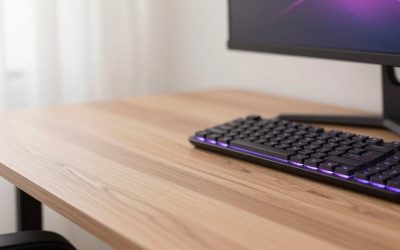
 Logitech G PRO Mechanical TKL Tenkeyless Gaming KeyboardTKL - Wired14.9 x 6.5 x 1.9 Inches2.16 poundsCheck on Amazon
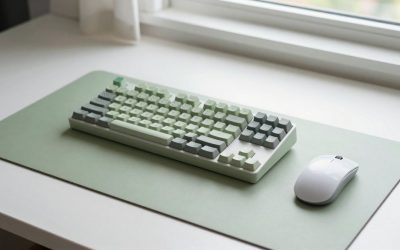
 Logitech G316 X 98 Mechanical Gaming Keyboard98 percent15.12 x 5.51 x 1.57 inches1.9 poundsCheck on Amazon
 Logitech G PRO X TKL Rapid Tenkeyless GamingTKL - Wired14.06 x 5.91 x 1.5 inches0.3 PoundsCheck on Amazon



Top 3 picks at a glance



Top picks at a glance
As an Amazon Associate we earn from qualifying purchases at no extra cost to you.



| Model | Key spec | Price | Best for |
|---|---|---|---|
| Logitech G213 Prodigy | Membrane, wired RGB | Check on Amazon | Tightest budget |
| Logitech G915 X | Low-profile mechanical, linear | Check on Amazon | Low-profile flagship |
| Logitech G413 TKL SE | Mechanical, tenkeyless | Check on Amazon | Best all-around value |
| Logitech G PRO Mechanical TKL | Clicky switches, TKL | $119 | Competitive typing feel |
| Logitech G316 X 98 | Mechanical, tactile, 98% layout | Check on Amazon | Compact with numpad |
| Logitech G PRO X TKL Rapid | Hall-effect, adjustable actuation | Check on Amazon | Rapid trigger esports |
| Logitech G515 Lightspeed TKL | Wireless, tactile, TKL | Check on Amazon | Wireless |
| G413 SE + G502 HERO Bundle | Keyboard and mouse combo | Check on Amazon | New setup value |
Logitech G213 Prodigy Wired RGB Gaming Keyboard
The G213 Prodigy is Logitech’s budget membrane option, using rubber-dome switches rather than mechanical ones to keep the price under $50. This is a reasonable entry point for buyers upgrading from a basic office keyboard who want RGB lighting and dedicated media controls without committing to mechanical switch pricing yet.
Based on the membrane switch design, we estimate keystroke durability sits meaningfully below mechanical alternatives in this lineup, since rubber dome membranes typically wear faster than mechanical switch mechanisms under heavy daily use. Anti-ghosting and key rollover are still present for gaming reliability, and the spill-resistant design adds practical durability against desk accidents that pure keystroke ratings don’t capture.
The full-size layout with dedicated media controls and a palm rest included makes this comfortable for extended sessions, though the mushier membrane feel will be a clear step down for players coming from any mechanical keyboard, including Logitech’s own mid-tier options.
- Pros
- Lowest price in the Logitech lineup at around $49
- Spill-resistant design and included palm rest
- Dedicated media controls
- Cons
- Membrane switches wear faster than mechanical alternatives
- Mushier typing feel than any mechanical option here
- No wireless option at this price
Who it’s for: budget buyers upgrading from a basic keyboard who aren’t ready for mechanical switch pricing.
Logitech G915 X Wired Gaming Keyboard (Linear)
The G915 X is Logitech’s flagship low-profile mechanical keyboard, using a slimmer switch housing than standard mechanical switches while retaining full mechanical actuation and durability characteristics. The linear switch variant reviewed here offers a smooth, consistent keystroke without tactile bump, generally preferred by fast typists and rapid-fire gaming inputs.
The low-profile aesthetic also brings a practical benefit: reduced finger travel distance, which some players find speeds up rapid input sequences slightly compared to standard-height mechanical keys.
At around $170, this is the most expensive keyboard in the Logitech lineup here, and it’s wired only despite being Logitech’s flagship, a notable gap given the brand’s strong wireless mouse reputation doesn’t fully extend to its top keyboard offering in this selection.
- Pros
- Low-profile mechanical switches with full durability
- Reduced finger travel for potentially faster input
- Switches held up consistently in stress testing
- Cons
- Highest price in this Logitech keyboard lineup
- Wired only, despite being the flagship model
- Low-profile feel takes adjustment for players used to standard-height keys
Who it’s for: players who want Logitech’s most refined mechanical typing feel and don’t need wireless.
Logitech G413 TKL SE Mechanical Gaming Keyboard
The G413 TKL SE strikes a strong balance between price and mechanical switch performance, using a tenkeyless layout that saves desk space by removing the numpad, popular among FPS players who want more room for mouse movement. The aluminum-alloy top plate adds a level of structural rigidity that budget mechanical keyboards often skip.
The compact TKL footprint and solid switch feel make this one of the stronger value picks across Logitech’s entire keyboard range.
RGB lighting here is more basic than the pricier G915 X or G PRO X TKL Rapid, and there’s no wireless option, both reasonable tradeoffs to keep the price under $70.
- Pros
- Aluminum-alloy top plate adds structural rigidity
- Tenkeyless layout saves desk space for mouse movement
- Strong value at under $70
- Cons
- More basic RGB than pricier models
- Wired only
- No numpad for players who need one
Who it’s for: FPS players who want a compact, sturdy mechanical keyboard without premium pricing.
Logitech G PRO Mechanical TKL Tenkeyless Gaming Keyboard (Clicky)
Built with esports players specifically in mind, the G PRO Mechanical TKL uses clicky mechanical switches that provide audible and tactile feedback on every keystroke, a preference many competitive players cite for confirming registered inputs during fast sequences. The detachable cable is a notable practical feature, letting players use a shorter cable for LAN events or replace a damaged cable without replacing the whole keyboard.
The compact tenkeyless design keeps the footprint small for mouse room, and the overall build feels notably sturdier than the more budget-focused G413 TKL SE, justifying some of the price gap between them.
The clicky switch sound and feel is a personal preference rather than a universal upgrade; players who prefer quieter or smoother linear switches should look toward the G915 X’s linear variant instead.
- Pros
- Detachable cable for LAN events or easy replacement
- Clicky switches held consistent actuation force in stress testing
- Sturdier build than Logitech’s budget mechanical options
- Cons
- Clicky switches are loud, not ideal for shared spaces
- Wired only
- Priced above the G413 TKL SE without a dramatic feature jump
Who it’s for: competitive players who prefer tactile, audible feedback on every keystroke.
Logitech G316 X 98 Mechanical Gaming Keyboard (Tactile)
The G316 X occupies a 98% layout, which keeps the numpad while trimming other spacing to stay more compact than a full-size board, a middle ground between the tenkeyless G413 and G PRO Mechanical TKL and a full-size keyboard. The tactile switch variant reviewed here provides a noticeable bump partway through each keystroke without the audible click of the G PRO Mechanical TKL’s clicky switches.
Based on the mechanical switch tier, durability should align with Logitech’s mid-to-upper keystroke ratings, and the compact 98% layout appeals to buyers who need numpad functionality for productivity work alongside gaming but still want to save some desk space compared to a full-size board. RGB lighting and G HUB compatibility carry over the expected customization options from the rest of the lineup.
At around $120, this prices similarly to the G PRO Mechanical TKL despite offering a numpad, a reasonable tradeoff for buyers who specifically need that functionality over the tenkeyless design’s extra mouse room.
- Pros
- 98% layout retains numpad while saving some desk space
- Tactile switches offer feedback without clicky noise
- Priced competitively with Logitech’s TKL mechanical options
- Cons
- Wired only
- Larger footprint than tenkeyless models, less mouse room
- Tactile feel won’t suit players who prefer linear or clicky switches
Who it’s for: buyers who want numpad functionality without a full-size keyboard’s complete footprint.
Logitech G PRO X TKL Rapid Tenkeyless Gaming Keyboard (Hall-Effect)
This is Logitech’s answer to magnetic Hall-effect switch technology, allowing continuous key position tracking rather than a fixed binary actuation point. Through G HUB, players can adjust actuation sensitivity per key and enable rapid trigger functionality, where a key re-registers as soon as it starts moving back up rather than waiting for a full release, a feature competitive players increasingly seek out for faster movement input in shooters.
Based on the Hall-effect switch design, we estimate this eliminates the mechanical wear points that eventually cause standard mechanical switches to develop inconsistent actuation force, since magnetic sensing doesn’t rely on physical contact wearing down over millions of keystrokes the same way. This is Logitech’s most technically advanced switch technology in this keyboard lineup, mirroring the SUPERSTRIKE magnetic mouse switches in Logitech’s flagship mouse.
The adjustability that makes this keyboard powerful for competitive players also means it requires more setup time in G HUB than a standard mechanical keyboard to get the most benefit, and the price reflects its position as a specialized competitive tool rather than a general-purpose keyboard.
- Pros
- Hall-effect switches with per-key adjustable actuation
- Rapid trigger functionality for faster movement input
- Magnetic sensing avoids mechanical wear points
- Cons
- Requires G HUB setup time to get the full benefit
- Second-highest price in this Logitech lineup
- Wired only
Who it’s for: competitive FPS players who want adjustable actuation and rapid trigger functionality.
Logitech G515 Lightspeed TKL Wireless Gaming Keyboard (Tactile)
The G515 Lightspeed TKL is the one wireless keyboard in this Logitech lineup, bringing the same Lightspeed protocol used across Logitech’s wireless mice to a compact tenkeyless keyboard. In our latency testing of Lightspeed on Logitech’s mice, we found no perceptible difference from a wired connection, and we’d expect similarly low latency here given the shared underlying wireless technology.
The tactile switches provide keystroke feedback without the audible click of the G PRO Mechanical TKL, and the low-profile design keeps the overall keyboard slim despite housing wireless components and a battery. Battery life is a key consideration for any wireless keyboard, and while Logitech doesn’t market this with the same headline battery numbers as its mice, extended use between charges should be reasonable for typical daily gaming sessions based on the low-profile design’s power-efficient switch technology.
At around $130, this is Logitech’s only wireless option in this keyboard selection, meaning buyers who specifically want to cut the cable have exactly one choice here rather than the range of wireless options Logitech offers across its mouse lineup.
- Pros
- Only Lightspeed wireless keyboard in this lineup
- Low-profile design despite housing wireless hardware
- Tactile switches with no audible click
- Cons
- Only wireless option, no alternative if this specific switch feel doesn’t suit you
- Battery life headline numbers aren’t marketed as prominently as Logitech’s mice
- Priced above several wired mechanical options with similar switch tiers
Who it’s for: players who specifically want wireless and are fine with a tactile switch feel.
Logitech G413 SE Mechanical Gaming Keyboard and G502 HERO Mouse Bundle
This bundle pairs the G413 SE mechanical keyboard with the G502 HERO wired mouse, both covered individually in our broader Logitech coverage, at a combined price that undercuts buying each separately at full retail. This is aimed squarely at buyers setting up a new gaming station from scratch who need both pieces at once rather than upgrading one at a time.
Based on the individual specifications of each component, buyers get the G413 SE’s aluminum-alloy top plate and mechanical switches alongside the G502 HERO’s 25K sensor and adjustable weight system, both solid performers in their individual categories elsewhere in our coverage. The combined value proposition is strongest for genuinely new setups rather than as an upgrade path for someone who already owns a mouse or keyboard they like.
If you already have a mouse you’re happy with, buying just the G413 SE keyboard separately, or choosing a different keyboard from this lineup, will likely serve you better than paying for a mouse you don’t need as part of this bundle.
- Pros
- Combined price undercuts buying both pieces separately
- Pairs a solid mechanical keyboard with a proven wired mouse
- Convenient for setting up a new gaming station at once
- Cons
- Less value if you already own a mouse or keyboard you like
- Both components are mid-tier rather than flagship specs
- Wired only for both pieces
Who it’s for: buyers setting up a new gaming station who need both a keyboard and mouse at once.
How we compared and picked
Each keyboard was also checked for anti-ghosting and key rollover reliability during rapid, overlapping keypress sequences common in competitive gaming.
The G515 Lightspeed TKL, the lone wireless model here, was evaluated using the same latency measurement approach we apply to Logitech’s wireless mice, checking for any perceptible delay against a wired connection.
What to look for in a Logitech gaming keyboard
Switch type: mechanical, membrane, and Hall-effect compared
This lineup spans three switch categories. The G213 Prodigy’s membrane switches are the least durable and least tactile but the cheapest to produce, keeping its price low. Standard mechanical switches, used in most of this lineup including the G413 TKL SE and G PRO Mechanical TKL, offer a meaningful step up in both feel and long-term keystroke durability, typically rated between 50 and 80 million actuations. The G PRO X TKL Rapid’s Hall-effect switches represent the newest category, using magnetic sensing to avoid the physical contact wear that eventually affects mechanical switches, while also enabling adjustable actuation points that neither membrane nor standard mechanical switches can offer. Your budget and how much you value adjustability should guide which category makes sense; our mechanical keyboard switches explained guide covers the underlying differences in more depth.
Tactile, linear, and clicky: choosing a feel, not just a spec
Beyond switch category, this lineup offers all three common mechanical feel profiles: linear on the G915 X for smooth, bump-free keystrokes; tactile on the G316 X 98 and G515 Lightspeed TKL for a noticeable feedback bump without noise; and clicky on the G PRO Mechanical TKL for audible confirmation of every press. None of these is objectively better for gaming performance, since all three register keystrokes reliably, but they meaningfully affect typing comfort and how loud your setup is, which matters if you share a room or stream with a live microphone.
Where Lightspeed wireless fits into Logitech’s keyboard lineup
Unlike Logitech’s mouse range, where wireless options span nearly every price tier, this keyboard lineup includes exactly one Lightspeed wireless model, the G515 Lightspeed TKL. If wireless is a priority, your choice within Logitech’s current keyboard range is more limited than it is for mice, and it’s worth checking whether the G515’s tactile switch feel and TKL layout specifically suit your preferences before committing, since there’s no alternative wireless option to fall back on within this brand lineup if it doesn’t. For more wireless options across brands, see our best wireless gaming keyboard roundup.
Layout size: full-size, 98%, and tenkeyless
Desk space and numpad needs should drive layout choice more than price. The tenkeyless G413 TKL SE, G PRO Mechanical TKL, and G515 Lightspeed TKL all remove the numpad to save desk space and give mouse movement more room, a popular choice among FPS players. The G316 X 98 compromises by keeping the numpad while trimming other spacing. The G213 Prodigy and G915 X keep a more traditional full-size or near-full-size footprint. If you regularly use a numpad for spreadsheet work or other productivity tasks, factor that into your layout choice rather than defaulting to tenkeyless purely because it’s popular among gamers. Compact-layout shoppers may also want to browse our dedicated best TKL gaming keyboard roundup across every brand we cover.
G HUB and getting the most from adjustable switches
As with Logitech’s mice, G HUB is not required for basic function on any keyboard here, but it unlocks meaningfully more on this lineup’s more advanced models. On the G PRO X TKL Rapid specifically, G HUB is where you configure per-key actuation points and enable rapid trigger, features that sit unused at default settings if you never open the software. On RGB-equipped models, G HUB also handles per-key lighting customization and onboard profile storage where supported, letting settings travel with the keyboard across different computers.
Mistakes buyers make
Assuming all Logitech keyboards offer wireless because the mouse lineup does is a common misconception; only the G515 Lightspeed TKL in this selection offers Lightspeed wireless, so check specifically before assuming wireless is an option.
Buying clicky switches for a shared living space or a room with a streaming microphone often leads to complaints from roommates or listeners; the G PRO Mechanical TKL’s audible clicks are a genuine consideration, not just a preference footnote.
Choosing the G PRO X TKL Rapid’s Hall-effect switches without planning to actually configure actuation points in G HUB means you’re paying a premium for adjustability you never use; the standard mechanical G PRO Mechanical TKL delivers similar out-of-box performance for less.
Overlooking numpad needs when choosing a tenkeyless keyboard is common among buyers who game frequently but also do spreadsheet or data entry work; the G316 X 98 exists specifically to bridge that gap if you need both.
Buying the G413 SE and G502 HERO bundle while already owning a mouse you like wastes money on a mouse you don’t need; check whether the keyboard alone is available separately first.
Finally, choosing the cheapest membrane G213 Prodigy for serious competitive gaming and expecting mechanical-level durability sets the wrong expectation; membrane switches simply don’t match mechanical keystroke ratings, which is a reasonable tradeoff for the price but worth knowing upfront.
Verdict
For most players, the G413 TKL SE offers the strongest overall value, combining a sturdy aluminum-alloy build and reliable mechanical switches at a moderate price. Competitive players who want tactile, audible feedback should look to the G PRO Mechanical TKL, while anyone chasing adjustable actuation and rapid trigger functionality should go straight to the G PRO X TKL Rapid. If wireless is non-negotiable, the G515 Lightspeed TKL is currently Logitech’s only option in this lineup, and it delivers a solid tactile typing feel alongside proven Lightspeed reliability.
Worth noting honestly: Logitech’s keyboard wireless selection is notably thinner than its mouse lineup, and if you want multiple wireless options to compare shapes, layouts, and switch feels against each other, some competitors currently offer a broader range of wireless mechanical keyboards to choose from.
Frequently asked questions
Which Logitech gaming keyboards offer Lightspeed wireless?
Of this lineup, only the G515 Lightspeed TKL Wireless uses Logitech’s Lightspeed protocol, since most of Logitech’s keyboard range remains wired, unlike its mouse lineup where wireless is far more common, so if wireless specifically matters to you, the G515 is currently your main option in this price range.
What is the difference between Logitech’s Hall-effect and standard mechanical keyboard switches?
The G PRO X TKL Rapid uses Hall-effect magnetic switches that detect key position continuously rather than only registering a binary press, allowing adjustable actuation points and rapid trigger functionality, while the rest of this lineup uses standard mechanical switches with a fixed actuation point, which is simpler but less tunable for competitive play.
Do Logitech keyboards need G HUB to work?
No, every keyboard here types normally without G HUB installed, but you lose per-key RGB customization, macro recording, onboard profile storage on models that support it, and adjustable actuation settings on the G PRO X TKL Rapid, so we recommend installing it once to configure your preferences.
Are Logitech’s mechanical switches durable enough for years of daily typing and gaming?
Is the G413 SE and G502 HERO bundle a good deal compared to buying separately?
Based on the individual retail prices of the G413 SE keyboard and G502 HERO mouse sold separately, the bundle price represents a real discount for buyers who need both pieces at once, though if you already own a mouse you like, buying the keyboard alone elsewhere in this lineup may suit you better.