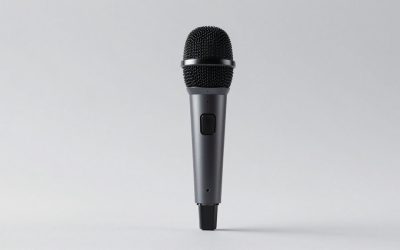
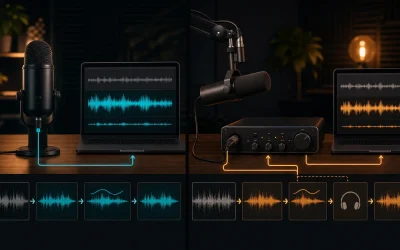
For years, the default advice for desktop audio was to buy a bulky gaming headset with a permanent boom microphone attached. However, the audio landscape in 2026 has shifted dramatically. More users realize that standalone desk microphones—whether USB condenser units or professional XLR setups—offer vastly superior voice clarity compared to standard headset mics. By stripping away the microphone entirely, manufacturers can allocate their entire production budget toward superior acoustic drivers, better materials, and more comfortable ergonomics. This guide will walk you through the critical factors you need to evaluate so you can select the ideal pair of headphones without a microphone for your specific desktop setup.
Navigating the market for pure listening cans requires looking past flashy marketing terms and understanding core acoustic specifications. Whether you are gaming, mixing audio, or simply enjoying high-resolution music, choosing cans without a built-in mic unlocks a tier of audio quality that traditional headsets rarely match. Making the right choice means aligning your hardware choices with your audio source, your room environment, and your personal comfort preferences without getting bogged down by unnecessary features.
As an Amazon Associate we earn from qualifying purchases at no extra cost to you.

Understanding Open-Back Versus Closed-Back Designs
The single most important decision when choosing headphones without a microphone is determining whether you need an open-back or closed-back acoustic architecture. Closed-back models feature sealed earcups that isolate you from external environmental noises while keeping your music or game audio from leaking outward into your room. This design is ideal if you share an office space, live in a noisy household, or prefer a punchier bass response with deep sub-bass extension.
Conversely, open-back headphones feature perforated or mesh outer grills that allow air and sound waves to pass freely through the driver enclosures. This design eliminates internal acoustic reflections, resulting in a vastly wider soundstage and much more accurate spatial imaging. If you game in a quiet room and want to pinpoint enemy footsteps with surgical precision, an open-back design provides a natural, outward-expanding listening experience that feels less like listening to speakers strapped to your ears.
Evaluating Impedance and Sensitivity Specifications
Impedance, measured in ohms, dictates how much electrical resistance a headphone presents to your audio source. Low-impedance models require very little power to reach high volume levels, making them fully compatible with standard motherboard audio jacks, game controllers, and portable devices. They are convenient and plug-and-play, allowing you to get straight to gaming or listening without extra hardware investments.
High-impedance headphones demand significantly more voltage to perform at their best, meaning they will sound quiet, thin, or muddy if plugged directly into a standard PC auxiliary port. To unlock their full dynamic range, frequency response, and transient clarity, you will need to pair them with a dedicated headphone amplifier or a combination digital-to-analog converter (DAC). Always check your source gear capabilities before purchasing high-impedance studio monitors.
Prioritizing Comfort, Clamp Force, and Earpad Materials
Because pure headphones lack the structural reinforcement or counter-weight of a boom arm assembly, manufacturers often experiment extensively with headbands and chassis weights. Look for lightweight chassis builds utilizing aluminum or magnesium alloys that distribute downward pressure evenly across your crown. Adjustable headbands with thick suspension straps help eliminate hot spots during marathon gaming sessions or long working hours.
Earpad material selection directly impacts both long-term wearability and acoustic tuning. Protein leather or pleather pads maximize passive noise isolation and preserve deep bass impact, but they tend to trap heat during extended wear. Velour, micro-suede, and mesh fabric pads breathe exceptionally well and stay cool for hours, though they leak a bit more sound and slightly soften sub-bass frequencies. Consider your room climate and personal heat tolerance when deciding between these materials.
Assessing Build Quality and Modular Repairability
One of the hidden benefits of purchasing dedicated listening headphones is that they are frequently engineered for longevity rather than planned obsolescence. Premium models often feature fully modular designs with detachable cables, replaceable earpads, and easily swappable headbands. When a cable frays or pads wear down after years of heavy use, you can simply order replacement parts instead of throwing away the entire unit.
Inspect the stress points of any prospective model, particularly the yokes connecting the earcups to the headband. All-plastic joints are prone to snapping under heavy stress or accidental drops, whereas reinforced metal pivots ensure the device withstands daily adjustments. Investing in a durable chassis saves money in the long run and ensures your audio investment survives years of rigorous daily operation.
Cable Design and Termination Options
Cable configuration drastically alters your daily user experience at the desktop. Single-sided cables that exit from only one earcup are generally much easier to manage and less likely to tangle in your desk chair armrests than dual-entry cables that drop from both sides. Additionally, check whether the cable uses a proprietary connection at the earcup or a standard 3.5mm jack, as standard connectors make aftermarket cable replacements much easier to find.
Termination type is another vital consideration depending on your gear ecosystem. Most consumer headphones terminate in a standard 3.5mm unbalanced plug, often including a screw-on 6.35mm adapter for desktop amplifiers and audio interfaces. If you plan on running a balanced audio setup from a high-end DAC, ensure the headphones support dual-entry cabling so you can swap to balanced XLR or 4.4mm Pentaconn lines.
Balancing Sound Stage and Imaging for Precision
Soundstage refers to the perceived physical space of the audio presentation, making it feel like you are sitting in a massive concert hall or a small studio room. Imaging, on the other hand, is the absolute precision with which you can pinpoint the exact origin of individual sounds within that space. Audiophile-grade headphones excel at both metrics without relying on artificial software processing or virtual surround sound gimmicks.
When evaluating reviews or spec sheets, look for descriptions highlighting clean transient response and neutral frequency tuning. A neutral frequency response ensures that mid-range details like vocals and critical cues are not drowned out by bloated bass, giving you an uncolored, highly accurate representation of your source audio whether you are tracking music or listening for subtle environmental cues.
Related Guides
To explore specific hardware recommendations that match your acoustic preferences, check out our curated breakdown of the top-tier headphone alternatives. If you later decide you want the convenience of an all-in-one desktop setup, you can also review our expert selections for traditional headset options to compare performance trade-offs.
FAQ
Do I need a separate amplifier for headphones without a microphone?
It depends entirely on the impedance and sensitivity ratings of the specific model you choose. Low-impedance cans run easily off standard PC motherboard ports or controllers, while high-impedance studio models require a dedicated amplifier to deliver proper volume and dynamic range.
How do I use a microphone if my headphones do not have one?
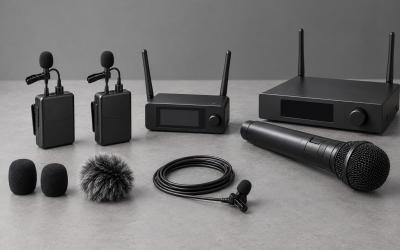
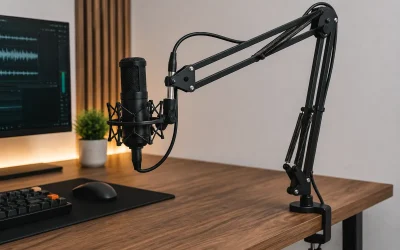
You can pair your headphones with a standalone desk microphone, such as a USB condenser mic sitting on a boom arm, or attach a modular clip-on microphone directly to your headphone cable. This setup yields significantly better voice quality than traditional gaming headsets.
Are open-back headphones bad for office environments?
Open-back headphones let sound pass freely in both directions, meaning people nearby can hear what you are listening to, and you will hear room noise clearly. They are best reserved for private home offices or quiet gaming rooms rather than shared public workspaces.
Can I use pure headphones for competitive gaming?
Yes, many competitive gamers prefer audiophile headphones because their superior soundstage and accurate directional imaging make tracking enemy footsteps much easier than using standard gaming headsets with digital surround sound software.