
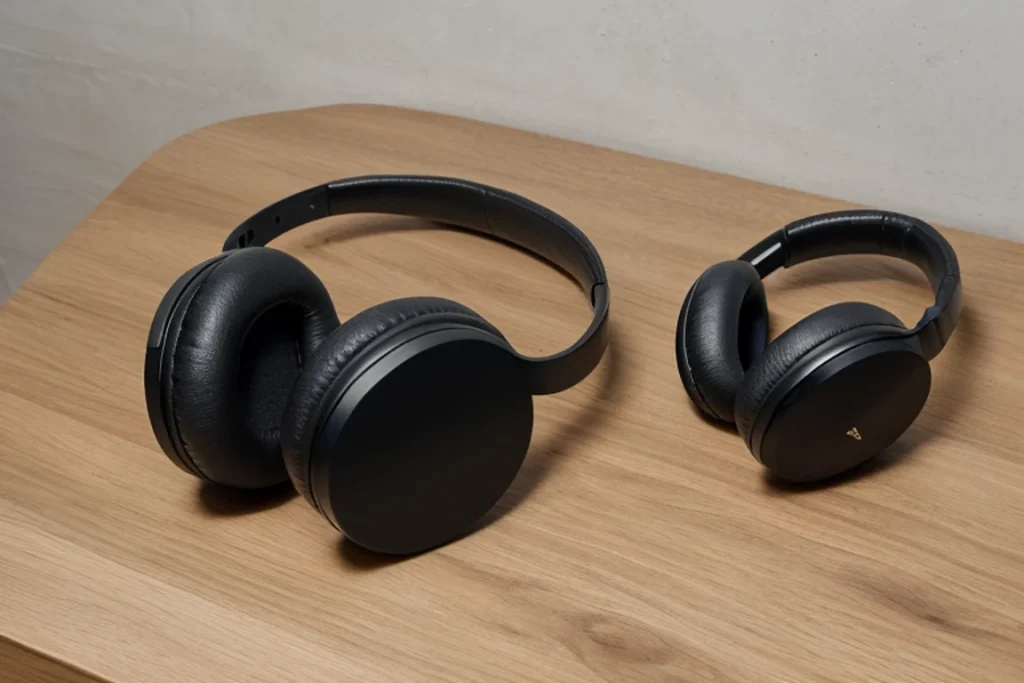
There is a specific frustration that drives people to search for the best headphones without microphone in 2026. You already own a dedicated USB or XLR microphone on your desk, so every boom arm or inline capsule on a pair of headphones becomes dead weight. It adds cost, introduces a second volume control you never use, and on cheap models degrades the audio signal because the manufacturer split the driver budget with an electret element nobody asked for.
What separates a genuinely good mic-free pair from a mediocre one is not just the absence of a mic. It is whether the maker committed to that design choice or simply left the microphone off the spec sheet. The best examples here use that saved budget on better padding, sturdier hinges, or a cleaner passive driver tune. The worst ones are generic OEM shells with the mic removed and nothing else changed, meaning you get the same muddled sound at a slightly lower price. This guide flags which pairs actually benefit from the mic-free approach and which ones just happen to lack one.
As an Amazon Associate we earn from qualifying purchases at no extra cost to you.


Our Top Picks
 Sony ZX Series Wired On-Ear Headphones7.87 x 1.81 x 5.87 inches5.87 x 1.81 x 7.87 inches0.57 poundsCheck on Amazon


Top 3 picks at a glance
Quick Picks
| Product | Best for | Price |
|---|---|---|
| Sony MDR-ZX110 | Everyday commute listening | Check on Amazon |
| OneOdio Over-Ear | DJ monitoring and keyboard players | Check on Amazon |
| Sephia SP3060 Earbuds | Budget in-ear sound | Check on Amazon |
| Bulktech Leather On-Ear | Cheap classroom or office stock | Check on Amazon |
| CCeCCe 4 Pack | Disposable backup earbuds | Check on Amazon |
| Barks Classroom 10 Pack | Teacher or lab bulk purchasing | Check on Amazon |
| rockpapa Kids Foldable | School-age children | Check on Amazon |
| Audio-Technica ATH-M20x | Budget studio over-ear for desk mic setups | Check on Amazon |
How We Compared
For this category the comparison prioritized four things. First, whether the mic-free design is intentional or incidental, because that distinction affects build quality. Second, comfort during sessions longer than two hours, since mic-free headphones are often used for focused listening without breaks. Third, cord management and connector durability, because wired pairs fail at the cable far more than the driver. Fourth, value density, meaning how much of the listed price actually reaches the acoustic chamber rather than marketing or unnecessary components.
The 8 Best Headphones Without Microphone in 2026
Sony MDR-ZX110
The ZX110 is the pair you keep in a drawer for travel days when you do not want to risk a nicer set. Sony tunes these with a balanced midrange that handles podcasts and spoken-word audio better than most on-ears at this price. They fold flat, weigh almost nothing, and the cable is thin enough to tangle, which is the trade-off.
- Pro: Neutral tuning makes them versatile across genres without the scooped-mid bass hype you get from competitors.
- Pro: On-ear form factor keeps them compact and light for extended wear.
- Con: Cable tangles easily and the strain relief at the jack is minimal.
Skip these if you need over-ear comfort or sound isolation for noisy environments.
OneOdio Over-Ear
This pair suits monitoring a MIDI keyboard or checking a guitar tone before a take. The Hi-Res certification means the drivers roll off later than you would expect at this price, and the over-ear cups isolate well without a tight clamp. The included coiled cable is a nice touch for desk use.
- Pro: Extended high-frequency response suits instrumental monitoring better than any other pair here.
- Pro: Plush ear pads with adequate clamp force for multi-hour sessions.
- Con: Bulkier than on-ears, not ideal for commuting or stowing in a laptop bag.
Skip these if your priority is portability or you dislike over-ear bulk.
Sephia SP3060 Earbuds
These fill the gap for anyone who wants in-ear isolation without paying for an active noise-canceling module. The fit is secure enough for walking or light exercise, and the sound leans slightly warm. Build quality is above what the price implies, though the plastic housing feels less premium than metal alternatives.
- Pro: Genuine in-ear seal provides passive isolation at a fraction of ANC cost.
- Pro: Warm midrange presentation suits vocal-heavy content.
- Con: Housing feels hollow under thumb pressure, raising long-term durability questions.
Skip these if you cannot tolerate in-ear fit or need maximum low-end extension.
Bulktech Leather On-Ear
These exist to be bought in multiples for a computer lab or a shared office. The leather-look padding is the first thing to fail, usually within a few months of daily use, but for the price you simply swap them. Sound is a safe V-shaped curve that will not offend casual listeners.
- Pro: Lowest per-unit cost in this roundup.
- Pro: Foldable design stores flat in a drawer.
- Con: Padding compresses and peels faster than fabric alternatives.
Skip these if you plan to use them personally for more than a few months.
CCeCCe 4 Pack
A four-pack at a budget price means each unit costs very little. The braided cord resists tangling better than the single-pair budget options here, and the 3-pole connector guarantees no accidental mic activation. Ideal for keeping a spare in every bag and desk drawer.
- Pro: Braided cable genuinely reduces knots and lasts longer than thin rubber.
- Pro: Four-pack pricing makes replacements a non-event.
- Con: One-meter cord is short, limiting use to devices in the same room.
Skip these if you need cable length for walking while connected to a phone in your pocket.
Barks Classroom 10 Pack
Teachers need ten pairs that survive a semester of elementary-school handling. These are on-ear with a reinforced headband that resists the lateral flex kids apply instinctively. Sound quality is adequate for instructional content. The 3.5mm connector is standard and the cups rotate flat for storage.
- Pro: Headband durability is noticeably better than retail-grade on-ears.
- Pro: Bulk ten-pack pricing beats sourcing individual pairs.
- Con: Average sound signature means no pair stands out for music appreciation exercises.
Skip these if you are buying for personal use, where unit-level quality matters more than count.
rockpapa Kids Foldable
Designed around a smaller head circumference, these fit children who would otherwise lose adult on-ears during active play. The foldable frame is simple and the cord exits from one side only, reducing trip hazards.
- Pro: Sized for kids with a lower clamp force that avoids temple soreness.
- Pro: Foldable frame fits in a backpack side pocket.
- Con: Bass response is limited compared with adult over-ear models.
Skip these if your child already fits adult headphones without adjustment.
Audio-Technica ATH-M20x
The ATH-M20x is the entry point to Audio-Technica’s studio monitor line and one of the most affordable headphones here that was designed from the start without a microphone. It is a closed-back, over-ear pair with 40mm drivers, a listed frequency response of 15 Hz to 20 kHz and a 47-ohm impedance, so a phone, laptop or controller drives it to a comfortable volume without an amplifier. The single-sided 3-meter cable ends in a stereo 3.5mm plug with a 6.3mm adapter, and there is no inline mic or remote anywhere on it.
- Pro: Studio-oriented tuning with controlled bass that suits voice monitoring and games better than bass-boosted consumer pairs.
- Pro: Long cable and 6.3mm adapter make it easy to reach a desktop tower, audio interface or digital piano.
- Con: The cable is fixed, and the pads feel firm for the first weeks of use.
Skip these if you want a detachable cable; the ATH-M40x below adds that at a higher price tier.
6 More Mic-Free Headphones Worth Considering
The eight picks above lean heavily toward budget and bulk buyers. If you already own a dedicated USB or XLR microphone, there is a strong case for spending a little more on a studio or hi-fi pair that was never designed with a mic in the first place. Every model below ships without a boom or inline microphone, uses a plain stereo plug, and puts its entire budget into drivers, pads, and build.
Audio-Technica ATH-M40x

The ATH-M40x sits one step above the M20x and M30x in Audio-Technica’s studio line, and it is the model many home producers and streamers move to once they have a proper desk microphone. It is a closed-back, over-ear monitor built around 40mm drivers with a listed frequency response of 15 Hz to 24 kHz and a 35-ohm impedance, which means a laptop, phone, or audio interface drives it comfortably without a separate amplifier.
What makes it a natural fit for this list is the cable system. The M40x ships with two detachable cables, a coiled cable that stretches from roughly 1.2 to 3 meters and a straight 3-meter cable, both terminating in 3.5mm plugs with a screw-on 6.3mm adapter. Neither cable carries a microphone or remote, so there is no chance of your PC confusing it with a headset. If a cable fails, you replace the cable instead of the headphones, something none of the budget pairs above allow.
The earcups swivel 90 degrees for one-ear monitoring, which is handy if you sometimes need to hear the room while recording voice-over or streaming. Sound is tuned flat rather than bass-heavy, so it reveals plosives, mouth noise, and background hum in your own mic recordings far more clearly than the OneOdio or Panasonic pairs.
- Strength: Two detachable mic-free cables and a genuinely neutral studio tuning.
- Strength: Closed back keeps your monitoring audio from bleeding into a nearby microphone.
- Drawback: The pads are firm and the clamp is noticeable for the first few weeks; long-session comfort improves as they soften.
- Drawback: Costs several times more than the Sony ZX110 and offers less bass impact than consumer-tuned pairs.
Choose the M40x over the OneOdio Over-Ear if you edit audio, monitor your own voice, or simply want a pair that can be repaired rather than replaced. Stay with the OneOdio if you want a warmer, more relaxed sound for casual listening and keyboard practice.
Sennheiser HD 280 Pro

The HD 280 Pro has been a studio and broadcast staple for decades, and it remains one of the most isolating closed-back headphones you can buy at its price. Sennheiser rates its passive ambient attenuation at up to 32 dB, a figure few other conventional headphones match. For a mic-free buyer, that isolation matters twice: it blocks room noise from reaching you, and it keeps your playback from leaking into the microphone sitting a few inches from your face.
Listed specs include a frequency response of 8 Hz to 25 kHz and a 64-ohm impedance. That impedance is still easy to drive from a desktop interface or a modern laptop, though a weak phone output will run out of volume sooner than with the 35-ohm Audio-Technica. The cable is a single-sided coiled cord ending in a 3.5mm plug with a 6.3mm adapter, with no microphone or inline remote anywhere on it.
The design is collapsible, the earcups rotate to sit flat or fold inward, and Sennheiser sells replacement ear pads and other service parts, which is a big part of why these pairs often stay in use for many years. The sound signature is accurate and slightly lean in the bass, which suits dialogue editing, podcast monitoring, and focus work rather than bass-heavy music.
- Strength: Class-leading passive isolation for a conventional closed-back pair.
- Strength: Long track record and good availability of replacement pads.
- Drawback: Firm clamp and synthetic leather pads get warm in summer.
- Drawback: The cable is not user-detachable the way the M40x cable is.
Pick the HD 280 Pro over every other pair on this page if your room is noisy or you record your voice in the same space where you listen. If comfort over three or four hours matters more than isolation, the beyerdynamic below is the better match.
beyerdynamic DT 770 Pro (80 Ohm)

The DT 770 Pro is the comfort benchmark among closed-back studio headphones, and the 80-ohm version is the one most people buy for desk and studio use. It pairs a spring-steel headband with soft, replaceable velour ear pads that breathe far better than the synthetic leather used on most headphones in this guide. For anyone who wears headphones through a full workday or a long gaming session with a separate desk mic, that difference shows up after hour two.
beyerdynamic lists a frequency response of 5 Hz to 35 kHz. The 80-ohm load works well with audio interfaces, desktop DACs, and most PC motherboards, but it can sound underpowered from some phones and thin laptop outputs, so plan on using it at a desk. The cable is a coiled, single-sided cord with a 3.5mm plug and 6.3mm adapter, and there is no microphone, remote, or volume dial on it.
The sound has a lifted bass and an energetic treble, often described as a V-shaped studio tuning. It is lively for games and films and still detailed enough for editing. The closed design isolates reasonably well, though not quite to the level of the HD 280 Pro.
- Strength: Velour pads and spring-steel band make it one of the most comfortable closed-backs available.
- Strength: Replaceable pads and robust construction support a long service life.
- Drawback: The bright treble can feel sharp to sensitive listeners at high volume.
- Drawback: Fixed coiled cable is heavy and not detachable; it also prefers a desk source over a phone.
Compared with the OneOdio Over-Ear, the DT 770 Pro is a substantial upgrade in comfort, isolation, and durability. Compared with the Audio-Technica M40x, it trades cable flexibility for noticeably softer pads.
Philips SHP9500

Every other over-ear pair in this guide is closed-back. The SHP9500 is open-back, and that changes the listening experience in a way many mic-free buyers come to prefer. Open grilles let air and sound pass through the cups, which produces a wider, more spacious soundstage and keeps your ears cooler during long sessions. The trade-off is that sound leaks out and the room leaks in.
Philips equips it with 50mm neodymium drivers, a 32-ohm impedance, and a listed frequency response of 12 Hz to 35 kHz, so a laptop or phone powers it without trouble. The cable is detachable, roughly 3 meters long, and ends in a plain 3.5mm plug with a 6.3mm adapter included. There is no microphone in the box, and the cable has no inline controls, which makes it a clean match for a desk with a dedicated USB mic.
The large, breathable mesh pads and padded steel headband spread pressure lightly. For single-player gaming, the open soundstage helps place footsteps and environmental sounds around you, which is one reason the SHP9500 remains popular with PC gamers who use a separate microphone.
- Strength: Wide, open soundstage and very low clamp force for long sessions.
- Strength: Detachable mic-free cable and easy-to-drive drivers.
- Drawback: Open-back design leaks sound and offers almost no isolation, so it is a poor choice for shared rooms or commuting.
- Drawback: Bass is lighter than on the closed-back pairs here.
One caution for streamers: because it leaks, a sensitive condenser microphone near your face can pick up game audio from an open-back pair. If that happens, a dynamic microphone or a closed-back pair like the HD 280 Pro fixes it.
Koss Porta Pro Classic
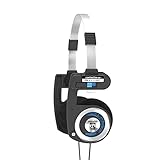
The Porta Pro has been in production since the 1980s, and its retro look hides a surprisingly capable portable headphone. The Classic version uses a plain 3.5mm plug with no microphone or remote, so it qualifies cleanly for this list while competing directly with the Sony MDR-ZX110 as a go-anywhere pair.
It is an open, on-ear design with a listed frequency response of 15 Hz to 25 kHz and a 60-ohm impedance. The signature feature is the Comfort Zone switch on each temple pad, which lets you loosen or tighten the pressure against your head, something no other budget on-ear here offers. The headband folds down into a compact bundle, and the roughly 1.2-meter cord suits phones and portable players better than desk setups.
The sound leans warm with generous bass for such a small, light headphone, which makes it more fun for music than the neutral Sony. Koss backs the Porta Pro with its limited lifetime warranty, a meaningful extra at this price tier.
- Strength: Adjustable temple pressure and a very light frame.
- Strength: Warm, full sound and a lifetime warranty from Koss.
- Drawback: Open design leaks sound, so it is not ideal for quiet offices or libraries.
- Drawback: The retro headband styling is not for everyone, and the short cord limits desk use.
Choose the Porta Pro over the Sony MDR-ZX110 if you want richer bass and adjustable comfort and can accept some sound leakage. Stay with the Sony if you need a pair that stays quiet to the people around you.
Panasonic RP-HT161

The RP-HT161 fills a gap between the tiny on-ears and the studio monitors: a lightweight, full-size headphone with a long cable at a price close to the budget picks. Panasonic fits it with 30mm drivers and its XBS (Extra Bass System) tuning, and the cord runs roughly 2 meters, long enough to reach a desktop tower or a TV from the couch. It ships with a straight 3.5mm plug and no microphone.
The cups are large enough to rest around or over most ears, and the frame is light, which keeps pressure low during long listening. The bass emphasis is clear but not boomy, making it a reasonable choice for movies, casual gaming with a separate mic, and pop or electronic music. It is not a precision tool, and the plastic build feels exactly like its price tier.
- Strength: Long cable and light full-size design at a budget price.
- Strength: Bass-forward tuning that suits movies and casual listening.
- Drawback: Thin plastic headband and fixed cable limit long-term durability.
- Drawback: Passive isolation is modest compared with true closed-back studio pairs.
Choose it over the ATH-M20x if you want a lighter, more bass-forward pair for movies and casual listening, and over the Bulktech if you need cable length for a desk or TV setup.
Buying Guide
Over-Ear vs. On-Ear vs. In-Ear Trade-offs
Over-ear pairs seal around the ear and provide passive isolation, but they trap heat and weigh more. On-ear models press against the pinna, which causes fatigue on extended sessions but keeps the design compact. In-ear options offer the best seal-to-size ratio but carry hygiene and fit-variation issues. Choose based on whether your priority is isolation, portability, or long-session comfort.
Cable Length and Connector Type
Most desk users need at least 1.5 meters. The CCeCCe pack ships at one meter, which works only if your source sits within arm’s reach. A 3.5mm straight connector is standard, but angled variants reduce cable stress in tight laptop jacks. Replaceable cables are rare at these prices; a braided sleeve is the best durability signal available.
Intentional vs. Incidental Mic Removal
A manufacturer that designs a headphone without a mic can redirect the saved component cost into better pads, a stiffer headband, or a tuned driver. A product that simply ships the same shell minus the mic offers no acoustic benefit. Look at the price-to-build ratio as a proxy: if a mic-free model costs the same as its mic-equipped sibling from the same brand, the removal was likely intentional and the budget was reinvested.
Comparison Table: The Additional Mic-Free Picks
| Model | Type | Impedance | Cable | Best for | Price tier |
|---|---|---|---|---|---|
| Audio-Technica ATH-M40x | Closed-back over-ear | 35 ohms | Two detachable (coiled and straight) | Editing and voice monitoring | Premium |
| Sennheiser HD 280 Pro | Closed-back over-ear | 64 ohms | Fixed coiled | Noisy rooms, maximum isolation | Mid-range |
| beyerdynamic DT 770 Pro (80 Ohm) | Closed-back over-ear | 80 ohms | Fixed coiled | All-day comfort at a desk | Premium |
| Philips SHP9500 | Open-back over-ear | 32 ohms | Detachable straight | Soundstage, single-player gaming | Mid-range |
| Koss Porta Pro Classic | Open on-ear | 60 ohms | Fixed, short | Portable listening with adjustable fit | Budget to mid-range |
| Panasonic RP-HT161 | Lightweight full-size | Low, phone-friendly | Fixed, about 2 m | Budget TV and desk listening | Budget |
How to Choose Mic-Free Headphones: Five Criteria That Matter
1. Check the Plug: TRS vs. TRRS
The quickest way to confirm a headphone is truly mic-free is to look at the 3.5mm plug. A three-conductor TRS plug, with two black or plastic rings separating the metal sections, carries stereo audio only. A four-conductor TRRS plug, with three rings, carries a microphone channel as well. Many listings bury the word “mic” deep in the title or description, so the plug is the more reliable signal. All six additional picks above use stereo-only plugs or cables.
2. Match Impedance to Your Source
Impedance tells you roughly how much voltage a headphone needs to reach a comfortable volume. Pairs at or below about 35 ohms, like the Philips SHP9500 and Audio-Technica M40x, run well from phones, laptops, and controllers. Pairs in the 60 to 80 ohm range, like the HD 280 Pro and DT 770 Pro 80 Ohm, are still fine on a desktop audio interface or a decent motherboard output but may sound quiet or thin from a phone. If you plan to listen mainly from a phone, stay in the low-impedance group or budget for a small USB DAC.
3. Decide Between Open-Back and Closed-Back
Closed-back headphones isolate you from the room and keep your audio from leaking into a nearby microphone, which is why they dominate streaming and recording desks. Open-back headphones sound more spacious and stay cooler, but they leak in both directions. If you share a room, record your voice, or use a sensitive condenser mic, start with closed-back. If you listen alone in a quiet room and value a natural, wide presentation, an open-back pair like the SHP9500 is worth trying.
4. Prioritize Replaceable Parts
Mic-free headphones are often bought by people who already spent money on a good microphone and want a long-term partner for it. Detachable cables and replaceable ear pads are the two features that stretch a headphone’s life the most. The M40x and SHP9500 offer detachable cables; the HD 280 Pro and DT 770 Pro have widely available replacement pads. Budget pairs almost never offer either, which is why they are treated as consumables.
5. Weigh Pad Material for Long Sessions
Synthetic leather pads seal well and boost bass slightly, but they trap heat. Velour and mesh pads breathe and feel softer but isolate a little less. If you regularly wear headphones for more than two hours, pad material matters as much as the driver.
Setup Tips: Pairing Mic-Free Headphones With a Desk Microphone
- Set input and output devices separately. In Windows sound settings or macOS sound preferences, choose your headphones (or audio interface) as the output and your USB or XLR microphone as the input. Do the same inside Discord, Teams, Zoom, or OBS, since apps often keep their own device settings.
- Use a combo-jack splitter only when needed. Many laptops have a single four-pole headset jack. A stereo-only plug works fine there for audio output; your laptop simply falls back to its built-in mic or your USB mic for input.
- Turn on monitoring if you want to hear yourself. Headsets often provide sidetone automatically. With separate gear, enable direct monitoring on your audio interface or use the “listen to this device” option sparingly to avoid latency.
- Keep volume moderate with open-back pairs. If your microphone picks up game or music audio, lower the headphone volume, angle the mic away from the earcups, or switch to a closed-back model.
- Use a headphone hook or stand. Hanging over-ear pairs by the headband keeps cables from kinking at the plug, the most common failure point on wired headphones.
Which Mic-Free Pair Fits Your Setup?
With fourteen options across this guide, the fastest way to narrow the list is to start from where and how you will use them.
PC Gaming With a Separate Microphone
For competitive or multiplayer games where you talk over Discord through a desk mic, a closed-back pair keeps game audio out of your microphone. The beyerdynamic DT 770 Pro (80 Ohm) is the comfort pick for long sessions, while the Sennheiser HD 280 Pro suits loud households. For single-player games in a quiet room, the open-back Philips SHP9500 gives a wider sense of space. The OneOdio Over-Ear remains the budget option if you want a closed-back pair without stepping into studio pricing.
Streaming, Podcasting, and Voice-Over
Anyone who records their own voice needs to hear it accurately and must avoid bleed into the microphone. The Audio-Technica ATH-M40x is the most flexible choice thanks to its detachable cables and neutral tuning, and the HD 280 Pro is the isolation specialist. Avoid open-back designs on a recording desk with a condenser mic.
Music Production and Keyboard Practice
Keyboard and guitar players who plug into a digital piano, amp modeler, or interface benefit from long cables and a 6.3mm adapter. The M40x, HD 280 Pro, and DT 770 Pro all ship with a 6.3mm adapter, and the OneOdio Over-Ear covers the same need at a lower price tier.
Office Focus Work and Online Classes
If your laptop’s built-in mic or a USB mic handles calls, a light, comfortable pair matters more than isolation. The Sony MDR-ZX110 and Panasonic RP-HT161 are inexpensive and easy to wear for hours, and the Koss Porta Pro adds adjustable comfort, though its open design leaks in quiet offices.
Classrooms, Labs, and Shared Devices
Here unit cost and headband durability beat sound quality. The Barks Classroom 10 Pack and Bulktech are built for shared use, the CCeCCe 4 Pack works as a spare-earbud stash, and the rockpapa is sized for younger children. A stereo-only plug is an advantage in classrooms because it prevents students from accidentally switching a Chromebook or tablet to a headset microphone.
Travel and Commuting
Compact, foldable on-ears and earbuds win. The Sony MDR-ZX110 and Sephia SP3060 travel well and stay discreet. The Porta Pro folds small but leaks sound, which matters on quiet trains and planes.
Our Verdict
The Sony MDR-ZX110 is the top pick because it offers the best balance of neutrality, portability, and reliability at a budget price, with a plain mic-free cable. The OneOdio Over-Ear is the upgrade pick for desk listening and instrument monitoring, since its Hi-Res drivers and plush over-ear pads deliver the clearest sound among the main picks. However, if you are a teacher or office manager buying for a shared group, the Barks Classroom 10 Pack wins on durability and unit cost in a way no single-pair option can match.
FAQ
Can I use headphones without a mic on a laptop that expects a headset?
Yes. Most laptops detect a 3-pole TRS connector and simply disable the headset input, falling back to the built-in microphone. Your voice will be captured by the laptop mic instead of the headphone, which is fine if you already use a dedicated external mic.
Are these headphones suitable for gaming?
They work for audio output in any game, but without an inline mic you will need a separate microphone for voice chat. If your setup already includes a USB or XLR mic, these pairs are actually ideal because you avoid the audio conflicts that integrated gaming headsets often create.
Why do some products on this list feel heavier than others?
Over-ear designs with padded cups and metal or thick plastic headbands add weight compared to on-ear and in-ear options. The OneOdio and Audio-Technica ATH-M20x sit at the heavier end because their acoustic seal requires larger cups. On-ears like the Sony and Bulktech shed grams by reducing cup depth.
Is it worth buying a multipack or single pairs?
If you need replacements regularly or share with others, a multipack lowers per-unit cost. The CCeCCe 4 Pack and Barks 10 Pack are the clearest examples. For personal daily use, a single well-built pair outperforms a multipack unit in sound quality and longevity, so buy singles unless volume is the priority.
How can I tell if a pair of headphones has a hidden microphone?
Look at the plug and the cable. A 3.5mm plug with three rings (TRRS) or a small inline remote with a pinhole almost always indicates a microphone. A plug with two rings (TRS) and no remote is stereo-only. Product titles are less reliable, since some listings mention a mic only deep in the description.
Are studio headphones a good choice if I already own a USB microphone?
Yes, and they are often the best choice. Studio models such as the Audio-Technica ATH-M40x, Sennheiser HD 280 Pro, and beyerdynamic DT 770 Pro never included a microphone, so their entire budget goes into drivers, pads, and build. Combined with a dedicated microphone, they usually outperform a gaming headset at a similar total cost.
Do I need a headphone amplifier for 64 or 80 ohm headphones?
Usually not for desktop use. Most audio interfaces and modern PC outputs drive 64 to 80 ohm headphones to comfortable levels. A small amplifier or USB DAC helps mainly when you listen from a phone, a thin laptop, or at high volumes. Higher-impedance versions, such as 250-ohm studio models, are where an amplifier becomes important.
Will open-back headphones cause echo on my calls?
They can. Open-back pairs leak sound, and a nearby microphone may pick it up, especially a sensitive condenser mic. Most call apps include echo cancellation, but the cleanest fix is lower headphone volume, a dynamic microphone, or a closed-back pair.









