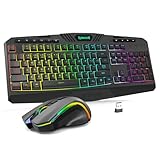
Mac users face a small but real set of keyboard problems that Windows buyers never meet. The bottom row has Command and Option instead of Windows and Alt, function keys are mapped to brightness, volume, and media controls, and some conveniences, such as unlocking with a fingerprint, only work with keyboards built for Apple silicon. Picking a wireless keyboard for a Mac therefore starts with layout and compatibility, then moves on to size, battery type, and how many devices you want to switch between.
This guide is for people who work on a MacBook, Mac mini, iMac, or Mac Studio and want a cable-free desk. The eight options include Apple’s own Magic Keyboard family in several configurations, plus three third-party boards built for Mac layouts, two of them sold as keyboard and mouse bundles. Every detail here comes from the product titles, and the 2026 buyer should confirm Mac model compatibility on the product page before ordering.
Our Top Picks

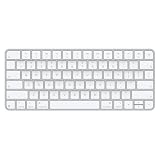
Top 3 picks at a glance
Quick Picks
As an Amazon Associate we earn from qualifying purchases at no extra cost to you.


| Product | Best for | Key spec from the listing |
|---|---|---|
| Apple Magic Keyboard with Numeric Keypad (White) | Spreadsheet and finance work | Wireless, Bluetooth, rechargeable, numeric keypad |
| iClever BK10 SE | Switching between several devices | 3-device Bluetooth switching, ultra-slim, numeric keypad |
| Apple Magic Keyboard with Touch ID (USB-C) | Apple silicon Macs and secure login | Touch ID, for Apple silicon, USB-C |
| Apple Magic Keyboard (USB-C) | Compact desk, no keypad | USB-C, US English |
| ProtoArc KM100-A Keyboard and Mouse | Complete wireless desk set | Backlit, full-size Mac layout, Space Gray |
| Apple Magic Keyboard (Bluetooth) | Older Macs and basic needs | Bluetooth, US English |
| Apple Magic Keyboard with Touch ID and Numeric Keypad (Black) | Full-size layout plus fingerprint login | Touch ID, numeric keypad, black keys, USB-C |
| seenda SKM64-2 Combo | Compact multi-device set | Multi-device switching, quiet, rechargeable |
How to Choose
Layout and size: compact or full-size
The most important decision is whether you need a numeric keypad. Full-size boards, like the Apple Magic Keyboard with Numeric Keypad, the iClever BK10 SE, and the Apple model with Touch ID and keypad, add a number pad that accountants, data-entry staff, and anyone who works in spreadsheets will use constantly. Compact boards leave room for the mouse and reduce reach, which is easier on the shoulder if you rarely type numbers. If you are unsure, count how often you type more than a few digits in a row. Frequent users should choose full-size. As a rough threshold, a full-size board is about four to five inches wider than a compact one, so measure your desk or keyboard tray before you commit. A compact board also moves the mouse closer to the center of your body, a small change that many people notice after a long day of editing or browsing.
Touch ID and Apple silicon requirements
Two Apple models list Touch ID and say they are for Mac models with Apple silicon. That means the fingerprint reader works only with compatible Macs, and an older Intel machine will treat the board as an ordinary keyboard at best. Check your Mac’s chip before paying for Touch ID. If you use an older Mac, the plain Bluetooth Apple Magic Keyboard in the list is a safer match. For secure logins, Apple Pay confirmation, and password prompts, Touch ID saves typing, which is a real daily convenience on a desktop Mac. One more point: a desktop Mac such as a Mac mini or Mac Studio has no built-in fingerprint reader, so the keyboard is the only place a sensor can live. Owners of those machines gain more from Touch ID than someone whose MacBook already has a sensor on its own keyboard deck.
Connection, charging, and multi-device use
All eight are Bluetooth, and several are rechargeable. The Apple USB-C models charge over USB-C, which means one cable type for your whole desk if you already use it. The iClever and seenda listings highlight multi-device switching, which lets one keyboard pair with, say, a Mac, an iPad, and a phone and move between them with a key press. If you juggle devices, that matters more than the keyboard’s looks. If the keyboard stays with a single Mac, simple pairing is enough. Battery habits matter too. A rechargeable board is one less thing to buy, but it needs a charging routine, and a dead keyboard at the wrong moment is a real annoyance. Keep a spare cable at the desk and recharge when you finish work instead of waiting for a warning light. Wireless range is rarely an issue at desk distances, but metal shelves and crowded 2.4 GHz networks can interfere with pairing.
What to ignore and where budget boards cut corners
Ignore generic claims of ultra-slim or quiet typing, which every maker uses. Instead, look for the Mac layout wording, as in the ProtoArc and seenda titles, because a board designed for Windows may label keys incorrectly. Third-party boards at a lower price often cut corners on build materials, backlight control, and battery management, and they rarely offer a fingerprint reader. Be skeptical of bundles with mice whose quality you cannot judge from a title, and confirm that the board is Space Gray or silver if matching your Mac’s finish matters to you.
The 8 Best Options
Apple Magic Keyboard with Numeric Keypad, White
Apple lists this as a wireless, Bluetooth, rechargeable keyboard for Mac, iPad, or iPhone with a numeric keypad and a US English layout. It is the natural choice for a Mac user who wants a full-size board that matches the system without any layout surprises, such as a bookkeeper or analyst who lives in spreadsheets. The white finish suits a silver or light-colored desk setup, and the rechargeable design means no loose batteries to track.
- Strength: full-size layout with numeric keypad.
- Strength: made by Apple for Mac, iPad, and iPhone compatibility.
- Trade-off: no Touch ID in this version, according to the title.
Skip it if you want fingerprint login or a compact footprint.
iClever BK10 SE Bluetooth Keyboard for Mac
This slim full-size keyboard in silver lists three-device Bluetooth switching, quiet typing, and a numeric keypad. It suits someone who shares one keyboard between a Mac, a tablet, and a phone, such as a remote worker who answers messages on a phone and then returns to a desktop. The silver ultra-slim body is aimed at people who want a low profile on the desk.
- Strength: three-device switching reduces the need for multiple keyboards.
- Strength: full-size layout with a numeric keypad.
- Trade-off: a third-party board without Touch ID.
Skip it if you want the closest match to Apple’s key layout and build.
Apple Magic Keyboard with Touch ID (USB-C)
The listing says it is for Mac models with Apple silicon and uses USB-C with a US English layout. It adds fingerprint login to a compact board, ideal for MacBook users who dock at a desk and for owners of a desktop Mac that lacks a built-in reader. Approving purchases and unlocking settings with a touch is a small saving of effort that repeats many times a day.
- Strength: Touch ID for fast, secure authentication.
- Strength: USB-C connectivity.
- Trade-off: it requires an Apple silicon Mac for the fingerprint feature.
Skip it if your Mac is an Intel model.
Apple Magic Keyboard (USB-C)
A compact Apple board with USB-C and a US English layout. It targets buyers who want a minimal desk and do not need a keypad or fingerprint reader, such as writers, programmers, and students who value space for a mouse and notebook. The USB-C label points to a single cable type for charging and setup alongside other modern accessories.
- Strength: compact footprint leaves room for a mouse.
- Strength: Apple build with USB-C.
- Trade-off: no numeric keypad and no Touch ID.
Skip it if you enter numbers regularly.
ProtoArc KM100-A Backlit Keyboard and Mouse for Mac
This Space Gray combo lists a backlit, full-size Mac layout with a numeric keypad, and a Bluetooth mouse. It is a complete wireless set for a desk, which suits someone setting up a new Mac workspace and wanting both input devices to arrive together and match in color. Backlighting is a useful addition for evening work in a dim room.
- Strength: keyboard and mouse together in one purchase.
- Strength: backlighting and a full-size Mac layout.
- Trade-off: the title gives little detail about the mouse quality or battery.
Skip it if you already own a mouse you like.
Apple Magic Keyboard, Bluetooth
The title shows a US English layout and Bluetooth connection, without a USB-C label. It appears to be the older basic Apple board suited to older Macs or simple needs, such as a spare keyboard for a guest desk or a classroom machine. Because the listing says little, read the product page for charging details and supported operating systems before buying.
- Strength: Apple compatibility with Macs.
- Strength: straightforward, no Apple silicon requirement stated.
- Trade-off: the listing is sparse, so confirm charging and compatibility details.
Skip it if you want Touch ID or USB-C charging.
Apple Magic Keyboard with Touch ID and Numeric Keypad, Black Keys
The most feature-rich option: full-size layout, Touch ID, black keys, for Apple silicon Macs, USB-C. It suits power users who want both numbers and secure login, such as a finance professional on a Mac mini who wants to sign in and approve actions without retyping passwords. It is the full-featured end of the Apple lineup in this list.
- Strength: combines full-size layout and fingerprint login.
- Strength: the black keys give a distinct look.
- Trade-off: it requires an Apple silicon Mac for Touch ID, and likely carries a premium.
Skip it if your Mac is not Apple silicon.
seenda SKM64-2 Bluetooth Keyboard and Mouse Combo
The seenda set lists multi-device Bluetooth switching, quiet operation, and a rechargeable, compact keyboard and mouse for Mac, MacBook, and iPad. It is a fit for tidy, portable setups, such as a laptop-and-tablet worker who wants one small set that fits a bag and pairs with several devices. Quiet operation is a plus in shared spaces like libraries and open offices.
- Strength: rechargeable and compact for travel.
- Strength: multi-device switching and a bundled mouse.
- Trade-off: compact size likely omits the numeric keypad.
Skip it if you need a full-size layout.
Which One Fits Your Situation
You work in spreadsheets all day
Take the Apple Magic Keyboard with Numeric Keypad or the version with Touch ID and keypad if your Mac supports it. The keypad lets you enter figures with one hand while the other handles the mouse, which speeds up bookkeeping and data entry. If you want a lower-cost full-size alternative with a keypad, the iClever BK10 SE also qualifies.
You switch between a Mac, tablet, and phone
The iClever BK10 SE or the seenda SKM64-2 are built around multi-device switching.
You use a MacBook docked to a monitor
The Apple Magic Keyboard with Touch ID (USB-C) adds fingerprint login and keeps the desk minimal.
You need a complete budget set
The ProtoArc KM100-A or the seenda combo include the mouse, which simplifies the purchase. The ProtoArc brings a backlit full-size layout in Space Gray, while the seenda is the more compact of the two and leans on multi-device switching. Choose by whether the keypad or the smaller footprint matters more, then confirm the return terms on the bundle.
Common Mistakes
- Paying for Touch ID on an Intel Mac that cannot use it.
- Choosing a Windows-labeled keyboard and fighting the Command and Option key positions.
- Skipping the numeric keypad and then missing it every month at tax time.
- Assuming a bundle’s mouse is as good as the keyboard.
- Ignoring charging type and ending up short of a cable for the desk.
Related guides
- What Is The Best Budget Most Responsive Gaming Mouse Wired
- Low Latency Gaming Headphones Usb-C 2.4 Ghz Wireless
- Mechanical Gaming Keyboards Competitive Pc Gaming
Frequently Asked Questions
Do Touch ID keyboards work with any Mac?
The titles say they are for Mac models with Apple silicon. Older Intel Macs will not use the fingerprint reader.
Can these keyboards also pair with an iPad or iPhone?
The Apple numeric keypad model lists Mac, iPad, and iPhone, and the iClever and seenda boards list multi-device Bluetooth switching.
Is a third-party keyboard worse than Apple’s?
Not necessarily, but they often skip Touch ID and use different materials. They can be a better fit when multi-device switching or a bundled mouse matters.
What is a Mac layout?
It means the modifier keys are labeled and placed for macOS, with Command and Option in the usual spots and function keys mapped to Mac controls.