
Headphones for movie watching solve a very specific problem: the television is too quiet during dialogue, too loud during explosions, and your household needs a functioning evening that doesn’t involve shouting across the couch. The wireless TV headphone category is deceptively crowded — dozens of listings promise “no delay” and “Bluetooth 5.4” while delivering muffled midrange, plastic earcups that turn your ears into sweat traps after twenty minutes, and transmitters that drop signal when you walk to the kitchen for popcorn.
What separates a good pair from a mediocre one in this category is far less about exotic audio codecs and far more about reliability and comfort. A consistent low-latency connection over a 65-foot range matters more than LDAC support. Plush memory foam that seals without clamping harder than a stress ball matters more than driver size printed on the spec sheet. And a charging dock that eliminates the “oh great, the transmitter has no battery” problem saves you from the quiet frustration of discovering your headphones are dead ten minutes into a two-hour film. We compared five pairs in this bracket and here is where each one stands.
As an Amazon Associate we earn from qualifying purchases at no extra cost to you.




Our Top Picks


Top 3 picks at a glance
Quick Picks
| Product | Best for | Price |
|---|---|---|
| TV Bluetooth 5.4 with Transmitter Dock | Seniors who want instant pairing | Check on Amazon |
| No Delay Plug-and-Play TV Headphones | Hard-of-hearing users who need simplicity | Check on Amazon |
| Tianfucen Wireless TV Headphones | Balanced everyday movie watching | Check on Amazon |
| 3 Audio Modes Low Latency TV Headphones | Listeners who want EQ flexibility | Check on Amazon |
| HiFi Stereo 65H Playtime TV Headphones | Long viewing sessions without recharging | Check on Amazon |
How We Compared
Four criteria drove our selection. First, latency: if dialogue drifts half a frame behind the lips, the product fails the core use case regardless of how good it sounds otherwise. Second, comfort over sustained wear — a one-hour minimum threshold with no pressure hotspots on the temples or ear cartilage. Third, transmitter design: whether the dock or base actually simplifies the user’s daily interaction or just adds a second charging cable to manage. Fourth, range stability through at least one interior wall, because most living rooms are not open-plan studios.
The 5 Best Headphones For Watching Movies in 2026
TV Bluetooth 5.4 with Transmitter Dock
This pair earns its place through sheer no-nonsense execution. The transmitter charging dock means you always have a powered base ready to go, and the Bluetooth 5.4 connection locks onto the signal within a second of powering on — a feature that matters enormously for elderly users who should not be navigating pairing menus. Sound is clean at conversational volumes with adequate bass weight for action sequences.
- Pro: Dock-based transmitter eliminates battery anxiety on the base unit itself.
- Pro: Instant audio sync on connection with no manual calibration needed.
- Con: Earcup padding is adequate but thinner than competitors at similar price.
Skip it if you want volume boost beyond what the standard driver output provides, since this is tuned more for clarity than loudness.
No Delay Plug-and-Play TV Headphones
The marketing here leans heavily on the hard-of-hearing angle, and the execution backs it up. The plug-and-play setup genuinely requires zero configuration steps beyond connecting the transmitter, making this one of the most accessible options in the group. Dialogue intelligibility is the standout strength — mids are present and uncolored, which is exactly what speech-heavy content demands.
- Pro: Truly zero-setup pairing that works even if the user has never owned wireless headphones.
- Pro: Marketed as no-delay, which is what dialogue-heavy films and news broadcasts need.
- Con: Bass response is conservative, so explosive action scenes lack impact.
Skip it if you watch primarily action, sci-fi, or music-driven content where low-end weight matters to the experience.
Tianfucen Wireless TV Headphones
Tianfucen occupies the middle ground in this group by refusing to specialize aggressively. The build quality is slightly more refined than the two pairs above it, with a headband that distributes weight more evenly over extended sessions. Audio tuning is balanced enough to handle dialogue clearly while still providing enough low-end texture for dramatic scoring. No single feature makes it stand out, but no single weakness drags it down either.
- Pro: Even weight distribution makes it the most comfortable pair for films over two hours.
- Pro: Balanced tonality handles dialogue and scoring without one stepping on the other.
- Con: Transmitter setup requires one more step than the plug-and-play competitors.
Skip it if simplicity is your absolute priority and you refuse to read a quick-start sheet.
3 Audio Modes Low Latency TV Headphones
At the lowest price in the group, this pair punches above its weight in one specific way: three selectable audio modes let you dial in a profile for dialogue boost, music, or cinematic without needing an external equalizer app. That flexibility is rare at this budget price. Latency is genuinely low across all three modes, and the Bluetooth 5.4 chipset maintains a stable link at realistic living-room distances.
- Pro: Three built-in audio modes eliminate the need for software-based EQ adjustments.
- Pro: Lowest price in the group without a meaningful sacrifice in connection stability.
- Con: Build materials feel budget in hand, with a slightly creaky headband joint.
Skip it if long-term durability over multiple years of daily use is your top concern.
HiFi Stereo 65H Playtime TV Headphones
This is the upgrade pick for a reason. Sixty-five hours of battery life means most users will charge once per week even with daily use, and the over-ear design with deeper cup padding handles glasses-wearers without pressure complaints. HiFi stereo processing gives a wider soundstage than the others, which improves spatial awareness during surround-sound movie mixes — you can hear where a car passes from left to right with more precision.
- Pro: Class-leading 65-hour playtime eliminates charging as a daily consideration.
- Pro: Wider soundstage and deeper bass make it the most cinematic option in the group.
- Con: The price premium over the budget picks is a real consideration if you only watch movies occasionally.
Skip it if your budget is strict and your viewing habits are less than two hours per day.
More Wireless TV Headphones Worth Considering
The five picks above cover the value end of the TV headphone market, where most products share a similar Bluetooth-plus-dock formula. If you want a recognized audio brand, a true radio-frequency link instead of Bluetooth, a second headset for a partner, or a lighter format than full over-ear cups, the models below fill those gaps. They span from roughly the same budget tier as the main list up to a premium bundle, so read the trade-offs carefully before paying more.
Sennheiser RS 275 TV Headphones

The RS 275 is Sennheiser’s newest TV system, and it takes a very different route from the budget docks above. Instead of a proprietary dongle, the bundle pairs the HDR 275 headphones with a BTA1 transmitter that broadcasts over Auracast, the Bluetooth LE Audio broadcast standard. That matters for two reasons: the transmitter accepts HDMI ARC as well as a combined optical/3.5mm input, and any number of Auracast-capable headphones, earbuds or hearing aids can tune into the same stream.
On paper the headphones are built for long evenings. Sennheiser rates them for up to 50 hours per charge, the battery and ear pads are user-replaceable, and the 195 g weight is light for a closed over-ear design. Listening modes include virtual surround, a speech clarity setting, mono and a transparency mode, with further hearing profiles and EQ in the Smart Control Plus app. The headphones also work as normal Bluetooth headphones with a phone, supporting aptX Adaptive and AAC alongside the LC3 codec used for Auracast.
Strengths: HDMI ARC input removes the optical-cable headache on newer TVs; replaceable battery protects the investment; speech clarity processing is genuinely useful for dialogue-heavy content; multiple listeners can share one transmitter.
Drawbacks: Sennheiser quotes total system latency of about 50 ms, which is low for Bluetooth but not as close to zero as the older RF-based RS 175 system. It is also by far the most expensive option in this guide, sitting in the premium tier.
How it compares: Against the HiFi Stereo 65H pick, the RS 275 trades a little battery life for a far more capable transmitter, app-based hearing personalization and a brand with long-term parts support. It makes the most sense for households with a modern TV, a family member who uses Auracast hearing aids, or anyone who wants one system that will stay useful as more LE Audio devices arrive.
Sony WH-RF400 Wireless Home Theater Headphones
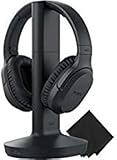
Sony’s WH-RF400 is a classic radio-frequency TV headphone, and that is exactly its appeal. It does not use Bluetooth at all: the TMR-RF400 transmitter sends audio over UHF radio with three selectable channels, and the headphones tune automatically. Sony rates the range at up to about 150 feet in ideal conditions, which comfortably covers a large living room and often the kitchen next door.
The headphones use a closed over-ear design with 40 mm drivers, a Voice Mode that lifts dialogue, and a noise-reduction circuit for transmission hiss. Battery life is rated at up to 20 hours from the supplied rechargeable NiMH pack, and the headphones charge simply by hanging them on the transmitter cradle. In a pinch, they can also run on two AAA batteries.
Strengths: RF transmission has effectively no perceptible lip-sync delay; long rated range; dock-style charging that requires no cables or pairing; Voice Mode for clearer speech.
Drawbacks: The transmitter only has an analog 3.5mm input, so TVs with only optical output need a separate digital-to-analog converter. At 275 g it is heavier than most Bluetooth models here, and it cannot pair with a phone or tablet. This listing is a bundle that includes a cleaning cloth.
How it compares: If the budget docks in the main list ever drift out of sync with your TV, the WH-RF400 is the most straightforward fix. It sits in the mid-range tier, above the main picks, and gives up phone compatibility in exchange for a simpler, more predictable TV link.
Avantree HT41899 Dual Wireless TV Headphones
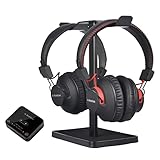
Most TV headphone kits assume one listener. The Avantree HT41899 ships with two pairs of headphones and a single transmitter, so two people can watch the same film with independent volume controls while the rest of the house stays quiet. It is the simplest answer for couples where one partner needs more volume than the other, or for late-night viewing in a shared bedroom.
The original HT41899 transmitter supports aptX Low Latency and FastStream, and Avantree rates the headphone link at under 40 ms latency, which is below the threshold most viewers notice. The transmitter accepts optical, 3.5mm AUX and RCA inputs and includes a pass-through so your soundbar can keep playing. The headphones use 40 mm drivers and are rated for up to 40 hours of playback, and a stand is included to keep both pairs tidy. Avantree also sells a newer HT41899 Plus version with Bluetooth 5.3, aptX Adaptive and charging docks, so check the listing details before ordering.
Strengths: Two headsets in the box; independent volume per listener; wide input support including RCA; soundbar pass-through on the original transmitter.
Drawbacks: The headphones themselves have a shorter Bluetooth range (around 30 feet) than the transmitter, and the pair does not charge on a dock in the original version. It sits in the mid-range tier.
How it compares: Buying two of the budget picks from the main list costs about the same, but you would need two transmitters or a dual-link transmitter to get both pairs synced. The HT41899 solves that in one box.
Avantree HT4186 Wireless Neckband Headphones for TV

Not everyone wants full over-ear cups. Glasses wearers, people with hearing aids that sit behind the ear, and viewers who find headbands hot after an hour often prefer a lightweight neckband. The HT4186 pairs a neckband with small earbuds and a transmitter, and the wearable part is very light, so it practically disappears during a long film.
The original kit uses an aptX Low Latency transmitter with optical, AUX and RCA inputs, and Avantree quotes under 40 ms latency through its FastStream link. Battery life is rated at up to 20 hours, and the transmitter range is rated at up to 100 feet. Avantree also lists a newer HT4186-Q variant with aptX Adaptive and a Bluetooth 5.3 transmitter; both versions keep the neckband format.
Strengths: Lightest and coolest option in this guide; no headband pressure on glasses; in-ear tips put sound directly at the ear canal, which helps in noisy rooms; earbuds also pair with a phone.
Drawbacks: In-ear tips are less comfortable for some people than over-ear pads, and they cannot match the bass weight or soundstage of the over-ear picks for big action scenes. It sits in the budget tier.
How it compares: Pick this over the main list if comfort and heat are your problems rather than sound quality. For pure cinematic impact, the HiFi Stereo 65H pair or the RS 275 remain better choices.
ZANCHIE RF TV Headphones with Transmitter Charging Dock
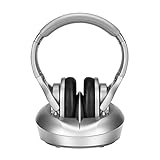
ZANCHIE builds budget RF headphones aimed squarely at seniors and hard-of-hearing viewers, and this kit is the closest budget alternative to the Sony WH-RF400. The transmitter doubles as a charging dock, so the headphones top up whenever they are set down, and the link uses radio frequency rather than Bluetooth, which means no pairing step and minimal delay.
ZANCHIE advertises up to 330 feet of range through walls in ideal conditions, though real-world range depends heavily on walls and interference. Battery life is rated at around 10 hours, and the transmitter accepts digital optical, RCA and 3.5mm AUX inputs, with cables included for each. Three RF channels let you switch if you hear interference.
Strengths: Optical input built in, unlike the Sony; dock charging with no cable fiddling; budget pricing; RF link keeps lip-sync tight.
Drawbacks: Ten hours of battery is the shortest in this guide, so the headphones need to live on the dock between sessions. Analog RF can pick up a faint background hiss at the edge of range, and the frequency response is narrower than the better Bluetooth models. The headphones cannot pair with a phone.
How it compares: Choose the ZANCHIE over the Bluetooth-dock picks in the main list if the listener struggles with any kind of pairing or menu, and the TV sits close to their chair. Choose the main list’s 65H pair if battery life matters more than an RF link.
Buying Guide
Latency: The Dealbreaker Spec
Bluetooth audio inherently introduces delay, but the magnitude varies enormously by codec and chipset implementation. Anything advertised as “no delay” or “low latency” should be verified in reviews for lip-sync accuracy during fast dialogue. A drift under forty milliseconds is imperceptible for most viewers. Above sixty, you will notice characters’ mouths moving before their words land. Dedicated transmitter dongles paired with the headphones — as all five of these products use — typically deliver better latency than connecting Bluetooth headphones directly to a smart TV’s built-in output.
Comfort and Clamp Force Over Extended Sessions
A movie is not a podcast. Two-hour runtimes with sustained earcup contact reveal design flaws that thirty-minute reviews never expose. Look for memory foam that recovers fully after compression, a headband with at least one pivot point to accommodate different head shapes, and clamp force gentle enough that you can wear glasses for ninety minutes without temple pressure. Over-ear designs outperform on-ear in this category consistently, and all five products here are over-ear.
Transmitter Design: Dock vs. Dongle
The transmitter is the component most buyers overlook, but it determines daily usability. A charging dock keeps the transmitter always powered and positioned near the TV, which means no hunting for a dead dongle before a movie night. A small USB dongle is portable but forgettable — it falls behind the TV, runs out of charge, or goes missing. For anyone setting this up for parents or elderly relatives, a dock-based system removes an entire failure mode from their daily routine.
RF, Bluetooth and Auracast: How the Signal Reaches Your Ears
Every TV headphone system in this guide uses one of three wireless approaches, and each has a distinct personality.
- Analog RF (UHF or 2.4 GHz radio): Used by the Sony WH-RF400 and the ZANCHIE kit. Audio travels as a continuous radio signal with effectively no buffering, so lip-sync is as tight as it gets. Range is long, but analog links can hiss at the edges of coverage, and the headphones only work with their own transmitter.
- Bluetooth with a low-latency transmitter: Used by most of the main picks and by the Avantree kits. The transmitter uses codecs such as aptX Low Latency, aptX Adaptive or FastStream to keep delay under roughly 40 to 50 ms. The benefit is that the headphones double as ordinary Bluetooth headphones for a phone or tablet.
- Auracast (Bluetooth LE Audio broadcast): Used by the Sennheiser RS 275. One transmitter broadcasts to any number of compatible receivers, including some newer hearing aids and earbuds. Latency is similar to good Bluetooth, around 50 ms, and the ecosystem is still growing in 2026.
If a listener is sensitive to lip-sync drift or the TV is in a large open room, RF remains the most forgiving choice. If the headphones need to work with a phone too, choose a low-latency Bluetooth kit. If you are planning for hearing aids or several listeners, Auracast is the forward-looking option.
Connecting to Your TV: Optical, HDMI ARC or Analog
The most common reason a new pair of TV headphones produces no sound is a mismatch between the TV’s outputs and the transmitter’s inputs. Check the back of your TV before you buy.
- Digital optical (TOSLINK): Found on most TVs. Many transmitters accept it, but the TV usually needs its digital audio output set to PCM or Stereo rather than Dolby Digital or Auto; otherwise you may hear silence or noise.
- HDMI ARC or eARC: Increasingly the only digital output on newer slim TVs. Few transmitters support it, which is why the RS 275’s HDMI input is notable.
- 3.5mm headphone or RCA analog: Simple and universal, but on some TVs plugging into the headphone jack mutes the speakers, which may not suit households where others want to keep listening.
- Built-in TV Bluetooth: Convenient, but delay varies widely between brands and models, which is why a dedicated transmitter is usually the better path.
If your TV only has optical and your transmitter is analog-only, a small optical-to-analog converter solves the problem for a modest cost.
Dialogue Clarity and Hearing-Assistance Features
Many people shopping for TV headphones are really shopping for clearer speech. Features that help include a dedicated voice or speech mode that lifts the midrange, independent left and right balance for uneven hearing, and a high maximum volume. Mono mode is useful for anyone with significantly reduced hearing in one ear, because it prevents dialogue panned to one side from vanishing. If the listener wears hearing aids, a neckband with earbuds or an Auracast-compatible system may be more practical than pressing over-ear cups on top of the aids. These features help with everyday listening, but they are not a substitute for a hearing assessment.
Two Listeners, One TV
Sharing is trickier than it looks. Standard Bluetooth transmitters can usually hold only one or two headphone links, and both pairs must support the same low-latency codec or one listener will hear delayed audio. Kits sold with two headsets, such as the Avantree HT41899, remove the guesswork. RF systems can often accept extra compatible headsets from the same manufacturer, and Auracast transmitters support an unlimited number of receivers in principle.
Setup Tips for Better Movie Nights
- Place the transmitter where it has a clear line of sight to your seat, not behind the TV or inside a closed cabinet.
- Set the TV’s digital audio output to PCM when using optical to avoid silence or distortion.
- If audio seems slightly behind the picture, check whether your TV has an audio delay or lip-sync setting before blaming the headphones.
- Keep the headphones on the dock between sessions so the battery is always ready, especially for RF models with shorter battery ratings.
- Turn down the TV’s own volume processing features such as auto volume or night mode if they make dialogue sound compressed through the headphones.
- For RF systems, switch channels if you hear hiss or interference from cordless phones and baby monitors.
Expanded Picks at a Glance
| Model | Wireless type | Rated battery | TV inputs | Best for | Price tier |
|---|---|---|---|---|---|
| Sennheiser RS 275 | Auracast (Bluetooth LE Audio) | Up to 50 hours | HDMI ARC, optical, 3.5mm | Modern TVs, hearing-aid users, multiple listeners | Premium |
| Sony WH-RF400 | Analog RF (UHF) | Up to 20 hours | 3.5mm analog | Lag-free viewing in large rooms | Mid-range |
| Avantree HT41899 | Bluetooth, aptX LL / FastStream | Up to 40 hours | Optical, AUX, RCA | Two listeners sharing one TV | Mid-range |
| Avantree HT4186 | Bluetooth, aptX LL / FastStream | Up to 20 hours | Optical, AUX, RCA | Glasses wearers and warm rooms | Budget |
| ZANCHIE RF dock kit | Analog RF | Around 10 hours | Optical, RCA, AUX | Seniors who want zero pairing | Budget |
Dedicated TV Headphones vs. Regular Bluetooth Headphones
Plenty of people already own a capable pair of noise-cancelling Bluetooth headphones and wonder whether a dedicated TV kit is necessary. For streaming on a laptop or tablet, regular headphones work well because the device can compensate for Bluetooth delay automatically. TVs are less consistent. Some smart TVs handle Bluetooth audio smoothly, while others introduce visible lip-sync drift, drop the connection when the TV updates, or force you to re-pair after every power cycle.
A dedicated kit solves three practical problems at once: the transmitter stays permanently connected to the TV, the dock gives the headphones a fixed home where they charge, and the low-latency link keeps dialogue in sync. For a shared household or an older viewer, those conveniences matter more than premium drivers or active noise cancellation. If you are the only user and your TV’s Bluetooth behaves well, your existing headphones may be enough; if not, a transmitter-based kit is the more dependable fix.
Do You Need Noise Cancellation for Movies?
Active noise cancellation helps on planes and trains, but in a living room its value is smaller. Most dedicated TV headphones skip it, and that keeps weight, cost and battery drain down. Closed-back over-ear cups already block a good share of household noise such as a dishwasher or a partner’s conversation. If you watch in a genuinely loud environment, a closed over-ear design with deep pads, like the HiFi Stereo 65H pick or the Sennheiser RS 275, is a more practical choice than paying extra for ANC that you will rarely need at home. Transparency or ambient modes can be useful, however, if you need to hear a doorbell or a child while watching.
Battery Type and Long-Term Ownership
Battery claims are only half the story. Over two or three years of nightly use, any rechargeable cell loses capacity, so it is worth checking whether the battery can be replaced. Some RF models, such as the Sony WH-RF400, use a swappable rechargeable pack and can even run on standard AAA cells. The Sennheiser RS 275 also has a user-replaceable battery and replaceable ear pads. Most budget Bluetooth docks have sealed batteries, which means the headphones are effectively disposable once the cell wears out. If you are buying for a parent who will use the headphones daily, a replaceable battery can easily double the useful life of the product.
Matching the Headphone Type to the Viewer
- An older parent who dislikes technology: A dock-charging RF kit or one of the plug-and-play Bluetooth docks from the main list. No pairing, no app, and the headphones always live on the charger.
- A couple watching late at night: A dual-headset kit with independent volume, so one person can listen louder without disturbing the other.
- A film fan with a modern TV: A system with HDMI ARC input and virtual surround processing, which delivers a more cinematic presentation from streaming soundtracks.
- A glasses wearer or someone who runs warm: A neckband with earbuds avoids clamping on the temples and keeps ears cooler during long sessions.
- A hearing aid user: An Auracast-capable transmitter paired with compatible aids, or a neckband format that does not press on behind-the-ear devices.
Our Verdict
The TV Bluetooth 5.4 with Transmitter Dock is our top pick overall: its charging dock and near-instant pairing make it the simplest, most dependable choice for most households. The HiFi Stereo 65H Playtime pair is the upgrade pick for heavy viewers. The combination of extended battery life, superior comfort, and a genuinely wider soundstage justifies the price premium for anyone who watches movies several times per week. The 3 Audio Modes model is the budget pick — its mode-switching flexibility and lowest price make it the best value for occasional viewers or as a gift for someone who just needs wireless audio on the couch without fuss. The Tianfucen pair wins if comfort over marathon viewing sessions is your single non-negotiable, since its even weight distribution and balanced tuning handle three-hour films without fatigue.
FAQ
Do I really need a wireless TV headphone with a transmitter?
If your TV has Bluetooth output and you already own wireless headphones, you can skip the transmitter. However, built-in TV Bluetooth is notoriously inconsistent across brands and adds noticeable latency that a dedicated, pre-paired low-latency transmitter link usually reduces. For anyone whose household includes a parent or elderly relative, the transmitter-and-headphone bundle eliminates the need to pair devices or navigate TV settings.
Can I use these headphones with my phone or tablet as well?
Usually. The five Bluetooth-dock picks in the main list are sold as Bluetooth headphones and can generally pair with other devices when disconnected from their transmitter, though it is worth confirming on each listing. The transmitter is simply an audio source bridge for the TV — the headphones themselves pair like any other Bluetooth device. This means they travel well and work with streaming apps on mobile without reconfiguration.
How many hours of battery life do I actually need?
If you charge nightly or have a convenient USB-C outlet near your couch, twenty to thirty hours is sufficient. If the headphones will sit on a table for days between viewing sessions — which is the typical pattern for seniors or casual viewers — then forty-plus hours prevents the “it died right when I pressed play” frustration. The 65-hour option in this group removes battery anxiety entirely.
Will these work with a soundbar or home theater receiver?
Yes, as long as your receiver or soundbar has a 3.5mm analog output or a digital optical output that the transmitter can connect to. All five products here use a transmitter that accepts standard audio inputs, so they integrate with existing home theater setups without replacing any components. You are simply adding a private listening path to the audio chain you already have.
Why do I hear no sound after connecting the optical cable?
In most cases the TV is sending a surround format such as Dolby Digital that the transmitter cannot decode. Open the TV’s sound settings and change the digital or optical output format to PCM or Stereo. Also confirm the TV is set to output audio through the optical port rather than its internal speakers only, and that the protective cap has been removed from both ends of the cable.
Can two people listen through wireless TV headphones at the same time?
Yes, but it depends on the system. Kits that include two headsets, such as the Avantree HT41899, are the easiest route. RF systems usually accept extra compatible headsets from the same brand, and Auracast transmitters like the one in the Sennheiser RS 275 can broadcast to many receivers at once. With a standard Bluetooth transmitter, check that it supports dual links and that both headphones use the same low-latency codec.
Do RF TV headphones work with a phone or laptop?
No. Analog RF headphones such as the Sony WH-RF400 and the ZANCHIE kit only receive audio from their own transmitter, which can be connected to a laptop’s headphone jack but not to a phone wirelessly. If you also want to use the headphones on the go, choose a Bluetooth-based kit, which pairs with phones like any other wireless headphones.
Are wireless TV headphones a good option for hearing aid users?
They can be, with the right format. Over-ear cups can press on behind-the-ear aids and cause feedback, so many users prefer a neckband with earbuds or a system that streams directly to compatible aids. Auracast transmitters can send TV audio straight to LE Audio hearing aids that support broadcast audio. An audiologist can confirm whether a specific aid supports this.









