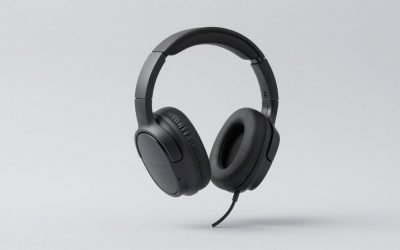
The best gaming headset for Battlefield 6 on PC is one that stays comfortable through long Conquest evenings and keeps footsteps readable between explosions, and our top pick, the Razer BlackShark V3 Pro (50 mm drivers, hybrid active noise cancellation, up to 70 hours over 2.4 GHz), fits that brief best for most players, especially in a noisy room. The Audeze Maxwell 2 is the immersion pick if you can live with its weight, the wired HyperX Cloud III covers tight budgets, and the HyperX Cloud III Wireless is worth a look if battery endurance comes first.
As an Amazon Associate we earn from qualifying purchases at no extra cost to you.

Our Top Picks
 Logitech G PRO X 2 Lightspeed Wireless GamingWireless3.74 x 6.92 x 7.44 inches0.76 poundsCheck on Amazon
 SteelSeries Arctis Nova Pro Wireless Multi-System Gaming HeadsetWireless7.58 x 7.37 x 3.44 inches3 poundsCheck on Amazon
 Corsair Virtuoso MAX Wireless Bluetooth PC PS5 GamingOne Size7.89 x 7.23 x 3.99 inches0.9 PoundsCheck on Amazon


Top 3 picks at a glance
What Battlefield 6 asks of a headset
Battlefield 6 launched on October 10, 2025, followed by the free-to-play battle royale RedSec on October 28, and its sound design won Best Audio Design at The Game Awards 2025. That mix is dense: 64-player Conquest, tanks, aircraft and near-constant destruction. A headset has three jobs here:
- Separate quiet cues from loud ones: footsteps and reloads need to stay audible while artillery lands nearby, which favors clean drivers and a sensible mix preset over heavy bass boost.
- Stay comfortable for hours: a Conquest or Breakthrough session easily runs three to four hours, so weight and clamp matter as much as sound.
- Work with the game’s spatial modes: as the setup section below shows, how you configure Windows matters as much as the hardware.
Be realistic about limits. After Season 1 began, many players reported footsteps carrying through thick walls or vanishing in open areas, and DICE said it would overhaul the audio system. No headset can fix a mix problem in the game itself, so re-check your settings after major patches.
The main headsets compared
| Headset | Drivers | Weight | Battery (rated) | Noise cancelling | Connections | Typical price |
|---|---|---|---|---|---|---|
| Razer BlackShark V3 Pro | 50 mm TriForce Bio-Cellulose Gen-2 | 367 g | Up to 70 h on 2.4 GHz (around 40 h with ANC on, per reviews) | Hybrid ANC | 2.4 GHz, Bluetooth 5.3, USB-C, 3.5 mm | Upper mid-range |
| Audeze Maxwell 2 | 90 mm planar magnetic | 560 g | 80+ h | Passive (separate ANC model exists) | 2.4 GHz up to 24-bit/96 kHz, Bluetooth 5.3, USB-C, 3.5 mm | Premium |
| HyperX Cloud III Wireless | 53 mm angled | 330 g (342 g with mic) | Up to 120 h at 50% volume | Passive | 2.4 GHz | Mid-range |
| HyperX Cloud III (wired) | 53 mm angled | 308 g (320 g with mic) | Not applicable | Passive | 3.5 mm, USB-A/USB-C adapter | Budget |
Razer BlackShark V3 Pro: top pick for noisy rooms
Its hybrid ANC cuts fan noise, air conditioning and household sounds, so you can hear quiet footsteps without raising the volume until explosions become fatiguing. The 12 mm mic suits squad callouts, the battery is removable through the right earcup plate, and a 15-minute charge adds up to six hours. At 367 g it is heavier than its 320 g predecessor, so weight-sensitive players should keep that in mind.
Audeze Maxwell 2: best for immersion

Large 90 mm planar drivers with a rated 10 Hz–50 kHz response give collapsing buildings and close artillery real weight, and the High Dynamics mix is the one that shows this off. The trade-off is weight: at 560 g it is about 70% heavier than the Cloud III Wireless, and at least one published review found it uncomfortable after around four hours. Choose it for shorter sessions or the campaign, not all-night Conquest. Audeze sells Xbox and PlayStation editions, with Dolby Atmos and Tempest 3D support respectively.
HyperX Cloud III Wireless: best for marathon sessions
A 120-hour rating means charging roughly once a month at four hours a day, and 330 g with angled 53 mm drivers keeps long Conquest nights comfortable. It includes DTS Headphone:X, but in Battlefield 6 the game’s own spatial mode should do the work, so leave DTS off.
HyperX Cloud III (wired): best on a budget
The same driver size and memory foam in a wired design, with nothing to charge and no wireless pairing to troubleshoot. For players spending most of their budget on a GPU that can run Battlefield 6 well, it is the sensible starting point.
More headsets worth considering for Battlefield 6
The four headsets above cover the main trade-offs, but Battlefield 6 players with different priorities, such as multi-platform setups, swappable batteries or a lighter frame, have several other strong options. Each headset below is a current model with specs drawn from the manufacturer’s published data.
Logitech G Pro X 2 Lightspeed: best for competitive clarity

The Pro X 2 Lightspeed was designed with esports players in mind, and that tuning suits Battlefield 6’s competitive side well. It uses 50 mm graphene drivers, a stiff, light diaphragm material intended to keep transients such as footsteps and reloads crisp rather than smeared under low-frequency rumble. Logitech rates it for up to 50 hours of battery over its Lightspeed 2.4 GHz connection, and it also supports Bluetooth and a 3.5 mm wired connection, so it works with a PC, a console controller or a phone.
At about 345 g it sits close to the BlackShark V3 Pro in weight, with an aluminum fork, steel headband and both leatherette and cloth ear pads in the box. The cloth pads are worth fitting for long Conquest sessions, because they breathe better and reduce heat build-up. The detachable 6 mm cardioid boom mic works with Logitech’s Blue VO!CE processing in G HUB for cleaner squad callouts.
Strengths: sharp, detailed drivers that make positional cues easy to pick out, three connection types, durable metal build, and a choice of pad materials.
Drawbacks: no active noise cancellation, so a loud room or fan will compete with quiet footsteps. Battery life is good rather than class-leading, well behind the Cloud III Wireless. Pricing sits in the upper-mid tier.
Compared with the BlackShark V3 Pro, it trades ANC for slightly lower weight and a clearer, less bass-heavy presentation. If you play in a quiet room, the Pro X 2 is a strong alternative for players who prioritize hearing enemy movement over cinematic explosions. Use the game’s 3D Headphones mode rather than the headset’s DTS processing for the same reason the setup section explains: two spatial layers on top of each other tend to blur direction.
SteelSeries Arctis Nova Pro Wireless: best for never running out of battery

The Arctis Nova Pro Wireless solves battery anxiety in a different way from the Cloud III Wireless. Each of its two 700 mAh batteries lasts up to around 22 hours, but the second battery charges in the base station while you play, and you can swap them in seconds without turning the headset off. At home, that means effectively unlimited playtime for marathon Breakthrough sessions.
The base station, or GameDAC, is the other key feature. It connects two systems at once over USB-C, including a dedicated Xbox port, and has line-in and line-out connections. You can switch between PC and console with one button and adjust EQ, volume and ANC from the base’s screen and dial rather than alt-tabbing to software mid-match. The headset uses 40 mm drivers, hybrid ANC with a transparency mode, and Bluetooth that runs alongside 2.4 GHz so you can take a call or Discord audio from a phone during a match.
Comfort comes from a ski-goggle style suspension band under the steel headband, which spreads weight across the top of your head instead of concentrating it at one pressure point. The earcups also rotate and the band adjusts in steps, so it fits a wide range of head sizes. For Battlefield 6, the base station’s on-screen EQ controls are a practical way to apply the footstep-focused adjustments described below without installing extra software on a console.
Strengths: swappable batteries, effective ANC, a genuinely useful control base, and a comfortable suspension headband at around 337 g.
Drawbacks: premium price tier, varying by version, and the base station takes desk space. Bluetooth audio and the mic are fine for calls but not exceptional. SteelSeries also sells a newer Nova Pro Omni, so check which version a listing offers.
For players who split time between a gaming PC and a PlayStation or Xbox, the dual-system base is a strong advantage over the single-receiver picks above, and its ANC puts it in the same quiet-room-not-required category as the BlackShark V3 Pro.
Corsair Virtuoso Max: best for ANC with a premium build

The Virtuoso Max, released in late 2024, combines 50 mm graphene drivers with active noise cancellation and a transparency mode, so it targets the same buyer as the BlackShark V3 Pro. Corsair rates it at up to 60 hours over 2.4 GHz with lighting off, and a 15-minute charge adds around six hours of play. It can use 2.4 GHz and Bluetooth simultaneously and supports Dolby Atmos on PC.
The drivers are rated from 20 Hz to 40 kHz, and the tuning has a fuller low end than the Pro X 2, which suits Battlefield 6’s tank and artillery-heavy moments. The detachable omnidirectional mic is serviceable for squad chat.
The transparency mode is more useful than it sounds in a game like Battlefield 6. You can switch it on between rounds to hear someone in the room, then return to ANC for the next match without removing the headset. Corsair’s iCUE software offers EQ presets and lets you control lighting, which you can turn off to reach the longest rated battery life. Like the BlackShark V3 Pro, ANC means you can keep the overall volume lower and still pick out quieter cues, a real benefit across a long evening of Conquest where loud explosions otherwise add up to listening fatigue.
Strengths: effective low-frequency ANC for fan and air-conditioning noise, simultaneous wireless and Bluetooth, premium aluminum and leatherette construction, and long battery life with ANC available.
Drawbacks: weight is the big issue. Published reviews list it at roughly 420 to 430 g, heavier than every headset in the main table except the Audeze Maxwell 2, and several reviewers flagged comfort over long sessions. It also sits in the premium price tier.
Use the worked battery-and-comfort reasoning above: at more than 90 g heavier than the Cloud III Wireless, the Virtuoso Max suits shorter sessions better than all-night Conquest. If you want ANC but cannot handle the weight, the BlackShark V3 Pro remains the more comfortable choice.
Turtle Beach Stealth 700 Gen 3: best for PC and console crossplay

The third-generation Stealth 700 is built for players who move between a PC and a console. It ships with two 2.4 GHz USB-C transmitters; plug one into your PC and the other into a PS5 or Xbox (depending on the version), then switch with a button on the headset. Bluetooth 5.2 runs alongside, and you can mix Bluetooth and wireless audio for phone-based party chat.
Its 60 mm Eclipse dual drivers separate low and high frequencies, which helps keep footsteps and gunfire distinct when vehicles fill the low end. Turtle Beach rates the battery at up to 80 hours with quick charging, and the flip-to-mute mic uses AI-based noise reduction to cut keyboard and background noise from your callouts.
Turtle Beach’s PC software and mobile app add EQ presets, mic monitoring and a Superhuman Hearing mode designed to lift quiet sounds like footsteps. Treat that mode with the same caution as any heavy processing: try it alongside the War Tapes mix preset for a few rounds rather than stacking it on top of the game’s 3D Headphones mode without checking whether direction still feels accurate. The earcups use memory foam cushions, and the headband adjusts with a sliding mechanism.
Strengths: two transmitters for genuine crossplay switching, long battery life, large drivers with clear separation, and a convenient flip-to-mute mic.
Drawbacks: no ANC for your ears, and at around 400 g it is heavier than the Cloud III Wireless and BlackShark V3 Pro. Separate Xbox and PlayStation versions exist, so buy the one that matches your console. Price is in the mid tier and frequently discounted.
Against the Cloud III Wireless, it adds Bluetooth, crossplay transmitters and bigger drivers, but gives up long-session comfort. It is the best fit in this guide if Battlefield 6 cross-platform play means you game on both a PC and a console.
HyperX Cloud Alpha Wireless: best value for extreme battery life

The Cloud Alpha Wireless is the predecessor-style alternative to the Cloud III Wireless for players who want the longest possible battery for the money. HyperX rates it at up to 300 hours at 50% volume, about two and a half times the Cloud III Wireless, which means charging roughly every two to three months at four hours a day. It uses 50 mm dual-chamber drivers that separate bass from mids and highs, a design that keeps footsteps from being masked by explosions.
The aluminum frame and memory foam pads are tuned for comfort, and it weighs 322 g, or 335 g with the detachable mic, making it the lightest wireless headset in this guide. It connects only over 2.4 GHz wireless with up to 20 m of range. DTS Headphone:X is included but, as with the Cloud III Wireless, Battlefield 6’s own 3D Headphones mode should handle positioning instead.
The battery figure deserves context: it is rated at 50% volume, and higher listening levels shorten it, but even at louder settings it remains well ahead of almost any other wireless headset. A full charge takes about four and a half hours, so plug it in overnight. HyperX’s NGENUITY software provides EQ and mic monitoring controls. Because it is a mature model, it is also one of the more frequently discounted headsets in this guide, which makes it a strong pick for players building a Battlefield 6 setup on a budget.
Strengths: exceptional battery life, light weight, dual-chamber clarity, and frequent discounts that push it into the budget-to-mid tier.
Drawbacks: no Bluetooth and no ANC, and the mic is adequate rather than broadcast quality. It is an older design, launched in 2022, so it lacks newer features such as simultaneous Bluetooth.
If the Cloud III Wireless is your shortlist pick but you want even less charging and lower weight, the Cloud Alpha Wireless is the natural alternative at a similar or lower price tier.
The additional picks compared
| Headset | Drivers | Weight | Battery (rated) | Noise cancelling | Connections | Price tier |
|---|---|---|---|---|---|---|
| Logitech G Pro X 2 Lightspeed | 50 mm graphene | About 345 g | Up to 50 h | Passive | 2.4 GHz, Bluetooth, 3.5 mm | Upper-mid |
| SteelSeries Arctis Nova Pro Wireless | 40 mm | About 337 g | Up to about 22 h per battery, two swappable | Hybrid ANC | 2.4 GHz, Bluetooth, base station | Premium |
| Corsair Virtuoso Max | 50 mm graphene | About 420-430 g | Up to 60 h | ANC | 2.4 GHz, Bluetooth, USB-C | Premium |
| Turtle Beach Stealth 700 Gen 3 | 60 mm dual | About 400 g | Up to 80 h | Passive | Two 2.4 GHz transmitters, Bluetooth 5.2 | Mid |
| HyperX Cloud Alpha Wireless | 50 mm dual-chamber | 322 g (335 g with mic) | Up to 300 h | Passive | 2.4 GHz | Budget to mid |
Applying the same four-hour session rule used above: the Cloud Alpha Wireless covers around 75 sessions per charge, the Stealth 700 Gen 3 about 20, the Virtuoso Max about 15 and the Pro X 2 about 12. The Arctis Nova Pro Wireless gets about five sessions per battery, but with a charged spare always waiting in the base station, it never needs to stop for charging at home.
Battery and comfort, worked out
Assume four-hour sessions, a common length for an evening of Conquest or RedSec:
| Headset | Rated hours | Four-hour sessions per charge | Weight vs Cloud III Wireless |
|---|---|---|---|
| BlackShark V3 Pro, ANC off | 70 | About 17 | +37 g (about 11% heavier) |
| BlackShark V3 Pro, ANC on | About 40 | 10 | +37 g |
| Audeze Maxwell 2 | 80 | 20 | +230 g (about 70% heavier) |
| HyperX Cloud III Wireless | 120 | 30 | Baseline (330 g) |
Battery is not the limiting factor for any of these; weight is. If you regularly play past three hours, the 230 g gap between the Maxwell 2 and the Cloud III Wireless will matter more than any difference in sound.
How to choose a headset for Battlefield 6
Battlefield 6 puts unusual demands on audio: large maps, vehicles, constant destruction and squad communication all at once. These criteria matter more than marketing terms like “7.1 surround”:
- Driver tuning over driver size: bigger drivers do not guarantee better positional audio. A balanced tuning with clear upper mids, where footsteps and reloads sit, beats a bass-heavy headset that turns every explosion into a wall of rumble.
- Weight and clamp: as the battery table shows, weight limits long sessions more than battery does. Under about 350 g is comfortable for most people over several hours; above 400 g, padding and headband design become critical.
- Noise cancellation: ANC helps if your room has PC fans, air conditioning or other people. It lets you hear quiet cues without turning up the volume, which reduces fatigue.
- Microphone quality: Battlefield 6 rewards squad play. A cardioid or noise-reducing boom mic keeps callouts clean when your keyboard and mouse are loud.
- Platform support: check whether the wireless receiver works with your console. Xbox requires specific Xbox-compatible wireless headsets, while most 2.4 GHz USB headsets work on PC and PlayStation.
- Software control: EQ presets and per-game profiles are useful, but avoid stacking headset virtual surround on top of the game’s own 3D audio.
- Wired fallback: a 3.5 mm option lets you keep playing if the battery dies mid-match and makes the headset usable with a controller.
EQ settings for hearing footsteps in Battlefield 6
An equalizer can make quiet cues stand out without raising the overall volume. Start from a flat profile and adjust gradually:
- Trim the deep bass slightly. Lowering the region below about 100 Hz by a few decibels reduces the rumble from tanks, artillery and explosions that can mask quieter sounds.
- Lift the upper mids gently. A small boost around 2 to 5 kHz brings out footsteps, reloads and equipment sounds. Keep it modest, because too much makes gunfire harsh and fatiguing.
- Leave the highest treble alone. Boosting above around 8 kHz adds hiss and glass-break sharpness without improving positional information.
- Pair EQ with the right mix preset. A footstep-focused EQ works best with War Tapes, which already compresses the range between loud and quiet sounds. With High Dynamics, the EQ boost matters less.
- Save it as a game profile. Most headset software, including Logitech G HUB, SteelSeries GG, Corsair iCUE and HyperX NGENUITY, lets you assign profiles per game so music and films keep a natural sound.
As the FAQ notes, no EQ can fix problems in the game’s own mix. If footsteps disappear on a specific map after a patch, the cause is usually the game, not your settings.
Battlefield 6 audio setup that actually works
Battlefield 6 offers several sound system modes, including 3D Headphones, Headphones, Stereo, 5.1 and 7.1, plus mix presets such as High Dynamics, War Tapes, War Tapes VAL and Night Mode. Players have reported a few fixes for getting spatial audio to engage on PC:
| Setting | Value | Reasoning |
|---|---|---|
| Windows output format | 48,000 Hz | Players report the game only detects spatial audio when the device runs at 48 kHz |
| Windows spatial sound | Windows Sonic for Headphones | Several players found 3D Headphones only took effect with it enabled |
| Headset software surround | Off | Avoids processing the signal twice |
| In-game sound system | 3D Headphones | Use 5.1 or 7.1 only if your headset decodes real surround |
| Mix preset | War Tapes for competitive, High Dynamics for immersion | See below |
| Bluetooth headsets | Disable Hands-Free Telephony | Stops Windows dropping to a low-quality call profile |
Battlefield’s mix presets have traditionally worked like this: High Dynamics keeps the widest gap between quiet and loud sounds, which is impressive on a good headset in a quiet room but can leave footsteps far below explosions; War Tapes compresses that range so quieter cues sit closer to the loud ones; Night Mode compresses the most, for playing at low volume. Results vary by player, so try War Tapes and High Dynamics for a few rounds each on the same map. If you use an external audio interface and spatial audio will not engage, some players fixed it by switching to motherboard audio once and then back.
Spatial audio explained: game 3D modes vs headset surround
Many gaming headsets advertise 7.1 surround, DTS Headphone:X, Dolby Atmos or similar features. They all do the same basic job: take a multi-channel or object-based signal and process it so that stereo headphones create a sense of direction, including front, back and height. The problem in Battlefield 6 is that the game’s 3D Headphones mode already performs that processing. Adding a second layer from headset software or a Windows setting can confuse cues, making footsteps sound diffuse or shifting their apparent direction.
A simple rule works for most setups:
- Use only one spatial processor at a time. If the game’s 3D Headphones mode is active, set headset virtual surround to off. If you prefer the headset’s surround mode, set the game to a stereo or 7.1 output instead and compare.
- Compare on the same map. Spatial differences are subtle. Play a few rounds on a single map with each configuration and listen for whether you can locate footsteps above, below and behind you.
- Re-check after updates. Game patches, headset firmware and Windows updates can change how spatial audio engages, which is why the setup table above is worth revisiting after major updates.
Virtual surround is not useless; some players prefer the wider sound of a particular headset processor, and on console the platform’s own 3D audio usually works well. The key is avoiding double processing rather than choosing one technology over another.
Wired or wireless for Battlefield 6?
Modern 2.4 GHz wireless headsets, including every wireless pick in this guide, have latency low enough that most players cannot tell them apart from wired headsets in a shooter. The real differences are elsewhere:
- Wireless gives freedom of movement and fewer cables on the desk but needs charging, can suffer interference from other 2.4 GHz devices near the receiver, and usually weighs more because of the battery.
- Wired headsets like the HyperX Cloud III never run out of battery and usually cost less for the same sound quality, but the cable can snag on a chair or desk.
- Bluetooth adds noticeably more latency and should only be used for phone audio or chat, not as the main game connection.
To reduce interference, plug the wireless receiver into a front USB port or a short extension cable with a clear line of sight to your seat, rather than a rear port behind a metal PC case.
Console players: PS5 and Xbox headset tips
Battlefield 6 is also available on PS5 and Xbox Series X|S, and headset choice works slightly differently there:
- Xbox compatibility is the main restriction. Xbox consoles only accept wireless headsets built for the Xbox wireless protocol or a dedicated Xbox transmitter. Many headsets come in separate Xbox and PlayStation versions, including the Stealth 700 Gen 3 and the Audeze Maxwell 2, so check the version before buying. A wired 3.5 mm connection through the controller works on both consoles.
- PS5 uses Tempest 3D Audio. On PlayStation, enable 3D Audio in the console’s sound settings for headphones and choose the in-game headphone mode. Avoid enabling additional virtual surround in the headset itself.
- Xbox offers Windows Sonic and Dolby Atmos. Windows Sonic is free and built in; Dolby Atmos for Headphones requires the Dolby Access app. Some headsets include an Atmos license.
- Crossplay setups benefit from dual receivers. If you play on both PC and console, the Stealth 700 Gen 3’s dual transmitters or the Arctis Nova Pro Wireless base station let you switch without re-pairing.
- Game and chat balance. On console, squad chat and game audio share the same headset. Use the console’s chat mixer or the headset’s game/chat dial, if it has one, so callouts are not buried under gunfire.
Microphone setup for squad callouts
A clean mic makes you a better teammate. Position the boom mic about two finger-widths from the corner of your mouth, slightly to the side so breathing does not hit it directly. Use push-to-talk in noisy environments, or set a voice activation threshold high enough that your keyboard does not trigger it. Enable the headset’s noise reduction in its software, but avoid stacking it with Discord’s noise suppression, since two noise filters can make your voice sound clipped. Finally, record a short test clip in your headset software or Windows Sound Recorder; how your voice sounds to others is often very different from what you expect.
Which one to buy
| Your situation | Best fit |
|---|---|
| Noisy room, shared space, competitive focus | Razer BlackShark V3 Pro |
| Short sessions, campaign, maximum scale | Audeze Maxwell 2 |
| All-night Conquest, forgets to charge | HyperX Cloud III Wireless |
| Tight budget or prefers wired | HyperX Cloud III (wired) |
Is active noise cancellation worth it for Battlefield 6?
It helps if your room is noisy. ANC reduces steady sounds like PC fans and air conditioning, so you can hear quiet footsteps without raising the volume. In a quiet room, a well-tuned passive headset such as the Logitech G Pro X 2 Lightspeed or HyperX Cloud Alpha Wireless performs just as well for positional cues.
Are open-back headphones better than a gaming headset for Battlefield 6?
Open-back headphones often give a wider, more natural sense of space, which some players find helps with direction. The trade-offs are no isolation, sound leaking into the room, and usually no built-in mic. If you play in a quiet room and use a separate microphone, they are a valid alternative to a closed gaming headset.
Which headset is best if I play Battlefield 6 on both PC and console?
The Turtle Beach Stealth 700 Gen 3 includes two wireless transmitters for switching between a PC and a console, and the SteelSeries Arctis Nova Pro Wireless base station connects two systems at once. Make sure you buy the Xbox version if Xbox is one of your platforms.
Does a heavier headset sound better?
Not necessarily. Weight usually comes from larger drivers, ANC hardware, batteries or metal frames, not from sound quality alone. For long Battlefield 6 sessions, a lighter headset that you can wear comfortably for hours is usually the better choice.