Our Short List of 3

- Best for: First-time wireless buyers who want a proven all-rounder.
- Sensor: HERO optical sensor
- Sensitivity: up to 12,000 DPI
- Wireless: LIGHTSPEED 2.4 GHz via USB receiver
- Buttons: 6 programmable buttons

- Best for: Laptop gamers and smaller hands that need a genuinely portable mouse.
- Sensor: Razer 5G Advanced optical sensor
- Sensitivity: up to 18,000 DPI
- Wireless: Razer HyperSpeed 2.4 GHz and Bluetooth
- Switches: 2nd-generation Razer mechanical mouse switches
- Best for: Claw-grip shooter and MOBA players who want Corsair’s software ecosystem.
- Sensor: PixArt optical sensor
- Sensitivity: up to 10,000 DPI
- Wireless: SLIPSTREAM CORSAIR WIRELESS TECHNOLOGY and Bluetooth
- Battery: up to 135 hours on a single AA battery
All 3 Picks at a Glance
| Product | Specs | Action |
|---|---|---|
| Logitech G305 LIGHTSPEED |
| Check price on Amazon |
| Razer Orochi V2 |
| Check price on Amazon |
| CORSAIR KATAR PRO WIRELESS |
| Check price on Amazon |
Cutting the cable used to mean paying flagship money, so the real decision at the value end is which compromises you can live with. Every mouse below keeps a proper gaming-grade 2.4 GHz connection, yet each one saves money in a different place: disposable batteries instead of a rechargeable cell, a plastic shell without lighting, or a sensor a generation behind the flagship lines. Knowing which trade-off matches your desk matters more than chasing the biggest DPI number on the box.
This guide is for first-time wireless buyers, laptop gamers who travel with their setup, and anyone replacing a worn-out wired mouse without stretching the budget. Each pick was chosen from the names and specifications printed on its Amazon listing, and the four models split cleanly by priority: marathon battery life, the lightest shell, dual-device flexibility, or a compact shape for smaller hands.
Our Top Picks
- Razer Orochi V2 Wireless Gaming Mouse4.26 x 1.52 inch (Pack of 1)4.26 x 1.52 x 2.47 inches0.13 poundsCheck on Amazon
Top 3 picks at a glance
Quick Picks
As an Amazon Associate we earn from qualifying purchases.
| Product | Best for | Key spec from title |
|---|---|---|
| Logitech G305 LIGHTSPEED | The safe all-round first wireless mouse | HERO sensor, 12,000 DPI |
| Razer Orochi V2 | Laptop bags and small hands | 5G Advanced 18K DPI optical sensor |
| SteelSeries Rival 3 Wireless | One mouse for gaming PC and work laptop | 18,000 CPI TrueMove Air optical sensor |
| CORSAIR KATAR PRO WIRELESS | Claw-grip FPS and MOBA players | 10,000 DPI optical sensor |
How to Choose
Wireless Type and What the Latency Claims Actually Mean
At this tier, nearly every serious option connects through a 2.4 GHz USB dongle, and the branded names differ more than the experience. Logitech calls its link LIGHTSPEED, Razer uses HyperSpeed, and Corsair quotes SLIPSTREAM as sub-1ms; all three aim at wired-like response for gaming. Bluetooth, offered on the Orochi V2, Rival 3 Wireless and KATAR PRO WIRELESS, trades a little responsiveness for convenience on laptops and tablets. Treat Bluetooth as your second connection for work or travel, and keep the dongle plugged in whenever you sit down to play competitively.
Sensor Numbers Worth Reading, and Those Worth Ignoring
Headline DPI figures at this level run from 10,000 on the KATAR PRO WIRELESS to 18,000 on the Orochi V2 and Rival 3 Wireless, yet most players settle between 400 and 3,200 DPI in game, so the ceiling rarely decides anything. Tracking speed and acceleration tell you more: the Rival 3 Wireless lists 400 IPS and 40G from its TrueMove Air sensor, which comfortably covers fast flicks in shooters. What matters is clean, consistent tracking without smoothing surprises, and all four sensors here come from established gaming lines rather than office parts.
Battery Strategy: Swappable Cells Versus Runtime Claims
Value wireless mice almost always run on disposable AA or AAA cells, which keeps the purchase simple and lets you swap in a fresh battery mid-session instead of tethering to a charging cable. Runtime claims swing wildly by connection: Razer rates the Orochi V2 at up to 950 hours on Bluetooth but up to 425 hours on HyperSpeed, while the G305 quotes 250 hours and the KATAR PRO WIRELESS up to 135 hours on a single AA. Read the figure for the mode you will actually game on, not the biggest number in the title.
Where Budget Models Cut Corners
The savings show up in predictable places once you know where to look. Shells are plain matte plastic without RGB lighting, feet are basic PTFE rather than the premium blends on flagship models, and software extras shrink: the G305 keeps on-board memory, but others lean on simpler configuration tools. Weight is another giveaway, because a AA-powered mouse like the 99 g G305 or 96 g KATAR PRO WIRELESS carries its battery as part of the heft. None of these cuts affect aim, but they shape daily comfort.
The 4 Best Options
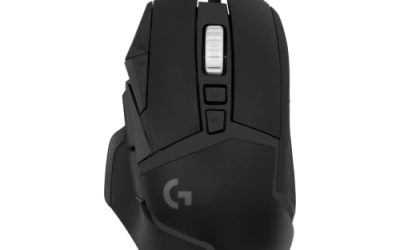
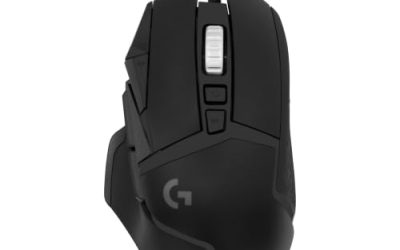
Logitech G305 LIGHTSPEED
- Best for: First-time wireless buyers who want a proven all-rounder.
- Sensor: HERO optical sensor
- Sensitivity: up to 12,000 DPI
- Wireless: LIGHTSPEED 2.4 GHz via USB receiver
- Buttons: 6 programmable buttons
First-time wireless buyers who want a proven all-rounder.
There is no Bluetooth and no rechargeable cell, so confirm you are happy swapping AA batteries and giving up multi-device pairing.
If you want one recommendation that fits almost everybody, this is it. The G305 pairs Logitech’s HERO sensor with the LIGHTSPEED dongle connection, six programmable buttons and on-board memory, so your settings travel with the mouse between computers. Its safe, symmetrical shell suits palm, claw and fingertip grips across most hand sizes, and the 250-hour runtime from a single AA means battery swaps become a rare chore rather than a weekly one. It is the default starting point for a first wireless gaming mouse.
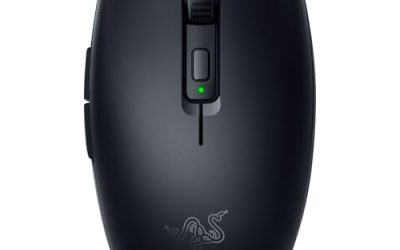
Razer Orochi V2
- Best for: Laptop gamers and smaller hands that need a genuinely portable mouse.
- Sensor: Razer 5G Advanced optical sensor
- Sensitivity: up to 18,000 DPI
- Wireless: Razer HyperSpeed 2.4 GHz and Bluetooth
- Switches: 2nd-generation Razer mechanical mouse switches
Laptop gamers and smaller hands that need a genuinely portable mouse.
The small shell can cramp a relaxed palm grip on larger hands, so check the dimensions against your current mouse before ordering.
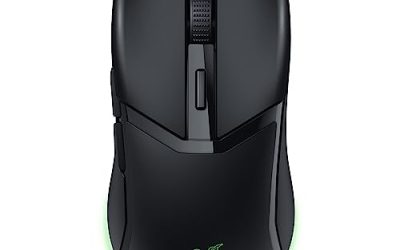
Built for people whose gaming happens wherever the laptop lands, the Orochi V2 is the smallest and lightest shell in this roundup at under 60 g before its battery goes in. A single AA or AAA cell feeds both HyperSpeed wireless for play and Bluetooth for everything else, and Razer’s 5G Advanced sensor tops out at 18K DPI. Fingertip and claw grippers with smaller hands will feel at home here; the compact shape and enormous Bluetooth runtime make it the natural travel pick of the four.
SteelSeries Rival 3 Wireless
The Rival 3 Wireless is the pick for a desk that doubles as an office. Its Quantum 2.0 dual wireless setup lets you game over the 2.4 GHz dongle on your PC, then flip to Bluetooth 5.0 for a work laptop without swapping hardware. The TrueMove Air sensor reaches 18,000 CPI with 400 IPS tracking, the mechanical switches carry a 60 million click rating, and clever power design stretches past 400 hours. You can even run it on one AAA instead of two to trim the weight down.
Specs
- Sensor: TrueMove Air optical sensor
- Sensitivity: up to 18,000 CPI, 400 IPS, 40G acceleration
- Wireless: Quantum 2.0 dual wireless, 2.4 GHz and Bluetooth 5.0
- Switches: SteelSeries mechanical switches rated for 60 million clicks
- Battery: 400+ hours in high-efficiency mode
- Power: two AAA batteries included, runs on one or two
- Weight: 106 g with two AAA batteries, 95 g with one
- Buttons: 6
Best for: Players splitting one mouse between a gaming rig and a second computer.
Watch out for: At 106 g fully loaded it is the heaviest mouse here, so run the single-battery setup if you prefer a lighter feel for fast swipes.
ASIN: B08GB2PF71
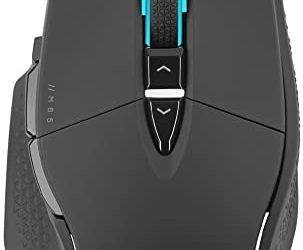
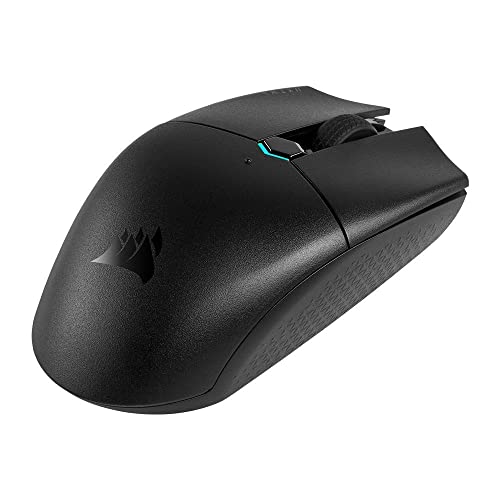
CORSAIR KATAR PRO WIRELESS
- Best for: Claw-grip shooter and MOBA players who want Corsair’s software ecosystem.
- Sensor: PixArt optical sensor
- Sensitivity: up to 10,000 DPI
- Wireless: SLIPSTREAM CORSAIR WIRELESS TECHNOLOGY and Bluetooth
- Battery: up to 135 hours on a single AA battery
Claw-grip shooter and MOBA players who want Corsair’s software ecosystem.
The 135-hour battery rating is the shortest here, so heavy daily players should keep a spare AA within reach of the desk.
Corsair aimed this one squarely at FPS and MOBA players who grip with claw or fingertip and want a compact, symmetric shape that stays out of the way. SLIPSTREAM wireless handles the gaming connection with sub-1ms latency as Corsair states it, Bluetooth covers secondary devices, and the PixArt optical sensor tracks up to 10,000 DPI. At 96 g it lands in the middle of this group for weight, and iCUE support gives you fuller button and DPI configuration than most value rivals bother to include.
Which One Fits Your Situation
You Are Buying Your First Wireless Gaming Mouse
Start with the Logitech G305 LIGHTSPEED. It asks the fewest questions: a familiar shape, a sensor nobody outgrows quickly, on-board memory, and months between battery changes. Players who later develop strong preferences about weight or shape can move on, but almost nobody regrets this as the first step away from a cable.
Your Gaming Happens on a Laptop, Often Away From Home
Take the Razer Orochi V2. Its shell disappears into a laptop sleeve, the hybrid battery slot accepts whichever cell you can find on the road, and Bluetooth stretches runtime when you are working rather than playing. Small-handed fingertip grippers get the most from its compact frame, especially during short sessions between other tasks.
One Mouse Has to Cover Gaming and Work Machines
Choose the SteelSeries Rival 3 Wireless and leave the dongle in your gaming PC while Bluetooth handles the work laptop. The 400-plus-hour battery claim means the arrangement stays low-maintenance, and running a single AAA keeps the weight reasonable for all-day use across both machines without a second mouse cluttering the desk.
You Play Fast Shooters With a Claw Grip
The CORSAIR KATAR PRO WIRELESS matches that brief most closely, with its compact symmetric shell, SLIPSTREAM connection and iCUE profiles for per-game DPI stages. If your hands are larger or you rest your whole palm on the mouse, the G305’s bigger frame will likely feel more natural over long sessions instead.
Common Mistakes
- Judging a sensor by its maximum DPI figure, when tracking consistency at your actual in-game sensitivity matters far more.
- Comparing battery claims across different connection modes, such as a Bluetooth runtime quoted against a rival’s 2.4 GHz runtime.
- Ignoring the battery type entirely, then discovering mid-session that the mouse takes AAA cells when your drawer only holds AA.
- Buying a compact travel shape like the Orochi V2 for a relaxed palm grip on a large hand, which invites cramping within an hour.
- Leaving the 2.4 GHz dongle buried behind a desktop tower or in a crowded USB hub, where interference can cause the stutters people wrongly blame on the mouse.
Frequently Asked Questions
Is a budget wireless mouse fast enough for competitive shooters?
Yes, provided you connect through the 2.4 GHz dongle rather than Bluetooth. LIGHTSPEED, HyperSpeed and SLIPSTREAM were all built to match wired responsiveness, and the sensors in this roundup track fast flicks without breaking down. Reserve Bluetooth for casual play, strategy titles and everyday desktop work instead.
How long do the batteries really last in these mice?
Expect weeks to months depending on the model and mode. The G305 quotes 250 hours, the KATAR PRO WIRELESS up to 135 hours, and the Orochi V2 up to 425 hours over HyperSpeed, all on replaceable cells. Swapping a fresh battery takes seconds, so downtime is rarely a genuine problem.
Which of these mice suits small hands best?
The Razer Orochi V2, by a clear margin. Its shell weighs under 60 g before the battery, the body is noticeably shorter than the others here, and the shape rewards fingertip and claw grips. The KATAR PRO WIRELESS is the next most compact option if you prefer a symmetric frame.
Do any of these mice work on consoles or Macs?
The listings say yes, with caveats. The G305 lists PC and Mac compatibility, while the KATAR PRO WIRELESS listing names PC, PS5, PS4 and Xbox. Console support still depends on each game allowing mouse input, so confirm your specific title accepts one before counting on it.
Related guides
More from Amazon
Programs that pair well with the guide above. Offers and eligibility are set by Amazon and may change.
Free shipping on eligible items, Prime Video and more. Eligible new members can start with a free trial.
Start a Prime free trialAd-free music streaming. Eligible new subscribers can start with a free trial.
Try Music Unlimited freeA Prime membership for ages 18-24 with a trial period. Eligibility is set by Amazon.
See Prime for Young AdultsAudiobooks and podcasts to listen to on the go. Eligible new members can start with a free trial.
Try Audible freeAs an Amazon Associate we earn from qualifying purchases.