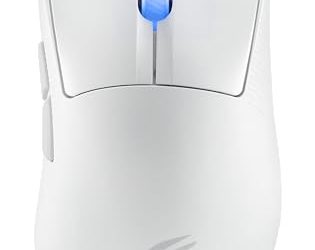
Our Short List of 3

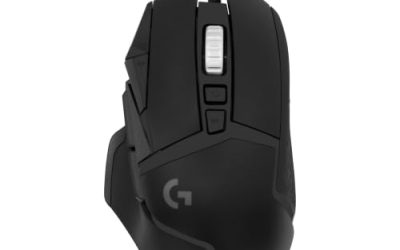
- Specs:
- Weight: 60 grams
- Sensor: HERO 2, 100 to 44,000 DPI
- Polling rate: up to 8,000 Hz

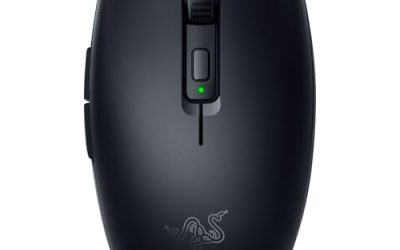
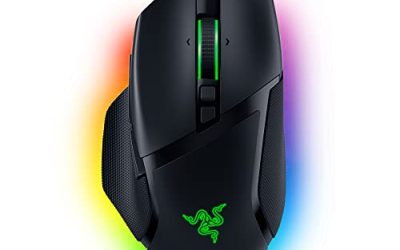
- Specs:
- Weight: 99 grams
- Sensor: HERO 12K, 200 to 12,000 DPI
- Report rate: 1 ms
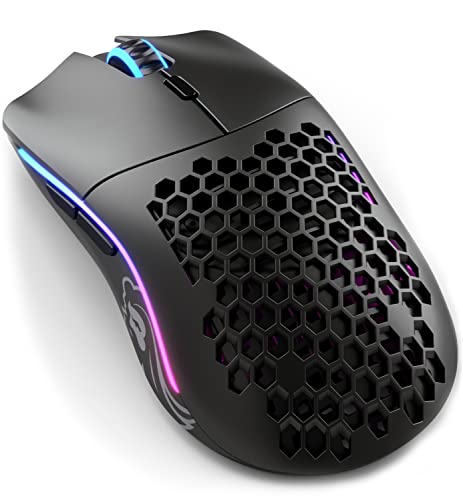
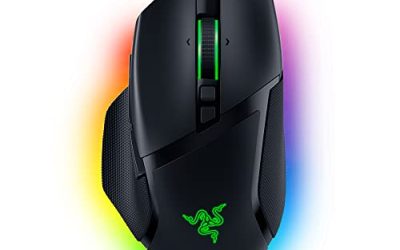
- Specs:
- Weight: 69 grams
- Battery life: up to 71 hours
- Connection: Lag-free 2.4 GHz wireless
All 4 Picks at a Glance
| Product | Specs | Action |
|---|---|---|
| Logitech G Pro X Superlight 2 |
| Check price on Amazon |
| Logitech G305 LIGHTSPEED |
| Check price on Amazon |
| Glorious Model O Wireless |
| Check price on Amazon |
 Corsair M75 Wireless |
| Check price on Amazon |
The real decision with an ambidextrous wireless gaming mouse is not whether the shell looks symmetrical. It is whether the mouse actually works the same way in either hand. Many so-called ambidextrous mice have a balanced shell but put every side button on the left flank, which leaves left-handed players with a mouse they can hold but not fully use. Add wireless into the mix and the choice widens further: sensor quality, polling rate, weight, and battery life all pull in different directions, so the lightest mouse is rarely the longest-lasting one.
This guide is for left-handed players who need genuine two-handed controls, right-handed players who switch between claw and fingertip grips, and households where one mouse gets shared between two people with different hands. The five mice below were picked from their Amazon listings by product name and listed specifications, with each one checked against its own listing before inclusion.
Our Top Picks
- Logitech G Pro X Superlight 2 Lightspeed WirelessClassic1.57 x 2.5 x 4.92 inches0.1 poundsCheck on Amazon
Top 3 picks at a glance
Quick Picks
As an Amazon Associate we earn from qualifying purchases at no extra cost to you.
| Product | Best for | Key spec from title |
|---|---|---|
| Logitech G Pro X Superlight 2 | Competitive FPS on a proven esports shape | 60g, HERO 2 sensor, 44,000 DPI |
| Razer Viper V3 Pro | Fastest polling with the lightest frame | 54g, Focus Pro 35K Gen-2, 8K polling |
| Logitech G305 LIGHTSPEED | Long battery life and a simple setup | 99g, HERO 12K sensor, 250-hour battery |
| Glorious Model O Wireless | Honeycomb airflow and RGB on a light frame | 69g, 2.4GHz wireless, 71-hour battery |
| Corsair M75 Wireless | True two-sided buttons for left or right hand | 89g, MARKSMAN 26K sensor, swappable side buttons |
How to Choose
Symmetry is not the same as ambidextrous controls
A symmetrical shell only describes the outline. What decides whether a mouse suits your left hand is the button layout. The Corsair M75 Wireless carries side buttons on both flanks, swappable for flat panels on the side you do not use, giving left-handed players the same inputs as right-handed ones. The Logitech G Pro X Superlight 2 and the Razer Viper V3 Pro have balanced shells but left-side buttons only, so they suit right-handed claw and fingertip grips rather than left-handed play. Before buying, check the listing photos for buttons on the right flank, not just the word symmetrical in the title.
Sensor range and polling rate
The sensor decides how faithfully the mouse follows fast swipes, and the polling rate decides how often it reports its position. The Viper V3 Pro pairs a 35,000 DPI sensor with an included 8,000 Hz wireless dongle, while the Superlight 2 reaches 44,000 DPI with its HERO 2 sensor and an 8,000 Hz report rate. Those numbers matter most in fast shooters where small corrections decide a round. For slower games and everyday play, a 12,000 DPI sensor like the one in the G305 tracks cleanly, and the extra headroom above that brings little practical gain. Choose the sensor for the games you actually play, not the biggest number on the box.
Weight and grip style
Weight changes how a mouse feels far more than any single specification. The Viper V3 Pro at 54 grams and the Superlight 2 at 60 grams disappear under the hand during long sessions, which suits claw and fingertip players who lift the mouse often. The G305 at 99 grams and the M75 Wireless at 89 grams feel planted and steady, which many palm-grip players prefer for controlled tracking. Length matters too: a short shell forces a fingertip grip on large hands, while a long shell can crowd small hands. If you can, compare the listed dimensions against a mouse you already own before deciding.
Battery life and how the mouse charges
Wireless freedom ends when the battery does, and these five mice solve that problem differently. The G305 runs for up to 250 hours on a single AA battery, so you swap a cell and keep playing, while the rechargeable models trade that convenience for lighter weight and USB-C charging. The Viper V3 Pro lasts up to 95 hours at 1,000 Hz but drops sharply at 8,000 Hz, so high polling trades directly against battery life. The M75 Wireless also connects over Bluetooth, which is handy for a laptop, while the others rely on a 2.4 GHz receiver. Check the box contents before buying, including whether the receiver stores inside the mouse.
The 5 Best Options
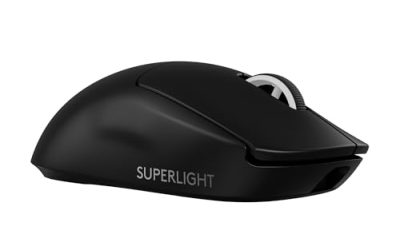
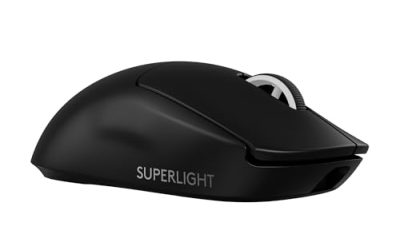
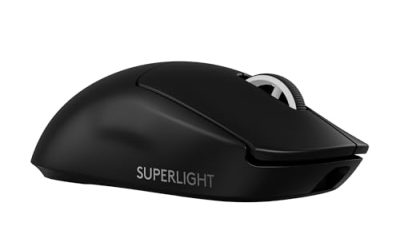
Logitech G Pro X Superlight 2
- Specs:
- Weight: 60 grams
- Sensor: HERO 2, 100 to 44,000 DPI
- Polling rate: up to 8,000 Hz
The Superlight 2 is the safe pick for competitive play because its shape and sensor have become the reference point other flagship mice are measured against. At 60 grams with a HERO 2 sensor that reaches 44,000 DPI, it tracks fast swipes without smoothing or acceleration, and the 8,000 Hz report rate keeps wireless latency effectively invisible in shooters. LIGHTFORCE hybrid switches give the main buttons a crisp, consistent click, and the 95-hour battery covers a full week of heavy sessions at the standard polling rate.
Razer Viper V3 Pro
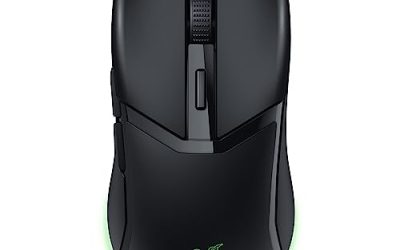
The Viper V3 Pro is the lightest mouse in this guide and the most aggressive on raw specifications, which makes it the natural choice for players who chase responsiveness above all else. Its 54-gram shell carries the Focus Pro 35K Gen-2 sensor with 35,000 DPI sensitivity, 750 IPS tracking speed, and 70G acceleration, and the included HyperPolling dongle unlocks a true 8,000 Hz wireless polling rate. Gen-3 optical switches remove the double-click failure mode of mechanical switches, and the sensor even tracks on glass surfaces.
- Specs:
- Weight: 54 grams (Black)
- Sensor: Focus Pro 35K Optical Sensor Gen-2, up to 35,000 DPI
- Tracking speed: 750 IPS, 70G acceleration
- Polling rate: up to 8,000 Hz with included HyperPolling Wireless Dongle
- Battery life: up to 95 hours at 1,000 Hz
- Buttons: 8 programmable buttons
- Switches: Gen-3 optical switches
- Model number: RZ01-05120100-R3U1
- Best for: Claw and fingertip players who want the lightest frame and the fastest polling available.
- Watch out for: Battery life falls sharply at 8,000 Hz polling, the shell has no RGB lighting, and the side buttons are left-side only, so it is not a true left-handed mouse.
Logitech G305 LIGHTSPEED
- Specs:
- Weight: 99 grams
- Sensor: HERO 12K, 200 to 12,000 DPI
- Report rate: 1 ms
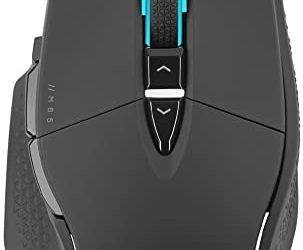
The G305 is the practical pick in this group because it solves the two problems that annoy wireless mouse owners most: short battery life and a high learning curve. It runs for up to 250 hours on a single AA battery, stores its receiver inside the body for travel, and uses the HERO 12K sensor with up to 12,000 DPI sensitivity and a 1 ms report rate. The symmetrical shell suits claw grip players and smaller hands, and six programmable buttons with onboard memory keep your settings on the mouse when you move between computers.
Glorious Model O Wireless
- Specs:
- Weight: 69 grams
- Battery life: up to 71 hours
- Connection: Lag-free 2.4 GHz wireless
The Model O Wireless stands out in this group for its honeycomb shell, which keeps the weight down to 69 grams while letting air move through the body during long sessions. Its lag-free 2.4 GHz wireless connection pairs with up to 71 hours of battery life, and RGB lighting runs through the honeycomb cutouts for a look none of the other mice here match. The ambidextrous shape suits both hands for holding, and the matte black finish keeps the shell from showing fingerprints the way glossy shells do.
Corsair M75 Wireless
- Specs:
- Weight: 89 grams
- Sensor: CORSAIR MARKSMAN optical, up to 26,000 DPI
- Side buttons: Swappable magnetic buttons on both sides
The M75 Wireless is the only mouse in this guide that is genuinely ambidextrous in its controls, not just its outline. It carries swappable magnetic side buttons on both flanks, so a left-handed player gets the same thumb inputs as a right-handed one, and flat panels can replace the buttons on the unused side to prevent accidental clicks. The MARKSMAN 26K optical sensor reaches 26,000 DPI, QUICKSTRIKE optical switches are rated for 100 million clicks, and the mouse connects over near-zero-lag SLIPSTREAM wireless or Bluetooth for use with a laptop.
Which One Fits Your Situation
You play left-handed and need real side buttons
Choose the Corsair M75 Wireless. It is the only pick here with side buttons on both flanks, so your thumb gets the same inputs a right-handed player gets, and the swappable flat panels stop accidental clicks on the side you do not use. The 26,000 DPI sensor and Bluetooth connection cover competitive play and laptop use in one mouse.
You play competitive FPS and want the fastest response
Choose the Razer Viper V3 Pro. At 54 grams with a 35,000 DPI sensor and an included 8,000 Hz dongle, it is the most responsive mouse in this guide, and the Gen-3 optical switches hold up under heavy clicking. Accept the shorter battery life at maximum polling and keep the charging cable nearby during long sessions.
You want a wireless mouse you rarely think about
Choose the Logitech G305 LIGHTSPEED. Its 250-hour battery life on a single AA cell means months between changes, the receiver stores inside the body, and the HERO 12K sensor is more than accurate enough for most games. It is the lowest-maintenance pick here and the easiest to hand to someone else without explaining settings.
You want a proven all-rounder with strong software support
Choose the Logitech G Pro X Superlight 2. Its 60-gram frame, HERO 2 sensor, and 95-hour battery cover competitive and everyday play alike, and Logitech G HUB handles DPI steps, button mapping, and profiles without fuss. It is the pick to choose when you want one mouse that does everything well rather than one that wins a single specification.
Common Mistakes
- Assuming a symmetrical shell means the mouse works for your left hand — check the side-button layout in the listing photos first.
- Chasing the highest DPI number instead of matching the sensor to the games you play and the grip you use.
- Running 8,000 Hz polling all day without noticing how fast it drains the battery compared with 1,000 Hz.
- Picking the lightest mouse available without checking its length and shape against your hand size.
- Forgetting to confirm whether the receiver stores inside the mouse or needs a separate slot in your bag when travelling.
Frequently Asked Questions
Are ambidextrous wireless mice good for left-handed players?
Only some of them. A symmetrical shell helps with comfort, but a mouse only works for a left-handed player when its side buttons sit on the right flank too. Here, only the M75 Wireless has buttons on both sides. The others have balanced shells with left-side buttons, so they suit right-handed players who like that shape, not left-handed players who need thumb buttons.
Does 8,000 Hz polling drain the battery faster?
Yes, and the gap is large. The Razer Viper V3 Pro lasts up to 95 hours at 1,000 Hz, but battery life drops sharply as polling climbs toward 8,000 Hz. For competitive play, the faster reporting is worth the trade, and you can recharge between sessions. For slower games or desk work, 1,000 Hz lasts far longer with no noticeable loss.
Is a lighter mouse always better for aiming?
No. A lighter mouse eases fast flicks and long sessions, which is why the 54-gram Viper V3 Pro appeals to competitive players. But balance, shell length, and grip style matter as much as weight. Some players aim more steadily with the 89-gram M75 Wireless because its mass damps hand tremors. Match weight and shape to your hand before chasing the lowest gram figure.
Can I use these mice with a laptop on the go?
Yes, with trade-offs. The G305 is the easiest traveller: its receiver stores inside the body and one AA battery lasts for months. The M75 Wireless adds Bluetooth, so it pairs with a laptop without a USB port. The rechargeable flagships travel well, but pack a USB-C cable, and the Viper V3 Pro needs its HyperPolling dongle for top wireless speed.
Related guides
More from Amazon
Programs that pair well with the guide above. Offers and eligibility are set by Amazon and may change.
Free shipping on eligible items, Prime Video and more. Eligible new members can start with a free trial.
Start a Prime free trialAd-free music streaming. Eligible new subscribers can start with a free trial.
Try Music Unlimited freeA Prime membership for ages 18-24 with a trial period. Eligibility is set by Amazon.
See Prime for Young AdultsAudiobooks and podcasts to listen to on the go. Eligible new members can start with a free trial.
Try Audible freeAs an Amazon Associate we earn from qualifying purchases.