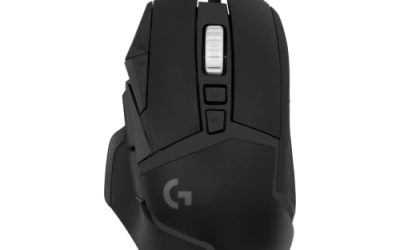
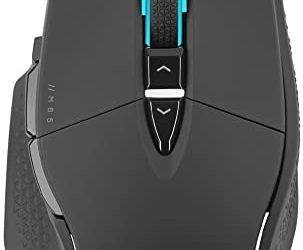
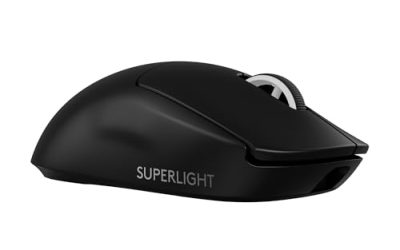
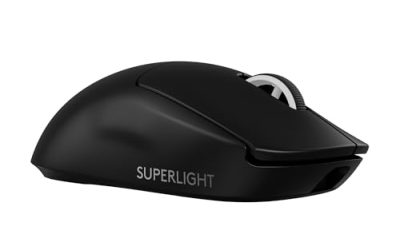
Our Short List of 3

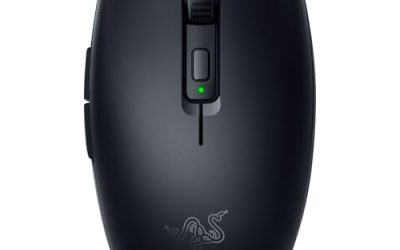
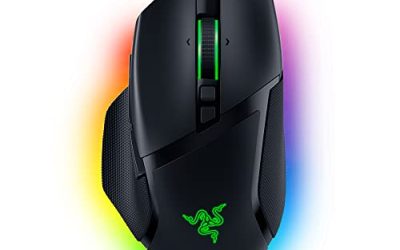
- Best for: Right-handed players who want ergonomic support without giving up ultralight weight or 4K wireless. The contoured shell fills the palm more than a symmetrical mouse, reducing fatigue over long sessions, and the sensor adds track-on-glass capability. Tri-mode connectivity makes it the most flexible pick for gaming on one machine and working on another.
- Sensor: ROG AimPoint Pro optical sensor, up to 42,000 DPI
- Polling rate: 4000Hz wireless and 8000Hz wired with the ROG Polling Rate Booster
- Weight: 54g, right-handed ergonomic shape
- Switches: ROG Optical Micro Switches, rated for 100 million clicks as listed

- Best for: Claw grip players who want a mouse built around true 4000Hz wireless. The included 4K dongle means the headline feature works out of the box, the compact shell encourages precise claw control, and hot-swappable switches are unusual: you can change click feel without learning a new shape. It is the most specialist, customisable pick here.
- Sensor: PixArt PAW3950 optical sensor, up to 30,000 DPI as listed for this variant
- Polling rate: Up to 4000Hz wireless, with the 4K dongle included
- Weight: About 58.5g, compact claw-grip shape, Dark Frost finish
- Switches: Kailh GX switches, hot-swappable design

- Best for: Players who like 4K polling but dislike booster accessories. Native 4K wireless is the headline: the rate is built into the normal wireless connection rather than unlocked by a separate receiver. At 61g it feels slightly more planted than the lightest rivals, and Bluetooth plus wired modes make it easy to move between a gaming PC and a laptop.
- Sensor: HyperX 26K sensor, up to 26,000 DPI, up to 650 IPS and 50G as listed
- Polling rate: Native 4000Hz wireless polling, no extra booster needed
- Weight: 61g, symmetrical shape, slate grey
- Switches: HyperX Optical Switches
All 4 Picks at a Glance
| Product | Specs | Action |
|---|---|---|
| ASUS ROG Keris II Ace |
| Check price on Amazon |
| ENDGAME GEAR OP1w 4K V2 |
| Check price on Amazon |
| HyperX Pulsefire Haste 2 Pro 4K |
| Check price on Amazon |
 Pulsar X2 v2 |
| Check price on Amazon |
A standard gaming mouse reports its position 1,000 times per second. A 4000Hz gaming mouse reports 4,000 times per second, cutting the interval from one millisecond to a quarter of a millisecond. That will not transform a casual player overnight, but on a high-refresh monitor, during fast flicks and fine tracking corrections, the cursor can feel smoother and more closely tied to your hand.
The catch is that 4000Hz is not a uniform feature. Some mice reach it wirelessly with a dongle included in the box, some only hit their highest rates wired, and one model here is 4K ready rather than 4K out of the box. Battery life also falls at higher rates, and shape still matters more than any headline number. This guide separates those details so you can pick a mouse that delivers real 4K performance in the way you actually play.
As an Amazon Associate we earn from qualifying purchases.
Top 3 picks at a glance
Quick Picks
If you want the short version first, these five mice all support 4000Hz polling, but each suits a different grip, hand, and priority.
| Product | ASIN | Best For |
|---|---|---|
| Razer Viper V3 Pro | B0CW25XR5R | Most competitive FPS players wanting a proven symmetrical flagship |
| ASUS ROG Keris II Ace | B0D3CX3QMD | Right-handed ergonomic comfort with tri-mode connectivity |
| ENDGAME GEAR OP1w 4K V2 | B0FCXQW1FK | Claw grip players who want true 4K wireless and swappable switches |
| HyperX Pulsefire Haste 2 Pro 4K | B0DQWJDD1C | Native 4K wireless without a separate booster accessory |
| Pulsar X2 v2 | B0CH9Z587R | Lightweight symmetrical play, with a 4K dongle to confirm |
How to Choose
Start by confirming how a mouse reaches 4000Hz, then match its shape and weight to your grip, and finally check battery, switches, and sensor behaviour at the settings you will use every day.
How the Mouse Reaches 4000Hz
Some mice include a high-polling dongle and reach 4000Hz wirelessly once you pair it. Others use a booster attached to the receiver, and a few are 4K ready, meaning the base package polls at 1000Hz and you need the brand’s 4K dongle to unlock the higher rate. Wired modes can differ again. Check your exact variant, pair the correct receiver, and place it close to the mousepad on the supplied extender so walls and metal frames do not interfere.
Polling Rate, Refresh Rate, and Expectations
A 4000Hz mouse updates every 0.25 milliseconds, compared with every 1 millisecond at 1000Hz. The benefit shows most as smoother micro-movement on high-refresh displays, which redraw often enough to display those extra updates. On a lower-refresh monitor, or in slower games, the difference is much smaller. Higher polling also asks more of your CPU, so treat 4000Hz as a setting to compare. If a game feels inconsistent at 4K, dropping to 1000Hz or 2000Hz for that title is sensible, not a failure of the mouse.
Shape, Size, and Grip Style
No polling rate compensates for a shell that fights your hand. Symmetrical mice such as the Viper V3 Pro, Pulsefire Haste 2 Pro, and X2 v2 suit claw and fingertip grips and players who lift often. A right-handed ergonomic shell such as the Keris II Ace supports the palm more fully for longer sessions, but not left-handed use. The OP1w 4K V2 is narrower and built around claw grip. Measure your hand, note your current mouse length, and favour a similar footprint unless you know you want to change.
Weight and Balance
All five mice here are lightweight, roughly from the low fifties to the low sixties in grams as listed. Lighter mice reduce the effort to start and stop a flick, pairing well with low sensitivity and large pads. Very light shells can feel less planted, and distribution matters as much as the total: a front-heavy mouse pivots differently from one balanced in the middle. Low-DPI arm players should prioritise low weight; higher-DPI wrist players may prefer a slightly heavier ergonomic model for steadiness.
Sensor Behaviour at Your DPI
Every sensor here is optical, with a maximum DPI far beyond what most players use. Ignore the largest number and focus on clean tracking at your normal range. Tracking speed in IPS and acceleration describe how fast you can move before accurate tracking is lost. Track-on-glass, on the Keris II Ace, matters only on unusual surfaces. Daily, what matters is no spin-out during fast swipes, a steady line during slow tracking, and fine DPI steps to match a known sensitivity.
Switches, Buttons, and Software
Optical switches register clicks with light and are designed to avoid double-click issues that can develop in older mechanical designs. Hot-swappable switches, as on the OP1w 4K V2, let you change click feel without replacing the mouse. Shooter players usually need two well-placed side buttons; players who bind abilities may want more. Software sets polling rate, DPI stages, and lift-off behaviour, so confirm the app supports what you need and can store core settings on board.
Battery Life at 4K and Connectivity
Battery figures are usually quoted at 1000Hz with lighting off, and runtime at 4000Hz will be noticeably shorter. Plan for more frequent charging, and look for USB-C charging plus a wired mode so you can keep playing while the battery recovers. Tri-mode models add Bluetooth for work machines, but use the 2.4GHz receiver for gaming. Keep it on its extender near your pad: a receiver buried behind a PC case is a common, avoidable cause of stutter.
5 Best Options
Each pick below supports 4000Hz polling, but they reach it in different ways and fit different hands, so read the watch-out notes as carefully as the strengths.
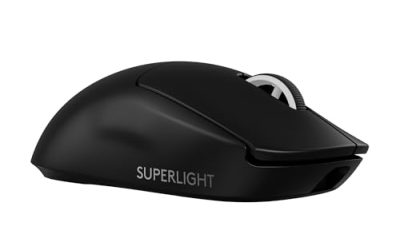
Razer Viper V3 Pro
Specs
- Sensor: Razer Focus Pro 35K Optical Sensor Gen-2, up to 35,000 DPI
- Polling rate: Up to 8000Hz wireless with the included HyperPolling dongle, including 4000Hz
- Weight: 54g, symmetrical shape, black finish
- Switches: Razer Optical Mouse Switches Gen-3
- Connectivity: Razer HyperSpeed wireless, 8 programmable controls
- Battery: Up to 95 hours as listed at lower polling settings
- ASIN: B0CW25XR5R
Best for: Competitive FPS players who want a proven symmetrical flagship, with headroom to run 4000Hz daily or step higher for specific titles. The light shell suits claw and fingertip grips, optical switches give consistent clicks, and fine DPI steps help when transferring a known sensitivity. It is the safest all-round pick here for a medium hand.
Watch out for: Battery life at high polling rates is far shorter than the headline figure, so expect regular charging at 4K or above. There is no Bluetooth, and palm-grip players may find the flat esports shell unsupportive. Use the HyperPolling dongle and keep it close to the pad.
ASUS ROG Keris II Ace
- Best for: Right-handed players who want ergonomic support without giving up ultralight weight or 4K wireless. The contoured shell fills the palm more than a symmetrical mouse, reducing fatigue over long sessions, and the sensor adds track-on-glass capability. Tri-mode connectivity makes it the most flexible pick for gaming on one machine and working on another.
- Sensor: ROG AimPoint Pro optical sensor, up to 42,000 DPI
- Polling rate: 4000Hz wireless and 8000Hz wired with the ROG Polling Rate Booster
- Weight: 54g, right-handed ergonomic shape
- Switches: ROG Optical Micro Switches, rated for 100 million clicks as listed
Right-handed players who want ergonomic support without giving up ultralight weight or 4K wireless. The contoured shell fills the palm more than a symmetrical mouse, reducing fatigue over long sessions, and the sensor adds track-on-glass capability. Tri-mode connectivity makes it the most flexible pick for gaming on one machine and working on another.
The shape is right-handed only, and the higher wireless rate needs the booster accessory, so keep track of that small component. Wireless polling tops out at 4000Hz, below its wired maximum. Small hands or a pure fingertip grip may find the ergonomic hump less agile than flatter symmetrical options.
Watch out for: The shape is right-handed only, and the higher wireless rate needs the booster accessory, so keep track of that small component. Wireless polling tops out at 4000Hz, below its wired maximum. Small hands or a pure fingertip grip may find the ergonomic hump less agile than flatter symmetrical options.
ENDGAME GEAR OP1w 4K V2
- Best for: Claw grip players who want a mouse built around true 4000Hz wireless. The included 4K dongle means the headline feature works out of the box, the compact shell encourages precise claw control, and hot-swappable switches are unusual: you can change click feel without learning a new shape. It is the most specialist, customisable pick here.
- Sensor: PixArt PAW3950 optical sensor, up to 30,000 DPI as listed for this variant
- Polling rate: Up to 4000Hz wireless, with the 4K dongle included
- Weight: About 58.5g, compact claw-grip shape, Dark Frost finish
- Switches: Kailh GX switches, hot-swappable design
Claw grip players who want a mouse built around true 4000Hz wireless. The included 4K dongle means the headline feature works out of the box, the compact shell encourages precise claw control, and hot-swappable switches are unusual: you can change click feel without learning a new shape. It is the most specialist, customisable pick here.
The right-handed claw shape will not reward a relaxed palm grip, and there is no Bluetooth. Hot-swappable switches matter only if you will use them. Confirm the exact variant and model number, because the OP1 family includes wired, 8K, and earlier 4K versions with different equipment.
Watch out for: The right-handed claw shape will not reward a relaxed palm grip, and there is no Bluetooth. Hot-swappable switches matter only if you will use them. Confirm the exact variant and model number, because the OP1 family includes wired, 8K, and earlier 4K versions with different equipment.
HyperX Pulsefire Haste 2 Pro 4K
- Best for: Players who like 4K polling but dislike booster accessories. Native 4K wireless is the headline: the rate is built into the normal wireless connection rather than unlocked by a separate receiver. At 61g it feels slightly more planted than the lightest rivals, and Bluetooth plus wired modes make it easy to move between a gaming PC and a laptop.
- Sensor: HyperX 26K sensor, up to 26,000 DPI, up to 650 IPS and 50G as listed
- Polling rate: Native 4000Hz wireless polling, no extra booster needed
- Weight: 61g, symmetrical shape, slate grey
- Switches: HyperX Optical Switches
Players who like 4K polling but dislike booster accessories. Native 4K wireless is the headline: the rate is built into the normal wireless connection rather than unlocked by a separate receiver. At 61g it feels slightly more planted than the lightest rivals, and Bluetooth plus wired modes make it easy to move between a gaming PC and a laptop.
It is heavier than the Viper V3 Pro and Keris II Ace, so weight-focused arm aimers may prefer those shells. Its shape is versatile but less specialised for claw than the OP1w 4K V2 and less supportive for palm than the Keris II Ace. Sustained 4K play will also mean charging more often than the standard-polling battery figure suggests.
Watch out for: It is heavier than the Viper V3 Pro and Keris II Ace, so weight-focused arm aimers may prefer those shells. Its shape is versatile but less specialised for claw than the OP1w 4K V2 and less supportive for palm than the Keris II Ace. Sustained 4K play will also mean charging more often than the standard-polling battery figure suggests.
Pulsar X2 v2
- Best for: Players who want a very light symmetrical mouse from a competitive-focused brand, and who are comfortable adding the 4K dongle to complete the setup. The shape suits claw and fingertip grips, the PAW3395 handles fast flicks and slow tracking, and the low weight suits low sensitivity.
- Sensor: PixArt PAW3395 optical sensor, up to 26,000 DPI, 650 IPS, 50G acceleration
- Polling rate: 1000Hz standard, 4K polling ready with the Pulsar 4K wireless dongle
- Weight: 53g, symmetrical shape, medium size, white finish
- Switches: Optical switches, with Pulsar Blue Encoder for the wheel as listed
Players who want a very light symmetrical mouse from a competitive-focused brand, and who are comfortable adding the 4K dongle to complete the setup. The shape suits claw and fingertip grips, the PAW3395 handles fast flicks and slow tracking, and the low weight suits low sensitivity.
This model is 4K ready, not 4K in the base configuration. Its listed standard rate is 1000Hz, so confirm whether your listing includes the Pulsar 4K dongle or you need it separately before expecting 4000Hz. Battery expectations should be set at the 1000Hz baseline. If you want 4K from the moment you open the box, choose a pick above.
Watch out for: This model is 4K ready, not 4K in the base configuration. Its listed standard rate is 1000Hz, so confirm whether your listing includes the Pulsar 4K dongle or you need it separately before expecting 4000Hz. Battery expectations should be set at the 1000Hz baseline. If you want 4K from the moment you open the box, choose a pick above.
Which One Fits You
- You play competitive shooters and want the safest all-round pick: Choose the Razer Viper V3 Pro for its light symmetrical shell, optical switches, and included high-polling dongle.
- You use a palm or relaxed claw grip and want ergonomic support: Choose the ASUS ROG Keris II Ace, whose right-handed shape and tri-mode connectivity suit longer, mixed gaming and work sessions.
- You grip in a tight claw and like to tune click feel: Choose the ENDGAME GEAR OP1w 4K V2 for its compact shell, included 4K dongle, and hot-swappable switches.
- You want 4K wireless with the least accessory fuss: Choose the HyperX Pulsefire Haste 2 Pro 4K, which offers native 4K wireless plus Bluetooth for a second device.
- You want a light symmetrical option and accept an extra dongle step: Choose the Pulsar X2 v2, but verify the 4K dongle situation for your exact listing before you buy.
Common Mistakes
- Assuming 4K is active out of the box: Many mice need the correct dongle, booster, or software setting enabled, and some are only 4K ready, so verify the polling rate in the brand app after setup.
- Leaving the receiver behind the PC: A distant or obstructed receiver can cause the stutter players blame on polling rate itself, so use the supplied extender and keep the dongle close to the mousepad.
- Judging a mouse by maximum DPI: A huge DPI ceiling does not improve aim at the moderate DPI most players use, so prioritise clean tracking, fine DPI steps, and a shape you can control.
- Ignoring the battery cost of 4K: Headline battery figures are quoted at standard polling, and leaving 4000Hz on will shorten runtime considerably, so expect to charge more often or drop the rate for everyday play.
- Buying shape by popularity instead of grip: A pro-favourite symmetrical shell can cramp a palm gripper and an ergonomic shell can slow a fingertip player, so match length, height, and hump position to your own hand first.
FAQ
Is 4000Hz noticeably better than 1000Hz?
For most players the difference is subtle. Updates arrive four times as often, which can make movement feel smoother on a high-refresh monitor during flicks and small corrections. Players on lower-refresh displays, or in slower games, may notice little change, so treat it as a refinement once shape and sensitivity are already right.
Does 4000Hz polling use more battery and CPU?
Yes, both costs are real. A mouse transmitting four times as many reports will drain its battery faster than figures quoted for standard polling, and the PC handles more input data, which can matter in CPU-sensitive games. If either becomes a problem, running at 1000Hz or 2000Hz for that game, or for everyday desktop use, is a reasonable compromise.
Do I need a special dongle for 4000Hz wireless?
Often, yes, but it depends on the model. The Viper V3 Pro includes a HyperPolling dongle, the OP1w 4K V2 includes a 4K dongle, and the Keris II Ace uses a Polling Rate Booster, while the Pulsefire Haste 2 Pro offers native 4K wireless without a booster. The Pulsar X2 v2 is 4K ready and needs the Pulsar 4K dongle, so always check what your exact listing includes.
Should I choose 4000Hz or 8000Hz?
For most players, 4000Hz is the practical sweet spot. It captures much of the smoothness benefit of higher polling with a smaller battery penalty, and it is the native wireless ceiling for several strong mice here. Choose an 8000Hz-capable mouse only if your games, monitor, and charging routine will actually use it.
Closing
The best 4000Hz gaming mouse is the one whose shape you forget about while its polling rate smooths the movements you notice most. Pick the Viper V3 Pro as the all-round flagship, the Keris II Ace for ergonomic flexibility, the OP1w 4K V2 for claw control, the Pulsefire Haste 2 Pro for native 4K simplicity, or the X2 v2 with its dongle caveat. Let fit, not frequency alone, make the final call.
Related guides
More from Amazon
Programs that pair well with the guide above. Offers and eligibility are set by Amazon and may change.
Free shipping on eligible items, Prime Video and more. Eligible new members can start with a free trial.
Start a Prime free trialAd-free music streaming. Eligible new subscribers can start with a free trial.
Try Music Unlimited freeA Prime membership for ages 18-24 with a trial period. Eligibility is set by Amazon.
See Prime for Young AdultsAudiobooks and podcasts to listen to on the go. Eligible new members can start with a free trial.
Try Audible freeAs an Amazon Associate we earn from qualifying purchases.