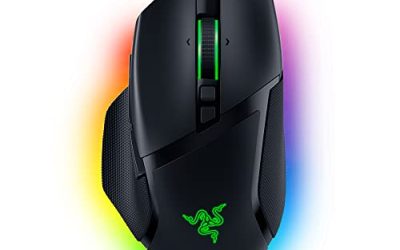
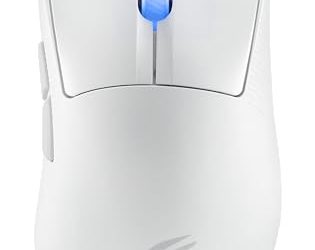
Our Short List of 3

- Best for: Low-sensitivity arm aimers who want a proven wireless flagship.
- HERO 2 optical sensor, up to 44,000 DPI
- 60 grams
- 8,000 Hz report rate
- 5 programmable buttons

- Best for: Palm grip players who want a tall, comfortable ergonomic shell.
- Focus Pro 30K optical sensor, up to 30,000 DPI
- 63 grams
- HyperSpeed wireless
- Gen-3 optical switches

- Best for: Players who want many buttons and a tunable weight on a wired mouse.
- HERO 25K sensor, up to 25,600 DPI
- 11 programmable buttons
- Adjustable weights, five 3.6-gram tuning weights
- RGB lighting
All 4 Picks at a Glance
| Product | Specs | Action |
|---|---|---|
| Logitech G Pro X Superlight 2 |
| Check price on Amazon |
| Razer DeathAdder V3 Pro |
| Check price on Amazon |
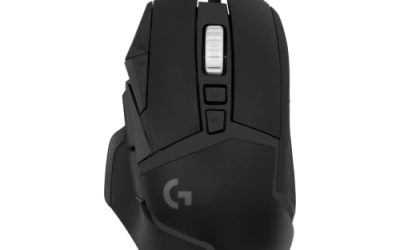
| Logitech G502 HERO |
| Check price on Amazon |
 Razer DeathAdder V3 Wired |
| Check price on Amazon |
The real decision in Valorant is not chasing the highest DPI number printed on the box. It is finding a sensitivity setup that lets you snap to a head, hold a tight angle, and reset your crosshair without overshooting. Most competitive players settle on 400 or 800 DPI with a low in-game sensitivity, and the mouse itself has to track that slow, deliberate movement without jitter, smoothing, or acceleration. The five mice below all clear that bar, and they differ mainly in shape, weight, and connection.
This guide is for Valorant players who want a mouse that stays accurate at low sensitivity, whether you play ranked on a tight desk or grind deathmatch to warm up your aim. It also suits players moving from a heavy office mouse to their first esports mouse. Each mouse below was chosen from the name and specifications on its Amazon product page, with adjustable DPI, a proven optical sensor, and a polling rate that keeps up with fast flicks.
Our Top Picks
- Logitech G Pro X Superlight 2 Lightspeed WirelessClassic1.57 x 2.5 x 4.92 inches0.1 poundsCheck on Amazon
- Razer DeathAdder V3 Pro Wireless Gaming Mouse1000 Hz5.01 x 2.65 x 1.69 inches0.1 poundsCheck on Amazon

Top 3 picks at a glance
Quick Picks
As an Amazon Associate we earn from qualifying purchases
| Product | Best for | Key spec from title |
|---|---|---|
| Logitech G Pro X Superlight 2 | Lightweight wireless aim at low sensitivity | 44,000 DPI HERO 2 sensor, 60 grams |
| Razer Viper V3 Pro | Symmetrical claw and fingertip grips | 35,000 DPI Focus Pro sensor, 54 grams |
| Razer DeathAdder V3 Pro | Palm grip players who want an ergonomic shell | 30,000 DPI Focus Pro sensor, 63 grams |
| Logitech G502 HERO | Wired control with extra buttons | 25,600 DPI HERO 25K sensor, 11 buttons |
| Razer DeathAdder V3 Wired | Wired precision without a battery to charge | 30,000 DPI Focus Pro sensor, 59 grams |
How to Choose
Pick a DPI range that matches your in-game sensitivity
Valorant aim lives or dies on effective sensitivity, which is your mouse DPI multiplied by your in-game sensitivity setting. A common competitive setup is 400 DPI with an in-game sensitivity near 0.5, or 800 DPI with sensitivity near 0.25, and both land in the same usable range. What matters is that the mouse lets you switch between those steps in fine increments, so you can tune the feel in small steps instead of jumping between presets that feel too fast or too slow. Every mouse in this guide stores multiple DPI stages, and most let you adjust them in software down to single steps.
Demand a sensor with no smoothing or acceleration
At low sensitivity, your hand moves the mouse across a wide arc, and any sensor smoothing or acceleration shows up as missed micro-adjustments. Look for a modern optical sensor that tracks cleanly at high speeds, with published figures for tracking speed and acceleration, and no filtering that changes the path of your crosshair. The sensors in this guide track at 750 inches per second or faster with acceleration ratings of 50 G or higher, which is far beyond what a hand produces during a flick. That headroom is what keeps small corrections honest.
Match weight and shape to a low-sensitivity grip
Low sensitivity means your arm does more of the work, so a heavy mouse tires your wrist and slows your reset after a flick. Most competitive Valorant players use mice under 65 grams, and every wireless pick here sits between 54 and 63 grams. Shape matters just as much: a symmetrical shell suits claw and fingertip grips, while a taller ergonomic shell fills a palm grip and supports long sessions. Try to match the shape to the grip you already use, because changing both your sensitivity and your grip at once makes it harder to tell which change helped.
Check polling rate and connection type
Polling rate is how often the mouse reports its position to your PC each second. At 1,000 Hz, the mouse reports every millisecond, which is enough for most players, but 8,000 Hz reporting cuts that interval further and can make tracking feel tighter on a high-refresh monitor. The trade-off is battery drain on wireless mice, so check whether the mouse still lasts through a long session at its highest rate. Wired mice skip that trade-off entirely, and a flexible cable matters more than it sounds, because a stiff cable drags against the pad during wide arm sweeps.
The 5 Best Options
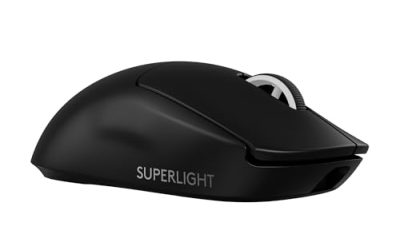
Logitech G Pro X Superlight 2
- Best for: Low-sensitivity arm aimers who want a proven wireless flagship.
- HERO 2 optical sensor, up to 44,000 DPI
- 60 grams
- 8,000 Hz report rate
- 5 programmable buttons
Low-sensitivity arm aimers who want a proven wireless flagship.
The shape is symmetrical and low, so players with large hands who rest their whole palm may want a taller ergonomic shell.
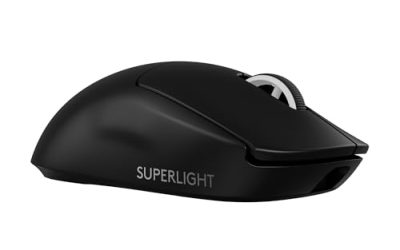
The Superlight 2 is the default pick for Valorant players who want the lightest wireless mouse that still feels solid in the hand. At 60 grams, it moves easily across a wide pad during low-sensitivity arm aiming, and the HERO 2 sensor tracks cleanly up to 44,000 DPI, far beyond the 400 or 800 DPI most Valorant players actually use. Five programmable buttons keep the layout simple, with no extra keys to hit by accident during a clutch, and the 95-hour battery means a full week of evening sessions between charges at standard polling.
Watch out for: The shape is symmetrical and low, so players with large hands who rest their whole palm may want a taller ergonomic shell.
Razer Viper V3 Pro
The Viper V3 Pro is the lightest mouse in this guide at 54 grams, and that difference is easy to feel when you reset your aim after a wide flick. Its Focus Pro 35K sensor tracks up to 35,000 DPI with no smoothing, and the included HyperPolling dongle pushes wireless reporting to 8,000 Hz for players on high-refresh monitors. The symmetrical shape suits claw and fingertip grips, and eight programmable buttons give you room for push-to-talk or a DPI clutch without crowding the shell. Battery life reaches 95 hours at standard polling, so it survives a long ranked grind.
Specs
- Focus Pro 35K optical sensor, up to 35,000 DPI
- 54 grams
- 8,000 Hz HyperPolling wireless dongle included
- Gen-3 optical switches
- 8 programmable buttons
- Up to 95 hours of battery life
Best for: Claw and fingertip players who want the lightest symmetrical mouse here.
Watch out for: There is no RGB lighting and no charging dock, so players who want a glowing setup or a dock should look elsewhere.
Razer DeathAdder V3 Pro
- Best for: Palm grip players who want a tall, comfortable ergonomic shell.
- Focus Pro 30K optical sensor, up to 30,000 DPI
- 63 grams
- HyperSpeed wireless
- Gen-3 optical switches
Palm grip players who want a tall, comfortable ergonomic shell.
The 8,000 Hz polling rate needs a separate HyperPolling dongle, which is not included in the standard box.
The DeathAdder V3 Pro is the ergonomic pick for players whose palm rests fully on the mouse during long Valorant sessions. At 63 grams, it is still light enough for low-sensitivity aiming, and the Focus Pro 30K sensor tracks up to 30,000 DPI with clean, unfiltered movement. Gen-3 optical switches remove the double-click faults that plagued older designs, and HyperSpeed wireless keeps latency low without a cable. The right-handed shape has been refined over many generations, so it fits medium to large hands without a learning curve.
Watch out for: The 8,000 Hz polling rate needs a separate HyperPolling dongle, which is not included in the standard box.
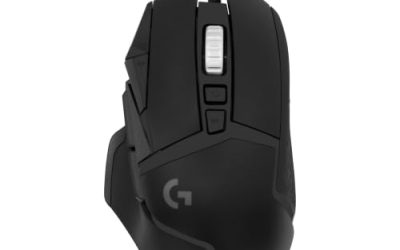
Logitech G502 HERO
- Best for: Players who want many buttons and a tunable weight on a wired mouse.
- HERO 25K sensor, up to 25,600 DPI
- 11 programmable buttons
- Adjustable weights, five 3.6-gram tuning weights
- RGB lighting
Players who want many buttons and a tunable weight on a wired mouse.
The mouse weighs about 4.3 ounces with its tuning weights, the heaviest here, so low-sensitivity arm aimers should run it without the extra weights.
The G502 HERO is the wired pick for Valorant players who want extra buttons and a heavier, planted feel. Its HERO 25K sensor reaches 25,600 DPI with precise tracking, and eleven programmable buttons cover push-to-talk, ability keys, and DPI shifting without reaching for the keyboard. Five tuning weights let you adjust the balance from light to heavy, which helps if you anchor your wrist and aim mostly with your fingers. On-board memory stores your DPI stages and button layout, so the setup travels with the mouse to another PC.
Watch out for: The mouse weighs about 4.3 ounces with its tuning weights, the heaviest here, so low-sensitivity arm aimers should run it without the extra weights.
Razer DeathAdder V3 Wired
- Best for: Players who want flagship tracking on a cable with no charging.
- Focus Pro 30K optical sensor, up to 30,000 DPI
- 59 grams
- 8,000 Hz HyperPolling
- Gen-3 optical switches, rated for 90 million clicks
Players who want flagship tracking on a cable with no charging.
It is wired only, so players who hate cables or play from a couch setup should pick a wireless option instead.
The DeathAdder V3 Wired gives you the same ergonomic shape and Focus Pro 30K sensor as its wireless sibling, with an 8,000 Hz polling rate over the cable and no battery to manage. At 59 grams, it is the lightest ergonomic mouse in this guide, and the Speedflex cable is woven to drag less across the pad during wide arm movements. Six programmable buttons cover the essentials, and five onboard profiles store your DPI stages for different games. It is the simplest way to get flagship tracking on a cable, and the lower cost leaves room for a larger mousepad.
Watch out for: It is wired only, so players who hate cables or play from a couch setup should pick a wireless option instead.
Which One Fits Your Situation
You aim with your whole arm at low sensitivity
Pick the Logitech G Pro X Superlight 2 or the Razer Viper V3 Pro. Both weigh under 61 grams, so wide arm sweeps stay fast and your wrist tires less over a long session. The Superlight 2 suits a neutral grip, while the Viper V3 Pro suits claw and fingertip grips. Set either to 400 or 800 DPI and tune your in-game sensitivity from there.
You rest your whole palm on the mouse
Pick the Razer DeathAdder V3 Pro if you want wireless, or the DeathAdder V3 Wired if you want a cable. The tall ergonomic shell supports your palm through long sessions, and both share the same Focus Pro 30K sensor. The wired version is lighter and cheaper, while the wireless version frees your desk from cable drag.
You want extra buttons for utility and push-to-talk
Pick the Logitech G502 HERO. Its eleven programmable buttons cover push-to-talk, ability keys, and DPI shifting without moving your left hand off the movement keys. The tuning weights let you set the balance you like, and on-board memory keeps your layout when you plug into another PC, so your setup is ready the moment you sit down.
You want flagship tracking at the lowest cost
Pick the Razer DeathAdder V3 Wired. It carries the same 30,000 DPI sensor and 8,000 Hz polling as mice that cost far more, in a 59-gram shell, and there is no battery to charge or replace. Spend the money you save on a larger mousepad, which matters more at low sensitivity than a wireless connection.
Common Mistakes
- Setting DPI to the maximum number on the box and then fighting an uncontrollable crosshair; most competitive Valorant players use 400 or 800 DPI with a low in-game sensitivity.
- Changing your sensitivity every day after a bad match instead of giving one setup at least a week of play to build muscle memory.
- Buying a heavy mouse for low-sensitivity aiming, then wondering why your arm tires halfway through a ranked session.
- Ignoring polling rate and mousepad size, even though a low-sensitivity setup needs a wide pad and a mouse that reports its position often enough to track smooth movement.
- Picking a shape that fights your grip, such as a tall ergonomic shell for a fingertip grip, and blaming the sensor for aim that never settles.
Frequently Asked Questions
What DPI do most Valorant players use?
Most competitive players use 400 or 800 DPI with a low in-game sensitivity, which keeps crosshair movement slow and controlled for precise headshots. The exact number matters less than the combination: multiply your DPI by your in-game sensitivity to get your effective sensitivity, then adjust in small steps until flicks land where you expect. Any mouse in this guide supports both settings.
Is a higher DPI better for Valorant?
No. A higher DPI only makes the cursor move further for the same hand movement, which makes small aim corrections harder to control. Modern sensors track accurately at any DPI, so the advantage comes from a setting you can control, not from the biggest number. Pick 400 or 800 DPI, set your in-game sensitivity low, and keep it there while you practice.
Does polling rate matter for Valorant?
Yes, but only up to a point. A 1,000 Hz polling rate reports your mouse position every millisecond, which is enough for most players. An 8,000 Hz rate reports eight times as often, which can feel tighter on a high-refresh monitor, but it drains a wireless battery faster. If you play wired, take the higher rate; if you play wireless, weigh it against battery life.
Should I use a wired or wireless mouse for Valorant?
Both work well now. Modern wireless mice match wired latency, and the mice in this guide use wireless connections built for competitive play. Choose wireless if cable drag bothers you during wide arm sweeps, and choose wired if you never want to think about charging. The sensor and shape matter more than the connection.
Related guides
More from Amazon
Programs that pair well with the guide above. Offers and eligibility are set by Amazon and may change.
Free shipping on eligible items, Prime Video and more. Eligible new members can start with a free trial.
Start a Prime free trialAd-free music streaming. Eligible new subscribers can start with a free trial.
Try Music Unlimited freeA Prime membership for ages 18-24 with a trial period. Eligibility is set by Amazon.
See Prime for Young AdultsAudiobooks and podcasts to listen to on the go. Eligible new members can start with a free trial.
Try Audible freeAs an Amazon Associate we earn from qualifying purchases.