A charging dock sounds like a small extra until you live with a wireless mouse for a month. The real decision is not whether a dock is nice to have, it is whether the dock in the box fits your desk, your grip, and the games you actually play. Some docks double as the wireless receiver, some add a glow to the desk, and some demand more space than a small setup can spare. Pick the wrong one and the dock becomes clutter; pick the right one and the mouse is always charged when you sit down.
This guide is for players who want a wireless mouse that charges on a dock instead of a cable, from MMO players who need extra buttons to FPS players who want a light, ambidextrous shape. Each pick below is a wireless gaming mouse sold on Amazon with its charging dock included in the box, chosen from the names and specifications on its Amazon listing.
Our Top Picks

Top 3 picks at a glance

Quick Picks
As an Amazon Associate we earn from qualifying purchases at no extra cost to you.
| Product | Best for | Key spec from title |
|---|---|---|
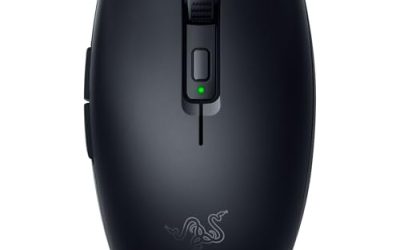
| Razer Basilisk Ultimate | Right-handed palm-grip players who want an ergonomic dock mouse | 20,000 DPI sensor, 100-hour battery, Chroma RGB dock |
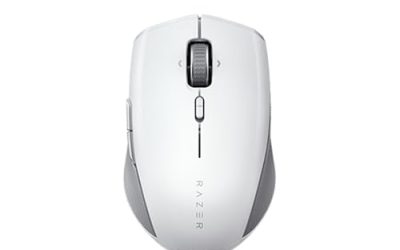
| Razer Viper Ultimate, Mercury White | FPS players who want a light ambidextrous mouse with a dock | 20,000 DPI sensor, 74 g, 70-hour battery |
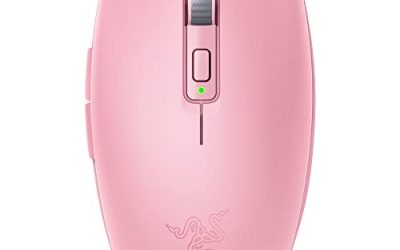
| Razer Viper Ultimate, Quartz Pink | Players building a pink setup who want the same dock mouse | 20,000 DPI sensor, 78 g, 70-hour battery |
| ASUS ROG Spatha X | MMO and MOBA players who want 12 buttons and a magnetic dock | 19,000 DPI sensor, 12 buttons, magnetic charging dock |
How to Choose
Dock Design and Desk Space
Start with the dock itself, because it lives on your desk every day. A magnetic cradle holds the mouse in one fixed spot, while a stand-style dock can double as the wireless receiver, which saves a USB port and shortens the wireless path. Measure the space beside your keyboard before ordering: a dock plus its cable needs a clear patch of desk, and a cramped setup will push it into the path of your mousepad. Also check how the mouse sits on the dock — contact pins must line up, and a dock made for one model will not charge another. The listings in this guide name the dock in the box, so confirm that line before you buy.
Sensor, Weight, and Shape
Sensor numbers get the headlines, but weight and shape decide whether a mouse feels right after three hours. The mice here range from 74 grams to 168 grams, and that gap is easy to feel in fast flicks. A light ambidextrous body suits claw and fingertip grips and works for either hand, while a heavier right-handed body with a thumb rest suits palm-grip players who rest their whole hand on the mouse. Check the listed weight and dimensions against your current mouse before ordering, and think about your grip first: a shape that fights your hand will not be fixed by a higher DPI ceiling.
Battery Life and Charging Habits
Battery life matters less than the habit the dock creates. A mouse rated for 70 hours still dies mid-match if it never visits the dock, while a shorter-lived mouse stays ready when docking becomes part of sitting down. Look at two numbers on the listing: the full-charge hours and the quick-charge claim, such as a short top-up giving hours of play. Then be honest about your routine. If you leave your desk for meals or breaks, a dock keeps the battery topped up without thought. If the mouse travels with a laptop, the dock stays home, so a long battery and a cable matter more.
Buttons, Software, and Extras
Count the buttons you will actually press, not the total on the box. MMO and MOBA players use thumb grids for abilities and macros, while FPS players usually need only a few well-placed side buttons and a DPI switch. On-board memory profiles let the mouse keep its bindings on another computer, and hot-swap switch sockets let you change the click feel without soldering. RGB lighting on the dock is a desk decision as much as a mouse one — it looks good in a dark room and does nothing for aim. Weigh each extra against desk space and hand size, and skip features that add weight you will feel every session.
The 4 Best Options
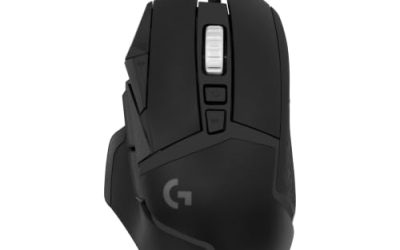
Razer Basilisk Ultimate Wireless Gaming Mouse with Charging Dock
The Basilisk Ultimate is the pick for players who want a full-featured ergonomic mouse with a dock that earns its desk space. Its right-handed body, thumb rest, and multi-function paddle give MMO and MOBA players room for bindings without reaching, while the adjustable scroll wheel changes resistance for browsing or weapon switching. The included Chroma RGB dock holds the mouse upright, charges it between sessions, and carries the wireless dongle, so the setup stays tidy. At 107 grams it is heavier than the ultralight mice in this guide, which suits players who like a planted, steady feel.
Specs
- Razer Focus+ 20,000 DPI optical sensor
- Razer HyperSpeed wireless technology
- 11 programmable buttons, including a multi-function paddle and tilt scroll wheel
- Razer optical mouse switches
- Up to 100-hour battery life
- 14 customizable Chroma RGB lighting zones
- Customizable scroll wheel resistance
- 107 grams
- Included Chroma RGB charging dock; 10 minutes of charging gives about 5 hours of playtime
- Model RZ01-03170100-R3U1
Best for: Palm-grip players who want an ergonomic mouse with a dock and plenty of buttons.
Watch out for: Right-handed shape only, so left-handed players should look elsewhere; the 107-gram body is heavier than ultralight options, and the dock needs a free USB port and a clear spot on the desk.
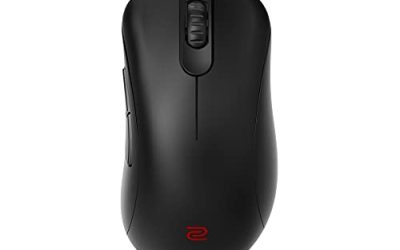
Razer Viper Ultimate Wireless Gaming Mouse with RGB Charging Dock, Mercury White
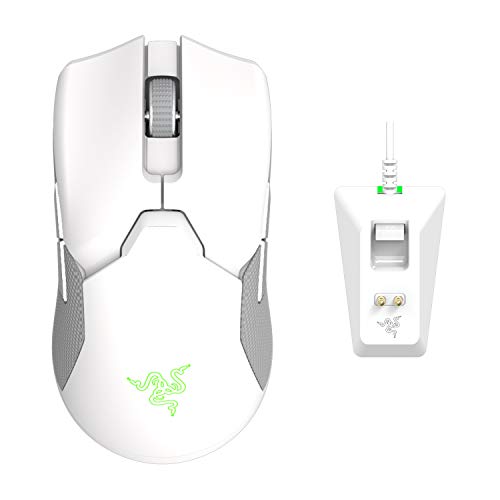
The Viper Ultimate in Mercury White is the lightest dock mouse in this guide, and it shows in fast aim. Its ambidextrous, low-profile body suits claw and fingertip grips, and the eight programmable buttons cover the essentials without crowding the shell. The RGB charging dock keeps the mouse topped up between matches and holds the wireless receiver, so the desk stays free of a separate dongle extender. The white finish suits bright setups, and the 70-hour battery means the dock is a habit rather than a chore. Players who want speed first will feel the difference in the first session.
Specs
- Razer Focus+ 20,000 DPI optical sensor
- 74 grams
- 8 programmable buttons
- Razer optical mouse switches rated for 70 million clicks
- Up to 70-hour battery life
- Razer HyperSpeed wireless technology
- 1,000 Hz polling rate
- 650 IPS maximum tracking speed
- 5 on-board memory profiles
- Included RGB charging dock
- Model RZ01-03050400-R3U1
Best for: FPS players who want the lightest ambidextrous mouse with a charging dock.
Watch out for: Side buttons sit on both sides of the ambidextrous shell, so check that your grip does not press them by accident; the white finish will show marks more readily than a dark shell.
Razer Viper Ultimate Wireless Gaming Mouse with RGB Charging Dock, Quartz Pink
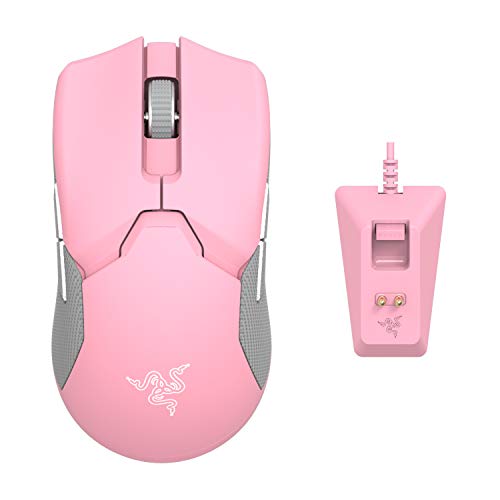
The Quartz Pink Viper Ultimate is the same proven mouse as the white version, built for players who want their setup to match. It shares the 20,000 DPI sensor, the light ambidextrous body, and the RGB charging dock, so the choice here is about the desk, not the hardware. The pink shell pairs well with matching keyboards, headsets, and mousepads, and the dock’s lighting can be set to match through the mouse software. For players who already know they want the Viper Ultimate, the pink edition is simply the version that fits a color-coordinated build.
Specs
- Razer Focus+ 20,000 DPI optical sensor
- 78 grams
- 8 programmable buttons
- Razer optical mouse switches
- Up to 70-hour battery life
- Razer HyperSpeed wireless technology
- Included RGB charging dock
- Model RZ01-03050300-R3M1
Best for: Players who want the Viper Ultimate in a pink, color-matched setup.
Watch out for: Same ambidextrous layout as the white version, with side buttons on both sides; confirm the color is the one you want before ordering, since the pink finish is a fixed choice.
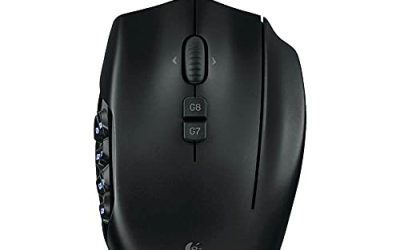
ASUS ROG Spatha X Wireless Gaming Mouse with Magnetic Charging Dock
The Spatha X is the heavyweight of this guide in every sense: a large, right-handed body, twelve programmable buttons, and a magnetic dock that doubles as the wireless receiver. It is built for MMO and MOBA players who map abilities, macros, and consumables to the thumb grid and want them under one hand. The hot-swap switch sockets let you change the click feel later, and the two included paracord cables cover both charging and wired play. At 168 grams it is far heavier than the other mice here, so it suits players with medium to large hands who prefer a solid, planted mouse.
Specs
- 19,000 DPI optical sensor
- 12 programmable buttons
- 168 grams
- Dual-mode wired and 2.4 GHz wireless connectivity
- Up to 67-hour battery life
- Magnetic charging dock included; 15 minutes of charging gives up to 12 hours of play
- Push-fit hot-swap switch sockets
- ROG Micro Switches rated for 70 million clicks
- Aura Sync RGB lighting
- 400 IPS maximum tracking speed and 50 G acceleration
- Model P707 ROG SPATHA X
Best for: MMO and MOBA players who want many programmable buttons and a magnetic charging dock.
Watch out for: The large, heavy body suits medium to large hands and may feel oversized for small hands or fingertip grips; the dock needs desk space and a USB port, and the button layout is more than most FPS players need.
Which One Fits Your Situation
You play MMO or MOBA games and want buttons everywhere
Choose the ASUS ROG Spatha X. Its twelve programmable buttons put abilities, macros, and consumables under your thumb, and the magnetic dock keeps the mouse charged between sessions. The large body fits medium to large hands, and the hot-swap switches let you tune the click later. Skip it if you mainly play FPS games, where the weight and button count work against you.
You play FPS games and want the lightest mouse with a dock
Choose the Razer Viper Ultimate in Mercury White. At 74 grams with an ambidextrous shape, it suits claw and fingertip grips and moves fast in aim-heavy games. The RGB dock charges it between matches and holds the receiver, so nothing extra sits on the desk. Pick the pink version instead only if the color matters to your setup.
You palm-grip and want an ergonomic mouse with a dock
Choose the Razer Basilisk Ultimate. Its right-handed body, thumb rest, and paddle fit a full palm grip, and the eleven programmable buttons cover MMO bindings and everyday shortcuts alike. The Chroma dock holds the mouse upright and keeps it charged, so you never reach for a cable. Avoid it if you are left-handed or prefer an ultralight mouse.
You are building a color-matched pink setup
Choose the Razer Viper Ultimate in Quartz Pink. It is the same dock mouse as the white version, with the same sensor, battery, and charging dock, so you lose nothing by picking the color. Pair it with matching peripherals and set the dock lighting to match through the mouse software. Check your hand size first, since the ambidextrous shape suits medium to large hands best.
Common Mistakes
- Assuming the dock is included — some wireless mice sell the dock separately, so read the “in the box” section on the Amazon listing before ordering.
- Buying a dock made for a different model — charging contacts and shapes are model-specific, and a mismatched dock will not charge your mouse.
- Forgetting the dock’s footprint — a dock needs a clear patch of desk and a free USB port, so measure before it arrives.
- Judging a mouse by its DPI number alone — weight, shape, and grip matter more in daily play than the top DPI figure.
- Skipping the battery habit — a dock only helps if the mouse rests on it between sessions, so put the dock where you naturally set the mouse down.
Frequently Asked Questions
Do all four mice include the charging dock in the box?
Yes. Each mouse in this guide is sold with its charging dock included, according to the “in the box” details on its Amazon listing. Still, check that line before you order, because some retailers also sell the same mouse on its own, and a listing for the mouse alone will not include the dock.
Can I use the mouse while it charges?
Yes. Each of these mice can be used wired while charging with its included cable, so a low battery never has to end a session. The Basilisk Ultimate and Viper Ultimate charge through their included cables, and the Spatha X charges through USB-C. Dock the mouse between sessions and it will usually be full when you return.
Will one brand’s dock charge another brand’s mouse?
No. Charging docks are made for specific models, with contacts and shapes that match only that mouse. A Razer dock will not charge an ASUS mouse, and a dock from one Razer model will not fit another. If you change mice later, expect to use the new dock that comes with the new mouse.
How often will I need to charge these mice?
It depends on the model and your lighting settings, with full charges lasting from 67 hours on the Spatha X to 100 hours on the Basilisk Ultimate. In practice, docking the mouse whenever you leave the desk keeps the battery topped up, so charging rarely becomes a task. A short top-up on the dock gives hours of play when you are in a hurry.
Related guides
More from Amazon
Programs that pair well with the guide above. Offers and eligibility are set by Amazon and may change.
Free shipping on eligible items, Prime Video and more. Eligible new members can start with a free trial.
Start a Prime free trialAd-free music streaming. Eligible new subscribers can start with a free trial.
Try Music Unlimited freeA Prime membership for ages 18-24 with a trial period. Eligibility is set by Amazon.
See Prime for Young AdultsAudiobooks and podcasts to listen to on the go. Eligible new members can start with a free trial.
Try Audible freeAs an Amazon Associate we earn from qualifying purchases.