Brown switches occupy a very specific middle ground. They give you a small tactile bump partway through each keypress, so you can feel when a keystroke registers, but they skip the loud click of blue switches and the smooth, bumpless travel of reds. If you type for a living, share a room with a sleeping partner, or split your day between spreadsheets and shooters, that compromise is exactly why people search for a brown switch mechanical keyboard in the first place.
This guide is for buyers who already know they want that feel and need to pick a layout and feature set. The list is deliberately strict: only keyboards whose listing explicitly names a brown switch made the cut, which leaves five options in 2026 spanning a compact 60%, a 96% wireless board, and three wired designs. Boards that advertise linear switches or that never mention brown were left out, because a wrong switch type is the one mistake you cannot fix with software.
As an Amazon Associate we earn from qualifying purchases at no extra cost to you.

As an Amazon Associate we earn from qualifying purchases at no extra cost to you.

Our Top Picks
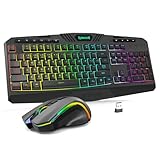
 Redragon K556 Wired RGB Mechanical Gaming KeyboardBrown Switch17.13 x 4.88 x 1.59 inches2.2 poundsCheck on Amazon

Top 3 picks at a glance
Quick Picks
As an Amazon Associate we earn from qualifying purchases at no extra cost to you.


| Product | Best for | Key spec from the title |
|---|---|---|
| Cherry KC 200 MX | Office typing with a name-brand switch | MX2A Brown switches, full size, aluminum surface, USB-A |
| MageGee MK-Box 60% | Small desks and travel | 68 keys, brown switch, LED backlit, wired |
| Merdia Full Size | Budget-minded gamers who like to tinker | 104 keys, hot swappable, ice blue backlit, wired |
| Keychron C2 | A clean full-size typing board | 104-key wired, Keychron Brown, white backlight |
| Keychron K4 | Switching between wireless and wired | 96% layout, 100 keys, Bluetooth 5.1 or USB, Apex Brown |
How to Choose
Understand what brown actually feels like
A typical brown switch adds a small tactile bump roughly halfway through a roughly 4mm press, with an actuation force near 45 grams on the classic Cherry-style design. That is light enough for long typing sessions and firm enough to avoid accidental presses. Switches from other makers, including the ones named in these listings, can differ slightly in bump size and force, so treat any gram figure as a ballpark and read the title for the switch brand.
Layout: 60%, 96%, or full size
A 60% board with 68 keys removes the function row and number pad, saving a lot of desk space and keeping the mouse closer. A 96% board with 100 keys keeps the number pad in a tighter footprint. A full-size 104-key board is the best choice if you enter numbers often or rely on dedicated navigation keys. Work out which keys you touch every day before you chase a smaller footprint.
Wired, wireless, and hot-swappable
A wired USB board is simplest and has no battery to charge, and it avoids the small input delay and pairing hiccups that occasionally affect wireless connections. Bluetooth 5.1 on one listing here adds the option of pairing with a laptop or tablet without a cable. Hot-swappable sockets, as the Merdia lists, mean you can replace switches without soldering, which is useful if you later want a different feel in a few keys. Check the plug type as well: USB-A is stated on the Cherry, and most desktops and docks still offer that port.
What to ignore and where budgets cut corners
Ignore claims about the number of backlight modes, since lighting effects have no bearing on typing quality. Budget boards usually save money on keycap material and case rigidity, so thin plastic keycaps and a flexing frame are the common trade-offs. If the listing does not name the switch type, assume you may not get brown at all. Also be wary of vague adjectives such as “tactile” or “quiet” used on their own; the switch color or brand should be spelled out.
One more check worth making is keycap legends. Backlit boards only look good if the legends are translucent, and a US layout, as on the Merdia, matters if you rely on the standard ANSI Enter key shape and a left Shift of normal length. If you use a language other than English for daily typing, confirm that replacement keycaps exist before you commit.
The 5 Best Options
Cherry KC 200 MX
The only board here that names the Cherry brand in its switch description: MX2A Brown switches on a wired, full-size office keyboard with an aluminum surface, a modern design, and a USB-A connection. It is aimed at the typist who values restraint over lighting effects, and it fits a professional desk where a flashy gaming board would look out of place.
- MX2A Brown switches from a recognized switch maker.
- Aluminum surface gives the keyboard a more premium, restrained look.
- Trade-off: the title does not mention wireless or RGB, so this is a straightforward wired board.
The listing also stresses an office-keyboard identity rather than a gaming one, so expect understated looks and a no-nonsense feel that fits shared workspaces, home offices, and anyone who finds glowing keycaps distracting during a video call. Skip it if you want wireless connectivity or elaborate backlighting.
MageGee MK-Box 60%
A portable 60% mechanical keyboard with 68 keys, LED backlighting, a wired connection, and a brown switch, positioned for gaming and office work on a Windows laptop or PC. Its small footprint leaves room for a mouse and a notebook, and it slips into a backpack without trouble.
- Compact 68-key layout saves desk space.
- Portable size suits travel and shared desks.
- Trade-off: no dedicated number pad or function row, so spreadsheet work becomes slower.
Because the listing promises a compact footprint, it also suits anyone who wants the mouse closer to the keyboard for better shoulder posture during long sessions. Skip it if you use number entry or media keys daily, since those must be reached through layers or workarounds on a board this small.
Merdia Full Size
A black full-size wired keyboard with 104 keys, a US layout, ice blue backlighting, and brown switches, plus hot-swappable sockets. The hot-swap feature is rare at the budget end, and it gives the Merdia a future: if you later want a few keys to feel different, you can change them without a soldering iron.
- Hot-swappable switches allow later customization.
- Full 104-key layout keeps the number pad.
- Trade-off: the ice blue backlight is a single color theme, so it will not suit someone who wants varied lighting.
Because it is wired and full-size, it also makes sense as a dependable second keyboard for a spare desk or a living-room PC, where stable connection and a familiar layout matter more than portability. Skip it if you want wireless or a compact layout.
Keychron C2
A wired full-size Keychron with 104 keys, a number pad, white backlighting, and the Keychron Brown switch. The title keeps the pitch simple: standard layout, brand-name switch, and clean white backlighting. It suits someone upgrading from a membrane board who does not want to learn a new layout.
- Standard 104-key layout means no relearning.
- White backlight is easy on the eyes in a dim room.
- Trade-off: it is wired only, as the title states.
The brand-switch naming in the title also gives a clear sense of what the typing feel is meant to be, which is reassuring when you cannot try the board in person first. Skip it if you move between devices and want Bluetooth, or if you want swappable switches for later experimentation.
Keychron K4
A 96% layout with 100 keys that supports Bluetooth 5.1 or wired USB, uses the Keychron Apex Brown switch, and has a white LED backlight, with N-key rollover mentioned in the title. It keeps the number pad in a tighter footprint than a full-size board and lets you switch between a laptop and a desktop.
- Wireless and wired options in one board.
- 96% layout keeps the number pad while saving space.
- Trade-off: the denser layout takes a short adjustment period, especially around the arrow cluster.
This is also the one board in the group that bridges a work laptop and a personal desktop without cable swapping, which can be a real convenience for hybrid workers who move between locations during the week. Skip it if you want a traditional spacing layout or never use wireless.
Which One Fits Your Situation
You type all day in a shared office
The Cherry KC 200 MX is the quiet professional pick: MX2A brown switches, a restrained aluminum look, and a straightforward wired connection. Pair it with a wrist rest and it becomes a dependable daily driver for emails, documents, and coding without drawing attention from coworkers.
You work between a laptop and a desktop
The Keychron K4 handles Bluetooth 5.1 and USB, and its 96% layout keeps the number pad without taking over the desk. That combination suits hybrid workers who dock a laptop at home but carry it to a shared office on other days, since one keyboard follows the machine.
Your desk is small or you travel
The MageGee MK-Box 60% is the compact choice, though you will give up the function row and number pad.
You want to tinker later or keep the cost lean
The Merdia Full Size adds hot-swappable sockets to a 104-key layout. If you prefer a plain typing board with a name-brand switch, the Keychron C2 is the cleaner path.
Common Mistakes
- Assuming every gaming keyboard with a “tactile” label uses a brown switch when the listing never names the switch.
- Buying a 60% layout without checking whether you rely on the number pad or function row.
- Expecting hot-swap sockets on a board whose title does not list them.
- Choosing wireless only for the look, then discovering you never leave your desk, or forgetting wrist support, which matters more on tall mechanical boards than on thin membrane ones.
- Judging typing feel by backlight styles, which have no effect on the key switch.
Related guides
- What Is The Best Budget Most Responsive Gaming Mouse Wired
- Low Latency Gaming Headphones Usb-C 2.4 Ghz Wireless
- Mechanical Gaming Keyboards Competitive Pc Gaming
Frequently Asked Questions
Are brown switches good for gaming?
They are a fine all-rounder. The tactile bump offers feedback, though some gamers prefer linear switches for rapid repeated presses, such as in fast-paced shooters. If you game and type equally, brown is a reasonable compromise, and the N-key rollover mentioned on the Keychron K4 helps when several keys are pressed at once.
Are brown switches quiet?
Quieter than blue switches because there is no audible click, but louder than silent linear designs. The keycaps bottoming out on the case still make noise, so the board’s build matters too.
What does hot swappable mean?
It means the switches sit in sockets, so you can pull one out and replace it with another without soldering. Only the Merdia in this guide states that feature in its title, so do not assume the others offer it. Even on hot-swap boards, check which socket style the replacement switches need before ordering.
Why were some popular keyboards left out?
Some boards in the same price tier advertise linear switches, such as one wireless 75% listing that mentions pre-lubed linears, or simply never name a brown switch. Since the switch type is the whole point of this guide, they were excluded rather than stretched to fit.