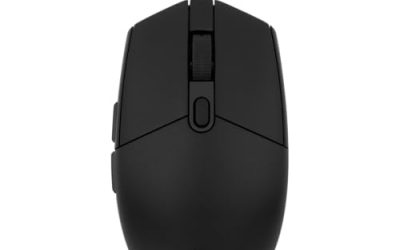
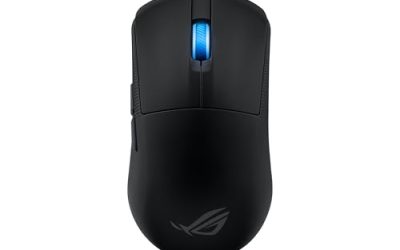
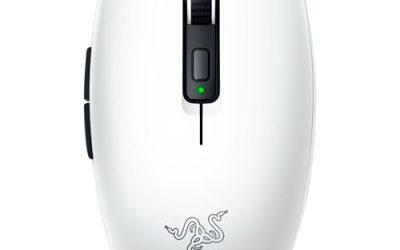
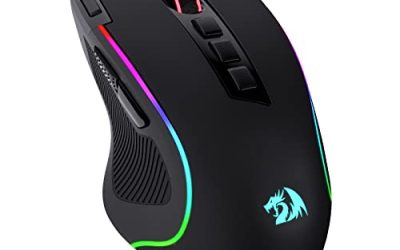
Our Top Picks


Top 3 picks at a glance
Introduction
Starting PC gaming is exciting, and it is also confusing. There are hundreds of keyboards and mice to choose from, and it is hard to know what matters when you have never owned a gaming setup before. A keyboard and mouse combo solves that problem. You get a matched keyboard and mouse in one box, designed to work together, with the lighting, the layout, and the features a new player needs, and nothing you do not.
This guide looks at four keyboard and mouse combos built for beginners. Each one is a complete set: a full-size keyboard with backlighting and a gaming mouse with adjustable sensitivity, ready to plug in and play. They differ in feel, in lighting, and in whether they connect by cable or wirelessly, so there is a match for every kind of new player.
If you are buying your first gaming setup, or buying a setup for someone who is just starting out, this guide will help you choose a combo that is easy to use, comfortable to play on, and ready for the games you want to play.
How to Choose
Start with the keyboard feel. Beginner combos use two kinds of keys: membrane keys, which are quiet and soft, and mechanical-feel keys, which click with a firmer, more tactile response. Membrane keyboards are quieter and easier to type on for long sessions. Mechanical keyboards give a more distinct feel for each keypress, which many gamers prefer. The Redragon and RedThunder combos in this guide use a mechanical feel, while the HAVIT combo uses real mechanical blue switches. Try to think about whether you prefer a soft press or a firm click.
Next, look at the mouse. A beginner combo mouse should have adjustable sensitivity, so you can find a speed that feels right, and at least two side buttons for actions like melee or reloading. The mice in this guide range from 3,200 DPI to 10,000 DPI, which covers every sensitivity a new player will use. More important than the maximum number is whether the mouse fits your hand and tracks smoothly on your desk.
Check the lighting. RGB backlighting is not just decoration. It helps you find keys in a dark room, and it makes the setup feel like a gaming setup. All four combos here have backlit keyboards with lighting effects you can change, and matching lighting on the mouse. If you play in a shared room or late at night, look for a combo with adjustable brightness so you can turn the lights down.
Think about wired versus wireless. Wired combos never need charging and are usually the simplest to set up: plug in two USB cables and play. Wireless combos give you a cleaner desk with no cables, but you need to keep the keyboard and mouse charged. For a first setup, wired is often the easier choice, because there is nothing to charge and nothing to pair. The RedThunder K10 in this guide is the wireless pick, for players who want a clean desk.
Finally, check what else is in the box. Some combos include a wrist rest, which helps during long sessions. Some include software for remapping keys and adjusting lighting. All four combos here work as soon as you plug them in, with no drivers to install, so you can start playing within minutes of opening the box.
Top Picks
Redragon S101-3 PRO Gaming Keyboard and Mouse Combo, Black
Amazon ASIN: B00NLZUM36
The Redragon S101-3 PRO is the classic beginner combo, and it has been a popular first set for years. The keyboard is a full-size RGB backlit model with quiet membrane keys, dedicated media controls, and independent macro record keys that let you record a sequence of keypresses and play it back with one key. The mouse is a programmable gaming mouse with adjustable sensitivity and RGB lighting to match the keyboard.
What makes the S101-3 PRO a good first combo is how complete it feels. The keyboard has a wrist rest built into the design, the keys are spill-resistant, and the layout is a standard full-size layout, so nothing is in an unexpected place. Redragon software lets you remap keys, adjust the lighting, and set up macros, but you do not need the software to start playing. Plug in the two USB cables and the combo works.
If you want a proven, straightforward first gaming setup with a comfortable keyboard, a capable mouse, and software you can grow into, the S101-3 PRO is the pick. It is the combo to choose when you want everything to just work.
Redragon Updated S107 Gaming Keyboard and Mouse Combo
Amazon ASIN: B0DWMQRK3M
The Redragon Updated S107 is the newer, more modern pick in this guide. The keyboard is a full-size RGB model with 25-key anti-ghosting, which means it registers many keys pressed at the same time, so fast key combinations in games always register. The mouse is a programmable gaming mouse with sensitivity up to 10,000 DPI and a 1,000 Hz polling rate, which gives it the responsiveness of a dedicated gaming mouse.
The S107 is a plug-and-play combo. There are no drivers to install, and the keyboard and mouse work as soon as you connect them. The RGB lighting on the keyboard can be set to different modes and brightness levels, and the mouse lighting matches. Redragon software is available for players who want to remap buttons, adjust sensitivity steps, and fine-tune the lighting, but it is optional.
If you want a modern beginner combo with a faster mouse and anti-ghosting for fast key combinations, the Updated S107 is the pick. It suits players who are starting with fast-paced games and want hardware that keeps up as they improve.
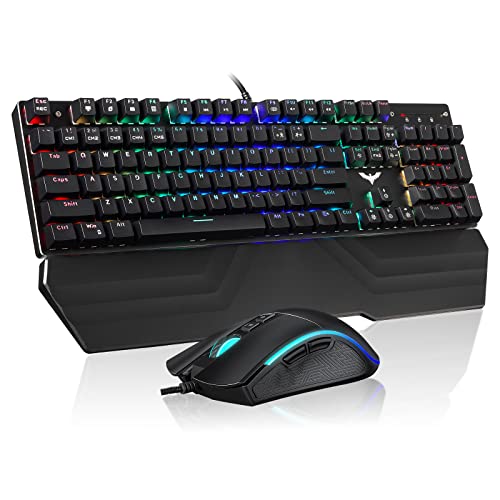
HAVIT Mechanical Keyboard and Mouse Combo RGB, HV-KB389L
Amazon ASIN: B07QS6MG8B
The HAVIT HV-KB389L is the mechanical pick in this guide. The keyboard uses real mechanical blue switches, which give a firm, clicky keypress with a distinct tactile bump. If you have never typed on a mechanical keyboard, the feel is immediately different from a membrane keyboard: each keypress is crisp, and you can feel exactly when the key activates. The keyboard has 104 keys with RGB backlighting and a detachable wrist rest for long sessions.
The mouse in the combo is a programmable gaming mouse with adjustable sensitivity and RGB lighting to match the keyboard. It is shaped for right-handed players, with side buttons for in-game actions and a comfortable grip for extended play. The whole set connects by USB cable, so there is nothing to charge and nothing to pair.
If you want to start with a real mechanical keyboard, or you like a firm, clicky key feel, the HAVIT HV-KB389L is the pick. It is the combo for beginners who want to experience mechanical switches from day one, without buying a keyboard and a mouse separately.
RedThunder K10 Wireless Gaming Keyboard and Mouse Combo, Black

Amazon ASIN: B09BR46F63
The RedThunder K10 is the wireless pick in this guide. The keyboard and the mouse both connect through a single USB receiver, and both are rechargeable, with a 3,800 mAh battery in the keyboard. That means no cables on your desk and no batteries to replace, just a USB cable for charging when the battery runs low.
The keyboard has a mechanical feel with anti-ghosting, so fast key combinations register cleanly, and LED backlighting that you can adjust to your taste. The mouse is a seven-button gaming mouse with sensitivity up to 3,200 DPI, which is a comfortable range for new players. The model number for this black wireless version is GAME-YX-910. The set is plug-and-play, so you connect the receiver and start playing.
If you want a clean desk with no cables, or you play on a laptop and move your setup around, the RedThunder K10 is the pick. It is the easiest wireless combo to live with, and it keeps the beginner-friendly setup that makes a combo worth buying in the first place.
Quick Comparison
| Product | Key Feature | Best For |
|---|---|---|
| Redragon S101-3 PRO | RGB backlit, macro keys, wrist rest | Proven first gaming setup |
| Redragon Updated S107 | 25-key anti-ghosting, 10,000 DPI mouse | Fast-paced games |
| HAVIT HV-KB389L | Mechanical blue switches, detachable wrist rest | Real mechanical feel |
| RedThunder K10 Wireless | Wireless, rechargeable, 7-button mouse | Clean desk, no cables |
Buying Guide
Set up your desk before you worry about settings. Place the keyboard straight in front of you with the mouse to the right, or to the left if you are left-handed, and give the mouse room to move. A mousepad at least as wide as the keyboard gives you space for low-sensitivity aiming and keeps the mouse tracking smoothly. Keep the keyboard and the mouse at a height where your forearms rest level, so your wrists stay straight.
Learn the basics of sensitivity. A new player often sets the mouse too fast, which makes aiming feel twitchy. Start at a medium sensitivity, around 800 to 1,600 DPI, and adjust in small steps until your aim feels controlled. You should be able to turn your character around with one comfortable sweep of the mouse, without lifting it more than once or twice. Lower sensitivity gives you more control, and it is easier to learn on.
Use the lighting to learn the keyboard. Backlighting is not just for looks. It helps you find keys in a dark room, and it helps you learn where keys sit without looking down. Set the lighting to a steady color at first, so the keyboard is easy to read, and try effects later once you know the layout by touch.
Take time to learn the software, but do not rush it. The software that comes with these combos lets you remap keys, adjust sensitivity, and set up macros. You do not need any of that on day one. Play for a few weeks first, notice which actions feel awkward, and then remap those actions to keys that feel natural. The best setup is the one you build around how you actually play.
Finally, be patient with yourself. PC gaming has a learning curve, and the first weeks are about building muscle memory: where the keys are, how the mouse feels, and how your games respond. A good combo makes that learning easier, but it does not replace practice. Play regularly, keep your settings consistent, and your hands will learn faster than you expect.
Frequently Asked Questions
Do I need a gaming keyboard and mouse to start PC gaming?
You can start with any keyboard and mouse, but a gaming combo makes the start much easier. The keys are built for fast, repeated presses, the mouse has adjustable sensitivity for aiming, and the backlighting helps you find keys in the dark. A combo also guarantees the keyboard and mouse work well together, which removes one decision from your first setup.
What is anti-ghosting?
Anti-ghosting means the keyboard can register many keys pressed at the same time without missing any of them. In games, you often press several keys at once: moving, sprinting, crouching, and using an ability. A keyboard without anti-ghosting can drop one of those presses. The Redragon S107 and the RedThunder K10 in this guide both support anti-ghosting, so fast combinations always register.
Should a beginner choose a wired or wireless combo?
Wired is simpler. You plug in the cables and play, with nothing to charge and nothing to pair. Wireless is cleaner, with no cables on the desk, but you need to remember to charge the keyboard and mouse. For a first setup at a fixed desk, wired is the easier choice. For a laptop or a shared desk, wireless is worth considering.
How do I clean a gaming keyboard and mouse?
Turn the keyboard upside down and shake out loose dust, then wipe the keys with a slightly damp cloth. For a deeper clean, remove the keycaps if your keyboard allows it and wipe underneath. Clean the mouse with a dry cloth, and check the sensor on the bottom for dust. Keep drinks away from the keyboard, because even a spill-resistant design has limits.
Conclusion
The best gaming keyboard and mouse for beginners is the combo that gets you playing quickly and grows with you as you improve. The Redragon S101-3 PRO is the most proven first setup, with a comfortable keyboard and a capable mouse. The Redragon Updated S107 is the best choice for fast-paced games, with anti-ghosting and a faster mouse. The HAVIT HV-KB389L is the best choice if you want a real mechanical keyboard from the start, and the RedThunder K10 Wireless is the best choice if you want a clean desk with no cables.
Pick the combo that matches your desk and your games, set your sensitivity to a comfortable level, and start playing. The hardware is ready. The rest is practice.
Disclosure: As an Amazon Associate, we earn from qualifying purchases.
Related guides
More from Amazon
Programs that pair well with the guide above. Offers and eligibility are set by Amazon and may change.
Free shipping on eligible items, Prime Video and more. Eligible new members can start with a free trial.
Start a Prime free trialAd-free music streaming. Eligible new subscribers can start with a free trial.
Try Music Unlimited freeA Prime membership for ages 18-24 with a trial period. Eligibility is set by Amazon.
See Prime for Young AdultsAudiobooks and podcasts to listen to on the go. Eligible new members can start with a free trial.
Try Audible freeAs an Amazon Associate we earn from qualifying purchases.