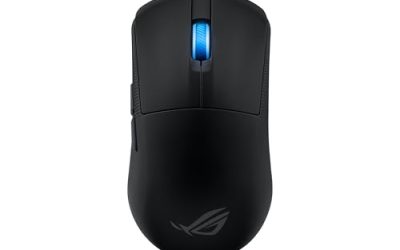
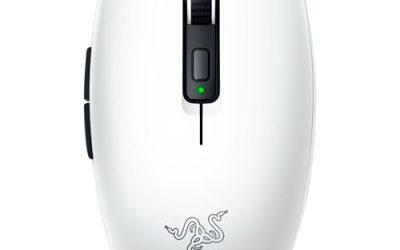
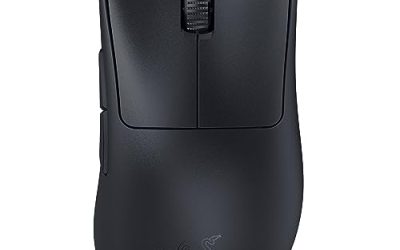
A wired gaming mouse under 20 is a practical buy when the budget is fixed but the games are not forgiving. The cable removes battery and wireless drop worries, and the money goes toward the sensor, the switches, and the shape instead of a charging dock or a wireless receiver. The real decision is not the headline DPI number. It is whether the mouse fits the hand, whether the buttons sit where the fingers expect them, and whether the listing states the sensor and button details plainly enough to trust.
The five mice below are all wired models corroborated in under-20 and budget-framed roundups, from Logitech, Redragon, and Razer. They cover a compact six-button mouse, a lightweight high-DPI option, a nine-button ergonomic shape, and a sensor-heavy ergonomic model for players who want more controls. Each pick is described only from what its listing title states, so the comparison stays on stated specifications rather than promises.
Top 3 picks at a glance


Quick Picks
As an Amazon Associate we earn from qualifying purchases.
| Product | Best for | Key spec from title |
|---|---|---|
| Logitech G102 2nd Gen Light Sync | A simple six-button wired setup | Wired, 8000 DPI, 6 programmable buttons, RGB |
| Redragon M711 | RGB styling with a high DPI ceiling | Wired RGB, 10000 DPI, remapping keys |
| Redragon M602 | More buttons in an ergonomic shape | Wired, 7200 DPI, 9 programmable buttons |
| Redragon M724 | A lightweight mouse with software control | Wired, 42g, 12400 max DPI, 5 programmable buttons |
| Razer Basilisk V3 35K | The most controls and sensor wording | Wired, 35K DPI sensor, 13 customizable controls |
How to Choose
Start with the shape, not the sensor number
A mouse that fights the hand loses every match before the sensor matters. Palm, claw, and fingertip grips each favor different lengths, widths, and hump positions, and a shape that suits a large palm can cramp a small hand within an hour. Read the listing title for ergonomic wording and grip-body wording, then compare it honestly against how the hand rests: fingers flat and relaxed, or arched and tense. Weight wording matters here too, since a heavier mouse steadies slow aim while a lighter mouse suits fast flicks. The sensor ceiling is rarely the limit at this budget, so shape and weight deserve the first decision, not the last.
Treat DPI wording as a range, not a score
Every listing in this roundup states a DPI figure, and the figures run from 7200 to 35K. A higher ceiling does not make a mouse more accurate on its own; it only sets how far the sensitivity can stretch. What matters in daily play is whether the sensor holds steady at the sensitivity actually used, and whether the listing states an adjustable range rather than a single fixed number. Adjustable DPI wording means the sensitivity can be tuned in steps for different games, which is more useful than a large maximum that is never reached. Check for optical sensor wording too, since the sensor type shapes how the mouse tracks across different surfaces.
Count the buttons the hand will actually press
Programmable buttons are only useful when they sit under fingers that can reach them without shifting grip. Six buttons cover the standard two clicks, scroll wheel, DPI control, and two side buttons, which is enough for most shooters and strategy games. Nine or thirteen controls suit players who bind abilities, items, or build commands to the mouse, but extra buttons add width and weight that can slow simple aiming. Read the listing for the exact button count and for remapping or customizable wording, which shows whether those buttons can be reassigned. A button that cannot be reached mid-fight is decoration, not an advantage.
Confirm wired wording and software support before ordering
A wired mouse should say so in its title, because wireless models with a charging cable are a different product with different trade-offs. Look for the word wired in the listing title, and for a stable, lag-free connection wording that matches a cable rather than a wireless link. Software wording matters just as much: listings that mention professional software, DIY keybinds, or DPI software show that buttons and sensitivity can be adjusted rather than left at factory defaults. On-board memory wording is a bonus, since it keeps settings on the mouse when moving between computers. Confirm both the connection and the software before ordering, because neither can be added afterwards.
The 5 Best Options
1. Logitech G102 2nd Gen Light Sync Gaming Mouse
The Logitech G102 2nd Gen is the straightforward pick in this roundup: a compact wired mouse with a clear, modest specification set and no exotic claims. Its listing title states the essentials a buyer needs in one line, and the six-button layout covers standard play without crowding the sides. The RGB wording adds lighting that can be matched to a setup, while the on-board memory wording means settings travel with the mouse. For a first gaming mouse or a spare that simply works, this is the least complicated choice here.
Specs
- Wired gaming mouse
- 8000 DPI
- 6 programmable buttons
- RGB lighting
- Light Sync model, 2nd Gen
- Black finish
- On-board memory wording in the source roundup title
Best for: Players who want a simple wired mouse with a stated sensor and button count.
Watch out for: The listing title states no weight figure, so buyers who need a specific weight should confirm it on the full listing.
- ASIN: ⚠ B0895BG8QP
2. Redragon M711 Wired RGB Optical Gaming Mouse
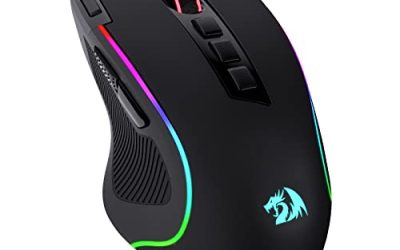
The Redragon M711 pairs the highest DPI wording among the Redragon picks with an ergonomic grip body and a wired connection described as stable and lag-free. Its title leads with RGB optical wording and remapping keys, which suits players who rebind keys for different games. The ergonomic grip-body wording signals a shape built for longer sessions rather than a flat, narrow shell. This is the pick for buyers who want visible RGB styling and a high DPI ceiling without leaving the wired, budget class.
Specs
- Wired RGB optical gaming mouse
- 10000 DPI
- Remapping keys
- Stable lag-free connection wording
- Programmable button wording
- Backlight wording
- Ergonomic grip body
Best for: Players who want RGB styling, a high DPI ceiling, and remappable keys in a wired mouse.
Watch out for: The listing title states no button count and no weight figure, so both should be confirmed on the full listing before ordering.
- ASIN: ⚠ B0751D11BL
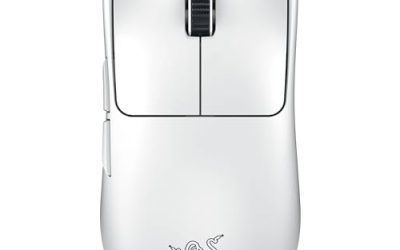
3. Redragon M602 Gaming Mouse
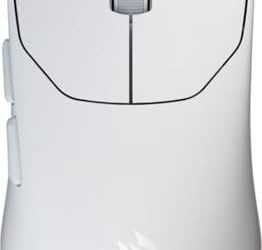
The Redragon M602 is the button-count pick of the roundup, with nine programmable buttons in an ergonomic RGB shape. That count suits strategy, MOBA, and MMO players who bind abilities to the mouse, while the 7200 adjustable DPI wording keeps sensitivity tuning in a practical range. The listing also mentions professional software, which points to button and DPI adjustment rather than fixed defaults. The white finish is stated in the title, so buyers who want a lighter-colored setup can match it deliberately.
Specs
- Wired ergonomic RGB gaming mouse
- 7200 adjustable DPI
- 9 programmable buttons
- Professional software wording
- White finish
- Ergonomic shape wording
Best for: Players who bind extra commands to the mouse and want nine programmable buttons.
Watch out for: The listing title states no weight figure, and the white finish is the stated variant, so buyers should confirm the exact finish on the full listing.
- ASIN: ⚠ B07MR2XHY2
4. Redragon M724 Wired Gaming Mouse

The Redragon M724 is the lightweight pick, with a stated 42g weight that suits fast, low-resistance movement. Its title pairs that weight with the highest DPI ceiling in the roundup and five programmable buttons, plus software that supports DIY keybinds and DPI adjustment. The ergonomic natural-grip wording describes a shape meant to sit comfortably during long sessions. For players who value quick flicks and a mouse that disappears under the hand, the weight wording alone makes this one worth a close look.
Specs
- Wired gaming mouse
- 42g ultra-light weight wording
- 12,400 max DPI optical sensor
- 5 programmable buttons
- Ergonomic natural grip build
- Software supports DIY keybinds and DPI
- Black finish
Best for: Players who want the lightest mouse here with software control over keybinds and DPI.
Watch out for: Five buttons is the lowest count in this roundup, so players who bind many commands may run out of mouse buttons.
- ASIN: ⚠ B0D41SDLTB
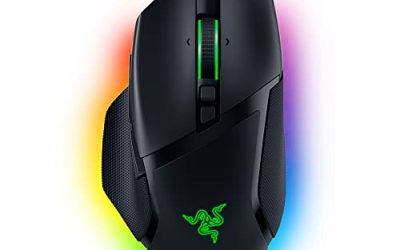
5. Razer Basilisk V3 35K Wired Ergonomic Gaming Mouse

The Razer Basilisk V3 35K carries the fullest specification wording in this roundup, with a 35K DPI optical sensor, thirteen customizable controls, a HyperScroll tilt wheel, and optical switches. That control count suits players who want extensive binding options without adding a second device, and the Chroma RGB wording adds lighting that matches a Razer setup. The ergonomic title wording and Gen 2 sensor wording mark it as the most fully described model here. It is the pick for buyers who want the deepest stated specification set in a wired mouse.
Specs
- Wired ergonomic gaming mouse
- 35K DPI optical sensor Gen 2
- HyperScroll tilt wheel
- 13 customizable controls
- Chroma RGB lighting
- Optical switches Gen 3
- Black finish
Best for: Players who want the most customizable controls and the highest stated sensor wording in this roundup.
Watch out for: Thirteen controls add complexity, and the listing title states no weight figure, so buyers should confirm weight and hand fit on the full listing.
- ASIN: ⚠ B0DG7LDR38
Which One Fits Your Situation
You are buying a first gaming mouse and want no surprises
Choose the Logitech G102 2nd Gen. Its title states the wired connection, the DPI figure, the six programmable buttons, and the RGB lighting in one line, with nothing exotic to interpret. Six buttons cover standard play, and the compact shape suits most hands without a learning curve. Confirm the weight on the full listing if weight matters, but for a first mouse the stated specification set is complete enough to order with confidence.
You play MOBAs or MMOs and bind abilities to the mouse
Choose the Redragon M602. Nine programmable buttons give room for abilities, items, and commands without reaching for the keyboard, and the professional software wording points to reassignment rather than fixed buttons. The 7200 adjustable DPI wording keeps sensitivity practical for ability-heavy games. Check the white finish against the setup, and confirm the weight on the full listing before ordering.
You want the lightest mouse for fast aim
Choose the Redragon M724. The stated 42g weight is the lightest in this roundup, and the software wording supports DIY keybinds and DPI adjustment for fine tuning. Five buttons keep the shape simple, which suits players who aim with the mouse and keep commands on the keyboard. The ergonomic natural-grip wording suggests comfort over long sessions, but confirm the shape suits the grip style before ordering.
You want the deepest specification set and the most controls
Choose the Razer Basilisk V3 35K. Thirteen customizable controls, a HyperScroll tilt wheel, and the 35K DPI sensor wording give the most room to configure, and the optical switches wording marks a step up in switch description. The ergonomic shape and Chroma RGB wording suit a dedicated setup. Confirm the weight and the hand fit on the full listing, since the control count adds complexity that simple setups do not need.
Common Mistakes
- Chasing the highest DPI number instead of checking shape, weight, and button placement first.
- Buying a wireless mouse with a charging cable and expecting the same always-on behavior as a true wired mouse.
- Ignoring the button count and discovering mid-game that bindings do not fit on the mouse.
- Assuming every listing title states weight; several titles here state no weight figure at all.
- Ordering a finish or color variant without confirming it, since variants carry separate listings.
Frequently Asked Questions
Is a wired gaming mouse better than a wireless one at this budget?
A wired mouse removes battery charging and wireless signal worries entirely, and the cable keeps the connection steady during play. At this budget the money goes toward the sensor, switches, and shape instead of a receiver or battery. The trade-off is cable management on the desk, which a mouse bungee or careful routing can handle. For fixed-desk play, wired is the simpler and more predictable choice.
What DPI should a gaming mouse use?
No single DPI suits every player, because sensitivity depends on the game, the screen, and the hand. Most players use a middle sensitivity and adjust in steps, so adjustable DPI wording matters more than the maximum figure. Start near the middle of the stated range, then raise or lower it until aiming feels controlled rather than twitchy. The ceilings here run from 7200 to 35K.
How many programmable buttons does a gaming mouse need?
Six buttons cover standard play: two clicks, a scroll wheel, DPI control, and two side buttons. Nine or more suit strategy, MOBA, and MMO players who bind abilities to the mouse. More buttons add width and weight, so the right count is the smallest number that holds the bindings actually used. Count the bindings before ordering, and match the count to the listing title rather than guessing.
Do RGB lighting and software change how a mouse plays?
RGB lighting does not change tracking or clicks; it only changes how the mouse looks on the desk. Software matters more, because it controls button reassignment, DPI steps, and lighting behavior. Listings that mention professional software or DIY keybinds show that settings can be adjusted. Check both wordings in the title, and treat lighting as styling while treating software as function.
Related guides
More from Amazon
Programs that pair well with the guide above. Offers and eligibility are set by Amazon and may change.
Free shipping on eligible items, Prime Video and more. Eligible new members can start with a free trial.
Start a Prime free trialAd-free music streaming. Eligible new subscribers can start with a free trial.
Try Music Unlimited freeA Prime membership for ages 18-24 with a trial period. Eligibility is set by Amazon.
See Prime for Young AdultsAudiobooks and podcasts to listen to on the go. Eligible new members can start with a free trial.
Try Audible freeAs an Amazon Associate we earn from qualifying purchases.