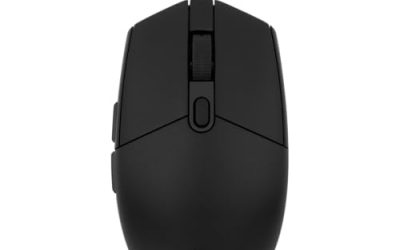
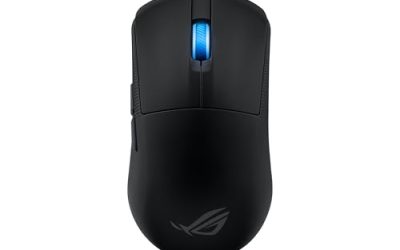
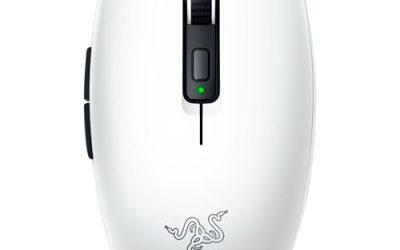
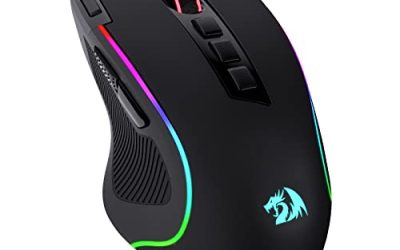
Dropping from a standard gaming mouse to one under 60 grams changes more than comfort. Flicks take less effort, long swipes stop sooner, and your wrist does less work across a long session. The real decision is how far down the scale you can go before the trade-offs bite: the lightest shells carry smaller batteries, thinner walls and fewer extras, while mice in the mid-fifties keep flagship sensors and week-long battery life. This guide sorts that balance out model by model.
The picks below suit competitive FPS players, fingertip and claw grippers, and anyone whose current mouse feels like dragging furniture. Every model was chosen from its Amazon listing details — stated weight, sensor, polling rate, switch type and battery figure — rather than brand reputation, and the five picks span 36 to 63 grams so you can see exactly what each weight class gives up and gains.
Our Top Picks
 Logitech G Pro X Superlight 2 Lightspeed WirelessClassic1.57 x 2.5 x 4.92 inches0.1 poundsCheck on Amazon

Top 3 picks at a glance

Quick Picks
As an Amazon Associate we earn from qualifying purchases
| Product | Best for | Key spec from title |
|---|---|---|
| Corsair Sabre v2 PRO Ultralight | Fingertip players chasing the lowest weight | 36 g, 8,000 Hz hyper-polling |
| Razer Viper V3 Pro | All-round competitive play | 55 g, up to 95-hour battery |
| ASUS ROG Harpe Ace Aim Lab Edition | One mouse for gaming and travel | 54 g, tri-mode connectivity |
| Logitech G Pro X Superlight 2 | Long sessions without charging worries | 60 g, HERO 2 sensor |
| Endgame Gear XM2we | A planted feel with big glide feet | 63 g, large Teflon feet |
How to Choose
Weight bands: what each class actually changes
Weight is the headline, but the bands matter more than any single number. Under 40 grams, a mouse nearly disappears during fingertip play, yet the shell has less material and the battery shrinks to keep the total down. Between 50 and 60 grams sits the current sweet spot: flagship sensors, full-size batteries and shells that still feel solid. Above 60 grams you gain a planted, deliberate glide that some claw and palm players prefer for control. Pick the band that matches your grip first, then compare models inside it.
Battery life is quoted at 1,000 Hz — read it that way
Every battery figure in this roundup is quoted at a 1,000 Hz polling rate, and that detail changes how you should compare them. A mouse listed at 95 hours at 1,000 Hz will not last anywhere near that long at 8,000 Hz, where the radio reports eight times as often. If you plan to run high polling full time, treat the stated figure as a best case and expect noticeably shorter runs between charges. Players who charge weekly can ignore this; players who hate cables should weigh battery size as heavily as shell weight.
Shape and size outrank sensor numbers
All five mice here use symmetrical shells, but their lengths run from compact to full-size, and that difference decides comfort more than any sensor figure. Measure your current mouse and compare its length with each listing before ordering: a shell that is too long forces a palm grip you may not want, while a very short shell cramps a claw grip. Hump placement matters too — a rear hump supports claw control, a flatter profile suits fingertip movement. Sensor DPI ceilings from 19,000 to 36,000 all exceed what anyone uses in game, so treat shape as the deciding factor.
Switch feel: optical, mechanical and hybrid
Switch type changes both feel and failure modes. Optical switches, used by Razer, ASUS and Endgame Gear here, register clicks with light, so there is no metal contact to wear into double-clicks. The Corsair takes the opposite route with mechanical switches, which many players prefer for their crisp, familiar break. Logitech’s LIGHTFORCE design blends the two, pairing an optical sensor path with mechanical feel. None of these is objectively best; if you have strong feelings about click crispness from a previous mouse, match the switch family first and let weight break any remaining tie.
The 5 Best Options
Corsair Sabre v2 PRO Ultralight
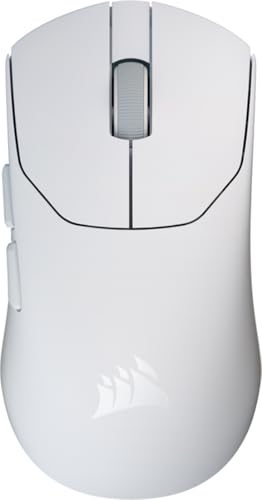
At 36 grams, the Sabre v2 PRO is the extreme end of this roundup and the natural pick for fingertip players who move the mouse with their fingers alone. The MARKSMAN S sensor tracks at up to 33,000 DPI with 750 IPS, polling reaches 8,000 Hz, and the stated battery life is up to 70 hours at 1,000 Hz — a strong figure for something this light. Unusually for the class, Corsair fits mechanical switches rather than optical ones, giving clicks a traditional, tactile break. The symmetrical shell and five-button layout keep the design simple and focused.
Specs
- Sensor: MARKSMAN S optical, up to 33,000 DPI
- Tracking: 750 IPS, 50G acceleration
- Weight: 36 g
- Polling: up to 8,000 Hz
- Battery: up to 70 hours at 1,000 Hz
- Switches: mechanical
- Buttons: 5
- Connectivity: 2.4 GHz wireless, USB-C wired mode
- Shape: symmetrical
Best for: Fingertip players who want the lightest wireless mouse in this group.
Watch out for: This ASIN is the White version, and the 70-hour battery figure is quoted at 1,000 Hz polling, so expect less at 8,000 Hz.
ASIN: B0FKHRDL6N
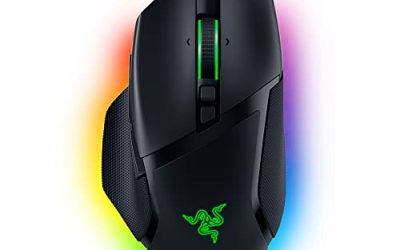
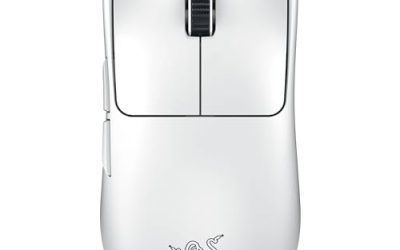
Razer Viper V3 Pro
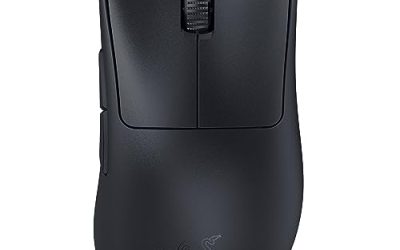
The Viper V3 Pro is the safe flagship choice: 55 grams in this White version, a Focus Pro 35K sensor, and up to 95 hours of battery at 1,000 Hz, the longest figure here alongside the Logitech. Gen-3 optical switches keep clicks consistent, polling reaches 8,000 Hz with the included dongle, and eight programmable buttons give it more flexibility than most esports shapes. Its symmetrical shell suits claw and fingertip grips across a wide range of hand sizes, which is why it works as the default recommendation when you do not want to experiment.
Specs
- Sensor: Focus Pro 35K Optical Sensor Gen-2, up to 35,000 DPI
- Tracking: 750 IPS, 70G acceleration
- Weight: 55 g (White); 54 g (Black)
- Polling: up to 8,000 Hz with dongle
- Battery: up to 95 hours at 1,000 Hz
- Switches: Gen-3 optical
- Buttons: 8 programmable
- Connectivity: HyperSpeed wireless, wired
- Shape: symmetrical
Best for: Competitive players who want flagship specs without a weight penalty.
Watch out for: The 8,000 Hz polling needs the dongle set up properly, and weight differs by colour — this listing is the 55 g White version.
ASIN: B0CW25XR5S
ASUS ROG Harpe Ace Aim Lab Edition
The Harpe Ace splits the difference between esports mouse and everyday carry. At 54 grams it matches the Viper on weight, and its ROG AimPoint sensor reaches 36,000 DPI, the highest ceiling in this group. The difference is connectivity: alongside 2.4 GHz wireless and a wired mode it adds Bluetooth, so the same mouse can pair with a laptop for work and switch back for play. Battery life is stated at up to 90 hours, and the 1,000 Hz polling cap keeps it a step behind the 8,000 Hz models for pure polling chasers.
Specs
- Sensor: ROG AimPoint optical, up to 36,000 DPI
- Tracking: 650 IPS, 50G acceleration
- Weight: 54 g
- Polling: up to 1,000 Hz
- Battery: up to 90 hours
- Buttons: 5 programmable
- Connectivity: 2.4 GHz wireless, Bluetooth, wired
- Dimensions: 127.5 × 63.7 × 39.6 mm
- Shape: symmetrical
Best for: Players who want one light mouse for both a gaming PC and a laptop.
Watch out for: Polling stops at 1,000 Hz, so it cannot match the 8,000 Hz models on that spec.
ASIN: B0BSKX9V7C
Logitech G Pro X Superlight 2
The Superlight 2 is the heaviest of the flagship trio here at 60 grams, and that small step up buys a sturdier-feeling shell and up to 95 hours of battery. Its HERO 2 sensor and LIGHTSPEED wireless are proven, tournament-grade parts, and the LIGHTFORCE hybrid switches mix optical speed with a mechanical click feel. USB-C charging ends the micro-USB frustration of the older model. If the sub-55-gram mice feel almost too light and insubstantial in your hand, this is the one that keeps the lightweight idea without taking it to an extreme.
Specs
- Sensor: HERO 2
- Weight: 60 g
- Battery: up to 95 hours
- Switches: LIGHTFORCE hybrid
- Buttons: 5 programmable
- Connectivity: LIGHTSPEED wireless
- Charging: USB-C
Best for: Players who want a proven esports mouse with long battery life and a solid feel.
Watch out for: Listing copies differ on this sensor’s maximum DPI figure, so check the live listing if that number matters to you.
ASIN: B09NBWL8J5
Endgame Gear XM2we

The XM2we is the deliberate outlier: at 63 grams it is the heaviest mouse here, and its PixArt PAW3370 sensor and 19,000 DPI ceiling look modest beside the flagships. What it offers instead is shape and glide — a symmetrical shell sized for claw control, Kailh GO optical switches, and large Teflon feet that give it a smooth, planted glide. Battery life runs to roughly 70 hours, and it works over 2.4 GHz wireless or a USB-C cable. Players who find ultralight mice twitchy often settle happily on exactly this kind of mouse.
Specs
- Sensor: PixArt PAW3370, up to 19,000 DPI
- Weight: 63 g
- Switches: Kailh GO optical
- Polling: up to 1,000 Hz
- Battery: up to about 70 hours
- Dimensions: 122 × 66 × 38 mm
- Connectivity: 2.4 GHz wireless, USB-C wired mode
- Feet: large Teflon feet
Best for: Claw players who want a planted, controlled glide rather than minimum weight.
Watch out for: The sensor is an older generation than the flagship picks, and polling caps at 1,000 Hz.
ASIN: B0BVKX7XSF
Which One Fits Your Situation
You play fingertip and want the mouse to disappear
Choose the Corsair Sabre v2 PRO. At 36 grams nothing else here comes close, and fingertip control is exactly where that gap shows: micro-corrections take almost no force, and the mouse stops the moment your fingers do. Accept the trade-offs — mechanical switches instead of optical, and a battery figure quoted at 1,000 Hz — because for this grip style, weight is the spec that shapes every other part of the experience.
You want one flagship that does everything well
Choose the Razer Viper V3 Pro. It pairs 55 grams with the joint-longest battery figure here, 8,000 Hz polling and eight programmable buttons, so it gives up nothing important to the lighter Corsair while lasting far longer between charges. Its symmetrical shape is the most widely compatible in the group, which makes it the lowest-risk pick if you are buying your first lightweight mouse and cannot compare shapes in person first.
One mouse has to cover gaming and a work laptop
Choose the ASUS ROG Harpe Ace. Bluetooth is the deciding feature: pair it with a laptop for the workday, then switch to the 2.4 GHz connection for gaming, all at 54 grams with up to 90 hours of battery. The Superlight 2 and Viper are stronger pure gaming picks on polling, but neither offers Bluetooth, so if a second desk mouse is not an option, the Harpe Ace is the practical answer.
Ultralight mice feel twitchy in your hand
Choose the Endgame Gear XM2we, or the Logitech G Pro X Superlight 2 if you want newer internals. Both sit at the heavy end of this group — 63 and 60 grams — and that extra mass steadies small movements instead of amplifying them. The XM2we adds large Teflon feet and a claw-friendly shell; the Logitech counters with a longer battery figure and hybrid switches. Either beats forcing yourself to adapt to a 36-gram mouse.
Common Mistakes
- Buying the lightest mouse available before checking whether its length and hump suit your grip and hand size.
- Comparing battery figures without noticing each one is quoted at 1,000 Hz, then being surprised when 8,000 Hz polling drains the mouse far sooner.
- Treating the biggest DPI number as the best sensor, when every sensor here already tracks far beyond in-game settings.
- Forgetting that high polling rates need the matching receiver or dongle connected properly, not just enabled in software.
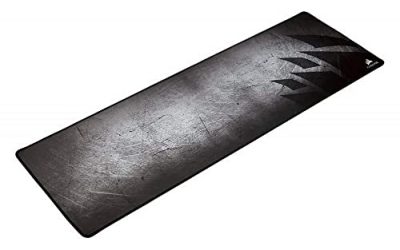
- Judging a lightweight mouse on a worn or inconsistent pad, where its low friction makes every surface flaw more obvious.
Frequently Asked Questions
Is a 36-gram mouse too light for controlled aim?
No, but it changes what control means. With the Corsair Sabre v2 PRO, your fingers do nearly all the work, so small corrections are fast and stopping is instant, yet the mouse can feel nervous until your grip adjusts. Players who brace with their palm or forearm usually prefer the steadier feel of the 54 to 63 gram models in this roundup instead.
Does 8,000 Hz polling make a noticeable difference?
It can, on a high-refresh monitor, where cursor updates arrive more frequently and motion looks smoother. The catch is cost: polling at 8,000 Hz drains the battery much faster than the 1,000 Hz rate behind every battery figure quoted here, and it needs the right receiver setup. Many players run 1,000 or 2,000 Hz daily and keep 8,000 Hz for competitive sessions.
How long will the battery really last between charges?
Use the stated figure as a ceiling, not a promise. The Viper V3 Pro and Superlight 2 quote up to 95 hours and the Corsair up to 70, all at 1,000 Hz polling with lighting off. Raise the polling rate, add RGB where fitted, or play long daily sessions, and real intervals between charges shrink — weekly charging is a realistic rhythm for most owners.
Are optical switches better than mechanical ones?
They solve different problems. Optical switches in the Viper V3 Pro, Harpe Ace and XM2we cannot develop contact wear, so double-click faults are far less likely over time. Mechanical switches, like the Corsair’s, feel more familiar and tactile to many players. Logitech’s hybrid LIGHTFORCE design sits between the two. Pick by the click feel you prefer; durability differences only matter over years of use.
Related guides
More from Amazon
Programs that pair well with the guide above. Offers and eligibility are set by Amazon and may change.
Free shipping on eligible items, Prime Video and more. Eligible new members can start with a free trial.
Start a Prime free trialAd-free music streaming. Eligible new subscribers can start with a free trial.
Try Music Unlimited freeA Prime membership for ages 18-24 with a trial period. Eligibility is set by Amazon.
See Prime for Young AdultsAudiobooks and podcasts to listen to on the go. Eligible new members can start with a free trial.
Try Audible freeAs an Amazon Associate we earn from qualifying purchases.