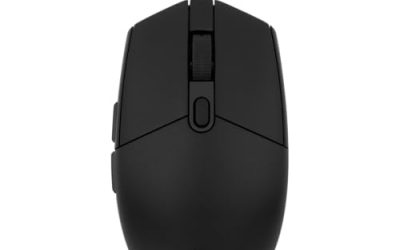
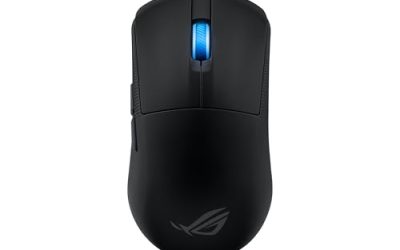
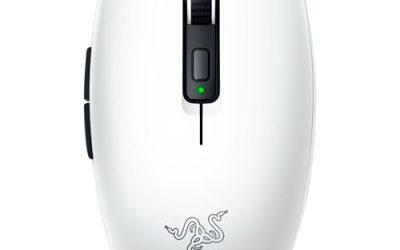
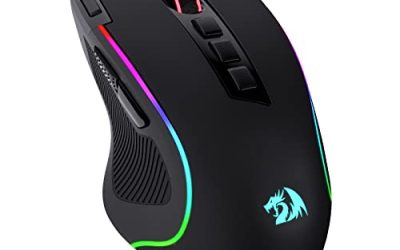
The decision here is not really about gaming performance. It is about whether you can play at midnight in a shared flat, a dorm room or a family home without the clatter of keys and mouse clicks carrying through the wall. No major brand sells a keyboard and mouse combo that is both built for gaming and built for silence, so every set in this roundup is a low-noise home and office combo first. The honest trade-off is simple: you give up mechanical switches and esports-grade extras, and in return your late sessions stop annoying everyone around you.
This guide suits players who game where other people sleep, study or take calls, and anyone whose desk doubles as a work setup. The picks were chosen from the names and specifications on their Amazon listings, weighing the noise features each listing actually states, such as SilentTouch keys and clicks, against connection type, keyboard size and stated battery life.
Our Top Picks

Top 3 picks at a glance

Quick Picks
As an Amazon Associate we earn from qualifying purchases
| Product | Best for | Key spec from title |
|---|---|---|
| Logitech MK295 Silent Wireless Combo | Late-night gaming in a shared home | SilentTouch technology on keyboard and mouse |
| Logitech MK470 Slim Combo | Small desks that need mouse room | Lab-tested noise-reduced mouse, slim layout |
| Logitech MK955 Signature Slim Combo | Desks that switch between three devices | SilentTouch mouse, Bluetooth and Logi Bolt |
| Logitech Pebble 2 Combo | Dorm rooms and portable setups | Silent Touch mouse, compact Easy-Switch combo |
| RECCAZR Wireless Keyboard and Mouse Combo | Family PCs and colour-themed desks | Full-size silent membrane keyboard, adjustable-DPI mouse |
How to Choose
Start by accepting the trade-off
Every set here is a membrane or low-profile scissor keyboard paired with a quiet office mouse, not a mechanical gaming board with a high polling rate. Keys feel softer and travel less, mice top out at modest sensitivity steps, and none of these listings promises esports features. What you get instead is a desk that stays quiet enough for a sleeping household. If you mainly play shooters competitively, a combo like these will feel like a compromise. If you play RPGs, strategy, simulators or casual shooters after hours, the compromise is usually worth it.
Check that both halves are actually quiet
A combo is only as quiet as its louder half. Some sets silence the keyboard and leave ordinary mouse clicks untouched, which defeats the point when a game involves constant clicking. Look for a stated noise feature on each device: Logitech’s SilentTouch and Silent Touch branding appears on both keyboard and mouse in several sets below, and the MK470’s mouse is described as lab-tested and noise-reduced. Where a listing only calls the keyboard silent, treat the mouse as unproven and read its description carefully before assuming your clicks will stay discreet at night.
Pick the connection your desk needs
All five sets are wireless, but the details differ. A 2.4 GHz receiver gives a plug-and-play link that behaves like a wired connection and suits gaming better than plain Bluetooth, which can feel less immediate in fast games. Bluetooth earns its place when one set must serve a laptop, a tablet and a desktop in turn, and the MK955 and Pebble 2 both add multi-device switching for exactly that. Remember that a receiver occupies a USB port full time, so check your port count, especially on a laptop or a small-form-factor PC.
Match the size and battery life to the room
Quiet combos come in three shapes: full-size boards with a number pad, slim layouts that drop the pad, and compact sets built to travel. Measure your desk before choosing, because a full-size keyboard plus a mouse can crowd a small gaming surface, while a compact mouse may tire a larger hand over a long session. Battery life is the other quiet convenience: several listings here claim years rather than weeks between battery changes, which means one less cable on the desk and no mid-game scramble for spares in the middle of the night.
The 5 Best Options
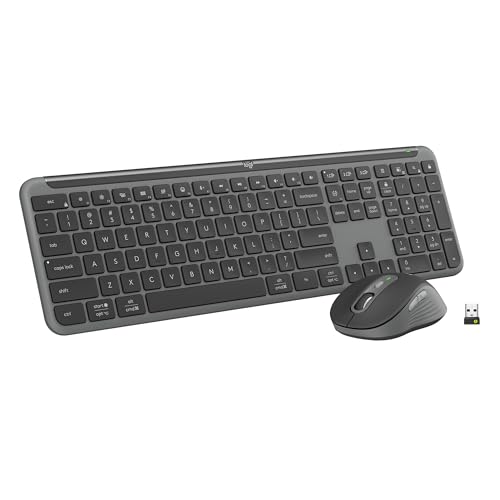
Logitech MK295 Silent Wireless Combo
The MK295 is the most direct answer to the brief: both the keyboard and the mouse carry SilentTouch technology, and the listing headlines a dramatic cut in typing and clicking noise. The keyboard is full-size with a number pad and eight shortcut keys, so it suits a desk that also handles work and study, and the mouse uses advanced optical tracking over a 2.4 GHz connection the listing describes as lag-free. For a player whose sessions run late in a shared home, this is the set that asks the fewest compromises on quiet.
Specs
- SilentTouch technology on keyboard and mouse
- Full-size keyboard with numpad and 8 shortcut keys
- Mouse with advanced optical tracking
- 2.4 GHz wireless via USB receiver
- Colour: Graphite
Best for: Late-night gaming in a shared home where both typing and clicks need to stay down.
Watch out for: The listing gives no Bluetooth option, so the USB receiver has to stay plugged in.
ASIN: B089KV4YYX
Logitech MK470 Slim Combo
The MK470 pairs quiet, low-profile keys that feel close to a laptop keyboard with a mouse the listing describes as lab-tested and noise-reduced, with silent click and scroll. Its slim footprint leaves more of the desk free for wide mouse movements, which FPS and strategy players tend to appreciate, and the stated battery life runs to years rather than months. It fits a smaller desk or a minimalist setup where a full-size board would dominate, and where the keyboard also serves long days of typing.
Specs
- Quiet low-profile, laptop-like keys
- Lab-tested, noise-reduced mouse with silent click and scroll
- Mouse: 100 g; 107 × 59 × 26.5 mm
- Keyboard: 373.5 × 143.9 × 19.4 mm; 566 g
- Battery life: up to 36 months (keyboard), up to 18 months (mouse)
- 2.4 GHz nano USB receiver; 10 m wireless range
Best for: Small desks and a laptop-style typing feel, with more room left for the mouse.
Watch out for: The slim layout is compact, so check the keyboard dimensions if you have large hands or rely on a separate number pad.
ASIN: B07VD4Q84X
Logitech MK955 Signature Slim Combo
The MK955 is the set for a desk that switches between work and play across several machines. Its mouse carries SilentTouch, the listing describes quiet typing and clicking, and the combo can switch across three devices over Bluetooth or the included Logi Bolt receiver, so one set can drive a gaming PC, a work laptop and a tablet in turn. The keyboard stays slim despite being full-size, the mouse is contoured for larger hands, and the stated battery life stretches to three years for the keyboard.
Specs
- SilentTouch mouse; quiet typing and clicking
- Bluetooth and Logi Bolt USB receiver
- Switches across three devices
- Full-size slim keyboard
- Contoured mouse sized for larger hands
- Battery life: up to 36 months (keyboard), up to 24 months (mouse)
Best for: A shared work-and-gaming desk that hops between a PC, laptop and tablet.
Watch out for: The contoured mouse is shaped for larger hands, so smaller hands may find it bulky for long sessions.
ASIN: B0C75QFJMP
Logitech Pebble 2 Combo

The Pebble 2 Combo is the portable option, built for a small desk, a dorm room or a bag that moves between home and campus. The Pebble Mouse 2 M350s uses Silent Touch technology and the keyboard’s low-profile keys are described as quiet, so the set keeps its noise down without giving up the tidy look it is known for. Easy-Switch pairing over Bluetooth or the Logi Bolt receiver lets it jump between devices, which suits a player who games on a laptop in more than one place.
Specs
- Pebble Mouse 2 M350s with Silent Touch technology
- Quiet low-profile keyboard keys
- Bluetooth and Logi Bolt receiver
- Easy-Switch multi-device pairing
- Compact, portable design
- Colour: Black
Best for: Dorm rooms, small desks and gaming on a laptop in more than one spot.
Watch out for: The flat, compact mouse and small keys favour portability over long-session comfort, especially for larger hands.
ASIN: B0BT49CSL3
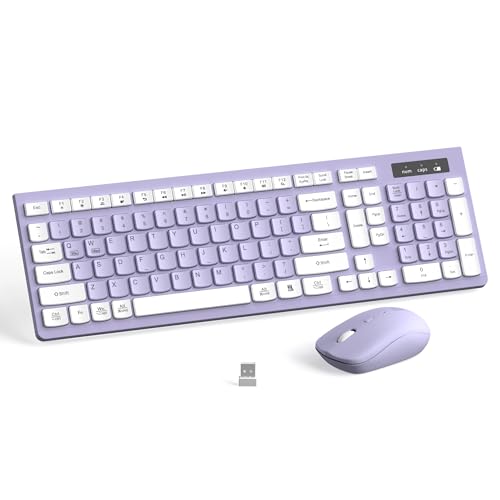
RECCAZR Wireless Keyboard and Mouse Combo
The RECCAZR combo is the straightforward budget route into a quiet desk: a full-size silent membrane keyboard with twelve multimedia keys and an optical mouse with three adjustable sensitivity steps. It is marketed for office and home use rather than gaming, so expect a soft membrane feel rather than anything mechanical, but for slower-paced games, streaming PCs and shared family computers that brief is often enough. The single nano receiver keeps setup simple, and the purple finish suits a setup that wants some colour without lighting effects.
Specs
- Full-size silent membrane keyboard
- 12 multimedia keys
- Optical mouse with adjustable DPI: 800 / 1200 / 1600
- 2.4 GHz nano USB receiver
- Up to 10 m wireless range
- Colour: Purple
Best for: A full-size quiet set for a family PC or a colour-themed desk.
Watch out for: The mouse tops out at 1600 DPI and the keys are membrane, so fast-paced shooter players will feel the limits sooner.
ASIN: B0C1VJ57KL
Which One Fits Your Situation
You game after midnight in a shared home
Start with the MK295. It is the only set here whose listing applies its named noise technology to both the keyboard and the mouse, and the full-size layout means your daytime typing does not suffer for your night gaming. If your desk is tight, the MK470 is the fallback, trading the number pad for a slimmer board and a mouse with silent click and scroll.
One desk covers work, study and play
The MK955 was made for this pattern. It switches across three devices, so the same quiet set can run your work laptop by day and your gaming PC at night without re-pairing or swapping receivers. Its contoured mouse also suits larger hands during long mixed sessions, and the long stated battery life means the set mostly disappears into the background of the desk.
Your gaming spot is a dorm room or a corner desk
Choose the Pebble 2 Combo. It is compact enough to share a small surface with textbooks and a laptop, quiet enough for a roommate sleeping a few feet away, and easy to throw in a bag when you move rooms. The MK470 is the step up if the corner desk is permanent and you want a slightly larger keyboard with years of stated battery life.
The family PC needs to calm down
The RECCAZR set fits a shared family computer: full-size keys for homework and forms, a simple receiver connection, and a mouse whose sensitivity steps are enough for casual games. It is also the pick when the desk has a colour theme, since this listing is the purple version. For a household that games late, though, the MK295’s named noise technology on both devices is the safer long-term choice.
Common Mistakes
- Expecting mechanical-switch feel from a quiet combo; membrane and low-profile keys are quieter precisely because they travel less and bottom out softly.
- Checking the keyboard’s noise claim and forgetting the mouse; in click-heavy games the mouse is often the louder device.
- Pairing over Bluetooth when the set includes a receiver; the receiver link is the one to use for gaming, with Bluetooth kept for extra devices.
- Buying a compact set for a desk that needs a number pad, or a full-size set for a desk with no room left to move the mouse.
- Assuming quiet means silent; these sets reduce noise rather than removing it, so thin walls and light sleepers still set the limit.
Frequently Asked Questions
Can you really game on an office keyboard and mouse combo?
For most genres, yes. Strategy, RPG, simulation, adventure and casual shooter sessions play fine on these sets, and the quieter keys and clicks are the whole point after dark. What you give up is competitive hardware: fast switches, high polling rates and high sensitivity ceilings. If ranked shooters are your main game, treat a quiet combo as your late-night set rather than your only set.
What makes these sets quieter than a normal combo?
The listings point to specific designs rather than padding. Logitech’s SilentTouch and Silent Touch technology is built into the keys and mouse buttons of several sets here to cut the noise they make, and the MK470’s mouse is described as lab-tested and noise-reduced with silent click and scroll. Membrane and low-profile keys also travel less than mechanical switches, which removes much of the clatter at the source.
Should I use the USB receiver or Bluetooth for gaming?
Use the receiver where the set offers one. A 2.4 GHz receiver gives a direct, plug-and-play link that behaves like a wired connection, which suits games better than Bluetooth. Bluetooth is useful for a second or third device, such as a tablet or a work laptop, and the MK955 and Pebble 2 are built to switch between devices. Just game on the receiver connection and keep Bluetooth for the rest.
Will a quiet combo keep a sleeping household asleep?
It lowers the odds of waking people considerably, because the sharpest sounds a desk makes — key clatter and mouse clicks — are exactly what these sets are designed to reduce. It cannot silence everything: chair movement, desk bumps, voice chat and game audio still carry. Pair the combo with headphones and a closed door, and a late session in the next room becomes far less intrusive.
Related guides
More from Amazon
Programs that pair well with the guide above. Offers and eligibility are set by Amazon and may change.
Free shipping on eligible items, Prime Video and more. Eligible new members can start with a free trial.
Start a Prime free trialAd-free music streaming. Eligible new subscribers can start with a free trial.
Try Music Unlimited freeA Prime membership for ages 18-24 with a trial period. Eligibility is set by Amazon.
See Prime for Young AdultsAudiobooks and podcasts to listen to on the go. Eligible new members can start with a free trial.
Try Audible freeAs an Amazon Associate we earn from qualifying purchases.