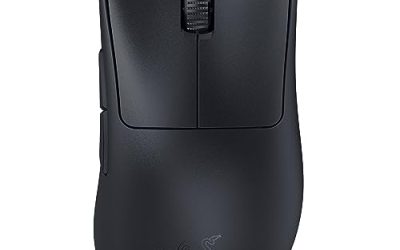
A mini gaming mouse is a size decision before it is a sensor decision. A mouse that is too long or too wide forces the fingers to stretch for the side buttons and drags the palm across the pad, and no sensor setting fixes a shape that fights the hand. The right mini mouse keeps the fingertips on the buttons, the thumb on the side, and the wrist doing less work over a long session. That matters most for small hands, claw grips, and travel setups, where every millimetre of extra length changes how the mouse sits.
The five mice below cover the small-form field: three carry Mini in the listing title itself, and two are compact models drawn from small-hands roundups. Every pick is described only from what its listing title states, and anything the title leaves out is flagged for confirmation on the full listing before buying.
Our Top Picks
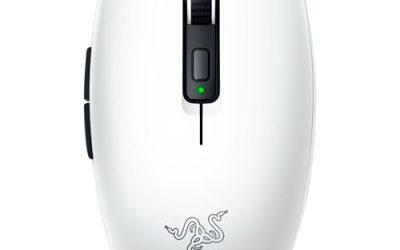
 Razer Orochi V2 Wireless Gaming Mouse4.26 x 1.52 inch (Pack of 1)4.26 x 1.52 x 2.47 inches0.13 poundsCheck on Amazon

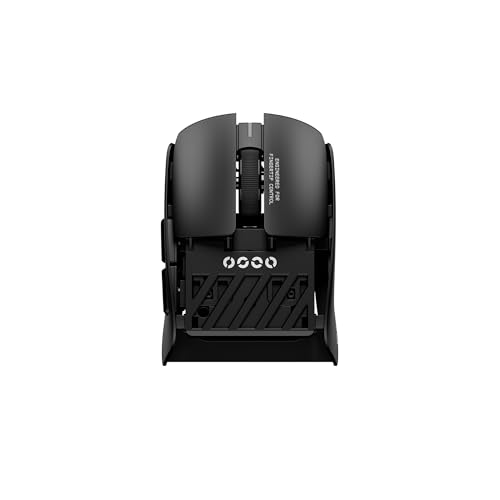
Top 3 picks at a glance
Quick Picks
As an Amazon Associate we earn from qualifying purchases.
| Product | Best for | Key spec from title |
|---|---|---|
| ASUS ROG Harpe Ace Mini | The fullest spec sheet in a small shell | Small compact design, 49g, 36K DPI, up to 105Hr battery |
| HyperX Pulsefire Haste 2 Mini | Dual-mode wireless in a compact shape | Compact lightweight, Bluetooth and 2.4GHz |
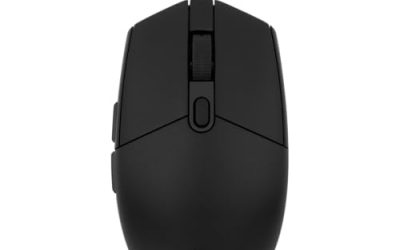
| Pulsar X2F Mini | A Mini-titled wireless mouse, kept simple | Wireless, Mini form, Black |
| Razer Orochi V2 | Long battery wording in a compact body | Wireless, 950 Hr battery |
| Razer Cobra | A compact RGB mouse with a stated sensor | RGB, 8500 DPI, model RZ0104650100R3U |
How to Choose
Measure the hand, not the marketing
Mini is a shape claim, not a measurement, so start with the hand and the grip. Rest the hand flat and note the length from wrist crease to middle fingertip, then compare it with the dimensions on the full listing, since two mice both called Mini can differ by a full centimetre. Fingertip and claw grips forgive a shorter body, while a palm grip needs the back of the shell to meet the palm. If the listing gives no dimensions, treat the Mini wording as a hint only and confirm the size before buying, because a mouse that is merely light is not automatically small.
Treat Mini in the title as a starting point
Brands use Mini, small, and compact loosely, and the same model line can carry all three words across different listings. A Mini title is the strongest signal in this roundup, because the seller chose to lead with size, but it still needs the dimension check from the full listing. Compact wording is weaker on its own: it can describe a trimmed shell or simply a lighter build. Colour and connectivity variants are separate listings, so match the exact title wording to the exact listing, and never assume a second colour shares the first listing’s sensor or weight.
Choose the connection before the sensor
Connection shapes daily use more than a sensor number does. A wireless mouse needs a stated radio mode: Bluetooth suits travel and shared machines, while a 2.4GHz receiver suits low-latency play, and a tri-mode listing should state all three ways of connecting. Battery wording matters just as much, because a stated hour figure is a headline, not a promise at a given polling rate. Read the title for the connection words it actually carries, then confirm the receiver, cable, and charging details on the full listing rather than assuming any of them.
Read the title for what it does not say
A listing title states only what the seller chose to headline, and the gaps are information too. If the title gives no sensor figure, no weight, and no switch wording, the pick is thin, and this roundup says so plainly instead of filling the gaps from reviews or other listings. Thin does not mean bad: it means the buyer must confirm the missing facts on the full listing before ordering. Never transfer specs from a colour variant or a sibling model to the listing in front of you, since variants are separate listings with their own titles.
The 5 Best Options
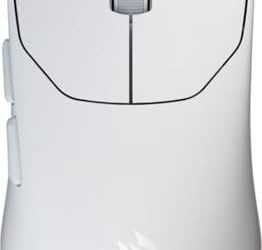
1. ASUS ROG Harpe Ace Mini

The Harpe Ace Mini is the most completely described small mouse here, and its title does the work: a small, compact design for the right hand, at 49g, with tri-mode connectivity, a 36K DPI sensor, and battery wording up to 105 hours. That combination suits players who want a small shell without giving up the spec sheet of a full-size esports mouse. The pro-approved wording signals tournament framing rather than a travel gimmick. Confirm the exact tri-mode mix and the tested battery figure on the full listing, since titles compress both, but the shape needs no guess: small and compact is stated twice.
Specs
- Small compact design
- Right-handed
- 49g lightweight
- Tri-mode connectivity
- 36K DPI
- Up to 105Hr battery
- Pro-approved
- PC/Mac support
- Black
Best for: players who want a small shell with a full esports spec sheet.
Watch out for: the title compresses the tri-mode mix and the battery test conditions, so confirm both on the full listing.
- ASIN: ⚠ B0DG6DQ2DP
2. HyperX Pulsefire Haste 2 Mini
The Haste 2 Mini earns its place on the title alone: Mini form, wireless, compact, lightweight, with both Bluetooth and 2.4GHz stated, for PC, in Black. Dual-mode wireless is the practical win here, since Bluetooth covers travel and shared machines while the 2.4GHz radio covers play where latency matters. The title states no sensor figure or weight in grams, so this pick claims neither; what it does promise is a compact, lightweight shape with two ways to connect. That is enough for buyers who rank fit and connection above headline numbers, and the Mini wording keeps the size expectation honest.
Specs
- Mini form
- Wireless gaming mouse
- Compact
- Lightweight
- Bluetooth
- 2.4GHz
- For PC
- Black
Best for: players who want dual-mode wireless in a compact, lightweight shape.
Watch out for: the title states no sensor figure or weight in grams, so confirm both on the full listing before buying.
- ASIN: ⚠ B0CQPMCBDL
3. Pulsar X2F Mini
The X2F Mini is the thinnest record in this roundup, and it is included only because its title states exactly the class this article covers: a Pulsar wireless gaming mouse, Mini form, in Black. Nothing else is claimed for it here. No sensor figure, no weight, no battery wording, and no switch wording appears in the title, so a buyer who needs any of those numbers must confirm them on the full listing before ordering. The appeal is simplicity: a Mini-titled wireless mouse with no extra wording to untangle. Treat the thin title as a checklist, not a verdict.
Specs
- Wireless gaming mouse
- Mini form
- Black
Best for: buyers who want a Mini-titled wireless mouse and will confirm the details on the listing.
Watch out for: the title states no sensor, weight, battery, or switch wording, so confirm all four on the full listing.
- ASIN: ⚠ B0FM2K41Y6
4. Razer Orochi V2
The Orochi V2 is a compact wireless mouse whose title leads with its strongest practical claim: a 950-hour battery figure, in Black. That wording suits players who hate charging and want a mouse that stays ready between sessions without a cable on the desk. The title states no sensor figure, no weight, and no radio modes for this exact listing, so none are claimed here, even though other colour variants of the same model carry fuller wording elsewhere. Variants are separate listings, and this roundup never transfers specs across them. Confirm the sensor, weight, and connection modes for the Black listing itself.
Specs
- Wireless gaming mouse
- 950 Hr battery
- Black
Best for: players who want long battery wording in a compact wireless body.
Watch out for: the title states no sensor, weight, or radio-mode wording for this listing, so confirm them on the full listing.
- ASIN: ⚠ B0916N2LPZ
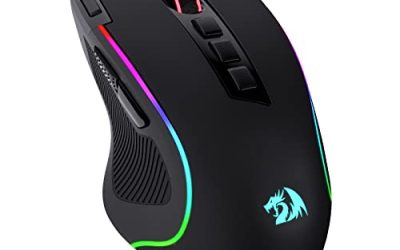
5. Razer Cobra

The Cobra is the compact RGB option here, and its title states the two facts a buyer can verify: RGB lighting and an 8500 DPI sensor, with the model code RZ0104650100R3U to match the exact listing. That model code matters, because the Cobra name covers several distinct listings, and only the code pins this one down. The title states no weight, no switch wording, and no connection mode, so this pick claims none of them. It suits a buyer who wants a small Razer shell with a stated sensor and is willing to confirm the rest on the full listing.
Specs
- RGB
- 8500 DPI
- Model RZ0104650100R3U
Best for: buyers who want a compact RGB mouse with a stated sensor and an exact model code.
Watch out for: the Cobra name covers distinct wired and wireless listings, so match model RZ0104650100R3U exactly and confirm weight, switches, and connection on the full listing.
- ASIN: ⚠ B0CDCM9BF1
Which One Fits Your Situation
You have small hands and play long sessions
Pick the Orochi V2. The 950-hour battery wording means fewer charging interruptions, and the compact wireless body keeps the hand from stretching across a long session. Confirm the weight and sensor on the full listing first, since the title leaves both out, but the shape class and the battery claim are the two facts that matter most for comfort over hours of play.
You travel and pack the mouse every day
Pick the Haste 2 Mini. The compact, lightweight wording plus Bluetooth and 2.4GHz in one title covers both halves of travel: Bluetooth for a laptop on the road and the 2.4GHz radio for play at the destination. Pack the receiver with the mouse, and confirm the sensor and weight figures on the full listing before relying on them.
You want the fullest spec sheet in a small shell
Pick the Harpe Ace Mini. It is the only pick whose title states the weight, the sensor, the battery figure, and the tri-mode connection together, so there is the least left to confirm. The right-handed, small compact design wording sets the shape expectation plainly, and the pro-approved framing fits players who want tournament-grade wording without a full-size body.
You already use Razer gear and want a compact second mouse
Pick the Cobra. The RGB and 8500 DPI wording plus the exact model code make it easy to match the right listing, and a compact Razer shell sits naturally beside other Razer gear. Match model RZ0104650100R3U exactly, since the Cobra name spans distinct listings, and confirm the weight, switches, and connection mode on the full listing.
Common Mistakes
- Buying on the Mini word alone without checking the dimensions on the full listing, since Mini titles can still differ by a full centimetre.
- Transferring specs from a colour variant or sibling model to the listing being bought, when variants are separate listings with their own titles.
- Assuming a wireless mouse includes a 2.4GHz receiver when the title states only Bluetooth, or vice versa.
- Treating a headline battery figure as a promise at a given polling rate instead of confirming the test conditions on the listing.
- Matching a mouse by brand and model name only, when the model code is what separates distinct wired and wireless listings.
Frequently Asked Questions
What makes a gaming mouse a mini mouse?
A mini mouse is a small-form shell, usually shorter and narrower than a standard mouse, built for small hands, fingertip and claw grips, or travel. The listing title may state Mini, small, or compact wording, but the honest test is the dimension figures on the full listing. Weight alone does not make a mouse mini, and a light standard-size mouse is a different class.
Is a mini gaming mouse worse for aiming?
Not on shape alone. Aiming suffers when the hand stretches or cramps, and a shell that fits the hand usually aims better than a larger one with a bigger sensor number. Sensor, polling, and switch wording still matter, so confirm them on the full listing. The right test is whether the fingertips rest naturally on the buttons without reaching.
Should a mini gaming mouse be wireless?
Wireless suits most mini-mouse buyers, because small mice are often travel mice, and a cable adds drag to a light shell. Dual-mode wireless, with Bluetooth and a 2.4GHz radio, covers the most situations. A wired option suits players who never want to think about charging, but the title must state the connection plainly before that choice is made.
How do I check the exact listing before buying?
Match the brand, model name, and model code in the title to the listing, then read the dimension, sensor, weight, and connection figures on the full listing page. Colour and connectivity variants are separate listings, so a second colour is never proof of the first listing’s specs. If the title leaves a fact out, treat it as unconfirmed until the listing states it.
Related guides
More from Amazon
Programs that pair well with the guide above. Offers and eligibility are set by Amazon and may change.
Free shipping on eligible items, Prime Video and more. Eligible new members can start with a free trial.
Start a Prime free trialAd-free music streaming. Eligible new subscribers can start with a free trial.
Try Music Unlimited freeA Prime membership for ages 18-24 with a trial period. Eligibility is set by Amazon.
See Prime for Young AdultsAudiobooks and podcasts to listen to on the go. Eligible new members can start with a free trial.
Try Audible freeAs an Amazon Associate we earn from qualifying purchases.