Our Top Picks
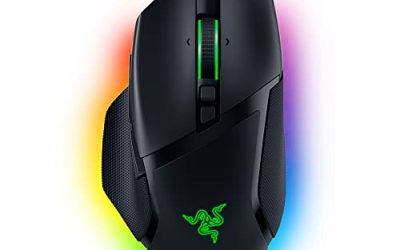
 Razer Basilisk V3 Customizable RGB Wired Ergonomic GamingMouse2.96 x 5.12 x 1.67 inches0.2 poundsCheck on Amazon
 Corsair M65 RGB Ultra Wired Adjustable Weight FPS1.2" x 1.5" x 4.6"4.6 x 1.5 x 0.1 inches0.2 poundsCheck on Amazon
Top 3 picks at a glance

Introduction
A computer mouse for gaming is different from a regular mouse in ways you can feel within minutes. The sensor tracks faster and more accurately, the buttons respond with a shorter, cleaner click, the shape is built for hours of play, and the software lets you tune the mouse to each game you play. A regular mouse can move a cursor. A gaming mouse is built to aim, to react, and to keep up.
This guide looks at four mice that cover the main choices for PC gaming. There is a versatile wired mouse with thirteen buttons, an ergonomic mouse with a free-spinning scroll wheel, a light wireless mouse with a perforated shell, and a tunable FPS mouse with a weight system and a sniper button. Each one is a proven model from a major gaming brand, and each one suits a different kind of player.
If you are choosing your first gaming mouse, or replacing one that has served you for years, the advice in this guide will help you match the mouse to your hand, your games, and your desk. The right mouse is the one you stop thinking about while you play.
How to Choose
Start with your grip and your hand size. Palm grip players need a longer body with a tall back to support the hand. Claw grip players need a mid hump and a shorter body. Fingertip players need a light, low body. Measure your hand from the base of the palm to the tip of the middle finger: under 17 centimeters is small, 17 to 19 centimeters is medium, and over 19 centimeters is large. The mice in this guide span that range, so there is a fit for every hand.
Next, look at the sensor. All four mice here use a modern optical sensor with a high sensitivity ceiling and a polling rate of 1,000 Hz or higher. What matters in practice is tracking accuracy at the sensitivity you use, not the maximum number on the box. A sensor that tracks cleanly without acceleration or smoothing will serve you better than a sensor with a bigger number and a rougher feel.
Think about the buttons. Two side buttons are the minimum for gaming. More buttons help in games with many abilities, and a DPI shift button helps in shooters where you need a precise aim for a scoped shot. The mice in this guide have between eight and thirteen programmable buttons, so think about how many you will actually use before you choose.
Weight and connection come next. Light mice make fast flicks easier, which suits shooters. Heavier mice feel steadier, which suits tracking. Wired mice never need charging and are usually lighter at the same level of build. Wireless mice give you a cleaner desk and no cable drag. Both can feel equally responsive in a game, so the choice is about your desk and your habits, not about speed.
Finally, look at the extras that matter to you. A free-spinning scroll wheel is useful for browsing long pages and inventories. RGB lighting is a matter of taste. Adjustable weights let you tune the feel. Software that stores your settings on the mouse is genuinely useful if you play on more than one computer.
Top Picks
Logitech G502 X Wired Gaming Mouse, Black
Amazon ASIN: B07W6HSTNR
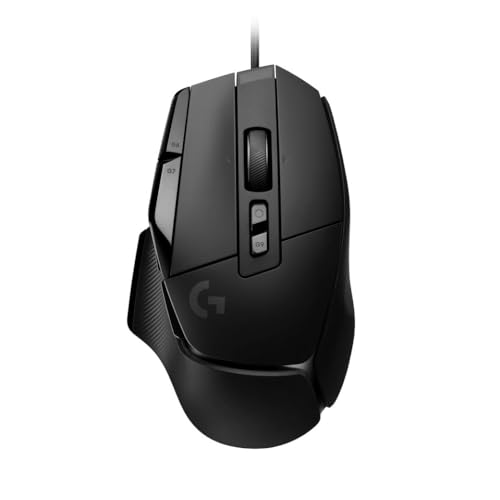
The Logitech G502 X is the versatile pick in this guide. It uses the HERO 25K optical sensor with sensitivity up to 25,600 DPI, paired with LIGHTFORCE hybrid optical-mechanical switches that give a crisp click with fast actuation. The shape is a right-handed ergonomic design with a thumb rest and textured grips, built for medium to large hands.
What makes the G502 X stand out is the number of controls. It has thirteen programmable buttons, including a DPI shift button under the thumb, a dual-mode scroll wheel that switches between notched and free-spinning modes, and a scroll wheel that tilts left and right. The adjustable weight system lets you tune the balance, and Logitech G HUB software manages button assignments, sensitivity steps, and onboard profiles.
The G502 X is the pick for players who want one mouse that handles every game: shooters, MOBAs, strategy, and simulation. It is also a strong choice for players who use the mouse for work, because the free-spinning wheel and the extra buttons are useful far beyond gaming.
Razer Basilisk V3, Black
Amazon ASIN: B09C13PZX7
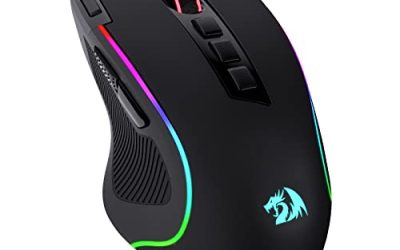
The Razer Basilisk V3 is the ergonomic pick in this guide. It uses the Focus+ 26K optical sensor with sensitivity up to 26,000 DPI and Razer optical mouse switches, which actuate with light and without the debounce delay of mechanical switches. The shape is a right-handed ergonomic design with a thumb rest, built for palm and claw grips in medium to large hands. The model number for this black wired version is RZ01-04000100-R3U1.
The Basilisk V3 has eleven programmable buttons, and its signature feature is the HyperScroll tilt wheel. The wheel can switch between a tactile notched mode for weapon selection and a free-spinning mode for fast scrolling, and it tilts left and right for extra commands. Chroma RGB lighting runs through the logo, the scroll wheel, and the light strip, and Razer Synapse software manages remapping, sensitivity, and lighting profiles.
If you want a comfortable ergonomic mouse with a superb scroll wheel and a strong sensor, the Basilisk V3 is the pick. It suits players who spend long hours in games and want a mouse that supports the hand as well as it tracks the aim.
SteelSeries Aerox 3 Wireless (2022), Snow
Amazon ASIN: B0966V1GPG
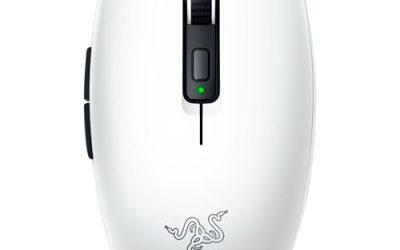
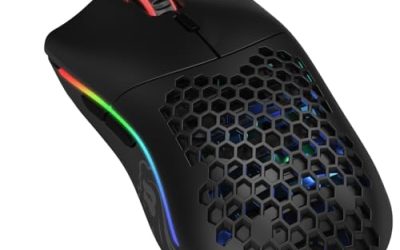
The SteelSeries Aerox 3 Wireless is the light wireless pick in this guide. It weighs 66 grams, which makes it one of the lightest wireless gaming mice available, and the perforated shell keeps the weight down while letting RGB light shine through the body. The TrueMove Air optical sensor gives sensitivity up to 18,000 CPI with accurate tracking, and the mouse connects by 2.4 GHz wireless or Bluetooth.
The Aerox 3 Wireless is built to survive real use. The AquaBarrier design protects the inside of the mouse against water and dust, so a spilled drink or a dusty desk is less of a worry. The switches are rated for long service life, and the USB-C charging keeps the battery topped up quickly. SteelSeries GG software handles button remapping, sensitivity, and lighting, and the six programmable buttons cover the essentials for most games.
If you want a light wireless mouse that looks striking on the desk and feels effortless in the hand, the Aerox 3 Wireless is the pick. It suits claw and fingertip players, and it is a good choice for players who travel with their mouse, because the wireless connection and the tough shell handle bags and desks alike.
Corsair M65 RGB Ultra, Black
Amazon ASIN: B09CXQZMHG
The Corsair M65 RGB Ultra is the FPS pick in this guide. It uses the Marksman optical sensor with sensitivity up to 26,000 DPI, paired with optical switches and AXON hyper-processing technology, which keeps the mouse responsive with a polling rate up to 8,000 Hz. The body is built around an anodized aluminum frame, which gives it a solid, planted feel.
The M65 RGB Ultra is built for shooters. It has eight programmable buttons, including a dedicated sniper button on the side that drops the sensitivity while you hold it, which helps you aim precisely with scoped weapons. The tunable weight system lets you adjust the balance by adding or removing small weights, so you can make the mouse lighter for fast flicks or heavier for steady tracking. RGB lighting runs through the logo and the scroll wheel, and Corsair iCUE software manages every setting.
If you play first-person shooters and you want a mouse built around aiming, with a sniper button and a tunable weight, the M65 RGB Ultra is the pick. It is a focused tool for a focused job, and it does that job very well.
Quick Comparison
| Product | Key Feature | Best For |
|---|---|---|
| Logitech G502 X | HERO 25K sensor, 13 buttons, dual-mode wheel | One mouse for every game |
| Razer Basilisk V3 | Focus+ 26K sensor, HyperScroll tilt wheel | Ergonomic comfort and scrolling |
| SteelSeries Aerox 3 Wireless | 66 grams, TrueMove Air sensor, AquaBarrier | Light wireless play |
| Corsair M65 RGB Ultra | Marksman 26,000 DPI, sniper button, tunable weight | FPS aiming |
Buying Guide
Match the mouse to your games. Shooters reward light mice, high polling rates, and a DPI shift or sniper button for precise aiming. MOBAs and MMOs reward extra buttons and a comfortable shape for long sessions. Strategy and simulation games reward a good scroll wheel and a comfortable grip, because you click and scroll for hours. There is no mouse that is best for everything, so start from the games you play most.
Pay attention to the scroll wheel. It is the control you use most after the main buttons, and a good wheel makes a real difference. A notched wheel is best for weapon switching, a free-spinning wheel is best for long documents and inventories, and a wheel that does both, like the ones on the G502 X and the Basilisk V3, gives you the choice.
Think about the surface. A gaming mouse tracks best on a clean, consistent mousepad. A worn or dirty pad makes even a great sensor feel rough. A large cloth pad suits low-sensitivity players who move the mouse across a wide area, while a smaller pad suits high-sensitivity players. Keep the pad clean and replace it when the surface wears smooth.
Do not forget the software. A gaming mouse is only as useful as its settings, and ten minutes of setup pays off for years. Set your sensitivity steps, map your side buttons to the actions you use most, and save the profile to the mouse so it follows you to any computer. Turn the lighting down if it distracts you. The best settings are the ones you stop noticing.
Finally, test the mouse in real games. Desktop use tells you almost nothing about how a mouse feels in play. Load your main game, play for a few sessions, and notice whether your hand tires, whether your aim feels consistent, and whether the buttons fall under your fingers without thought. A mouse that feels right in a game is the right mouse.
Frequently Asked Questions
What makes a mouse a gaming mouse?
A gaming mouse has a high-performance optical sensor with accurate tracking, a high polling rate, fast switches, extra programmable buttons, and software for tuning sensitivity and button assignments. A regular mouse is built for pointing and clicking. A gaming mouse is built for aiming, reacting, and playing for hours without fatigue.
Is a wired or wireless gaming mouse better?
Both are good. Wired mice never need charging and are usually lighter at the same level of build. Wireless mice give you a cleaner desk and no cable drag. Modern wireless mice report position at 1,000 Hz or higher, which matches a wired connection for responsiveness. Choose based on your desk and your habits, not on speed.
How many DPI do I need?
Most players use between 400 and 3,200 DPI. A higher maximum DPI does not make a mouse better. What matters is clean tracking at the sensitivity you use, with no acceleration and no smoothing. Every mouse in this guide tracks cleanly across the sensitivity range real players use.
Do I need a gaming mousepad?
A gaming mousepad is not required, but it helps. A consistent cloth surface gives the sensor a clean texture to track, and a large pad gives you room to move at low sensitivity. A worn desk surface or a thin office pad can make tracking feel inconsistent. A good pad is one of the cheapest upgrades you can make to your setup.
Conclusion
The best computer mouse for gaming is the one that fits your hand, tracks cleanly, and supports the way you play. The Logitech G502 X is the most versatile choice, with thirteen buttons and a sensor that handles every game. The Razer Basilisk V3 is the best choice for ergonomic comfort and a superb scroll wheel. The SteelSeries Aerox 3 Wireless is the best choice if you want a light wireless mouse, and the Corsair M65 RGB Ultra is the best choice for first-person shooters.
Pick by grip and by game, set the mouse up properly, and give it a few sessions to settle. The right mouse will feel like part of your hand, and your play will show it.
Disclosure: As an Amazon Associate, we earn from qualifying purchases.
Related guides
More from Amazon
Programs that pair well with the guide above. Offers and eligibility are set by Amazon and may change.
Free shipping on eligible items, Prime Video and more. Eligible new members can start with a free trial.
Start a Prime free trialAd-free music streaming. Eligible new subscribers can start with a free trial.
Try Music Unlimited freeA Prime membership for ages 18-24 with a trial period. Eligibility is set by Amazon.
See Prime for Young AdultsAudiobooks and podcasts to listen to on the go. Eligible new members can start with a free trial.
Try Audible freeAs an Amazon Associate we earn from qualifying purchases.