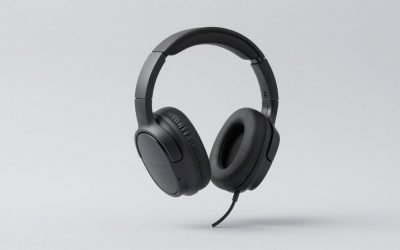
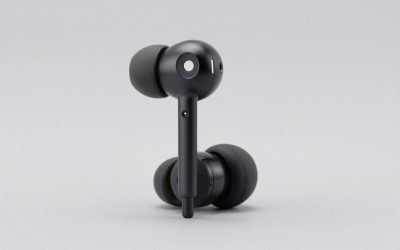
Navigating the market for surround sound headphones can feel overwhelming, especially with manufacturers constantly pushing complex audio terminology and proprietary software. Whether you are trying to pinpoint enemy footsteps in competitive tactical shooters or fully immerse yourself in expansive open-world single-player narratives, finding the right audio gear requires cutting through the marketing noise. Modern audio engineering has evolved significantly, yet the core principles of what makes a headset sound genuinely spatial remain consistent.
In this comprehensive guide, we break down the specifications, features, and design choices that genuinely impact your listening experience. By focusing on objective performance metrics rather than flashy gimmicks, you will be equipped to make an informed purchasing decision that fits your specific gaming setup, budget, and ergonomic preferences without paying for features you do not need.
As an Amazon Associate we earn from qualifying purchases at no extra cost to you.

Virtual Surround Sound vs. Native Multi-Driver Hardware
One of the most common debates in gaming audio centers on how spatial immersion is physically achieved. The vast majority of gaming headsets utilize stereo drivers combined with virtual surround software, such as 7.1 virtualization algorithms, to trick your brain into perceiving directionality. This method processes standard audio channels and uses HRTF (Head-Related Transfer Function) algorithms to simulate sounds coming from behind, above, or beside you.
Conversely, true multi-driver headsets pack multiple physical speaker drivers into each ear cup to handle discrete audio channels natively. While multi-driver setups sound innovative on paper, they often suffer from cramped acoustic chambers and muddy sound separation due to the physical limitations of fitting several small drivers close together. For the vast majority of users, a well-tuned stereo headset paired with robust virtual surround processing delivers vastly superior positional accuracy and cleaner overall audio fidelity.
Understanding Spatial Audio Software Ecosystems
Hardware is only half the equation when evaluating modern gaming headphones; the underlying software ecosystem plays a massive role in positional tracking. Standard Windows spatial audio, Dolby Atmos for Headphones, DTS Headphone:X, and proprietary manufacturer suites each approach spatial rendering differently. In 2026, standardized spatial processing has become deeply integrated into operating systems, allowing developers to design games with true three-dimensional soundscapes in mind.
When choosing a headset, check whether the device includes a software license or relies on open standards. Some headsets lock their best equalization and spatial features behind heavy proprietary software suites that can consume system resources. Opting for headphones that support universal spatial formats ensures greater compatibility across different gaming platforms, consoles, and future software updates without forcing you to run bloated background applications.
Driver Size and Frequency Response Realities
A common mistake buyers make is assuming that larger driver diameters automatically equate to better sound quality. While a larger driver can move more air and potentially produce deeper bass, the acoustic tuning of the ear cup chamber matters much more than the raw millimeter size. A meticulously engineered smaller neodymium driver will easily outperform a poorly tuned massive driver that creates bloated, muddy low frequencies that drown out critical mid and high cues.
Pay closer attention to the frequency response curve and tuning philosophy rather than numerical specs alone. A balanced sound signature with slightly elevated mids and crisp highs helps clarify directional cues like reloading sounds, distant gunfire, and subtle environmental shifts. Avoid excessively bass-heavy headsets if your primary goal is competitive advantage, as overwhelming low-end frequencies will mask the delicate audio details required for accurate spatial awareness.
Wired Latency versus Wireless Convenience
The choice between wired and wireless connectivity involves a constant trade-off between absolute fidelity, latency, and daily convenience. Traditional wired connections offer zero latency, uncompressed audio transmission, and complete freedom from battery management. For competitive gamers who cannot afford a millisecond of audio delay or unexpected battery failure mid-match, a reliable wired analog or USB connection remains the gold standard.
However, modern 2.4GHz wireless technology has closed the gap significantly, offering virtually imperceptible latency and robust connection stability that rivals wired counterparts. Bluetooth connectivity, while convenient for mobile devices and laptops, still introduces noticeable audio delay and bandwidth limitations that make it less ideal for fast-paced gaming. If you choose wireless, look for models offering simultaneous 2.4GHz dongle and Bluetooth capabilities for maximum versatility across your entire hardware ecosystem.
Comfort, Clamp Force, and Earpad Materials
Even the best-sounding surround sound headphones will quickly become unbearable if they cause physical fatigue during extended gaming sessions. Ergonomics are deeply personal, but certain objective design choices dictate long-term comfort. Look at the headband construction, weight distribution, and adjustment mechanisms. A lightweight frame with a suspended strap design usually distributes weight more evenly across the crown of your head than a rigid, heavily padded clamp design.
Earpad material is equally crucial for temperature regulation and acoustic seal. Protein leather earpads typically provide superior passive noise isolation and stronger bass response, but they tend to trap heat and degrade over time in humid environments. Velour and hybrid fabric earpads offer superior breathability and comfort during marathon sessions, though they slightly alter the acoustic seal and let in more ambient room noise.
Microphone Quality and Communication Clarity
A surround sound headset is a dual-purpose communication tool, meaning microphone clarity is just as vital as speaker performance. Many gaming headsets suffer from overly compressed, tinny microphone output that makes clear team communication difficult in high-stress situations. Look for models featuring unidirectional or cardioid capsule designs that naturally reject background noise from mechanical keyboards and room fans.
Hardware-level features like detachable boom arms, flip-to-mute functionality, and integrated sidetone adjustments add immense practical value. Sidetone, which feeds a small amount of your own voice back into the speakers, prevents you from unconsciously shouting into your mic while wearing closed-back isolating ear cups. Advanced software noise suppression can help, but a fundamentally clean microphone capsule is always the best starting point.
When It Is Actually Worth Spending More
Determining your budget threshold depends entirely on your specific use cases and expectations. Entry-level headsets under fifty dollars often provide surprisingly decent stereo sound, but they frequently cut corners on build materials, hinge durability, and microphone quality. Stepping up into the mid-range tier usually unlocks significantly better acoustic tuning, sturdier aluminum or steel headband reinforcement, and more reliable wireless transceivers.
Entering the premium tier is generally justified only if you demand premium multi-platform connectivity, premium comfort materials, studio-grade microphone integration, or specialized planar magnetic drivers. If you play casually or primarily for cinematic immersion, ultra-expensive flagship models offer diminishing returns compared to well-reviewed mid-range alternatives that nail the fundamentals of comfort and clear spatial audio reproduction.
Related Guides
To help you compare specific models and alternative audio categories tailored to different needs, check out our curated resources. For top-tier recommendations, explore our expert roundup of the Best Surround Sound Headphones. If you need hardware built to withstand heavy daily wear, see our picks for the Best Most Durable Headphones. Musicians and rhythm enthusiasts can also find specialized acoustic gear in our breakdown of the Best Drum Headphones.
FAQ
Do I need special sound cards to use surround sound headphones?
Most modern gaming headsets feature built-in USB digital-to-analog converters (DACs) that handle audio processing independently. Therefore, dedicated internal or external sound cards are rarely necessary unless you are using high-impedance studio-grade analog headphones.
Can virtual surround sound work on gaming consoles like PlayStation and Xbox?
Yes, modern consoles support advanced spatial audio solutions like Tempest 3D Audio on PlayStation and Dolby Atmos on Xbox Series X/S. You simply need a compatible headset that connects via USB or optical pass-through to unlock full spatial processing on your console.
Are open-back headphones better for surround sound than closed-back?
Open-back headphones generally provide a wider soundstage and more natural spatial imaging because air flows freely through the ear cups. However, they leak sound outward and offer no isolation from external room noise, making them less suitable for loud environments.
How can I tell if a headset truly supports spatial audio?
True spatial audio capability depends primarily on the software and game engine rather than the physical headset hardware alone. Any good stereo headset can deliver exceptional spatial audio when paired with a reliable virtualization software license like Dolby Atmos or Windows Sonic.