
The most common question from people building or upgrading a keyboard is simple: which tactile switches actually feel good for typing without tiring your wrists or annoying your household? The answer is never one product. It depends on whether you want a strong bump or a muted one, whether your board accepts five-pin switches, and how much lubrication you are willing to apply yourself. Tactile feedback sits in an awkward middle ground between linear smoothness and clicky drama, and the best options make that middle ground feel intentional rather than compromised.
What separates a genuinely good tactile switch from a mediocre one comes down to three things: the shape and weight of the tactile bump, the consistency of that bump across all switches in a set, and whether the housing material contributes to a clean sound rather than a scratchy one. A switch that feels amazing in one keyboard and mediocre in another usually has poor tolerances. In 2026 the gap between budget and premium tactile switches has narrowed considerably, which makes careful comparison more important than ever.
As an Amazon Associate we earn from qualifying purchases at no extra cost to you.


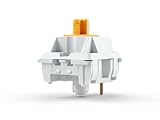

Our Top Picks
 GLORIOUS Kailh Box Brown Mechanical Keyboard Switches: ReliableTactile0.5 x 0.5 x 0.1 inches0.57 PoundsCheck on Amazon


Top 3 picks at a glance
Quick Picks
| Product | Best for | Price tier |
|---|---|---|
| Gateron G Pro 3.0 Brown | Light, all-round tactile for a full board | Budget |
| Kailh Box Brown | Dust-resistant tactile in bulk | Budget |
| Outemu Pomelo Tactile Silent | Quiet tactile on a tight budget | Budget |
| Akko V3 Creamy Blue Pro | Pre-lubed tactile with dustproof stem | Mid-range |
| EPOMAKER Crystal Tactile Silent | Premium silent tactile set | Premium |
| Akko V3 Penguin Tactile Silent | Quiet 50gf tactile with MX structure | Mid-range |
| Glorious Panda | Strong bump for DIY lubing | Mid-range |
| Keychron Silent Banana Tactile | Ultra-quiet typing in bulk | Budget |
How We Compared
These switches were compared on four criteria: tactile bump definition (does it provide clear feedback without a scratchy or mushy feel), sound profile (quiet enough for shared spaces or satisfying without being obnoxious), build consistency (do all switches in the set behave the same, and is the housing free of molding flash), and value per switch (how the price compares to the performance you get). Pre-lubrication and dustproofing features were scored as practical bonuses because they reduce assembly time and extend service life.
The 8 Best Tactile Keyboard Switches For Typing in 2026
Gateron G Pro 3.0 Brown
The G Pro 3.0 Brown is the easiest tactile to recommend to most typists. Gateron rates it at 55±15gf operating force with 2.0mm pre-travel and 4.0mm total travel, and it arrives factory lubed. The bump is light and rounded, so it confirms each press without slowing fast typing. Version 3.0 added thicker, stronger pins that resist bending during hot-swap installs and a transparent top housing that spreads RGB light evenly. The 110-switch box covers a full-size board with spares.
- Pro: Smooth factory lube and a light, predictable bump for long typing sessions
- Pro: Reinforced pins make hot-swap installation less risky
- Con: The bump is subtle, so typists who want strong feedback may find it too soft
Skip it if you want a pronounced bump or need silent operation for a shared workspace.
Kailh Box Brown
The Box Brown wraps the stem in a square wall that gives it an IP56 dust and water resistance rating, which helps a keyboard that lives near food, drinks or a dusty desk. Kailh lists 45gf operating force, 2.0mm pre-travel and 3.6mm total travel, so it is light and slightly shorter than a standard MX switch. The bump is gentle and the box stem keeps wobble low. This 120-switch pack fills a full-size board with plenty of spares.
- Pro: IP56-rated box structure resists dust and spills
- Pro: 120 switches and three-pin compatibility cover most mainstream boards
- Con: The bump is mild, closer to a classic Brown than an enthusiast tactile
Skip it if you want a sharp, heavy bump or a fully silent switch.
Outemu Pomelo Tactile Silent
At a budget-tier price for forty-five pieces, the Pomelo delivers a surprisingly refined silent tactile bump. The housing is translucent, which helps with SMD-LED compatibility, and the switch accepts five-pin PCBs. Outemu has moved upmarket significantly, and the Pomelo is their most convincing tactile entry.
- Pro: Best price per switch among silent tactile options on this list
- Pro: Five-pin design ensures stability in hot-swap sockets
- Con: Factory lubrication is thin compared to premium brands, so some wobble is normal
Skip it if you demand a perfectly smooth stroke straight out of the box and refuse to hand-lube.
Akko V3 Creamy Blue Pro
Akko V3 switches have earned a reputation for consistent factory lubrication, and the Creamy Blue Pro continues that trend with a dustproof stem housing that keeps debris out over months of use. The 45gf actuation is light enough for extended typing sessions without fatigue, while the tactile bump remains clearly defined. Sound signature is muted and rounded.
- Pro: Dustproof stem extends lifespan and keeps the feel consistent over time
- Pro: Generous factory pre-lube means smooth operation from the first keystroke
- Con: Price per switch is higher than Outemu for a similar tactile feel
Skip it if your budget is extremely tight and you do not mind the extra assembly step of hand-lubing cheaper switches.
EPOMAKER Crystal Tactile Silent
Thirty-five pieces of factory pre-lubed tactile silent switches in a translucent crystal housing. EPOMAKER positions this as a premium option, and the build quality justifies the tier: the bump is sharp, the return spring feels evenly weighted, and the sound is a clean, soft thock rather than a scratchy pop. Five-pin construction keeps everything rigid.
- Pro: Excellent out-of-the-box smoothness thanks to thorough factory lubrication
- Pro: Translucent housing handles RGB without color distortion
- Con: Thirty-five pieces will not fill a full-size board without ordering a second set
Skip it if you need more than 35 switches per set and want to minimize per-switch cost.
Akko V3 Penguin Tactile Silent
Another Akko V3 entry with a slightly heavier 50gf actuation and the same dustproof stem treatment. The Penguin is quieter than the Creamy Blue Pro in practice because of its internal silencing pads, which makes it ideal for shared spaces. Standard MX structure means broad keyboard compatibility, and forty-five pieces cover a 60% or 65% board.
- Pro: Internal silencing pads produce a genuinely quiet keystroke
- Pro: Standard MX structure maximizes keyboard compatibility
- Con: 50gf can feel heavy for fast typists with long sessions
Skip it if you prefer a lighter touch and type in an environment where silence is not a priority.
Glorious Panda
The Glorious Panda is a Holy Panda-style switch with a large, rounded bump that starts right at the top of the press, followed by a quick, snappy return. It uses a 67g spring, a polycarbonate top housing, a nylon bottom and a POM stem. This version ships unlubed, which suits modders who want to apply their own lube and tune the feel. The 36-switch pack is enough to try it on a macro pad or common keys before buying more.
- Pro: One of the strongest, most satisfying bumps in this list
- Pro: Unlubed housing gives modders full control over the final feel
- Con: Needs lubing to sound its best, and 36 switches will not fill a full board
Skip it if you want switches that are ready to type on out of the box or prefer a light touch.
Keychron Silent Banana Tactile
One hundred and ten switches with a 55gf actuation force, a muffler pad for ultra-quiet operation, and factory pre-lubrication. Keychron includes a dustproof housing and SMD-LED compatibility, making this the most feature-complete bulk option here. The Banana profile has a top-loaded tactile bump that many typists prefer for its predictability.
- Pro: Muffler pad plus silent housing makes these among the quietest tactile switches available
- Pro: One hundred and ten pieces covers multiple full-size boards in one purchase
- Con: 55gf is heavier than the Akko and Kailh picks, which may fatigue light-touch typists
Skip it if you type lightly for hours and find anything above 45gf tiring.
More Tactile Switches Worth Considering
The picks above lean toward mainstream and silent tactiles. Most top typing-switch roundups also include a group of well-known tactiles that enthusiasts keep recommending: a stronger “typist’s” bump, the modern version of the classic Cherry Brown, and quieter options with a real bump. The six switches below fill those gaps. All are MX-style, so they fit standard MX-compatible keyboards and keycaps.
Gateron Baby Kangaroo 2.0

The Baby Kangaroo 2.0 shows up again and again in enthusiast lists of the best tactile switches for typing, and it is easy to see why. Gateron rates it at 59±8gf operating force, with 2.0mm pre-travel and 3.4mm total travel. Several retailers list the bottom-out force at about 65 to 67g. The bump is large and starts almost as soon as you press, so each keystroke has a clear, deliberate feel. A 22mm two-stage gold-plated spring makes the press feel progressive rather than abruptly heavy.
The construction matters for sound. A clear polycarbonate top housing and a nylon PA66 bottom housing give a fuller, deeper sound than an all-PC switch, while the POM stem helps the stroke feel smooth. It is factory lubed, 5-pin and SMD-LED compatible, and version 2.0 improved the light pipe and pins over the original.
Strengths: one of the strongest, most satisfying bumps you can buy at a mass-market level, good factory lube, and a short 3.4mm travel that keeps fast typing efficient.
Drawbacks: it is heavy. If the Akko V3 Creamy Blue Pro above feels just right, this one may tire your fingers on long sessions. It is also louder on bottom-out than any of the silent picks.
Who it is for: typists who want a pronounced bump and found Cherry-style browns too subtle. It sits in the mid-range tier per switch. The 35-switch pack is a good way to try it on a numpad or macro pad before buying enough for a full board.
Cherry MX2A Brown
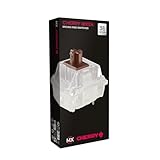
The MX Brown is the tactile switch most people have typed on, and the MX2A is Cherry’s updated version. The specs did not change much. Cherry lists 55cN operating force, 2.0mm pre-travel and 4.0mm total travel, and a rating of more than 100 million keystrokes. What changed is how it feels in use. The MX2A adds factory lubrication, a barrel-shaped spring that cuts spring noise, a spring-centering stem and polished guide surfaces. The result is the familiar gentle bump with much less of the scratchiness that older Browns were known for.
The Brown bump is subtle and rounded. It gives a soft hint that the key has registered instead of a sharp stop. For typists coming from a laptop or membrane keyboard, that makes it an easy, low-risk first tactile. Gamers who also type tend to like it because it does not get in the way of fast, repeated presses.
Strengths: the most widely recognized tactile feel, Cherry’s consistency and durability, and real improvements over older Browns.
Drawbacks: enthusiasts often find the bump too faint. If you want strong feedback, the Baby Kangaroo 2.0 or Durock T1 are far more pronounced. This 36-switch kit is also not enough for most full keyboards, so you will need several packs.
Who it is for: beginners and anyone who wants a safe, light tactile for office work. It sits in the mid-range tier. Cherry also sells a 5-pin version and a 10-switch MX2A sampler if you want to compare colors first.
Durock T1 Tactile

The Durock T1 is a long-running enthusiast favorite with a distinctive “stepped” bump. Instead of the rounded hill of a Holy Panda-style switch, the T1 has a sharper bump that you feel clearly and then drop past. It uses a 67g gold-plated spring for bottom-out force, with about 45g initial force, 2.0mm pre-travel and 4.0mm total travel. The housing is a polycarbonate top over a nylon bottom with a POM stem, which gives a lower, rounded sound with a crisp edge on the bump.
Durock factory lubes the switch and uses a 5-pin design. The T1 comes in several housing colors that share the same core spec, so you can choose based on the look of your keyboard. Some listings vary on details such as rated lifespan, but the 67g bottom-out and stepped bump are consistent.
Strengths: a precise, clearly defined bump that helps prevent accidental keypresses, and good sound and stability for the price.
Drawbacks: 67g at bottom-out is on the heavy side for light typists. Some people find stepped bumps less smooth than rounded ones. Try a few before committing.
Who it is for: typists who want strong, crisp feedback and like a slightly heavier press. It sits in the mid-range tier. Compared with the Keychron Silent Banana above, it is louder and sharper but gives much more obvious feedback.
Durock Silent Shrimp (Silent T1)

The Silent Shrimp takes the T1 and adds a silicone silencing ring to the stem. That dampens both the bottom-out and the return stroke. Specs stay close to the T1, with about 52±5gf operating force, 67±5gf bottom-out force, roughly 2.0mm pre-travel and about 4.0mm total travel. Most vendors list 4mm, while at least one lists 3.8mm. The housing still pairs a PC top with a nylon bottom and a POM stem, and the switch is factory lubed and 5-pin.
The appeal is simple: a real bump with very little noise. Many silent tactiles feel mushy because the dampening blurs the bump, but the Shrimp keeps a clear, medium-to-strong bump with a padded landing. That makes it one of the better choices for shared offices, late-night typing near someone who is asleep, or recording voice while you type.
Strengths: one of the strongest bumps among silent switches, and quiet on both downstroke and upstroke.
Drawbacks: the silicone ring shortens and softens the bottom-out, which some typists dislike. It is pricier per switch than the Akko V3 Penguin or the Outemu Pomelo above. Some users also report a slight upstroke squeak that a small amount of lube fixes.
Who it is for: people who need a quiet keyboard but refuse to give up tactile feedback. It sits in the premium tier per switch, and it is the step up from the Penguin if you want a stronger bump.
Akko V3 Lavender Purple Pro

The Lavender Purple Pro is a light-touch tactile built for long typing sessions. Akko lists 40±5gf operating force, a tactile peak of about 55gf right at the top of the stroke at roughly 0.5mm, 1.9mm pre-travel and 3.8mm total travel. Because the bump comes early and the spring is light, it feels quick and snappy without the finger fatigue of a 60g-plus switch.
It shares the V3 Pro features of the Creamy Blue Pro listed above: a dustproof partial-box POM stem, factory lubrication, a 5-pin design you can convert to 3-pin, and a polycarbonate top over a nylon bottom. Akko rates it at around 50 to 60 million keystrokes, depending on the source. It also comes in 45-switch packs, which is enough for a 60 or 65 percent board.
Strengths: one of the lightest tactiles available, a clear early bump and very good value per switch.
Drawbacks: light springs make accidental presses more likely if you rest your fingers heavily on the keys. The sound is brighter and less “thocky” than the Baby Kangaroo or T1.
Who it is for: fast typists, people with hand fatigue and anyone who finds Banana-style switches too heavy. It sits in the budget tier. Compared with the Creamy Blue Pro above, it has a lighter operating force and a bump placed higher in the press.
Keychron K Pro Banana

The K Pro Banana is the standard, non-silent version of the Banana profile and a popular budget pick for typing. Keychron lists 57±8gf operating force, 2.2mm pre-travel, 3.3mm total travel and a rating of up to 50 million cycles. The bump sits right at the top of the stroke, so there is almost no free travel before you feel it. The short total travel then brings an early bottom-out that many typists find efficient.
It uses a POM and TPE double-shot stem, a transparent polycarbonate top and a nylon PA66 base. It is factory lubed, SMD-LED compatible and 3-pin, which makes it a good match for boards that only accept 3-pin switches. The 110-switch box is enough for a full-size keyboard with spares.
Strengths: a defined, top-loaded bump, enough switches for a full-size board in one box, and broad compatibility thanks to the 3-pin design.
Drawbacks: 3-pin switches can wobble slightly in 5-pin hot-swap sockets. It is louder than the Keychron Silent Banana listed earlier, which is the better pick if noise matters.
Who it is for: typists who want a lot of switches without stepping into enthusiast pricing, and Keychron owners who want a factory-style replacement. It sits in the budget tier per switch.
Buying Guide
Pin Configuration and Board Compatibility
Three-pin switches fit almost any keyboard but can rock slightly in hot-swap sockets. Five-pin switches lock into a secondary housing that eliminates lateral wobble, which you will feel as a crisper keystroke. Before buying, check whether your board has five-pin sockets or three-pin-only cutouts. Dustproof stems, as seen on the Akko V3 models, add a secondary seal that keeps debris from entering the switch housing over time.
Tactile Bump Shape and Weight
An early, top-loaded bump like the Banana profile gives feedback right at the start of the press, which rewards light, quick keystrokes. A mid-travel bump lets the key move a little before you feel it. Actuation force matters for endurance: heavier switches around 50gf and up can tire light typists over long sessions. If you are a fast typist, lean toward 45gf. If you want confirmation that each keystroke registered, 50 to 55gf gives a heavier, more deliberate feel.
Sound Profile and Silencing Methods
“Silent” in a product listing can mean different things. Damped housings absorb sound internally, while click bars create their own audible signature. Check whether the switch uses a silicone pad, a plastic damper, or both. If your goal is truly quiet typing for an office or shared room, prioritize switches with dedicated silencing components like the Keychron muffler pad or the Akko Penguin internal dampers. Clicky switches, regardless of marketing language, will not meet that requirement.
Additional Picks Compared
| Switch | Operating force | Total travel | Bump | Sound | Pins | Price tier per switch |
|---|---|---|---|---|---|---|
| Gateron Baby Kangaroo 2.0 | 59gf | 3.4mm | Large, early | Deep, moderate volume | 5-pin | Mid-range |
| Cherry MX2A Brown | 55cN | 4.0mm | Subtle, rounded | Moderate | 3-pin kit (5-pin sold separately) | Mid-range |
| Durock T1 | About 45g initial, 67g bottom-out | 4.0mm | Medium, stepped | Low and crisp | 5-pin | Mid-range |
| Durock Silent Shrimp | 52gf | About 4.0mm | Medium to strong, damped | Quiet | 5-pin | Premium |
| Akko V3 Lavender Purple Pro | 40gf | 3.8mm | Light, very early | Bright, moderate | 5-pin | Budget |
| Keychron K Pro Banana | 57gf | 3.3mm | Top-loaded | Moderate | 3-pin | Budget |
More Ways to Narrow Down a Tactile Switch
The buying guide above covers pins, bump weight and silencing. Competing guides also stress a few factors that explain why two switches with the same force rating can feel completely different.
Bump Position and Shape
Bump position describes where in the press you feel the bump. A top-loaded bump, as on the Keychron K Pro Banana or Akko Lavender Purple Pro, starts almost the moment you touch the key. It feels snappy and encourages light, fast typing. A mid-travel bump, typical of the Cherry MX2A Brown, lets the key move a little before you feel it. Bump shape matters just as much. Rounded bumps, often called D-shaped, feel smooth and gradual. Stepped bumps like the Durock T1 feel sharper and more defined. Neither is better. Typists who bottom out hard often prefer a strong rounded bump, while light typists who stop at the bump tend to like a crisp stepped one.
Operating Force Versus Bottom-Out Force
Listings often quote just one force number, and brands do not always measure the same point. Operating or actuation force is the force at the point where the key registers. Tactile force is the peak of the bump. Bottom-out force is the force at the end of the travel. A switch listed at 45gf can still feel heavy if its bump peaks at 60g. That is why the Cherry MX2A Brown appears as both 45g and 55g in different stores. When comparing switches, check which number a listing quotes before deciding one is lighter than another.
Travel Distance
Most MX-style switches have about 4.0mm of total travel, while modern tactiles such as the Baby Kangaroo 2.0 (3.4mm) and K Pro Banana (3.3mm) are shorter. Shorter travel means each keystroke ends sooner, which can feel faster and reduce finger movement over a long day. Longer travel gives the bump more room and can feel more cushioned. If you type hard and bottom out on every key, shorter travel and a firmer spring usually cut down on fatigue.
Housing Materials and Sound
Material combinations shape the sound almost as much as lube. Polycarbonate tops tend to sound brighter and let RGB light through. Nylon bottoms add depth and soften the bottom-out. POM stems slide smoothly and wear in nicely. Most of the switches in this guide use a PC top, nylon bottom and POM stem, which is a balanced, popular combination. Your keyboard’s plate, case and keycaps also change the final sound, so the same switch can sound quite different in two boards.
Buy a Tester or Small Pack First
Switch feel is personal, and a description cannot fully replace feeling the switch yourself. Before you buy 90 or more switches, try a small pack such as the 36-switch Glorious Panda pack above, a 35-switch Baby Kangaroo pack or Cherry’s MX2A sampler. Install them on the keys you use most, such as the home row and space-adjacent keys, for a few days. The difference between a bump you love and one you tolerate usually becomes clear within a week of normal typing.
How to Install New Switches on a Hot-Swap Keyboard
- Check compatibility first. Confirm your board is hot-swappable, whether it accepts 5-pin switches, and whether it uses north-facing or south-facing LEDs. South-facing LEDs can interfere with some Cherry-profile keycaps, but they do not affect switch fit.
- Unplug the keyboard. Disconnect the cable or switch off wireless boards before pulling switches.
- Remove keycaps with a wire puller. Pull straight up to avoid stressing the stem. Take a photo of the layout first if your keycaps are not standard.
- Pull switches straight up. Squeeze the top and bottom clips with a switch puller and lift gently. Rocking side to side can loosen the hot-swap sockets.
- Inspect the pins on new switches. Make sure both metal pins are straight before inserting them. A bent pin is the most common reason a key stops working after a swap.
- Press each switch in evenly. Line the pins up with the socket and push straight down until the clips snap into the plate. Support the back of the PCB if your board allows it.
- Test before reinstalling keycaps. Plug the keyboard in and use an online key tester or your board’s software to check every switch. Then replace the keycaps.
- Clip 5-pin switches if needed. If your board only accepts 3-pin switches, carefully trim the two small plastic legs with flush cutters. Never trim the metal pins.
Tactile, Clicky or Linear: Which Is Best for Typing?
This list focuses on tactile switches, but clicky switches also give feedback during the press. They behave differently, though, and it helps to know the three main families before you buy.
- Tactile switches, such as the Baby Kangaroo 2.0, MX2A Brown and Durock T1, have a bump you can feel but make no deliberate click. They are the most popular choice for typing because the bump confirms each press without adding noise.
- Clicky switches, such as classic blue switches, add a click bar or click jacket that makes a sharp sound at the bump. They are satisfying to type on and very clear, but they are loud for shared rooms, voice chat and recording.
- Linear switches move smoothly with no bump. Many gamers like them for fast, repeated presses, but typists who are used to feedback often bottom out harder on linears, which can increase fatigue.
If most of your keyboard time is writing, email or coding, a tactile is usually the best starting point. Choose a silent tactile if you share a space or use a microphone. Choose a light, early-bump tactile if you type for hours and want less strain. Choose a clicky switch only if the sound itself is part of what you enjoy and nobody nearby will mind.
Typing Comfort Tips Beyond the Switch
The switch is only part of the picture. A wrist rest at the same height as the front of the keyboard, keycaps with a profile that suits your hands and a keyboard placed at elbow height all affect fatigue as much as spring weight does. Try to type lightly and let the bump tell you when to lift instead of hammering every key to the bottom. That habit makes almost any tactile switch feel better over a long day.
Our Verdict
The Gateron G Pro 3.0 Brown is the top overall pick because it combines a light, smooth tactile bump, factory lubrication, reinforced pins and a full-size quantity at a budget-tier price. For the quietest typing, the Keychron Silent Banana Tactile pairs a muffler pad with pre-lubrication and 110 switches in one package. For the budget slot, the Outemu Pomelo offers strong tactile character for the money among silent options, and forty-five pieces cover a standard board. However, if you specifically need a dustproof stem for long-term durability in a smoky or outdoor-adjacent environment, the Akko V3 Creamy Blue Pro wins that scenario despite costing slightly more.
FAQ
Do tactile switches help reduce typing errors?
Yes. The tactile bump provides mid-travel confirmation that the keystroke registered, so you do not need to press fully to the bottom to be confident. This lets your fingers lift earlier, reducing the chance of accidental double-presses or neighboring key hits.
Can I mix clicky and silent tactile switches in one keyboard?
Technically yes, as long as both sets share the same pin configuration. However, mismatched actuation forces and bump profiles create an inconsistent feel across the board, which most typists find distracting. It is best to limit mixed sets to modifier keys where a slightly different feel is tolerable.
How often should I re-lube pre-lubed switches?
A well-built pre-lubed switch like the Akko V3 or EPOMAKER Crystal typically maintains its smoothness for one to two years of daily use. You will notice the difference as a gradual scratchiness during keystrokes, at which point a simple pull-and-reapply cycle restores the original feel.
Are clicky switches actually better for gaming than tactile?
Not inherently. Clicky switches add audible noise that can mask in-game footsteps, and the click itself does not make a key register any faster than a linear or tactile switch. For gaming with typing overlap, a moderate tactile like the Akko Creamy Blue Pro offers feedback for typing without the noise penalty of a click bar.
What is the quietest tactile switch with a noticeable bump?
Silent tactiles with silicone dampers are the quietest, and the Durock Silent Shrimp keeps one of the strongest bumps in that group. The Akko V3 Penguin and the Keychron Silent Banana listed above are lighter, gentler alternatives. For the quietest overall result, combine a silent switch with a keyboard that has case foam and a softer plate material, and avoid hard bottoming out.
Are Cherry MX Browns still a good choice for typing in 2026?
Yes, especially the updated MX2A Brown. It fixes much of the scratchiness that older Browns were criticized for and keeps the light, subtle bump that suits beginners and office typists. If you have tried Browns and found the bump too faint, move to a stronger tactile such as the Gateron Baby Kangaroo 2.0 or Durock T1 rather than giving up on tactiles altogether.
Do I need to lube factory-lubed tactile switches?
Usually not. All of the tactile switches added in this guide come factory lubed and work well out of the box. Lubing the legs of a tactile switch with thick grease can soften or erase the bump, so most modders lube only the stem rails and springs on tactiles, using a thin coat. If a switch has spring ping or a slight scratch, a light touch on the spring is usually enough.
Can I put 3-pin switches in a 5-pin hot-swap keyboard?
Yes. A 5-pin board accepts both 3-pin and 5-pin switches. The two extra plastic legs on 5-pin switches only add stability. A 3-pin switch in a 5-pin board works normally but may wobble slightly, which you might feel on larger keys. The reverse needs a small change: 5-pin switches only fit 3-pin boards after you trim the two plastic legs.
Is a heavier tactile switch better for typing accuracy?
Not automatically. A heavier spring and stronger bump reduce accidental presses for people who rest their fingers on the keys, while a lighter switch reduces fatigue for fast, light typists. Most typists settle somewhere between about 45g and 60g of operating force. If you are unsure, start in the middle with something like the Cherry MX2A Brown or Keychron K Pro Banana, then move lighter or heavier based on how your hands feel after a full day.







