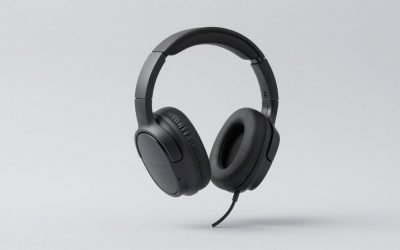
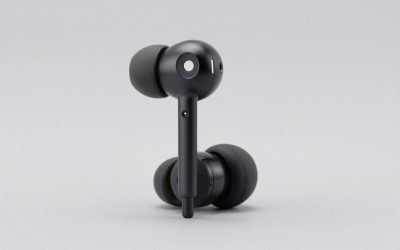
Start with the part most roundups bury: most gaming headsets do not need an external DAC or amp at all. If your headset connects over USB or a wireless dongle, it already contains its own digital-to-analog converter and amplifier, and an external box either sits unused in the chain or adds a second, pointless conversion. If it is a 3.5mm analog headset with the usual 32-ohm impedance and roughly 100 dB/mW sensitivity, a motherboard jack drives it to uncomfortable volume on a few milliwatts. Spending $119 to $210 changes nothing about that. External hardware is worth buying in four specific situations: high-impedance headphones around 150 ohms and up, low-sensitivity planars that want voltage and current, onboard audio that audibly picks up interference from the rest of the PC, or a genuine need for hardware EQ, sidetone and a physical volume knob. This guide covers the eight units in front of us, and is blunt about which of them are the same DAC wearing different colors.
Our Top Picks
 TOPPING DX1 II Gaming DAC Headphone Amplifier with3.94 x 3.86 x 1.26 Inches0.9 PoundsCheck on Amazon


Top 3 picks at a glance
DACs and amps at a glance
As an Amazon Associate we earn from qualifying purchases at no extra cost to you.




| Model | Key spec | Price | Best for |
|---|---|---|---|
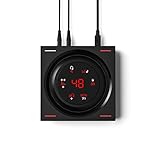
| Fosi Audio C3 Gaming DAC Amp for PC, USB Headphone Amplifier with 7.1 Surround Sound, Desktop Volume Control, Footstep Enhancement, Compatible with PS5, Switch, Laptop, Headset for FPS | USB DAC/amp, desk volume knob, virtual 7.1 and footstep DSP | Check on Amazon | Players who want a desktop knob and console-friendly USB audio |
| SteelSeries Arctis Pro + GameDAC Wired Gaming Headset – Certified Hi-Res Audio – Dedicated DAC and Amp – for PS5/PS4 and PC – Black | Headset plus matched GameDAC bundle, PS5/PS4 and PC | Check on Amazon | Buyers who want headset and DAC solved in one purchase |
| Topping DX1 II Game HiFi DAC Headphone amp – ES9039Q2M DAC 1000mWx2 Fully Balacnced Headphone Amplifier Preamp Gaming Headset Compatible (Black) | ES9039Q2M, 1000 mW x2 balanced, preamp output | $119 | High-impedance headphones on a budget |
| TOPPING DX1 II Gaming DAC Headphone Amplifier with 10-Band PEQ, ES9039Q2M DAC, 4.4mm Balanced & 3.5mm Output, 1000mW x2, Optical I/O, USB-C Plug-and-Play for PC/PS5/Switch (Black) | Same DX1 II with 10-band PEQ, 4.4mm and 3.5mm, optical I/O | $119 | Hardware EQ without software running on the PC |
| EPOS GSX 1000 2nd Edition Dac Amp Audio Amplifier/External USB Sound Card with 7.1 Surround Sound, Side Tone, Gaming DAC and EQ, Headphone Amp Compatible with Windows, Mac, Laptops and Desktops | External USB sound card, sidetone, EQ, desktop control puck | Check on Amazon | Streamers and chat-heavy players who want sidetone on hardware |
| TOPPING DX1 II Gaming DAC Headphone Amplifier with 10-Band PEQ, ES9039Q2M DAC, 4.4mm Balanced & 3.5mm Output, 1000mW x2, Optical I/O, USB-C Plug-and-Play for PC/PS5/Switch (Silver) | Identical to the black DX1 II, silver chassis | $119 | Matching a light-colored desk build |
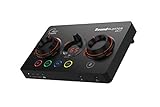
| Creative Sound Blaster GC7 Gaming Streaming USB DAC and Amp | USB DAC/amp with programmable buttons, Scout Mode, mic input | Check on Amazon | Streamers who want hardware shortcut buttons and voice mixing |
| Topping DX1 II Game HiFi DAC Headphone amp – ES9039Q2M DAC 1000mWx2 Fully Balacnced Headphone Amplifier Preamp Gaming Headset Compatible (Silver) | Same DX1 II hardware, alternate listing and color | $119 | Whichever DX1 II listing is cheapest that day |
Every unit reviewed
Fosi Audio C3 Gaming DAC Amp – around $120
The C3 is a USB DAC and headphone amp built around a desktop puck: a physical volume control you can reach without alt-tabbing, virtual 7.1 surround, and Fosi’s footstep enhancement mode. The listing states compatibility with PC, PS5, Switch and laptops, which is the usual sign of a USB Audio Class device that appears as a generic sound card rather than needing drivers.
Take the headline features in order of usefulness. The volume knob is the genuinely valuable part, and it is the reason a lot of people buy hardware like this at all. The virtual 7.1 is a DSP effect, not eight drivers; it applies head-related transfer function processing to a stereo mix, and how much you like it depends heavily on the game engine. Footstep enhancement is compression and EQ under a marketing name. It does lift quiet cues, but it also flattens dynamics, so a grenade and a footstep end up closer in level than they should be. That is the exact trade competitive players complain about, and many of them turn the mode off within a week.
As a plain amplifier, expect enough output for typical 32-ohm to 80-ohm headsets. Fosi does not lead with a power figure into 250 ohms, so treat high-impedance capability as unproven rather than assumed.
Pros
- Desktop volume knob solves the single most common daily annoyance
- Plug-and-play USB across PC, PS5, Switch and laptops as listed
- around $120 undercuts the EPOS and SteelSeries options here
Cons
- Footstep enhancement and 7.1 are DSP effects many players end up disabling
- No clearly published output power into high-impedance loads
- Adds nothing at all if your headset is USB or wireless
Who it’s for: Analog-headset owners who mainly want a real volume knob and console USB audio, not an upgrade for 250-ohm cans.
SteelSeries Arctis Pro + GameDAC – around $210
This one is different from everything else in the list, and the difference matters before you compare prices. It is a bundle: a wired Arctis Pro headset plus the GameDAC unit, sold together for around $210 and listed for PS5, PS4 and PC with certified Hi-Res Audio. You are not buying a standalone amplifier to pair with headphones you already own; you are buying a matched system.
Judged as a system it is coherent. The GameDAC handles conversion and amplification, provides on-screen EQ and a game-versus-chat mix dial, and the headset is tuned with that chain in mind. For a console player who wants one purchase to end the question, that is a reasonable proposition, and the chat mix is the feature console owners miss most.
Judged as a DAC for other headphones it makes far less sense. The value is split between two products, so the amplifier portion of your around $210 is much smaller than the sticker suggests, and it is not designed as a general-purpose amp for high-impedance studio headphones. If you already own headphones you like, this is the wrong entry in the table for you. If you are still choosing the headphone half of the equation, our comparison of open-back versus closed-back gaming headsets is a better place to start than a DAC page.
Pros
- Headset and DAC are tuned together, so nothing needs matching
- Hardware game/chat mix dial, which console players rarely get
- Explicit PS5, PS4 and PC support on the listing
Cons
- Most expensive line here at around $210 and half the money is the headset
- Poor value if you only want an amp for headphones you own
- Older product generation than the rest of the table
Who it’s for: PS5 or PC players starting from nothing who want the headset and the DAC decision closed in a single order.
Topping DX1 II Game HiFi DAC Headphone Amp, Black – $119
This listing, shown under the KGUSS brand field, is the Topping DX1 II in black: an ES9039Q2M converter, a fully balanced headphone amplifier rated at 1000 mW x2, and a preamp output. Note that number, because it is the reason this class of device exists. One watt per channel into a low impedance, or the corresponding voltage swing into a high one, is far beyond what a motherboard jack delivers.
Concretely: a 250-ohm studio headphone rated near 96 dB/mW needs roughly 25 mW for 110 dB peaks, which is about 2.5 volts RMS. That is the point where a lot of onboard outputs start sounding thin and compressed at the top of the dial. The DX1 II has voltage in reserve for that job and for low-sensitivity planars in the 91 to 94 dB/mW range that want current more than volts.
The preamp output is the underrated feature. It lets the same box feed powered desktop speakers, so a single volume knob controls both your headphones and your monitors. What the DX1 II will not do is create detail that was never recorded. A Discord voice channel running a compressed codec sounds like a compressed codec through a $119 DAC, and game audio mixed for consoles stays mixed for consoles.
Pros
- 1000 mW x2 balanced output covers 250-ohm and 600-ohm headphones
- Modern ES9039Q2M converter at a $119 price
- Preamp output drives powered speakers from the same knob
Cons
- Sold under a confusing brand field, which complicates warranty questions
- No sidetone or mic input, so streamers still need a separate interface
- Complete overkill for a 32-ohm gaming headset
Who it’s for: Owners of 250-ohm or 600-ohm studio headphones who want real power without spending more than $120.
TOPPING DX1 II Gaming DAC with 10-Band PEQ, Black – $119
Same hardware, listed properly under TOPPING, and with the specification spelled out: 10-band parametric EQ, ES9039Q2M, 4.4mm balanced and 3.5mm outputs, 1000 mW x2, optical input and output, USB-C plug-and-play for PC, PS5 and Switch. If you are choosing between the DX1 II listings, this is the description to read, because it tells you what the other listing also does but does not say.
The 10-band parametric EQ is the feature worth paying attention to. Parametric EQ lets you set center frequency, gain and Q per band, which is more surgical than the fixed sliders in most gaming software, and because it runs on the device it survives switching between PC, PS5 and Switch. That is the honest answer to the footstep question: a 3 dB lift with a moderate Q centered around 4 kHz does more for audible footsteps than any branded enhancement mode, and it does not squash dynamics the way compression-based modes do.
Optical I/O is the other practical win, since it accepts a console optical feed where one exists and passes digital audio onward. USB-C plug-and-play means no driver install on any of the three listed platforms.
Pros
- 10-band parametric EQ stored on the device, platform independent
- Both 4.4mm balanced and 3.5mm single-ended outputs
- Optical input and output plus USB-C, no drivers required
Cons
- Setting parametric EQ well takes real effort and a measurement reference
- Balanced output needs a 4.4mm cable most gaming headsets do not have
- Identical hardware to three other listings here, so price is the only differentiator
Who it’s for: Anyone who wants hardware EQ they can tune once and carry across PC and console without software running.
EPOS GSX 1000 2nd Edition – around $200
The GSX 1000 2nd Edition is an external USB sound card with a desktop control puck, 7.1 virtual surround, sidetone and EQ, listed for Windows, Mac, laptops and desktops. Its identity is different from the Topping units: this is a control surface and DSP box first and an audiophile converter second.
Sidetone is the reason to consider it. Sidetone, or mic monitoring, feeds a little of your own voice back into your headphones so you stop shouting over closed earcups, and having it on hardware rather than in a driver stack means it keeps working when a game grabs exclusive audio control. For anyone on voice comms for four hours a night, or recording alongside a microphone, that is genuinely useful; we cover the same principle from the microphone side in our guide to setting up a streaming microphone.
The reservations are price and DSP dependence. At around $200 it costs $80 more than a DX1 II while offering less raw amplifier headroom for high-impedance headphones, and much of what you are paying for is surround processing that competitive players routinely disable. EPOS has also been shifting away from consumer gaming, so check current firmware and support availability before committing.
Pros
- Hardware sidetone that survives exclusive-mode audio
- Physical control puck with EQ and surround profiles at your fingertips
- Straightforward USB operation on Windows and Mac
Cons
- around $200 for less amplifier headroom than a $119 DX1 II
- Core value sits in virtual 7.1, which many players turn off
- Support and firmware outlook is worth verifying before purchase
Who it’s for: Chat-heavy players and streamers who want sidetone and physical profile switching more than raw power.
TOPPING DX1 II Gaming DAC with 10-Band PEQ, Silver – $119
This is the silver chassis of the same DX1 II, same $119, same ES9039Q2M converter, same 10-band parametric EQ, same 4.4mm balanced and 3.5mm outputs, same 1000 mW x2 rating, same optical I/O and USB-C connection for PC, PS5 and Switch. There is no audio difference between this and the black version. Anyone telling you a chassis finish changes the sound is selling something.
The reason to note it separately is purely practical. Color variants of the same product frequently sit at different prices and different stock levels, and silver is often the one still available when black sells out. Since all four DX1 II entries in this table list at $119, the tiebreaker is whichever is in stock, shipped by a seller you trust, and has the cleaner returns path.
One genuine consideration: silver anodized aluminum shows dust and fingerprints less than black on a desk, and matches light-colored builds. That is the entire difference, and it is fine for that to be the reason.
Pros
- Identical $119 specification to the black DX1 II
- Often in stock when the black variant is not
- Silver finish hides desk dust better than black anodizing
Cons
- Zero functional difference, so paying any premium for it is wasted
- Same 4.4mm cable requirement to use the balanced output
- Duplicate listings make price comparison tedious
Who it’s for: Buyers who wanted the DX1 II, found black out of stock, and should simply take the silver one.
Creative Sound Blaster GC7 – around $150
The GC7 is Creative’s streaming-oriented USB DAC and amp, positioned between the Fosi and the EPOS both in price and in intent. Its distinguishing hardware is a bank of programmable buttons on the top surface, which can be mapped to audio profiles, mute, mix balance and effects, so you change state mid-match without a menu.
Creative’s feature set includes Scout Mode, the company’s long-running footstep-emphasis processing, and Super X-Fi headphone virtualization. Both are DSP, and both deserve the same skepticism as every other enhancement mode here: they alter the mix rather than reveal something hidden in it, and Scout Mode in particular changes dynamics in ways some players find disorienting after coming from flat stereo. Try them, then try flat stereo for a few nights, and keep whichever actually wins you duels.
Where the GC7 does something the Topping units cannot is voice. It handles microphone input and voice mixing, which makes it a plausible single box for a streaming desk. That convenience is the reason to pay around $150 rather than $119, not the converter specification. If your setup is a wireless headset with its own dongle, none of this applies; our wireless gaming headset picks already include their internal DAC and amp.
Pros
- Programmable hardware buttons for instant profile and mute changes
- Microphone input and voice mixing built in
- Streaming-focused feature set in one desk unit
Cons
- Scout Mode and Super X-Fi are DSP effects, not extra resolution
- around $28 more than a DX1 II with less published amplifier headroom
- Feature depth depends on Creative’s software staying current
Who it’s for: Streamers who want mic handling, hardware shortcut buttons and audio in one box on the desk.
Topping DX1 II Game HiFi DAC Headphone Amp, Silver – $119
The fourth DX1 II entry, again under the KGUSS brand field, in silver, at $119. Specification is unchanged: ES9039Q2M, 1000 mW x2 fully balanced amplification, preamp output, gaming headset compatible. Four of the eight products in this roundup are therefore the same device, which is worth saying plainly because a table of eight names implies eight choices and there are really five.
That concentration is not an accident. The DX1 II hits a price and specification combination that sellers list repeatedly, and Amazon treats separate listings as separate products even when the hardware is identical. For you, that means the practical question is not which DX1 II is best but which listing is cheapest, in stock, and sold by a seller with a returns policy you can live with.
If you are comparing this against the cheaper end of the headset market rather than against other DACs, be honest about the order of operations: a better headphone almost always beats a better DAC at this budget, and our budget gaming headset guide covers what $100 buys on the transducer side.
Pros
- Same 1000 mW x2 balanced output and ES9039Q2M as the other DX1 II listings
- Preamp output for powered desktop speakers
- Silver option under a second listing when others are unavailable
Cons
- Third-party brand field makes warranty and support ambiguous
- No sidetone, no mic input, no game/chat mix
- Adds nothing over the identical listings except availability
Who it’s for: Anyone who wants DX1 II power in silver and found this listing at the best price on the day.
How we research and pick
Sofia Lindqvist researches gaming hardware by comparing published specs, independent reviews, and owner feedback.Neither tool measures audio, and we are not going to pretend otherwise. What that bench does contribute to an audio piece is a habit: separate the number a manufacturer publishes from the number someone actually observed, and label each one.
So the framework here is deliberately conservative. Output ratings such as the DX1 II’s 1000 mW x2 and converter part numbers like the ES9039Q2M are quoted from the listings. Power requirements, such as the roughly 25 mW a 250-ohm headphone at 96 dB/mW needs for 110 dB peaks, are calculated from published sensitivity and impedance figures using standard formulas, and they are estimates for a class of headphone rather than a measurement of your specific pair. Nothing in this article is presented as a distortion or noise measurement we performed.
Ranking then comes down to a question we ask about every product: what does this do that a motherboard jack cannot? Voltage into high impedance, current into planars, an isolated conversion stage away from PC noise, hardware EQ, sidetone, a physical knob. Features that only reprocess a stereo mix score low, because reprocessing is available free in software and most competitive players disable it anyway. That is why a plain $119 amplifier ranks above a around $200 unit whose headline is surround.
What to look for in a gaming DAC and amp
Impedance, in plain terms
Impedance is how much a headphone resists the electrical signal, measured in ohms. Nearly every gaming headset sits at 32 ohms, sometimes 16 or 50, and those loads are easy: a motherboard jack has plenty of voltage for them. The demanding cases are the classic studio headphones at 250 ohms and 600 ohms, and to a lesser extent 300-ohm open-back models. Power follows the relationship P equals V squared divided by Z, so as impedance climbs you need more voltage to deliver the same power. Doubling impedance from 300 to 600 ohms means you need roughly 1.4 times the voltage for the same output level. Around 150 ohms is the sensible dividing line: below it, most sources cope; above it, weak outputs start clipping, sounding thin in the bass and refusing to get loud enough on quiet dialogue.
Sensitivity, and how loud is loud enough
Impedance alone does not decide the question. Sensitivity does at least half the work, and it is quoted two ways: dB per milliwatt or dB per volt. A headphone at 100 dB/mW reaches 100 dB of output from one milliwatt, which is nothing. One at 91 dB/mW needs about eight times the power for the same level. That is why low-sensitivity planar headphones can be difficult despite a low 25 to 40 ohm impedance: they want current rather than voltage. A practical target is 110 dB of peak capability, which leaves headroom above the 75 to 85 dB most people listen at. Run the arithmetic before buying anything: a 32-ohm, 100 dB/mW headset needs about 10 mW for 110 dB, and every unit in this table clears that by an enormous margin.
What a DAC does, and what it cannot do
A DAC converts a digital stream into an analog waveform. A good one does that with low noise and low distortion. It does not add detail that is not in the recording, and this is the single most oversold idea in the category. If a game mixes its audio at a modest bitrate, or a teammate’s microphone runs a compressed voice codec at 24 kbps, no converter recovers what was discarded. Where an external DAC genuinely helps is noise: moving conversion outside the PC chassis removes coil whine, GPU-load-correlated buzzing and ground-loop hum that some onboard codecs pick up. If you hear your mouse cursor moving through your headphones, or a whine that rises and falls with frame rate, that is an interference problem an external USB DAC solves properly because the analog stage no longer shares a ground plane with a graphics card. One more specification worth a glance is output impedance. The rule of thumb is that a source should present less than one eighth of the headphone’s impedance, otherwise the frequency response shifts audibly. That almost never bites a 250-ohm headphone and frequently bites multi-driver in-ear monitors rated at 16 ohms, which is the opposite of what most buyers assume.
DSP features: surround, footstep modes and EQ
Virtual 7.1 and footstep enhancement are digital signal processing applied to a stereo signal. Virtual surround uses head-related transfer functions to fake positional cues; footstep modes are compression plus EQ that raise quiet sounds. Both are real technologies and neither is fraud, but they are effects rather than fidelity, and a large share of competitive players turn them off because they compress dynamic range and can smear the directional cues that a clean stereo mix preserves. Hardware parametric EQ, like the DX1 II’s 10 bands, is the more honest version of the same goal: a targeted 2 to 4 dB lift where footsteps sit, without touching dynamics. The test that settles it takes twenty minutes. Load a practice map, have a friend walk a fixed route behind and beside you, and call the direction ten times with the effect on and ten times off. Players who do this usually find that flat stereo wins on direction while the effect wins on raw audibility, and then they choose based on whether their game punishes bad positioning or bad detection.
Connections, sidetone and the volume knob
Check outputs against the cable you own. A 4.4mm balanced jack needs a balanced cable, which most gaming headsets do not include, and balanced drive only matters for demanding headphones anyway. Optical input lets a console feed the unit directly where an optical port exists. Sidetone and a game/chat mix dial are worth more to most players than any converter specification, and hardware sidetone keeps working when a game takes exclusive control of the audio device. Finally, do not underrate a physical volume knob. It is the feature owners of every unit here mention first, months later. If you are still deciding on the headphone itself, our gaming headset roundup should come before this page.
Mistakes buyers make
Buying a DAC for a USB or wireless headset. This is the most common and the most expensive error. A USB headset performs conversion inside its own hardware, and a wireless headset does it in the earcup after the dongle transmits digital audio. Plugging either into an external DAC either bypasses the new box entirely or stacks two conversions for no benefit.
Expecting a converter to fix a headphone. If your headset sounds boomy or harsh, that is the driver and the earpad seal, not the DAC. At the $119 to $210 range covered here, money spent on a better headphone beats money spent on a better source almost every time. Fix the transducer first, then decide whether the source is holding it back.
Ignoring sensitivity and looking only at impedance. Buyers see 250 ohms and assume they need an amp, or see 32 ohms and assume they never will. A 32-ohm planar at 91 dB/mW can be harder to drive properly than a 250-ohm dynamic at 100 dB/mW. Both numbers belong in the decision.
Leaving every DSP effect switched on by default. Virtual 7.1 stacked on a game’s own spatial audio produces double processing and worse positional accuracy, not better. Pick one layer, usually the game’s, and disable the rest. Then test in a practice range rather than trusting the marketing.
Paying twice for the same box. Four of the eight products here are the same Topping DX1 II at the same $119, split across brand fields and colors. People routinely pay a premium on one listing while an identical unit sits cheaper two results down. Compare seller, shipper and stock before checkout.
Forgetting the microphone side entirely. Most pure DACs, including every DX1 II listing here, have no microphone input. If you use a headset with an attached boom and a single four-pole 3.5mm plug, that plug will not split itself, so you need either a splitter into a separate mic input or a unit like the GC7 or GSX 1000 that handles voice. Discovering this after unboxing is a bad evening, and it is the single most common return reason in this category.
Chasing converter chips instead of features you will use daily. The ES9039Q2M in the DX1 II is a fine part, but nobody has ever won a round because of a converter model number. The things owners actually touch every session are the volume knob, the mute control, the game and chat balance and whether sidetone is on. Rank those first, then let the chip be a tiebreaker between units that already do what you need.
Verdict
For most people the correct purchase from this page is nothing at all: if your headset is USB or wireless, or it is a 32-ohm analog pair driven happily by the motherboard, an external unit changes very little. If you do have a reason, the TOPPING DX1 II with 10-band PEQ at $119 is the pick, and the specific listing hardly matters since all four DX1 II entries share the ES9039Q2M converter and 1000 mW x2 rating. Buy whichever is in stock and cheapest, in black or silver. The value choice for a chat-heavy or streaming desk is the Creative Sound Blaster GC7 at around $150, which adds microphone handling and programmable buttons the Topping units lack. The Fosi Audio C3 at around $120 makes sense if a desktop volume knob is the real goal. Buy the SteelSeries Arctis Pro + GameDAC bundle at around $210 only if you want the headset too.
Frequently asked questions
Do gaming headsets need a DAC or amp?
Most do not. Any USB or wireless gaming headset already contains its own DAC and amplifier inside the earcup or the dongle, so adding an external unit either does nothing or forces a pointless second conversion. A typical 32-ohm analog headset rated near 100 dB/mW hits painful volume from a motherboard jack on well under 5 mW. External hardware earns its place when impedance is high, sensitivity is low, onboard audio is noisy, or you want hardware EQ and a real volume knob.
What headphone impedance actually needs an amp?
Roughly 150 ohms and up is where onboard jacks start running out of voltage, and the classic 250-ohm and 600-ohm studio models are the clearest cases. A 250-ohm pair at about 96 dB/mW needs roughly 25 mW for 110 dB peaks, which works out near 2.5 volts RMS. Many motherboard and laptop outputs cannot deliver that cleanly and will clip or sound thin first. Sensitive 32-ohm gaming headsets never get near that requirement.
Will a DAC make footsteps easier to hear?
Not by itself. Footstep enhancement and virtual 7.1 are DSP effects: compression, EQ tilts and head-related transfer function processing applied to a stereo mix. They can raise quiet cues, but they also squash dynamics and often blur the left-right and front-back cues that competitive players rely on, which is why plenty of ranked players switch them off and use flat stereo. Clean amplification plus a modest 2 to 4 dB EQ lift around 3 to 5 kHz usually works better.
Is a $119 DAC better than motherboard audio?
Measurably, yes, though the audible gap depends on your motherboard. A unit like the Topping DX1 II uses an ES9039Q2M converter and puts the conversion outside the PC chassis, which removes the coil whine, GPU-load buzz and ground-loop hum that plague some onboard codecs. It also supplies far more voltage for high-impedance headphones. On a quiet, well-implemented onboard codec driving a 32-ohm headset, the difference in a firefight is small to none.
Do I need a balanced 4.4mm output?
Only for demanding headphones. Balanced drive typically doubles voltage swing and can quadruple available power, which matters for 250-ohm or 600-ohm studio pairs and for low-sensitivity planars that want current. On a 32-ohm gaming headset the single-ended 3.5mm jack already has more headroom than you will use, and most gaming headsets ship with a 3.5mm plug anyway. Buying a balanced cable to feed an efficient headset is spending money for a specification, not for sound.