The real reason to buy a magnetic switch keyboard is control. Traditional mechanical switches fire at a fixed point, so you are stuck with one feel for every game and every key. Hall Effect boards solve that by letting you change when a key actuates and how quickly it resets, which means you can set WASD to a hair trigger for shooters while keeping typing keys deeper to avoid mistakes. For competitive players, that difference shows up as cleaner counter-strafes, faster peeks, and fewer missed inputs when you are sliding between movement and utility.
After comparing a range of Hall Effect options, the gap between good and bad comes down to implementation, not just marketing terms. The best magnetic switch keyboards pair stable, well-tuned switches with useful software for actuation and Rapid Trigger, consistent polling, and a build that does not flex or ping under fast inputs. Weak options feel inconsistent, offer limited adjustment in practice, or bury key features behind clunky software. Value also matters, because pricing varies widely even when the core technology is similar.
As an Amazon Associate we earn from qualifying purchases at no extra cost to you.




Our Top Picks
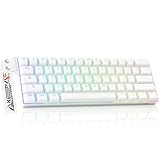
 DAREU EK60 HE Hall Effect Magnetic Switch Mechanical11.73 x 3.93 x 1.37 inches0.9 poundsCheck on Amazon


Top 3 picks at a glance
Quick Picks
| Product | Best for | Price |
|---|---|---|
| AULA WIN68 HE | Best for Competitive 65% Gaming | Check on Amazon |
| Aula WIN60 HE | Best Compact Value | Check on Amazon |
| Aula F75 HE | Best Wireless 75% Hall Effect | Check on Amazon |
| Keychron K10 HE | Best Full-Size Wireless | Check on Amazon |
| Keychron K2 HE | Best Wireless Custom 75% | Check on Amazon |
| DAREU EK60 HE | Best Budget 60% | Check on Amazon |
| EPOMAKER Creamy Jade | Best Budget Switch Set for Modding | Check on Amazon |
| GATERON Magnetic Jade Air | Best Premium Magnetic Switch Set | Check on Amazon |
How We Compared
We focused on the criteria that actually change how a magnetic keyboard feels and performs: switch quality and tuning for Hall Effect sensing, the usefulness of adjustable actuation and Rapid Trigger for gaming, polling and connection stability for consistent input, and build, layout, and customization options relative to price. Boards that offered meaningful adjustment without gimmicks, reliable performance across wired and wireless use where applicable, and sensible value for their category ranked highest.
The 8 Best Magnetic Switch Keyboards in 2026
1. AULA WIN68 HE
The WIN68 HE is ideal for competitive players who want Hall Effect precision in a focused 65 percent wired setup. You get Fast Trigger Mode with adjustable actuation that makes strafing, peeking, and repeated taps feel noticeably quicker than standard mechanical switches, plus an exceptionally high polling rate for smoother, more consistent input. The compact black chassis saves desk space and keeps the essentials front and center, with RGB backlighting that remains visible without being distracting.
- Pro: Responsive Hall Effect magnetic switches with adjustable actuation and Rapid Trigger for gaming
- Pro: Very high polling rate and compact 65 percent design at a strong value
- Con: Wired-only design and compact layout limit productivity and wireless flexibility
Skip it if you need wireless connectivity, a number pad, or dedicated function rows for work and multitasking.
2. Aula WIN60 HE
The WIN60 HE suits players who want the smallest possible footprint without giving up magnetic performance. This wired 60 percent board offers hot swappable magnetic switches with adjustable actuation and Rapid Trigger Mode, giving you the ability to fine tune sensitivity per key for movement versus typing. It also delivers a very high polling rate and compact RGB styling that fits easily into tight desks or travel bags.
- Pro: Hot swappable magnetic switches with adjustable actuation and Rapid Trigger
- Pro: High polling rate in an ultra-compact, affordable 60 percent chassis
- Con: No wireless option and fewer keys for shortcuts and productivity workflows
Skip it if you rely on arrow keys, function keys, or wireless use for everyday computing.
3. Aula F75 HE
The F75 HE is the pick for gamers who want Hall Effect benefits with more layout versatility and wireless freedom. The 75 percent form factor retains function and navigation keys while staying compact, and Hall Effect magnetic switches provide smooth, adjustable control with Rapid Trigger responsiveness. Wireless capability makes it easier to switch between a gaming PC, laptop, and living room setup without cable clutter.
- Pro: Hall Effect magnetic switches in a practical wireless 75 percent layout
- Pro: Balances gaming responsiveness with everyday usability and desk efficiency
- Con: Larger than 60 percent boards and priced higher than budget wired options
Skip it if you want the absolute smallest board or the lowest possible price.
4. Keychron K10 HE
The K10 HE is made for users who refuse to give up a full-size layout but still want modern Hall Effect performance. This wireless full-size board brings Rapid Trigger to a traditional footprint with numpad, ideal for players who also work in spreadsheets, editing, or coding and need wireless convenience. Build and customization lean toward a more premium, desk-friendly experience compared with compact gaming-first boards.
- Pro: Full-size wireless design with Hall Effect and Rapid Trigger capability
- Pro: Strong choice for combined gaming and productivity without changing layouts
- Con: Bulkier footprint and higher price than compact magnetic keyboards
Skip it if desk space is tight or you prefer a compact, minimalist gaming setup.
5. Keychron K2 HE
The K2 HE targets users who want wireless magnetic performance with a refined, custom-friendly 75 percent style. It delivers wireless convenience with Rapid Trigger magnetic switches and a layout that keeps function keys while trimming excess size. It feels at home as a daily driver that can shift from work to competitive play without swapping boards.
- Pro: Wireless magnetic custom keyboard with Rapid Trigger in a versatile compact layout
- Pro: More desk efficient than full-size while keeping essential keys
- Con: Costs more than entry-level wired Hall Effect alternatives
Skip it if you are on a tight budget or you specifically need a 60 percent or full-size form factor.
6. DAREU EK60 HE
The EK60 HE is the straightforward budget entry into Hall Effect gaming in a 60 percent size. It focuses on the core advantage, Hall Effect magnetic switches with the responsiveness players buy this category for, in a minimal wired package. For first-time buyers who want to try magnetic performance without a large investment, it keeps the barrier low while still offering a gaming-focused experience.
- Pro: Accessible price for Hall Effect magnetic switch performance
- Pro: Compact 60 percent form factor ideal for competitive shooters and small desks
- Con: Basic feature set and wired-only connectivity compared with pricier wireless picks
Skip it if you need wireless, extensive customization, or a larger layout for productivity.
7. EPOMAKER Creamy Jade
This set is for hobbyists who already own a compatible Hall Effect board and want to tune feel and sound. These factory pre-lubed magnetic switches are sold as a multi-pack for modding, letting you refresh or fine tune an existing keyboard rather than replacing the whole unit. They are a cost effective way to experiment with a creamier, smoother typing character.
- Pro: Factory pre-lubed for smoother feel out of the box
- Pro: Very affordable multi-pack for full-board swaps or experimentation
- Con: Switches only, requires a compatible magnetic keyboard and installation
Skip it if you are looking for a complete keyboard or you do not have a compatible Hall Effect board.
8. GATERON Magnetic Jade Air
The Magnetic Jade Air set is aimed at enthusiasts who want a premium switch upgrade for their Hall Effect keyboard. Sold as a set for builders and modders, these switches emphasize refined consistency and smooth travel for players who notice subtle differences in actuation and reset. They make sense when you have already invested in a good board and want to elevate its feel.
- Pro: Premium magnetic switch option from an established switch maker
- Pro: Designed for enthusiasts seeking consistent, smooth performance
- Con: Higher cost per set and requires a compatible board plus self-installation
Skip it if you want a ready-to-use keyboard or prefer a budget-friendly switch refresh.
More Magnetic Keyboards Worth Considering
The eight picks above cover the most popular budget and mid-range Hall Effect boards, but the category has grown quickly. Several established gaming brands now ship their own magnetic keyboards, and a few smaller makers have closed the gap on software and build quality. The five boards below fill specific gaps in the main list: premium tournament-style tenkeyless designs, a long-battery wireless 80 percent board, a low-profile option, and another budget value pick.
SteelSeries Apex Pro TKL Gen 3

The Apex Pro line is the keyboard that brought adjustable actuation into the mainstream, and the Gen 3 tenkeyless model is the most refined version of that idea. It is built for players who want a premium, low-maintenance board from a large brand, with software that is easy to understand and a feature set that goes beyond basic Rapid Trigger.
The core of the board is SteelSeries’ OmniPoint 3.0 switches, which let you set actuation anywhere from 0.1 mm to 4.0 mm per key. Rapid Trigger is included, along with Rapid Tap, SteelSeries’ take on SOCD handling, which resolves opposing movement keys so that the most recent direction wins during counter-strafes. Protection Mode is a thoughtful addition: it raises the actuation point on keys you choose so that resting fingers on sensitive keys does not trigger accidental inputs. The 2-1 Action feature lets one key perform two separate commands depending on how deep you press it, which is handy for things like walking and sprinting on the same key.
Physically, the Apex Pro TKL Gen 3 uses an aluminum top plate, a small OLED display for on-board profile and setting changes, a media dial, and a magnetic wrist rest in the box. The tenkeyless layout keeps the function row and arrow cluster that the 60 percent boards in our main list drop, which matters if you also use the keyboard for work.
Strengths: mature software in SteelSeries GG, a wide actuation range, the OLED screen for quick adjustments without opening an app, and a build that feels sturdier than most budget Hall Effect boards. Drawbacks: it sits in the premium price tier, the switches are proprietary rather than a common hot-swap standard, and the stock keycaps feel less premium than the price suggests. Compared with the AULA WIN68 HE, you are paying several times more for software polish, a larger layout, and brand support rather than raw speed, since both offer the same core magnetic advantages.
Logitech G PRO X TKL Rapid

Logitech’s first Hall Effect keyboard takes the shell of the popular PRO X TKL and fits it with magnetic analog switches. It is a wired-only tenkeyless board aimed squarely at competitive players, particularly those already using a Logitech G mouse and the G HUB software.
Each key supports actuation from 0.1 mm to 4.0 mm in 0.1 mm steps, with a light initial force of around 35 g. Rapid Trigger is available per key, and Logitech’s Key Priority system offers several SOCD modes, including last-input priority and key-travel priority, so you can choose how the keyboard resolves conflicting A and D presses. Multi-point actuation lets a single key send different actions at different depths. All of this lives in one Analog Switches menu in G HUB, and settings can be saved to on-board memory.
The polling rate on the original PRO X TKL Rapid is 1,000 Hz, which is lower than the 8,000 Hz figure advertised by the AULA and DAREU boards above. In real play, the bigger gains come from Rapid Trigger and SOCD behavior rather than the jump from 1 ms to 0.125 ms report intervals, but spec-focused buyers should note the difference. Logitech has since released the PRO X2 Rapid with 8 kHz polling and an OLED panel at a higher price.
Strengths: a clean, tournament-friendly tenkeyless layout, double-shot PBT keycaps, a volume roller and dedicated media controls, big-brand warranty support, and light switches that suit fast fingers. Drawbacks: wired only, a premium price tier for 1,000 Hz polling, and G HUB can feel cluttered for first-time users. It slots between the Keychron K2 HE and the SteelSeries Apex Pro TKL Gen 3 for buyers who want a big-brand board without paying full flagship money.
EPOMAKER G84 HE

Wireless Hall Effect keyboards have a reputation for short battery life, because magnetic sensing and high polling rates draw more power than ordinary switches. The EPOMAKER G84 HE answers that complaint directly with an 8,000 mAh battery split across two cells, and it is the best fit here for players who want a cable-free magnetic board with a function row.
The 84-key layout (sold as 80 percent, sometimes described as 75 percent) keeps function keys and arrows in a compact body. Connectivity is tri-mode: USB-C, 2.4 GHz wireless and Bluetooth. EPOMAKER lists 8,000 Hz polling in both wired and 2.4 GHz modes, with Bluetooth running at a much lower rate meant for office use. Rated battery life is roughly 30 hours with RGB on and up to around 160 hours with lighting off.
The board uses EPOMAKER’s own hot-swappable magnetic switches with an actuation range of 0.1 mm to 3.3 mm, adjustable in 0.01 mm steps, plus Rapid Trigger, Snap Key (SOCD), and Dynamic Keystroke for assigning up to four actions to one key based on press depth. Inside, it uses a gasket mount, a flex-cut polycarbonate plate and sound-dampening layers, so it leans toward a softer, quieter typing sound than many plastic budget boards.
Strengths: long wireless battery life, 8K polling in 2.4 GHz mode, a gasket-mounted typing feel, a Mac/Windows toggle, and a mid-range price. Drawbacks: the case is ABS plastic rather than aluminum, it weighs around 1 kg, which is heavy for travel, and its software is less polished than Keychron’s or SteelSeries’ tools. Compared with the Aula F75 HE, it trades a little portability for much longer battery life and a fuller key set, and it usually costs less than the Keychron K2 HE.
NuPhy Air60 HE

Most magnetic keyboards are tall boards that benefit from a wrist rest. The NuPhy Air60 HE is the exception: it is a low-profile 60 percent Hall Effect keyboard with a case only about 13.5 mm to 18.8 mm thick, which makes it a natural fit for players who are used to laptop keyboards or who want a slim board that slides into a backpack.
It uses Gateron’s low-profile Magnetic Jade or Jade Pro switches, depending on the version, with actuation adjustable from 0.1 mm to 3.3 mm and Rapid Trigger sensitivity down to 0.01 mm. NuPhy pairs that with 8,000 Hz polling and an 8,000 Hz scan rate. The software supports Dynamic Keystroke, Mod Tap, Toggle Key, SOCD, and macros, so the feature list is not stripped down despite the slim body.
Build is a step above many budget boards, with an aluminum top panel, PBT keycaps, internal foam and silicone layers, and per-key RGB plus side lighting. The 61-key layout is a modified 60 percent, so arrow keys and the function row require a layer key.
Strengths: genuinely low profile, a premium-feeling top case, hot-swappable low-profile magnetic switches, and full 8K performance. Drawbacks: it is wired only because there is no room for a battery, low-profile magnetic switches are less common than standard ones if you want to change feel later, and the price sits in the mid tier rather than the budget tier. If the boards in our main list feel too tall or you dislike wrist rests, the Air60 HE is the most comfortable alternative to the WIN60 HE.
ATTACK SHARK X68 HE

The ATTACK SHARK X68 HE is a budget wired Hall Effect board that competes directly with the AULA WIN68 HE and DAREU EK60 HE. It suits first-time buyers who want a compact layout with arrow keys and a feature list that matches more expensive boards.
The board has 66 keys in a compact layout that some listings call 60 percent and others 65 percent, with dedicated arrow keys. It uses linear magnetic switches with an actuation range of 0.1 mm to 3.4 mm, 0.01 mm Rapid Trigger precision, and an 8,000 Hz polling rate. Software features include Snap Tap style SOCD, Dynamic Keystroke, Mod Tap and Toggle Key, configured through a browser-based driver with on-board memory, so settings follow the keyboard between computers.
Strengths: low price, 8K polling, hot-swappable magnetic switches, PBT keycaps, and dedicated arrows in a small footprint. Drawbacks: wired only in this version, a lesser-known brand with thinner long-term support, and a web driver that is functional rather than refined. Against the AULA WIN68 HE, it is close enough that the choice often comes down to which is cheaper on the day and which keycap style you prefer. Buyers who later want wireless should look at the separate X68 PRO HE variant rather than this wired model.
Buying Guide
Adjustable Actuation and Rapid Trigger Done Right
The headline feature of magnetic keyboards is control over actuation. Look for software that lets you set actuation points per key and enables true Rapid Trigger that resets a key the moment you start to lift, not just when it passes a fixed point. In practice, this lets you keep movement keys ultra sensitive while adding depth to keys you might hit accidentally. Prioritize boards with intuitive profiles and on-board memory so your settings travel with you.
Form Factor, Connectivity, and Daily Use
Size changes how you play and work. 60 percent is best for maximum mouse space and portability, 75 percent keeps function and navigation keys in a still-compact shell, and full-size adds a numpad for productivity. Decide between wired reliability and wireless flexibility based on your setup. If you switch between devices or want a cleaner desk, wireless adds real convenience, but wired still offers simplicity and often lower cost.
Switch Feel, Build, and Customization
Beyond sensing, feel matters. Factory lubing, housing material, and mounting affect smoothness, sound, and stability during fast inputs. Hot swappable magnetic designs let you swap switches without soldering, which is useful for repairs or tuning. Consider keycap quality, stabilizers, and whether the software is regularly updated. A solid chassis with minimal flex and well-tuned stabilizers does more for long-term satisfaction than flashy extras.
How the Additional Picks Compare
| Keyboard | Layout | Connection | Actuation range | Polling | Price tier |
|---|---|---|---|---|---|
| SteelSeries Apex Pro TKL Gen 3 | Tenkeyless | Wired | 0.1 to 4.0 mm | Standard | Premium |
| Logitech G PRO X TKL Rapid | Tenkeyless | Wired | 0.1 to 4.0 mm | 1,000 Hz | Premium |
| EPOMAKER G84 HE | 80% (84 keys) | Wired, 2.4 GHz, Bluetooth | 0.1 to 3.3 mm | 8,000 Hz (wired and 2.4 GHz) | Mid-range |
| NuPhy Air60 HE | 60%, low profile | Wired | 0.1 to 3.3 mm | 8,000 Hz | Mid-range |
| ATTACK SHARK X68 HE | 60 to 65% (66 keys) | Wired | 0.1 to 3.4 mm | 8,000 Hz | Budget |
Software Features That Separate Good Boards From Great Ones
Almost every magnetic keyboard now lists adjustable actuation and Rapid Trigger, so those two features no longer tell you much on their own. The differences show up in the extra tools and in how easy the software is to use. These are the features worth checking before you buy:
- SOCD handling (Snap Tap, Rapid Tap, Key Priority, Snap Key): resolves what happens when two opposing keys are held at once. Last-input priority makes counter-strafing in shooters cleaner. Some tournaments and anti-cheat systems restrict it, so check the rules of the games you play competitively.
- Dynamic Keystroke (DKS) or multi-point actuation: assigns different actions to different press depths and to the release. Useful for walk and sprint on one key, or for MMO and simulator bindings.
- Mod Tap and Toggle Key: one key does one thing when tapped and another when held. On 60 percent boards this can rescue missing keys such as arrows.
- Per-key actuation curves and dead zones: top and bottom dead zones stop keys from flickering when you rest your fingers or bottom out hard.
- On-board memory: saves profiles to the keyboard so settings work on a LAN PC or a laptop without installing software.
- Browser-based versus installed software: web drivers are convenient and work across operating systems, but installed apps from larger brands tend to be more polished and better documented.
Hall Effect, TMR and Analog Optical: Which Sensing Type Matters
Most boards in this guide use Hall Effect sensors, which measure the strength of a magnet in each switch to work out how far the key has traveled. A growing number of 2026 boards use TMR (tunnel magnetoresistance) sensors, which detect the same magnet but with higher sensitivity and lower power draw, a benefit for wireless boards. In daily gaming, a well-calibrated Hall Effect board and a TMR board feel very similar, so treat TMR as a bonus rather than a requirement. Analog optical keyboards, such as some recent Razer Huntsman models, reach similar results with light sensors instead of magnets. They offer adjustable actuation and Rapid Trigger too, but they use different switches, so magnetic switch packs like the EPOMAKER and GATERON sets above will not fit them.
Setup Tips for a New Magnetic Keyboard
- Update the firmware first. Early firmware on budget boards often has calibration or wireless bugs that later updates fix.
- Run the calibration routine. Most boards include a calibration step that has you press every key fully. Repeat it after swapping switches.
- Start conservative. Set general actuation around 1.0 to 1.5 mm and Rapid Trigger sensitivity around 0.3 to 0.5 mm, then lower movement keys gradually. Going straight to 0.1 mm usually causes accidental presses.
- Build separate profiles. Keep a typing profile with deeper actuation and a gaming profile with sensitive WASD, and switch between them with a hotkey.
- Keep magnets away. Strong magnets, such as some phone mounts or magnetic wrist rests from other brands, placed near the switches can interfere with readings.
- Check game rules. If you play ranked or in leagues, confirm whether SOCD features are allowed and disable them for those titles if needed.
Matching a Magnetic Keyboard to the Games You Play
The benefits of magnetic switches are not spread evenly across genres. Knowing where they help most makes it easier to decide how much to spend and which layout to choose.
- Tactical shooters (Valorant, Counter-Strike 2, Rainbow Six Siege): this is where Rapid Trigger matters most. Stopping instantly when you release a movement key improves shooting accuracy after a strafe. A 60 or 65 percent board leaves more room for low-sensitivity mouse swipes. The AULA WIN68 HE, ATTACK SHARK X68 HE and NuPhy Air60 HE fit this use well.
- Battle royale and fast arena shooters: movement is more fluid, so Dynamic Keystroke bindings, such as crouch on a light press and slide on a deeper press, can be more useful than raw Rapid Trigger. A layout with a function row helps with the larger number of bindings.
- Rhythm games such as osu! and other key-tapping titles: Rapid Trigger lets you tap repeatedly without fully releasing the key, which reduces finger fatigue during long streams. Small dedicated keypads exist for this, but any board with good Rapid Trigger works.
- MOBAs, MMOs and strategy games: actuation tweaks matter less than layout and macro support. A tenkeyless or full-size board like the Keychron K10 HE or SteelSeries Apex Pro TKL Gen 3 makes more sense than a 60 percent deck.
- Racing and flight games: some magnetic keyboards can output analog input, so a key behaves like a trigger or joystick axis for gradual throttle and steering. Support varies widely by brand and model, so check the software feature list before buying for this reason.
Common Mistakes When Buying a Hall Effect Keyboard
- Chasing the smallest actuation number. Nearly every board now reaches 0.1 mm. Consistency across keys and good calibration matter more than the advertised minimum.
- Ignoring the software. A board with excellent hardware and a confusing or abandoned driver is frustrating to live with. Look for regular firmware updates and on-board memory.
- Assuming any switch will fit. Magnetic switches vary in magnet strength and direction. Stick to switches the keyboard maker lists as compatible, or plan to recalibrate and accept some inconsistency.
- Buying wireless without checking polling and battery. Some wireless boards drop to much lower polling rates on battery or offer short battery life at 8K. If wireless matters, look for a large battery like the EPOMAKER G84 HE’s.
- Choosing a 60 percent board for office work. Small boards are great for gaming, but daily spreadsheets and coding are easier with arrows, a function row and navigation keys.
What to Expect at Each Price Tier
Budget: boards like the AULA WIN68 HE, Aula WIN60 HE, DAREU EK60 HE and ATTACK SHARK X68 HE deliver the core magnetic features: adjustable actuation, Rapid Trigger, SOCD and often 8,000 Hz polling. The trade-offs are plastic cases, simpler stabilizers, web-based software and less certain long-term firmware support. For a first magnetic keyboard, this tier offers remarkable value.
Mid-range: the Aula F75 HE, EPOMAKER G84 HE, NuPhy Air60 HE and Keychron K2 HE and K10 HE add wireless connectivity, better internal dampening, gasket or improved mounting, larger layouts and more polished software. This is the best tier for players who use one keyboard for both work and gaming.
Premium: the SteelSeries Apex Pro TKL Gen 3 and Logitech G PRO X TKL Rapid focus on refined software, extra features like OLED screens and media controls, metal plates and brand warranties. Raw speed is similar to cheaper boards, so the money goes toward polish, support and convenience rather than a measurable competitive edge.
Switch upgrades: magnetic switch sets like the EPOMAKER Creamy Jade and GATERON Magnetic Jade Air are a low-cost way to change the feel of a compatible board. Expect to recalibrate after installing them, and check the keyboard maker’s compatibility list first.
For most players, a mid-range board is the sweet spot. Move up to premium only if a specific feature, such as an OLED display, a trusted warranty or a particular software ecosystem, matters to you, and choose budget if you mainly want to try Rapid Trigger in competitive shooters.
Our Verdict
Top pick overall is the AULA WIN68 HE, which delivers Hall Effect magnetic switches with Fast Trigger Mode and adjustable actuation plus a very high polling rate in a focused 65 percent wired design at a compelling price. Budget alternative is the DAREU EK60 HE, another affordable way to get a complete Hall Effect gaming keyboard while keeping the compact advantage. If you need wireless and a more versatile layout without going full-size, the Aula F75 HE wins for its balance of Hall Effect performance and everyday usability.
FAQ
Is Snap Tap or SOCD allowed in competitive games?
It depends on the game. Valve restricted automated SOCD-style inputs in Counter-Strike 2 on official servers, and some tournaments set their own rules. Most keyboards in this guide let you switch the feature off or keep it in a separate profile, so you can follow each game’s rules without changing hardware.
Do magnetic switches last longer than mechanical switches?
Generally, yes. Hall Effect switches have no metal contact leaves that wear or oxidize, because the key position is read magnetically. Manufacturers commonly rate them for tens of millions to over 100 million keystrokes. Springs, stems and stabilizers still wear over time, but chatter and double-typing from worn contacts are not a concern.
Can I put magnetic switches in a regular hot-swap mechanical keyboard?
No. Magnetic switches need a PCB with a sensor under each key, and they have no metal pins for standard 3-pin or 5-pin hot-swap sockets. They only work in boards designed for magnetic switches, and even then you should confirm the specific switch is supported, since magnet strength and orientation vary between brands.
Is 8,000 Hz polling worth paying extra for?
It helps a little, but less than adjustable actuation and Rapid Trigger. Moving from 1,000 Hz to 8,000 Hz cuts the reporting interval from 1 ms to 0.125 ms, which competitive players may notice in feel more than in results. It also uses more CPU time, so on older systems a 1,000 Hz or 4,000 Hz setting can be the better choice.
Are magnetic keyboards good for typing?
Yes, once actuation is set sensibly. A deeper actuation point of around 1.5 to 2.0 mm for letters avoids accidental presses, and many boards in this guide use light, smooth linear switches that are comfortable for long sessions. Keep ultra-sensitive settings for movement keys in a gaming profile.
What makes magnetic switch keyboards different from regular mechanical keyboards?
They use Hall Effect sensing to detect key position magnetically, so actuation is adjustable and Rapid Trigger can dynamically reset keys as you lift. This gives you more control over sensitivity and helps with fast, repeated inputs. Traditional mechanical switches use a fixed physical actuation point.
Is Rapid Trigger useful if I do not play competitive shooters?
Yes, but the benefit is most obvious in fast-paced games where quick strafing and peeking matter. For general gaming and typing, adjustable actuation still helps reduce typos and tailor feel per key. You can keep it subtle for everyday use and more aggressive for gaming profiles.
Do I need wireless for a magnetic keyboard?
Not necessarily. Wired models often cost less and offer straightforward reliability, which is great for a dedicated gaming desk. Choose wireless if you value a cleaner setup, easy device switching, or use the same board for work and play across multiple devices.
Can I just buy magnetic switches instead of a new keyboard?
Only if you already own a compatible Hall Effect board that supports hot swapping of magnetic switches. Switch sets like the EPOMAKER Creamy Jade and GATERON Magnetic Jade Air are for modding and require installation. If you do not have a compatible keyboard, buy a complete magnetic keyboard first.
Part of our keyboards buying guide hub.