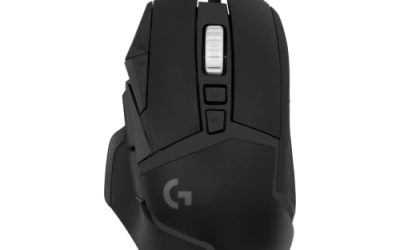
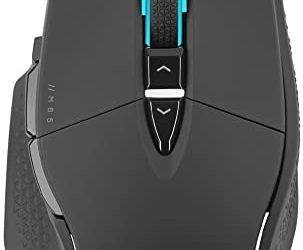
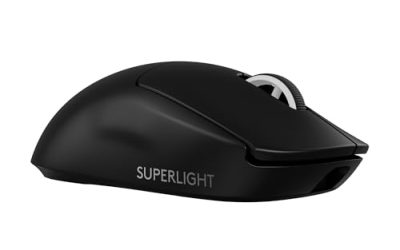
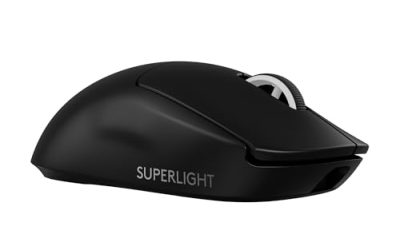
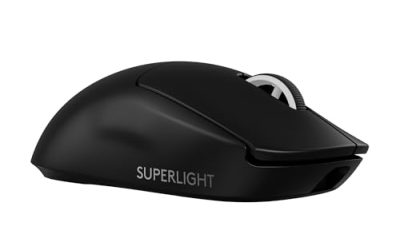
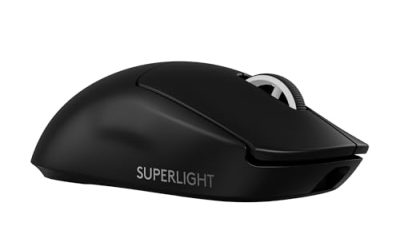
Our Short List of 3

- View on Amazon: https://www.amazon.com/dp/B0C51J2ZXN

- View on Amazon: https://www.amazon.com/dp/B0CH9XHFW8

- View on Amazon: https://www.amazon.com/dp/B0D9BKWP3G
All 4 Picks at a Glance
| Product | Specs | Action |
|---|---|---|
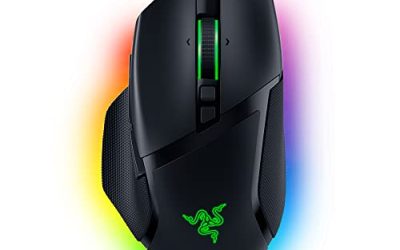
| 1. Razer Cobra |
| Check price on Amazon |
| 3. Pulsar X2V2 Mini Wireless |
| Check price on Amazon |
| 4. Lamzu Atlantis Mini Champion Edition |
| Check price on Amazon |
 5. HyperX Pulsefire Haste 2 Mini |
| Check price on Amazon |
Most lightweight gaming mice solve only half of the problem for a small-handed player. A shell can be light and still be too long, too wide, or too tall, so your fingers stretch to reach the main buttons and your aim depends on your whole forearm instead of quick fingertip corrections. The picks here had to pass two filters at once: a genuinely light build, at 61 grams or less, and a genuinely compact shape, at about 120 mm long or less with a narrow grip width. That combination makes fingertip and claw control feel natural instead of forced.
Start with your own hand, not with a size label on a box. Measure length from the tip of your middle finger to the crease at the base of your palm, then width across your knuckles, not counting your thumb. Hands under about 17 cm long usually count as small, and a width under about 8 cm means a narrow shell will feel far more secure than a wide one. Then match shape to grip: fingertip players need a short shell with room to curl, claw players need a low rear hump to pull back into their fingers, and palm players should be careful, since full palm contact on a mini shell can push fingers past the front edge.
Our Top Picks
Top 3 picks at a glance
How to Choose a Lightweight Gaming Mouse for Small Hands
Start With Hand Size, Not Marketing Labels
Brands use words like mini, compact, and small without a shared standard, so one label can describe a 116 mm shell and another a 125 mm shell. Ignore the label and compare three printed numbers instead: length, width, and height. Length matters first: a shell around 115 to 120 mm lets fingertip and claw players reach both main buttons without shifting the whole hand forward. Width matters next, because a narrow shell, roughly 60 to 63 mm across the body with a slimmer grip area, lets your thumb and ring finger hold the mouse instead of hovering beside it. Height counts too: a low profile around 36 to 39 mm keeps your fingers arched in a relaxed claw rather than perched on a tall hump. Write your hand measurements down before you shop, then rule out any mouse longer than your hand can cover with fingers in their natural curl.
Weight Only Helps When the Shell Fits
Low weight reduces the effort needed to start and stop a flick, which is why competitive players chase lighter shells. On a small hand, weight and size interact: a 99 gram compact mouse can feel heavier in play than its number suggests, because a small hand has less leverage and less contact area to control it. A 51 to 61 gram mouse in a short shell is easier to micro-adjust with your fingertips, easier to lift and reset on the pad, and less tiring across a long session of low-sensitivity aiming. Balance matters as well as the headline figure. A mouse that carries its weight toward the middle feels predictable in fingertip grip, while a rear-heavy mouse can tip backward during fast lifts. If you play shooters with large swipes and frequent resets, treat roughly 65 grams as a sensible ceiling for this category.
Match the Shape to Fingertip or Claw Grip
Fingertip grip is the natural default for many small-handed players, because only the fingers touch the mouse and control comes from small, fast movements. It suits short, low, symmetrical shells with flat sides, since your thumb and ring finger pinch the mouse and steer it. Claw grip adds contact at the base of the fingers and rear of the palm, so it benefits from a gentle rear hump to brace against when you pull the mouse toward you. Aggressive claw, with sharply arched fingers, needs a shorter shell and buttons within easy reach of that arch. Palm grip is hardest to serve at this size: a true mini shell rarely supports the full palm of even a small hand, and forcing it can cramp your fingers. If you rest your whole palm down, look for the longest, tallest shape in this guide and a relaxed claw hybrid instead. Check side button placement too, so your thumb lands on the buttons without stretching.
Sensor and Switches: What Actually Matters at This Size
Modern optical sensors in this class track far beyond what human aim can use, so headline DPI figures should not decide your purchase. What matters is clean tracking at the settings players actually use, commonly 400 to 1600 DPI, a low lift-off distance so the cursor stays calm when you reposition the mouse, and consistent polling so movement feels even. The sensors in the picks below, from the PixArt PAW3395 and PAW3950 to the HyperX 26K, all sit in that dependable tier. Switches shape feel more than sensor numbers do. Optical switches actuate with light, which removes the debounce delay linked to double-click faults in older mechanical designs, and they suit fast fingertip clicking. Mechanical switches give a firmer, more tactile break that some claw players prefer for controlled bursts. Either type can work well; the practical checks are click tension, pre-travel, and whether the buttons feel reachable without your fingers sliding forward on a short shell.
Wired or Wireless for a Small Desk Setup
Wireless frees a light mouse from cable drag, a real advantage when the mouse weighs so little that even a stiff cable can tug it off line. Current 2.4 GHz connections in this guide run at a 1 ms report rate, matching wired responsiveness, and battery figures in the picks below reach up to 100 hours at standard polling. Wired still has honest strengths: no charging, no battery adding grams, and a flexible paracord-style cable can come close to a wireless feel, especially with a bungee keeping slack off the pad. Small desks tilt the decision further, since limited pad space means more lifts and resets, and more chances for a cable to catch on a monitor stand or keyboard edge. If you move between a desk and a laptop, a dual-mode wireless mouse with Bluetooth for everyday use adds flexibility. Confirm what the box includes, since higher polling modes on some models need a separate receiver.
1. Razer Cobra
The Razer Cobra is the wired starting point for small hands because it pairs a 58 gram build with a compact symmetrical shell that does not ask your fingers to stretch. Listing dimensions put it at about 119.6 mm long, 62.5 mm wide, and 38.1 mm tall, squarely in claw and fingertip territory for hands under 17 cm. The low profile lets your fingers arch naturally, and the flared main buttons keep your fingertips on the click surface even in an aggressive claw.
Inside, the Cobra uses an 8500 DPI optical sensor with adjustments in fine 50 DPI steps, so dialing in a comfortable sensitivity for fingertip micro-corrections is straightforward. Razer fits its Gen-3 optical switches, listed for a lifecycle of up to 90 million clicks, with a fast 0.2 ms actuation that suits rapid clicking in shooters and MOBA titles alike. The Speedflex cable is soft and light, reducing the tug that can move a 58 gram mouse at rest, and the pure PTFE feet glide smoothly on cloth pads. For a small-handed player who wants wired simplicity, current switch hardware, and a shape that echoes the much-loved Viper Mini layout, the Cobra is an easy first mouse to shortlist.
2. Razer Viper Mini
The Razer Viper Mini built the template many mice here follow: a solid shell with no perforations, a short symmetrical body, and a weight of 61 grams that stays easy to flick. Its listed size, about 119 mm long and 61 to 62 mm wide with a height near 39 mm, keeps the rear hump low and close, so a claw grip can brace against it while fingertip players still have room to curl and steer. For small hands, that shape is the point: your fingers land on the buttons without reaching, and your thumb reaches the side buttons without regripping.
The sensor is an 8500 DPI optical unit tracking up to 300 IPS, which covers the fast swipes of competitive play at the sensitivities most players use, with a low lift-off so resets stay tidy. Optical switches handle the main clicks, removing debounce delay and supporting quick, repeated inputs, while six programmable buttons let you move a reload, melee, or push-to-talk command under your thumb or fingers. The Speedflex cable stays out of the way on a small pad, and the feet are pure PTFE for a consistent glide. It connects by wire only, so there is no battery to charge and no extra grams from a cell inside the shell. Players who want the classic mini shape in its simplest wired form will find the Viper Mini still sets the reference for this size class.
- View on Amazon: https://www.amazon.com/dp/B084W6W9WB
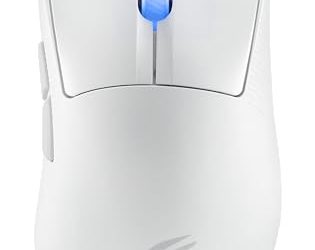
3. Pulsar X2V2 Mini Wireless
- View on Amazon: https://www.amazon.com/dp/B0CH9XHFW8
The Pulsar X2V2 Mini Wireless is the smallest and joint-lightest pick here, and its numbers explain why fingertip players seek it out. Pulsar lists the shell at 115.6 mm long, 60.6 mm wide, and 36.6 mm tall, with a weight of 51 grams. That is a truly short, low shape: small hands can surround it, curl over it, and move it with finger pressure alone, while a relaxed claw still finds a gentle rear slope to pull against. The symmetrical body has flat sides that make pinch control secure, and the solid shell avoids open cutouts.
Performance hardware matches the shape. The PixArt PAW3395 sensor reaches 26000 DPI with 650 IPS tracking, paired with a 1000 Hz polling rate over a lag-free 2.4 GHz connection, and the mouse can also run wired through its USB-C cable while it charges. Optical switches give fast, consistent clicks, and Pulsar includes its blue encoder for defined scroll steps. Battery life is listed at up to 100 hours at standard polling, so charging rarely interrupts a week of play, and higher polling is supported with a separate Pulsar 4K receiver. Choose the X2V2 Mini if your hands are at the smaller end of the range, your grip leans fingertip, and you want the least mouse to move without giving up a flagship sensor.
4. Lamzu Atlantis Mini Champion Edition
- View on Amazon: https://www.amazon.com/dp/B0D9BKWP3G
The Lamzu Atlantis Mini Champion Edition takes a different route to small-hand control: a symmetrical hourglass shape that narrows at the grip point, so your thumb and ring finger lock in with less effort. Listing information puts it at 51 grams and about 117 mm long, 63 mm wide, and 37 mm tall. That waist matters for claw players, because the mouse stays planted when you pull it back toward your palm, and fingertip players get a clear pinch point for lifting during resets. It shares the lightest weight in this guide while keeping a solid, closed shell.
The sensor is the PixArt PAW3950, listed up to 30000 DPI with 750 IPS tracking, run by a Nordic 52840 chip for efficient wireless performance. Optical switches handle the clicks, and the dust-resistant encoder keeps scroll steps clean over time. Connection covers both 2.4 GHz wireless and wired use over USB-C, and the mouse is 8K polling compatible, meaning it can run at up to 8000 Hz with the matching 8K receiver, so confirm what is included with the version you select. For small-handed claw players who want a secure waist grip, top-tier sensor hardware, and wireless freedom in a 51 gram shell, this is the precision-focused pick of the group.
5. HyperX Pulsefire Haste 2 Mini
- View on Amazon: https://www.amazon.com/dp/B0CQ53QFRT
The HyperX Pulsefire Haste 2 Mini shrinks the standard Haste 2 into a compact shell while keeping the same core hardware, a strong wireless pick for small hands that still want a familiar, rounded shape. It weighs 59 grams with a solid upper shell, and measures 116.6 mm long, 61.9 mm wide, and 36.5 mm tall. That low, short body suits fingertip and claw grips, and the gently curved top is forgiving for a relaxed claw. HyperX also includes grip pieces in the box, which help smaller hands hold a smooth shell securely during fast swipes.
The HyperX 26K sensor tracks up to 26000 DPI at 650 IPS, and the switches are listed for up to 100 million clicks, so tracking and clicking hardware both sit at flagship level. Connectivity is the flexible part: connect over 2.4 GHz wireless for gaming, switch to Bluetooth for a laptop or second computer, or plug in the USB-C cable and keep playing while it charges. Battery life reaches up to 100 hours on a full charge. Settings such as DPI stages, macros, and assignments for the six programmable buttons are handled in HyperX NGENUITY software. Pick the Haste 2 Mini if you want one compact mouse that moves between a gaming desk and a laptop bag without changing how your hand works.
Lightweight Gaming Mouse for Small Hands at a Glance
The table below lines up the five picks on the numbers that decide fit and control.
| Mouse | Weight | Size (L x W x H) | Connection | Sensor | Suited to |
|---|---|---|---|---|---|
| Razer Cobra | 58 g | 119.6 x 62.5 x 38.1 mm | Wired | 8500 DPI optical | Claw and fingertip, wired simplicity |
| Razer Viper Mini | 61 g | 119 x 62 x 39 mm | Wired | 8500 DPI optical | Fingertip and claw, classic mini shape |
| Pulsar X2V2 Mini Wireless | 51 g | 115.6 x 60.6 x 36.6 mm | 2.4 GHz wireless and wired | PixArt PAW3395, 26000 DPI | Fingertip, smallest hands |
| Lamzu Atlantis Mini Champion Edition | 51 g | About 117 x 63 x 37 mm | 2.4 GHz wireless and wired | PixArt PAW3950, 30000 DPI | Claw, secure waist grip |
| HyperX Pulsefire Haste 2 Mini | 59 g | 116.6 x 61.9 x 36.5 mm | 2.4 GHz, Bluetooth, and wired | HyperX 26K, 26000 DPI | Claw and fingertip, desk and laptop use |
Frequently Asked Questions
How do I know if my hands count as small for a gaming mouse?
Measure from the tip of your middle finger to the crease where your palm meets your wrist. If that length is under about 17 cm, most standard gaming mice will feel long, and the compact shells here, all around 120 mm or shorter, will fit your reach better. Width across the knuckles under about 8 cm points the same way, toward narrow bodies around 60 to 63 mm.
What weight should a lightweight mouse for small hands aim for?
For this category, look at roughly 65 grams or less; every pick here sits between 51 and 61 grams. A small hand has less leverage than a large one, so extra grams show up faster as strain during lifts and resets. A light shell in a short body is easier to start, stop, and micro-adjust with your fingertips than a heavier mouse of the same size.
Is fingertip or claw grip better for small hands?
Both work, and your hand will usually tell you which it prefers. Fingertip grip gives the fastest micro-adjustments and suits the shortest, lowest shells, such as the Pulsar X2V2 Mini. Claw grip adds a bracing point at the rear of the shell, which many players find steadier for tracking, and suits shapes with a gentle hump or narrowed waist, such as the Lamzu Atlantis Mini Champion Edition. Full palm grip is hardest to fit on a mini shell.
Should I choose wired or wireless at this size?
Choose wireless if cable drag bothers you, if your desk is small, or if you lift and reset often, because a cable can tug a 51 to 61 gram mouse off line. The 2.4 GHz connections here report at 1 ms, matching wired responsiveness. Choose wired for the simplest setup, with no charging and no battery weight.
Can I just use a standard-size lightweight mouse instead?
You can, but the fit cost is real. A standard shell around 125 mm or longer pushes the main buttons further from a small hand, so clicks land with fingers extended instead of curled, and fingertip steering turns into whole-hand pushing. If your hand measures under 17 cm, a compact shell will usually give cleaner control with less strain across a long session.
Disclosure: As an Amazon Associate, we earn from qualifying purchases.
Related guides
More from Amazon
Programs that pair well with the guide above. Offers and eligibility are set by Amazon and may change.
Free shipping on eligible items, Prime Video and more. Eligible new members can start with a free trial.
Start a Prime free trialAd-free music streaming. Eligible new subscribers can start with a free trial.
Try Music Unlimited freeA Prime membership for ages 18-24 with a trial period. Eligibility is set by Amazon.
See Prime for Young AdultsAudiobooks and podcasts to listen to on the go. Eligible new members can start with a free trial.
Try Audible freeAs an Amazon Associate we earn from qualifying purchases.